Migrating people to a new CMS
Rachel Bhandari
Bruce Darby
Billy Wardrop
University of Edinburgh
• Bruce Darby – Project Manager
– Managed development of CMS functionality and
migration scheduling.
• Rachel Bhandari - Editorial Development Officer
– Advice and guidance on content strategy and editorial
aspects of site management. Migration liaison and site
migration.
• Billy Wardrop – CMS Service Support Officer
– Technical expertise and support for CMS and related
services. Technical development and support for
migration.
Workshop objectives
• Keep people involved during a large site
migration project
• Explore important issues when migrating sites
• Explore dilemmas based on our experience
– With an opportunity to discuss your
setup/projects
Overview
1. Initial planning and overall project approach
– Bruce
2. Support and customer engagement – Rachel
3. Technical support – Billy
4. Wrap up
5. Questions
The formidable task
• 350 websites!
• 50,000
published
pages!!
• Devolved
publishing
community!!!
Our project objectives
• Build a new bespoke Content Management
System
• Create a new responsive design
• Migrate all content
• Train all editorial staff
• No impact on University business
dilemma
dɪˈlɛmə,dʌɪ-/
noun
• a situation in which a difficult choice has to be
made between two or more alternatives, especially
ones that are equally undesirable.
• a difficult situation or problem.
• an argument forcing an opponent to choose either
of two unfavourable alternatives.
Dilemma
When migrating a large site with heavy traffic
should you start the migration at the top with
the main homepage or from the bottom up?
Considerations
• Should a migration be 100% automatic?
• Bring the site down or keep it live?
• Migrate content in one huge block or in
phases?
• Who will transfer the content?
• Who makes the final decisions?
Dilemma
When migrating a large site with heavy traffic
should you start the migration at the top with
the main homepage or from the bottom up?
– Form groups
– Discuss
• 10 mins
– Write down decision and reason
– Spokesperson to relate decision to group
• 1.5 mins per group
Dilemma
Do you migrate content or people - how do you
get people to do what you need them to do,
while keeping them onside?
Considerations
Give site owners too much control over their migration
and you risk not meeting project deadlines, give them not
enough and they may not see it as their problem.
• How do you get site owners to agree to the schedule?
• How much preparation is it appropriate to ask site
owners to do?
• Is the content owner always right?
• When is the best time to train users?
Dilemma
Do you migrate content or people - how do you
get people to do what you need them to do,
while keeping them onside?
– Form groups
– Discuss
• 10 mins
– Write down decision and reason
– Spokesperson to relate decision to group
• 1.5 mins per group
Dilemma
When replacing a website of this scale, do you
finish developing the CMS functionality first
before you migrate sites in?
Considerations
• Is focusing on one project at a time the best approach?
• Will the features for the new CMS be ready for the migrated
content?
• Can the new CMS cope with the volume of migrated content?
• Can you deploy new code and content without upsetting
users?
• Can you deliver web pages from both systems for long periods
of time?
Dilemma
When replacing a website of this scale, do you
finish developing the CMS functionality first
before you migrate sites in?
– Form groups
– Discuss
• 10 mins
– Write down decision and reason
– Spokesperson to relate decision to group
• 1.5 mins per group
Dilemma 1 - Our decision
• We chose a bottom up approach
• 3 reasons:
1. Fitted a phased approach better.
2. Low impact. AND no political anguish over
the homepage!
3. Reduce project length by migrating early. Site
content needed to match functionality.
Phased approach
• Fully engaged publishing community
– Not 100% automatic
– Must be some room for content editing, deleting,
improving
• Allowed a much more customer focused
service
– As good a customer service experience as possible
– With the limited resource we had
Community engagement
• Who carried out the migration?
• What we handled:
– Technical migration
– Migration liaison
– Editorial tidy up immediately post migration
• Web publishing community
– Pre migration tidy up
– Content editing
– Image gathering
– Final sign off
Who made the final decisions?
• The project team!
• But…..
• With a lot of collaboration and community
engagement
Community engagement
• Web publishers involved with
– Migration timing
– Avoiding business critical times
• Huge project overhead
Low impact
• By starting at the bottom of the site
– Some sites at the bottom had a lower profile
– Gave us the opportunity to work with very
patient, enthusiastic and engaged early adopters
– Lead publishers had autonomy and power to
make decisions
– Learnt from and adjusted process
Reduce project length
• Migration took 18 months
• Keep the publishing community engaged
• Functionality of migrating sites had to match that
of our developing CMS
– Therefore we had to start at the bottom as top sites
had content that wasn’t yet available
• Video
• Forms
• Proxy content
• Caused project complexity
– Running 2 systems at the same time
Final thoughts
• Clearer roles where projects overlapped
– Development
– Migration
• Consider moving from bottom up to top down
when critical mass reached
Dilemma 2 - Our decision
• How do you get site owners to agree to the
schedule?
– early opportunities to engage
– owners had opportunity to query/reject their
timeslot
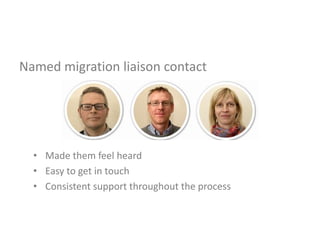
Named migration liaison contact
• Made them feel heard
• Easy to get in touch
• Consistent support throughout the process
Dilemma 2 - Our decision
• How much preparation is it appropriate to ask site
owners to do?
– Migration offered opportunity to review sites/de-clutter
– Poorly structured sites had impact on migration process
– Learnt from early experiences with MVP group and
created:
• migration handbook wiki
• individual wiki pages for site owners
• migration liaison contact
– Be flexible. What was essential and what could we live
with?
Dilemma 2 - Our decision
• Is the content owner always right?
– Sometimes focus of preparation wrong
– Get to the bottom of what is causing issue. Lack of
knowledge can cause lack of engagement
Dilemma 2 - Our decision
• When is the best time to train users?
– Training allied to migration timeslot
– Training close to getting new sites back
– Support available afterwards
– Demonstration site
Final thoughts
• Migration liaison worked well when it worked
well but if problems, challenging to manage
alongside existing work.
• Trained more people than we needed to.
Could have done more to recommend
numbers of editors required based on size of
site.
Dilemma 3 - Our decision
When replacing a website of this scale, do you
finish developing the CMS functionality before
you migrate sites in?
• We chose to start the migration while
continuing to develop our CMS.
Dilemma 3 – Focus
Is focusing on more than one project at a time the
best approach?
In this case, we believe it was the right decision:
– We co-located in the same offices which allowed any issues to
be quickly resolved
– Some members of the team involved in both projects
– With knowledge of both the new and old CMS in the team, we
were able to quickly develop the migration process
– Knowledge gained through migration and development was fed
back into both projects
Dilemma 3 – Features
Will the features for the new CMS be ready for the
migrated content?
During the migration planning phase, sites were
identified as potential migration candidates based
on:
– Feature release dates in the CMS roadmap
– Features needed by migrated sites to allow to function ie
did they use forms? RSS Feeds
– Lead Publishers agreeing to that time slot
Dilemma 3 – Performance
Can the new CMS cope with the volume of migrated
content?
A direct benefit of running the projects simultaneously is that
you can test your new system on the fly:
– We identified the largest sites and tried to migrate them as early
as possible to test the new system
– Performance issues were identified and fixed
– Putting a high volume of content into the CMS, tested the
usability of the interface and helped refine the design to make it
easier for users, ie extra content tagging
– Weekly syncing with live environment kept content issues to a
minimum
Dilemma 3 – Users
Can you deploy new code and content without upsetting users?
There is a high risk of “deployment congestion” if you continually
release new features and migrate new content
– We developed a deployment strategy 3 weeks migration, 1 week
feature release
– Migration testing completed the week before and always synced with
the live environment
– After MVP, introduced migration windows
– We communicated to our users every week with scheduled down time
to allow them to plan work
– We disconnected the front and back end so that the front facing site
was always live
Dilemma 3 – Delivery
Can you deliver web pages from both systems for long
periods of time?
To run both projects at the same time, there was a need to deliver
browser content from both old and new systems
– Introduced software which analysed the URL presented in the browser
and redirected the user to that system
– Integrated this into the end of the migration process before site go live
– We tested each site switch on in a STAGING environment before go
live
– We had a fixed time each week that the switch over happened
– Downtime for the switch over was less than 2 minutes
– This continued for the duration of the project and worked really well
Final thought
The biggest return we got from migrating at the
time of development, was that we had the CMS
Developers on site and we could feed back into the
project to make a better CMS.
“tweaks to the menus to cope with the volume of
pages being migrated”
“enhanced the CMS interface for users”
It’s nearly question time
• Dilemma 1 looked at:
– Where to start the migration
– Who needs to be involved
– Introducing customer engagement
• Dilemma 2 looked at:
– Balancing project deadlines and customer liaison
– How much preparation can you expect
– When to fit training in
• Dilemma 3 looked at:
– Migrating content while still building the CMS
– The complexity of scheduling development
– and deployment while migrating sites

Migrating people

  • 1.
    Migrating people toa new CMS Rachel Bhandari Bruce Darby Billy Wardrop University of Edinburgh
  • 2.
    • Bruce Darby– Project Manager – Managed development of CMS functionality and migration scheduling. • Rachel Bhandari - Editorial Development Officer – Advice and guidance on content strategy and editorial aspects of site management. Migration liaison and site migration. • Billy Wardrop – CMS Service Support Officer – Technical expertise and support for CMS and related services. Technical development and support for migration.
  • 3.
    Workshop objectives • Keeppeople involved during a large site migration project • Explore important issues when migrating sites • Explore dilemmas based on our experience – With an opportunity to discuss your setup/projects
  • 4.
    Overview 1. Initial planningand overall project approach – Bruce 2. Support and customer engagement – Rachel 3. Technical support – Billy 4. Wrap up 5. Questions
  • 5.
    The formidable task •350 websites! • 50,000 published pages!! • Devolved publishing community!!!
  • 6.
    Our project objectives •Build a new bespoke Content Management System • Create a new responsive design • Migrate all content • Train all editorial staff • No impact on University business
  • 7.
    dilemma dɪˈlɛmə,dʌɪ-/ noun • a situationin which a difficult choice has to be made between two or more alternatives, especially ones that are equally undesirable. • a difficult situation or problem. • an argument forcing an opponent to choose either of two unfavourable alternatives.
  • 8.
    Dilemma When migrating alarge site with heavy traffic should you start the migration at the top with the main homepage or from the bottom up?
  • 9.
    Considerations • Should amigration be 100% automatic? • Bring the site down or keep it live? • Migrate content in one huge block or in phases? • Who will transfer the content? • Who makes the final decisions?
  • 10.
    Dilemma When migrating alarge site with heavy traffic should you start the migration at the top with the main homepage or from the bottom up? – Form groups – Discuss • 10 mins – Write down decision and reason – Spokesperson to relate decision to group • 1.5 mins per group
  • 11.
    Dilemma Do you migratecontent or people - how do you get people to do what you need them to do, while keeping them onside?
  • 12.
    Considerations Give site ownerstoo much control over their migration and you risk not meeting project deadlines, give them not enough and they may not see it as their problem. • How do you get site owners to agree to the schedule? • How much preparation is it appropriate to ask site owners to do? • Is the content owner always right? • When is the best time to train users?
  • 13.
    Dilemma Do you migratecontent or people - how do you get people to do what you need them to do, while keeping them onside? – Form groups – Discuss • 10 mins – Write down decision and reason – Spokesperson to relate decision to group • 1.5 mins per group
  • 14.
    Dilemma When replacing awebsite of this scale, do you finish developing the CMS functionality first before you migrate sites in?
  • 15.
    Considerations • Is focusingon one project at a time the best approach? • Will the features for the new CMS be ready for the migrated content? • Can the new CMS cope with the volume of migrated content? • Can you deploy new code and content without upsetting users? • Can you deliver web pages from both systems for long periods of time?
  • 16.
    Dilemma When replacing awebsite of this scale, do you finish developing the CMS functionality first before you migrate sites in? – Form groups – Discuss • 10 mins – Write down decision and reason – Spokesperson to relate decision to group • 1.5 mins per group
  • 17.
    Dilemma 1 -Our decision • We chose a bottom up approach • 3 reasons: 1. Fitted a phased approach better. 2. Low impact. AND no political anguish over the homepage! 3. Reduce project length by migrating early. Site content needed to match functionality.
  • 18.
    Phased approach • Fullyengaged publishing community – Not 100% automatic – Must be some room for content editing, deleting, improving • Allowed a much more customer focused service – As good a customer service experience as possible – With the limited resource we had
  • 19.
    Community engagement • Whocarried out the migration? • What we handled: – Technical migration – Migration liaison – Editorial tidy up immediately post migration • Web publishing community – Pre migration tidy up – Content editing – Image gathering – Final sign off
  • 20.
    Who made thefinal decisions? • The project team! • But….. • With a lot of collaboration and community engagement
  • 21.
    Community engagement • Webpublishers involved with – Migration timing – Avoiding business critical times • Huge project overhead
  • 22.
    Low impact • Bystarting at the bottom of the site – Some sites at the bottom had a lower profile – Gave us the opportunity to work with very patient, enthusiastic and engaged early adopters – Lead publishers had autonomy and power to make decisions – Learnt from and adjusted process
  • 23.
    Reduce project length •Migration took 18 months • Keep the publishing community engaged • Functionality of migrating sites had to match that of our developing CMS – Therefore we had to start at the bottom as top sites had content that wasn’t yet available • Video • Forms • Proxy content • Caused project complexity – Running 2 systems at the same time
  • 24.
    Final thoughts • Clearerroles where projects overlapped – Development – Migration • Consider moving from bottom up to top down when critical mass reached
  • 25.
    Dilemma 2 -Our decision • How do you get site owners to agree to the schedule? – early opportunities to engage – owners had opportunity to query/reject their timeslot
  • 26.
    Named migration liaisoncontact • Made them feel heard • Easy to get in touch • Consistent support throughout the process
  • 27.
    Dilemma 2 -Our decision • How much preparation is it appropriate to ask site owners to do? – Migration offered opportunity to review sites/de-clutter – Poorly structured sites had impact on migration process – Learnt from early experiences with MVP group and created: • migration handbook wiki • individual wiki pages for site owners • migration liaison contact – Be flexible. What was essential and what could we live with?
  • 28.
    Dilemma 2 -Our decision • Is the content owner always right? – Sometimes focus of preparation wrong – Get to the bottom of what is causing issue. Lack of knowledge can cause lack of engagement
  • 29.
    Dilemma 2 -Our decision • When is the best time to train users? – Training allied to migration timeslot – Training close to getting new sites back – Support available afterwards – Demonstration site
  • 30.
    Final thoughts • Migrationliaison worked well when it worked well but if problems, challenging to manage alongside existing work. • Trained more people than we needed to. Could have done more to recommend numbers of editors required based on size of site.
  • 31.
    Dilemma 3 -Our decision When replacing a website of this scale, do you finish developing the CMS functionality before you migrate sites in? • We chose to start the migration while continuing to develop our CMS.
  • 32.
    Dilemma 3 –Focus Is focusing on more than one project at a time the best approach? In this case, we believe it was the right decision: – We co-located in the same offices which allowed any issues to be quickly resolved – Some members of the team involved in both projects – With knowledge of both the new and old CMS in the team, we were able to quickly develop the migration process – Knowledge gained through migration and development was fed back into both projects
  • 33.
    Dilemma 3 –Features Will the features for the new CMS be ready for the migrated content? During the migration planning phase, sites were identified as potential migration candidates based on: – Feature release dates in the CMS roadmap – Features needed by migrated sites to allow to function ie did they use forms? RSS Feeds – Lead Publishers agreeing to that time slot
  • 34.
    Dilemma 3 –Performance Can the new CMS cope with the volume of migrated content? A direct benefit of running the projects simultaneously is that you can test your new system on the fly: – We identified the largest sites and tried to migrate them as early as possible to test the new system – Performance issues were identified and fixed – Putting a high volume of content into the CMS, tested the usability of the interface and helped refine the design to make it easier for users, ie extra content tagging – Weekly syncing with live environment kept content issues to a minimum
  • 35.
    Dilemma 3 –Users Can you deploy new code and content without upsetting users? There is a high risk of “deployment congestion” if you continually release new features and migrate new content – We developed a deployment strategy 3 weeks migration, 1 week feature release – Migration testing completed the week before and always synced with the live environment – After MVP, introduced migration windows – We communicated to our users every week with scheduled down time to allow them to plan work – We disconnected the front and back end so that the front facing site was always live
  • 36.
    Dilemma 3 –Delivery Can you deliver web pages from both systems for long periods of time? To run both projects at the same time, there was a need to deliver browser content from both old and new systems – Introduced software which analysed the URL presented in the browser and redirected the user to that system – Integrated this into the end of the migration process before site go live – We tested each site switch on in a STAGING environment before go live – We had a fixed time each week that the switch over happened – Downtime for the switch over was less than 2 minutes – This continued for the duration of the project and worked really well
  • 37.
    Final thought The biggestreturn we got from migrating at the time of development, was that we had the CMS Developers on site and we could feed back into the project to make a better CMS. “tweaks to the menus to cope with the volume of pages being migrated” “enhanced the CMS interface for users”
  • 38.
    It’s nearly questiontime • Dilemma 1 looked at: – Where to start the migration – Who needs to be involved – Introducing customer engagement • Dilemma 2 looked at: – Balancing project deadlines and customer liaison – How much preparation can you expect – When to fit training in • Dilemma 3 looked at: – Migrating content while still building the CMS – The complexity of scheduling development – and deployment while migrating sites

Editor's Notes

  • #4 University staff community Editorial staff and web publishers Computer officers Heads of Schools and business units