








MICROSOFT OFFICE PRODUCTIVITY HACKS
MICROSOFT OFFICE
PRODUCTIVITY HACKS
PRESENTED BY: LIZ SUNDET—ADMINISTRATIVE PROFESSIONALS
CONFERENCE
APRIL 18, 2018
LIZ SUNDET
Microsoft MVP, MBA, PMP, CBAP, CSM
Adjunct Instructor – RCTC/Mayo Clinic
Musician: Fur-baby:
Biker—”Throttles Not Pedals”
Email: liz@lizsundet.com
Follow on Twitter: @percusn
Connect with me on LinkedIn
• http://www.linkedin.com/in/lizsundet
MY NINJA
INSPIRATION:
TOM DUFF
• One Minute Office Magic
• https://oneminuteofficemagic.c
om/
• Office 365 Productivity Tips
Agenda:
• Keyboard Shortcuts
• PowerPoint
• Email – Outlook
• Calendar
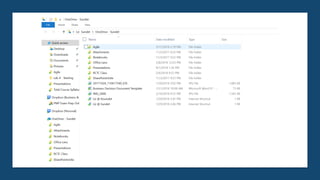
• OneDrive
• Personal Favorites
KEYBOARD
SHORT
CUTS
CUT
CTRL + X
COPY
Ctrl + C
(or Ctrl +
Insert)
PASTE
CTRL + V (OR SHIFT +
UNDO
CTRL + Z
SHOW
DESKTOP/
HIDE DESKTOP
Windows
logo
key + D
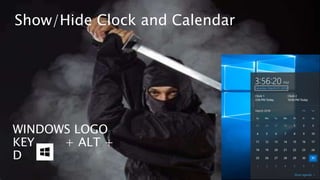
WINDOWS LOGO
KEY + ALT +
D
Show/Hide Clock and Calendar
Open File Explorer
Windows logo
key + E
SWITCH BETWEEN OPEN APPLICATIONS = ALT + TAB
LOCK YOUR PC WHEN YOU WALK AWAY
WINDOWS LOGO KEY + L
If you don’t, other workplace Ninja’s will send
emails out on your behalf that you are hosting the
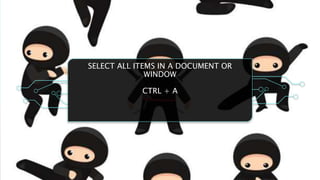
SELECT ALL ITEMS IN A DOCUMENT OR
WINDOW
CTRL + A
CTRL + D
(OR
DELETE)
DELETE THE
SELECTED ITEM
AND MOVE IT TO
THE RECYCLE BIN
ZOOM IN OR OUT
= CTRL + SCROLL
WHEEL
BECOME A ZEN
MASTER
https://support.microsoft.com/en-us/help/12445/windows-
Know the PowerPoint of a
Ninja
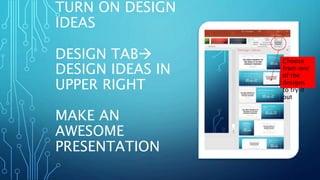
TURN ON DESIGN
IDEAS
DESIGN TAB
DESIGN IDEAS IN
UPPER RIGHT
MAKE AN
AWESOME
PRESENTATION
Choose
from one
of the
designs
to try it
out
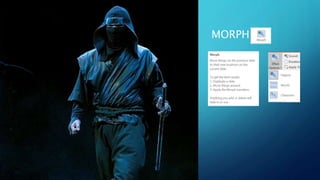
MORPH
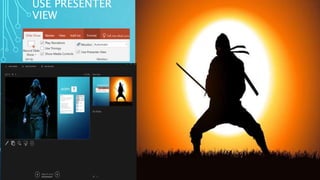
USE PRESENTER
VIEW
Zoom
Feature
Use Pictures rather than
words
Free resources for
pictures:
• https://www.pexels.co
m
• https://pixabay.com
• https://unsplash.com
• https://everypixel.com
• https://stocksnap.io
• https://pixwizard.com
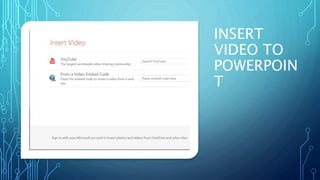
INSERT
VIDEO TO
POWERPOIN
T
Outlook Magic
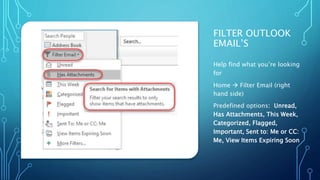
FILTER OUTLOOK
EMAIL’S
Help find what you’re looking
for
Home  Filter Email (right
hand side)
Predefined options: Unread,
Has Attachments, This Week,
Categorized, Flagged,
Important, Sent to: Me or CC:
Me, View Items Expiring Soon
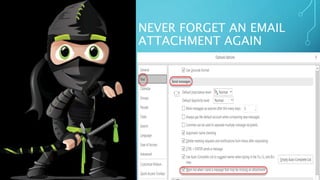
NEVER FORGET AN EMAIL
ATTACHMENT AGAIN
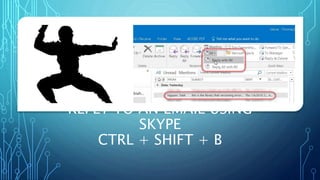
REPLY TO AN EMAIL USING
SKYPE
CTRL + SHIFT + B
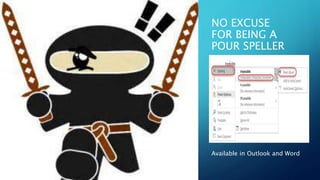
NO EXCUSE
FOR BEING A
POUR SPELLER
Available in Outlook and Word
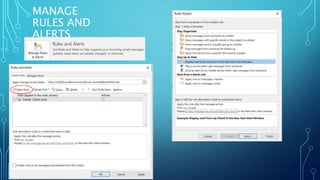
MANAGE
RULES AND
ALERTS
Calendar Zen
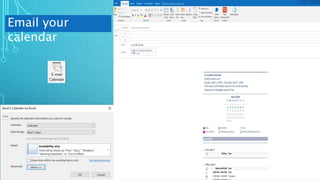
Email your
calendar
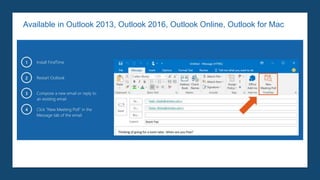
FIND TIME ---
HTTPS://FINDTIME.MICROSOF
T.COM
Available in Outlook 2013, Outlook 2016, Outlook Online, Outlook for Mac
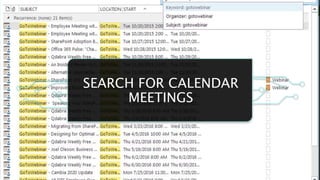
SEARCH FOR CALENDAR
MEETINGS
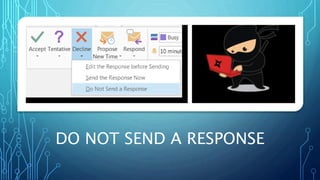
DO NOT SEND A RESPONSE
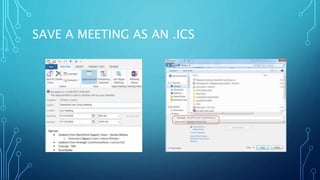
SAVE A MEETING AS AN .ICS
Stealthy OneDrive
ONEDRIVE FEATURES
Log in with Microsoft Account
Share with anyone
Allow content expiration
Allow token when sharing
Your files are accessible from
where ever you are
Scan your documents (receipts,
business cards or whiteboard
notes) and store in OneDrive
GET THE APP FOR
ONEDRIVE
Secret Weapons
POWER
OF THE PEN
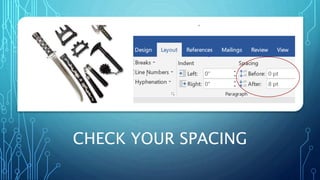
CHECK YOUR SPACING
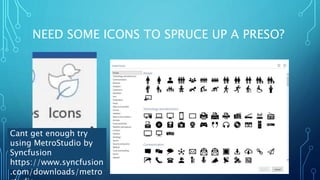
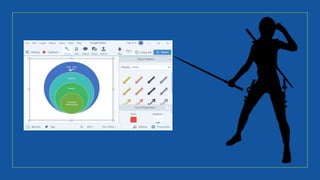
NEED SOME ICONS TO SPRUCE UP A PRESO?
Cant get enough try
using MetroStudio by
Syncfusion
https://www.syncfusion
.com/downloads/metro
OFFICE LENS
Take pictures of
whiteboards or print
documents
Load to OneNote or
OneDrive
Enhances the photo by
cropping, sharpening and
straightening it
End result is a scanned
image
A True Ninja is a master of himself and his

Microsoft Office productivity hacks

Editor's Notes

  • #32 File->Options area for Outlook click on Mail then scroll down to Send Messages. Then make sure the checkbox is selected for “Warm me when I send a message that may be missing an attachment”. When you use the words in the body of the message like “attached, attachment, enclosed” and there isn’t an attachment, a dialog box will appear “You may have forgotten to attach a file” and you have the choice if you want to send or not.
  • #33 Use the Reply with IM to the right side of the Respond box. Skype will provide a link to bring up the original email that you selected to start the chat message
  • #42 A little nuance when sending the decline and do not send a response. The organizer has no information if you have declined or not in the invites status…and they will not get an email stating you have declined the meeting. It works similarly for the attendee as it won’t show on your calendar and it acts like you were never invited. Be care when sending a Do not send a response.