BREAKING
       NEWS
Be ready when it happens
WHAT IS ‘BREAKING’ NEWS?
•   Fires
•   Accidents
•   Structure collapses
•   Explosions
•   Top officials getting fired/quitting
•   Big lawsuits against towns/cities
•   Big arrests
•   High-profile local court cases
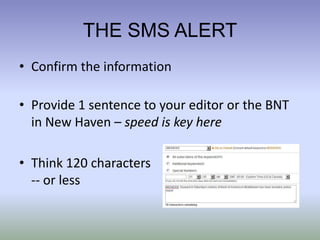
THE SMS ALERT
• Confirm the information

• Provide 1 sentence to your editor or the BNT
  in New Haven – speed is key here

• Think 120 characters
  -- or less
POSTING TO THE WEBSITE
• Get something up, immediately
• Enough with 1-2 sentences
• Info should be posted to line-up category
  ‘breaking news 1’ slot
• If unsure how to post, email your breaking
  news to editor (or BNT in New Haven)
• Should be done within 5 min of SMS alert
SEND EMAIL BLAST
• Make sure story is posted in ‘Breaking News 1’ slot on front
  page of site
• Visit engage.middletownpress.com/schedule-breaking
• LOGIN: middletownpress.com@simplyengage.com
• PW:
• Send to breaking news list – schedule – DONE
• Make sure you are signed up for this for MP site and that
  emails are not landing in your spam folder
TWEETING THE NEWS
• Tweet a link to your breaking news story from
  the brand account (Hootsuite, TweetDeck)
• Include the same basic information from the
  SMS alert, leave room for shortened URL
• Add relevant #hashtags, i.e. #ctbreaking or
  town names such as #Middletown, #Cromwell
• Retweet from your own Twitter account
  and/or tag your own Twitter handle, if room
UPDATING THE STORY
•   Make phone calls, add quotes
•   Add background info, links
•   Add photos, audio or video
•   Think of it as working for a wire service
FACEBOOK, GOOGLE +
• Post to FB brand account
• Preferably when story has pic
  (Hootsuite is good for picking
  up pix added later on, FB slow)
• Interact – ask for comments
  or photo submissions from event
• Share on your own Facebook wall
• Share story on Google + (brand and your own)
THE SIX BASIC STEPS
•   SMS alert
•   Website
•   Breaking news email
•   Twitter
•   Update story, add photos, videos
•   Facebook, Google +

Breaking news presentation

  • 1.
    BREAKING NEWS Be ready when it happens
  • 2.
    WHAT IS ‘BREAKING’NEWS? • Fires • Accidents • Structure collapses • Explosions • Top officials getting fired/quitting • Big lawsuits against towns/cities • Big arrests • High-profile local court cases
  • 3.
    THE SMS ALERT •Confirm the information • Provide 1 sentence to your editor or the BNT in New Haven – speed is key here • Think 120 characters -- or less
  • 4.
    POSTING TO THEWEBSITE • Get something up, immediately • Enough with 1-2 sentences • Info should be posted to line-up category ‘breaking news 1’ slot • If unsure how to post, email your breaking news to editor (or BNT in New Haven) • Should be done within 5 min of SMS alert
  • 5.
    SEND EMAIL BLAST •Make sure story is posted in ‘Breaking News 1’ slot on front page of site • Visit engage.middletownpress.com/schedule-breaking • LOGIN: middletownpress.com@simplyengage.com • PW: • Send to breaking news list – schedule – DONE • Make sure you are signed up for this for MP site and that emails are not landing in your spam folder
  • 6.
    TWEETING THE NEWS •Tweet a link to your breaking news story from the brand account (Hootsuite, TweetDeck) • Include the same basic information from the SMS alert, leave room for shortened URL • Add relevant #hashtags, i.e. #ctbreaking or town names such as #Middletown, #Cromwell • Retweet from your own Twitter account and/or tag your own Twitter handle, if room
  • 7.
    UPDATING THE STORY • Make phone calls, add quotes • Add background info, links • Add photos, audio or video • Think of it as working for a wire service
  • 8.
    FACEBOOK, GOOGLE + •Post to FB brand account • Preferably when story has pic (Hootsuite is good for picking up pix added later on, FB slow) • Interact – ask for comments or photo submissions from event • Share on your own Facebook wall • Share story on Google + (brand and your own)
  • 9.
    THE SIX BASICSTEPS • SMS alert • Website • Breaking news email • Twitter • Update story, add photos, videos • Facebook, Google +