Agile/Scrum Project
Management using
Microsoft Teams
Agile/Scrum on
Microsoft Teams
Agile = division of tasks into short
phases of work and frequent
reassessment and adaptation of
plans
Kaleidoscope = a constantly
changing pattern or sequence of
objects or elements
Agile/Scrum
using
Microsoft
Teams
Liz Sundet
Microsoft MVP, MBA, PMP, CBAP, CSM
Adjunct Instructor – RCTC/Mayo Clinic
Musician: Fur-baby:
Biker—”Throttles Not Pedals”
Email: liz@lizsundet.onmicrosoft.com
Follow on Twitter: @percusn
Connect with me on LinkedIn
• http://www.linkedin.com/in/lizsundet/
• Slides will be posted on SlideShare
•Scrum/Agile
Concepts in Project
Management
•How Microsoft Teams
works with Scrum
Teams
•Favorite Apps
•MindMeister
•Planner
•Trello
•Freehand
•OneNote
History of Agile
•Individuals and Interactions
over processes and tools
• Working Software
over comprehensive
documentation
• Customer Collaboration
over contract negotiation
• Responding to Change
over following a plan
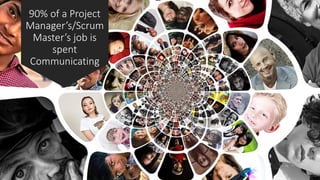
90% of a Project
Manager’s/Scrum
Master’s job is
spent
Communicating
User Story
Perspective of the user
Requirements
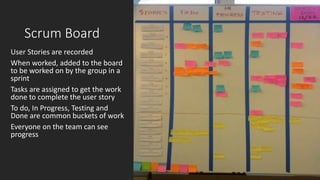
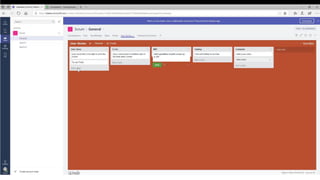
Scrum Board
User Stories are recorded
When worked, added to the board
to be worked on by the group in a
sprint
Tasks are assigned to get the work
done to complete the user story
To do, In Progress, Testing and
Done are common buckets of work
Everyone on the team can see
progress
Why Microsoft Teams works?
Agile principle=Build a
solid team
Individuals and
Interactions over
Processes and tools
• Give them a foundation of
technology
• Allow the team to make choices
Allow the team to choose their own tools
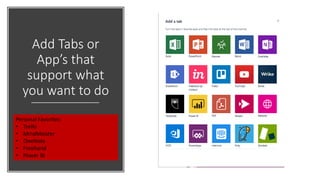
Add Tabs or
App’s that
support what
you want to do
Personal Favorites:
• Trello
• MindMeister
• OneNote
• Freehand
• Power BI
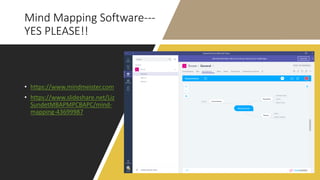
Mind Mapping Software---
YES PLEASE!!
• https://www.mindmeister.com
• https://www.slideshare.net/Liz
SundetMBAPMPCBAPC/mind-
mapping-43699987
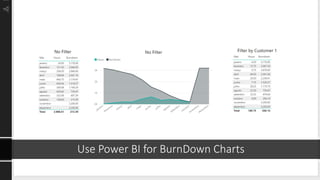
Use Power BI for BurnDown Charts
FALSE: There
is no
documentation
in Scrum
Working Software over
comprehensive documentation
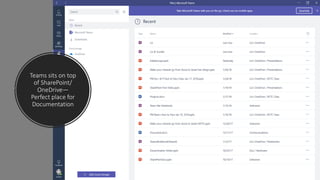
Teams sits on top
of SharePoint/
OneDrive—
Perfect place for
Documentation
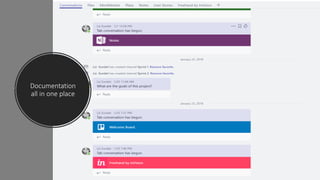
Documentation
all in one place
Customer Collaboration over Contract Negotiations
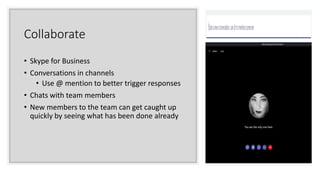
Collaborate
• Skype for Business
• Conversations in channels
• Use @ mention to better trigger responses
• Chats with team members
• New members to the team can get caught up
quickly by seeing what has been done already
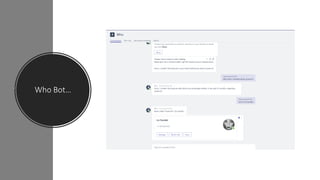
Who Bot…
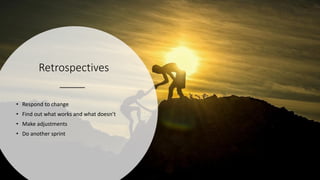
Retrospectives
• Respond to change
• Find out what works and what doesn’t
• Make adjustments
• Do another sprint
One Team for project
Roll up content with Hub Sites—coming soon!
Want to learn more??
https://3back.com/event/certifie
d-scrum-product-owner-cspo-
minneapolis-mn-26905/
Liz Sundet
Microsoft MVP, MBA, PMP, CBAP, CSM
Adjunct Instructor – RCTC/Mayo Clinic
Musician: Fur-baby:
Biker—”Throttles Not Pedals”
Email: liz@lizsundet.onmicrosoft.com
Follow on Twitter: @percusn
Connect with me on LinkedIn
• http://www.linkedin.com/in/lizsundet/
• Slides will be posted on SlideShare

Agile scrum using ms teams o365 mn

  • 1.
  • 3.
    Agile/Scrum on Microsoft Teams Agile= division of tasks into short phases of work and frequent reassessment and adaptation of plans Kaleidoscope = a constantly changing pattern or sequence of objects or elements Agile/Scrum using Microsoft Teams
  • 4.
    Liz Sundet Microsoft MVP,MBA, PMP, CBAP, CSM Adjunct Instructor – RCTC/Mayo Clinic Musician: Fur-baby: Biker—”Throttles Not Pedals” Email: liz@lizsundet.onmicrosoft.com Follow on Twitter: @percusn Connect with me on LinkedIn • http://www.linkedin.com/in/lizsundet/ • Slides will be posted on SlideShare
  • 5.
    •Scrum/Agile Concepts in Project Management •HowMicrosoft Teams works with Scrum Teams •Favorite Apps •MindMeister •Planner •Trello •Freehand •OneNote
  • 6.
  • 7.
    •Individuals and Interactions overprocesses and tools • Working Software over comprehensive documentation • Customer Collaboration over contract negotiation • Responding to Change over following a plan
  • 9.
    90% of aProject Manager’s/Scrum Master’s job is spent Communicating
  • 10.
    User Story Perspective ofthe user Requirements
  • 11.
    Scrum Board User Storiesare recorded When worked, added to the board to be worked on by the group in a sprint Tasks are assigned to get the work done to complete the user story To do, In Progress, Testing and Done are common buckets of work Everyone on the team can see progress
  • 13.
  • 14.
    Agile principle=Build a solidteam Individuals and Interactions over Processes and tools • Give them a foundation of technology • Allow the team to make choices
  • 15.
    Allow the teamto choose their own tools
  • 16.
    Add Tabs or App’sthat support what you want to do Personal Favorites: • Trello • MindMeister • OneNote • Freehand • Power BI
  • 18.
    Mind Mapping Software--- YESPLEASE!! • https://www.mindmeister.com • https://www.slideshare.net/Liz SundetMBAPMPCBAPC/mind- mapping-43699987
  • 19.
    Use Power BIfor BurnDown Charts
  • 20.
    FALSE: There is no documentation inScrum Working Software over comprehensive documentation
  • 21.
    Teams sits ontop of SharePoint/ OneDrive— Perfect place for Documentation
  • 22.
  • 23.
    Customer Collaboration overContract Negotiations
  • 24.
    Collaborate • Skype forBusiness • Conversations in channels • Use @ mention to better trigger responses • Chats with team members • New members to the team can get caught up quickly by seeing what has been done already
  • 25.
  • 27.
    Retrospectives • Respond tochange • Find out what works and what doesn’t • Make adjustments • Do another sprint
  • 28.
    One Team forproject
  • 29.
    Roll up contentwith Hub Sites—coming soon!
  • 30.
    Want to learnmore?? https://3back.com/event/certifie d-scrum-product-owner-cspo- minneapolis-mn-26905/
  • 31.
    Liz Sundet Microsoft MVP,MBA, PMP, CBAP, CSM Adjunct Instructor – RCTC/Mayo Clinic Musician: Fur-baby: Biker—”Throttles Not Pedals” Email: liz@lizsundet.onmicrosoft.com Follow on Twitter: @percusn Connect with me on LinkedIn • http://www.linkedin.com/in/lizsundet/ • Slides will be posted on SlideShare