

MATLAB GRAPHICS
PHILOSOPHY

A picture, it is said, is worth a thousand words.

Graphics ki duniyan me swagat hai!!!!

Hum log 2d 3d plots ki kuch jankari lene ki koshish karenge


Per for further information u shud chk the help part in MATLAB
Basic 2d graphics
Try this
plot(rand(1,20))

Most common format is plot(x,y) where x and y are nothing but
Vectors of same length.

Axes are automatically scaled and drawn to include the
minimum and maximum data points.

Eg of vectors of same length:
x = 0:pi/40:4*pi;
plot(x, sin(x))
Another form of plot to draw a line between two points:

coordinates (0, 1) and (4, 3)
plot([0 4], [1 3])

Also has set of easy to use plot commands called ezplot

Eg ezplot(‘tan(x)’)
   ezplot(‘cos(x))
   ezplot(‘x^2’)
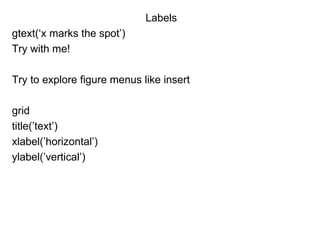
Labels
gtext(‘x marks the spot’)
Try with me!

Try to explore figure menus like insert

grid
title(’text’)
xlabel(’horizontal’)
ylabel(’vertical’)
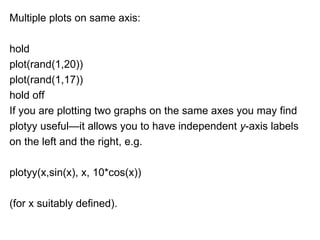
Multiple plots on same axis:

hold
plot(rand(1,20))
plot(rand(1,17))
hold off
If you are plotting two graphs on the same axes you may find
plotyy useful—it allows you to have independent y-axis labels
on the left and the right, e.g.

plotyy(x,sin(x), x, 10*cos(x))

(for x suitably defined).
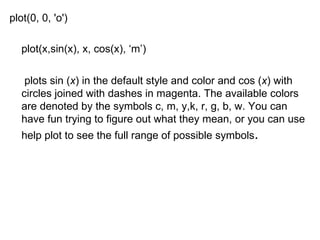
plot(0, 0, 'o')

   plot(x,sin(x), x, cos(x), ‘m’)

    plots sin (x) in the default style and color and cos (x) with
   circles joined with dashes in magenta. The available colors
   are denoted by the symbols c, m, y,k, r, g, b, w. You can
   have fun trying to figure out what they mean, or you can use
   help plot to see the full range of possible symbols.
Axis limits
axis( [xmin, xmax, ymin, ymax] )

Go home try to find out on internet abt other axis commands

Multiple plots in figure
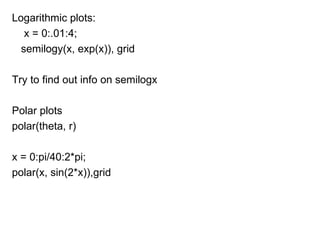
Logarithmic plots:
   x = 0:.01:4;
  semilogy(x, exp(x)), grid

Try to find out info on semilogx

Polar plots
polar(theta, r)

x = 0:pi/40:2*pi;
polar(x, sin(2*x)),grid
Plotting rapidly changing mathematical function

x = 0.01:.001:.1;
plot(x, sin(1./x))

.001 ki jagah .0001 daliye graphs significantly alag hai
Instead of this use fplot

fplot('sin(1/x)', [0.01 0.1])
3 d plots

plot3(x, y, z)

  draws a 2-D projection of a line in 3-D through the points
  whose coordinates are the elements of the vectors x, y and
  z. For example, the command z-axis

plot3(rand(1,10), rand(1,10), rand(1,10))

generates 10 random points in 3-D space, and joins them with
Lines.
Mesh surfaces

z =x^2 –y^2
0<=x<=5 and 0<=y<=5

[x,y] =meshgrid(0:5)
z = x.^2 - y.^2
mesh(x,y,z)
Now type
surf(x,y,z)
See what happens
Matlab graphics

Matlab graphics

  • 1.
  • 2.
    PHILOSOPHY A picture, itis said, is worth a thousand words. Graphics ki duniyan me swagat hai!!!! Hum log 2d 3d plots ki kuch jankari lene ki koshish karenge Per for further information u shud chk the help part in MATLAB
  • 3.
    Basic 2d graphics Trythis plot(rand(1,20)) Most common format is plot(x,y) where x and y are nothing but Vectors of same length. Axes are automatically scaled and drawn to include the minimum and maximum data points. Eg of vectors of same length: x = 0:pi/40:4*pi; plot(x, sin(x))
  • 4.
    Another form ofplot to draw a line between two points: coordinates (0, 1) and (4, 3) plot([0 4], [1 3]) Also has set of easy to use plot commands called ezplot Eg ezplot(‘tan(x)’) ezplot(‘cos(x)) ezplot(‘x^2’)
  • 5.
    Labels gtext(‘x marks thespot’) Try with me! Try to explore figure menus like insert grid title(’text’) xlabel(’horizontal’) ylabel(’vertical’)
  • 6.
    Multiple plots onsame axis: hold plot(rand(1,20)) plot(rand(1,17)) hold off If you are plotting two graphs on the same axes you may find plotyy useful—it allows you to have independent y-axis labels on the left and the right, e.g. plotyy(x,sin(x), x, 10*cos(x)) (for x suitably defined).
  • 7.
    plot(0, 0, 'o') plot(x,sin(x), x, cos(x), ‘m’) plots sin (x) in the default style and color and cos (x) with circles joined with dashes in magenta. The available colors are denoted by the symbols c, m, y,k, r, g, b, w. You can have fun trying to figure out what they mean, or you can use help plot to see the full range of possible symbols.
  • 8.
    Axis limits axis( [xmin,xmax, ymin, ymax] ) Go home try to find out on internet abt other axis commands Multiple plots in figure
  • 9.
    Logarithmic plots: x = 0:.01:4; semilogy(x, exp(x)), grid Try to find out info on semilogx Polar plots polar(theta, r) x = 0:pi/40:2*pi; polar(x, sin(2*x)),grid
  • 10.
    Plotting rapidly changingmathematical function x = 0.01:.001:.1; plot(x, sin(1./x)) .001 ki jagah .0001 daliye graphs significantly alag hai Instead of this use fplot fplot('sin(1/x)', [0.01 0.1])
  • 11.
    3 d plots plot3(x,y, z) draws a 2-D projection of a line in 3-D through the points whose coordinates are the elements of the vectors x, y and z. For example, the command z-axis plot3(rand(1,10), rand(1,10), rand(1,10)) generates 10 random points in 3-D space, and joins them with Lines.
  • 12.
    Mesh surfaces z =x^2–y^2 0<=x<=5 and 0<=y<=5 [x,y] =meshgrid(0:5) z = x.^2 - y.^2 mesh(x,y,z) Now type surf(x,y,z) See what happens