




Salisbury / Modbury 
Managing and measuring your 
social media activities using 
Hootsuite 
Allison Miller, Vanguard Visions
You’ll find these slides at: 
slideshare.net/vanguardvisions
Session Overview 
• Why use social media in business? 
• Which social media sites are you using for your 
business? 
• How are you managing your different social 
media profiles now? 
• What is Hootsuite? 
• Creating a Hootsuite social media strategy 
• Key considerations 
• What will you investigate further? 
• Workshop evaluation
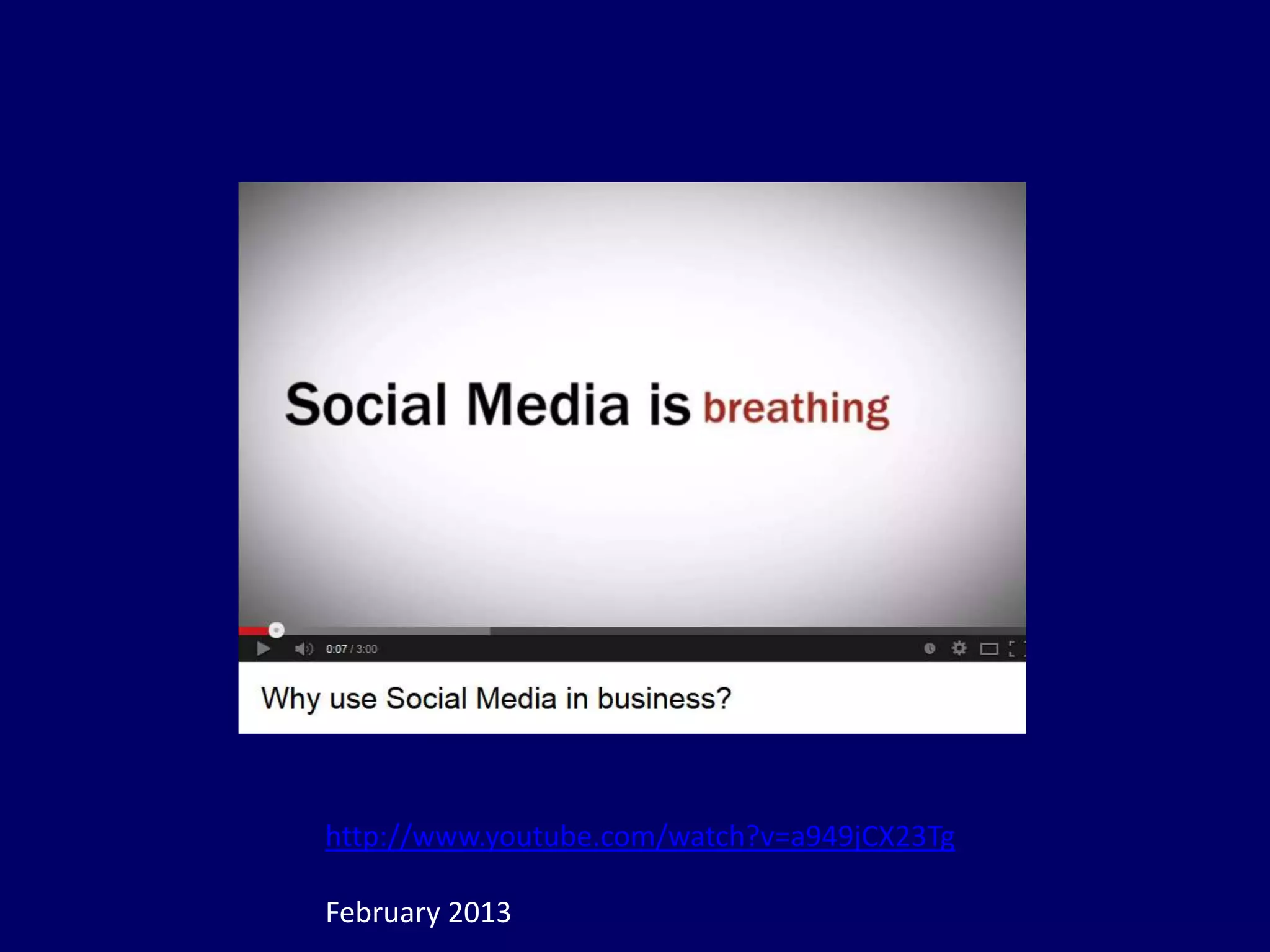
Why use social media in 
business?
http://www.youtube.com/watch?v=a949jCX23Tg 
February 2013
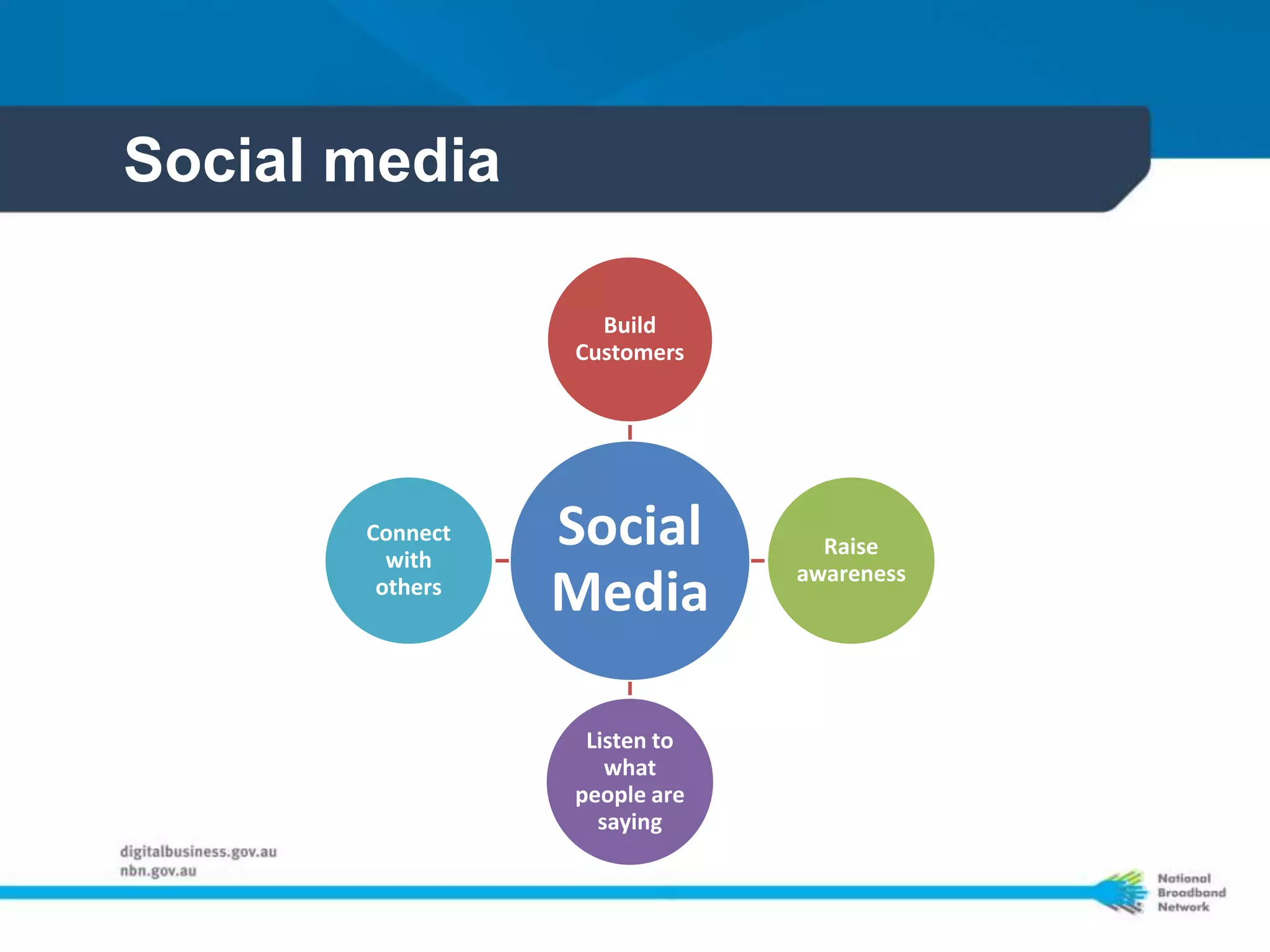
Social media 
Build 
Customers 
Social 
Media 
Raise 
awareness 
Listen to 
what 
people are 
saying 
Connect 
with 
others
Which social media sites 
are you using for your 
business?
Data source: http://www.socialmedianews.com.au 
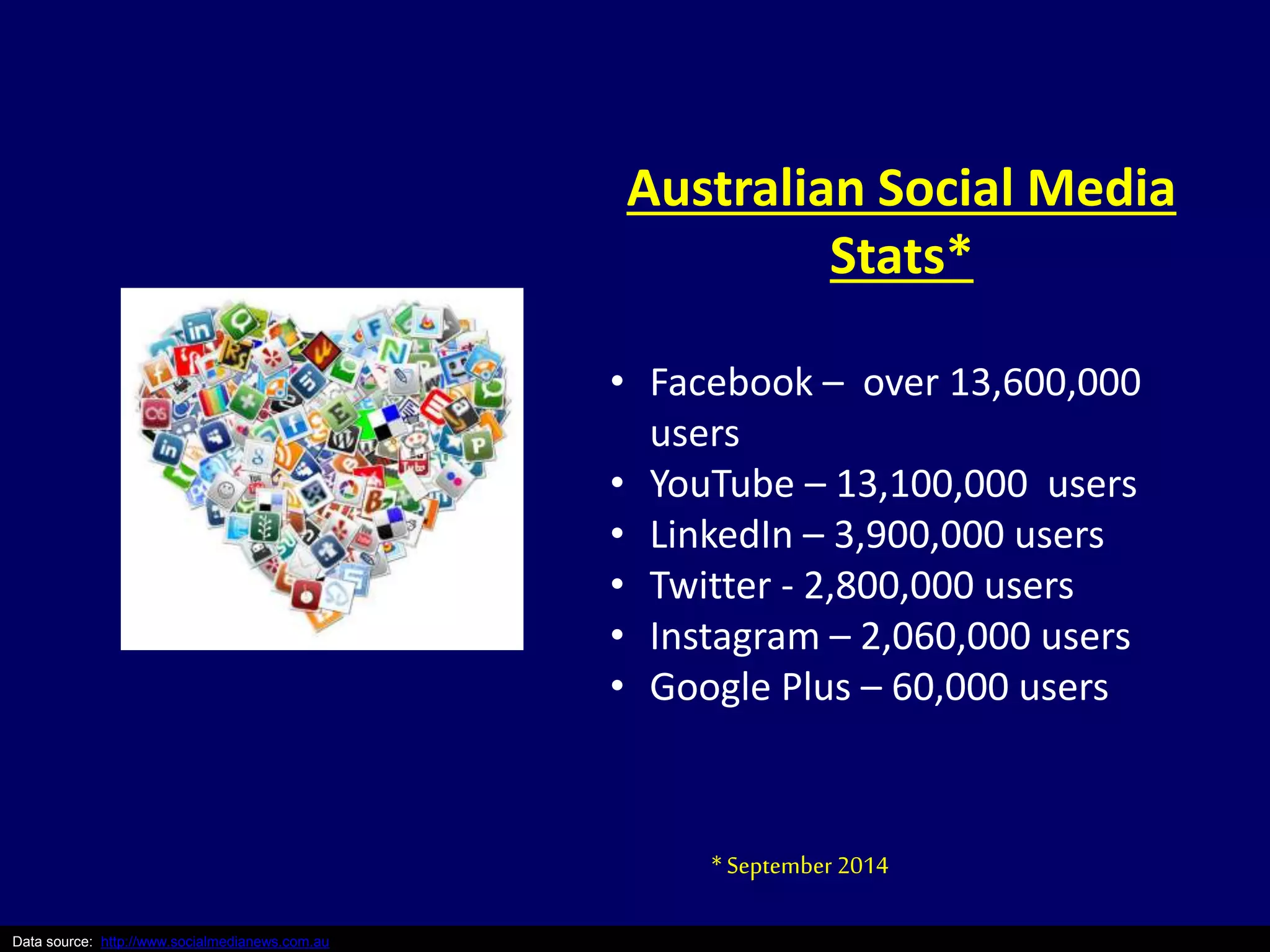
Australian Social Media 
Stats* 
• Facebook – over 13,600,000 
users 
• YouTube – 13,100,000 users 
• LinkedIn – 3,900,000 users 
• Twitter - 2,800,000 users 
• Instagram – 2,060,000 users 
• Google Plus – 60,000 users 
* September 2014
Source: Smarter Business Ideas – Spring 2013 – “Make a social call” 
Facebook – aka ‘the Pub’ 
• Connect with friends or seek feedback from 
customers 
• 3 short posts/week – useful and relevant 
content, news and events about your business 
• Answer questions on status updates and in 
Groups 
• Post: Early morning, during lunch, after work, 
before dinner and before bed 
• Paid ‘posts’ and ‘pages’ 
• Competitions for “Likes”
Google+ – aka ‘SEO buddy’ 
• Early adopters, technology industry leaders 
• Google SEO, Google Reviews, Google Maps, 
Google Groups 
• Get there before your competitors do 
• More about ‘talking’ than ‘stalking” 
• Company page 
• Post: Before / After business hours
Source: Smarter Business Ideas – Spring 2013 – “Make a social call” 
LinkedIn – aka ‘the Office’ 
• Business Networking (Key decision makers), 
Recruitment 
• Share ‘thought leader’ posts, industry / topic 
news, how-tos 
• Offer advice / information in industry / topic 
groups 
• Company page 
• Post: Before / After business hours
Source: Smarter Business Ideas – Spring 2013 – “Make a social call” 
Twitter – aka ‘SMS / Chat’ 
• Short posts (best < 100 characters) 
• Witty comments / quotes, industry news, 
promos, tips & tricks 
• Photos / Video 
• Paid ‘tweets’ and ‘profiles’ 
• #hashtags & trending 
• Strong WIFM call to actions – click, interact, buy 
• Post: between 11 am-3 pm
YouTube – aka ‘Moving pictures’ 
• Strong message, Show don’t tell 
• Tutorials, stories, debunk myths, Pros/Cons, 
action, tips / tricks, how-tos, 
• Business YouTube Channel 
• No longer than 3 mins 
• Professional vs Crappy 
• Paid targeted promotions 
• 3-5 / month 
• Busiest 2-8 pm 
Source: Smarter Business Ideas – Spring 2013 – “Make a social call”
Instagram/Pinterest – aka ‘Visual’ 
Instagram 
• Inspirational images 
• Sneak peeks, behind the scenes, product demos 
• Include questions / #hashtags 
• Ask customers to post with unique #hashtags 
• 1-2 / day 
• Post: after 8 pm weekdays & 5 pm on weekends 
Pinterest 
• Curate images around key themes: people, animals, 
houses, clothes, shoes, craft, cars, tools 
• Repin your images 
• 1 pin per day 
• Saturday mornings; Weekdays: 2-4 pm & 8 pm to 1 am 
Source: Smarter Business Ideas – Spring 2013 – “Make a social call”
How are you managing 
your different social 
media profiles now?
What is Hootsuite?
Data source: http://www.socialmedianews.com.au 
Hootsuite 
• Social Media Management Tool 
• Manage and monitor 
multiple social media 
profiles 
• Schedule updates 
• Share the responsibility 
• Mobile app to use on the 
go 
• Customised analytics
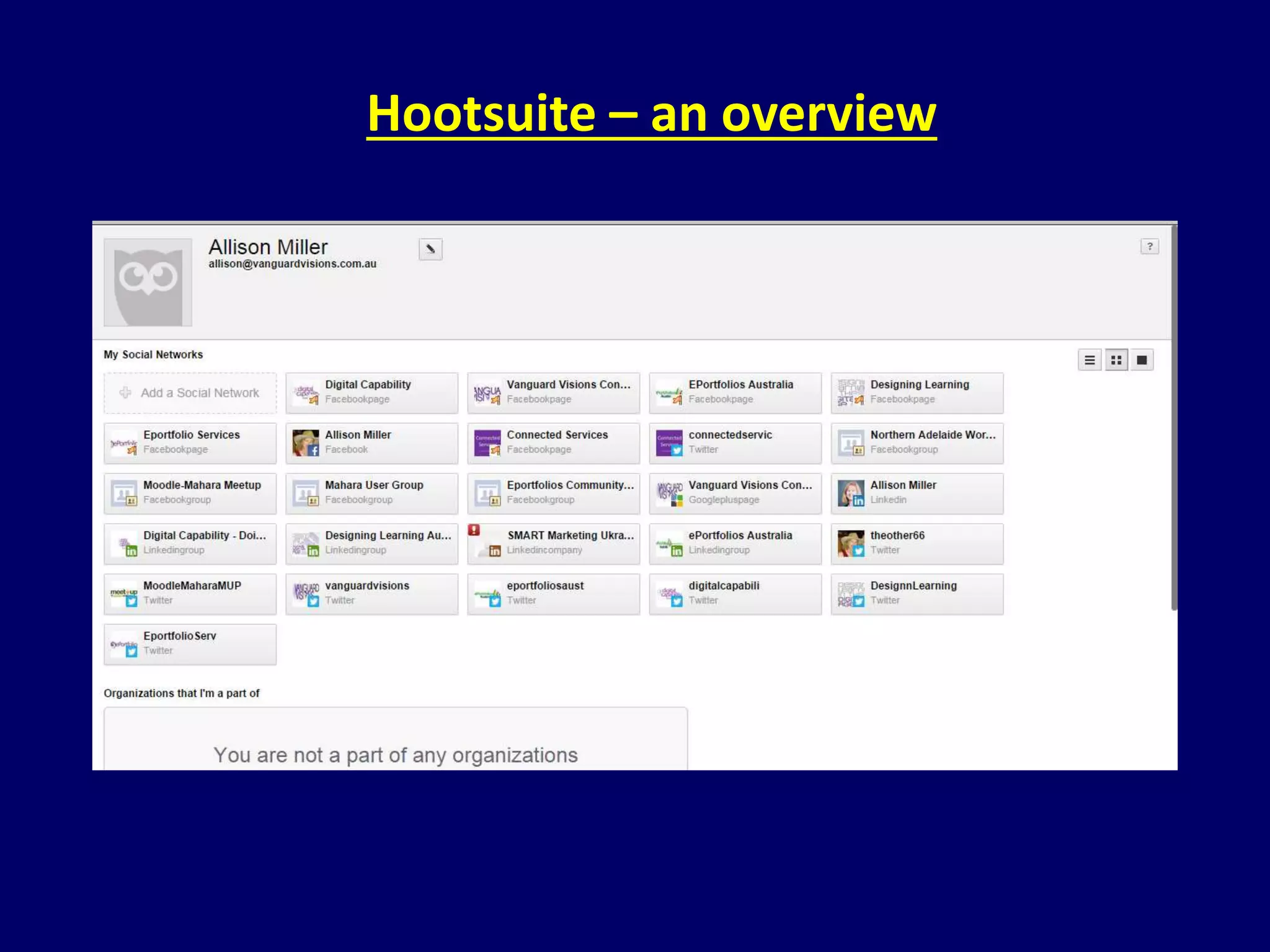
Hootsuite – an overview
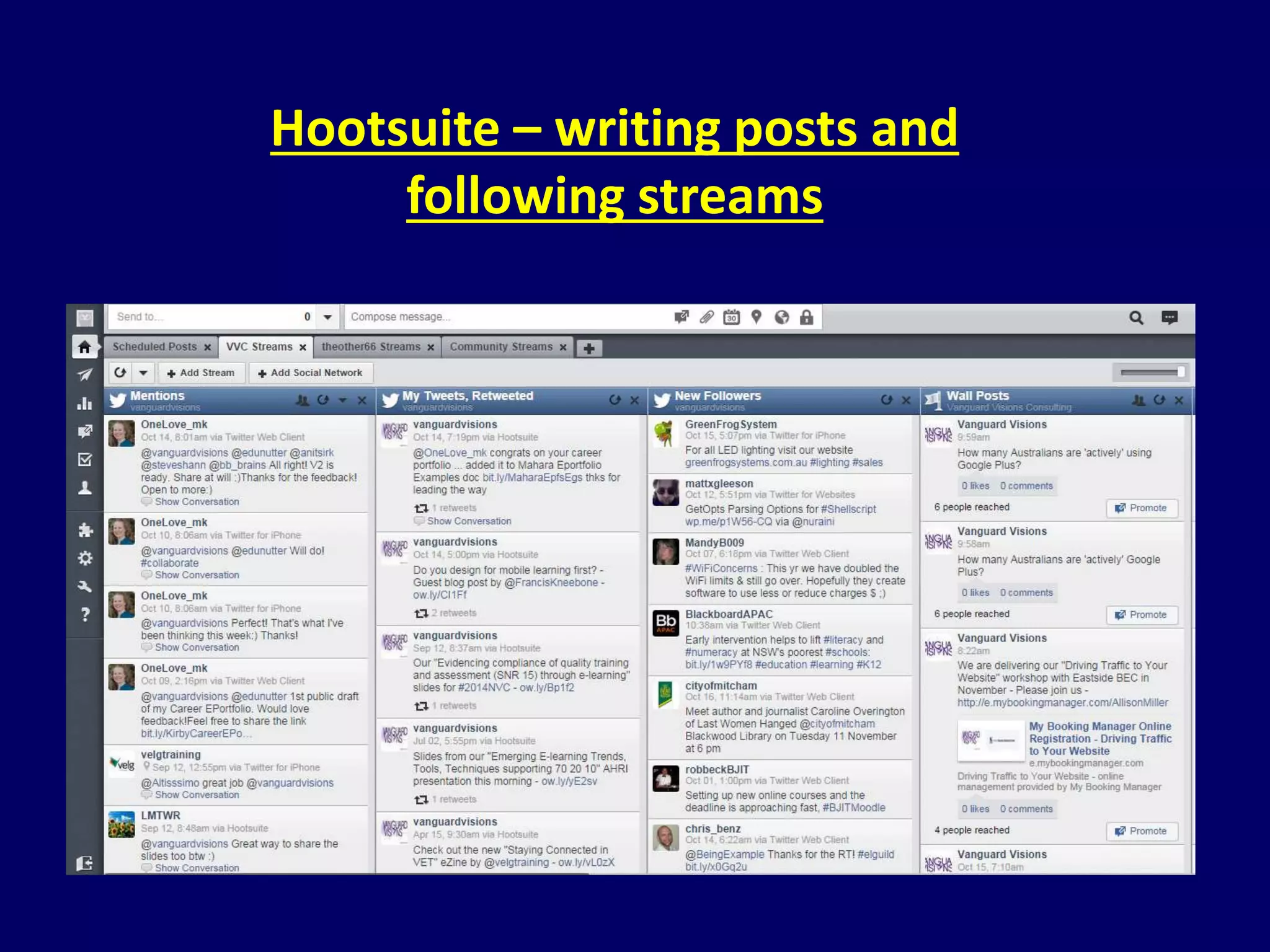
Hootsuite – writing posts and 
following streams
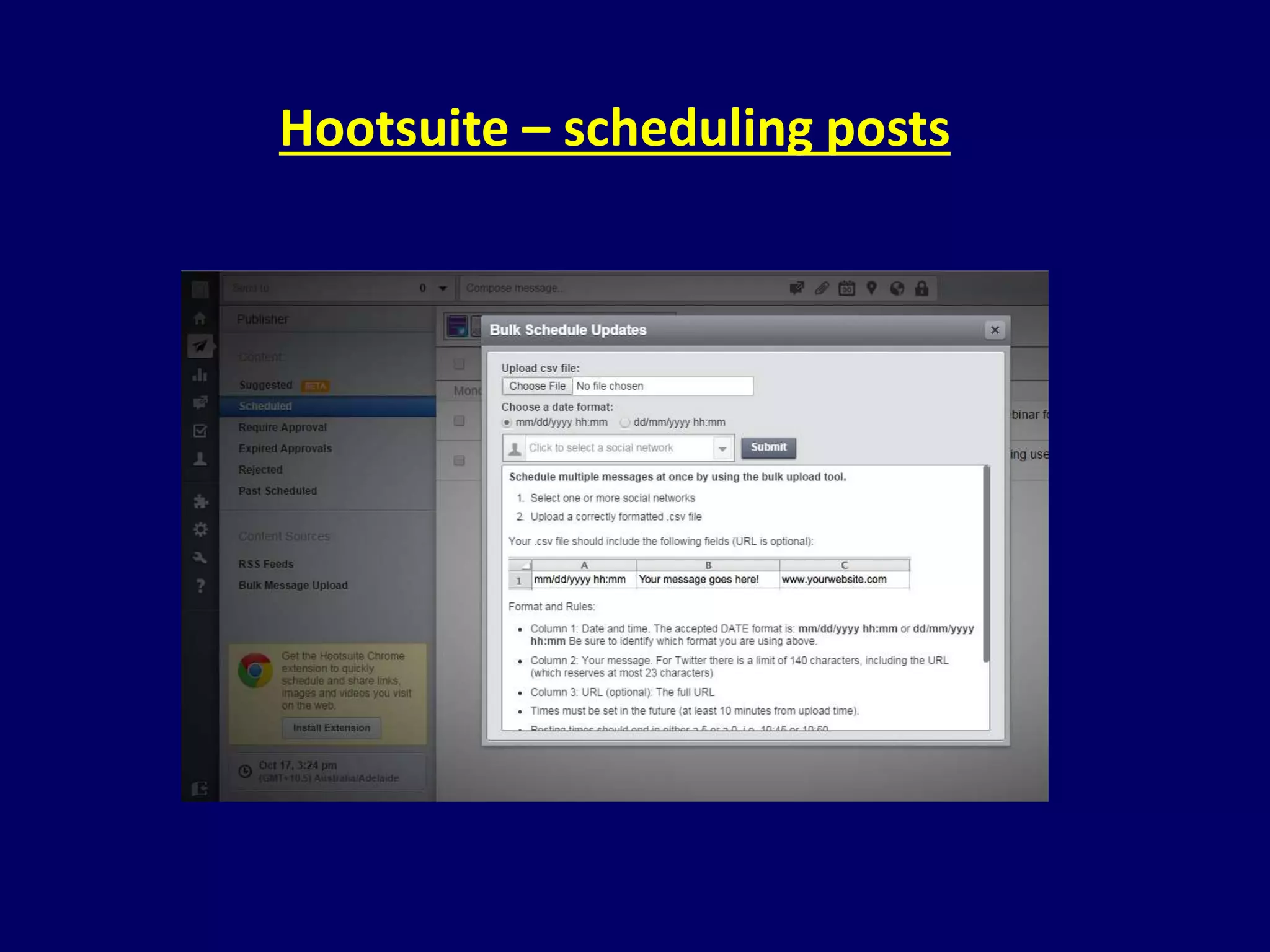
Hootsuite – scheduling posts
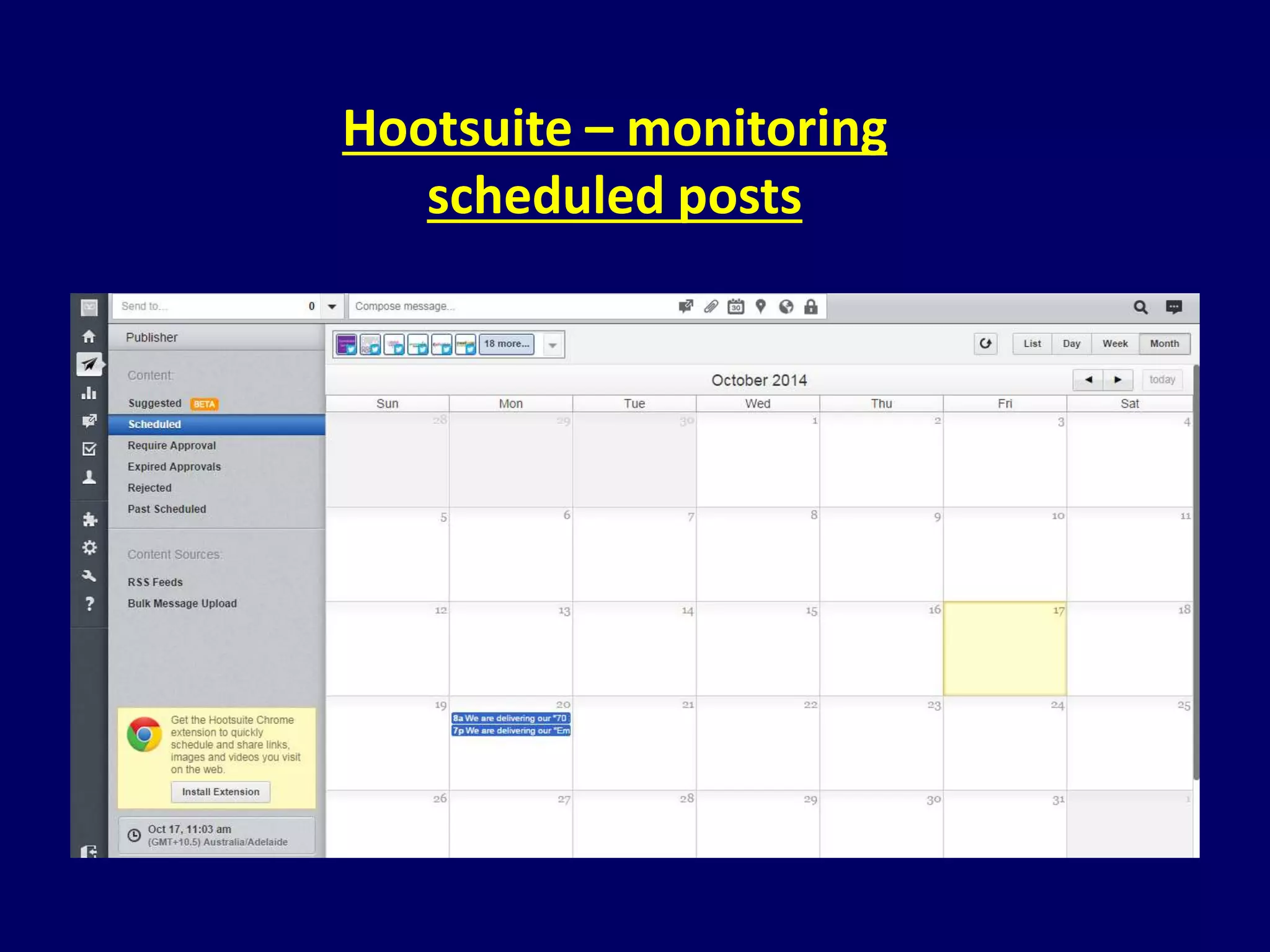
Hootsuite – monitoring 
scheduled posts
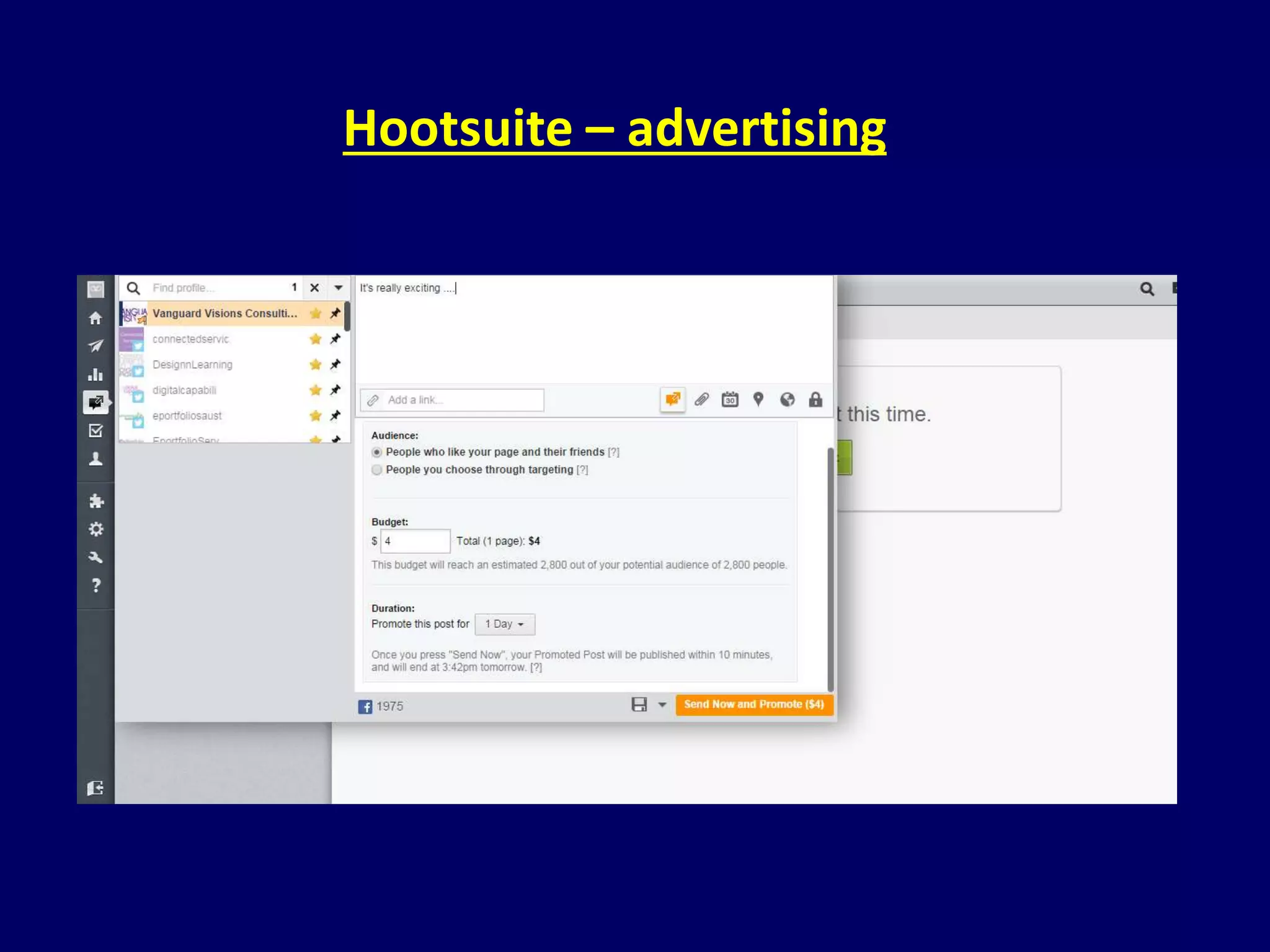
Hootsuite – advertising
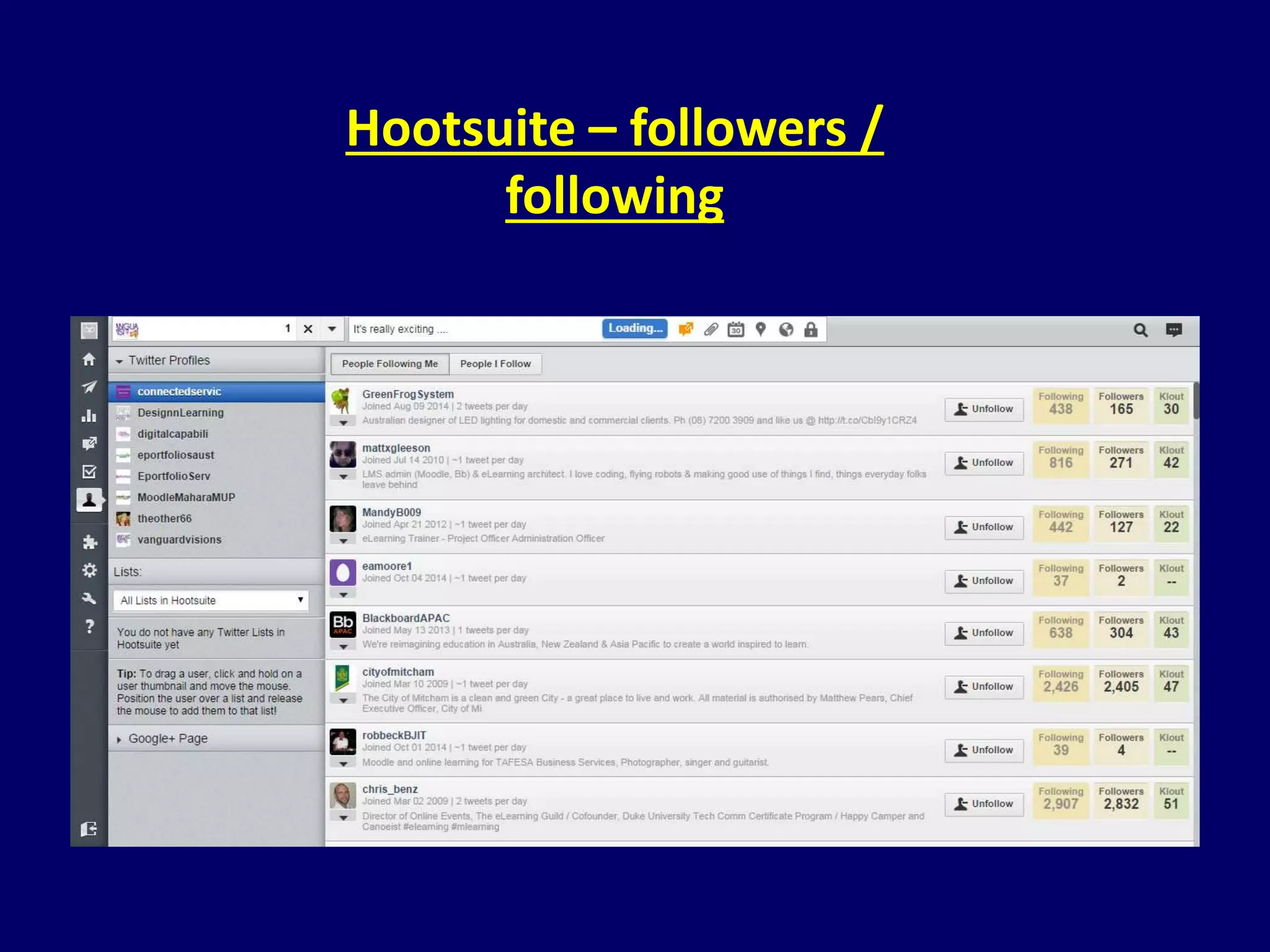
Hootsuite – followers / 
following
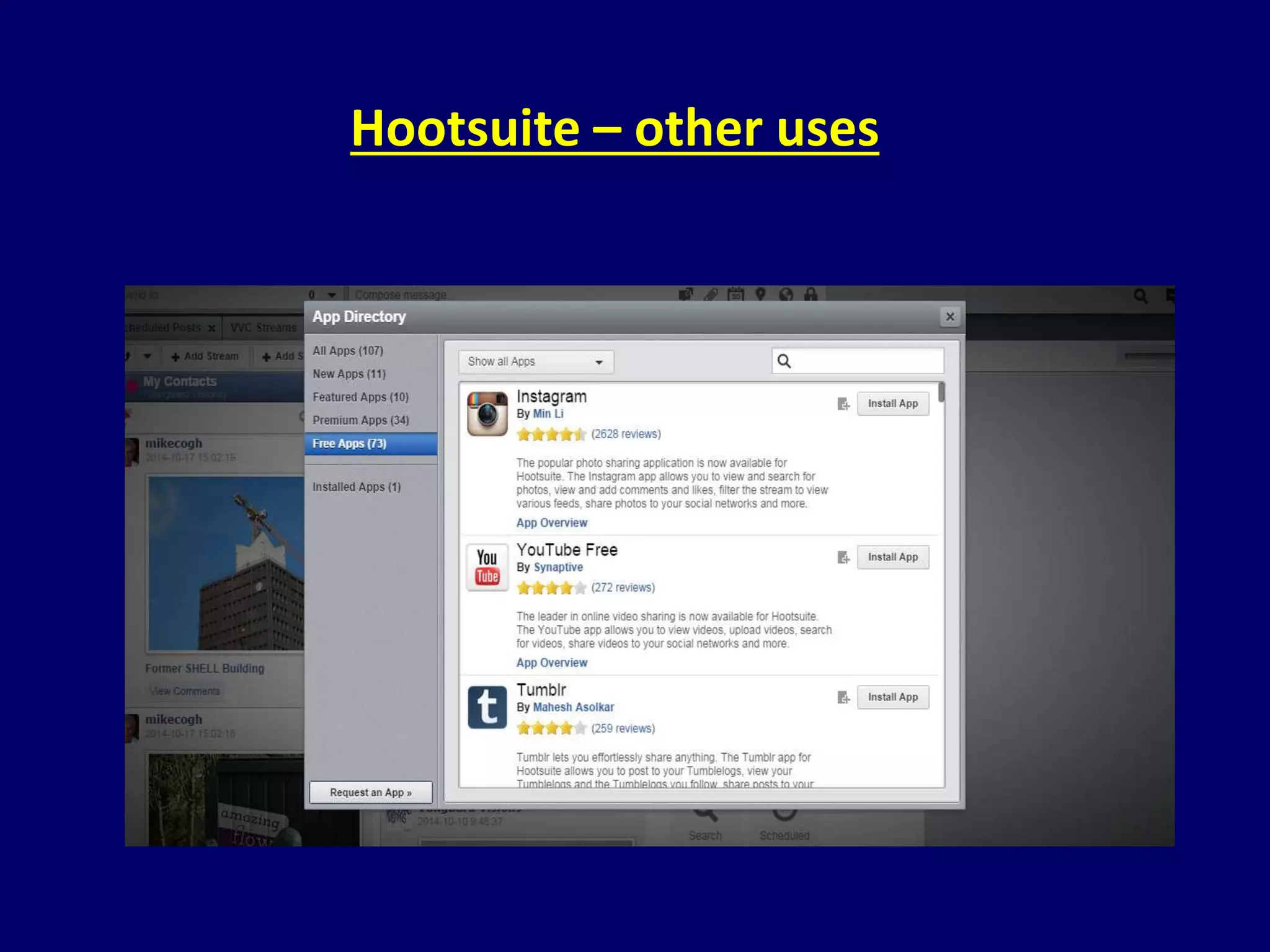
Hootsuite – other uses
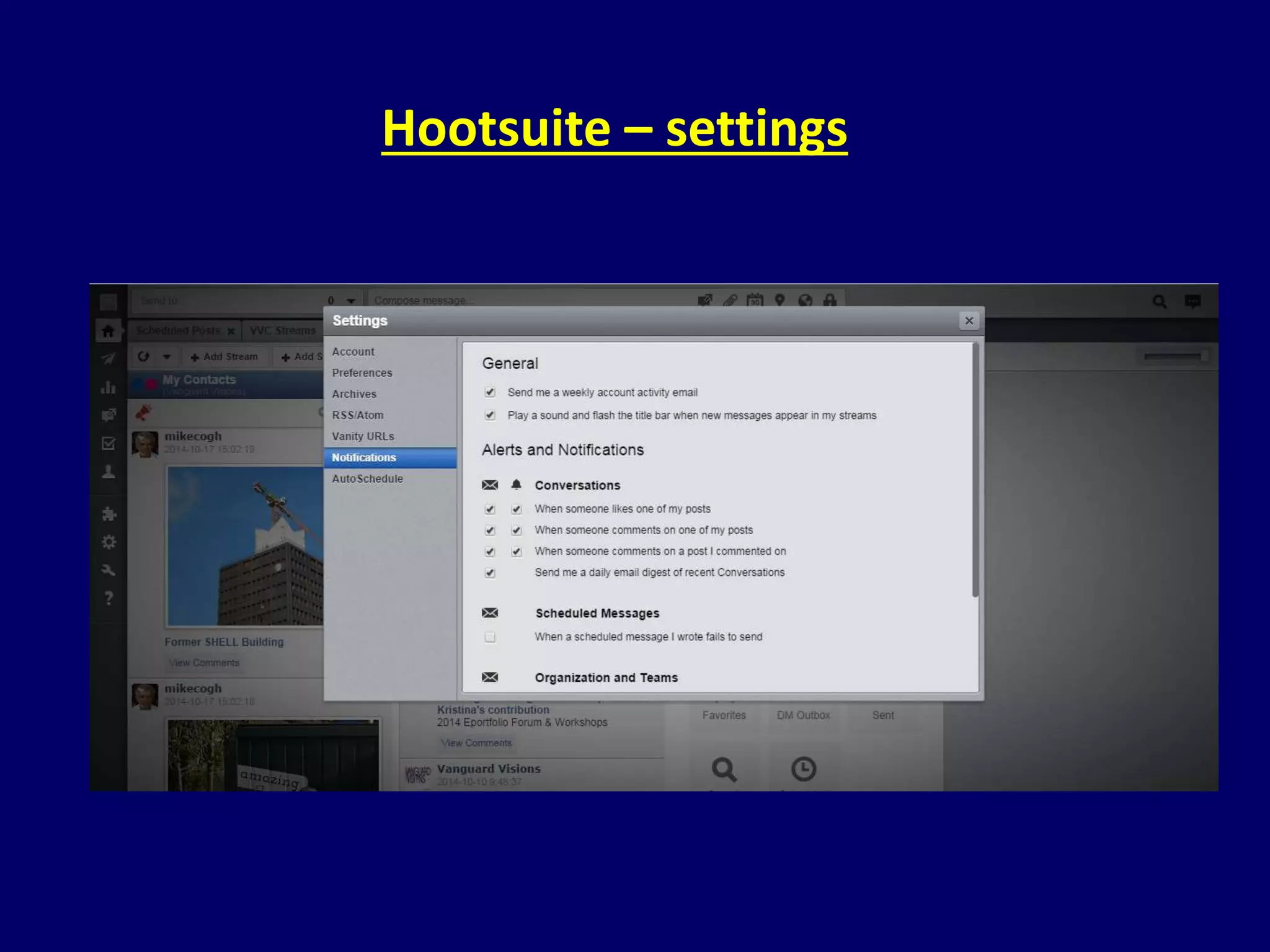
Hootsuite – settings
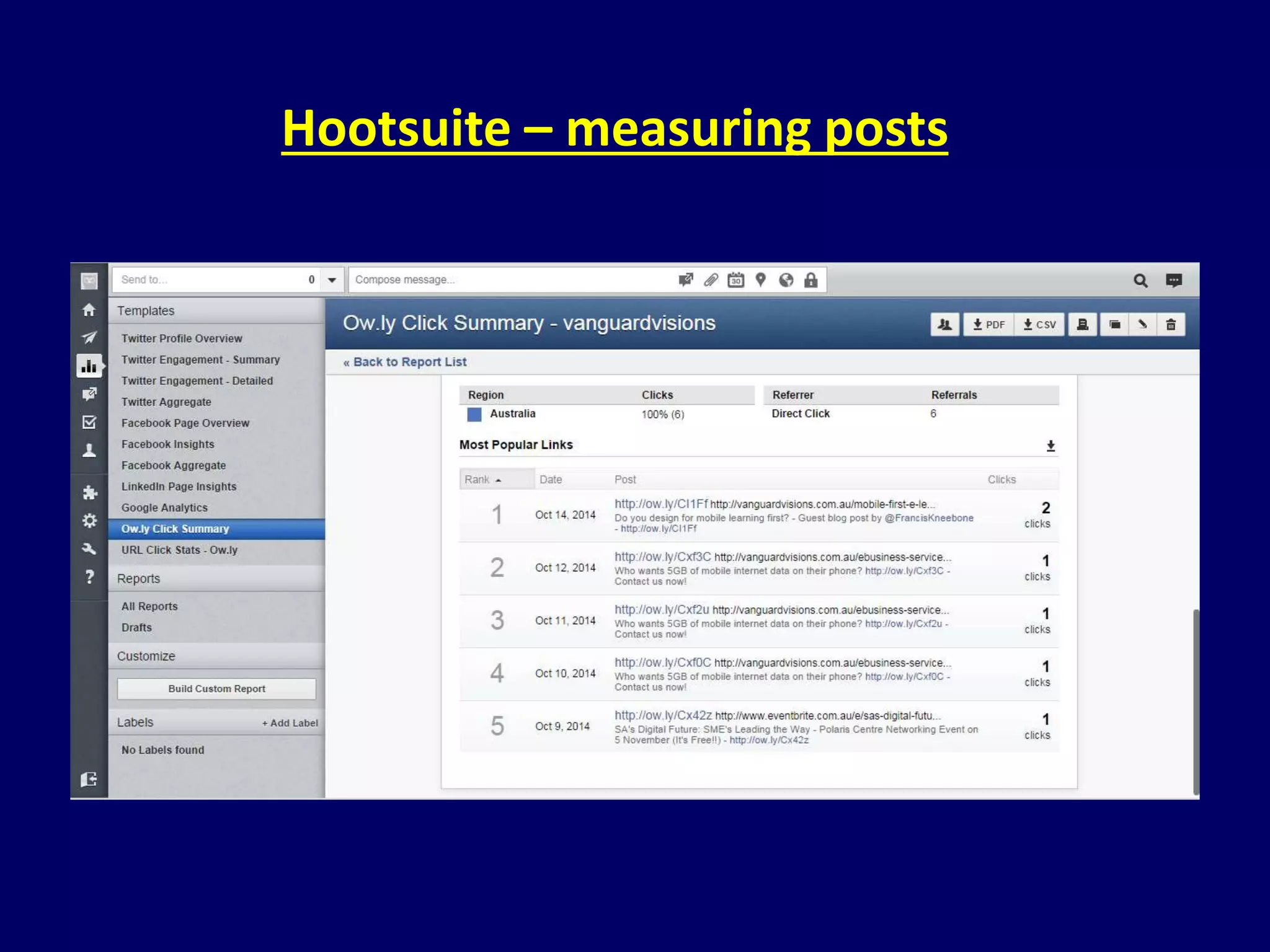
Hootsuite – measuring posts
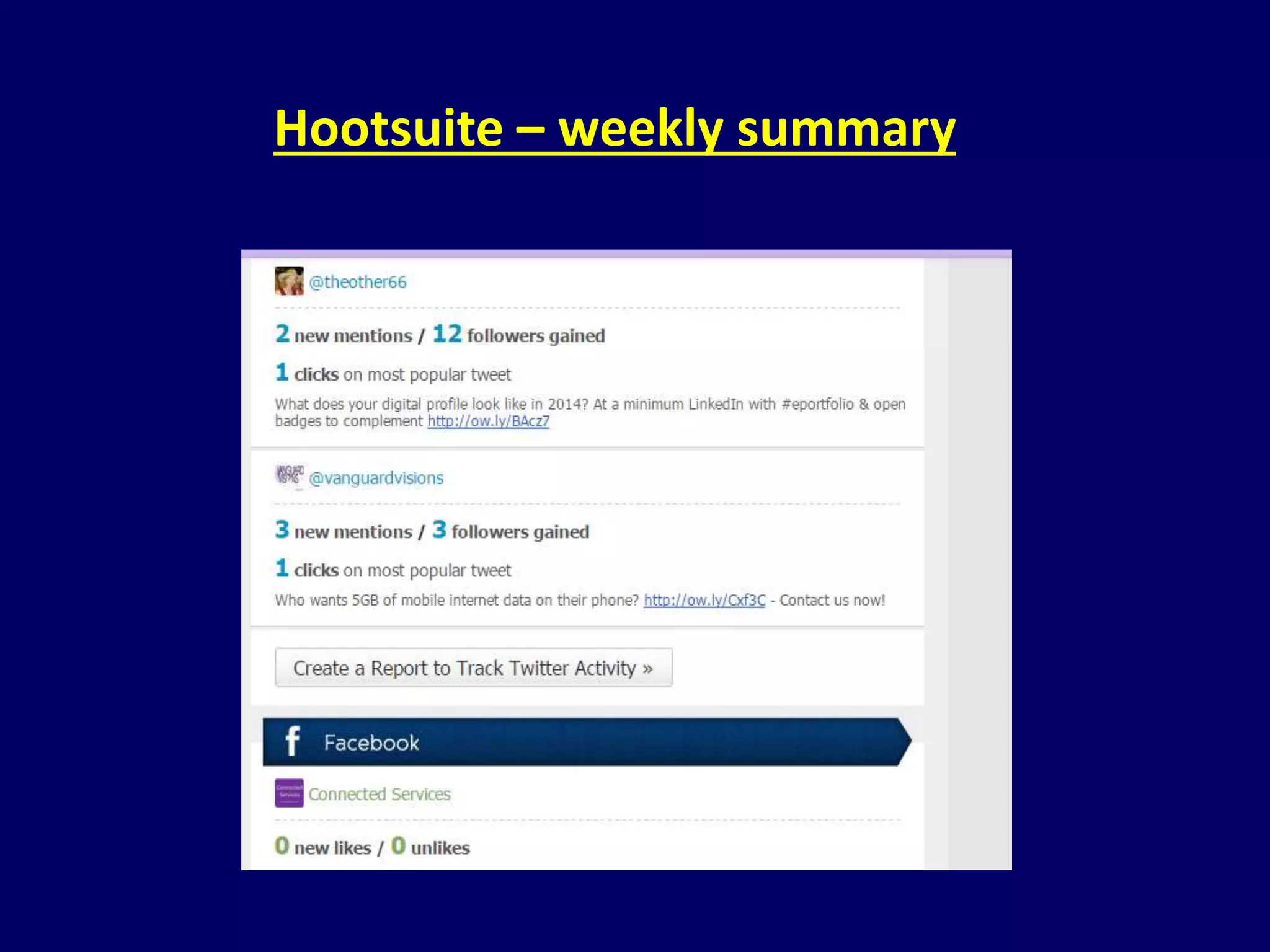
Hootsuite – weekly summary
Creating a Hootsuite 
social media strategy
Understand your target market 
CC-BY Image: Clipart – Target with arrow by anonymous - http://openclipart.org/detail/13234/target-with-arrow-by-anonymous
Your social media goal 
CC-BY Image: by Public Domain Pictures - Goal Soccer Sport Aim Ball Grass Objective Cup - http://pixabay.com/en/goal-soccer-sport-aim-ball-grass-20121/
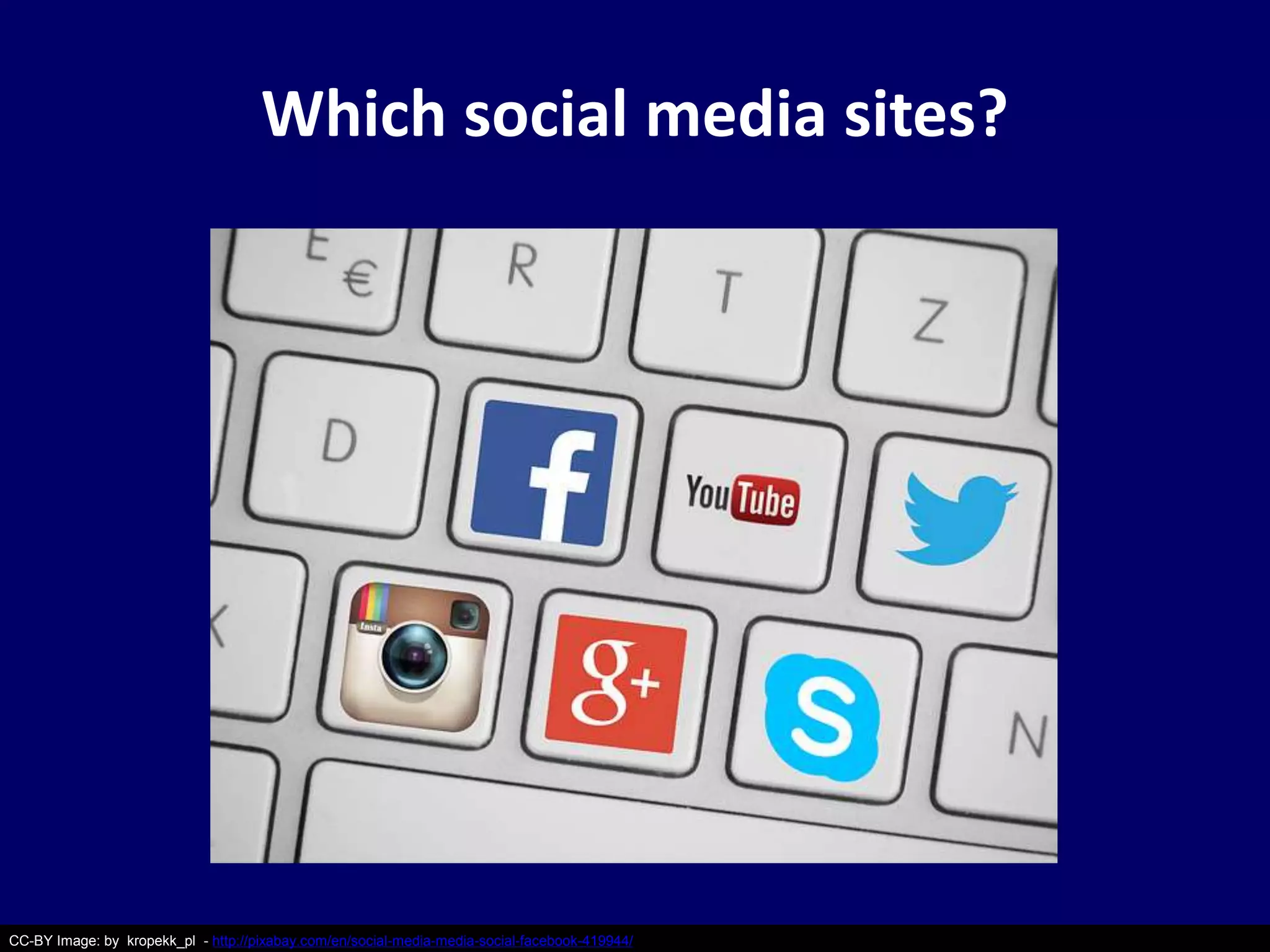
Which social media sites? 
CC-BY Image: by kropekk_pl - http://pixabay.com/en/social-media-media-social-facebook-419944/
What are your competitors doing? 
CC-BY Image: by Nemo - http://pixabay.com/en/wrestling-sport-fight-competition-311456/
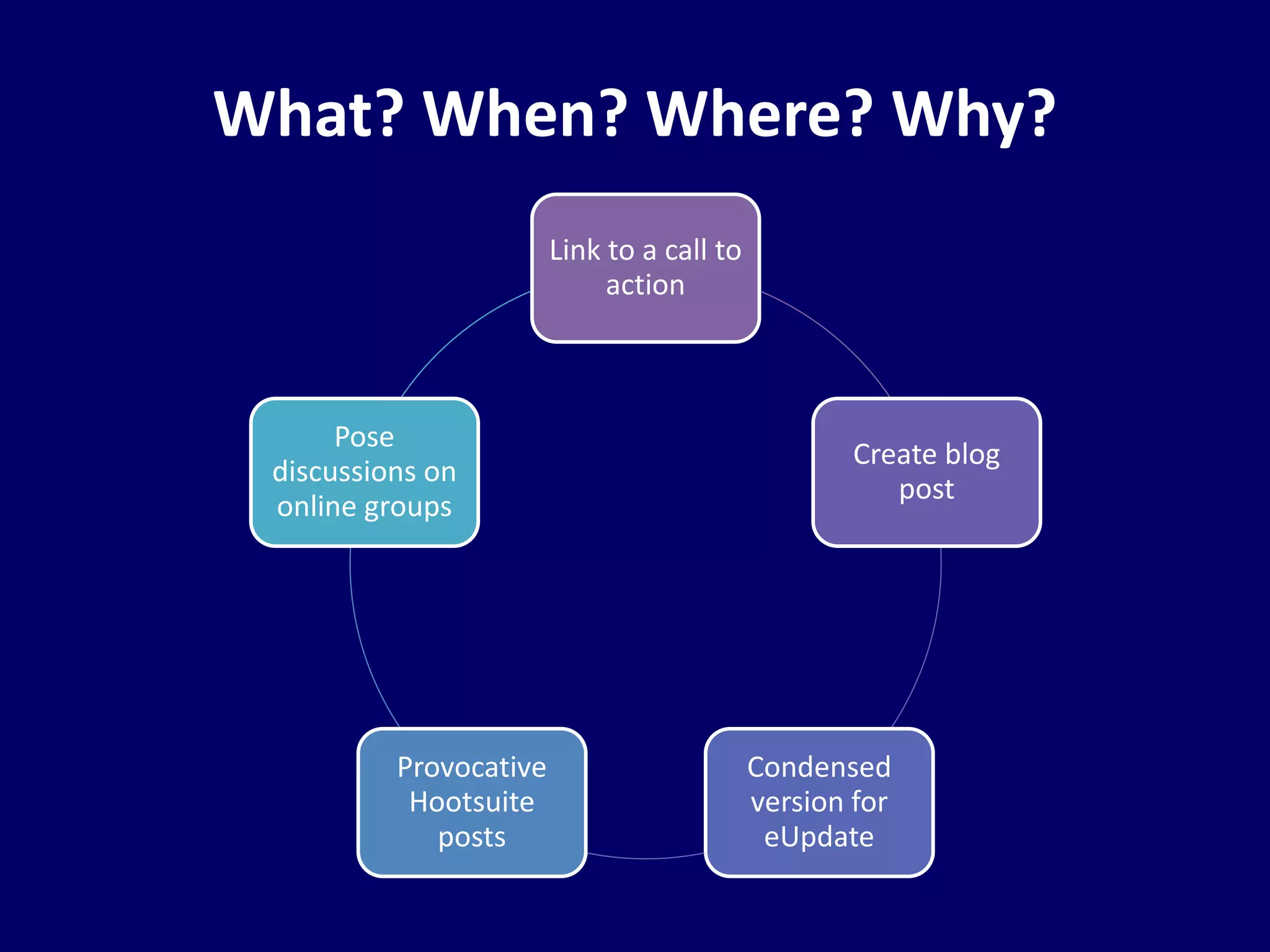
What? When? Where? Why? 
Link to a call to 
action 
Create blog 
post 
Condensed 
version for 
eUpdate 
Provocative 
Hootsuite 
posts 
Pose 
discussions on 
online groups
Who’s doing what? 
CC-BY Image: by geralt - http://pixabay.com/en/man-silhouette-responsibility-97975/
Creating compelling posts 
CC-BY Image: Casera Black Beans by Caribbean Shibe - http://caribbeanshibe.com/product/casera-black-beans/ 
What to talk about 
1.Get what you want 
2. Crystal ball and history 
3. Problems or fears 
4. Fact, fiction, truth or ties 
5.How to, tricks of the trade 
6.Best or Worst 
7.Ways to fail
Creating compelling posts 
Ways to keep them: 
1.Pose a question 
2. Use a quote 
3. Use a powerful story 
4.Enticing (or scary) facts / stats 
5. Provide context / background 
/ mental image 
6. Analogies 
CC-BY Image: Casera Black Beans by Caribbean Shibe - http://caribbeanshibe.com/product/casera-black-beans/
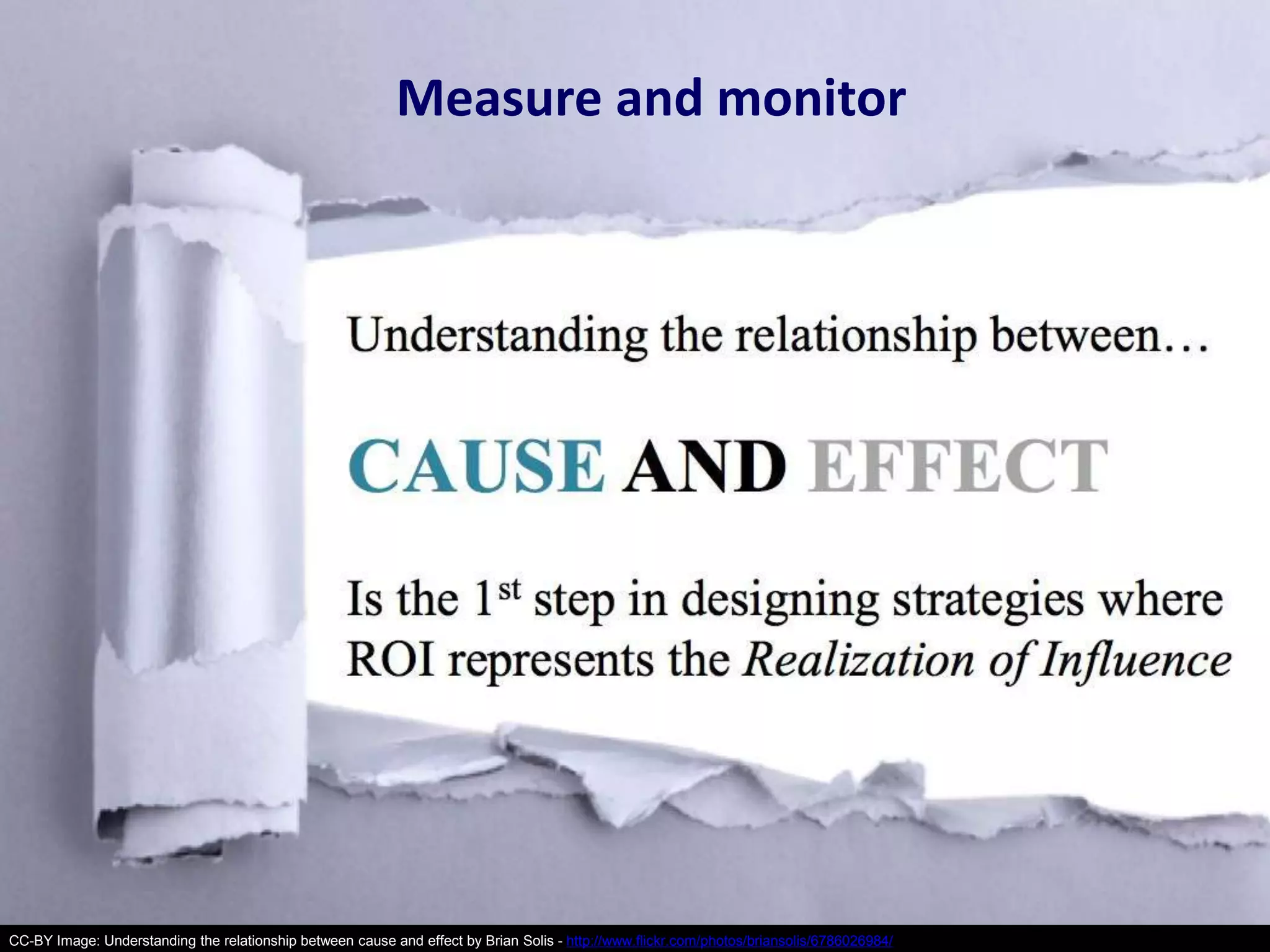
Measure and monitor 
CC-BY Image: Understanding the relationship between cause and effect by Brian Solis - http://www.flickr.com/photos/briansolis/6786026984/
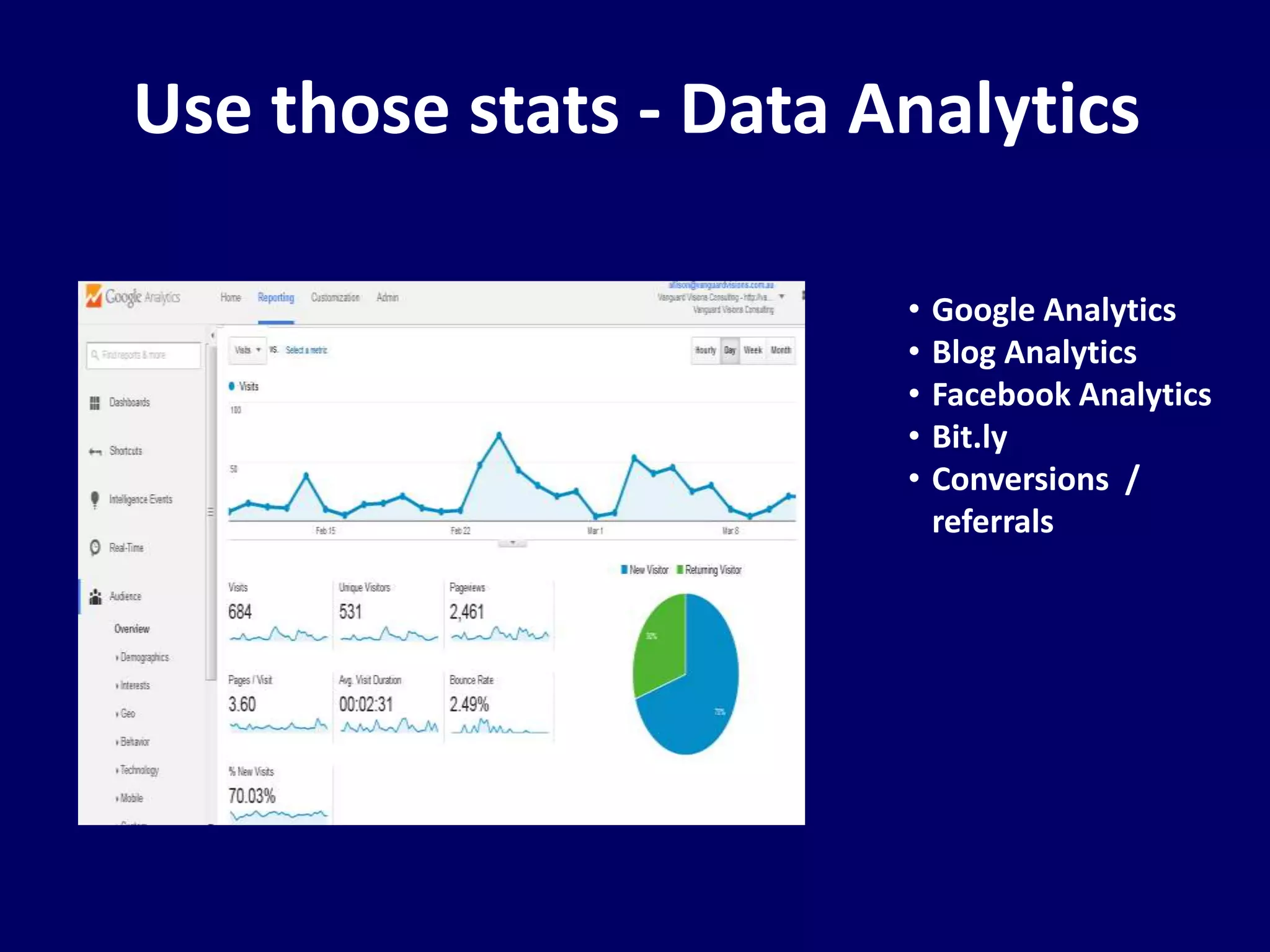
Use those stats - Data Analytics 
• Google Analytics 
• Blog Analytics 
• Facebook Analytics 
• Bit.ly 
• Conversions / 
referrals
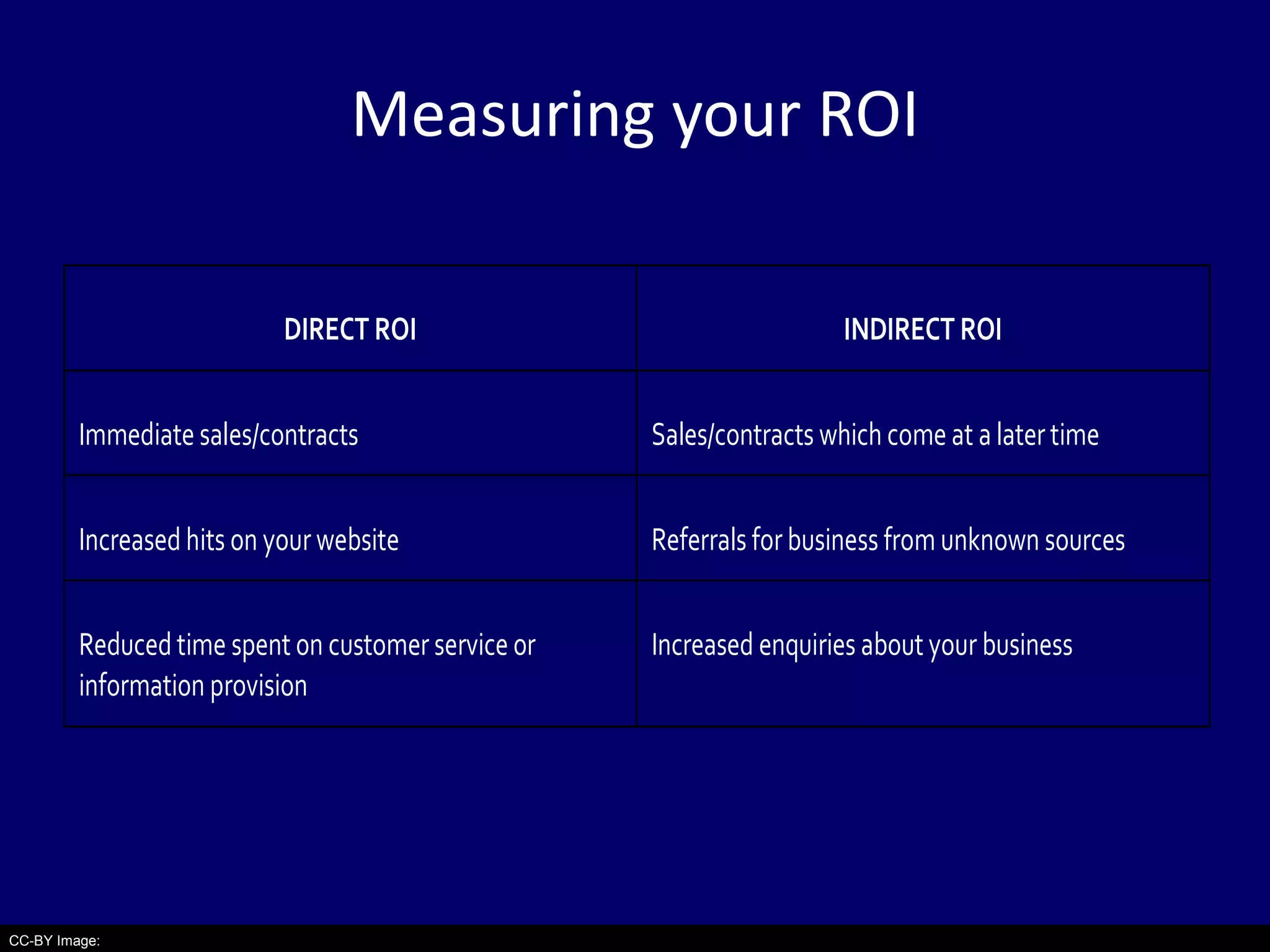
Measuring your ROI 
CC-BY Image: 
DIRECT ROI INDIRECT ROI 
Immediate sales/contracts Sales/contracts which come at a later time 
Increased hits on your website Referrals for business from unknown sources 
Reduced time spent on customer service or 
information provision 
Increased enquiries about your business
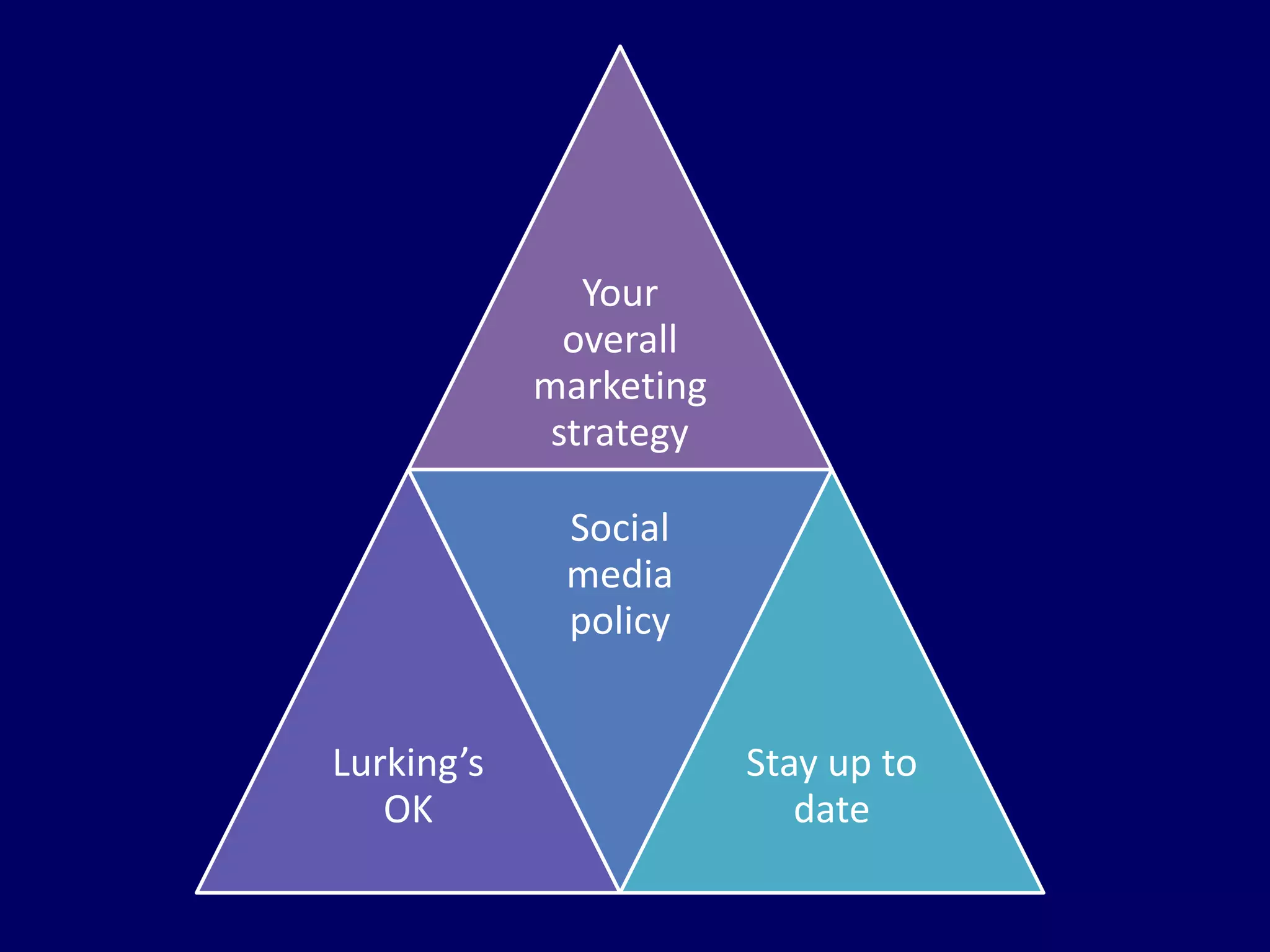
Key considerations
Your 
overall 
marketing 
strategy 
Lurking’s 
OK 
Social 
media 
policy 
Stay up to 
date
What will you investigate 
further?
Workshop evaluation
Allison Miller 
0400 732 270 
allison@vanguardvisions.com.au 
vanguardvisionsconsulting.com.au 
linkedin.com/in/theother66 
Register for eUpdates: bit.ly/digitalcapability 
vanguardvisions.com.au 
Connect on: 
Twitter - twitter.com/vanguardvisions 
Facebook - facebook.com/vanguardvisions

Managing and measuring your social media activities using Hootsuite - October 2014

  • 1.
    Salisbury / Modbury Managing and measuring your social media activities using Hootsuite Allison Miller, Vanguard Visions
  • 2.
    You’ll find theseslides at: slideshare.net/vanguardvisions
  • 3.
    Session Overview •Why use social media in business? • Which social media sites are you using for your business? • How are you managing your different social media profiles now? • What is Hootsuite? • Creating a Hootsuite social media strategy • Key considerations • What will you investigate further? • Workshop evaluation
  • 4.
    Why use socialmedia in business?
  • 5.
  • 6.
    Social media Build Customers Social Media Raise awareness Listen to what people are saying Connect with others
  • 7.
    Which social mediasites are you using for your business?
  • 8.
    Data source: http://www.socialmedianews.com.au Australian Social Media Stats* • Facebook – over 13,600,000 users • YouTube – 13,100,000 users • LinkedIn – 3,900,000 users • Twitter - 2,800,000 users • Instagram – 2,060,000 users • Google Plus – 60,000 users * September 2014
  • 9.
    Source: Smarter BusinessIdeas – Spring 2013 – “Make a social call” Facebook – aka ‘the Pub’ • Connect with friends or seek feedback from customers • 3 short posts/week – useful and relevant content, news and events about your business • Answer questions on status updates and in Groups • Post: Early morning, during lunch, after work, before dinner and before bed • Paid ‘posts’ and ‘pages’ • Competitions for “Likes”
  • 10.
    Google+ – aka‘SEO buddy’ • Early adopters, technology industry leaders • Google SEO, Google Reviews, Google Maps, Google Groups • Get there before your competitors do • More about ‘talking’ than ‘stalking” • Company page • Post: Before / After business hours
  • 11.
    Source: Smarter BusinessIdeas – Spring 2013 – “Make a social call” LinkedIn – aka ‘the Office’ • Business Networking (Key decision makers), Recruitment • Share ‘thought leader’ posts, industry / topic news, how-tos • Offer advice / information in industry / topic groups • Company page • Post: Before / After business hours
  • 12.
    Source: Smarter BusinessIdeas – Spring 2013 – “Make a social call” Twitter – aka ‘SMS / Chat’ • Short posts (best < 100 characters) • Witty comments / quotes, industry news, promos, tips & tricks • Photos / Video • Paid ‘tweets’ and ‘profiles’ • #hashtags & trending • Strong WIFM call to actions – click, interact, buy • Post: between 11 am-3 pm
  • 13.
    YouTube – aka‘Moving pictures’ • Strong message, Show don’t tell • Tutorials, stories, debunk myths, Pros/Cons, action, tips / tricks, how-tos, • Business YouTube Channel • No longer than 3 mins • Professional vs Crappy • Paid targeted promotions • 3-5 / month • Busiest 2-8 pm Source: Smarter Business Ideas – Spring 2013 – “Make a social call”
  • 14.
    Instagram/Pinterest – aka‘Visual’ Instagram • Inspirational images • Sneak peeks, behind the scenes, product demos • Include questions / #hashtags • Ask customers to post with unique #hashtags • 1-2 / day • Post: after 8 pm weekdays & 5 pm on weekends Pinterest • Curate images around key themes: people, animals, houses, clothes, shoes, craft, cars, tools • Repin your images • 1 pin per day • Saturday mornings; Weekdays: 2-4 pm & 8 pm to 1 am Source: Smarter Business Ideas – Spring 2013 – “Make a social call”
  • 15.
    How are youmanaging your different social media profiles now?
  • 16.
  • 17.
    Data source: http://www.socialmedianews.com.au Hootsuite • Social Media Management Tool • Manage and monitor multiple social media profiles • Schedule updates • Share the responsibility • Mobile app to use on the go • Customised analytics
  • 18.
  • 19.
    Hootsuite – writingposts and following streams
  • 20.
  • 21.
    Hootsuite – monitoring scheduled posts
  • 22.
  • 23.
  • 24.
  • 25.
  • 26.
  • 27.
  • 28.
    Creating a Hootsuite social media strategy
  • 29.
    Understand your targetmarket CC-BY Image: Clipart – Target with arrow by anonymous - http://openclipart.org/detail/13234/target-with-arrow-by-anonymous
  • 30.
    Your social mediagoal CC-BY Image: by Public Domain Pictures - Goal Soccer Sport Aim Ball Grass Objective Cup - http://pixabay.com/en/goal-soccer-sport-aim-ball-grass-20121/
  • 31.
    Which social mediasites? CC-BY Image: by kropekk_pl - http://pixabay.com/en/social-media-media-social-facebook-419944/
  • 32.
    What are yourcompetitors doing? CC-BY Image: by Nemo - http://pixabay.com/en/wrestling-sport-fight-competition-311456/
  • 33.
    What? When? Where?Why? Link to a call to action Create blog post Condensed version for eUpdate Provocative Hootsuite posts Pose discussions on online groups
  • 34.
    Who’s doing what? CC-BY Image: by geralt - http://pixabay.com/en/man-silhouette-responsibility-97975/
  • 35.
    Creating compelling posts CC-BY Image: Casera Black Beans by Caribbean Shibe - http://caribbeanshibe.com/product/casera-black-beans/ What to talk about 1.Get what you want 2. Crystal ball and history 3. Problems or fears 4. Fact, fiction, truth or ties 5.How to, tricks of the trade 6.Best or Worst 7.Ways to fail
  • 36.
    Creating compelling posts Ways to keep them: 1.Pose a question 2. Use a quote 3. Use a powerful story 4.Enticing (or scary) facts / stats 5. Provide context / background / mental image 6. Analogies CC-BY Image: Casera Black Beans by Caribbean Shibe - http://caribbeanshibe.com/product/casera-black-beans/
  • 37.
    Measure and monitor CC-BY Image: Understanding the relationship between cause and effect by Brian Solis - http://www.flickr.com/photos/briansolis/6786026984/
  • 38.
    Use those stats- Data Analytics • Google Analytics • Blog Analytics • Facebook Analytics • Bit.ly • Conversions / referrals
  • 39.
    Measuring your ROI CC-BY Image: DIRECT ROI INDIRECT ROI Immediate sales/contracts Sales/contracts which come at a later time Increased hits on your website Referrals for business from unknown sources Reduced time spent on customer service or information provision Increased enquiries about your business
  • 40.
  • 41.
    Your overall marketing strategy Lurking’s OK Social media policy Stay up to date
  • 42.
    What will youinvestigate further?
  • 43.
  • 44.
    Allison Miller 0400732 270 allison@vanguardvisions.com.au vanguardvisionsconsulting.com.au linkedin.com/in/theother66 Register for eUpdates: bit.ly/digitalcapability vanguardvisions.com.au Connect on: Twitter - twitter.com/vanguardvisions Facebook - facebook.com/vanguardvisions

Editor's Notes

  • #2 Introduce yourself – Elearning ebusiness eportfolio consultancy Work with prominent business development programs/leaders like the City of Salisbury and City of Marion, as well as universities, VET providers and schools E-business Workshops / Webinars for national organisations such as ACPET, Wendy Perry & Associates Delivering this workshop as a small business owner who has been writing business blogs since 2008 and using them as part of VVC’s digital marketing campaign. Encourage questions / discussion
  • #5 So why social media sites for your business?
  • #6 So why use social media?
  • #7 Acknowledgement – this slide has been adapted from Ben Teoh’s Digital Enterprise “Social Media for NFP” workshop slides
  • #8 So which social media sites are you using for your business? And why?
  • #10 Source: Smarter Business Ideas – Spring 2013 – “Make a social call” http://smarter.telstrabusiness.com/make-a-social-call-media-marketing-relationship-building-how-to-case-studies-why-use-it-experts-tips-how-to-use.htm Write down 2-3 ideas about what you would post on your Facebook Company page (if appropriate)
  • #11 Sources: http://www.entrepreneur.com/article/232283 http://postcron.com/en/blog/why-use-google-plus-business-10-implacable-reasons/ Write down 2-3 ideas about what you would post on your Google+ Company page (if appropriate)
  • #12 Source: Smarter Business Ideas – Spring 2013 – “Make a social call” Write down 2-3 ideas about what you would post on your LinkedIn Company page (if appropriate)
  • #13 Source: Smarter Business Ideas – Spring 2013 – “Make a social call” Write down 2-3 ideas about what you would post on your Twitter Company page (if appropriate)
  • #14 Source: Smarter Business Ideas – Spring 2013 – “Make a social call” Write down 2-3 ideas about what you would post on your YouTube Company page (if appropriate)
  • #15 Source: Smarter Business Ideas – Spring 2013 – “Make a social call” Write down 2-3 ideas about what you would post on your Instagram/Pinterest Company page (if appropriate)
  • #16 How are you managing your social media profiles now?
  • #17 Has anyone used Hootsuite before? How are you using it? If you haven’t got a Hootsuite account – create one at Hootsuite.com (Free for 3 social media profiles)
  • #18 HootSuite is a service referred to as a “Social Media Management Tool”. A Social Media Management System or Tool (SMMS/SMMT) can help you manage your many social channels by monitoring, posting and delegating tasks within a team. Hootsuite Pros Here are some of Hootsuite’s many features: Manage multiple Twitter, Facebook (profiles and pages), LinkedIn, Word Press, Foursquare and Google+ networks all from one place Schedule updates (including on a calendar and even upload from a spreadsheet (csv file) Share the responsibility - Collaborate as a team (delegate replies, tweets, mark as done, track messages etc) Mobile apps (iOS & Android) Customised analytics (including scheduled reports) RSS integration (post updates from an RSS feed) Helpful and comprehensive support pages and friendly customer support team Source: 7 Reasons not to use Hootsuite - http://iag.me/socialmedia/reviews/7-reasons-not-to-use-hootsuite/
  • #19 Overview of your Social Media profiles and users in an organisation
  • #20 Add social network – to post and schedule posts Add stream – to monitor activity Planning this space VVC – Twitter & Facebook theother66 Other Community Show how to write and schedule a post
  • #21 Publisher – bulk scheduling of posts via .CSV
  • #22 Monitor which posts are being posted when through ‘Publisher’ Other features RSS feeds eg from Blog posts Bulk message upload Suggested posts
  • #23 Can advertise on those social media networks which have paid advertising options
  • #24 Can manage who you follow in Twitter
  • #25 Can manage all sorts of things in Hootsuite eg Flickr, Instagram, YouTube, WordPress etc via integrated Apps
  • #26 Can control information about your account, upgrade your account, manage notifications
  • #27 Most of the reports attract a monthly fee to access  except 1 premium report plus Twitter profile overview Facebook Page Overview Ow.ly Click Summary
  • #28 Hootsuite sends you a weekly summary of activity
  • #30 Write down 3-4 things which best describes your ideal target market. Use demographic information to describe your target market, such as: age range, location, job position and/or income bracket. How you manage your whole business should be driven by who is your target market. Having a clear picture about who is most likely to buy your business’s goods/services Market the right information at the right time, and in the right place. Having a clearly defined target market will also help you determine what is important to them and help you decide upon what you should be posting on your social media profiles and when. Draw on your own experience or think about who you think is going to pay for your goods/services if you haven’t started your business yet.
  • #31 Write down what the purpose of having a blog. Drive more traffic to website Increase email list Increase enquiries / sales Provide better customer service Build brand recognition Others
  • #32 Which social media sites are you / should you be using? Why? How?
  • #33 Write down your top 3 competitors Which social media sites are they using? How are they using social media?
  • #34 Using Hootsuite is part of an overall digital marketing strategy / process Link to a call to action Create blog post Condensed version for eUpdate Provocative Hootsuite posts for each Pose discussions on online groups
  • #35 If you are sharing the responsibility of your social media strategy you need to determine who is doing what? Who is going to write, review, edit, post, respond?
  • #36 Compelling posts: Something people need Something which provokes interest 7 Headline types (top 6 by “Authority Blogger” from Jeff Bulla’s 8 Key steps to blogging mastery ebook): Get what you want – healthier, wealthier, happier – ie The secret to … Crystal ball and history – predictions of the future and analysis of the past Problems or fears – Don’t be the last one in the unemployment line Fact, fiction, truth or ties – Little known ways to …. How to, tricks of the trade – Best or Worst Ways to fail (but offer the solutions)
  • #37 Compelling posts: Pose a question Use a quote Use a powerful story Enticing (or scary) facts / stats Provide context / background / mental image Analogies
  • #38 ROI – Return on Investment or Realization of Influence
  • #39 How do you know if your efforts are getting you anywhere? Measure against the goals you set for the blog Use: Google Analytics Website Analytics Facebook Analytics Bit.ly Conversion to sales / referrals / Benchmarking and evaluating
  • #40 You will need to collect data to help you measure your ROI criteria. Link this to your social media/digital marketing goals This can come from: Data analytics from your website-blog platform and/or Google Analytics Asking customers / people who contact you how they heard about your business Reviewing Sales/Revenue/Registrations data or Customer contact data Anecdotal information from speaking with your customers
  • #42 Here are a few things to consider when blogging for your RTO: Link to your marketing strategy – branding, consistency Have a social media policy: Moderating of comments guides on the site Privacy policy Mechanisms which quickly deal with issues Just because no-one comments doesn’t mean it’s not working – lurking is ok Stay up to date about good social media practice Social media facebook groups Others?
  • #43 What will you investigate further and why?
  • #44 Ask participants to complete the online workshop evaluation