Management of all
devices using M365
Business
@directorcia
http://about.me/ciaops
#CIAOPS
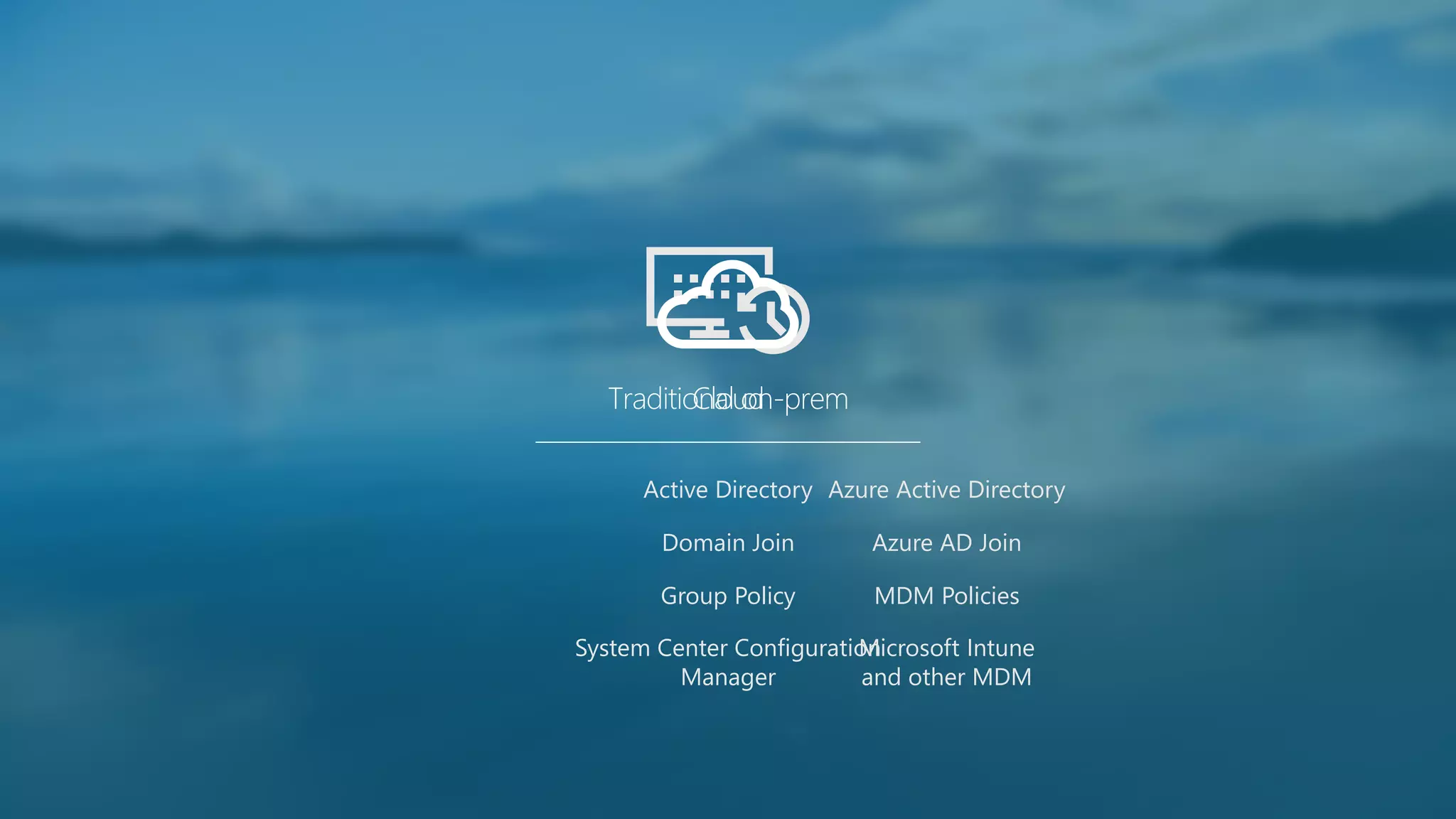
Azure Active Directory
Azure AD Join
MDM Policies
Microsoft Intune
and other MDM
Traditional on-premCloud
Active Directory
Domain Join
Group Policy
System Center Configuration
Manager
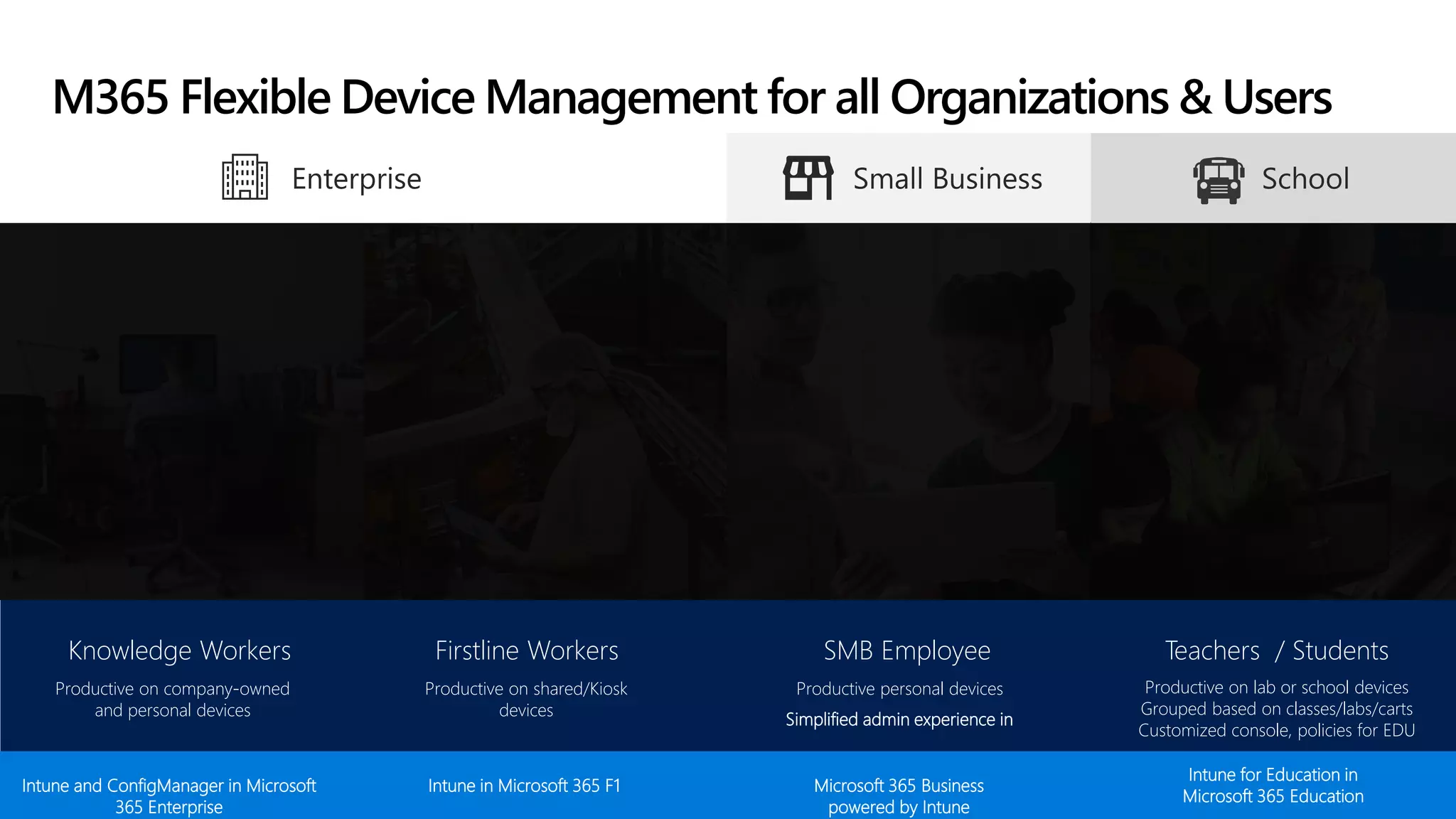
Knowledge Workers
Productive on company-owned
and personal devices
Firstline Workers
Productive on shared/Kiosk
devices
SMB Employee
Productive personal devices
Simplified admin experience in
Teachers / Students
Productive on lab or school devices
Grouped based on classes/labs/carts
Customized console, policies for EDU
Intune and ConfigManager in Microsoft
365 Enterprise
Intune in Microsoft 365 F1 Microsoft 365 Business
powered by Intune
Intune for Education in
Microsoft 365 Education
M365 Flexible Device Management for all Organizations & Users
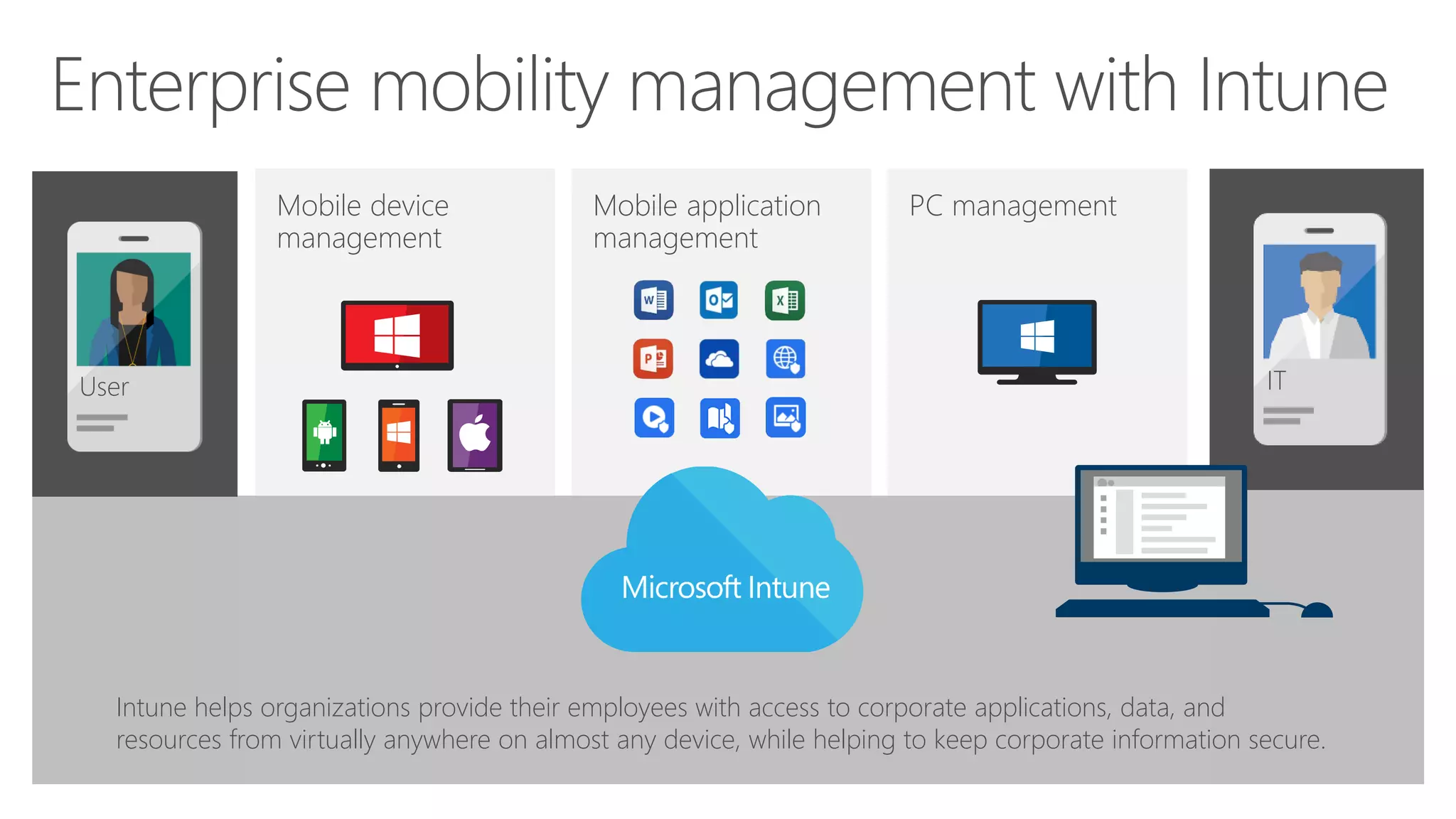
Mobile application
management
PC managementMobile device
management
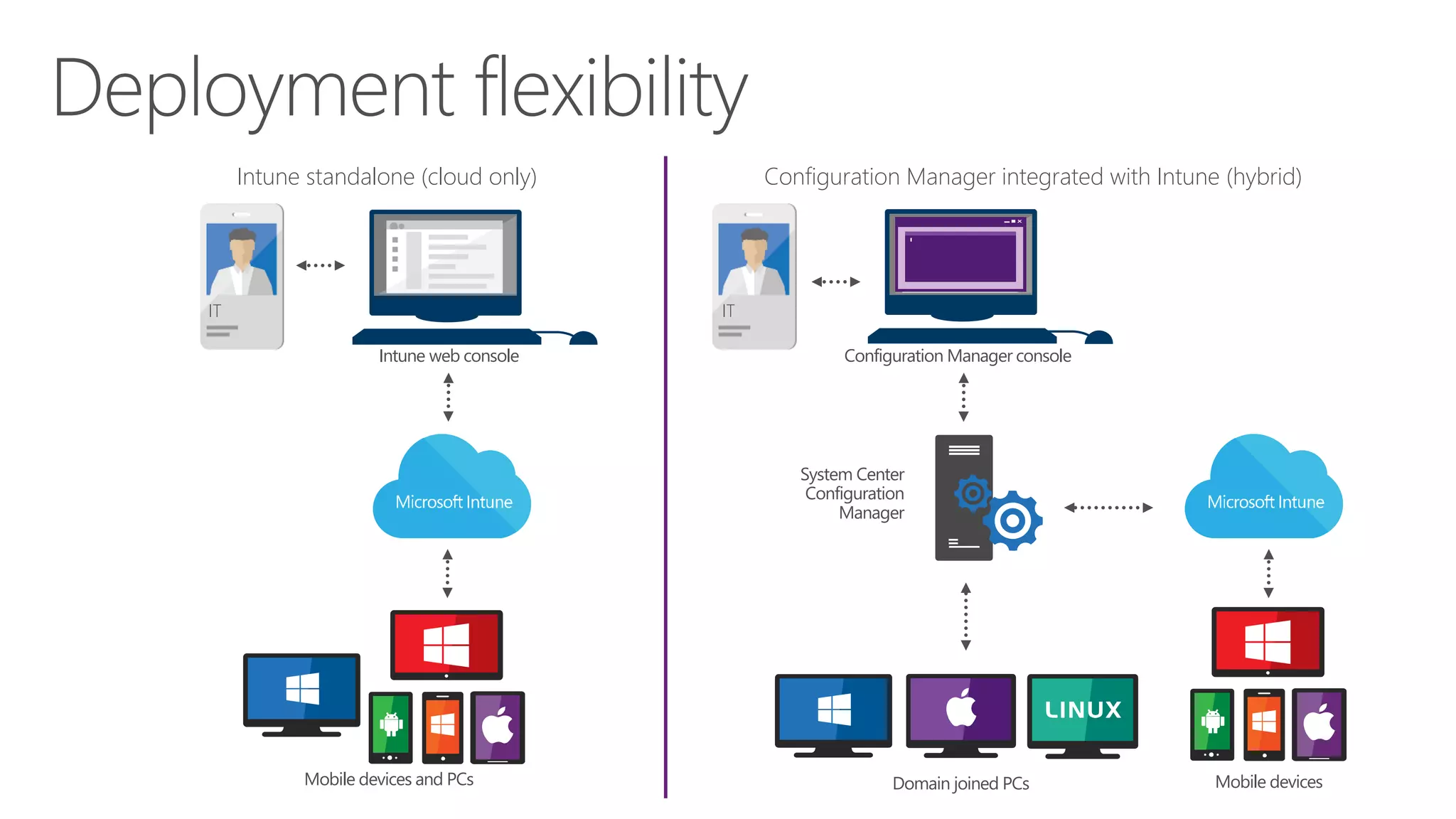
Intune helps organizations provide their employees with access to corporate applications, data, and
resources from virtually anywhere on almost any device, while helping to keep corporate information secure.
User IT
Mobile devices and PCs Mobile devices
System Center
Configuration
Manager
Domain joined PCs
Configuration Manager integrated with Intune (hybrid)Intune standalone (cloud only)
IT IT
Intune web console Configuration Manager console
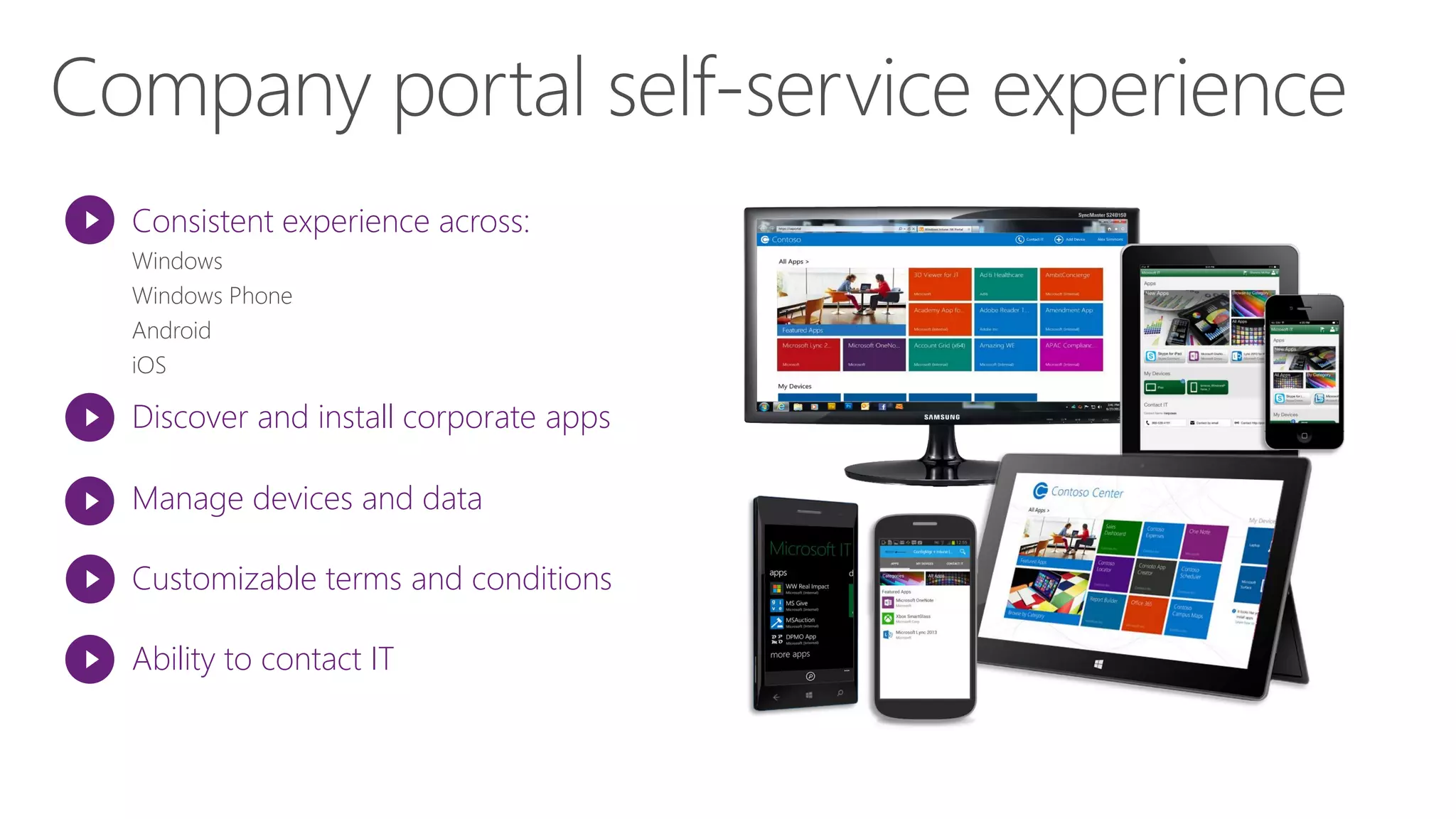
Consistent experience across:
Discover and install corporate apps
Manage devices and data
Ability to contact IT
Customizable terms and conditions
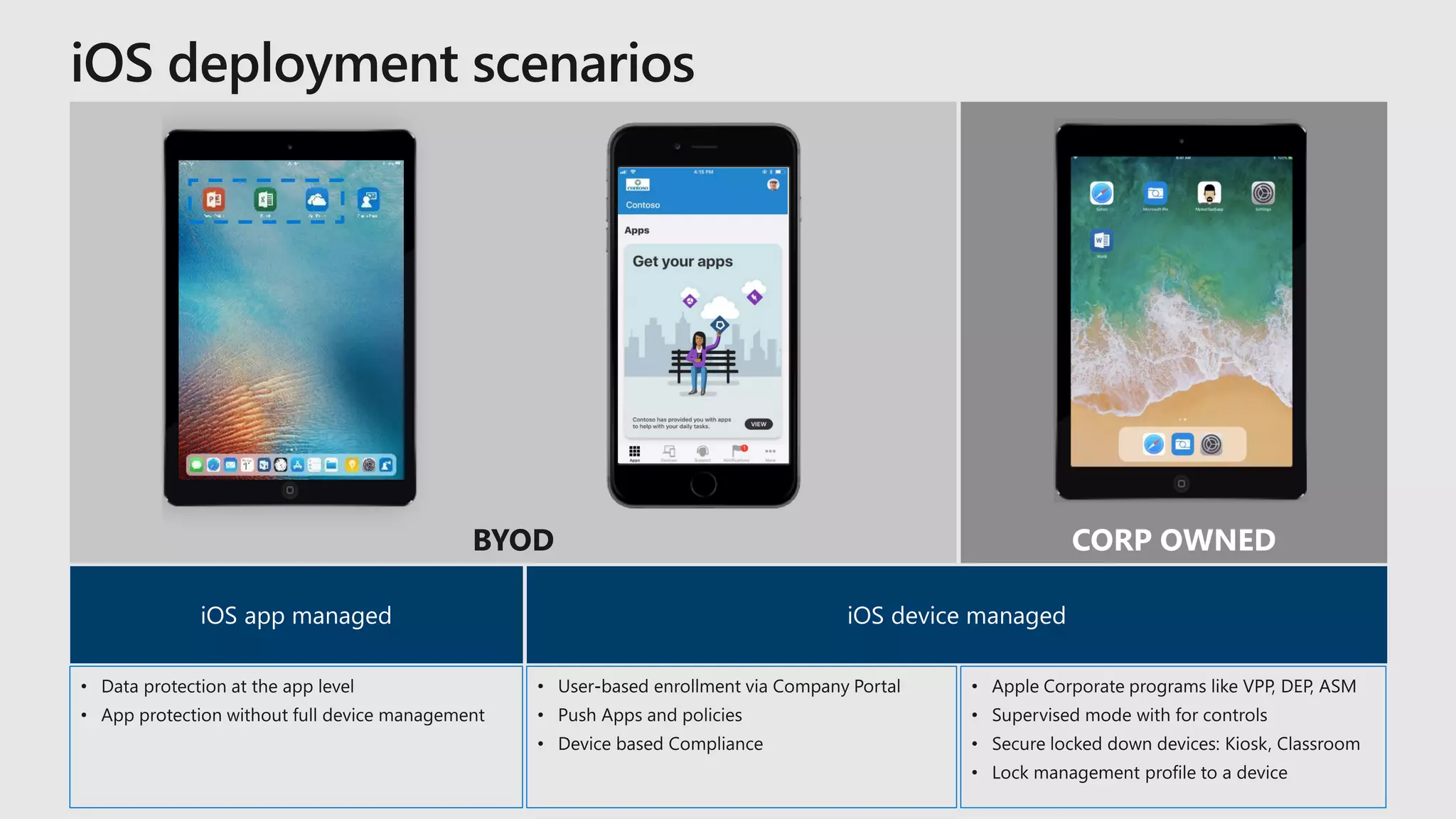
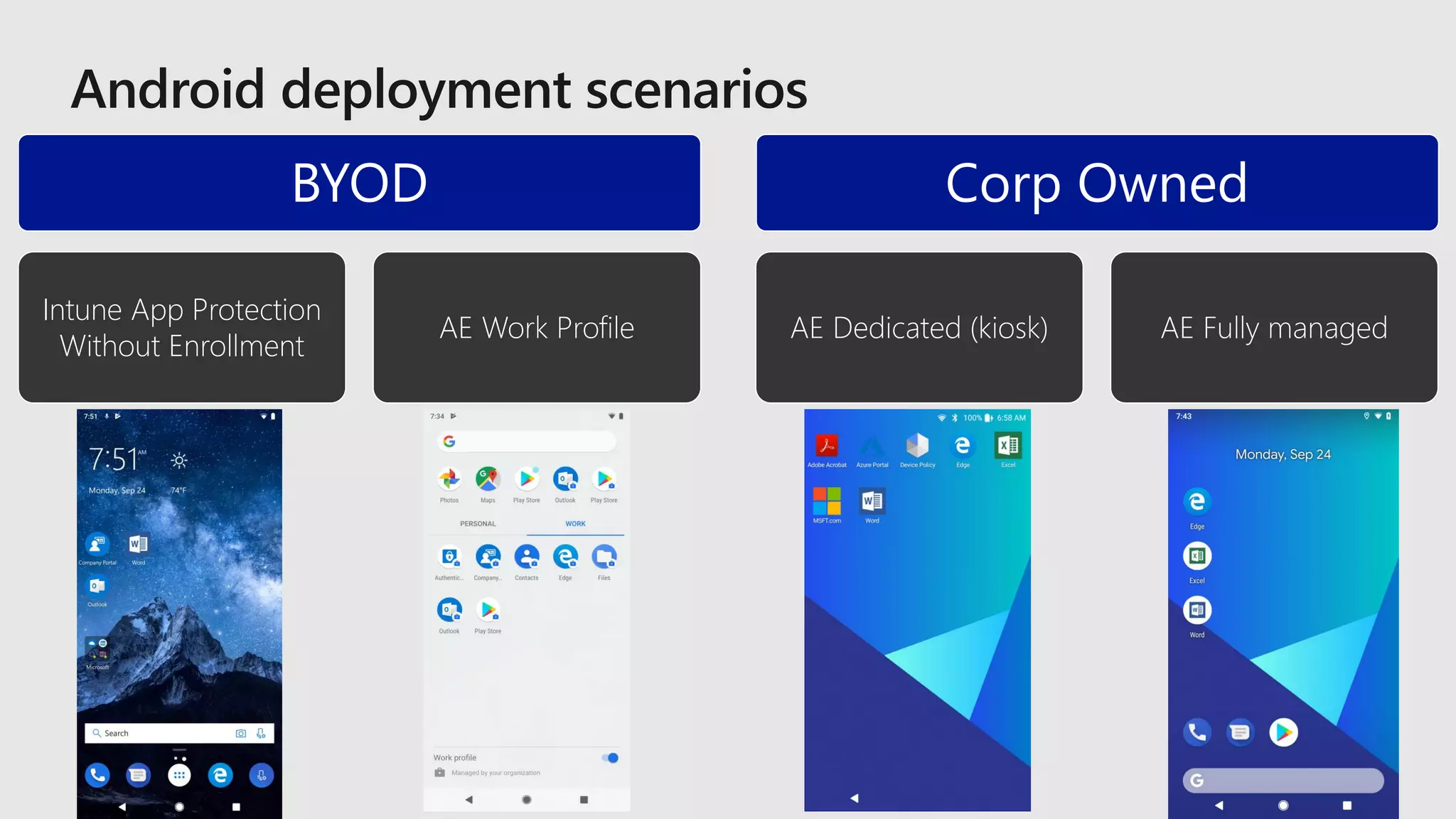
BYOD CORP OWNED
BYOD
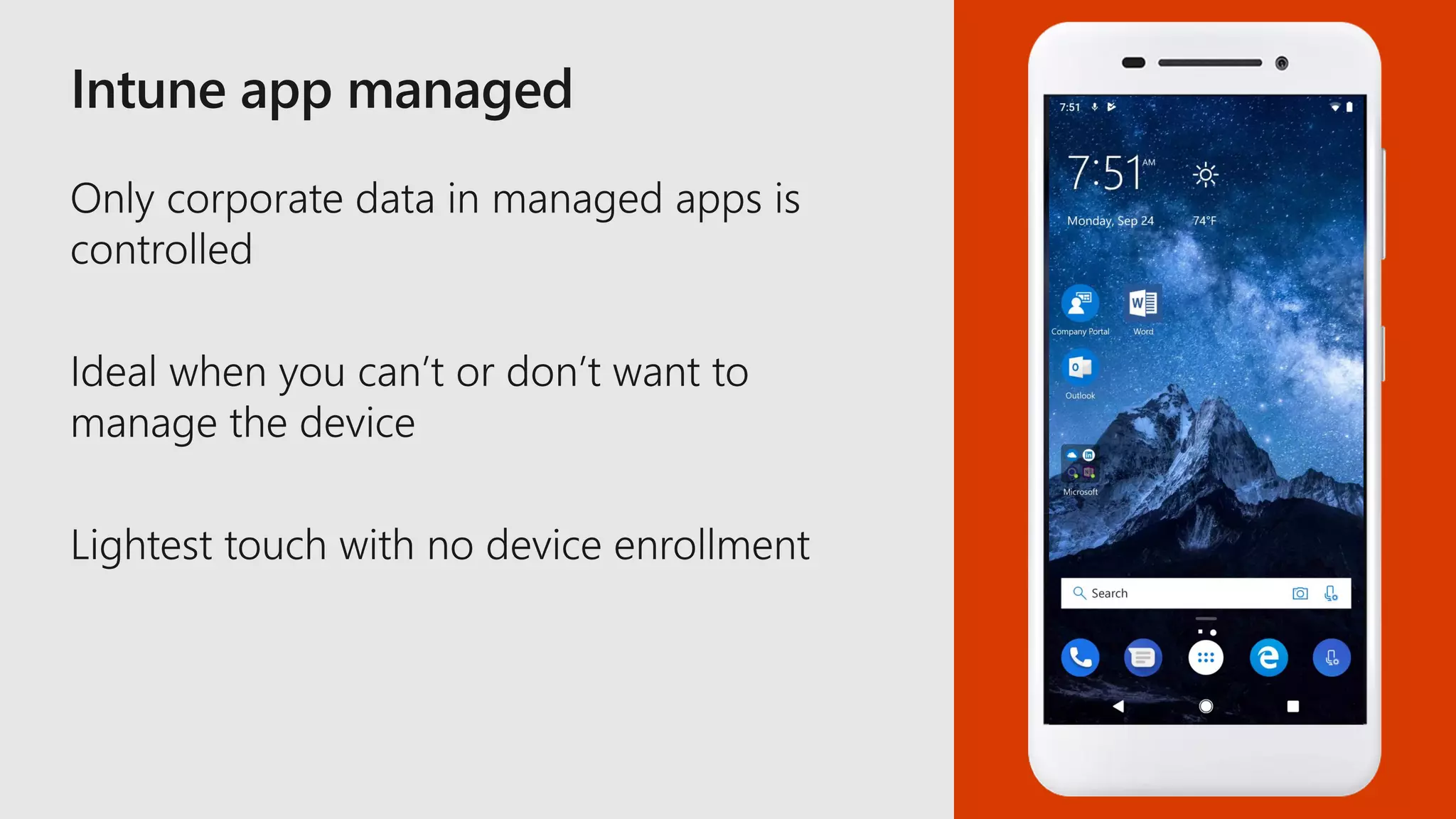
Intune App Protection
Without Enrollment
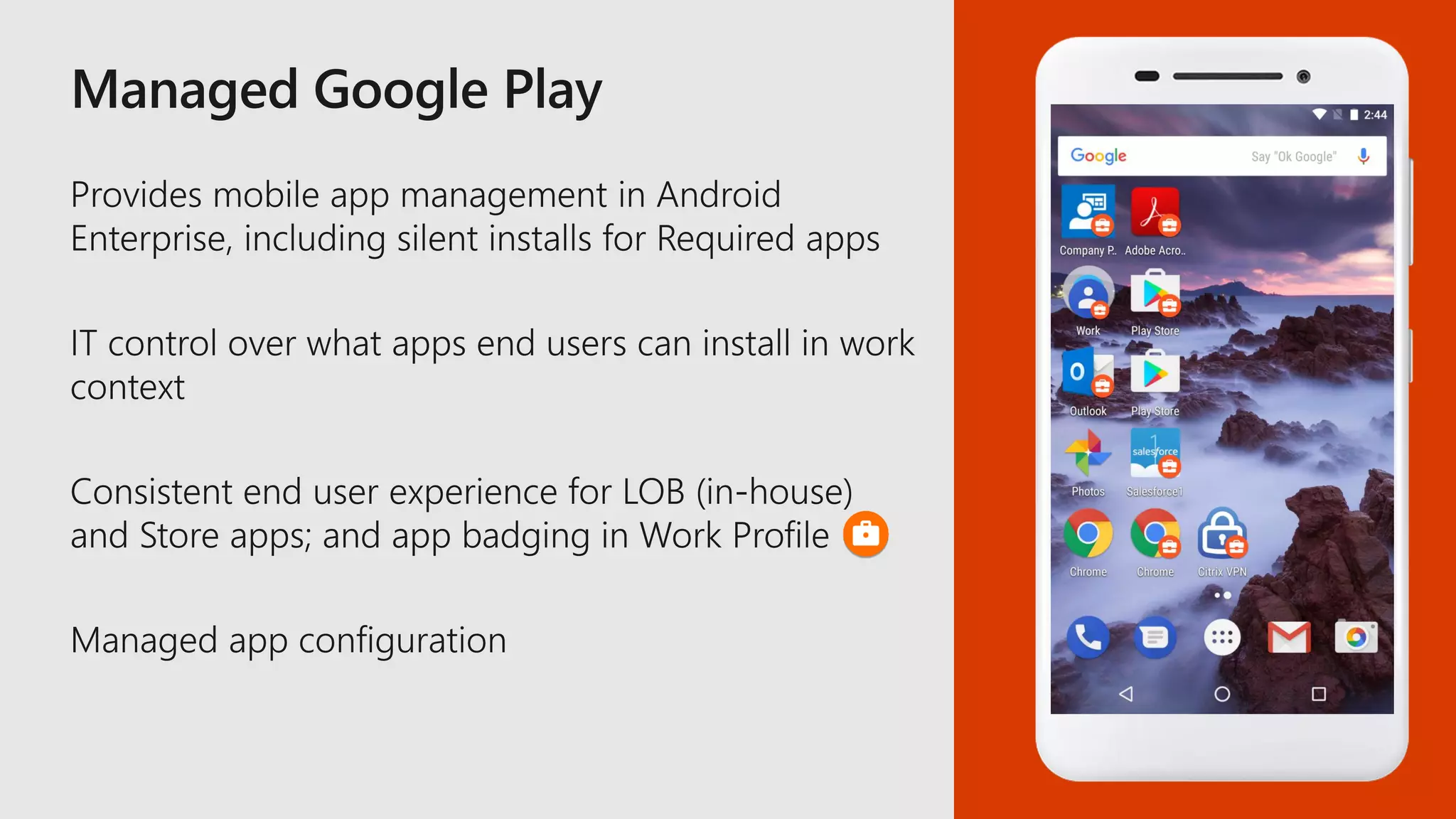
AE Work Profile
Corp Owned
AE Dedicated (kiosk) AE Fully managed
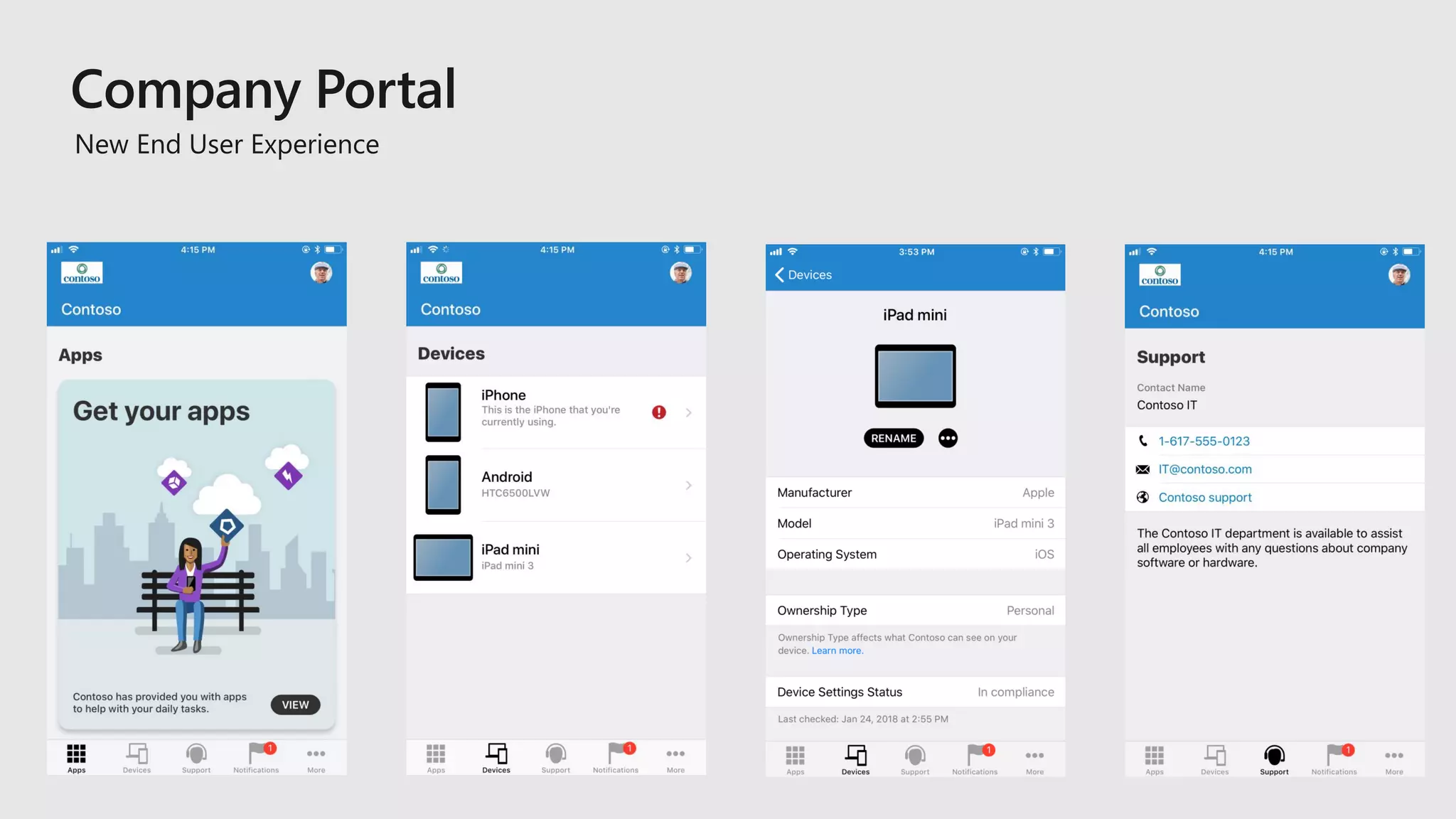
New End User Experience
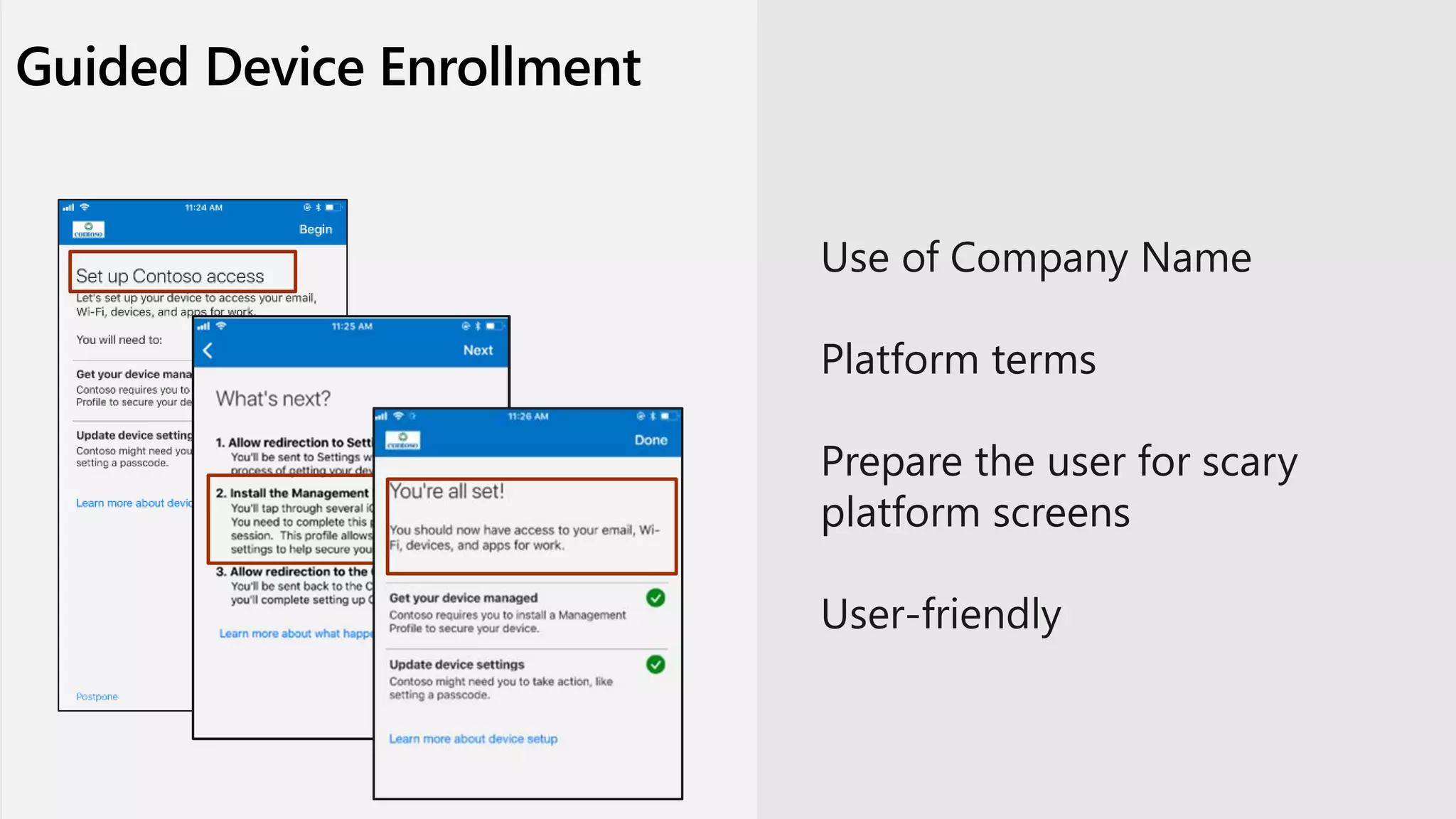
Guided Device Enrollment
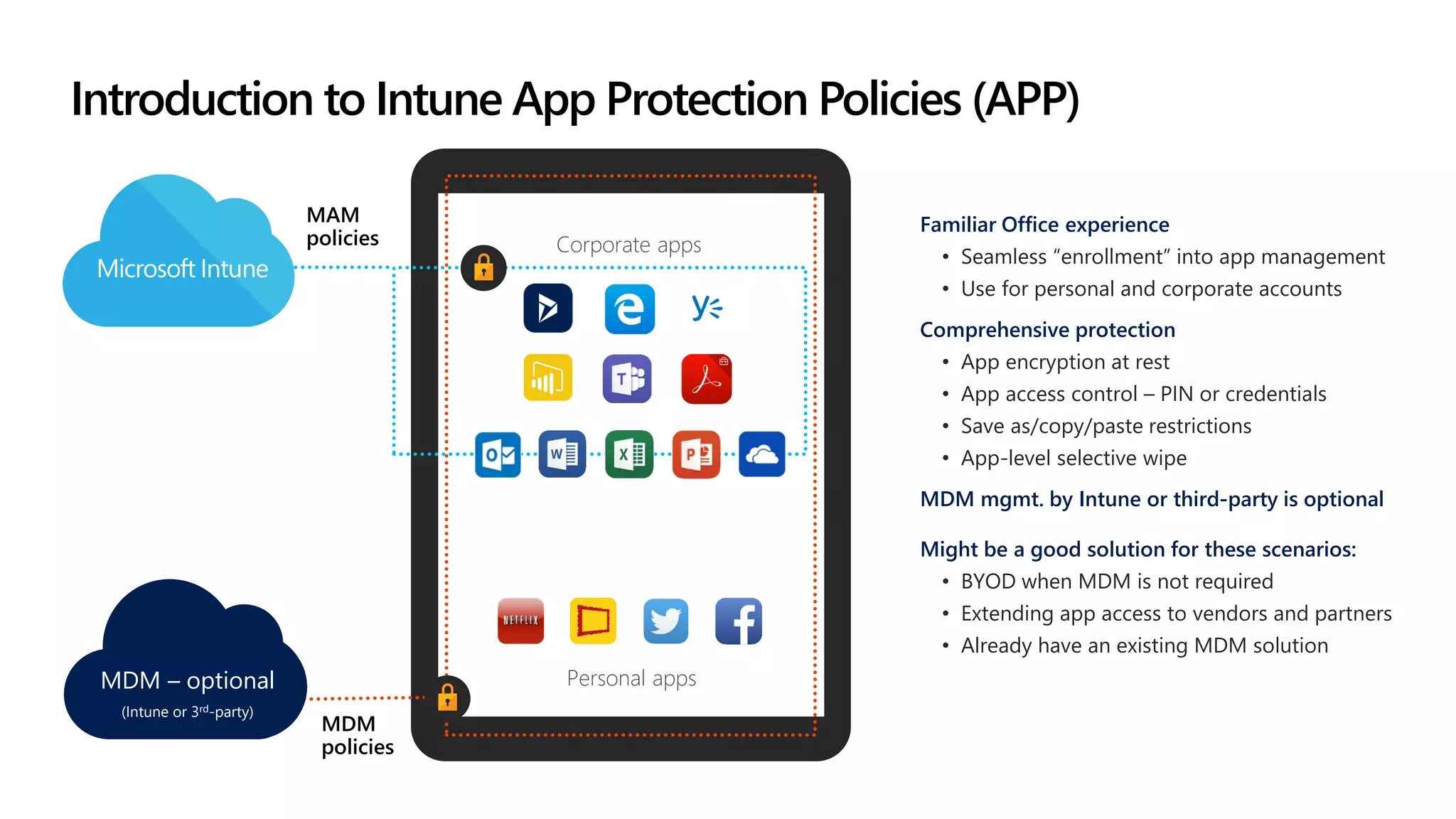
Introduction to Intune App Protection Policies (APP)
Personal apps
Corporate apps
MDM
policies
Familiar Office experience
• Seamless “enrollment” into app management
• Use for personal and corporate accounts
Comprehensive protection
• App encryption at rest
• App access control – PIN or credentials
• Save as/copy/paste restrictions
• App-level selective wipe
MDM mgmt. by Intune or third-party is optional
Might be a good solution for these scenarios:
• BYOD when MDM is not required
• Extending app access to vendors and partners
• Already have an existing MDM solution
MAM
policies
MDM – optional
(Intune or 3rd-party)
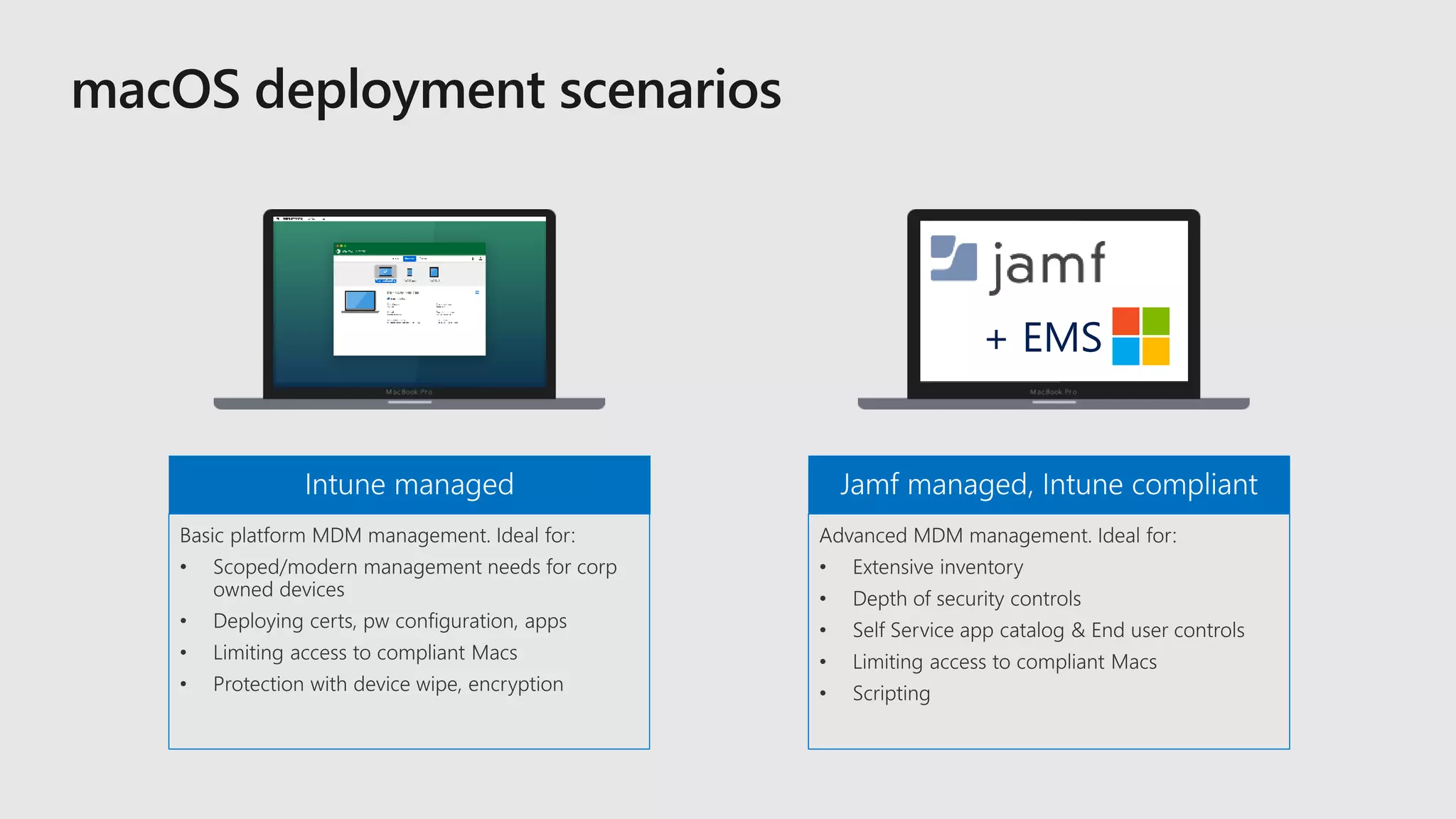
+ EMS
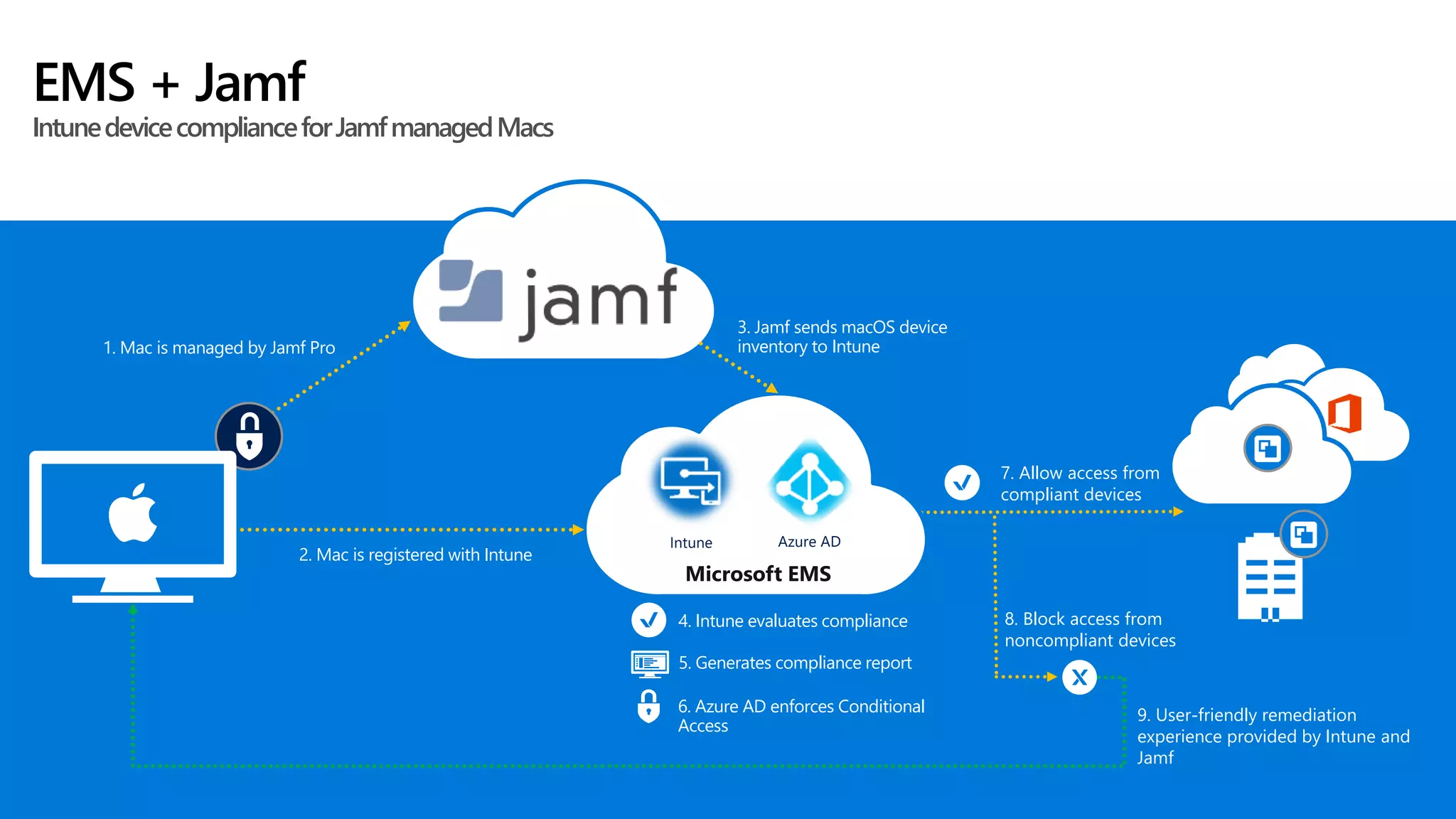
EMS + Jamf
IntunedevicecomplianceforJamfmanagedMacs
8. Block access from
noncompliant devices
7. Allow access from
compliant devices
4. Intune evaluates compliance
Microsoft EMS
9. User-friendly remediation
experience provided by Intune and
Jamf
2. Mac is registered with Intune
6. Azure AD enforces Conditional
Access
1. Mac is managed by Jamf Pro
3. Jamf sends macOS device
inventory to Intune
5. Generates compliance report
Intune Azure AD
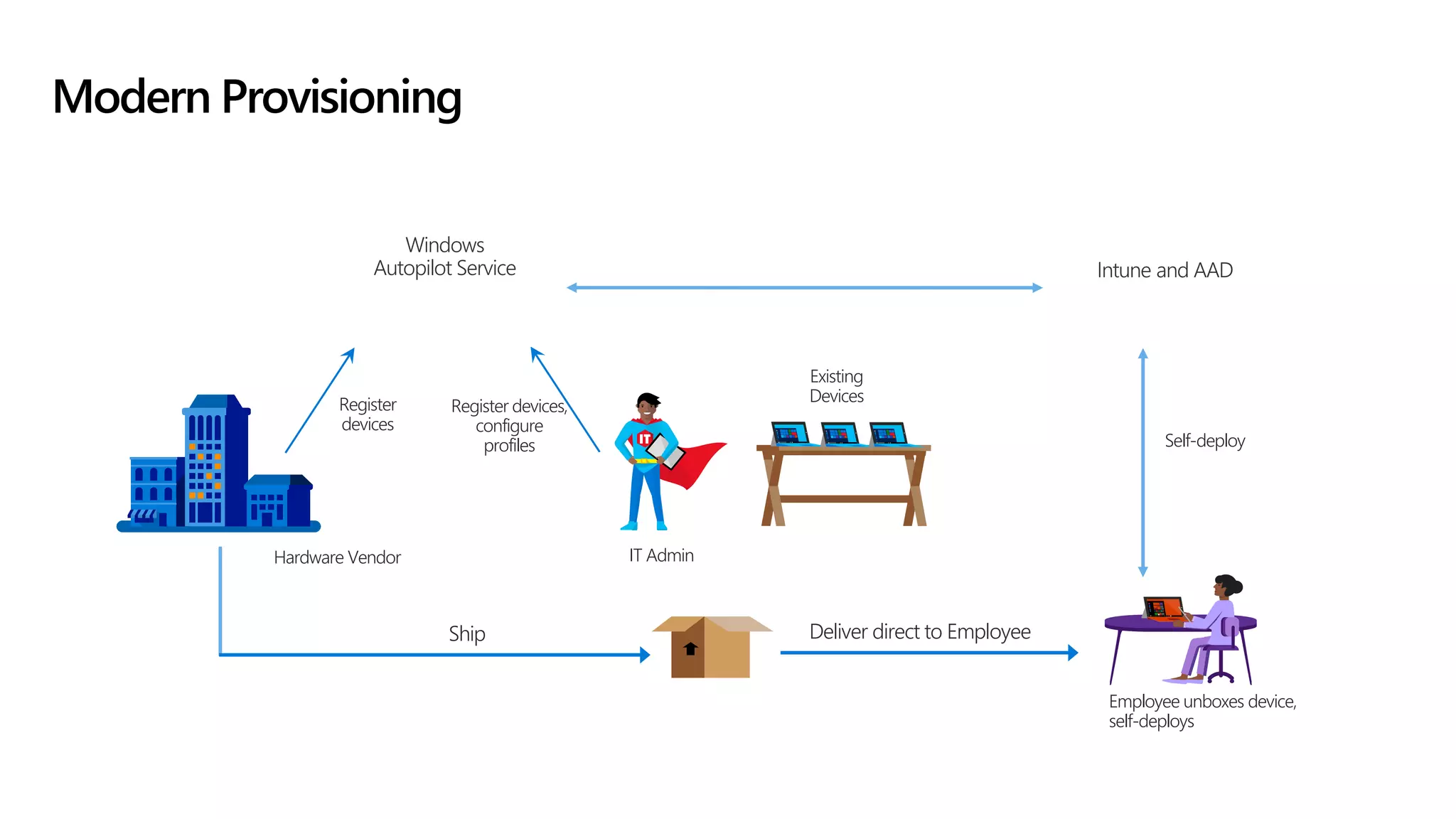
Modern Provisioning
Hardware Vendor
Windows
Autopilot Service
Employee unboxes device,
self-deploys
Ship Deliver direct to Employee
Self-deploy
IT Admin
Existing
DevicesRegister
devices
Intune and AAD
Register devices,
configure
profiles
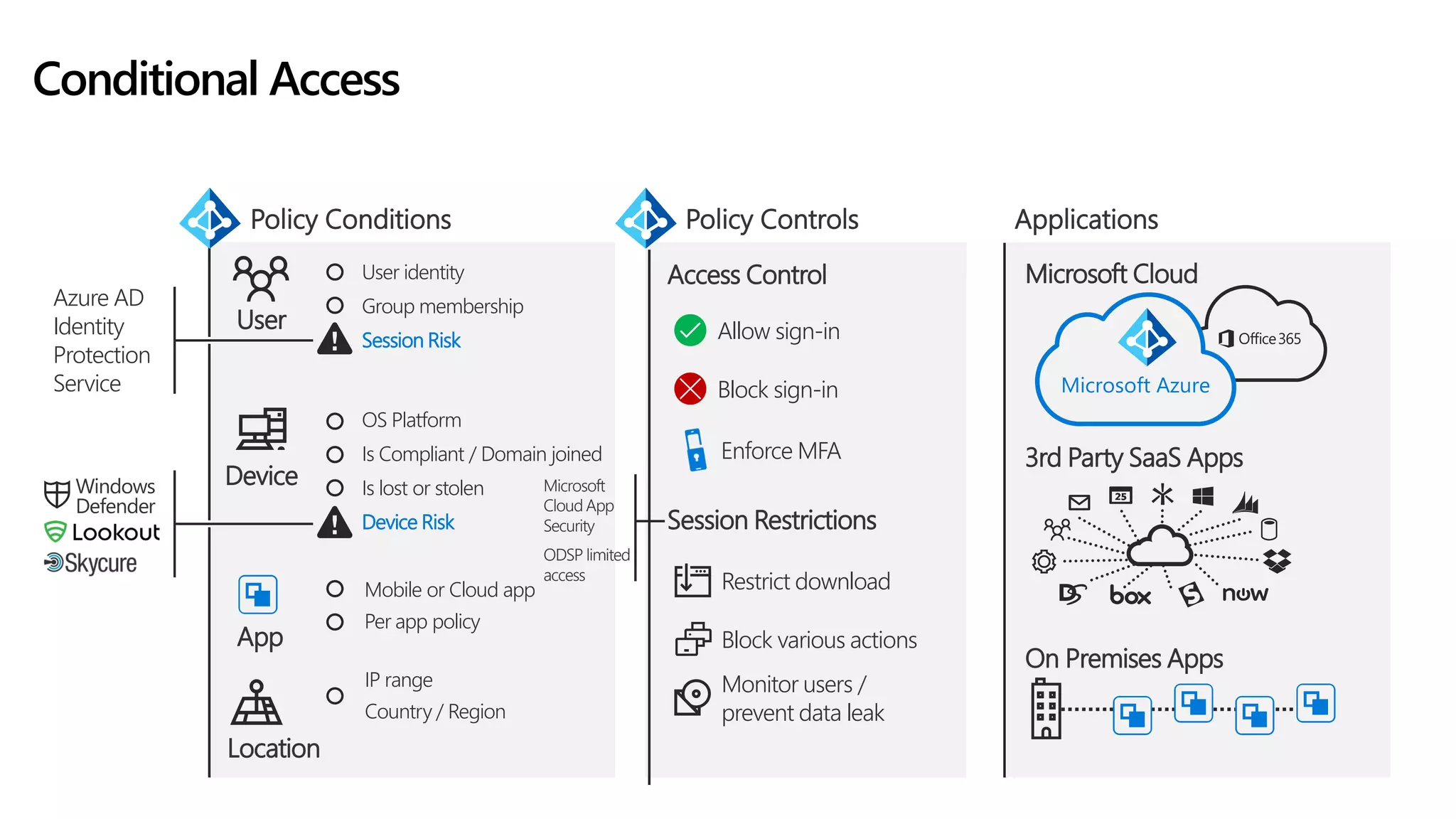
Microsoft Cloud
3rd Party SaaS Apps
On Premises Apps
Microsoft Azure
Monitor users /
prevent data leak
Block various actions
Restrict download
Enforce MFA
Block sign-in
Allow sign-in
Access Control
Session Restrictions
OS Platform
Is Compliant / Domain joined
Is lost or stolen
Device Risk
Device
User identity
Group membership
Session Risk
User
Mobile or Cloud app
Per app policy
App
Location
IP range
Country / Region
ApplicationsPolicy Controls
Conditional Access
Policy Conditions
Windows
Defender
Azure AD
Identity
Protection
Service
Microsoft
Cloud App
Security
ODSP limited
access
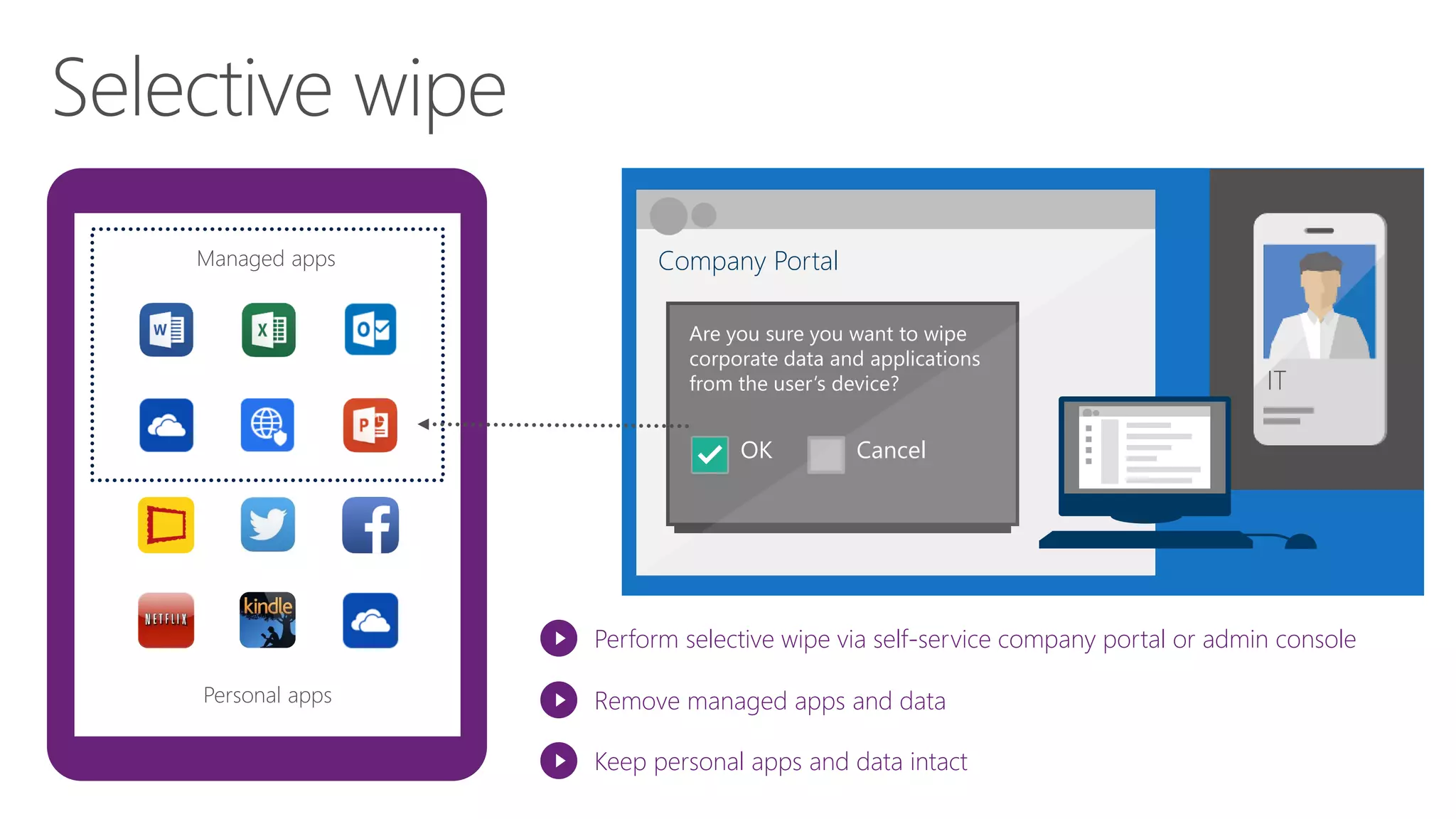
Personal apps
Managed apps Company Portal
Are you sure you want to wipe
corporate data and applications
from the user’s device?
OK Cancel
Perform selective wipe via self-service company portal or admin console
Remove managed apps and data
Keep personal apps and data intact
ITIT
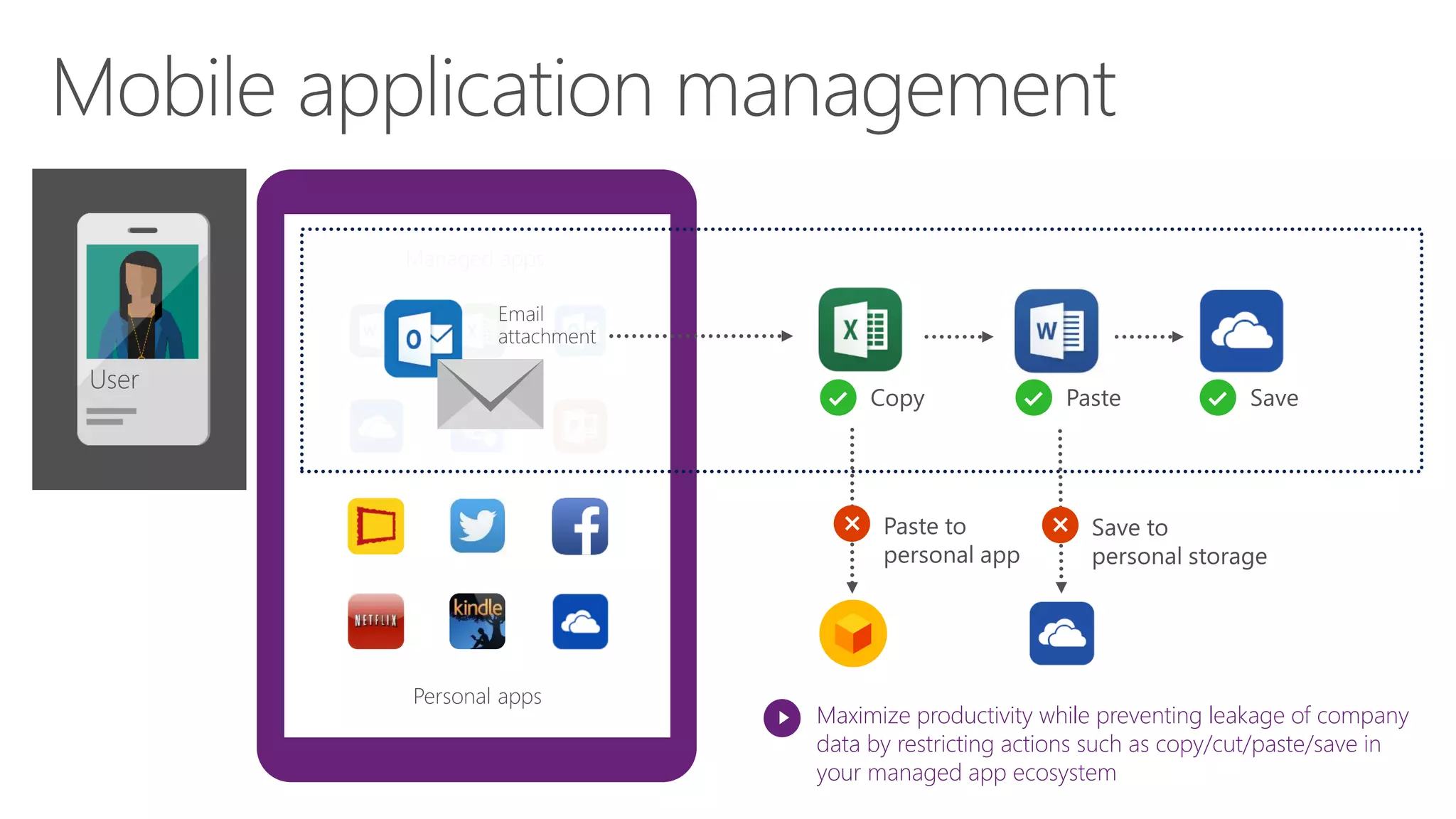
Personal apps
Managed apps
Maximize productivity while preventing leakage of company
data by restricting actions such as copy/cut/paste/save in
your managed app ecosystem
User
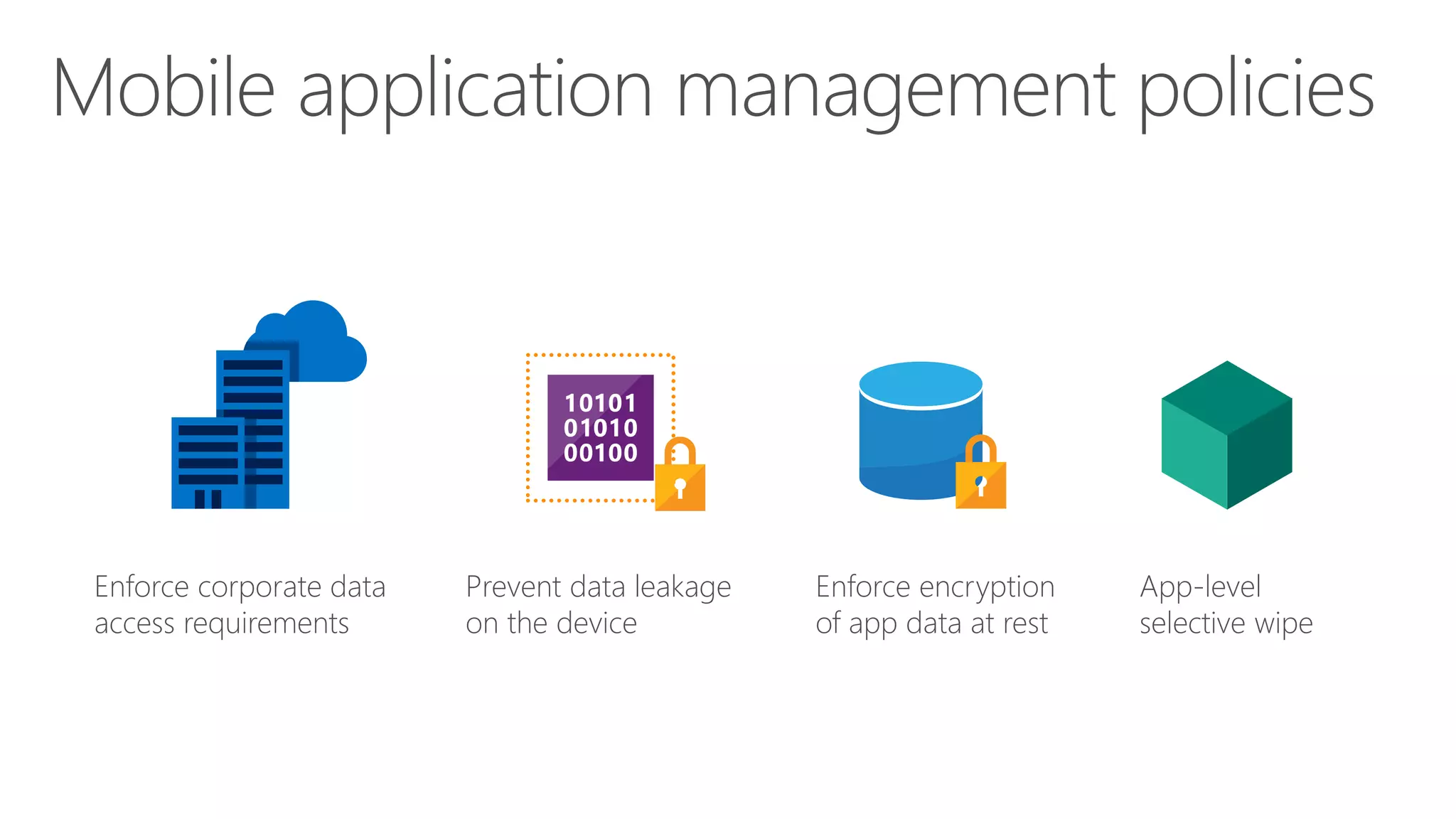
Enforce corporate data
access requirements
Prevent data leakage
on the device
Enforce encryption
of app data at rest
App-level
selective wipe
CIAOPS Resources
• Blog – http://blog.ciaops.com
• Free SharePoint Training via email – http://bit.ly/cia-gs-spo
• Free Office 365, Azure Administration newsletter – http://bit.ly/cia-o365-tech
• Free Office 365, Azure video tutorials – http://www.youtube.com/directorciaops
• Free documents, presentations, eBooks – http://docs.com/ciaops
• Office 365, Azure, Cloud podcast – http://ciaops.podbean.com
• Office 365, Azure online training courses – http://www.ciaopsacademy.com
• Office 365 and Azure community – http://www.ciaopspatron.com/
Twitter
@directorcia
Facebook
https://www.facebook.com/ciaops
Email
director@ciaops.com
Skype for Business
admin@ciaops365.com

Management of all the devices using Microsoft 365 Business

  • 1.
    Management of all devicesusing M365 Business @directorcia http://about.me/ciaops #CIAOPS
  • 2.
    Azure Active Directory AzureAD Join MDM Policies Microsoft Intune and other MDM Traditional on-premCloud Active Directory Domain Join Group Policy System Center Configuration Manager
  • 3.
    Knowledge Workers Productive oncompany-owned and personal devices Firstline Workers Productive on shared/Kiosk devices SMB Employee Productive personal devices Simplified admin experience in Teachers / Students Productive on lab or school devices Grouped based on classes/labs/carts Customized console, policies for EDU Intune and ConfigManager in Microsoft 365 Enterprise Intune in Microsoft 365 F1 Microsoft 365 Business powered by Intune Intune for Education in Microsoft 365 Education M365 Flexible Device Management for all Organizations & Users
  • 4.
    Mobile application management PC managementMobiledevice management Intune helps organizations provide their employees with access to corporate applications, data, and resources from virtually anywhere on almost any device, while helping to keep corporate information secure. User IT
  • 5.
    Mobile devices andPCs Mobile devices System Center Configuration Manager Domain joined PCs Configuration Manager integrated with Intune (hybrid)Intune standalone (cloud only) IT IT Intune web console Configuration Manager console
  • 6.
    Consistent experience across: Discoverand install corporate apps Manage devices and data Ability to contact IT Customizable terms and conditions
  • 8.
  • 9.
    BYOD Intune App Protection WithoutEnrollment AE Work Profile Corp Owned AE Dedicated (kiosk) AE Fully managed
  • 10.
    New End UserExperience
  • 11.
  • 15.
    Introduction to IntuneApp Protection Policies (APP) Personal apps Corporate apps MDM policies Familiar Office experience • Seamless “enrollment” into app management • Use for personal and corporate accounts Comprehensive protection • App encryption at rest • App access control – PIN or credentials • Save as/copy/paste restrictions • App-level selective wipe MDM mgmt. by Intune or third-party is optional Might be a good solution for these scenarios: • BYOD when MDM is not required • Extending app access to vendors and partners • Already have an existing MDM solution MAM policies MDM – optional (Intune or 3rd-party)
  • 16.
  • 17.
    EMS + Jamf IntunedevicecomplianceforJamfmanagedMacs 8.Block access from noncompliant devices 7. Allow access from compliant devices 4. Intune evaluates compliance Microsoft EMS 9. User-friendly remediation experience provided by Intune and Jamf 2. Mac is registered with Intune 6. Azure AD enforces Conditional Access 1. Mac is managed by Jamf Pro 3. Jamf sends macOS device inventory to Intune 5. Generates compliance report Intune Azure AD
  • 18.
    Modern Provisioning Hardware Vendor Windows AutopilotService Employee unboxes device, self-deploys Ship Deliver direct to Employee Self-deploy IT Admin Existing DevicesRegister devices Intune and AAD Register devices, configure profiles
  • 19.
    Microsoft Cloud 3rd PartySaaS Apps On Premises Apps Microsoft Azure Monitor users / prevent data leak Block various actions Restrict download Enforce MFA Block sign-in Allow sign-in Access Control Session Restrictions OS Platform Is Compliant / Domain joined Is lost or stolen Device Risk Device User identity Group membership Session Risk User Mobile or Cloud app Per app policy App Location IP range Country / Region ApplicationsPolicy Controls Conditional Access Policy Conditions Windows Defender Azure AD Identity Protection Service Microsoft Cloud App Security ODSP limited access
  • 20.
    Personal apps Managed appsCompany Portal Are you sure you want to wipe corporate data and applications from the user’s device? OK Cancel Perform selective wipe via self-service company portal or admin console Remove managed apps and data Keep personal apps and data intact ITIT
  • 21.
    Personal apps Managed apps Maximizeproductivity while preventing leakage of company data by restricting actions such as copy/cut/paste/save in your managed app ecosystem User
  • 22.
    Enforce corporate data accessrequirements Prevent data leakage on the device Enforce encryption of app data at rest App-level selective wipe
  • 23.
    CIAOPS Resources • Blog– http://blog.ciaops.com • Free SharePoint Training via email – http://bit.ly/cia-gs-spo • Free Office 365, Azure Administration newsletter – http://bit.ly/cia-o365-tech • Free Office 365, Azure video tutorials – http://www.youtube.com/directorciaops • Free documents, presentations, eBooks – http://docs.com/ciaops • Office 365, Azure, Cloud podcast – http://ciaops.podbean.com • Office 365, Azure online training courses – http://www.ciaopsacademy.com • Office 365 and Azure community – http://www.ciaopspatron.com/ Twitter @directorcia Facebook https://www.facebook.com/ciaops Email director@ciaops.com Skype for Business admin@ciaops365.com