Microsoft Intune
Deployment Guide
Welcome!
Microsoft Intune is a powerful cloud-based service that helps
organizations manage their devices and apps.
It empowers IT to manage, assess, and protect apps and devices
with or without device enrollment. Whether personally or company
owned, full endpoint visibility and IT control across device platforms
simplifies workloads, builds a stronger Zero Trust security
architecture, and improves user experiences while reducing the total
cost of ownership.
About this guide
The Microsoft Intune Deployment Guide provides a starting path to
help guide your journey deploying and adopting Intune. It’s
organized around the most common scenarios to help you get
clarity about the ideal starting point for deployment efforts based
on your specific needs. Definitions of key terminology are in
the Appendix.
Work with your Microsoft FastTrack Architect to develop the right
plan so you can take full advantage of all the benefits of Intune
more quickly, such as cutting costs and complexity, protecting a
hybrid workforce, and powering better user experiences.
Microsoft Intune
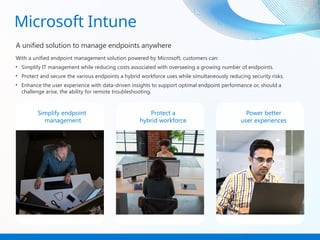
A unified solution to manage endpoints anywhere
With a unified endpoint management solution powered by Microsoft, customers can:
• Simplify IT management while reducing costs associated with overseeing a growing number of endpoints.
• Protect and secure the various endpoints a hybrid workforce uses while simultaneously reducing security risks.
• Enhance the user experience with data-driven insights to support optimal endpoint performance or, should a
challenge arise, the ability for remote troubleshooting.
Simplify endpoint
management
Protect a
hybrid workforce
Power better
user experiences
Plan deployments around common
scenarios
Optimize your deployment process and resources by prioritizing the most critical and relevant
outcomes for your organization to help ensure your IT plans are aligned against top
business objectives.
As a best practice, we recommend deployment of all workloads within a scenario at once as our
experience has shown that this results in the fastest time to value for most organizations.
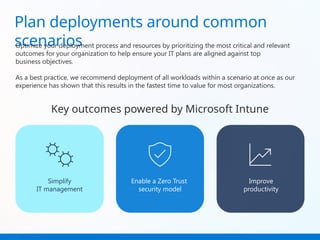
Key outcomes powered by Microsoft Intune
Simplify
IT management
Enable a Zero Trust
security model
Improve
productivity
Simplify IT management
Consolidate the tools needed to manage endpoints,
save time and money through automation, and
increase flexibility and scalability.
Simplify IT management
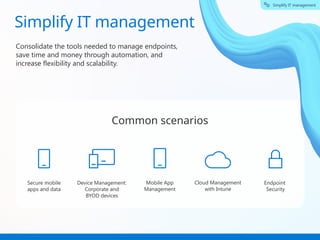
Common scenarios
Secure mobile
apps and data
Device Management:
Corporate and
BYOD devices
Mobile App
Management
Cloud Management
with Intune
Endpoint
Security
Secure mobile apps and data
Simplify IT management
Tailor protections to your organization’s specific needs for BYOD devices.
What you can do
• Protect company data at the
app level.
• Secure access to on-premises
resources using modern
authentication.
• Allow end users to use personal
devices to access on-premises
company resources.
• Adopt a BYOD program to lower
TCO, ensure user privacy, and
protect corporate data.
How you can do it
• Intune App protection &
compliance policies
• Microsoft Defender for Endpoint
(MDE)
• Mobile Threat Detection
• MAM Tunnel Enrolled/Unenrolled
• Azure Conditional Access
• Azure SSO (single sign on)
• Intune SDK
• Intune Company Portal
• Endpoint Privilege Management
(EPM)
• Intune Suite
Why it matters
“We were saved [from a
phishing attack] by our
policy that access to GBC
resources could only
happen from an Intune-
registered, compliant
device. Although the
attackers had a fully
multifactor, authenticated
sign-in, we stopped them
before they could cause
any harm.”
Neil Natic
Chief Information Officer
Georgia Banking Company
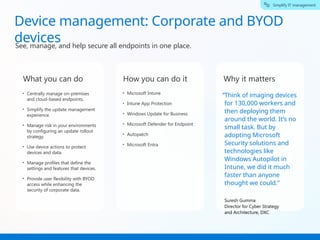
Device management: Corporate and BYOD
devices
Simplify IT management
See, manage, and help secure all endpoints in one place.
What you can do
• Centrally manage on-premises
and cloud-based endpoints.
• Simplify the update management
experience.
• Manage risk in your environments
by configuring an update rollout
strategy.
• Use device actions to protect
devices and data.
• Manage profiles that define the
settings and features that devices.
• Provide user flexibility with BYOD
access while enhancing the
security of corporate data.
How you can do it
• Microsoft Intune
• Intune App Protection
• Windows Update for Business
• Microsoft Defender for Endpoint
• Autopatch
• Microsoft Entra
Why it matters
“Think of imaging devices
for 130,000 workers and
then deploying them
around the world. It’s no
small task. But by
adopting Microsoft
Security solutions and
technologies like
Windows Autopilot in
Intune, we did it much
faster than anyone
thought we could.”
Suresh Gumma
Director for Cyber Strategy
and Architecture, DXC
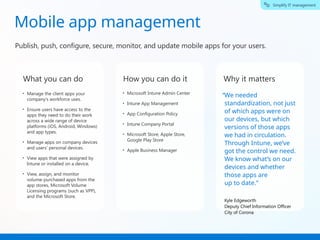
Mobile app management
Simplify IT management
Publish, push, configure, secure, monitor, and update mobile apps for your users.
What you can do
• Manage the client apps your
company’s workforce uses.
• Ensure users have access to the
apps they need to do their work
across a wide range of device
platforms (iOS, Android, Windows)
and app types.
• Manage apps on company devices
and users’ personal devices.
• View apps that were assigned by
Intune or installed on a device.
• View, assign, and monitor
volume-purchased apps from the
app stores, Microsoft Volume
Licensing programs (such as VPP),
and the Microsoft Store.
How you can do it
• Microsoft Intune Admin Center
• Intune App Management
• App Configuration Policy
• Intune Company Portal
• Microsoft Store, Apple Store,
Google Play Store
• Apple Business Manager
Why it matters
“We needed
standardization, not just
of which apps were on
our devices, but which
versions of those apps
we had in circulation.
Through Intune, we’ve
got the control we need.
We know what’s on our
devices and whether
those apps are
up to date.”
Kyle Edgeworth
Deputy Chief Information Officer
City of Corona
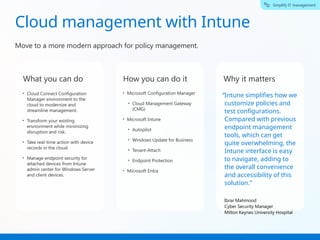
Cloud management with Intune
Simplify IT management
Move to a more modern approach for policy management.
What you can do
• Cloud Connect Configuration
Manager environment to the
cloud to modernize and
streamline management.
• Transform your existing
environment while minimizing
disruption and risk.
• Take real-time action with device
records in the cloud.
• Manage endpoint security for
attached devices from Intune
admin center for Windows Server
and client devices.
How you can do it
• Microsoft Configuration Manager
• Cloud Management Gateway
(CMG)
• Microsoft Intune
• Autopilot
• Windows Update for Business
• Tenant-Attach
• Endpoint Protection
• Microsoft Entra
Why it matters
“Intune simplifies how we
customize policies and
test configurations.
Compared with previous
endpoint management
tools, which can get
quite overwhelming, the
Intune interface is easy
to navigate, adding to
the overall convenience
and accessibility of this
solution.”
Ibrar Mahmood
Cyber Security Manager
Milton Keynes University Hospital
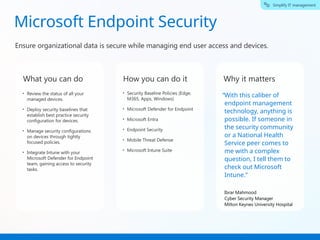
Microsoft Endpoint Security
Simplify IT management
Ensure organizational data is secure while managing end user access and devices.
What you can do
• Review the status of all your
managed devices.
• Deploy security baselines that
establish best practice security
configuration for devices.
• Manage security configurations
on devices through tightly
focused policies.
• Integrate Intune with your
Microsoft Defender for Endpoint
team, gaining access to security
tasks.
How you can do it
• Security Baseline Policies (Edge,
M365, Apps, Windows)
• Microsoft Defender for Endpoint
• Microsoft Entra
• Endpoint Security
• Mobile Threat Defense
• Microsoft Intune Suite
Why it matters
“With this caliber of
endpoint management
technology, anything is
possible. If someone in
the security community
or a National Health
Service peer comes to
me with a complex
question, I tell them to
check out Microsoft
Intune.”
Ibrar Mahmood
Cyber Security Manager
Milton Keynes University Hospital
Enable a Zero Trust
security model
Enable a Zero Trust Security Model
Increase security against attack, gain greater visibility into user
activity, and allow safer anywhere access to resources.
Common scenarios
Zero Trust
for endpoints
Zero Trust
for access
Zero Trust for endpoints
Enable a Zero Trust Security Model
Publish, push, configure, secure, monitor, and update mobile apps for your users.
What you can do
• Use adaptive security policies to
manage and protect devices and
identities, no matter where people
choose to work.
• Authenticate and authorize based
on all available data points, ex:
identity, location, device health,
service, etc.
• Close security gaps, minimize risk
of lateral movement.
• Limit access with just-in-time,
just-enough access policies.
How you can do it
• Corporate enrolled devices
• Compliance Policy & Risk
• Customer Compliance
• Enrollment Multifactor
Authentication (MFA)
• MAM Level III Configuration
Framework
• Baseline security policies
• Microsoft Defender for Endpoints
& Mobile Threat Defense (MTD)
• Windows Update for Business
• Endpoint Privilege Management
(EPM)
Why it matters
We gained greater
control over our
endpoints, and we
continue to expand that
more granular
management. Because
we use Microsoft
Sentinel connected with
Defender, we’re ready to
respond quickly in case
of a
security event.”
Bouke Stijns
Chief Information Security Manager
National Railway Company of Belgium
“
Zero Trust for access
Enable a Zero Trust Security Model
Provide secure access to cloud and on-prem resources while improving overall
organizational security.
What you can do
• Supports your Zero Trust journey
by helping your organization
achieve a broad user base running
with least privilege while allowing
users to still conduct tasks allowed
by your organization to remain
productive.
• Use Endpoint Privilege
Management to allow users to run
as a standard user without admin
rights to complete tasks requiring
elevated privileges.
How you can do it
• Microsoft Tunnel
• Endpoint Privilege Management
(EPM)
• Custom Compliance
• Device Restrictions
• MAM with enrollment
• Enrollment restrictions
• MFA for enrollment
• Microsoft Entra – Azure App Proxy
Conditional Access
Why it matters
A smaller organization like
ours can roll out Privileged
Identity Management in
three to five days. With
conditional access policies
to mandate that devices
are enrolled in Azure AD,
Intune, Privileged Identity
Management, and
multifactor authentication,
creating a consolidated
basis for Zero Trust is a
straightforward process.”
Neil Natic
Chief Information Officer
Georgia Banking Company
“
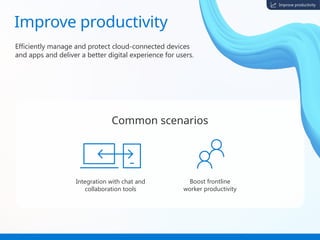
Improve productivity
Efficiently manage and protect cloud-connected devices
and apps and deliver a better digital experience for users.
Improve productivity
Common scenarios
Integration with chat and
collaboration tools
Boost frontline
worker productivity
Intune & Teams
Improve productivity
Improve productivity by providing secure access to Microsoft Teams — the workspace for
real-time communication and collaboration.
What you can do
• Bulk enrollment.
• Profile configuration
(Windows 10 only).
• Apply compliance policies on your
Teams Room devices.
• Conditional Access policies with
only location-based conditions.
How you can do it
• Intune device configuration,
deploy a configuration profile.
• App protection policies
• Conditional Access
Why it matters
...switching to Intune and
its much tighter
integration has enabled
us to push out more
applications onto the
mobile devices, such as
our HR and holiday
booking systems. We can
get much more from our
use of Microsoft Teams,
SharePoint and
Exchange. It’s enabled us
to open up access to
information much
better.”
Chris Douglas
Head of Architecture & Infrastructure
Pension Protection Fund
“
Frontline
Improve productivity
Increase the productivity of those who work on the frontline with quick access to tools
they need for their job and save IT admins time and effort.
What you can do
• Easy onboarding of frontline
workers through simplified
authentication.
• Seamless provisioning of shared
devices (ex: used in manufacturing,
healthcare, education, etc.).
• Simple, secure sign-in / sign-out
gives frontline workers quick
access to the apps they need.
• Support use of specialized /
ruggedized devices (ex: RealWare).
How you can do it
• Zero-touch provisioning
• Shared devices
• Managed home screen
Company Portal
• Azure Active Directory
(ex: automatic single sign-in, sign-
out)
• Autopilot Self deployed / Kiosk /
Shared devices.
• Line of business and
Microsoft 365 app deployments
• Android Open Source
Programming (AOSP)
Why it matters
Everything we do is about
supporting our patients.
However, to accomplish our
mission, we have to support
our frontline clinicians with
the right tools to help them
provide excellent care in the
home. … People can’t believe
that they can reset their own
devices in
20 to 30 minutes with the
Intune company portal app,
when it used to take more
than an hour on the phone.“
Travis Reeves
Systems Administrator
Amedisys
“
Next steps
Contact your FastTrack
architect for assistance
on your journey with
Intune.
Explore
Microsoft FastTrack for
Intune.
Appendix
Resources
Microsoft Learn
Microsoft Intune pl
anning guide
Migration guide:
Set up or move to Micro
soft Intune
Get started with you
r Microsoft Intune de
ployment
Understand the terminology
Here’s a quick reference of key terms you may run across.
Assignment Filters: When you create a policy, you can use filters to assign a
policy based on rules you create. Allows you to narrow the assignment
scope of a policy.
Autopatch: Windows Autopatch is a cloud service that automates Windows,
Microsoft 365 Apps for enterprise, Microsoft Edge, and Microsoft Teams
updates to improve security and productivity across your organization.
Azure Active Directory (Azure AD) is a cloud-native service that's used by
Intune to manage the identities of users, devices, and groups. The Intune
policies you create are assigned to these users, devices, and groups.
Azure AD registration: Sometimes referred to as workplace join, used for
bring your own device (BYOD) scenarios only.
Cloud native endpoints: Endpoints that are joined to Azure AD. They aren't
joined to on-premises AD.
Cloud Attach: A Configuration Manager environment is considered cloud
attached when it uses at least one of the three primary cloud attach features.
Can enable the features in any order you wish, or all at once. Tenant attach,
Endpoint analytics, Co-management.
Company Portal: Intune Company Portal: App that lets you, as an
employee or student in your organization, securely access those resources.
Device Identity: An object in Azure Active Directory (Azure AD). This device
object is similar to users, groups, or applications. There are three ways to get
a device identity – Azure AD registration, Azure AD join, and Hybrid Azure
AD join.
Device profiles: Allow you to add and configure settings, and then push
these settings to devices in your organization.
Endpoint Analytics: Can help identify policies or hardware issues that may
be slowing down devices and help you proactively make improvements
before end users generate a help desk ticket.
Endpoint: A device like a mobile phone, tablet, laptop, or desktop computer.
“Endpoints” and “Devices” are used interchangeably.
Enrollment: The process that enables device management for a device is
called device enrollment. May require the download and install of Company
Portal app from the App Store on mobile device.
Managed endpoints: Endpoints that receive policies from the organization
using an MDM solution or Group Policy Objects. These devices are typically
organization owned but can also be BYOD or personally owned devices.
Role-based access control (RBAC): Helps you manage who has access to your
organization’s resources and what they can do with those resources.
Security Group: An object in Azure Active Directory (Azure AD). This device
object is similar to users, groups, or applications. There are three ways to get a
device identity – Azure AD registration, Azure AD join, and Hybrid Azure AD join.
Shared Device: Allows you to configure an Android device so that it can be
easily shared by multiple employees.
Stay Current: How to effectively roll out updates to Windows devices and
Microsoft 365 apps.
Windows 365 (Cloud PC): A cloud-based service that automatically creates a
new type of Windows virtual machine (Cloud PCs) for your end users. Each
Cloud PC is assigned to an individual user and is their dedicated Windows
device.
Windows Autopilot: A cloud-native service that sets up and pre-configures
new devices, getting them ready for use.
Windows Servicing: Windows as a Service is a way to simplify the lives of IT
pros and maintain a consistent Windows 10 experience for its customers.
Work or School Account: A work or school account is created by an
organization using a business service that has Azure Active Directory as the
authentication and authorization platform.
Workload: Any program, service, or process.
Zero Trust: Microsoft has adopted a modern approach to security called
“Zero Trust,” which is based on the principle: never trust, always verify.

Microsoft Intune Deployment Guide to align

  • 1.
  • 2.
    Welcome! Microsoft Intune isa powerful cloud-based service that helps organizations manage their devices and apps. It empowers IT to manage, assess, and protect apps and devices with or without device enrollment. Whether personally or company owned, full endpoint visibility and IT control across device platforms simplifies workloads, builds a stronger Zero Trust security architecture, and improves user experiences while reducing the total cost of ownership. About this guide The Microsoft Intune Deployment Guide provides a starting path to help guide your journey deploying and adopting Intune. It’s organized around the most common scenarios to help you get clarity about the ideal starting point for deployment efforts based on your specific needs. Definitions of key terminology are in the Appendix. Work with your Microsoft FastTrack Architect to develop the right plan so you can take full advantage of all the benefits of Intune more quickly, such as cutting costs and complexity, protecting a hybrid workforce, and powering better user experiences.
  • 3.
    Microsoft Intune A unifiedsolution to manage endpoints anywhere With a unified endpoint management solution powered by Microsoft, customers can: • Simplify IT management while reducing costs associated with overseeing a growing number of endpoints. • Protect and secure the various endpoints a hybrid workforce uses while simultaneously reducing security risks. • Enhance the user experience with data-driven insights to support optimal endpoint performance or, should a challenge arise, the ability for remote troubleshooting. Simplify endpoint management Protect a hybrid workforce Power better user experiences
  • 4.
    Plan deployments aroundcommon scenarios Optimize your deployment process and resources by prioritizing the most critical and relevant outcomes for your organization to help ensure your IT plans are aligned against top business objectives. As a best practice, we recommend deployment of all workloads within a scenario at once as our experience has shown that this results in the fastest time to value for most organizations. Key outcomes powered by Microsoft Intune Simplify IT management Enable a Zero Trust security model Improve productivity
  • 5.
    Simplify IT management Consolidatethe tools needed to manage endpoints, save time and money through automation, and increase flexibility and scalability. Simplify IT management Common scenarios Secure mobile apps and data Device Management: Corporate and BYOD devices Mobile App Management Cloud Management with Intune Endpoint Security
  • 6.
    Secure mobile appsand data Simplify IT management Tailor protections to your organization’s specific needs for BYOD devices. What you can do • Protect company data at the app level. • Secure access to on-premises resources using modern authentication. • Allow end users to use personal devices to access on-premises company resources. • Adopt a BYOD program to lower TCO, ensure user privacy, and protect corporate data. How you can do it • Intune App protection & compliance policies • Microsoft Defender for Endpoint (MDE) • Mobile Threat Detection • MAM Tunnel Enrolled/Unenrolled • Azure Conditional Access • Azure SSO (single sign on) • Intune SDK • Intune Company Portal • Endpoint Privilege Management (EPM) • Intune Suite Why it matters “We were saved [from a phishing attack] by our policy that access to GBC resources could only happen from an Intune- registered, compliant device. Although the attackers had a fully multifactor, authenticated sign-in, we stopped them before they could cause any harm.” Neil Natic Chief Information Officer Georgia Banking Company
  • 7.
    Device management: Corporateand BYOD devices Simplify IT management See, manage, and help secure all endpoints in one place. What you can do • Centrally manage on-premises and cloud-based endpoints. • Simplify the update management experience. • Manage risk in your environments by configuring an update rollout strategy. • Use device actions to protect devices and data. • Manage profiles that define the settings and features that devices. • Provide user flexibility with BYOD access while enhancing the security of corporate data. How you can do it • Microsoft Intune • Intune App Protection • Windows Update for Business • Microsoft Defender for Endpoint • Autopatch • Microsoft Entra Why it matters “Think of imaging devices for 130,000 workers and then deploying them around the world. It’s no small task. But by adopting Microsoft Security solutions and technologies like Windows Autopilot in Intune, we did it much faster than anyone thought we could.” Suresh Gumma Director for Cyber Strategy and Architecture, DXC
  • 8.
    Mobile app management SimplifyIT management Publish, push, configure, secure, monitor, and update mobile apps for your users. What you can do • Manage the client apps your company’s workforce uses. • Ensure users have access to the apps they need to do their work across a wide range of device platforms (iOS, Android, Windows) and app types. • Manage apps on company devices and users’ personal devices. • View apps that were assigned by Intune or installed on a device. • View, assign, and monitor volume-purchased apps from the app stores, Microsoft Volume Licensing programs (such as VPP), and the Microsoft Store. How you can do it • Microsoft Intune Admin Center • Intune App Management • App Configuration Policy • Intune Company Portal • Microsoft Store, Apple Store, Google Play Store • Apple Business Manager Why it matters “We needed standardization, not just of which apps were on our devices, but which versions of those apps we had in circulation. Through Intune, we’ve got the control we need. We know what’s on our devices and whether those apps are up to date.” Kyle Edgeworth Deputy Chief Information Officer City of Corona
  • 9.
    Cloud management withIntune Simplify IT management Move to a more modern approach for policy management. What you can do • Cloud Connect Configuration Manager environment to the cloud to modernize and streamline management. • Transform your existing environment while minimizing disruption and risk. • Take real-time action with device records in the cloud. • Manage endpoint security for attached devices from Intune admin center for Windows Server and client devices. How you can do it • Microsoft Configuration Manager • Cloud Management Gateway (CMG) • Microsoft Intune • Autopilot • Windows Update for Business • Tenant-Attach • Endpoint Protection • Microsoft Entra Why it matters “Intune simplifies how we customize policies and test configurations. Compared with previous endpoint management tools, which can get quite overwhelming, the Intune interface is easy to navigate, adding to the overall convenience and accessibility of this solution.” Ibrar Mahmood Cyber Security Manager Milton Keynes University Hospital
  • 10.
    Microsoft Endpoint Security SimplifyIT management Ensure organizational data is secure while managing end user access and devices. What you can do • Review the status of all your managed devices. • Deploy security baselines that establish best practice security configuration for devices. • Manage security configurations on devices through tightly focused policies. • Integrate Intune with your Microsoft Defender for Endpoint team, gaining access to security tasks. How you can do it • Security Baseline Policies (Edge, M365, Apps, Windows) • Microsoft Defender for Endpoint • Microsoft Entra • Endpoint Security • Mobile Threat Defense • Microsoft Intune Suite Why it matters “With this caliber of endpoint management technology, anything is possible. If someone in the security community or a National Health Service peer comes to me with a complex question, I tell them to check out Microsoft Intune.” Ibrar Mahmood Cyber Security Manager Milton Keynes University Hospital
  • 11.
    Enable a ZeroTrust security model Enable a Zero Trust Security Model Increase security against attack, gain greater visibility into user activity, and allow safer anywhere access to resources. Common scenarios Zero Trust for endpoints Zero Trust for access
  • 12.
    Zero Trust forendpoints Enable a Zero Trust Security Model Publish, push, configure, secure, monitor, and update mobile apps for your users. What you can do • Use adaptive security policies to manage and protect devices and identities, no matter where people choose to work. • Authenticate and authorize based on all available data points, ex: identity, location, device health, service, etc. • Close security gaps, minimize risk of lateral movement. • Limit access with just-in-time, just-enough access policies. How you can do it • Corporate enrolled devices • Compliance Policy & Risk • Customer Compliance • Enrollment Multifactor Authentication (MFA) • MAM Level III Configuration Framework • Baseline security policies • Microsoft Defender for Endpoints & Mobile Threat Defense (MTD) • Windows Update for Business • Endpoint Privilege Management (EPM) Why it matters We gained greater control over our endpoints, and we continue to expand that more granular management. Because we use Microsoft Sentinel connected with Defender, we’re ready to respond quickly in case of a security event.” Bouke Stijns Chief Information Security Manager National Railway Company of Belgium “
  • 13.
    Zero Trust foraccess Enable a Zero Trust Security Model Provide secure access to cloud and on-prem resources while improving overall organizational security. What you can do • Supports your Zero Trust journey by helping your organization achieve a broad user base running with least privilege while allowing users to still conduct tasks allowed by your organization to remain productive. • Use Endpoint Privilege Management to allow users to run as a standard user without admin rights to complete tasks requiring elevated privileges. How you can do it • Microsoft Tunnel • Endpoint Privilege Management (EPM) • Custom Compliance • Device Restrictions • MAM with enrollment • Enrollment restrictions • MFA for enrollment • Microsoft Entra – Azure App Proxy Conditional Access Why it matters A smaller organization like ours can roll out Privileged Identity Management in three to five days. With conditional access policies to mandate that devices are enrolled in Azure AD, Intune, Privileged Identity Management, and multifactor authentication, creating a consolidated basis for Zero Trust is a straightforward process.” Neil Natic Chief Information Officer Georgia Banking Company “
  • 14.
    Improve productivity Efficiently manageand protect cloud-connected devices and apps and deliver a better digital experience for users. Improve productivity Common scenarios Integration with chat and collaboration tools Boost frontline worker productivity
  • 15.
    Intune & Teams Improveproductivity Improve productivity by providing secure access to Microsoft Teams — the workspace for real-time communication and collaboration. What you can do • Bulk enrollment. • Profile configuration (Windows 10 only). • Apply compliance policies on your Teams Room devices. • Conditional Access policies with only location-based conditions. How you can do it • Intune device configuration, deploy a configuration profile. • App protection policies • Conditional Access Why it matters ...switching to Intune and its much tighter integration has enabled us to push out more applications onto the mobile devices, such as our HR and holiday booking systems. We can get much more from our use of Microsoft Teams, SharePoint and Exchange. It’s enabled us to open up access to information much better.” Chris Douglas Head of Architecture & Infrastructure Pension Protection Fund “
  • 16.
    Frontline Improve productivity Increase theproductivity of those who work on the frontline with quick access to tools they need for their job and save IT admins time and effort. What you can do • Easy onboarding of frontline workers through simplified authentication. • Seamless provisioning of shared devices (ex: used in manufacturing, healthcare, education, etc.). • Simple, secure sign-in / sign-out gives frontline workers quick access to the apps they need. • Support use of specialized / ruggedized devices (ex: RealWare). How you can do it • Zero-touch provisioning • Shared devices • Managed home screen Company Portal • Azure Active Directory (ex: automatic single sign-in, sign- out) • Autopilot Self deployed / Kiosk / Shared devices. • Line of business and Microsoft 365 app deployments • Android Open Source Programming (AOSP) Why it matters Everything we do is about supporting our patients. However, to accomplish our mission, we have to support our frontline clinicians with the right tools to help them provide excellent care in the home. … People can’t believe that they can reset their own devices in 20 to 30 minutes with the Intune company portal app, when it used to take more than an hour on the phone.“ Travis Reeves Systems Administrator Amedisys “
  • 17.
    Next steps Contact yourFastTrack architect for assistance on your journey with Intune. Explore Microsoft FastTrack for Intune.
  • 18.
  • 19.
    Resources Microsoft Learn Microsoft Intunepl anning guide Migration guide: Set up or move to Micro soft Intune Get started with you r Microsoft Intune de ployment
  • 20.
    Understand the terminology Here’sa quick reference of key terms you may run across. Assignment Filters: When you create a policy, you can use filters to assign a policy based on rules you create. Allows you to narrow the assignment scope of a policy. Autopatch: Windows Autopatch is a cloud service that automates Windows, Microsoft 365 Apps for enterprise, Microsoft Edge, and Microsoft Teams updates to improve security and productivity across your organization. Azure Active Directory (Azure AD) is a cloud-native service that's used by Intune to manage the identities of users, devices, and groups. The Intune policies you create are assigned to these users, devices, and groups. Azure AD registration: Sometimes referred to as workplace join, used for bring your own device (BYOD) scenarios only. Cloud native endpoints: Endpoints that are joined to Azure AD. They aren't joined to on-premises AD. Cloud Attach: A Configuration Manager environment is considered cloud attached when it uses at least one of the three primary cloud attach features. Can enable the features in any order you wish, or all at once. Tenant attach, Endpoint analytics, Co-management. Company Portal: Intune Company Portal: App that lets you, as an employee or student in your organization, securely access those resources. Device Identity: An object in Azure Active Directory (Azure AD). This device object is similar to users, groups, or applications. There are three ways to get a device identity – Azure AD registration, Azure AD join, and Hybrid Azure AD join. Device profiles: Allow you to add and configure settings, and then push these settings to devices in your organization. Endpoint Analytics: Can help identify policies or hardware issues that may be slowing down devices and help you proactively make improvements before end users generate a help desk ticket. Endpoint: A device like a mobile phone, tablet, laptop, or desktop computer. “Endpoints” and “Devices” are used interchangeably. Enrollment: The process that enables device management for a device is called device enrollment. May require the download and install of Company Portal app from the App Store on mobile device. Managed endpoints: Endpoints that receive policies from the organization using an MDM solution or Group Policy Objects. These devices are typically organization owned but can also be BYOD or personally owned devices. Role-based access control (RBAC): Helps you manage who has access to your organization’s resources and what they can do with those resources. Security Group: An object in Azure Active Directory (Azure AD). This device object is similar to users, groups, or applications. There are three ways to get a device identity – Azure AD registration, Azure AD join, and Hybrid Azure AD join. Shared Device: Allows you to configure an Android device so that it can be easily shared by multiple employees. Stay Current: How to effectively roll out updates to Windows devices and Microsoft 365 apps. Windows 365 (Cloud PC): A cloud-based service that automatically creates a new type of Windows virtual machine (Cloud PCs) for your end users. Each Cloud PC is assigned to an individual user and is their dedicated Windows device. Windows Autopilot: A cloud-native service that sets up and pre-configures new devices, getting them ready for use. Windows Servicing: Windows as a Service is a way to simplify the lives of IT pros and maintain a consistent Windows 10 experience for its customers. Work or School Account: A work or school account is created by an organization using a business service that has Azure Active Directory as the authentication and authorization platform. Workload: Any program, service, or process. Zero Trust: Microsoft has adopted a modern approach to security called “Zero Trust,” which is based on the principle: never trust, always verify.