

The document provides an overview of mainframe operating systems and their advantages compared to personal computer operating systems. Some key points discussed include:
- Mainframe OS like z/OS can support thousands of users and applications simultaneously on large powerful computers.
- Mainframes excel at batch processing large volumes of data and online transaction processing with high availability.
- Security, reliability, and ability to handle large workloads and data volumes are strengths of mainframe systems through features like logical partitioning, clustering, and redundancy.
- While PCs are better for distributed computing, mainframes still play an important role in centralized computing for large enterprises.
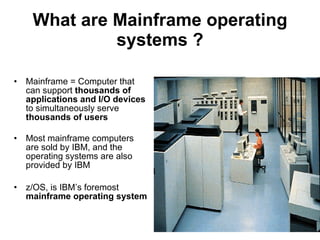
What are Mainframeoperating systems ? Mainframe = Computer that can support thousands of applications and I/O devices to simultaneously serve thousands of users Most mainframe computers are sold by IBM, and the operating systems are also provided by IBM z/OS, is IBM’s foremost mainframe operating system
3.
Mainframe Applications Manyof today’s busiest Web sites store their production databases on a mainframe host The mainframe occupies a coveted place in today’s e-business environment In banking, finance, health care, insurance, utilities, government, and a multitude of other public and private enterprises CICS ( Customer Information Control System) used in bank-teller applications , ATM systems , 90 percent of Fortune 500 , companies, there is a transaction server that runs primarily on mainframe systems
4.
Why Mainframes ?The most important features the mainframe provides include: Encrypt sensitive data as it crosses the network Protect encryption keys Provide well-known security configurations that achieve or surpass the industry standard
5.
Mainframe history In 1950s , mainframe computers were physically the largest computers; few businesses could afford them In the 1960s , with standardized mainframe customers could write business applications that didn’t need specialized hardware or software In 1964 , the introduction of the IBM System/360 (or S/360™) signalled the start of the 3G : first general purpose computers
6.
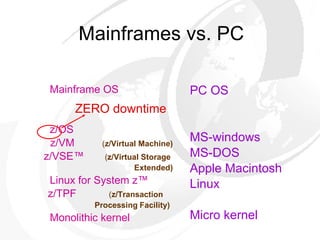
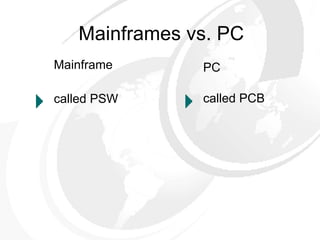
Mainframes vs. PCMainframe OS z/OS z/VM ( z/Virtual Machine) z/VSE™ ( z/Virtual Storage Extended) Linux for System z™ z/TPF ( z/Transaction Processing Facility) Monolithic kernel PC OS MS-windows MS-DOS Apple Macintosh Linux Micro kernel ZERO downtime
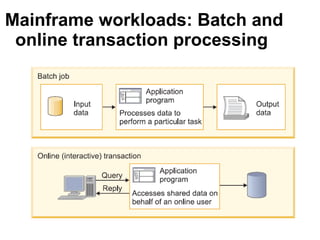
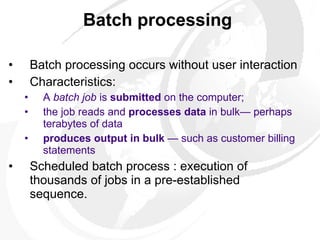
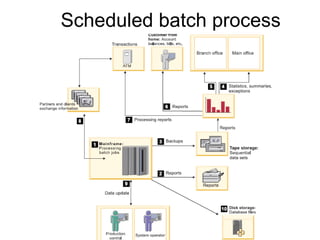
Batch processing Batch processing occurs without user interaction Characteristics: A batch job is submitted on the computer; the job reads and processes data in bulk— perhaps terabytes of data produces output in bulk — such as customer billing statements Scheduled batch process : execution of thousands of jobs in a pre-established sequence.
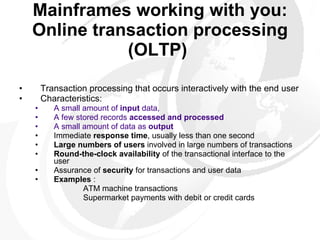
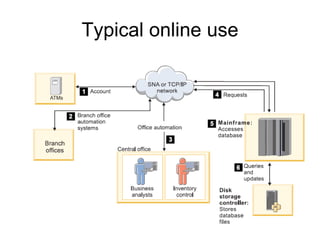
Mainframes working withyou: Online transaction processing (OLTP) Transaction processing that occurs interactively with the end user Characteristics: A small amount of input data, A few stored records accessed and processed A small amount of data as output Immediate response time , usually less than one second Large numbers of users involved in large numbers of transactions Round-the-clock availability of the transactional interface to the user Assurance of security for transactions and user data Examples : ATM machine transactions Supermarket payments with debit or credit cards
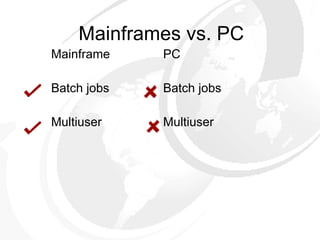
Mainframes vs. PCMainframe Batch jobs Multiuser PC Batch jobs Multiuser
14.
Clustering Mainframes havebeen designed as multiprocessor systems that access same data on shared resource Clustering techniques : Parallel Sysplex DASD CTC rings
15.
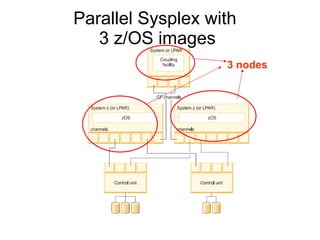
Clustering technique: ParallelSysplex sysplex = collection of MF OS systems that cooperate to process work 32 servers linked together to create a powerful clustered system Every server (node) has access to all data resources, and every ″cloned″ application can run on every server. work requests belonging to same workload (eg.,business transactions) can be dynamically distributed for parallel execution on nodes in the sysplex cluster Parallel Sysplex system appears as a single large system. It has a single operator interface (which controls all systems)
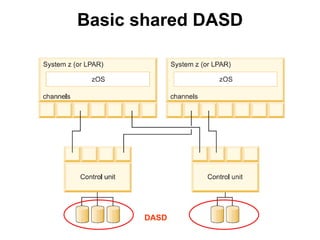
Clustering technique: Basicshared direct access storage devices (DASD) similar to modern PC disks with recording surfaces and read/write (R/W) heads controls which jobs go to which processor in cluster ensures that there is no conflict such as both systems trying to update the same data at the same time
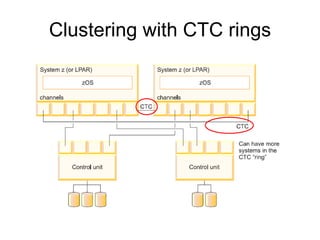
Clustering technique: Channel-to-channel(CTC) rings z/OS can use the CTC ring to pass control information among all node in the ring. E.g.- Jobs can be assigned to whichever system is most lightly loaded at the time all disk data sets/files can be accessed from any z/OS image
Mainframe Strength :high availability, scalability So, perform hardware and software maintenance and installation in a non-disruptive manner Clustering
22.
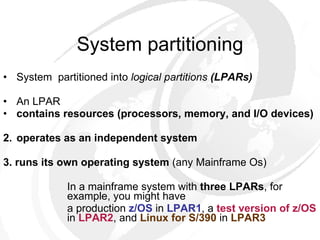
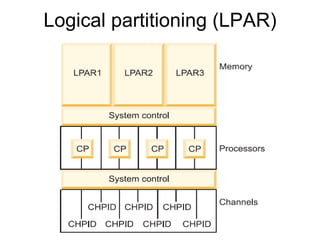
System partitioning System partitioned into logical partitions (LPARs) An LPAR contains resources (processors, memory, and I/O devices) 2. operates as an independent system 3. runs its own operating system (any Mainframe Os) In a mainframe system with three LPARs , for example, you might have a production z/OS in LPAR1 , a test version of z/OS in LPAR2 , and Linux for S/390 in LPAR3
23.
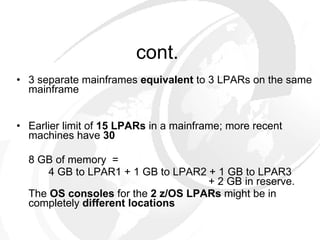
cont. 3 separatemainframes equivalent to 3 LPARs on the same mainframe Earlier limit of 15 LPARs in a mainframe; more recent machines have 30 8 GB of memory = 4 GB to LPAR1 + 1 GB to LPAR2 + 1 GB to LPAR3 + 2 GB in reserve. The OS consoles for the 2 z/OS LPARs might be in completely different locations
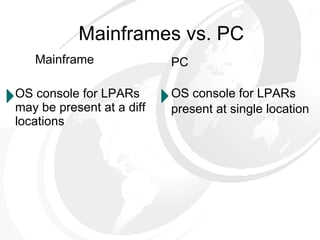
Mainframes vs. PCMainframe OS console for LPARs may be present at a diff locations PC OS console for LPARs present at single location
26.
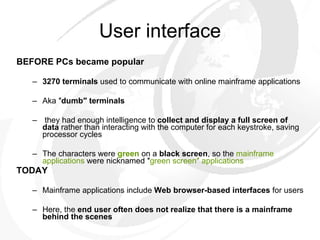
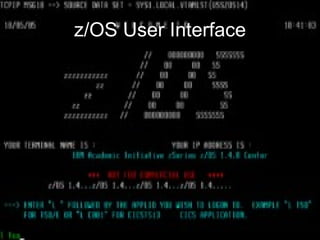
User interface BEFOREPCs became popular 3270 terminals used to communicate with online mainframe applications Aka ″ dumb″ terminals they had enough intelligence to collect and display a full screen of data rather than interacting with the computer for each keystroke, saving processor cycles The characters were green on a black screen , so the mainframe applications were nicknamed ″ green screen″ applications TODAY Mainframe applications include Web browser-based interfaces for users Here, the end user often does not realize that there is a mainframe behind the scenes
Console A keyboard/displayunit, attached to a controller Display unit can be monochrome (“ green screen”) or color (four colors or seven colors) A programmable console interface
29.
Mainframe computer a self-contained computing environment , or one part of the puzzle in distributed computing ??
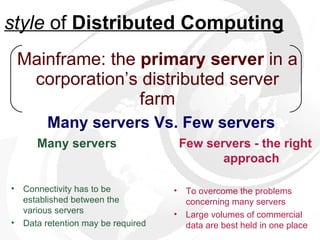
Mainframe: the primary server in a corporation’s distributed server farm Many servers Vs. Few servers style of Distributed Computing Few servers - the right approach To overcome the problems concerning many servers Large volumes of commercial data are best held in one place Many servers Connectivity has to be established between the various servers Data retention may be required
32.
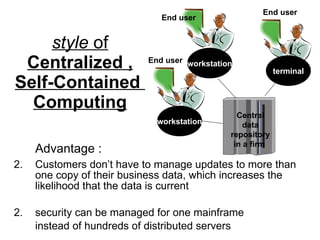
style of Centralized , Self-Contained Computing Advantage : Customers don’t have to manage updates to more than one copy of their business data, which increases the likelihood that the data is current 2. security can be managed for one mainframe instead of hundreds of distributed servers End user End user End user terminal workstation workstation Central data repository in a firm
33.
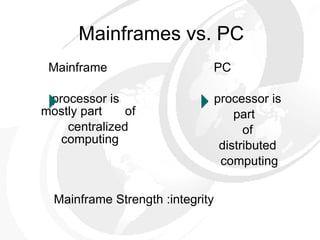
Mainframes vs. PCMainframe processor is mostly part of centralized computing PC processor is part of distributed computing Mainframe Strength :integrity
34.
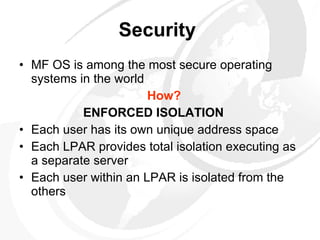
Security MF OS is among the most secure operating systems in the world How? ENFORCED ISOLATION Each user has its own unique address space Each LPAR provides total isolation executing as a separate server Each user within an LPAR is isolated from the others
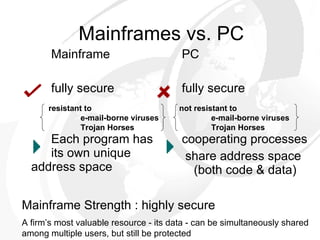
Mainframes vs. PCMainframe fully secure Each program has its own unique address space PC fully secure cooperating processes share address space (both code & data) Mainframe Strength : highly secure A firm’s most valuable resource - its data - can be simultaneously shared among multiple users, but still be protected resistant to e-mail-borne viruses Trojan Horses not resistant to e-mail-borne viruses Trojan Horses
37.
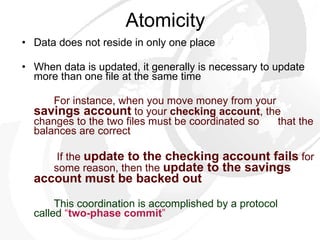
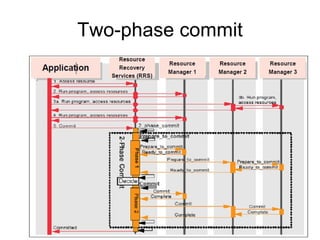
Atomicity Data doesnot reside in only one place When data is updated, it generally is necessary to update more than one file at the same time For instance, when you move money from your savings account to your checking account , the changes to the two files must be coordinated so that the balances are correct If the update to the checking account fails for some reason, then the update to the savings account must be backed out This coordination is accomplished by a protocol called “ two-phase commit ”
38.
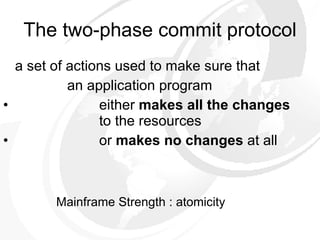
a set ofactions used to make sure that an application program either makes all the changes to the resources or makes no changes at all The two-phase commit protocol Mainframe Strength : atomicity
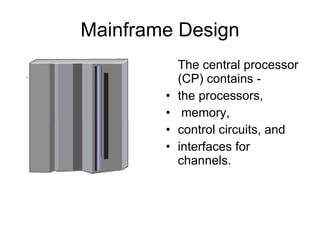
Mainframe Design Thecentral processor (CP) contains - the processors, memory, control circuits, and interfaces for channels.
41.
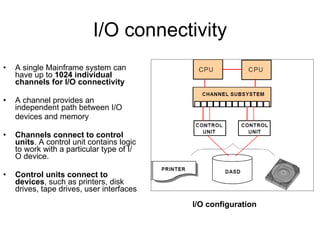
I/O connectivity Asingle Mainframe system can have up to 1024 individual channels for I/O connectivity A channel provides an independent path between I/O devices and memory Channels connect to control units . A control unit contains logic to work with a particular type of I/O device. Control units connect to devices , such as printers, disk drives, tape drives, user interfaces I/O configuration
42.
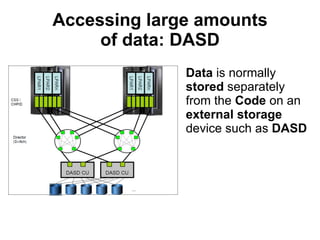
Accessing large amountsof data: DASD Data is normally stored separately from the Code on an external storage device such as DASD
43.
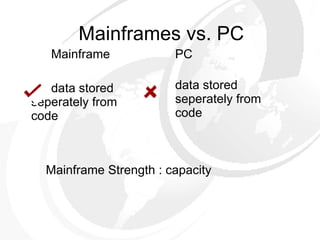
Mainframes vs. PCMainframe data stored seperately from code PC data stored seperately from code Mainframe Strength : capacity
44.
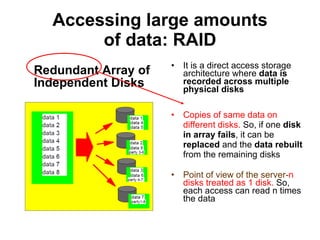
Accessing large amountsof data: RAID Redundant Array of Independent Disks It is a direct access storage architecture where data is recorded across multiple physical disks Copies of same data on different disks. So, if one disk in array fails , it can be replaced and the data rebuilt from the remaining disks Point of view of the server- n disks treated as 1 disk. So, each access can read n times the data
45.
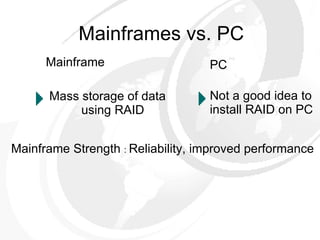
Mainframes vs. PCMainframe Mass storage of data using RAID PC Not a good idea to install RAID on PC Mainframe Strength : Reliability, improved performance
46.
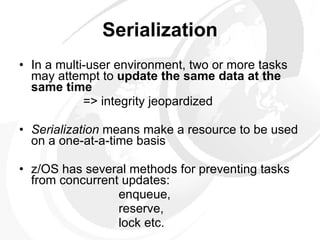
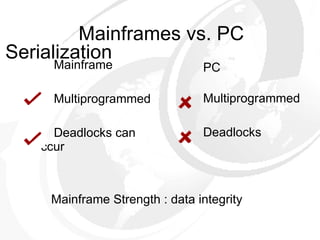
Serialization In amulti-user environment, two or more tasks may attempt to update the same data at the same time => integrity jeopardized Serialization means make a resource to be used on a one-at-a-time basis z/OS has several methods for preventing tasks from concurrent updates: enqueue, reserve, lock etc.
47.
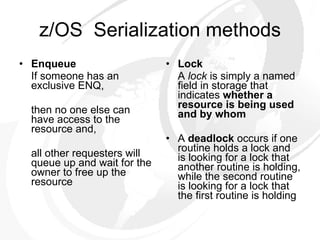
z/OS Serializationmethods Enqueue If someone has an exclusive ENQ, then no one else can have access to the resource and, all other requesters will queue up and wait for the owner to free up the resource Lock A lock is simply a named field in storage that indicates whether a resource is being used and by whom A deadlock occurs if one routine holds a lock and is looking for a lock that another routine is holding, while the second routine is looking for a lock that the first routine is holding
48.
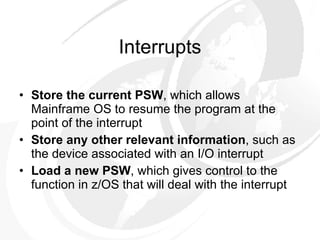
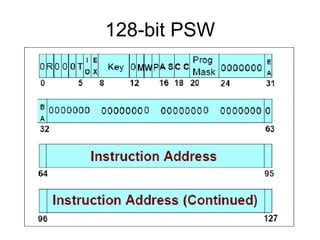
Interrupts Store thecurrent PSW , which allows Mainframe OS to resume the program at the point of the interrupt Store any other relevant information , such as the device associated with an I/O interrupt Load a new PSW , which gives control to the function in z/OS that will deal with the interrupt
49.
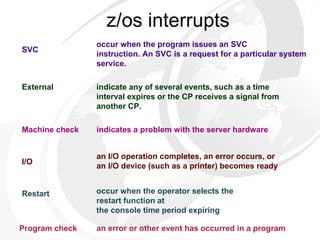
z/os interrupts indicatesa problem with the server hardware occur when the program issues an SVC instruction. An SVC is a request for a particular system service. indicate any of several events, such as a time interval expires or the CP receives a signal from another CP. an I/O operation completes, an error occurs, or an I/O device (such as a printer) becomes ready occur when the operator selects the restart function at the console time period expiring an error or other event has occurred in a program Restart Machine check Program check I/O SVC External
50.
Program Status Word(PSW) The current PSW (128 bit) represents: the address of the next program instruction to be executed control information about the program that is running (every running application has its own control information) indicates whether the processor is enabled or disabled for I/O interrupts
Data Facility StorageManagement Subsystem (DFSMS) the component of the OS that : controls all data set (file) allocation provides automatic backup for the data provides all essential disk, storage and device management functions of the system
53.
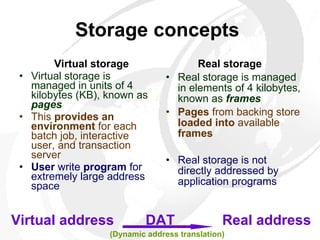
Storage concepts Virtual storage Virtual storage is managed in units of 4 kilobytes (KB), known as pages This provides an environment for each batch job, interactive user, and transaction server User write program for extremely large address space Real storage Real storage is managed in elements of 4 kilobytes, known as frames Pages from backing store loaded into available frames Real storage is not directly addressed by application programs Virtual address DAT Real address (Dynamic address translation)
54.
Mainframe architecture: Secure,compatible, and still evolving RAS factor : Reliability, Availability, Serviceability No other computer architecture in existence can claim as much continuous, evolutionary improvement, while maintaining compatibility with existing applications.
55.
References Introduction tothe New Mainframe: z/OS Basics , SG24-6366 Introduction to the New Mainframe: Large-Scale Commercial Computing by Mike Ebbers, Frank Byrne, Pilar Gonzalez Adrados, Rodney Martin, Jon Veilleux the following site: http://www.redbooks.ibm.com
Mainframes vs. PCMainframe Multiprogrammed Deadlocks can occur PC Multiprogrammed Deadlocks Mainframe Strength : data integrity Serialization
59.
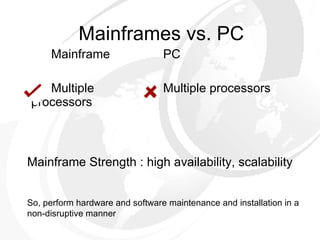
Mainframes vs. PCMainframe Multiple processors PC Multiple processors Mainframe Strength : high availability, scalability So, perform hardware and software maintenance and installation in a non-disruptive manner
60.
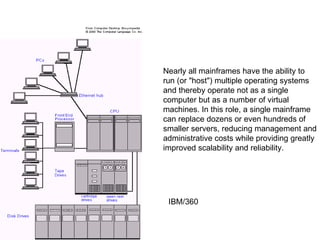
Nearly all mainframeshave the ability to run (or "host") multiple operating systems and thereby operate not as a single computer but as a number of virtual machines. In this role, a single mainframe can replace dozens or even hundreds of smaller servers, reducing management and administrative costs while providing greatly improved scalability and reliability. IBM/360
61.
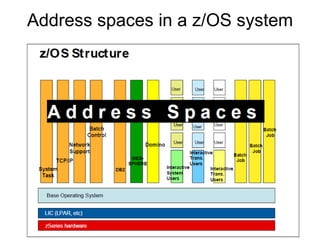
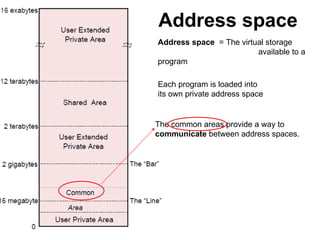
Address space Thecommon areas provide a way to communicate between address spaces. Each program is loaded into its own private address space Address space = The virtual storage available to a program
62.
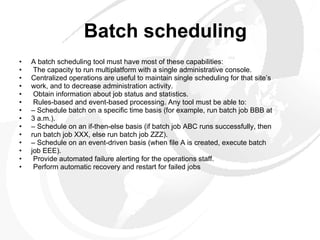
Batch scheduling Abatch scheduling tool must have most of these capabilities: The capacity to run multiplatform with a single administrative console. Centralized operations are useful to maintain single scheduling for that site’s work, and to decrease administration activity. Obtain information about job status and statistics. Rules-based and event-based processing. Any tool must be able to: – Schedule batch on a specific time basis (for example, run batch job BBB at 3 a.m.). – Schedule on an if-then-else basis (if batch job ABC runs successfully, then run batch job XXX, else run batch job ZZZ). – Schedule on an event-driven basis (when file A is created, execute batch job EEE). Provide automated failure alerting for the operations staff. Perform automatic recovery and restart for failed jobs
63.
Round Robin SchedulingThe network is divided into subnetworks and each of them is served by an application server There are workload distributors that can be external machines that are connected to different IP addresses, each corresponding to a server, or they can be internal workload distributors. These communicate with the application servers and receive all requests, sending them to the servers with a “Round-Robin” algorithm.
64.
To balance throughputwith response and turnaround time, WLM does the following: Monitors the use of resources by the various address spaces. Monitors the system-wide use of resources to determine whether they are fully utilized. Determines which address spaces to swap out, and when. Inhibits the creation of new address spaces or steals pages when certain shortages of main storage exist. Changes the dispatching priority of address spaces, which controls the rate at which the address spaces are allowed to consume system resources. Selects the devices to be allocated, if a choice of devices exists, in order to balance the use of I/O devices Other z/OS components, transaction managers, and database managers can communicate to WLM a change in status for a particular address space (or for the system as a whole), or to invoke WLM's decision-making power. For example, WLM is notified when: main storage is configured into or out of the system. An address space is to be created. An address space is deleted. A swap-out starts or completes. Allocation routines can choose the devices to be allocated to a request. The processor capacity of a IBM System z server has changed via the Capacity on Demand capability. WLM is particularly well-suited to a sysplex environment.
Editor's Notes
#7 The system can recover from a failed component without impacting the rest of the running system
#11 1. At night, numerous batch jobs running programs and utilities are processed. These jobs consolidate the results of the online transactions that take place during the day. 2. The batch jobs generate reports of business statistics. 3. Backups of critical files and databases are made before and after the batch window. 4. Reports with business statistics are sent to a specific area for analysis the next day. 5. Reports with exceptions are sent to the branch offices. 6. Monthly account balance reports are generated and sent to all bank customers. 7. Reports with processing summaries are sent to the partner credit card company. 8. A credit card transaction report is received from the partner company. 9. In the production control department, the operations area is monitoring the messages on the system console and the execution of the jobs. 10. Jobs and transactions are reading or updating the database
#13 1. A customer uses an ATM, which presents a user-friendly interface for various functions: Withdrawal, query account balance, deposit, transfer, or cash advance from a credit card account. 2. Elsewhere in the same private network, a bank employee in a branch office performs operations such as consulting, fund applications, and money ordering. 3. At the bank’s central office, business analysts tune transactions for improved performance. Other staff use specialized online systems for office automation to perform customer relationship management, budget planning, and stock control. 4. All requests are directed to the mainframe computer for processing. 5. Programs running on the mainframe computer perform updates and inquiries to the database management system (for example, DB2®). 6. Specialized disk storage systems store the database files.
#17 A coupling facility is a mainframe processor, with memory and special channels, and a built-in operating system. It has no I/O devices, other than the special channels, and the operating system is very small. The ability to partition a large system into multiple smaller systems, called logical partitions or LPARs The ability to partition a large system into multiple smaller systems, called logical partitions or LPARs. A coupling facility is a mainframe processor, with memory and special channels, and a built-in operating system. It has no I/O devices, other than the special channels, and the operating system is very small. The ability to partition a large system into multiple smaller systems, called logical partitions or LPARs. A coupling facility is a mainframe processor, with memory and special channels, and a built-in operating system. It has no I/O devices, other than the special channels, and the operating system is very small. The ability to partition a large system into multiple smaller systems, called logical partitions or LPARs. A coupling facility is a mainframe processor, with memory and special channels, and a built-in operating system. It has no I/O devices, other than the special channels, and the operating system is very small. The ability to partition a large system into multiple smaller systems, called logical partitions or LPARs. A coupling facility is a mainframe processor, with memory and special channels, and a built-in operating system. It has no I/O devices, other than the special channels, and the operating system is very small. The ability to partition a large system into multiple smaller systems, called logical partitions or LPARs.
#22 Availability= system can recover from a failed component without impacting the rest of the running system….. Scalability=capability of a system to increase performance under an increased load when resources are added
#26 Virtual Machine=a process has its own processor with its own VM Each process is provided with a copy of underlying computer Each VM/c is isolated from other VM/s & don’t share resources=>security
#30 While batch processing is possible on distributed systems, it is not as commonplace as on mainframes, because distributed systems often lack the following elements: Sufficient data storage, Available processor capacity ( cycles ), I/O bandwidth, Sysplex-wide management of system resources and job scheduling
#32 When data is changed, does the Data retention may be required by law. When data is changed, does the owning system or the updating system create a copy?
#33 Workstation Terminal In a distributed system, each processor has its own local memory. So, u must update data in each local memory
#34 Client server computing = distributed computing if several programs were to update the same data at the same time, the data could be corrupted (also referred to as a loss of data integrity).
#36 DB 2 is the relational DB by IBM that runs on z/OS ,Linux etc
#37 If unauthorized users cannot log into the operating system, they cannot access the data. Address space=memory subset threads share memory Program=passive entity(contents of file stored on disk Process=active entity (Program counter, program stack data section); 4 states; represented by a PCB
#40 resource manager Participates in the unit of recovery an opportunity to vote on whether its part of the UR is in a consistent state and can be committed. If all participants vote yes, the sync point manager instructs all the resource managers to commit the changes. If any participants vote no, the sync point manager instructs them to back out the changes.
#44 Capacity=store, process very large volumes of corporate data
#45 RAIDs are inexpensive N disks treated as 1 disk Each of the n disks participate in R/W access Same no of R/W accesses, but each access can read n times the data
#46 Reliability=The system’s hardware components have extensive self-checking and self-recovery capabilities Reliability increased via redundancy Performance increased via parallelism RAID is not tolerant of user error, and it is far from tolerant enough to take the kind of software/game/freeware/pirated software abuse hurled at the average home PC. Newer versions of Microsoft Windows - like XP Pro - even supported completely software controlled RAID (under certain conditions)
#47 Loss of data integrity – concurrent updates on same data
#48 4 necessary conditions: Mutual exclusion, Hold & Wait, No Preemption , Circular wait
#52 Data integrity- concerned with accidental damage & recovery
#54 When a process is to be executed, its pages are loaded into available frames from backing store Program is not constrained by amt of phy mem available
#59 Multiprogrammed-better CPU utilization by putting many jobs in memory if several programs were to update the same data at the same time, the data could be corrupted (also referred to as a loss of data integrity).
#60 Availability= system can recover from a failed component without impacting the rest of the running system….. Scalability=capability of a system to increase performance under an increased load when resources are added