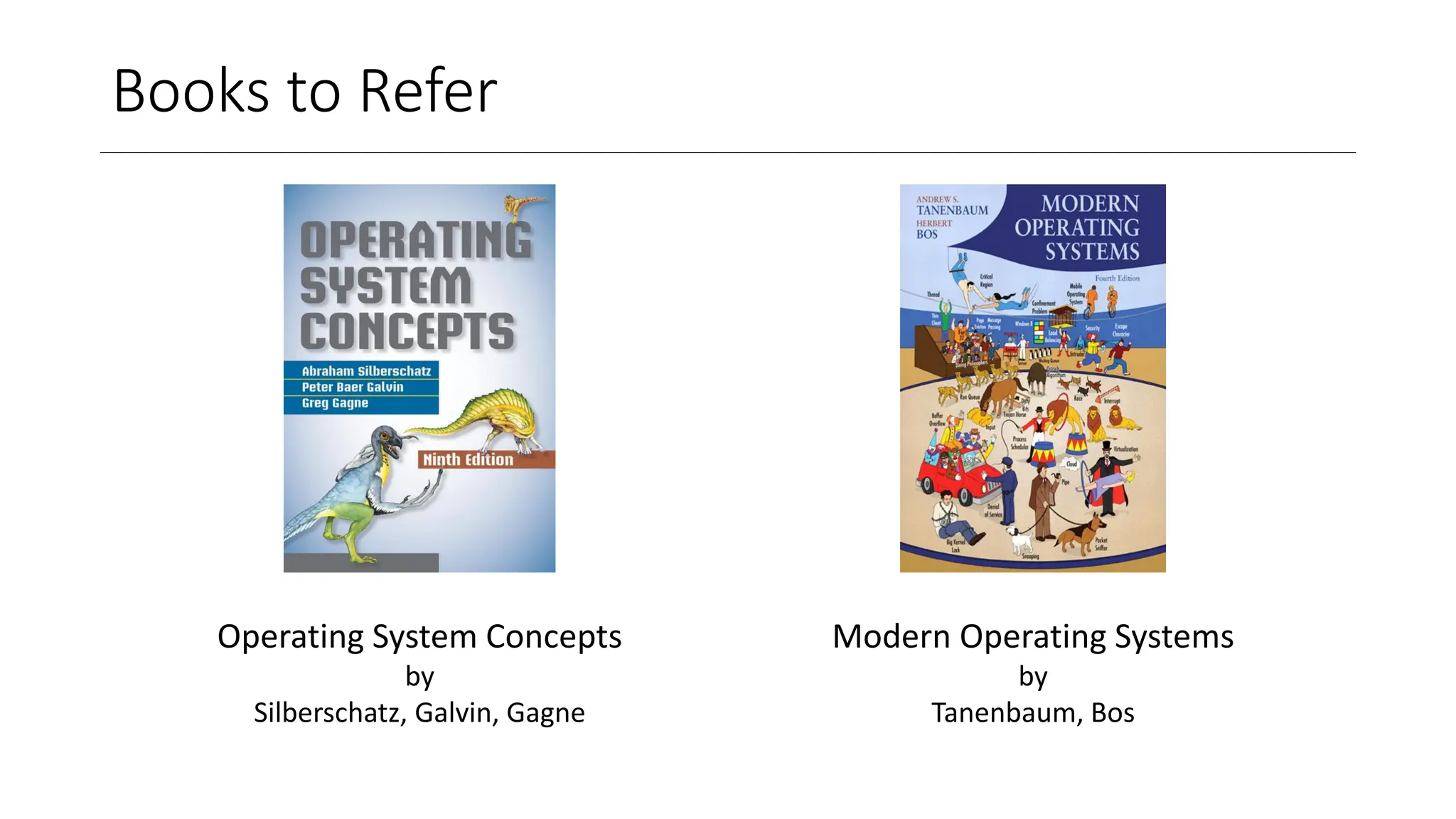
Books to Refer
OperatingSystem Concepts
by
Silberschatz, Galvin, Gagne
Modern Operating Systems
by
Tanenbaum, Bos
3.
Overview
• Components ofA Computer
• Modes of Software Operation- User, Kernel
• Resource Management- Time, Space
• Types of Operating Systems
• Single-Processor vs. Multi-processor Systems
• Single User, Multi-user, and Hybrid Systems
• Parallel Systems vs. Concurrent Systems
• Real-time, Handheld, Embedded Systems
• Distributed Systems vs. Centralized Systems
4.
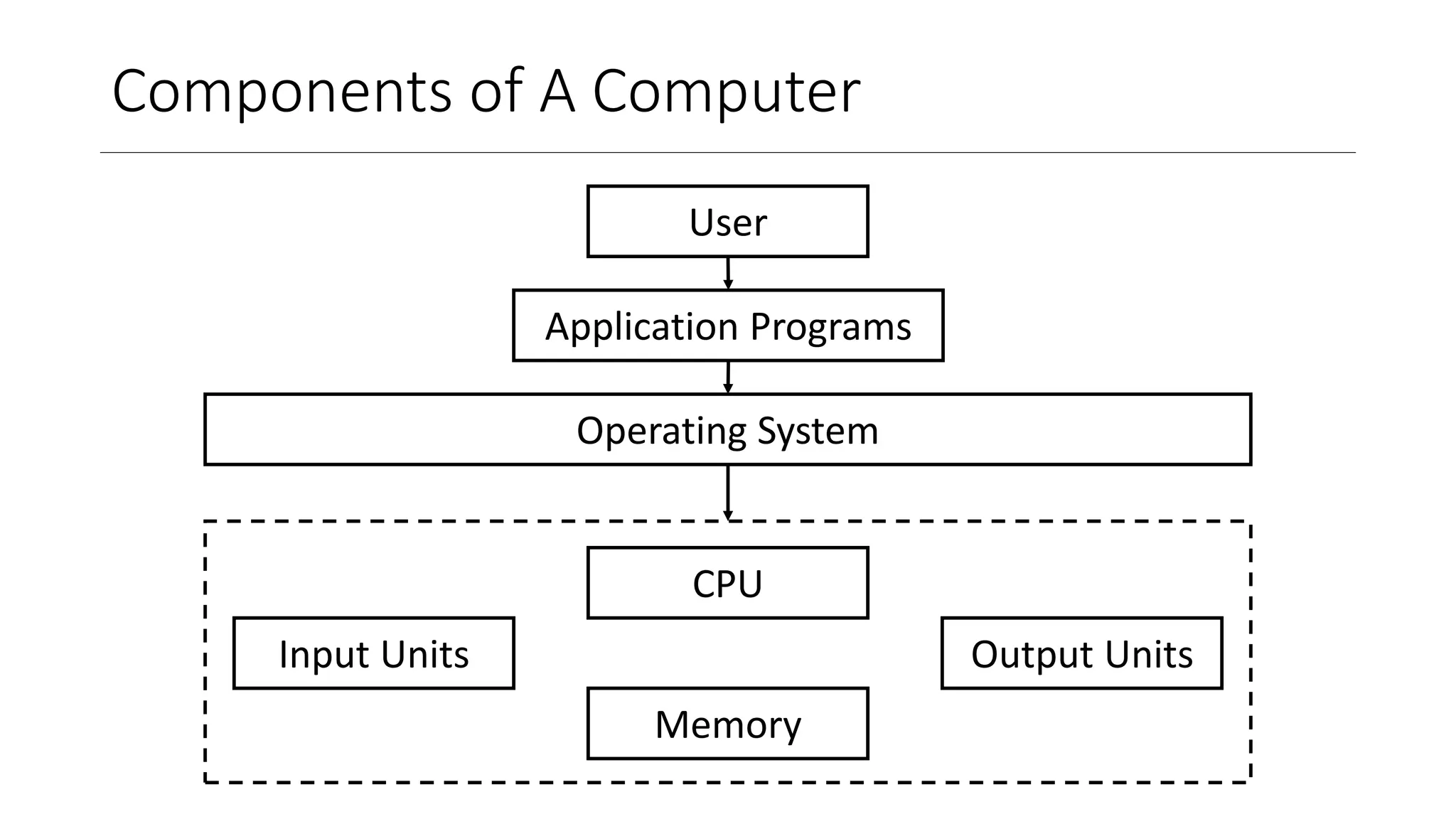
Components of AComputer
CPU
Memory
Operating System
Input Units Output Units
User
Application Programs
5.
Primary Memory
• Primarymemory is volatile memory used to store data temporarily while a
computer is running
• Cache
• A small, fast memory component that stores frequently accessed data
• Much faster than main memory (RAM)
• Often used in CPUs to store critical instructions and data
• Main Memory (RAM)
• Primary volatile memory to store data and programs that are in use
• Faster than secondary storage but slower than cache
• Data is lost when the power is turned off
• Used for running applications and the operating system
6.
Secondary Memory
• Secondarymemory is non-volatile memory used to store data for a long-term,
even when the computer is powered off
• Optical Storage
• Uses laser technology to read and write data on optical discs such as CDs, DVDs, and Blu-ray
discs
• Good for long-term storage and resistant to magnetic interference
• Capacity varies by type (CDs: up to 700 MB, DVDs: up to 4.7 GB, Blu-ray: up to 50 GB)
• Used for media distribution, backups, and archival purposes.
• Flash Memory
• Non-volatile memory for storage and transfer of data (SSDs, USB drives, and memory cards)
• Retains data without power
• Faster read and write speeds compared to magnetic disks
7.
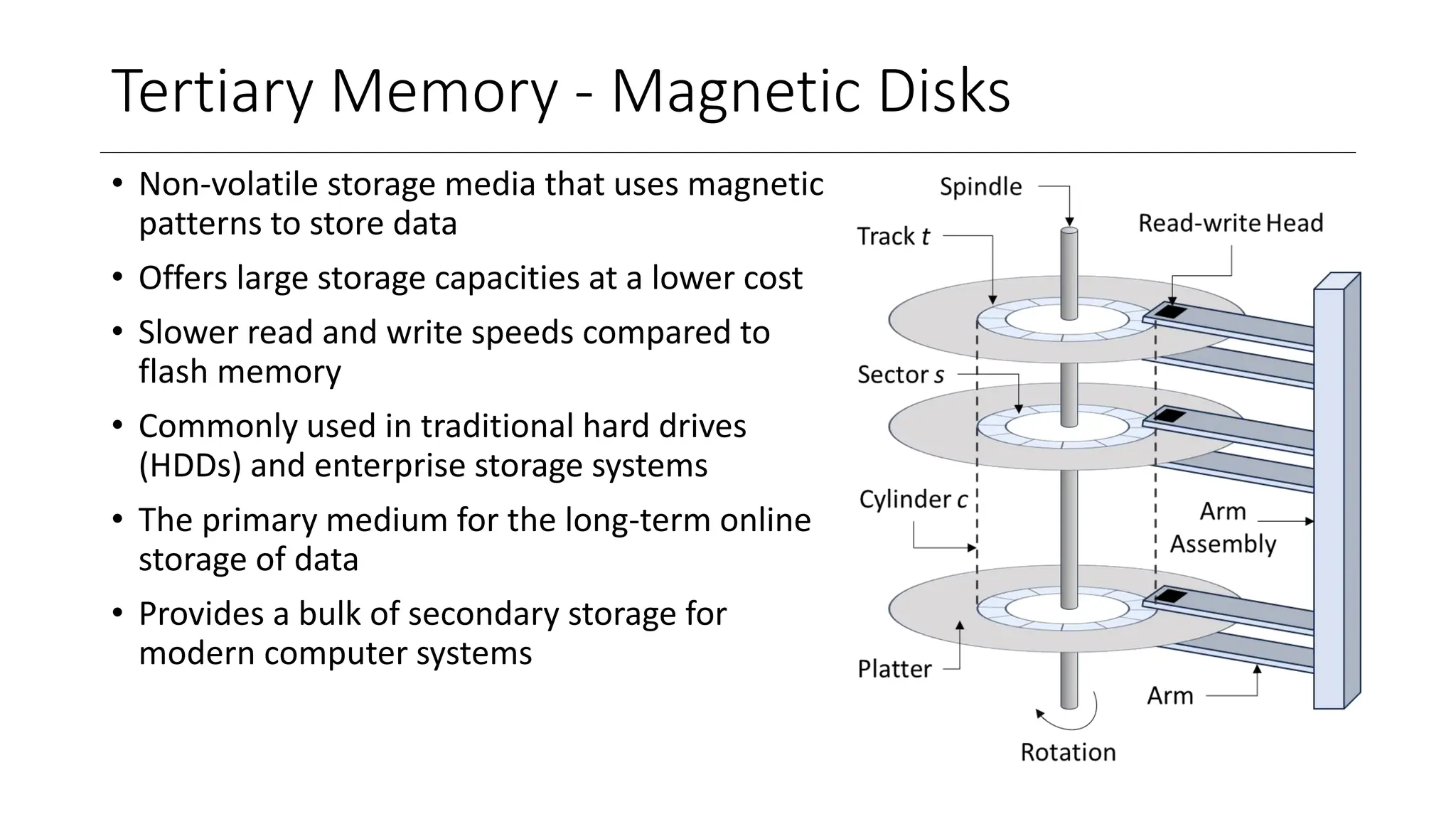
Tertiary Memory -Magnetic Disks
• Non-volatile storage media that uses magnetic
patterns to store data
• Offers large storage capacities at a lower cost
• Slower read and write speeds compared to
flash memory
• Commonly used in traditional hard drives
(HDDs) and enterprise storage systems
• The primary medium for the long-term online
storage of data
• Provides a bulk of secondary storage for
modern computer systems
8.
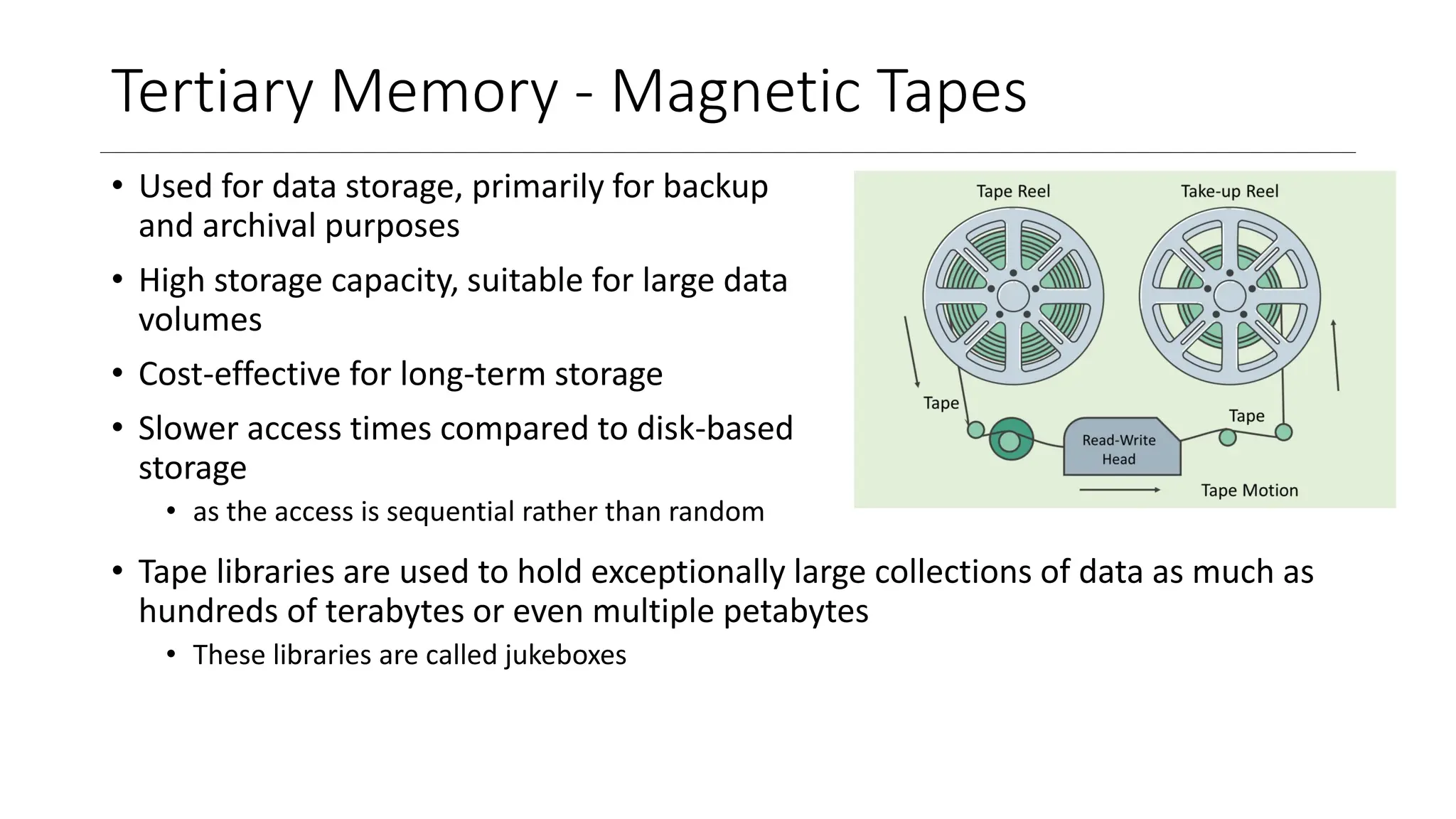
Tertiary Memory -Magnetic Tapes
• Used for data storage, primarily for backup
and archival purposes
• High storage capacity, suitable for large data
volumes
• Cost-effective for long-term storage
• Slower access times compared to disk-based
storage
• as the access is sequential rather than random
• Tape libraries are used to hold exceptionally large collections of data as much as
hundreds of terabytes or even multiple petabytes
• These libraries are called jukeboxes
9.
Modes of SoftwareOperation
• Kernel Mode
• The operating system runs in kernel mode
• This mode has access to all the hardware components
• It can execute any instruction possible with the given components
• User Mode
• All the software, other than the OS, run in user mode
• This mode has limited access of machine instructions
• The instructions that may affect the system or I/O operations are not allowed in this mode
10.
Resource Management
• TimeMultiplexing
• Many processes fully share one resource in different time intervals
• Example- 3 processes share one printer
• Here, it is not possible for these processes to use the printer in parts at the same time
• One process will use it, then one of the remaining processes can use the printer
• This is called as time multiplexing
• Space Multiplexing
• Many processes share one resource in at a time in parts
• Example- 3 processes share the memory space
• Here, it is not wise to give one process the whole memory and after its completion allocate
the whole memory to another process
• Multiple processes can reside in the memory at the same time
• This is called as space multiplexing
11.
Types of OS:No. of Processors
• Single-processor Systems
• Only one process can run at a time as there is only one core available
• If multiple processes are to be run on such a system, time multiplexing can be used
• Such an arrangement is called as multi-tasking
• Multi-processor Systems
• Multiple processes can run at a time on different cores of the same CPU, or a single process
can also be divided and sped up using multiple cores
• The throughput of these systems is more than the single processor systems as multiple
processes can run at the same time
• Cost of n multi-processor systems is less than the combined cost of n single-core systems
• Having multiple processors helps in sharing the load in case of failure of one core
12.
Types of OS:No. of Users
• Single user Systems
• Only one user accesses all resources & the system is designed for ease of use and performance
• Here, not much attention is needed to be paid to resource utilization
• Example- Personal Computers, Laptops, etc.
• Multi-user Systems
• Multiple users access the same system via different terminals
• Hence, the system is designed to maximize resource utilization
• Each user is given access to CPU, I/O devices, memory by keeping in mind the needs of others
• Example- Servers, Mainframe computers, etc.
• Hybrid Mode OS
• This is a combination of Single-user and Multi-user system
• Users have their own, as well as some resources shared over the network with other users
• OS needs to find the middle-ground between individual usability and resource utilization
• Example- A group of systems connected over a LAN
13.
Types of OS:Processing Technique
• Parallel Systems (Multi-processing Systems)
• Parallel Systems can perform more than one process parallelly
• Multiple processes run on multiple CPUs or multiple cores
• Here, the parallelism is not an illusion
• The number of parallelly executable processes depends on the number of CPUs/cores
available for computation
• Concurrent Systems (Multi-programming Systems)
• Concurrent systems create an illusion of parallelism by rapidly switching from one process to
another
• Multiple processes run one after other on one core only
• The number of concurrently running processes is called the degree of multiprogramming
14.
Types of OS:Nature of Device
• OS for Real-time Systems
• Real-time system is used when rigid time requirements have been placed on the operation of
a processor or the flow of data
• A real-time system functions correctly only if it returns the correct result within its time
constraints
• Example- Any driving System Module (Car, Airplane, etc.), Weapon Systems
• OS for Mobile / Handheld Devices
• OS for these devices needs to pay more attention to user interface as these devices rely
heavily on the user interactions
• The rest of the functionality is same as single-user system
• OS for Embedded Systems
• These systems have zero or very minimal user interaction
• So, the OS is designed to perform without or minimal user intervention
• Example- ACs, Washing machines, Thermostats, etc.
15.
Distributed Systems vsCentralized Systems
• Distributed Systems
• Collection of physically separate systems that are accessible to multiple users via network
• These separate computer systems can be homogeneous or heterogeneous
• Some systems treat network access as a form of file access, others may require explicit
network access
• Example- Many computers, servers, printers, etc on university campus connected by a LAN
• Centralized Systems
• A single system that provides computing power and resources to multiple users
• All processing and resource management happen in one central computer (host/mainframe)
• Users access the system via terminals or client machines, but do not perform independent
processing
• Reliability depends heavily on the central machine; if it fails, the whole system halts
• Example- Mainframe computer with multiple dumb terminals in an organization


![OperatingSystem_UNIT_1_Introduction[1][1]](https://cdn.slidesharecdn.com/ss_thumbnails/osunit1introduction1-250820120255-fd2eb8b9-thumbnail.jpg?width=640&height=640&fit=bounds)


