















OPERATING SYSTEM
Chapter-4
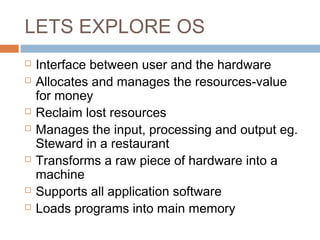
LETS EXPLORE OS
 Interface between user and the hardware
 Allocates and manages the resources-value
for money
 Reclaim lost resources
 Manages the input, processing and output eg.
Steward in a restaurant
 Transforms a raw piece of hardware into a
machine
 Supports all application software
 Loads programs into main memory
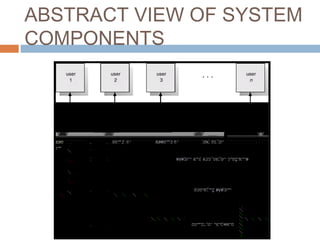
ABSTRACT VIEW OF SYSTEM
COMPONENTS
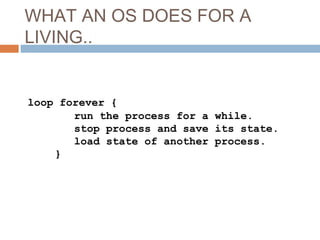
WHAT AN OS DOES FOR A
LIVING..
loop forever {
run the process for a while.
stop process and save its state.
load state of another process.
}
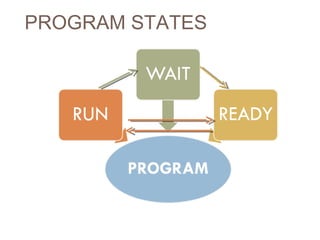
PROGRAM STATES
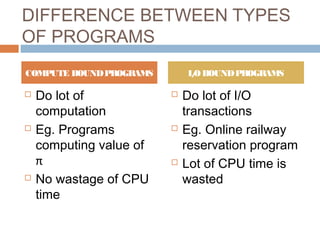
DIFFERENCE BETWEEN TYPES
OF PROGRAMS
 Do lot of
computation
 Eg. Programs
computing value of
π
 No wastage of CPU
time
 Do lot of I/O
transactions
 Eg. Online railway
reservation program
 Lot of CPU time is
wasted
COMPUTE BOUNDPROGRAMS I/OBOUNDPROGRAMS
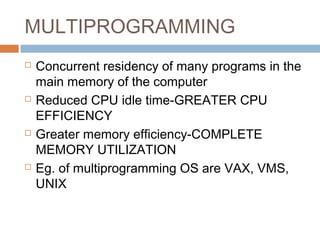
MULTIPROGRAMMING
 Concurrent residency of many programs in the
main memory of the computer
 Reduced CPU idle time-GREATER CPU
EFFICIENCY
 Greater memory efficiency-COMPLETE
MEMORY UTILIZATION
 Eg. of multiprogramming OS are VAX, VMS,
UNIX
WORKING OF OS
FUNCTIONAL UNITS OF AN
OS
FUNCTIONAL UNITS OF AN
OS
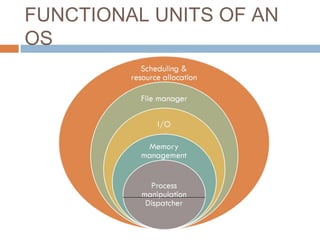
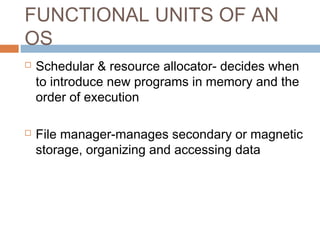
 Schedular & resource allocator- decides when
to introduce new programs in memory and the
order of execution
 File manager-manages secondary or magnetic
storage, organizing and accessing data
FUNCTIONAL UNITS OF AN
OS
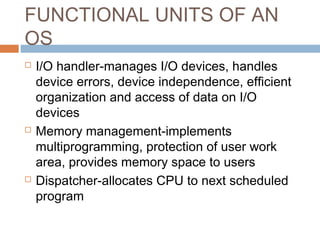
 I/O handler-manages I/O devices, handles
device errors, device independence, efficient
organization and access of data on I/O
devices
 Memory management-implements
multiprogramming, protection of user work
area, provides memory space to users
 Dispatcher-allocates CPU to next scheduled
program
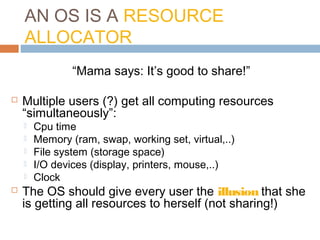
AN OS IS A RESOURCE
ALLOCATOR
“Mama says: It’s good to share!”
 Multiple users (?) get all computing resources
“simultaneously”:
 Cpu time
 Memory (ram, swap, working set, virtual,..)
 File system (storage space)
 I/O devices (display, printers, mouse,..)
 Clock
 The OS should give every user the illusion that she
is getting all resources to herself (not sharing!)
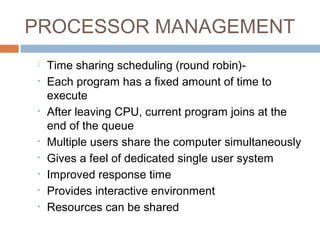
PROCESSOR MANAGEMENT
 Time sharing scheduling (round robin)-
• Each program has a fixed amount of time to
execute
• After leaving CPU, current program joins at the
end of the queue
• Multiple users share the computer simultaneously
• Gives a feel of dedicated single user system
• Improved response time
• Provides interactive environment
• Resources can be shared
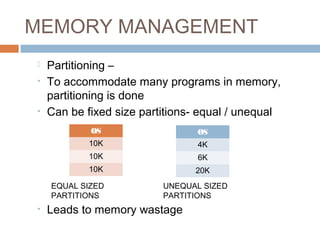
MEMORY MANAGEMENT
 Partitioning –
• To accommodate many programs in memory,
partitioning is done
• Can be fixed size partitions- equal / unequal
• Leads to memory wastage
OS
10K
10K
10K
OS
4K
6K
20K
EQUAL SIZED
PARTITIONS
UNEQUAL SIZED
PARTITIONS
MEMORY MANAGEMENT
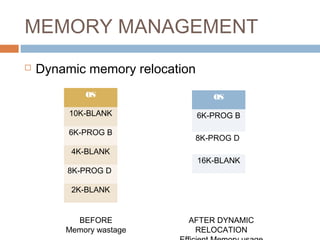
Dynamic Memory Relocation-solution to memory
wastage
MEMORY MANAGEMENT
 Dynamic memory relocation
OS
10K-BLANK
6K-PROG B
4K-BLANK
8K-PROG D
2K-BLANK
OS
6K-PROG B
8K-PROG D
16K-BLANK
BEFORE
Memory wastage
AFTER DYNAMIC
RELOCATION
VIRTUAL MEMORY
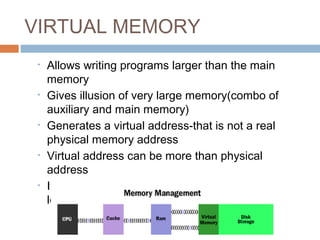
• Allows writing programs larger than the main
memory
• Gives illusion of very large memory(combo of
auxiliary and main memory)
• Generates a virtual address-that is not a real
physical memory address
• Virtual address can be more than physical
address
• It is the logical / symbolic representation of a
location in hardware
VIRTUAL MEMORY
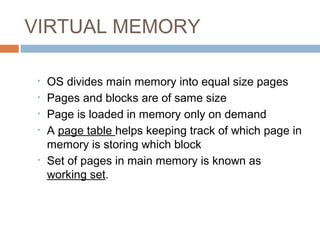
• OS divides main memory into equal size pages
• Pages and blocks are of same size
• Page is loaded in memory only on demand
• A page table helps keeping track of which page in
memory is storing which block
• Set of pages in main memory is known as
working set.
ADVANTAGES OF VIRTUAL
MEMORY
• Memory efficiency
• Only active pages(on demand) are resident in
the memory
• Any page of any program can fir into any page
of the main memory
• Protection
• There is separate page table for each user
• Sharing
• Same page can be shared by two programs
using the page table settings
DEVICE MANAGEMENT
 OS maintains speed balance between CPU and
I/O device
 Characteristics of I/O devices-
 Speed
 Unit of transfer
 Data representation
 Permissible operations
 Error conditions
 Sharing
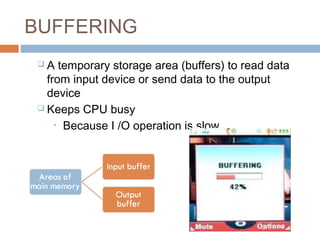
BUFFERING
 A temporary storage area (buffers) to read data
from input device or send data to the output
device
 Keeps CPU busy
• Because I /O operation is slow
BUFFERING
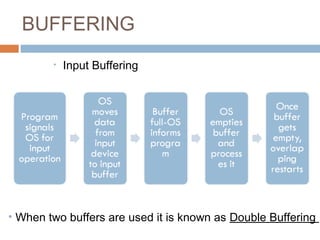
• Input Buffering
• When two buffers are used it is known as Double Buffering
BUFFERING
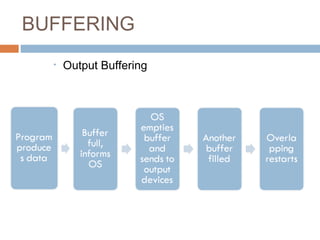
• Output Buffering
SPOOLING
• Simultaneous Peripheral Operation on Line
• Helps buffering process
• Used for non-shareable devices
• Eg. Rush hour on printer
• Process held up--long waiting time
• In spooling data of every user is temporarily
written on hard disk
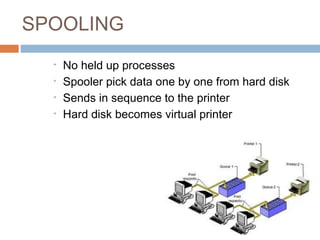
SPOOLING
• No held up processes
• Spooler pick data one by one from hard disk
• Sends in sequence to the printer
• Hard disk becomes virtual printer
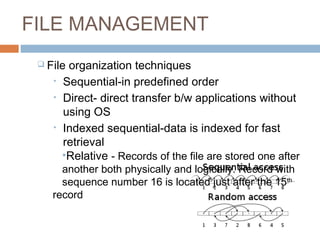
FILE MANAGEMENT
 File organization techniques
• Sequential-in predefined order
• Direct- direct transfer b/w applications without
using OS
• Indexed sequential-data is indexed for fast
retrieval
•Relative - Records of the file are stored one after
another both physically and logically. Record with
sequence number 16 is located just after the 15th
record
FILE MANAGEMENT
 File management functions
• Create file
• Delete file
• Open an existing file-read only
• Open an existing file-read / write
• Rewind operation-tape files
• Security at three levels-DAR
• Do anything
• Append only
• Write only
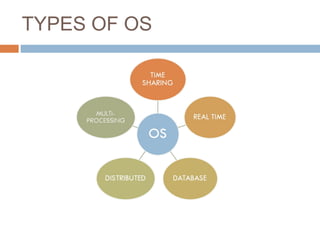
TYPES OF OS
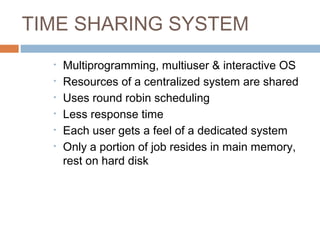
TIME SHARING SYSTEM
• Multiprogramming, multiuser & interactive OS
• Resources of a centralized system are shared
• Uses round robin scheduling
• Less response time
• Each user gets a feel of a dedicated system
• Only a portion of job resides in main memory,
rest on hard disk
DISTRIBUTED SYSTEMS
 Distribute the computation among several physical
processors.
 Lo o se ly co uple d syste m – each processor has its own
local memory; processors communicate with one
another through various communications lines, such as
high-speed buses or telephone lines.
 Advantages of distributed systems.
 Resources Sharing
 Computation speed up – load sharing
 Reliability
 Communications
DISTRIBUTED SYSTEMS
(CONT)
 Requires networking infrastructure.
 Local area networks (LAN) or Wide area
networks (WAN)
 May be either client-server or peer-to-peer
systems.
REAL-TIME SYSTEMS
 Often used as a control device in a
dedicated application such as
controlling scientific experiments,
medical imaging systems, industrial
control systems, and some display
systems.
 Well-defined fixed-time constraints.
 Real-Time systems may be either hard
or so ft real-time.
REAL-TIME SYSTEMS
(CONT.)
 Hard real-time:
 Secondary storage limited or absent, data
stored in short term memory, or read-only
memory (ROM)
 Conflicts with time-sharing systems, not
supported by general-purpose operating
systems.
 Soft real-time
 Limited utility in industrial control of robotics
 Useful in applications (multimedia, virtual
reality) requiring advanced operating-system
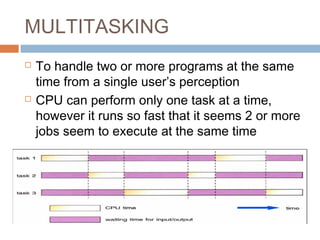
MULTITASKING
 To handle two or more programs at the same
time from a single user’s perception
 CPU can perform only one task at a time,
however it runs so fast that it seems 2 or more
jobs seem to execute at the same time
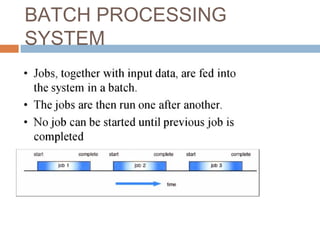
BATCH PROCESSING
SYSTEM
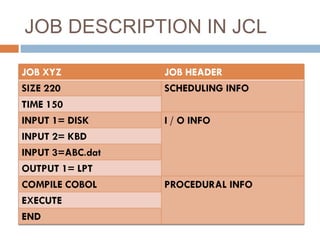
JOB DESCRIPTION IN JCL
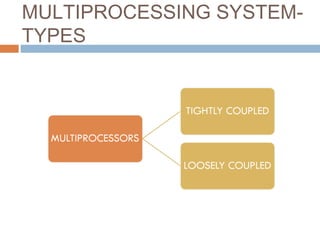
MULTIPROCESSING SYSTEM-
TYPES
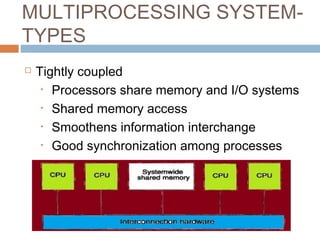
MULTIPROCESSING SYSTEM-
TYPES
 Tightly coupled
• Processors share memory and I/O systems
• Shared memory access
• Smoothens information interchange
• Good synchronization among processes
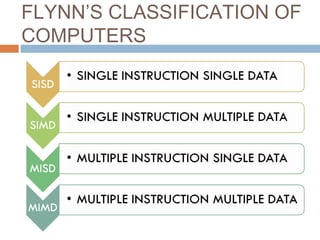
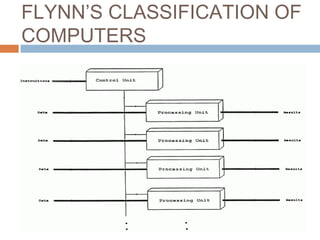
FLYNN’S CLASSIFICATION OF
COMPUTERS
FLYNN’S CLASSIFICATION OF
COMPUTERS
 SIMD-Single instruction multiple data
• Array of n number of processing elements
• Identical elements controlled by master
controller
• Single instruction operates on multiple data
• Eg. Connection machine uses SIMD
architecture
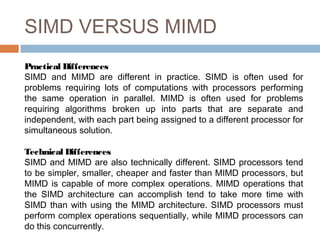
SIMD VERSUS MIMD
Practical Differences
SIMD and MIMD are different in practice. SIMD is often used for
problems requiring lots of computations with processors performing
the same operation in parallel. MIMD is often used for problems
requiring algorithms broken up into parts that are separate and
independent, with each part being assigned to a different processor for
simultaneous solution.
Technical Differences
SIMD and MIMD are also technically different. SIMD processors tend
to be simpler, smaller, cheaper and faster than MIMD processors, but
MIMD is capable of more complex operations. MIMD operations that
the SIMD architecture can accomplish tend to take more time with
SIMD than with using the MIMD architecture. SIMD processors must
perform complex operations sequentially, while MIMD processors can
do this concurrently.
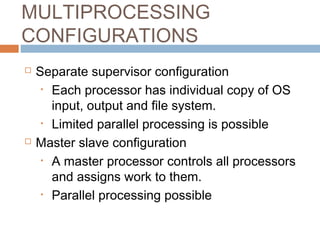
MULTIPROCESSING
CONFIGURATIONS
 Separate supervisor configuration
• Each processor has individual copy of OS
input, output and file system.
• Limited parallel processing is possible
 Master slave configuration
• A master processor controls all processors
and assigns work to them.
• Parallel processing possible
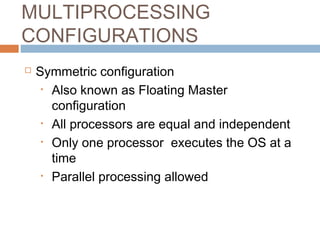
MULTIPROCESSING
CONFIGURATIONS
 Symmetric configuration
• Also known as Floating Master
configuration
• All processors are equal and independent
• Only one processor executes the OS at a
time
• Parallel processing allowed
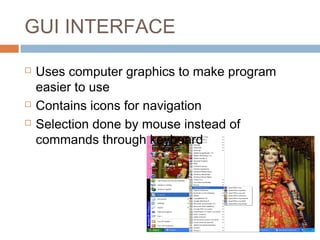
GUI INTERFACE
 Uses computer graphics to make program
easier to use
 Contains icons for navigation
 Selection done by mouse instead of
commands through keyboard
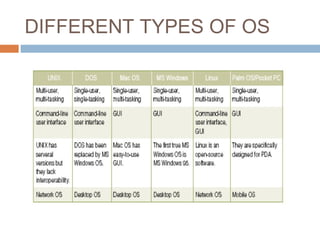
DIFFERENT TYPES OF OS
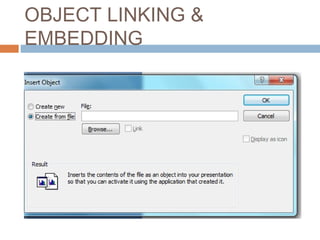
OBJECT LINKING &
EMBEDDING

Chapter 4

  • 1.
  • 3.
    LETS EXPLORE OS Interface between user and the hardware  Allocates and manages the resources-value for money  Reclaim lost resources  Manages the input, processing and output eg. Steward in a restaurant  Transforms a raw piece of hardware into a machine  Supports all application software  Loads programs into main memory
  • 4.
    ABSTRACT VIEW OFSYSTEM COMPONENTS
  • 5.
    WHAT AN OSDOES FOR A LIVING.. loop forever { run the process for a while. stop process and save its state. load state of another process. }
  • 6.
  • 8.
    DIFFERENCE BETWEEN TYPES OFPROGRAMS  Do lot of computation  Eg. Programs computing value of π  No wastage of CPU time  Do lot of I/O transactions  Eg. Online railway reservation program  Lot of CPU time is wasted COMPUTE BOUNDPROGRAMS I/OBOUNDPROGRAMS
  • 9.
    MULTIPROGRAMMING  Concurrent residencyof many programs in the main memory of the computer  Reduced CPU idle time-GREATER CPU EFFICIENCY  Greater memory efficiency-COMPLETE MEMORY UTILIZATION  Eg. of multiprogramming OS are VAX, VMS, UNIX
  • 10.
  • 12.
  • 13.
    FUNCTIONAL UNITS OFAN OS  Schedular & resource allocator- decides when to introduce new programs in memory and the order of execution  File manager-manages secondary or magnetic storage, organizing and accessing data
  • 14.
    FUNCTIONAL UNITS OFAN OS  I/O handler-manages I/O devices, handles device errors, device independence, efficient organization and access of data on I/O devices  Memory management-implements multiprogramming, protection of user work area, provides memory space to users  Dispatcher-allocates CPU to next scheduled program
  • 15.
    AN OS ISA RESOURCE ALLOCATOR “Mama says: It’s good to share!”  Multiple users (?) get all computing resources “simultaneously”:  Cpu time  Memory (ram, swap, working set, virtual,..)  File system (storage space)  I/O devices (display, printers, mouse,..)  Clock  The OS should give every user the illusion that she is getting all resources to herself (not sharing!)
  • 17.
    PROCESSOR MANAGEMENT  Timesharing scheduling (round robin)- • Each program has a fixed amount of time to execute • After leaving CPU, current program joins at the end of the queue • Multiple users share the computer simultaneously • Gives a feel of dedicated single user system • Improved response time • Provides interactive environment • Resources can be shared
  • 18.
    MEMORY MANAGEMENT  Partitioning– • To accommodate many programs in memory, partitioning is done • Can be fixed size partitions- equal / unequal • Leads to memory wastage OS 10K 10K 10K OS 4K 6K 20K EQUAL SIZED PARTITIONS UNEQUAL SIZED PARTITIONS
  • 20.
    MEMORY MANAGEMENT Dynamic MemoryRelocation-solution to memory wastage
  • 21.
    MEMORY MANAGEMENT  Dynamicmemory relocation OS 10K-BLANK 6K-PROG B 4K-BLANK 8K-PROG D 2K-BLANK OS 6K-PROG B 8K-PROG D 16K-BLANK BEFORE Memory wastage AFTER DYNAMIC RELOCATION
  • 22.
    VIRTUAL MEMORY • Allowswriting programs larger than the main memory • Gives illusion of very large memory(combo of auxiliary and main memory) • Generates a virtual address-that is not a real physical memory address • Virtual address can be more than physical address • It is the logical / symbolic representation of a location in hardware
  • 23.
    VIRTUAL MEMORY • OSdivides main memory into equal size pages • Pages and blocks are of same size • Page is loaded in memory only on demand • A page table helps keeping track of which page in memory is storing which block • Set of pages in main memory is known as working set.
  • 25.
    ADVANTAGES OF VIRTUAL MEMORY •Memory efficiency • Only active pages(on demand) are resident in the memory • Any page of any program can fir into any page of the main memory • Protection • There is separate page table for each user • Sharing • Same page can be shared by two programs using the page table settings
  • 26.
    DEVICE MANAGEMENT  OSmaintains speed balance between CPU and I/O device  Characteristics of I/O devices-  Speed  Unit of transfer  Data representation  Permissible operations  Error conditions  Sharing
  • 27.
    BUFFERING  A temporarystorage area (buffers) to read data from input device or send data to the output device  Keeps CPU busy • Because I /O operation is slow
  • 28.
    BUFFERING • Input Buffering •When two buffers are used it is known as Double Buffering
  • 29.
  • 30.
    SPOOLING • Simultaneous PeripheralOperation on Line • Helps buffering process • Used for non-shareable devices • Eg. Rush hour on printer • Process held up--long waiting time • In spooling data of every user is temporarily written on hard disk
  • 31.
    SPOOLING • No heldup processes • Spooler pick data one by one from hard disk • Sends in sequence to the printer • Hard disk becomes virtual printer
  • 33.
    FILE MANAGEMENT  Fileorganization techniques • Sequential-in predefined order • Direct- direct transfer b/w applications without using OS • Indexed sequential-data is indexed for fast retrieval •Relative - Records of the file are stored one after another both physically and logically. Record with sequence number 16 is located just after the 15th record
  • 34.
    FILE MANAGEMENT  Filemanagement functions • Create file • Delete file • Open an existing file-read only • Open an existing file-read / write • Rewind operation-tape files • Security at three levels-DAR • Do anything • Append only • Write only
  • 35.
  • 36.
    TIME SHARING SYSTEM •Multiprogramming, multiuser & interactive OS • Resources of a centralized system are shared • Uses round robin scheduling • Less response time • Each user gets a feel of a dedicated system • Only a portion of job resides in main memory, rest on hard disk
  • 38.
    DISTRIBUTED SYSTEMS  Distributethe computation among several physical processors.  Lo o se ly co uple d syste m – each processor has its own local memory; processors communicate with one another through various communications lines, such as high-speed buses or telephone lines.  Advantages of distributed systems.  Resources Sharing  Computation speed up – load sharing  Reliability  Communications
  • 39.
    DISTRIBUTED SYSTEMS (CONT)  Requiresnetworking infrastructure.  Local area networks (LAN) or Wide area networks (WAN)  May be either client-server or peer-to-peer systems.
  • 41.
    REAL-TIME SYSTEMS  Oftenused as a control device in a dedicated application such as controlling scientific experiments, medical imaging systems, industrial control systems, and some display systems.  Well-defined fixed-time constraints.  Real-Time systems may be either hard or so ft real-time.
  • 42.
    REAL-TIME SYSTEMS (CONT.)  Hardreal-time:  Secondary storage limited or absent, data stored in short term memory, or read-only memory (ROM)  Conflicts with time-sharing systems, not supported by general-purpose operating systems.  Soft real-time  Limited utility in industrial control of robotics  Useful in applications (multimedia, virtual reality) requiring advanced operating-system
  • 43.
    MULTITASKING  To handletwo or more programs at the same time from a single user’s perception  CPU can perform only one task at a time, however it runs so fast that it seems 2 or more jobs seem to execute at the same time
  • 44.
  • 46.
  • 48.
  • 49.
    MULTIPROCESSING SYSTEM- TYPES  Tightlycoupled • Processors share memory and I/O systems • Shared memory access • Smoothens information interchange • Good synchronization among processes
  • 51.
  • 52.
    FLYNN’S CLASSIFICATION OF COMPUTERS SIMD-Single instruction multiple data • Array of n number of processing elements • Identical elements controlled by master controller • Single instruction operates on multiple data • Eg. Connection machine uses SIMD architecture
  • 54.
    SIMD VERSUS MIMD PracticalDifferences SIMD and MIMD are different in practice. SIMD is often used for problems requiring lots of computations with processors performing the same operation in parallel. MIMD is often used for problems requiring algorithms broken up into parts that are separate and independent, with each part being assigned to a different processor for simultaneous solution. Technical Differences SIMD and MIMD are also technically different. SIMD processors tend to be simpler, smaller, cheaper and faster than MIMD processors, but MIMD is capable of more complex operations. MIMD operations that the SIMD architecture can accomplish tend to take more time with SIMD than with using the MIMD architecture. SIMD processors must perform complex operations sequentially, while MIMD processors can do this concurrently.
  • 56.
    MULTIPROCESSING CONFIGURATIONS  Separate supervisorconfiguration • Each processor has individual copy of OS input, output and file system. • Limited parallel processing is possible  Master slave configuration • A master processor controls all processors and assigns work to them. • Parallel processing possible
  • 57.
    MULTIPROCESSING CONFIGURATIONS  Symmetric configuration •Also known as Floating Master configuration • All processors are equal and independent • Only one processor executes the OS at a time • Parallel processing allowed
  • 59.
    GUI INTERFACE  Usescomputer graphics to make program easier to use  Contains icons for navigation  Selection done by mouse instead of commands through keyboard
  • 60.
  • 62.