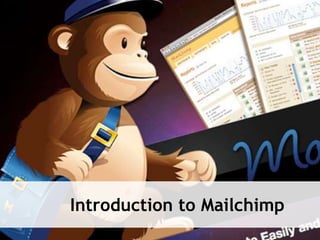
Introduction to Mailchimp
What is Mailchimp?
Quote:
MailChimp helps you design email newsletters, share
them on social networks, and track your results. It's
like your own personal publishing platform.
What I Say:
MailChimp is an email sending and marketing
platform,
That has an easy to use web interface,
AND SPAM Control services help you stay white-
listed.
Main Features
 Social Network Integration
 Templates
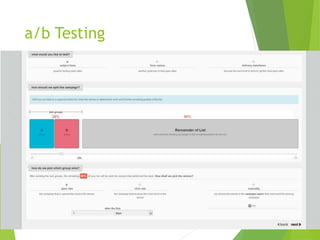
 A/B Split Testing
 Google Analytics
 Inbox Inspector
 Auto Responders
 Groups / Segments
 Automated Blast, Drip, and Nurture Campaigns
 Blast Campaign
 Newsletter
 Upcoming specials/sales/events
 Drip Campaign
 One email occasionally with a specific purpose
 Nurture Campaign
 Develop a relationship or trust with recipients
 Education
 How to best use your services
 How to use one of your products
 Squeeze Pages
POTENTIAL USES
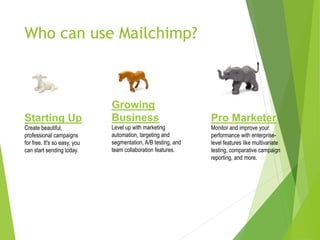
Who can use Mailchimp?
Starting Up
Create beautiful,
professional campaigns
for free. It's so easy, you
can start sending today.
Growing
Business
Level up with marketing
automation, targeting and
segmentation, A/B testing, and
team collaboration features.
Pro Marketer
Monitor and improve your
performance with enterprise-
level features like multivariate
testing, comparative campaign
reporting, and more.
Pricing Options
 Free Forever
 0-2000 Subscribers / 12,000 Month
 Unlimited sending plans
 500 subscribers / $10
 … more
 Up to 25,000 / $150
 Pay as you go ($.0x per email)
 High Volume Plans (up to $12k a month, 3.1 million sub)
Opt-in/Opt-out
 Double Opt-in List
 This is what prevents your emails from being
marked as SPAM.
 Keeps you in compliance with the CAN SPAM Laws
https://www.fcc.gov/encyclopedia/can-spam
Lets send a message: 3 steps
 Create a template
 These can be re-used, copied, modified
later
 Create a campaign
 Basically create your message
 Inserted into template
 Send or Schedule
 Send immediately
 Schedule a specific time
a/b Testing
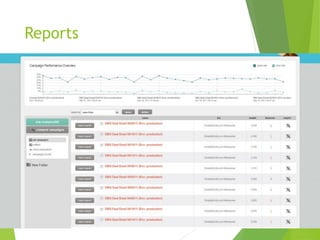
Reports
Resources
Mailchimp is a very popular tool so there are
tons of resources available.
 http://www.mailchimp.com/resources
 Videos
 PDFs
 Tutorials
 http://www.youtube.com/mailchimp
 Step-by-step instructions
 http://www.slideshare.com/mailchimp
As always, feel free to reach out
to us if you have any questions or
would like any assistance with
Mailchimp or
any other technology.
540.303.2410

Mailchimp Introduction

  • 1.
  • 2.
    What is Mailchimp? Quote: MailChimphelps you design email newsletters, share them on social networks, and track your results. It's like your own personal publishing platform. What I Say: MailChimp is an email sending and marketing platform, That has an easy to use web interface, AND SPAM Control services help you stay white- listed.
  • 3.
    Main Features  SocialNetwork Integration  Templates  A/B Split Testing  Google Analytics  Inbox Inspector  Auto Responders  Groups / Segments  Automated Blast, Drip, and Nurture Campaigns
  • 4.
     Blast Campaign Newsletter  Upcoming specials/sales/events  Drip Campaign  One email occasionally with a specific purpose  Nurture Campaign  Develop a relationship or trust with recipients  Education  How to best use your services  How to use one of your products  Squeeze Pages POTENTIAL USES
  • 5.
    Who can useMailchimp? Starting Up Create beautiful, professional campaigns for free. It's so easy, you can start sending today. Growing Business Level up with marketing automation, targeting and segmentation, A/B testing, and team collaboration features. Pro Marketer Monitor and improve your performance with enterprise- level features like multivariate testing, comparative campaign reporting, and more.
  • 6.
    Pricing Options  FreeForever  0-2000 Subscribers / 12,000 Month  Unlimited sending plans  500 subscribers / $10  … more  Up to 25,000 / $150  Pay as you go ($.0x per email)  High Volume Plans (up to $12k a month, 3.1 million sub)
  • 7.
    Opt-in/Opt-out  Double Opt-inList  This is what prevents your emails from being marked as SPAM.  Keeps you in compliance with the CAN SPAM Laws https://www.fcc.gov/encyclopedia/can-spam
  • 8.
    Lets send amessage: 3 steps  Create a template  These can be re-used, copied, modified later  Create a campaign  Basically create your message  Inserted into template  Send or Schedule  Send immediately  Schedule a specific time
  • 9.
  • 10.
  • 11.
    Resources Mailchimp is avery popular tool so there are tons of resources available.  http://www.mailchimp.com/resources  Videos  PDFs  Tutorials  http://www.youtube.com/mailchimp  Step-by-step instructions  http://www.slideshare.com/mailchimp
  • 12.
    As always, feelfree to reach out to us if you have any questions or would like any assistance with Mailchimp or any other technology. 540.303.2410