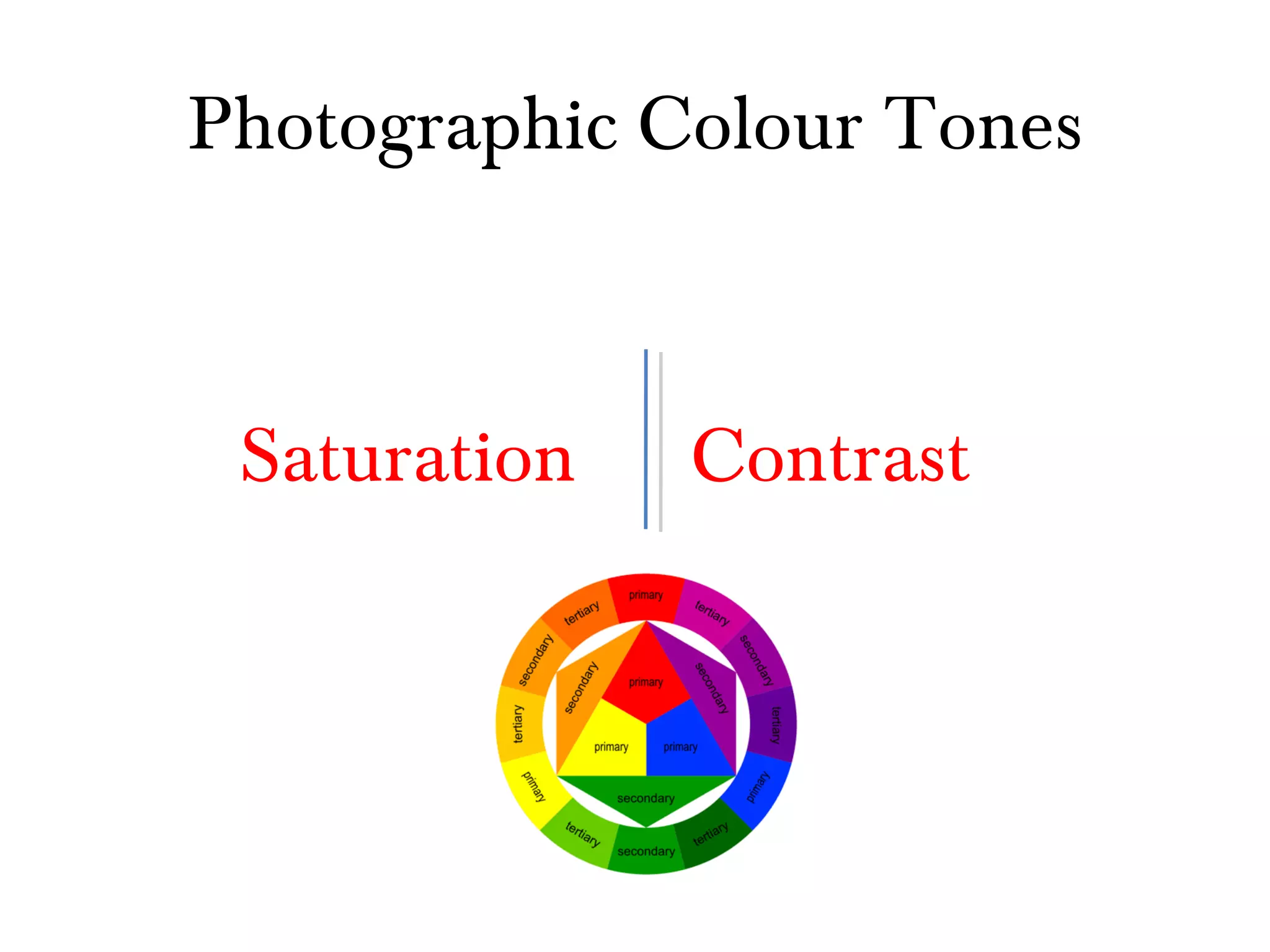
Photographic Colour Tones Saturation Contrast
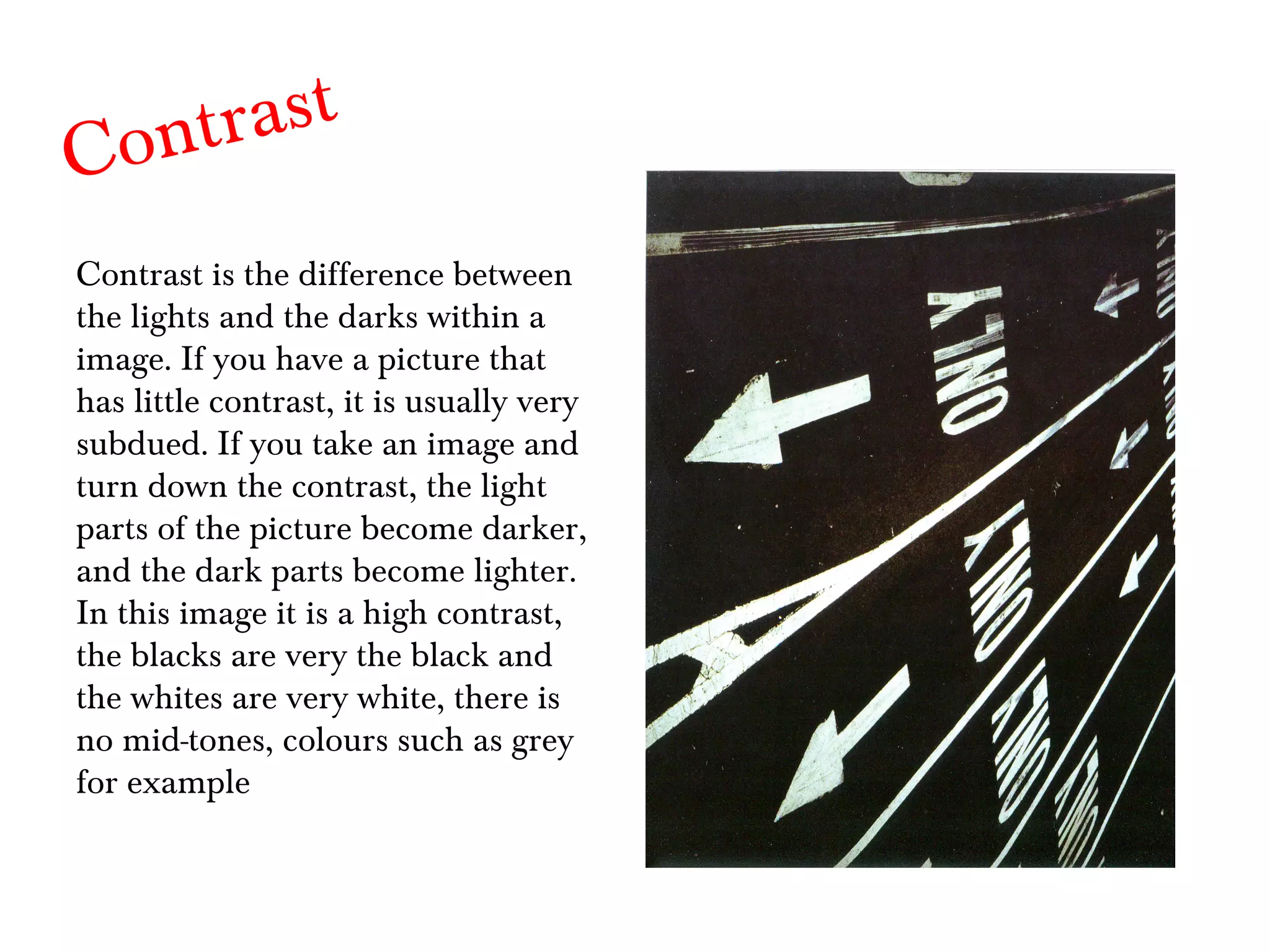
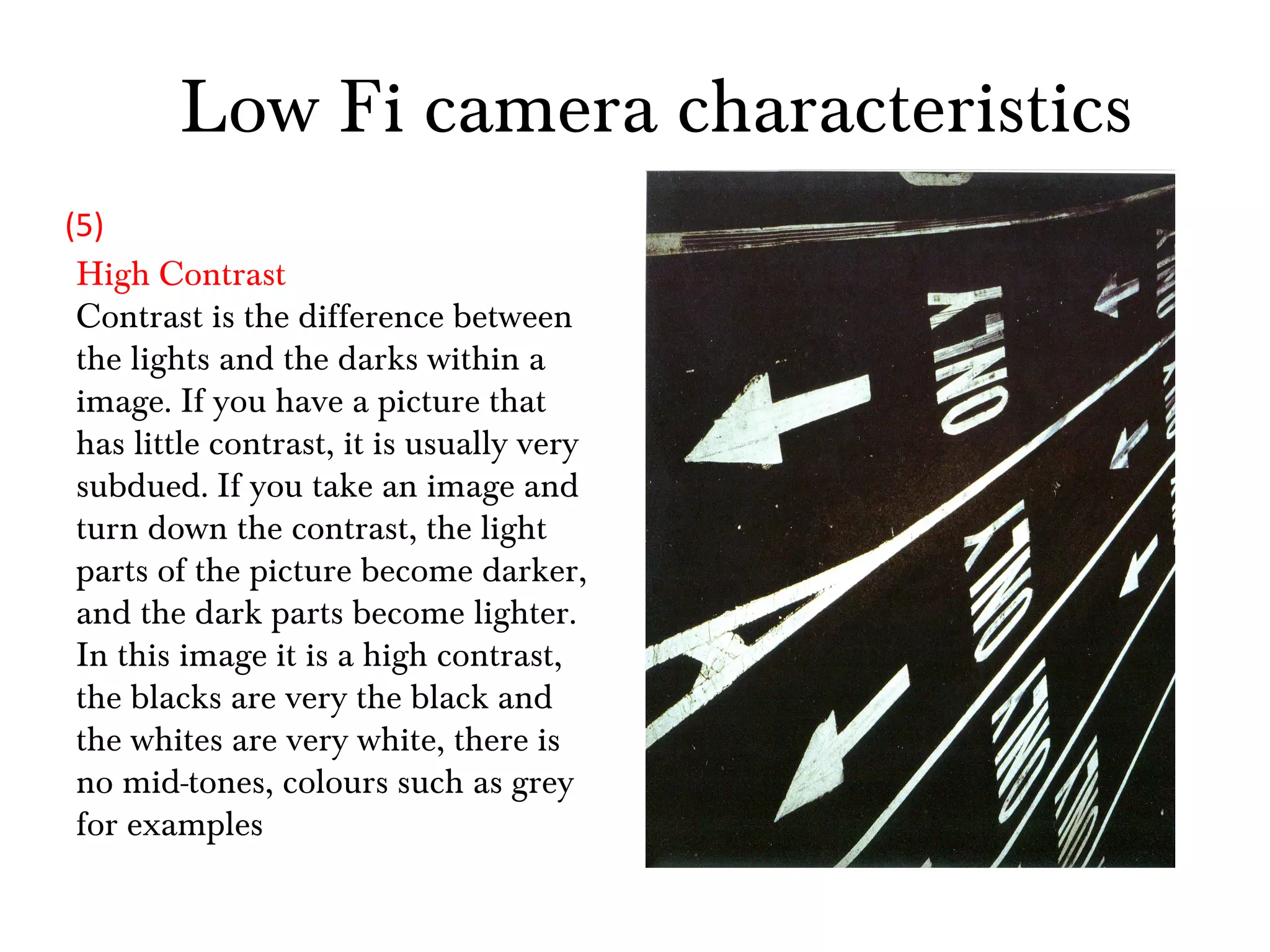
Contrast Contrast is the difference between the lights and the darks within a image. If you have a picture that has little contrast, it is usually very subdued. If you take an image and turn down the contrast, the light parts of the picture become darker, and the dark parts become lighter. In this image it is a high contrast, the blacks are very the black and the whites are very white, there is no mid-tones, colours such as grey for example
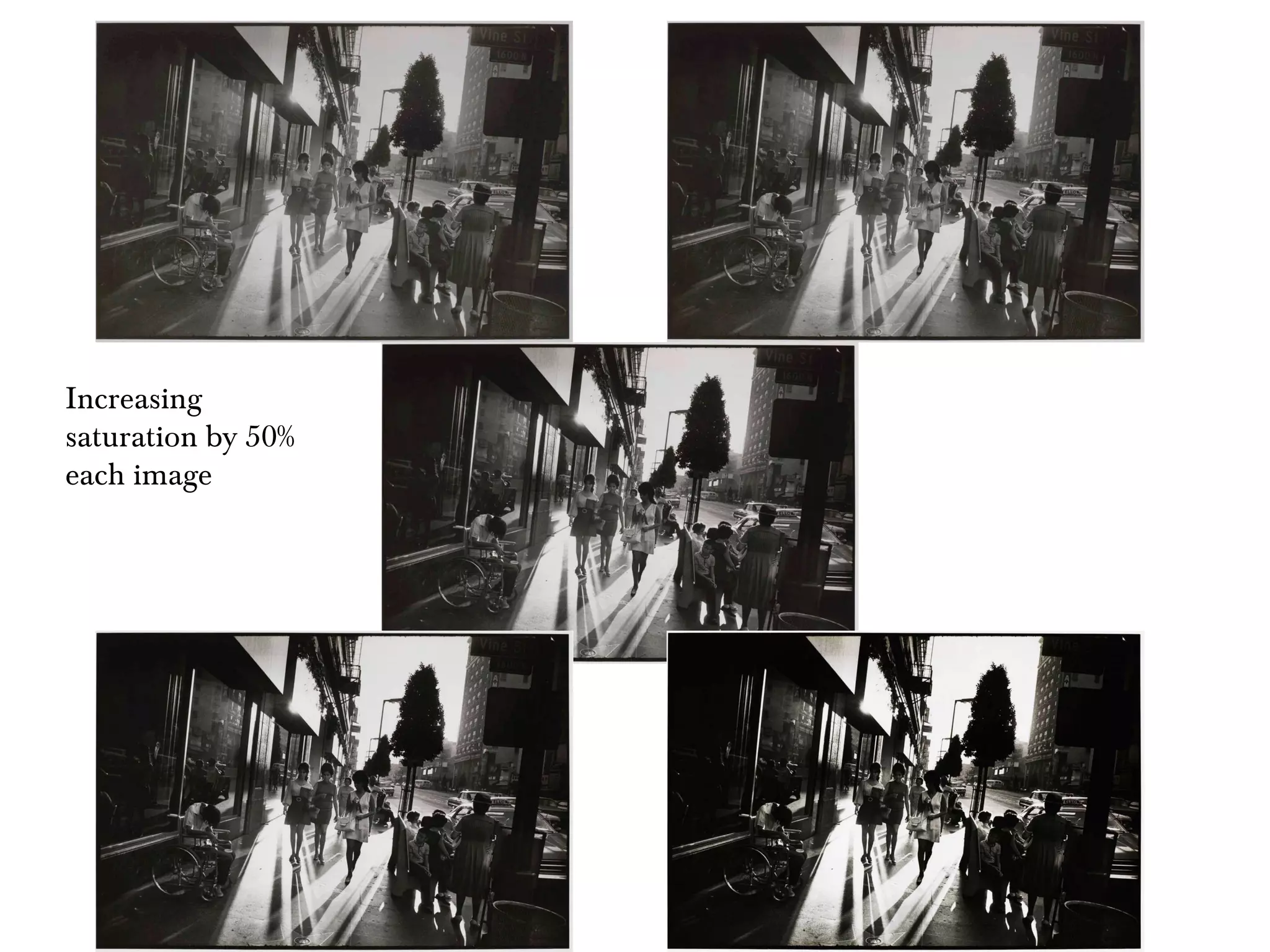
Increasing saturation by 50% each image
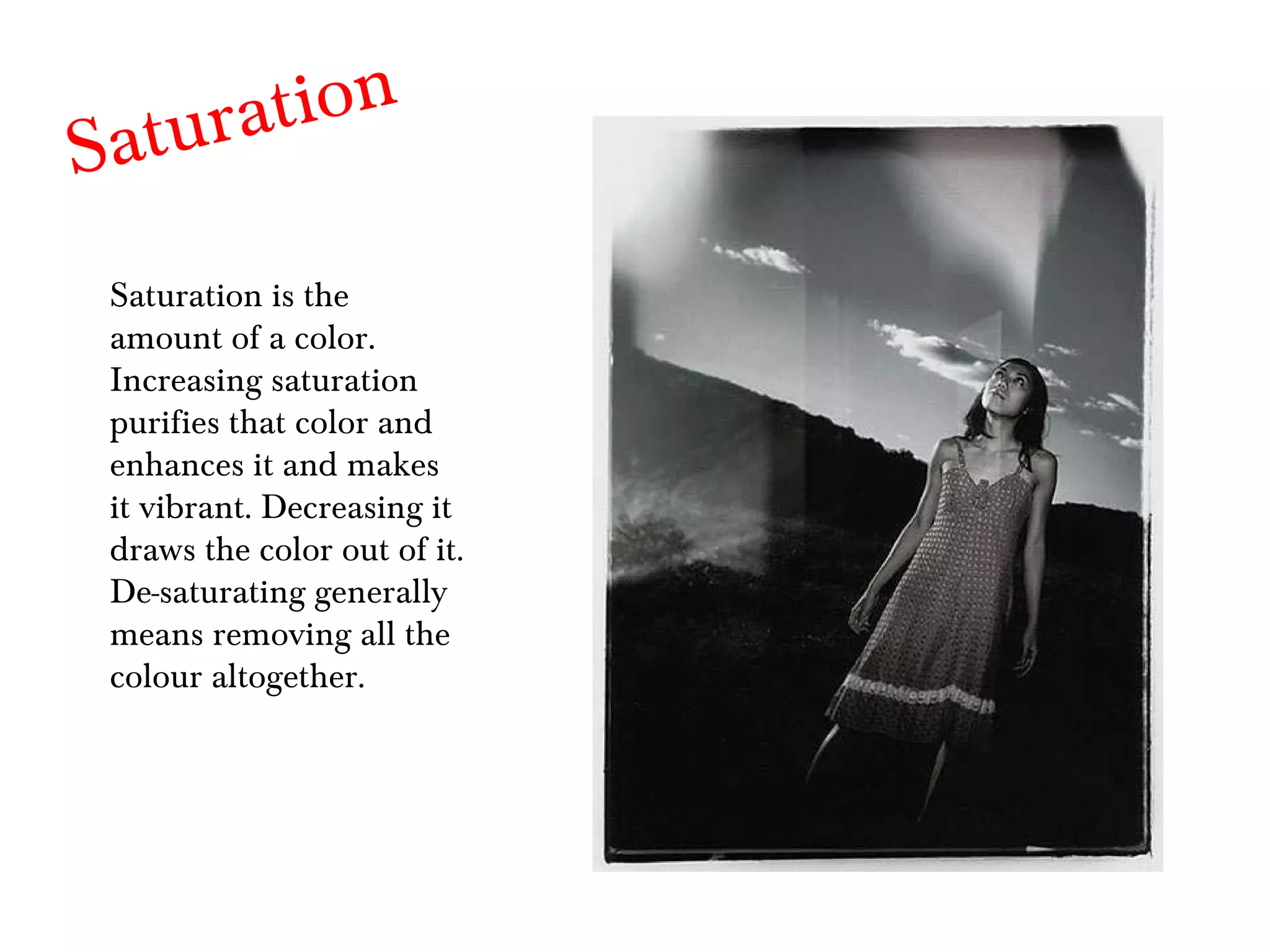
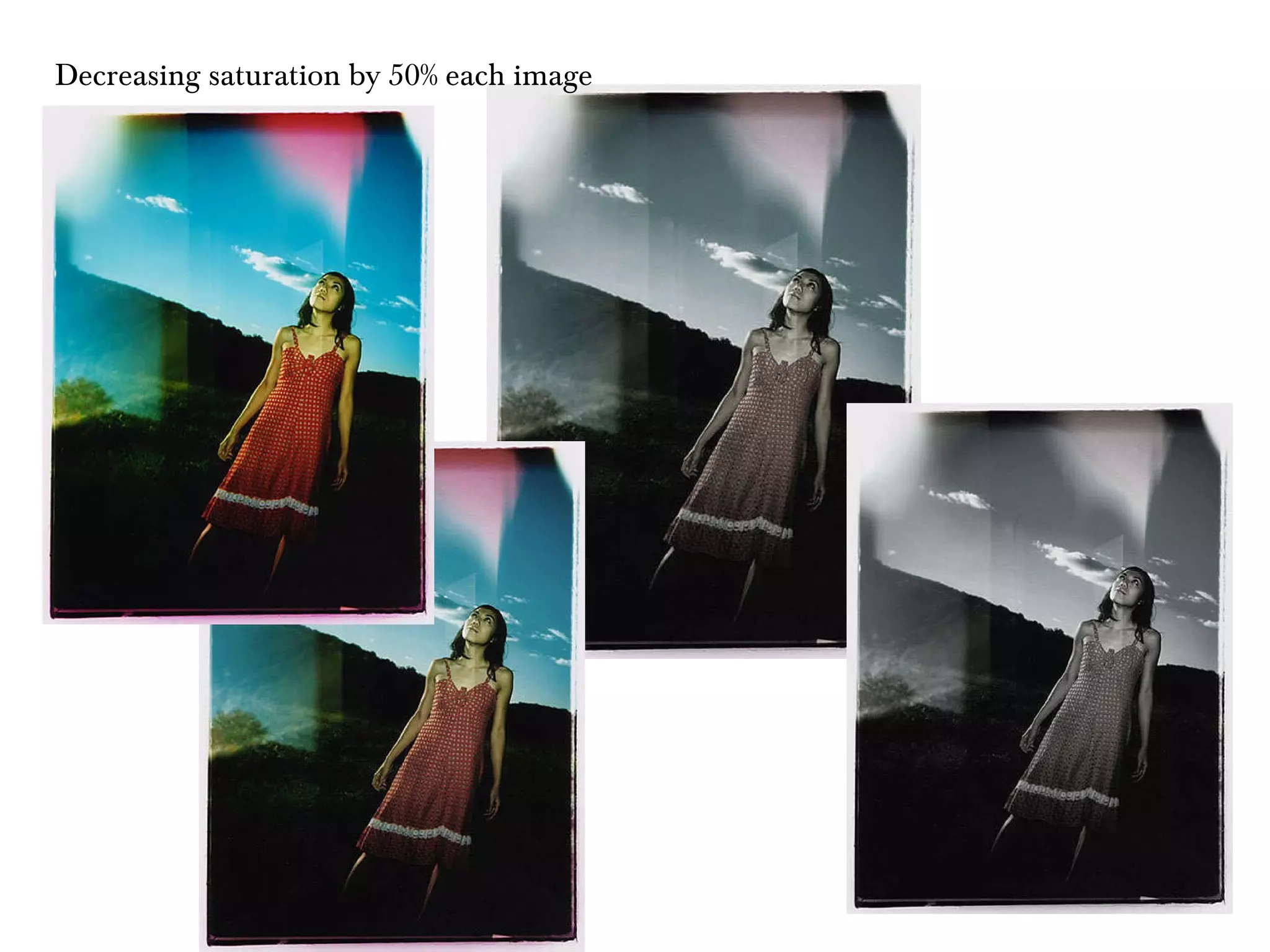
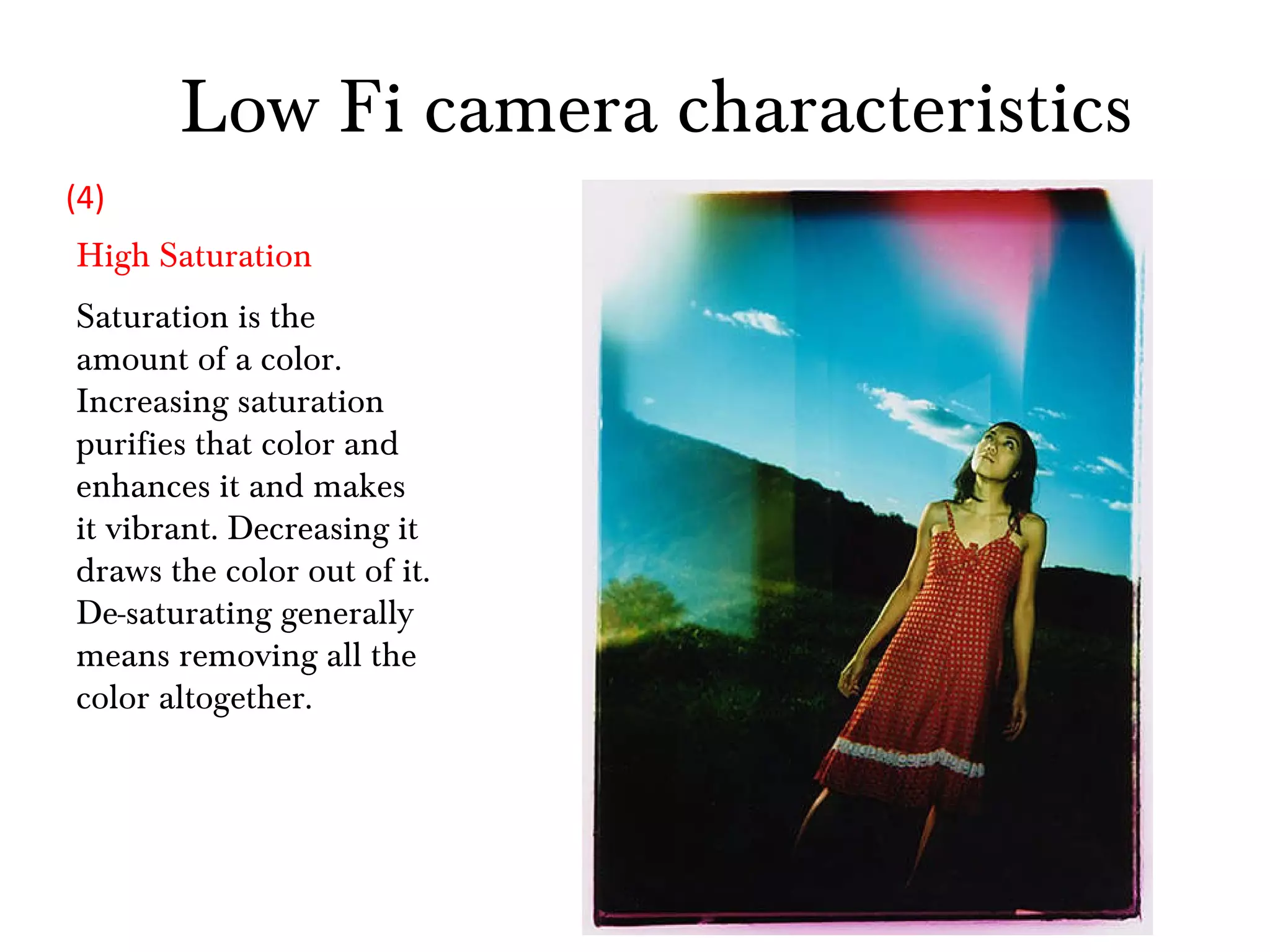
Saturation Saturation is the amount of a color. Increasing saturation purifies that color and enhances it and makes it vibrant. Decreasing it draws the color out of it. De-saturating generally means removing all the colour altogether.
Decreasing saturation by 50% each image
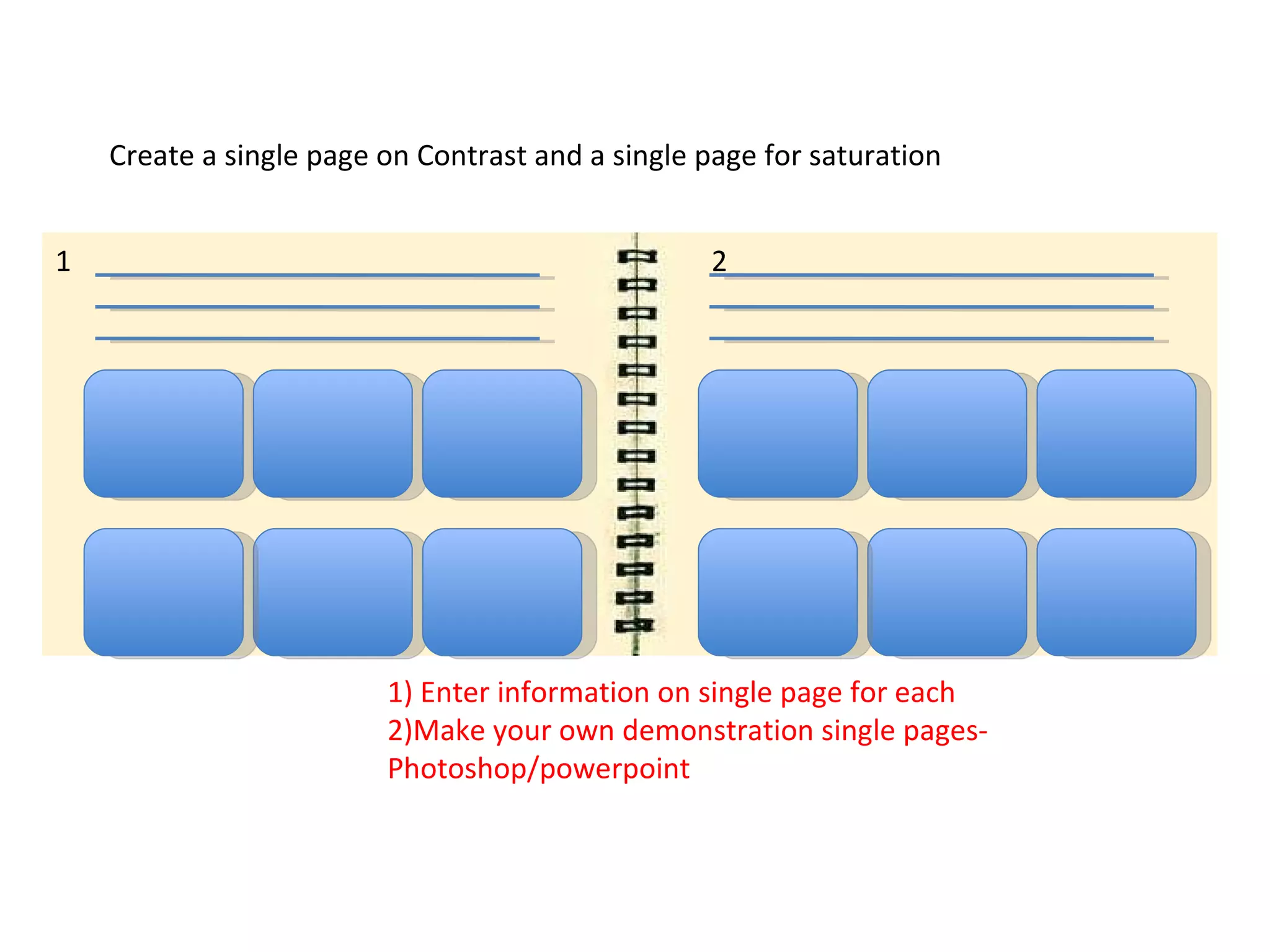
Create a single page on Contrast and a single page for saturation 1) Enter information on single page for each 2)Make your own demonstration single pages-Photoshop/powerpoint 1 2
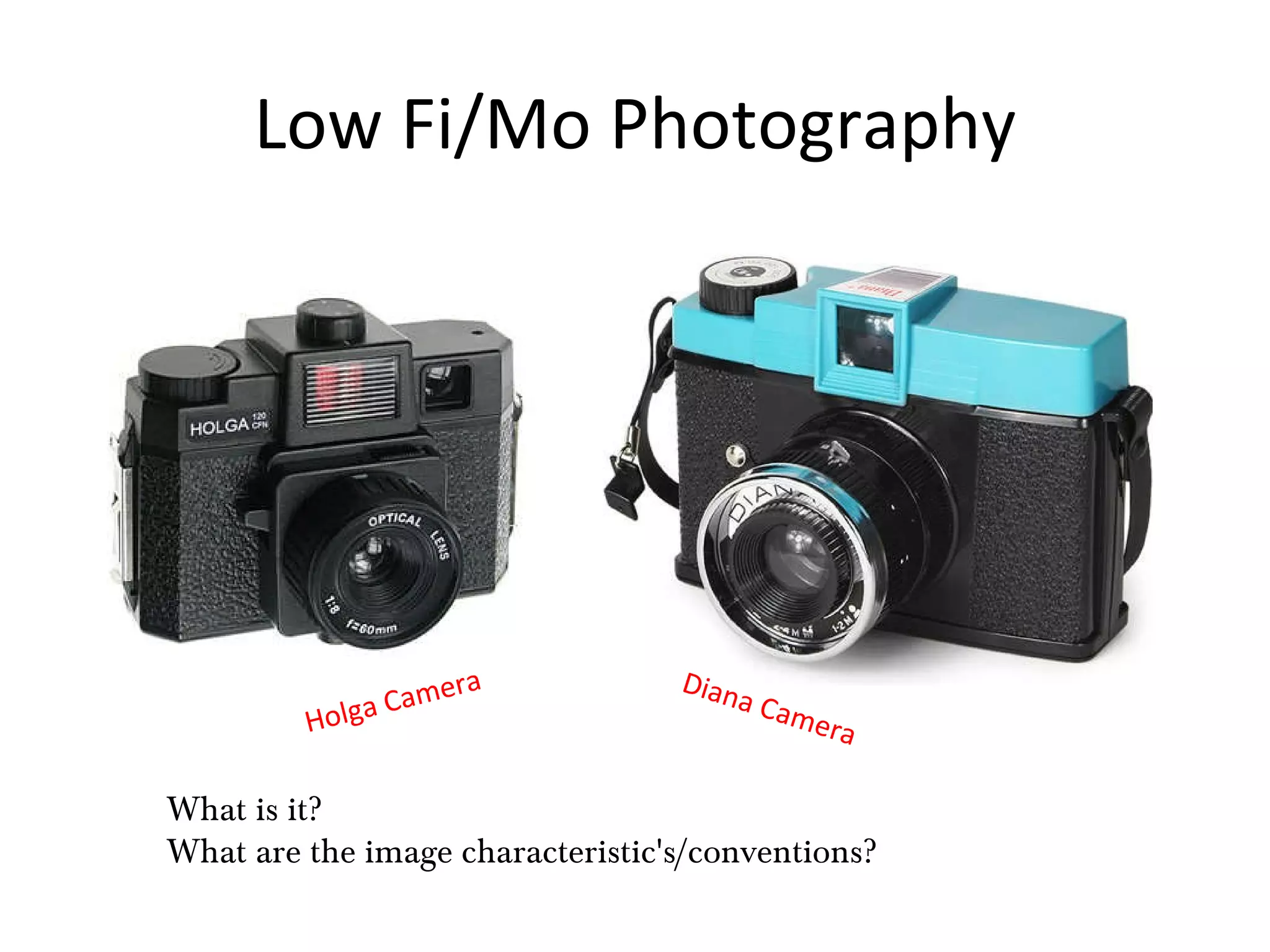
Low Fi/Mo Photography Holga Camera What is it? What are the image characteristic's/conventions? Diana Camera
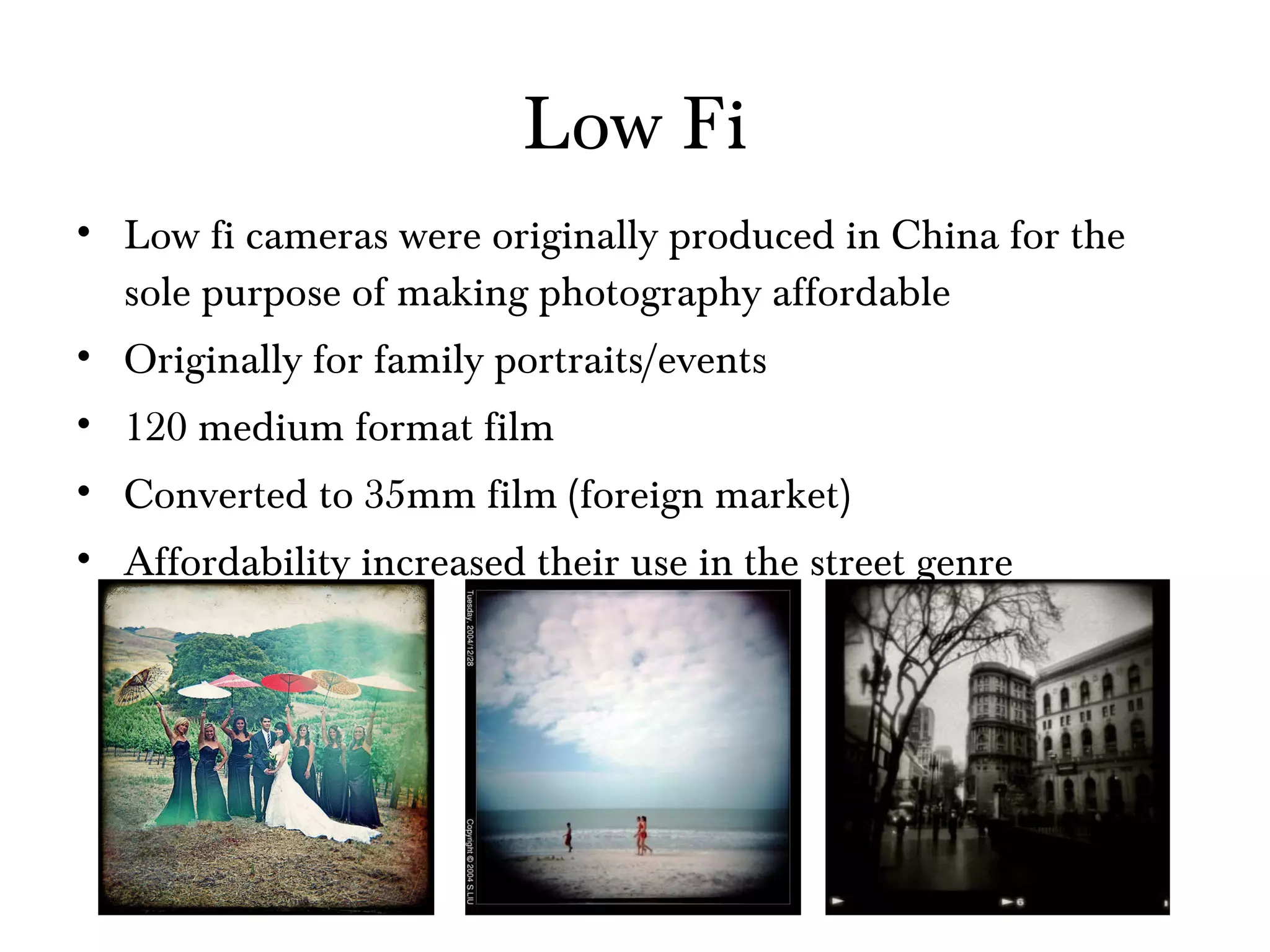
Low Fi Low fi cameras were originally produced in China for the sole purpose of making photography affordable Originally for family portraits/events 120 medium format film Converted to 35mm film (foreign market) Affordability increased their use in the street genre
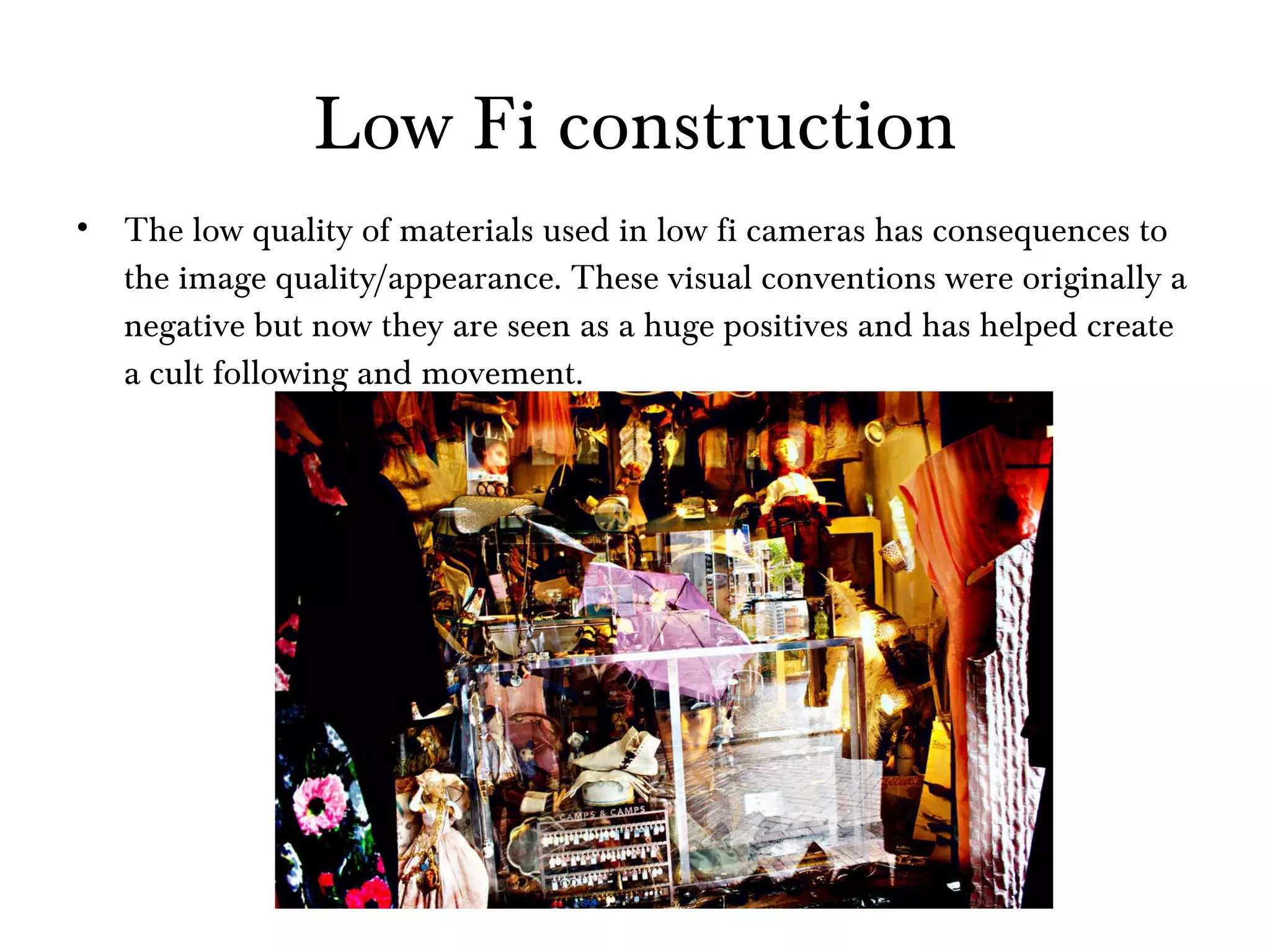
Low Fi construction The low quality of materials used in low fi cameras has consequences to the image quality/appearance. These visual conventions were originally a negative but now they are seen as a huge positives and has helped create a cult following and movement.
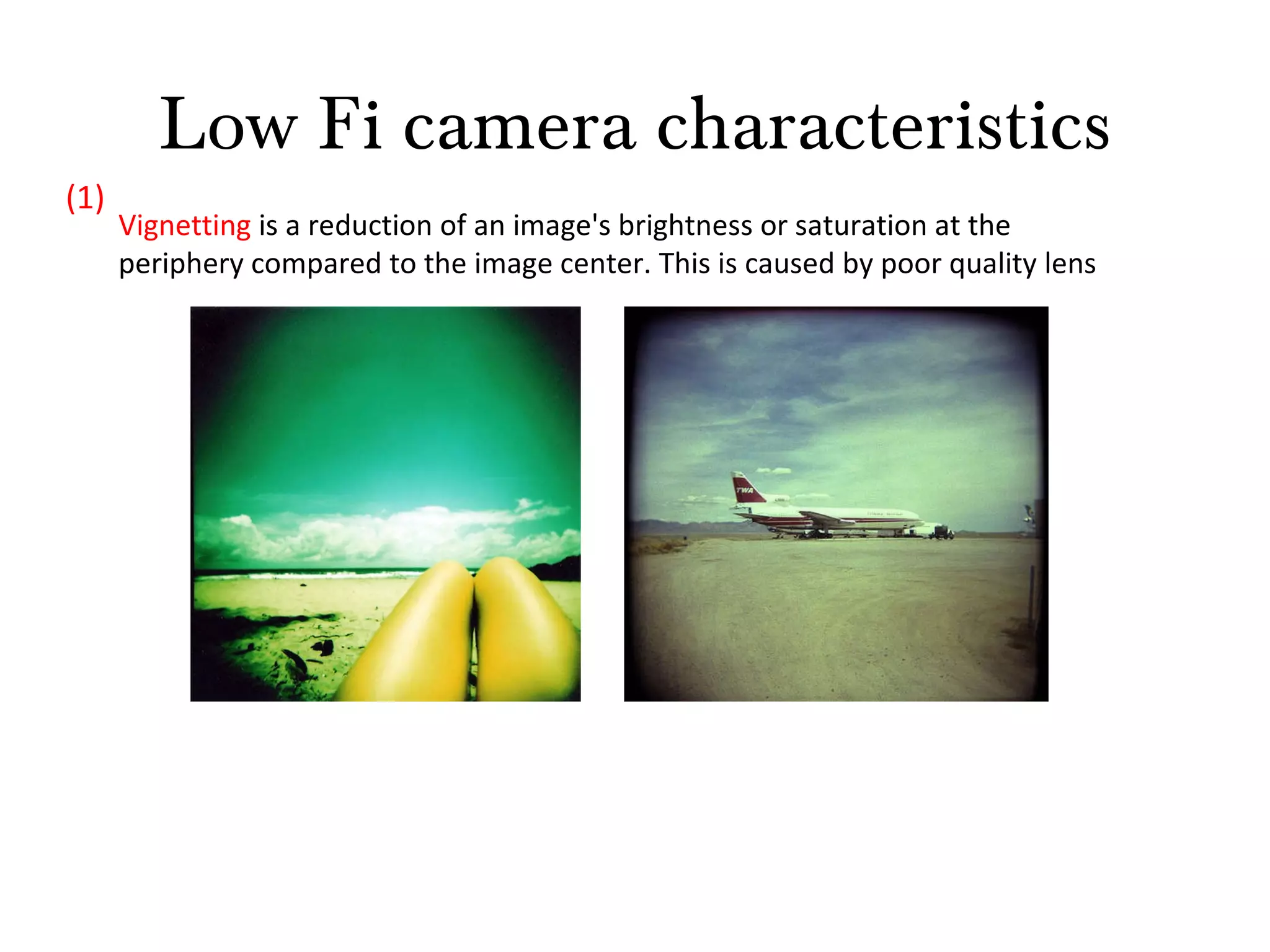
Low Fi camera characteristics Vignetting  is a reduction of an image's brightness or saturation at the periphery compared to the image center. This is caused by poor quality lens (1)
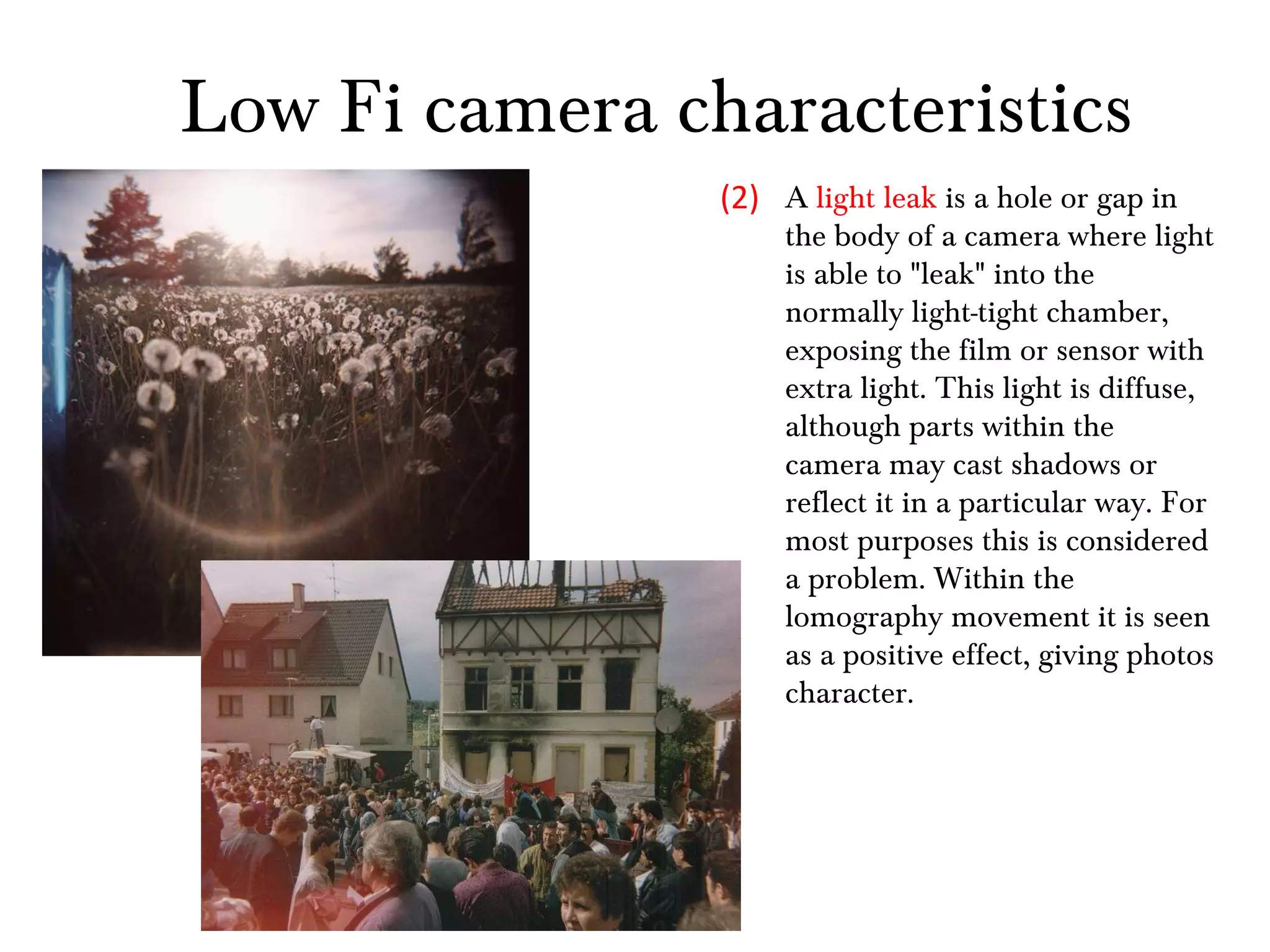
A  light leak  is a hole or gap in the body of a camera where light is able to "leak" into the normally light-tight chamber, exposing the film or sensor with extra light. This light is diffuse, although parts within the camera may cast shadows or reflect it in a particular way. For most purposes this is considered a problem. Within the lomography movement it is seen as a positive effect, giving photos character. (2) Low Fi camera characteristics
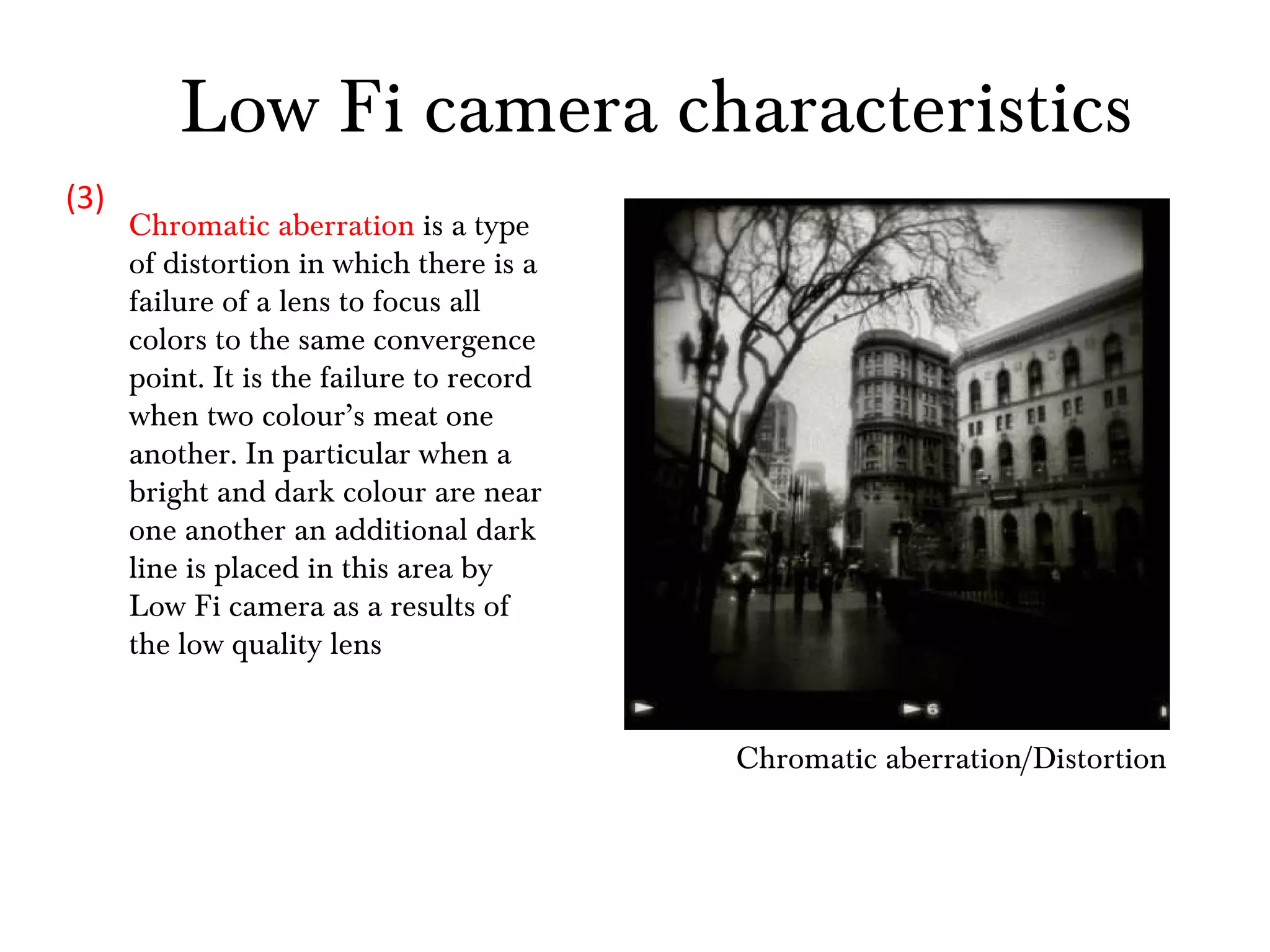
Chromatic aberration/Distortion Chromatic aberration  is a type of distortion in which there is a failure of a lens to focus all colors to the same convergence point. It is the failure to record when two colour’s meat one another. In particular when a bright and dark colour are near one another an additional dark line is placed in this area by Low Fi camera as a results of the low quality lens  (3) Low Fi camera characteristics
High Saturation (4) Saturation is the amount of a color. Increasing saturation purifies that color and enhances it and makes it vibrant. Decreasing it draws the color out of it. De-saturating generally means removing all the color altogether. Low Fi camera characteristics
Low Fi camera characteristics High Contrast Contrast is the difference between the lights and the darks within a image. If you have a picture that has little contrast, it is usually very subdued. If you take an image and turn down the contrast, the light parts of the picture become darker, and the dark parts become lighter. In this image it is a high contrast, the blacks are very the black and the whites are very white, there is no mid-tones, colours such as grey for examples (5)
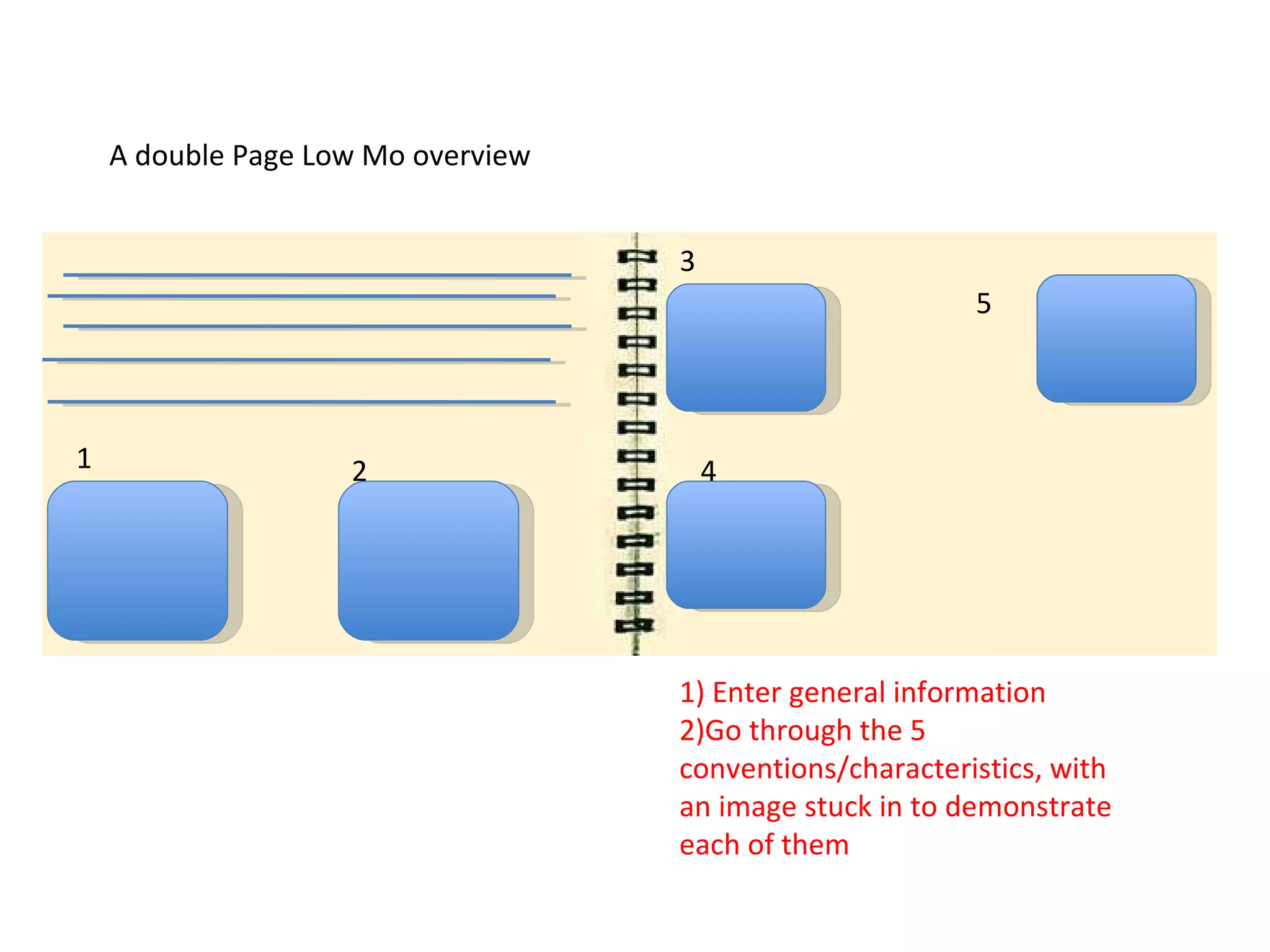
A double Page Low Mo overview 1) Enter general information 2)Go through the 5 conventions/characteristics, with an image stuck in to demonstrate each of them 1 2 3 4 5
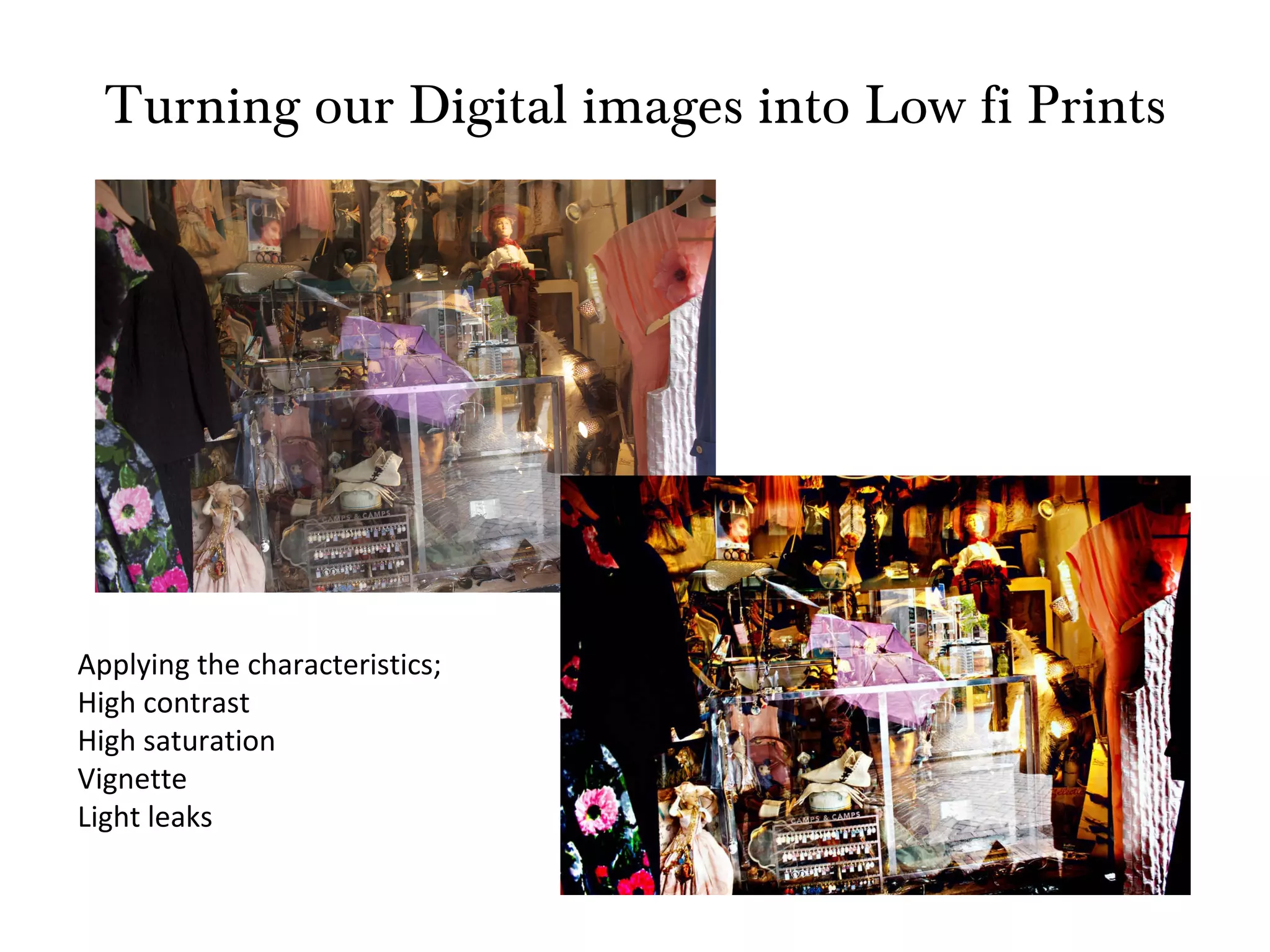
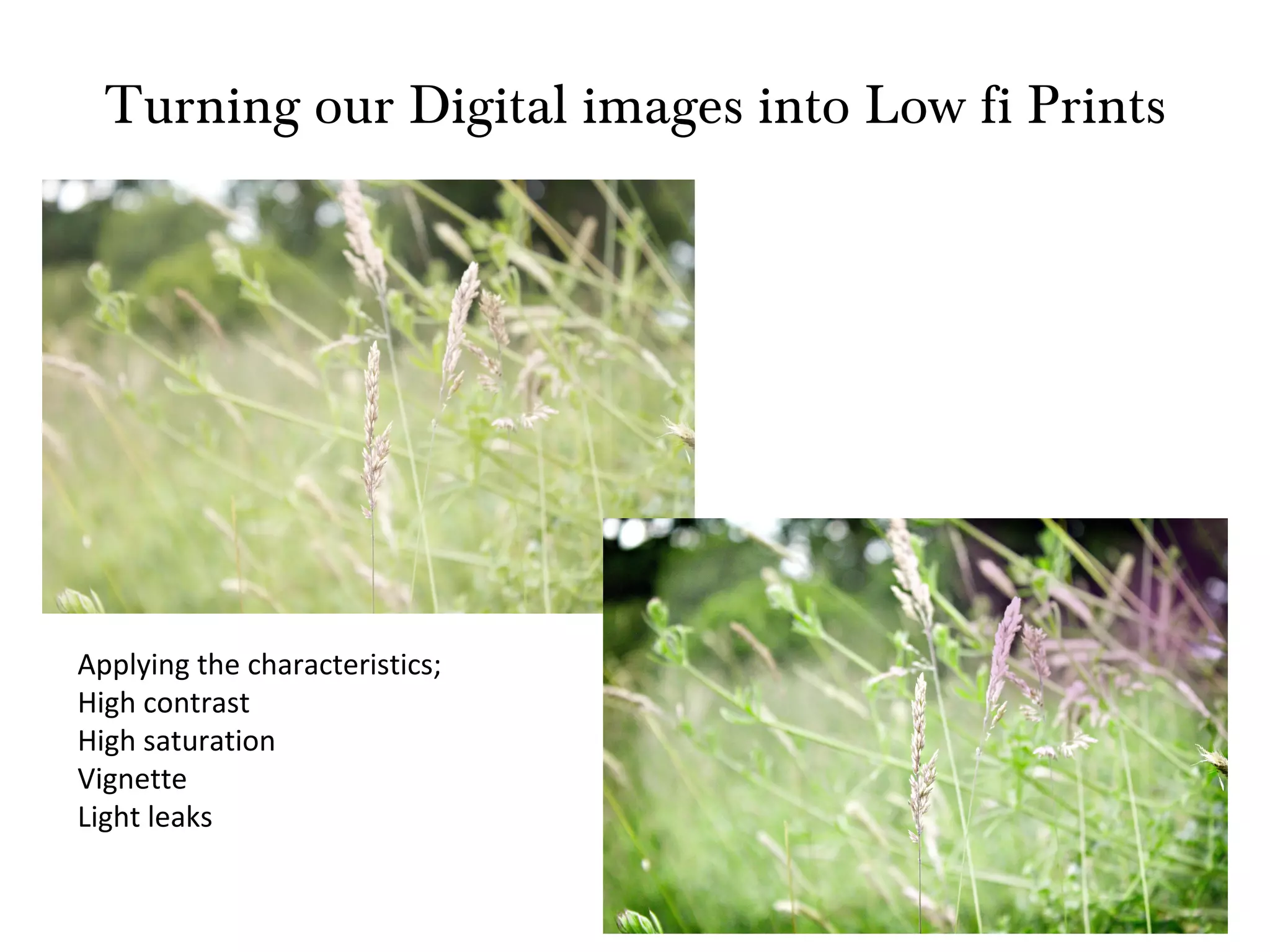
Turning our Digital images into Low fi Prints Applying the characteristics; High contrast High saturation Vignette Light leaks
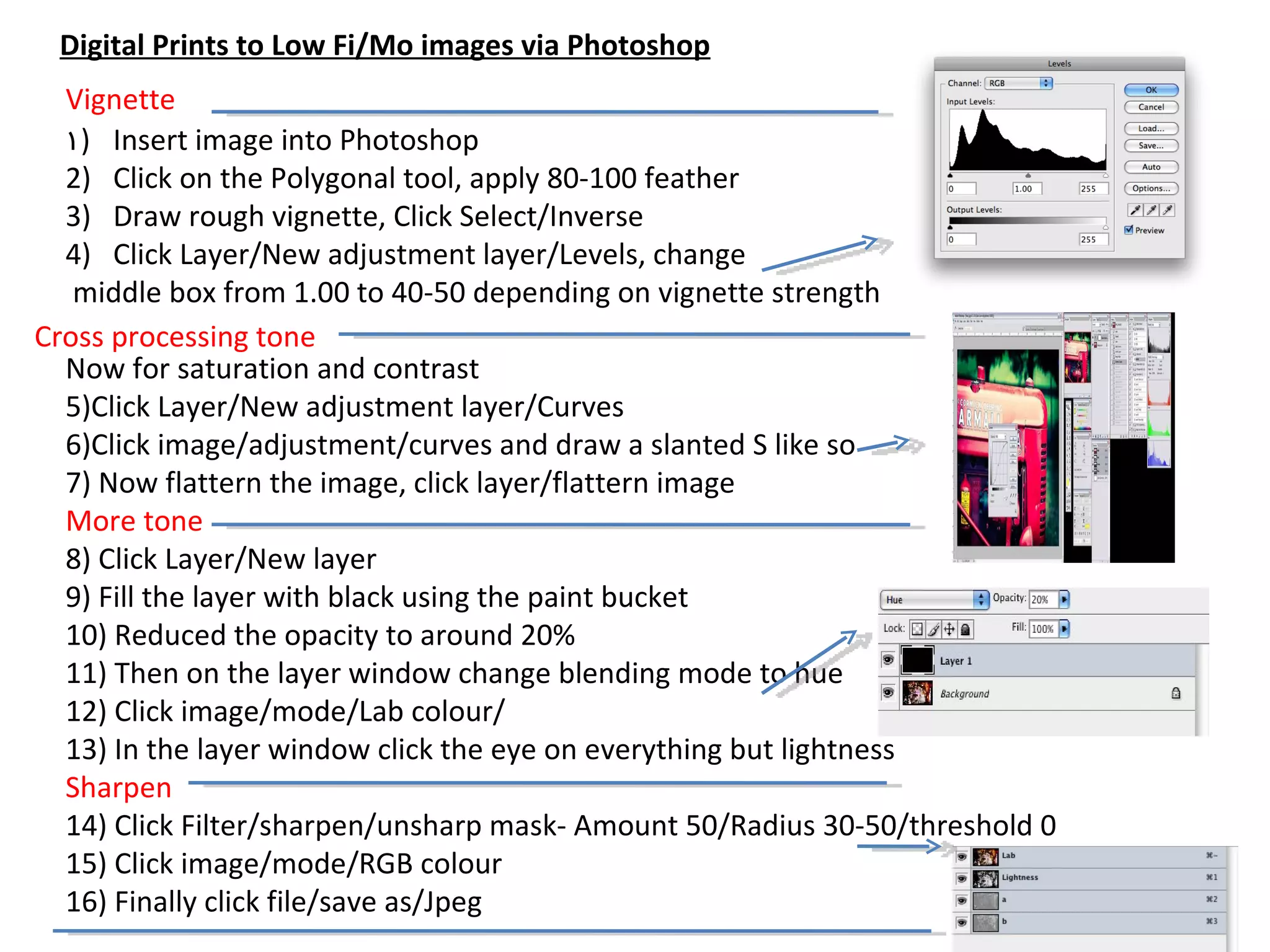
Insert image into Photoshop Click on the Polygonal tool, apply 80-100 feather Draw rough vignette, Click Select/Inverse Click Layer/New adjustment layer/Levels, change middle box from 1.00 to 40-50 depending on vignette strength Now for saturation and contrast 5)Click Layer/New adjustment layer/Curves  6)Click image/adjustment/curves and draw a slanted S like so 7) Now flattern the image, click layer/flattern image More tone 8) Click Layer/New layer 9) Fill the layer with black using the paint bucket 10) Reduced the opacity to around 20% 11) Then on the layer window change blending mode to hue 12) Click image/mode/Lab colour/ 13) In the layer window click the eye on everything but lightness Sharpen 14) Click Filter/sharpen/unsharp mask- Amount 50/Radius 30-50/threshold 0 15) Click image/mode/RGB colour 16) Finally click file/save as/Jpeg  Vignette Cross processing tone Digital Prints to Low Fi/Mo images via Photoshop

Low fi

  • 1.
    Photographic Colour TonesSaturation Contrast
  • 2.
    Contrast Contrast isthe difference between the lights and the darks within a image. If you have a picture that has little contrast, it is usually very subdued. If you take an image and turn down the contrast, the light parts of the picture become darker, and the dark parts become lighter. In this image it is a high contrast, the blacks are very the black and the whites are very white, there is no mid-tones, colours such as grey for example
  • 3.
  • 4.
    Saturation Saturation isthe amount of a color. Increasing saturation purifies that color and enhances it and makes it vibrant. Decreasing it draws the color out of it. De-saturating generally means removing all the colour altogether.
  • 5.
  • 6.
    Create a singlepage on Contrast and a single page for saturation 1) Enter information on single page for each 2)Make your own demonstration single pages-Photoshop/powerpoint 1 2
  • 7.
    Low Fi/Mo PhotographyHolga Camera What is it? What are the image characteristic's/conventions? Diana Camera
  • 8.
    Low Fi Lowfi cameras were originally produced in China for the sole purpose of making photography affordable Originally for family portraits/events 120 medium format film Converted to 35mm film (foreign market) Affordability increased their use in the street genre
  • 9.
    Low Fi constructionThe low quality of materials used in low fi cameras has consequences to the image quality/appearance. These visual conventions were originally a negative but now they are seen as a huge positives and has helped create a cult following and movement.
  • 10.
    Low Fi cameracharacteristics Vignetting is a reduction of an image's brightness or saturation at the periphery compared to the image center. This is caused by poor quality lens (1)
  • 11.
    A lightleak is a hole or gap in the body of a camera where light is able to "leak" into the normally light-tight chamber, exposing the film or sensor with extra light. This light is diffuse, although parts within the camera may cast shadows or reflect it in a particular way. For most purposes this is considered a problem. Within the lomography movement it is seen as a positive effect, giving photos character. (2) Low Fi camera characteristics
  • 12.
    Chromatic aberration/Distortion Chromaticaberration is a type of distortion in which there is a failure of a lens to focus all colors to the same convergence point. It is the failure to record when two colour’s meat one another. In particular when a bright and dark colour are near one another an additional dark line is placed in this area by Low Fi camera as a results of the low quality lens (3) Low Fi camera characteristics
  • 13.
    High Saturation (4)Saturation is the amount of a color. Increasing saturation purifies that color and enhances it and makes it vibrant. Decreasing it draws the color out of it. De-saturating generally means removing all the color altogether. Low Fi camera characteristics
  • 14.
    Low Fi cameracharacteristics High Contrast Contrast is the difference between the lights and the darks within a image. If you have a picture that has little contrast, it is usually very subdued. If you take an image and turn down the contrast, the light parts of the picture become darker, and the dark parts become lighter. In this image it is a high contrast, the blacks are very the black and the whites are very white, there is no mid-tones, colours such as grey for examples (5)
  • 15.
    A double PageLow Mo overview 1) Enter general information 2)Go through the 5 conventions/characteristics, with an image stuck in to demonstrate each of them 1 2 3 4 5
  • 16.
    Turning our Digitalimages into Low fi Prints Applying the characteristics; High contrast High saturation Vignette Light leaks
  • 17.
    Turning our Digitalimages into Low fi Prints Applying the characteristics; High contrast High saturation Vignette Light leaks
  • 18.
    Insert image intoPhotoshop Click on the Polygonal tool, apply 80-100 feather Draw rough vignette, Click Select/Inverse Click Layer/New adjustment layer/Levels, change middle box from 1.00 to 40-50 depending on vignette strength Now for saturation and contrast 5)Click Layer/New adjustment layer/Curves 6)Click image/adjustment/curves and draw a slanted S like so 7) Now flattern the image, click layer/flattern image More tone 8) Click Layer/New layer 9) Fill the layer with black using the paint bucket 10) Reduced the opacity to around 20% 11) Then on the layer window change blending mode to hue 12) Click image/mode/Lab colour/ 13) In the layer window click the eye on everything but lightness Sharpen 14) Click Filter/sharpen/unsharp mask- Amount 50/Radius 30-50/threshold 0 15) Click image/mode/RGB colour 16) Finally click file/save as/Jpeg Vignette Cross processing tone Digital Prints to Low Fi/Mo images via Photoshop