Govt. Engg . College JhalawarSummerTrainingPresentation
Name			Kuldeep GautamBranch			Computer Science and EngineeringCollege Id.		2007UCS029Roll No.		07EEJCS028Training CompanyGrras	Linux  Training   and  Development  Center Jaipur
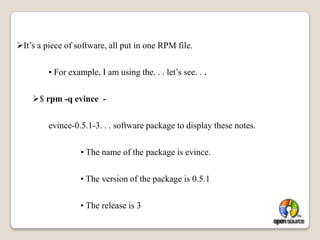
Software InstallationIn Linux Software is install two types:First:rpm Command:		Rat hat Packet ManagerWhat is an RPM Package?It’s a piece of software, all put in one RPM file.	• For example, I am using the. . . let’s see. . .$ rpm -q evince  -evince-0.5.1-3. . . software package to display these notes.		• The name of the package is evince.		• The version of the package is 0.5.1		• The release is 3
Advantages of RPM packages:You can install a new package easily with one operation
You can uninstall a package just as easily
the package can contain information about what else it needs to  work 	properly
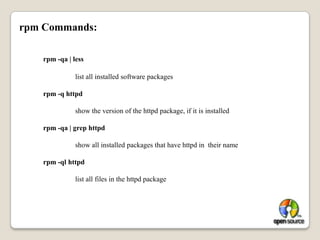
The RPM system includes a database with lots of  Information about 	how the files  should be installed, their size, owner, type,. . .rpm Commands: rpm -qa | less 		list all installed software packagesrpm -q httpd 		show the version of the httpd package, if it is installedrpm -qa | grep httpd 		show all installed packages that have httpd in  their namerpm -ql httpd 		list all files in the httpd package
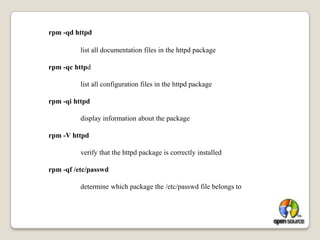
rpm -qd httpd 		list all documentation files in the httpd packagerpm -qc httpd 		list all configuration files in the httpd packagerpm -qi httpd 		display information about the packagerpm -V httpd 		verify that the httpd package is correctly installedrpm -qf /etc/passwd 		determine which package the /etc/passwd file belongs to
rpm’s problem:rpm tool requires dependency resolutionprogram x depends on library y
library y must be in place
if library y isn’t there, you must obtain an install it separately
finding library y can be hard
library y has its own dependenciesSecond:The Yellow dog Updater, Modified (YUM) is an open-source 	command – line package - management utility for RPM-compatible Linux operating  systems Released under the GNU General Public License It was 	developed by Seth Vidal and a group of volunteer 	programmers.Yum repositoriesA separate tool, createrepo, sets up yum repositories, 	generating 	the necessary XMLmetadata Yum Steps:Install createrepo by rpm command			rpm	-ivh	createrepo
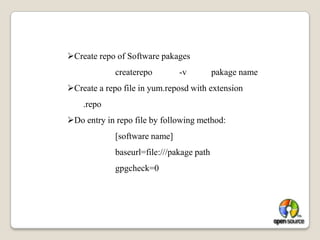
Create repo of Software pakages			createrepo	-v	pakage nameCreate a repo file in yum.reposd with extension 		.repo
Do entry in repo file by following method:			[software name]			baseurl=file:///pakage path			gpgcheck=0
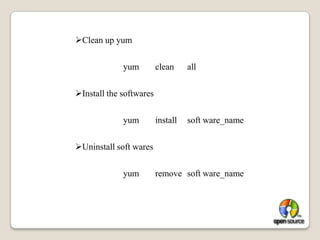
Clean up yum 			yum	clean	allInstall the softwares			yum	install	soft ware_nameUninstall soft wares			yum	remove	soft ware_name
D.N.S. ServerDomain Name System:DNS is a network service that enables clients to 	resolve names to IP address and vice-versa.
Allows machines to be logically grouped by domain 	names
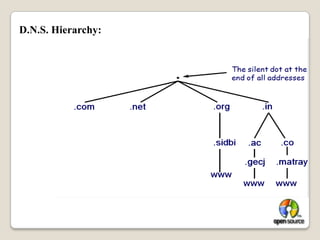
Provides email routing informationD.N.S. Hierarchy:
A DNS server maintains the name to IP address mapping of the domain 	for which it is the name server.
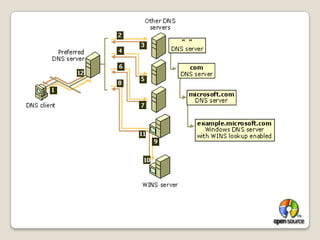
The DNS server for a domain is registered with the domain registrar 	and the entry is maintained by the Internet Root-Servers or 	Country Level Root-Servers.Whenever a server is queried, if doesn’t have the answer, the 	root servers are contacted.
The root servers refer to the DNS server for that domain 	(in case the domain is a top level domain) or the 	Country Root Server (in case the domain is country 	level domain).
Port No.:			53Soft wares :			bind				bind-utils				caching-nameserverConfiguration steps of D.N.S.:First:	Install the soft wares which is used in D.N.S.
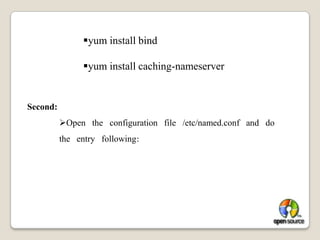
bind-utils is already installedyum install bind
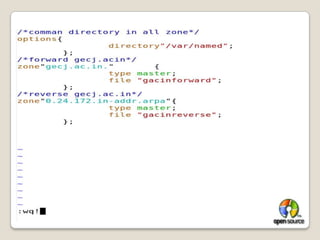
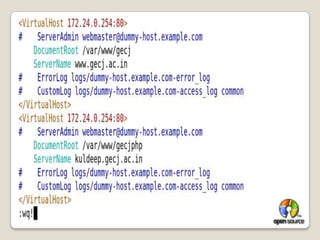
yum install caching-nameserverSecond:Open   the   configuration   file   /etc/named.conf   and   do     the   entry   following:
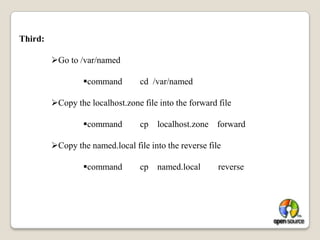
Third:Go to /var/named
command        cd  /var/named
Copy the localhost.zone file into the forward file
command        cp    localhost.zone    forward
Copy the named.local file into the reverse file
command        cp    named.local        reverseChange group of both forward and reverse file:
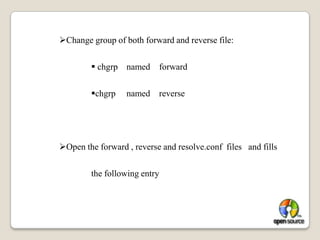
 chgrp    named    forward
chgrp     named    reverse
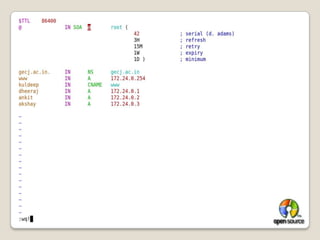
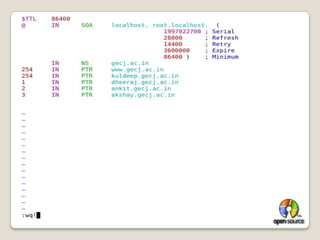
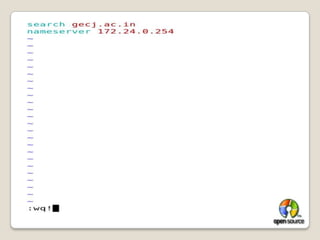
Open the forward , reverse and resolve.conf  files   and fills 	the following entry
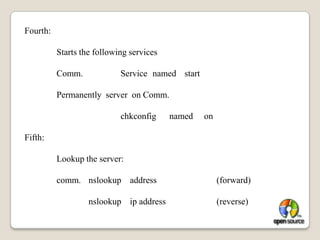
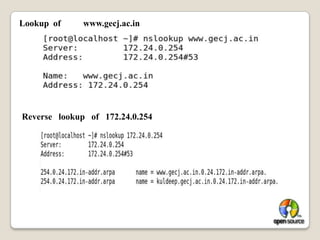
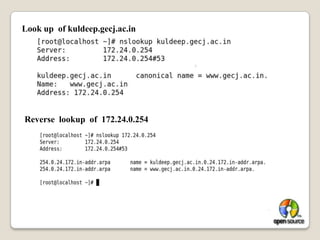
Fourth:	Starts the following services	Comm.		Service	named	start	Permanently  server  on Comm.				chkconfig      named     on Fifth:	Lookup the server:	comm.	nslookup    address		(forward)		nslookup    ip address		(reverse)
Lookup  of 	www.gecj.ac.inReverse   lookup   of   172.24.0.254
Look up  of kuldeep.gecj.ac.inReverse  lookup  of  172.24.0.254

Linux Presentation

  • 1.
    Govt. Engg .College JhalawarSummerTrainingPresentation
  • 2.
    Name Kuldeep GautamBranch Computer Scienceand EngineeringCollege Id. 2007UCS029Roll No. 07EEJCS028Training CompanyGrras Linux Training and Development Center Jaipur
  • 3.
    Software InstallationIn LinuxSoftware is install two types:First:rpm Command: Rat hat Packet ManagerWhat is an RPM Package?It’s a piece of software, all put in one RPM file. • For example, I am using the. . . let’s see. . .$ rpm -q evince -evince-0.5.1-3. . . software package to display these notes. • The name of the package is evince. • The version of the package is 0.5.1 • The release is 3
  • 4.
    Advantages of RPMpackages:You can install a new package easily with one operation
  • 5.
    You can uninstalla package just as easily
  • 6.
    the package cancontain information about what else it needs to work properly
  • 7.
    The RPM systemincludes a database with lots of Information about how the files should be installed, their size, owner, type,. . .rpm Commands: rpm -qa | less list all installed software packagesrpm -q httpd show the version of the httpd package, if it is installedrpm -qa | grep httpd show all installed packages that have httpd in their namerpm -ql httpd list all files in the httpd package
  • 8.
    rpm -qd httpd list all documentation files in the httpd packagerpm -qc httpd list all configuration files in the httpd packagerpm -qi httpd display information about the packagerpm -V httpd verify that the httpd package is correctly installedrpm -qf /etc/passwd determine which package the /etc/passwd file belongs to
  • 9.
    rpm’s problem:rpm toolrequires dependency resolutionprogram x depends on library y
  • 10.
    library y mustbe in place
  • 11.
    if library yisn’t there, you must obtain an install it separately
  • 12.
  • 13.
    library y hasits own dependenciesSecond:The Yellow dog Updater, Modified (YUM) is an open-source command – line package - management utility for RPM-compatible Linux operating systems Released under the GNU General Public License It was developed by Seth Vidal and a group of volunteer programmers.Yum repositoriesA separate tool, createrepo, sets up yum repositories, generating the necessary XMLmetadata Yum Steps:Install createrepo by rpm command rpm -ivh createrepo
  • 14.
    Create repo ofSoftware pakages createrepo -v pakage nameCreate a repo file in yum.reposd with extension .repo
  • 15.
    Do entry inrepo file by following method: [software name] baseurl=file:///pakage path gpgcheck=0
  • 16.
    Clean up yum yum clean allInstall the softwares yum install soft ware_nameUninstall soft wares yum remove soft ware_name
  • 17.
    D.N.S. ServerDomain NameSystem:DNS is a network service that enables clients to resolve names to IP address and vice-versa.
  • 18.
    Allows machines tobe logically grouped by domain names
  • 19.
    Provides email routinginformationD.N.S. Hierarchy:
  • 20.
    A DNS servermaintains the name to IP address mapping of the domain for which it is the name server.
  • 21.
    The DNS serverfor a domain is registered with the domain registrar and the entry is maintained by the Internet Root-Servers or Country Level Root-Servers.Whenever a server is queried, if doesn’t have the answer, the root servers are contacted.
  • 22.
    The root serversrefer to the DNS server for that domain (in case the domain is a top level domain) or the Country Root Server (in case the domain is country level domain).
  • 24.
    Port No.: 53Soft wares: bind bind-utils caching-nameserverConfiguration steps of D.N.S.:First: Install the soft wares which is used in D.N.S.
  • 25.
    bind-utils is alreadyinstalledyum install bind
  • 26.
    yum install caching-nameserverSecond:Open the configuration file /etc/named.conf and do the entry following:
  • 27.
  • 28.
    command cd /var/named
  • 29.
    Copy the localhost.zonefile into the forward file
  • 30.
    command cp localhost.zone forward
  • 31.
    Copy the named.localfile into the reverse file
  • 32.
    command cp named.local reverseChange group of both forward and reverse file:
  • 33.
    chgrp named forward
  • 34.
    chgrp named reverse
  • 35.
    Open the forward, reverse and resolve.conf files and fills the following entry
  • 38.
    Fourth: Starts the followingservices Comm. Service named start Permanently server on Comm. chkconfig named on Fifth: Lookup the server: comm. nslookup address (forward) nslookup ip address (reverse)
  • 39.
    Lookup of www.gecj.ac.inReverse lookup of 172.24.0.254
  • 40.
    Look up of kuldeep.gecj.ac.inReverse lookup of 172.24.0.254