SystemV vs systemd Slide 1 of 60
SystemV vs systemd
All Things Open
October, 2015
This presentation is taken from my class
“Theory and Practice of Linux System Administration”
SystemV vs systemd Slide 2 of 60
Legal Stuff
● Linux is a registered trademark of Linus Torvalds
● Red Hat is a registered trademark of Red Hat, Inc.
● Unix is a registered trademark of AT&T
● Other marks are the trademarks of their respective
owners
Copyright©
2015 David P. Both
Content licensed under the terms of the Creative Commons Attribution-ShareAlike 4.0 International
license ("CC-BY-SA")
SystemV vs systemd Slide 3 of 60
David Both
dboth@millennium-technology.com
David.Both@OpenSource.com
RHCE, SCSA
SystemV vs systemd Slide 4 of 60
Introducing systemd
● Developed by
● Lennart Poettering
● Kay Sievers
● Objectives
● Fix outdated SystemV startup
● Start less
● Only daemons that are actually needed
● Start more in parallel
● Improve support for hotplug hardware
● Maintain compatibility with SystemV start scripts
SystemV vs systemd Slide 5 of 60
systemd Functions
● A system and service manager (manages
both the system and its services)
● A software platform (serves as a basis for
developing other software)
● The glue between applications and the
kernel (provides various interfaces that
expose functionalities provided by the
kernel)
SystemV vs systemd Slide 6 of 60
Strategy
● At least 2 ways to ensure that a service is
available when it is needed
● Keep track of all other services which may
need it and be sure to start things in the right
order
● Wait until some task tries to connect to the
service and start it on demand
● systemd takes the second approach
● Similar to MacOS launchd
SystemV vs systemd Slide 7 of 60
Implementation
● Create sockets for services
● Serialization during startup was due to
waiting for dependent services sockets to be
created
● When a connection request arrives on a
specific socket, the associated daemon is
started
● Detailed systemd information
● http://0pointer.de/blog/projects/systemd.html
● http://www.freedesktop.org/wiki/Software/systemd
SystemV vs systemd Slide 8 of 60
systemd by Release
● Started showing up in about Fedora 14
● Available as alternative
● Fedora 15
● First release with systemd as default
for many services
● Conversion essentially complete by
Fedora 17
● CentOS 7
SystemV vs systemd Slide 9 of 60
Benefits
● Speed startup
● Start as much in parallel as possible
● Only start what needs to be started
● Manage dynamic hardware hotplug
● Static hardware managed like dynamic
SystemV vs systemd Slide 10 of 60
systemd Pros and Cons
● Not portable
● Only works in Linux
● Opportunity to do things better for Linux
● More binary executables
● Faster
● Fewer shell scripts
● Less discoverable
● Open Source code
● ASCII Text configuration files
● Still provides openness
SystemV vs systemd Slide 11 of 60
Linux Boot Sequence
SystemV vs systemd Slide 12 of 60
BIOS POST
• Checks basic operability of hardware
• INT 13H Locates Boot Sector
• Boot Loader Stage 1
– GRUB
– LILO
SystemV vs systemd Slide 13 of 60
GRUB
• Stage 1 Loads GRUB Stage 1.5
– File system specific
• Loads Stage 2
• /boot/grub/grub.conf
SystemV vs systemd Slide 14 of 60
GRUB
● GRUB locates the kernel image and loads it
● Located in /boot
● Standard EXT3/4 partition
● Cannot be LVM
● Located at beginning of disk
● Usually loads an initrd image
● Select from multiple kernels
SystemV vs systemd Slide 15 of 60
grub.conf
●
Defines grub menu options
– Allows selection of boot kernel
– Edit kernel boot parameters
●
Specifies kernel boot parameters
●
Boot hard drive
SystemV vs systemd Slide 16 of 60
GRUB2
• Introduced in Fedora 16
• Command based pre-OS environment
• GRUB2 Locates the Kernel image and loads it
– Located in /boot/grub2
• Standard ext3/4 partition
• Cannot be LVM
• Located at beginning of disk
– May also load initrd image
– Multiple kernel
SystemV vs systemd Slide 17 of 60
Kernel
• Uncompresses itself into RAM
• Loads device drivers
• Mounts /
• Launches init or systemd
SystemV vs systemd Slide 18 of 60
Kernel Boot Messages
● Ring buffer
● Console
● dmesg command
● /var/log/messages
● grep kernel:
● /var/log/dmesg
● Discontinued with systemd
● Never used by many distros
● Timestamps in square braces
● Recent releases of Fedora
SystemV vs systemd Slide 19 of 60
Sample DMESG Log
[ 0.000000] NR_IRQS:2304
[ 0.000000] CPU 0 irqstacks, hard=f3c18000 soft=f3c1a000
[ 0.000000] Console: colour VGA+ 80x25
[ 0.000000] console [tty0] enabled
[ 0.000000] Fast TSC calibration failed
[ 0.000000] TSC: Unable to calibrate against PIT
[ 0.000000] TSC: HPET/PMTIMER calibration failed.
[ 0.000000] Marking TSC unstable due to could not calculate TSC khz
[ 0.016998] Calibrating delay loop... 2027.52 BogoMIPS (lpj=1013760)
[ 0.038997] pid_max: default: 32768 minimum: 301
[ 0.043996] Security Framework initialized
[ 0.043996] SELinux: Initializing.
[ 0.044996] SELinux: Starting in permissive mode
[ 0.049996] Mount-cache hash table entries: 512
[ 0.076993] Initializing cgroup subsys ns
[ 0.077993] ns_cgroup deprecated: consider using the 'clone_children'
flag without the ns_cgroup.
[ 0.077993] Initializing cgroup subsys cpuacct
[ 0.079993] Initializing cgroup subsys memory
[ 0.081992] Initializing cgroup subsys devices
[ 0.081992] Initializing cgroup subsys freezer
[ 0.082992] Initializing cgroup subsys net_cls
[ 0.082992] Initializing cgroup subsys blkio
[ 0.086992] mce: CPU supports 0 MCE banks
SystemV vs systemd Slide 20 of 60
Devices
● Device files located in /dev
● Previously all possible device files created at
installation
● Tens of thousands
● Most unused
● NOT device drivers
● Device file major/minor codes
● Assigned by Linux assigned names and numbers authority
(LANANA)
● Current device list can be found on web site
SystemV vs systemd Slide 21 of 60
Devices
● Enter udev
● Creates only as required – mostly
● Treats all devices as plug'n'pray
● Reduces /dev/chaos
● udev rules
SystemV vs systemd Slide 22 of 60
DBUS
● Inter-Process Communications (IPC)
● Daemon for kernel
● User space for applications
● New devices plugged in
● Triggers udev to create a new device file
● Application coordination
● Manage communications
● Multiple instances of one application
● Multiple different applications
● DBUS rules
SystemV vs systemd Slide 23 of 60
Linux Startup
SystemV vs systemd Slide 24 of 60
Boot vs Startup
●
Boot ends with loading the kernel and init or
systemd
●
Startup begins when the init or systemd process
takes control
●
init
●
The entire startup process is handled by scripts
●
systemd
●
Binary executables
●
Configuration files
●
Compatible with SystemV init scripts
SystemV vs systemd Slide 25 of 60
Upstart
●
Was to have replaced traditional start scripts
and /etc/inittab
●
/etc/init
●
Changeover started in some distros
– Fedora
– CentOS
– Ubuntu
●
Quickly superseded by systemd
SystemV vs systemd Slide 26 of 60
Traditional Startup
Using init and SystemV Start Scripts
SystemV vs systemd Slide 27 of 60
/sbin/init
● ELF Binary
● Controls Linux initialization and runlevel startup
● Mother of all processes
● PID #1
SystemV vs systemd Slide 28 of 60
Startup Files
• Configuration files
– /etc/inittab
– /etc/fstab
• Log Files
– /var/log/dmesg
– /var/log/boot.log
SystemV vs systemd Slide 29 of 60
/etc/inittab
• Defines runlevels 0 through 6
• Specifies default runlevel
• gettys for defined runlevels
• Ctrl-Alt-Del action
• UPS power failure actions
– Rarely used
SystemV vs systemd Slide 30 of 60
inittab 1
#
# inittab This file describes how the INIT process should set up
# the system in a certain run-level.
#
# Author: Miquel van Smoorenburg, <miquels@drinkel.nl.mugnet.org>
# Modified for RHS Linux by Marc Ewing and Donnie Barnes
#
# Default runlevel. The runlevels used by RHS are:
# 0 - halt (Do NOT set initdefault to this)
# 1 - Single user mode
# 2 - Multiuser, without NFS (The same as 3, if you do not have
networking)
# 3 - Full multiuser mode
# 4 - unused
# 5 - X11
# 6 - reboot (Do NOT set initdefault to this)
SystemV vs systemd Slide 31 of 60
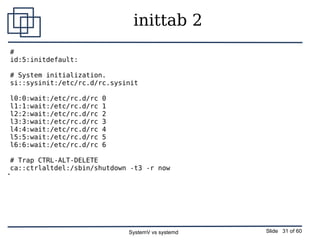
inittab 2
#
id:5:initdefault:
# System initialization.
si::sysinit:/etc/rc.d/rc.sysinit
l0:0:wait:/etc/rc.d/rc 0
l1:1:wait:/etc/rc.d/rc 1
l2:2:wait:/etc/rc.d/rc 2
l3:3:wait:/etc/rc.d/rc 3
l4:4:wait:/etc/rc.d/rc 4
l5:5:wait:/etc/rc.d/rc 5
l6:6:wait:/etc/rc.d/rc 6
# Trap CTRL-ALT-DELETE
ca::ctrlaltdel:/sbin/shutdown -t3 -r now
●
SystemV vs systemd Slide 32 of 60
inittab 3
# When our UPS tells us power has failed, assume we have a few minutes
# of power left. Schedule a shutdown for 2 minutes from now.
# This does, of course, assume you have powerd installed and your
# UPS connected and working correctly.
pf::powerfail:/sbin/shutdown -f -h +2 "Power Failure; System Shutting
Down"
# If power was restored before the shutdown kicked in, cancel it.
pr:12345:powerokwait:/sbin/shutdown -c "Power Restored; Shutdown
Cancelled"
# Run gettys in standard runlevels
1:2345:respawn:/sbin/mingetty tty1
2:2345:respawn:/sbin/mingetty tty2
3:2345:respawn:/sbin/mingetty tty3
4:2345:respawn:/sbin/mingetty tty4
5:2345:respawn:/sbin/mingetty tty5
6:2345:respawn:/sbin/mingetty tty6
# Run xdm in runlevel 5
x:5:respawn:/etc/X11/prefdm -nodaemon
SystemV vs systemd Slide 33 of 60
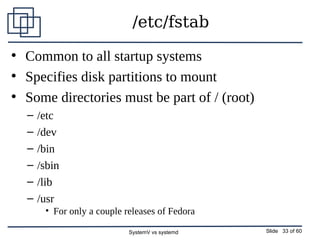
/etc/fstab
●
Common to all startup systems
●
Specifies disk partitions to mount
●
Some directories must be part of / (root)
– /etc
– /dev
– /bin
– /sbin
– /lib
– /usr
• For only a couple releases of Fedora
SystemV vs systemd Slide 34 of 60
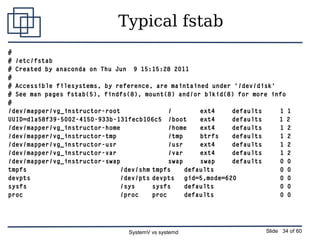
Typical fstab
#
# /etc/fstab
# Created by anaconda on Thu Jun 9 15:15:28 2011
#
# Accessible filesystems, by reference, are maintained under '/dev/disk'
# See man pages fstab(5), findfs(8), mount(8) and/or blkid(8) for more info
#
/dev/mapper/vg_instructor-root / ext4 defaults 1 1
UUID=d1a58f39-5002-4150-933b-131fecb106c5 /boot ext4 defaults 1 2
/dev/mapper/vg_instructor-home /home ext4 defaults 1 2
/dev/mapper/vg_instructor-tmp /tmp btrfs defaults 1 2
/dev/mapper/vg_instructor-usr /usr ext4 defaults 1 2
/dev/mapper/vg_instructor-var /var ext4 defaults 1 2
/dev/mapper/vg_instructor-swap swap swap defaults 0 0
tmpfs /dev/shm tmpfs defaults 0 0
devpts /dev/pts devpts gid=5,mode=620 0 0
sysfs /sys sysfs defaults 0 0
proc /proc proc defaults 0 0
SystemV vs systemd Slide 35 of 60
Another fstab
/dev/mapper/vg_david1-root       /                   ext4    defaults        1 1
/dev/mapper/vg_david2-Virtual    /Virtual            ext4    defaults        1 2
#UUID=d352f5a0-f399-4d9c-b46f-02dd81dca3f8 /boot     ext4    defaults        1 2
#/dev/sda1                       /boot     ext4    defaults        1 2
LABEL=/boot                      /boot               ext4    defaults        1 2
/dev/mapper/vg_david2-home       /home               ext4    defaults        1 2
/dev/mapper/vg_david2-stuff      /stuff              ext4    defaults        1 2
/dev/mapper/vg_david1-tmp        /tmp                ext4    defaults        1 2
/dev/mapper/vg_david1-usr        /usr                ext4    defaults        1 2
/dev/mapper/vg_david1-usrlocal   /usr/local          ext4    defaults        1 2
/dev/mapper/vg_david2-var        /var                ext4    defaults        1 2
/dev/mapper/vg_david1-swap       swap                swap    defaults        0 0
# Various USB HDDs
# Using labels makes it possible to mount at the same location consistently
LABEL=WD-500GB-USB      /media/WD-500GB-USB     ext4   auto,owner,user,defaults  0 0
LABEL=Iomega-1TB-USB    /media/Iomega-1TB-USB   ext4   auto,owner,user,defaults  0 0
LABEL=Iomega-160GB-USB  /media/Iomega-160GB-USB ext4   auto,owner,user,defaults  0 0
tmpfs                   /dev/shm                tmpfs  defaults        0 0
devpts                  /dev/pts                devpts gid=5,mode=620  0 0
sysfs                   /sys                    sysfs  defaults        0 0
proc                    /proc                   proc   defaults        0 0
SystemV vs systemd Slide 36 of 60
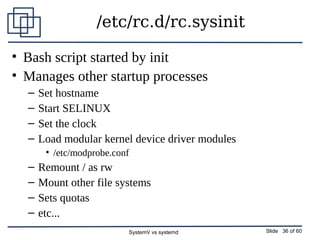
/etc/rc.d/rc.sysinit
• Bash script started by init
• Manages other startup processes
– Set hostname
– Start SELINUX
– Set the clock
– Load modular kernel device driver modules
• /etc/modprobe.conf
– Remount / as rw
– Mount other file systems
– Sets quotas
– etc...
SystemV vs systemd Slide 37 of 60
/etc/rc.d/rc
• Bash script
• Started by init after rc.sysinit ends
• Changes runlevels
• rc scripts
SystemV vs systemd Slide 38 of 60
Start Scripts
• /etc/rc.d/init.d
• /etc/rcX.d
– Links
– K = Kill
– S = Start
• service command
– service <service name> start|stop|
restart|status|reload ...
SystemV vs systemd Slide 39 of 60
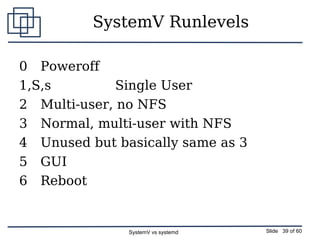
SystemV Runlevels
0 Poweroff
1,S,s Single User
2 Multi-user, no NFS
3 Normal, multi-user with NFS
4 Unused but basically same as 3
5 GUI
6 Reboot
SystemV vs systemd Slide 40 of 60
Runlevels
• /etc/rc.d/rc
– Script to change runlevels
– Kill scripts first
– Then Start scripts
• rc scripts in /etc/init.d
• K or S links in /etc/rc.d/rcX.d
– Links to directories in /etc/init.d
SystemV vs systemd Slide 41 of 60
Runlevel Management
SystemV
• init or telinit
● Change runlevel now
• chkconfig
● For persistent configuration
• The service command
● Turn on/off now
● Default runlevel
● /etc/inittab
SystemV vs systemd Slide 42 of 60
Startup
Using systemd
SystemV vs systemd Slide 43 of 60
systemd Units
● Service
● Most obvious kind of unit
● Daemons that can be started, stopped, restarted, reloaded
● For compatibility can also read classic SysV init
scripts
● In particular parse the LSB header, if it exists
● /etc/init.d is just another source of configuration
SystemV vs systemd Slide 44 of 60
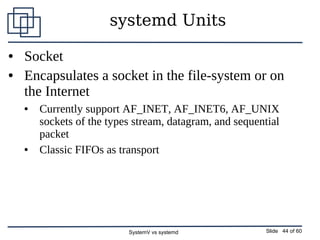
systemd Units
● Socket
● Encapsulates a socket in the file-system or on
the Internet
● Currently support AF_INET, AF_INET6, AF_UNIX
sockets of the types stream, datagram, and sequential
packet
● Classic FIFOs as transport
SystemV vs systemd Slide 45 of 60
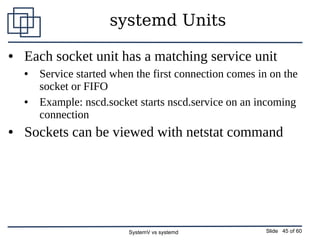
systemd Units
● Each socket unit has a matching service unit
● Service started when the first connection comes in on the
socket or FIFO
● Example: nscd.socket starts nscd.service on an incoming
connection
● Sockets can be viewed with netstat command
SystemV vs systemd Slide 46 of 60
systemd Units
● Device
● Encapsulates a device in the Linux device tree
● If a device is marked for this via udev rules, it
will be exposed as a device unit in systemd
● Properties set with udev can be used as
configuration source to set dependencies for
device units
SystemV vs systemd Slide 47 of 60
systemd Units
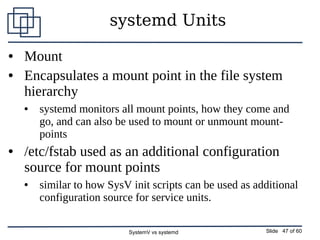
● Mount
● Encapsulates a mount point in the file system
hierarchy
● systemd monitors all mount points, how they come and
go, and can also be used to mount or unmount mount-
points
● /etc/fstab used as an additional configuration
source for mount points
● similar to how SysV init scripts can be used as additional
configuration source for service units.
SystemV vs systemd Slide 48 of 60
systemd Units
● Automount
● Encapsulates an automount point in the file
system hierarchy
● Each automount unit has a matching mount unit,
which is started (i.e. mounted) as soon as the
automount directory is accessed
SystemV vs systemd Slide 49 of 60
systemd Units
● Target
● Logical grouping of units
● Instead of actually doing anything by itself it simply
references other units, which are controlled together
● Examples for this are:
● multi-user.target equivalent to run-level 3 on classic SysV system
● bluetooth.target pulls in bluetooth related services that otherwise would not
need to be started: bluetoothd and obexd, etc.
● graphical.target depends upon multi-user.target
SystemV vs systemd Slide 50 of 60
systemd Units
● Snapshot
● Similar to target units
● Snapshots do not actually do anything themselves
● Purpose is to reference other units
● Save/rollback the state of services and units of the init
system
● Two intended use cases
● Allow the user to temporarily enter a specific state such as
"Emergency Shell"
● Ease support for system suspending
SystemV vs systemd Slide 51 of 60
Control Groups
● cgroups define groups of processes
● Process aggregation
● Control of cgroups
● Resource allocation
● Runaway process spawn
● /cgroup directory
● Let me know if you find anything here
● /sys/fs/cgroup/systemd/
● /proc/<PID>/cgroup
SystemV vs systemd Slide 52 of 60
systemd
● Configuration
● /etc/systemd
● Modify here
● /lib/systemd
● Don't change this
● Management
● systemctl
● init command is softlink to systemd
● The service command still works for many
services
● Redirected through systemd
SystemV vs systemd Slide 53 of 60
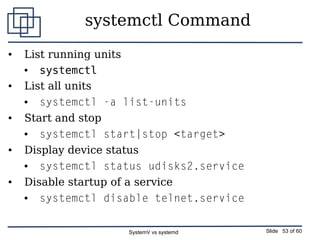
systemctl Command
● List running units
● systemctl
● List all units
● systemctl -a list-units
● Start and stop
● systemctl start|stop <target>
● Display device status
● systemctl status udisks2.service
● Disable startup of a service
● systemctl disable telnet.service
SystemV vs systemd Slide 54 of 60
systemctl
systemctl -a
systemctl stop|start cups.service
SystemV vs systemd Slide 55 of 60
cgroups
● Cgroup tree
● systemd-cgls
● System slice
● User slice
● PS with Cgroups
● ps xawf -eo pid,user,cgroup,args
SystemV vs systemd Slide 56 of 60
systemd Targets
● Default
● Symlink to the desired run target
● /etc/systemd/system/default.target
● multiuser
● multi-user.target
● graphical
● graphical.target
● Still has target runlevels 0-6
● /lib/systemd/system
● Runlevels 2,3,4 all point to multi-user.target
SystemV vs systemd Slide 57 of 60
systemd Targets
● Single User
● Recovery mode
● Somewhat more functionality than SystemV runlevel 1 or
Single User mode
SystemV vs systemd Slide 58 of 60
Target related commands
● List all targets
● systemctl list­units –type=target
● Set default target
● systemctl set­default <name of 
target>.target
● Display current default target
● systemctl get­default
SystemV vs systemd Slide 59 of 60
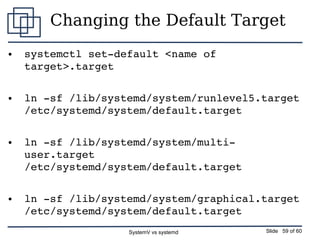
Changing the Default Target
● systemctl set­default <name of 
target>.target
● ln ­sf /lib/systemd/system/runlevel5.target 
/etc/systemd/system/default.target
● ln ­sf /lib/systemd/system/multi­
user.target 
/etc/systemd/system/default.target
● ln ­sf /lib/systemd/system/graphical.target 
/etc/systemd/system/default.target
SystemV vs systemd Slide 60 of 60
Thank you

SystemV vs systemd

  • 1.
    SystemV vs systemdSlide 1 of 60 SystemV vs systemd All Things Open October, 2015 This presentation is taken from my class “Theory and Practice of Linux System Administration”
  • 2.
    SystemV vs systemdSlide 2 of 60 Legal Stuff ● Linux is a registered trademark of Linus Torvalds ● Red Hat is a registered trademark of Red Hat, Inc. ● Unix is a registered trademark of AT&T ● Other marks are the trademarks of their respective owners Copyright© 2015 David P. Both Content licensed under the terms of the Creative Commons Attribution-ShareAlike 4.0 International license ("CC-BY-SA")
  • 3.
    SystemV vs systemdSlide 3 of 60 David Both dboth@millennium-technology.com David.Both@OpenSource.com RHCE, SCSA
  • 4.
    SystemV vs systemdSlide 4 of 60 Introducing systemd ● Developed by ● Lennart Poettering ● Kay Sievers ● Objectives ● Fix outdated SystemV startup ● Start less ● Only daemons that are actually needed ● Start more in parallel ● Improve support for hotplug hardware ● Maintain compatibility with SystemV start scripts
  • 5.
    SystemV vs systemdSlide 5 of 60 systemd Functions ● A system and service manager (manages both the system and its services) ● A software platform (serves as a basis for developing other software) ● The glue between applications and the kernel (provides various interfaces that expose functionalities provided by the kernel)
  • 6.
    SystemV vs systemdSlide 6 of 60 Strategy ● At least 2 ways to ensure that a service is available when it is needed ● Keep track of all other services which may need it and be sure to start things in the right order ● Wait until some task tries to connect to the service and start it on demand ● systemd takes the second approach ● Similar to MacOS launchd
  • 7.
    SystemV vs systemdSlide 7 of 60 Implementation ● Create sockets for services ● Serialization during startup was due to waiting for dependent services sockets to be created ● When a connection request arrives on a specific socket, the associated daemon is started ● Detailed systemd information ● http://0pointer.de/blog/projects/systemd.html ● http://www.freedesktop.org/wiki/Software/systemd
  • 8.
    SystemV vs systemdSlide 8 of 60 systemd by Release ● Started showing up in about Fedora 14 ● Available as alternative ● Fedora 15 ● First release with systemd as default for many services ● Conversion essentially complete by Fedora 17 ● CentOS 7
  • 9.
    SystemV vs systemdSlide 9 of 60 Benefits ● Speed startup ● Start as much in parallel as possible ● Only start what needs to be started ● Manage dynamic hardware hotplug ● Static hardware managed like dynamic
  • 10.
    SystemV vs systemdSlide 10 of 60 systemd Pros and Cons ● Not portable ● Only works in Linux ● Opportunity to do things better for Linux ● More binary executables ● Faster ● Fewer shell scripts ● Less discoverable ● Open Source code ● ASCII Text configuration files ● Still provides openness
  • 11.
    SystemV vs systemdSlide 11 of 60 Linux Boot Sequence
  • 12.
    SystemV vs systemdSlide 12 of 60 BIOS POST • Checks basic operability of hardware • INT 13H Locates Boot Sector • Boot Loader Stage 1 – GRUB – LILO
  • 13.
    SystemV vs systemdSlide 13 of 60 GRUB • Stage 1 Loads GRUB Stage 1.5 – File system specific • Loads Stage 2 • /boot/grub/grub.conf
  • 14.
    SystemV vs systemdSlide 14 of 60 GRUB ● GRUB locates the kernel image and loads it ● Located in /boot ● Standard EXT3/4 partition ● Cannot be LVM ● Located at beginning of disk ● Usually loads an initrd image ● Select from multiple kernels
  • 15.
    SystemV vs systemdSlide 15 of 60 grub.conf ● Defines grub menu options – Allows selection of boot kernel – Edit kernel boot parameters ● Specifies kernel boot parameters ● Boot hard drive
  • 16.
    SystemV vs systemdSlide 16 of 60 GRUB2 • Introduced in Fedora 16 • Command based pre-OS environment • GRUB2 Locates the Kernel image and loads it – Located in /boot/grub2 • Standard ext3/4 partition • Cannot be LVM • Located at beginning of disk – May also load initrd image – Multiple kernel
  • 17.
    SystemV vs systemdSlide 17 of 60 Kernel • Uncompresses itself into RAM • Loads device drivers • Mounts / • Launches init or systemd
  • 18.
    SystemV vs systemdSlide 18 of 60 Kernel Boot Messages ● Ring buffer ● Console ● dmesg command ● /var/log/messages ● grep kernel: ● /var/log/dmesg ● Discontinued with systemd ● Never used by many distros ● Timestamps in square braces ● Recent releases of Fedora
  • 19.
    SystemV vs systemdSlide 19 of 60 Sample DMESG Log [ 0.000000] NR_IRQS:2304 [ 0.000000] CPU 0 irqstacks, hard=f3c18000 soft=f3c1a000 [ 0.000000] Console: colour VGA+ 80x25 [ 0.000000] console [tty0] enabled [ 0.000000] Fast TSC calibration failed [ 0.000000] TSC: Unable to calibrate against PIT [ 0.000000] TSC: HPET/PMTIMER calibration failed. [ 0.000000] Marking TSC unstable due to could not calculate TSC khz [ 0.016998] Calibrating delay loop... 2027.52 BogoMIPS (lpj=1013760) [ 0.038997] pid_max: default: 32768 minimum: 301 [ 0.043996] Security Framework initialized [ 0.043996] SELinux: Initializing. [ 0.044996] SELinux: Starting in permissive mode [ 0.049996] Mount-cache hash table entries: 512 [ 0.076993] Initializing cgroup subsys ns [ 0.077993] ns_cgroup deprecated: consider using the 'clone_children' flag without the ns_cgroup. [ 0.077993] Initializing cgroup subsys cpuacct [ 0.079993] Initializing cgroup subsys memory [ 0.081992] Initializing cgroup subsys devices [ 0.081992] Initializing cgroup subsys freezer [ 0.082992] Initializing cgroup subsys net_cls [ 0.082992] Initializing cgroup subsys blkio [ 0.086992] mce: CPU supports 0 MCE banks
  • 20.
    SystemV vs systemdSlide 20 of 60 Devices ● Device files located in /dev ● Previously all possible device files created at installation ● Tens of thousands ● Most unused ● NOT device drivers ● Device file major/minor codes ● Assigned by Linux assigned names and numbers authority (LANANA) ● Current device list can be found on web site
  • 21.
    SystemV vs systemdSlide 21 of 60 Devices ● Enter udev ● Creates only as required – mostly ● Treats all devices as plug'n'pray ● Reduces /dev/chaos ● udev rules
  • 22.
    SystemV vs systemdSlide 22 of 60 DBUS ● Inter-Process Communications (IPC) ● Daemon for kernel ● User space for applications ● New devices plugged in ● Triggers udev to create a new device file ● Application coordination ● Manage communications ● Multiple instances of one application ● Multiple different applications ● DBUS rules
  • 23.
    SystemV vs systemdSlide 23 of 60 Linux Startup
  • 24.
    SystemV vs systemdSlide 24 of 60 Boot vs Startup ● Boot ends with loading the kernel and init or systemd ● Startup begins when the init or systemd process takes control ● init ● The entire startup process is handled by scripts ● systemd ● Binary executables ● Configuration files ● Compatible with SystemV init scripts
  • 25.
    SystemV vs systemdSlide 25 of 60 Upstart ● Was to have replaced traditional start scripts and /etc/inittab ● /etc/init ● Changeover started in some distros – Fedora – CentOS – Ubuntu ● Quickly superseded by systemd
  • 26.
    SystemV vs systemdSlide 26 of 60 Traditional Startup Using init and SystemV Start Scripts
  • 27.
    SystemV vs systemdSlide 27 of 60 /sbin/init ● ELF Binary ● Controls Linux initialization and runlevel startup ● Mother of all processes ● PID #1
  • 28.
    SystemV vs systemdSlide 28 of 60 Startup Files • Configuration files – /etc/inittab – /etc/fstab • Log Files – /var/log/dmesg – /var/log/boot.log
  • 29.
    SystemV vs systemdSlide 29 of 60 /etc/inittab • Defines runlevels 0 through 6 • Specifies default runlevel • gettys for defined runlevels • Ctrl-Alt-Del action • UPS power failure actions – Rarely used
  • 30.
    SystemV vs systemdSlide 30 of 60 inittab 1 # # inittab This file describes how the INIT process should set up # the system in a certain run-level. # # Author: Miquel van Smoorenburg, <miquels@drinkel.nl.mugnet.org> # Modified for RHS Linux by Marc Ewing and Donnie Barnes # # Default runlevel. The runlevels used by RHS are: # 0 - halt (Do NOT set initdefault to this) # 1 - Single user mode # 2 - Multiuser, without NFS (The same as 3, if you do not have networking) # 3 - Full multiuser mode # 4 - unused # 5 - X11 # 6 - reboot (Do NOT set initdefault to this)
  • 31.
    SystemV vs systemdSlide 31 of 60 inittab 2 # id:5:initdefault: # System initialization. si::sysinit:/etc/rc.d/rc.sysinit l0:0:wait:/etc/rc.d/rc 0 l1:1:wait:/etc/rc.d/rc 1 l2:2:wait:/etc/rc.d/rc 2 l3:3:wait:/etc/rc.d/rc 3 l4:4:wait:/etc/rc.d/rc 4 l5:5:wait:/etc/rc.d/rc 5 l6:6:wait:/etc/rc.d/rc 6 # Trap CTRL-ALT-DELETE ca::ctrlaltdel:/sbin/shutdown -t3 -r now ●
  • 32.
    SystemV vs systemdSlide 32 of 60 inittab 3 # When our UPS tells us power has failed, assume we have a few minutes # of power left. Schedule a shutdown for 2 minutes from now. # This does, of course, assume you have powerd installed and your # UPS connected and working correctly. pf::powerfail:/sbin/shutdown -f -h +2 "Power Failure; System Shutting Down" # If power was restored before the shutdown kicked in, cancel it. pr:12345:powerokwait:/sbin/shutdown -c "Power Restored; Shutdown Cancelled" # Run gettys in standard runlevels 1:2345:respawn:/sbin/mingetty tty1 2:2345:respawn:/sbin/mingetty tty2 3:2345:respawn:/sbin/mingetty tty3 4:2345:respawn:/sbin/mingetty tty4 5:2345:respawn:/sbin/mingetty tty5 6:2345:respawn:/sbin/mingetty tty6 # Run xdm in runlevel 5 x:5:respawn:/etc/X11/prefdm -nodaemon
  • 33.
    SystemV vs systemdSlide 33 of 60 /etc/fstab ● Common to all startup systems ● Specifies disk partitions to mount ● Some directories must be part of / (root) – /etc – /dev – /bin – /sbin – /lib – /usr • For only a couple releases of Fedora
  • 34.
    SystemV vs systemdSlide 34 of 60 Typical fstab # # /etc/fstab # Created by anaconda on Thu Jun 9 15:15:28 2011 # # Accessible filesystems, by reference, are maintained under '/dev/disk' # See man pages fstab(5), findfs(8), mount(8) and/or blkid(8) for more info # /dev/mapper/vg_instructor-root / ext4 defaults 1 1 UUID=d1a58f39-5002-4150-933b-131fecb106c5 /boot ext4 defaults 1 2 /dev/mapper/vg_instructor-home /home ext4 defaults 1 2 /dev/mapper/vg_instructor-tmp /tmp btrfs defaults 1 2 /dev/mapper/vg_instructor-usr /usr ext4 defaults 1 2 /dev/mapper/vg_instructor-var /var ext4 defaults 1 2 /dev/mapper/vg_instructor-swap swap swap defaults 0 0 tmpfs /dev/shm tmpfs defaults 0 0 devpts /dev/pts devpts gid=5,mode=620 0 0 sysfs /sys sysfs defaults 0 0 proc /proc proc defaults 0 0
  • 35.
    SystemV vs systemdSlide 35 of 60 Another fstab /dev/mapper/vg_david1-root       /                   ext4    defaults        1 1 /dev/mapper/vg_david2-Virtual    /Virtual            ext4    defaults        1 2 #UUID=d352f5a0-f399-4d9c-b46f-02dd81dca3f8 /boot     ext4    defaults        1 2 #/dev/sda1                       /boot     ext4    defaults        1 2 LABEL=/boot                      /boot               ext4    defaults        1 2 /dev/mapper/vg_david2-home       /home               ext4    defaults        1 2 /dev/mapper/vg_david2-stuff      /stuff              ext4    defaults        1 2 /dev/mapper/vg_david1-tmp        /tmp                ext4    defaults        1 2 /dev/mapper/vg_david1-usr        /usr                ext4    defaults        1 2 /dev/mapper/vg_david1-usrlocal   /usr/local          ext4    defaults        1 2 /dev/mapper/vg_david2-var        /var                ext4    defaults        1 2 /dev/mapper/vg_david1-swap       swap                swap    defaults        0 0 # Various USB HDDs # Using labels makes it possible to mount at the same location consistently LABEL=WD-500GB-USB      /media/WD-500GB-USB     ext4   auto,owner,user,defaults  0 0 LABEL=Iomega-1TB-USB    /media/Iomega-1TB-USB   ext4   auto,owner,user,defaults  0 0 LABEL=Iomega-160GB-USB  /media/Iomega-160GB-USB ext4   auto,owner,user,defaults  0 0 tmpfs                   /dev/shm                tmpfs  defaults        0 0 devpts                  /dev/pts                devpts gid=5,mode=620  0 0 sysfs                   /sys                    sysfs  defaults        0 0 proc                    /proc                   proc   defaults        0 0
  • 36.
    SystemV vs systemdSlide 36 of 60 /etc/rc.d/rc.sysinit • Bash script started by init • Manages other startup processes – Set hostname – Start SELINUX – Set the clock – Load modular kernel device driver modules • /etc/modprobe.conf – Remount / as rw – Mount other file systems – Sets quotas – etc...
  • 37.
    SystemV vs systemdSlide 37 of 60 /etc/rc.d/rc • Bash script • Started by init after rc.sysinit ends • Changes runlevels • rc scripts
  • 38.
    SystemV vs systemdSlide 38 of 60 Start Scripts • /etc/rc.d/init.d • /etc/rcX.d – Links – K = Kill – S = Start • service command – service <service name> start|stop| restart|status|reload ...
  • 39.
    SystemV vs systemdSlide 39 of 60 SystemV Runlevels 0 Poweroff 1,S,s Single User 2 Multi-user, no NFS 3 Normal, multi-user with NFS 4 Unused but basically same as 3 5 GUI 6 Reboot
  • 40.
    SystemV vs systemdSlide 40 of 60 Runlevels • /etc/rc.d/rc – Script to change runlevels – Kill scripts first – Then Start scripts • rc scripts in /etc/init.d • K or S links in /etc/rc.d/rcX.d – Links to directories in /etc/init.d
  • 41.
    SystemV vs systemdSlide 41 of 60 Runlevel Management SystemV • init or telinit ● Change runlevel now • chkconfig ● For persistent configuration • The service command ● Turn on/off now ● Default runlevel ● /etc/inittab
  • 42.
    SystemV vs systemdSlide 42 of 60 Startup Using systemd
  • 43.
    SystemV vs systemdSlide 43 of 60 systemd Units ● Service ● Most obvious kind of unit ● Daemons that can be started, stopped, restarted, reloaded ● For compatibility can also read classic SysV init scripts ● In particular parse the LSB header, if it exists ● /etc/init.d is just another source of configuration
  • 44.
    SystemV vs systemdSlide 44 of 60 systemd Units ● Socket ● Encapsulates a socket in the file-system or on the Internet ● Currently support AF_INET, AF_INET6, AF_UNIX sockets of the types stream, datagram, and sequential packet ● Classic FIFOs as transport
  • 45.
    SystemV vs systemdSlide 45 of 60 systemd Units ● Each socket unit has a matching service unit ● Service started when the first connection comes in on the socket or FIFO ● Example: nscd.socket starts nscd.service on an incoming connection ● Sockets can be viewed with netstat command
  • 46.
    SystemV vs systemdSlide 46 of 60 systemd Units ● Device ● Encapsulates a device in the Linux device tree ● If a device is marked for this via udev rules, it will be exposed as a device unit in systemd ● Properties set with udev can be used as configuration source to set dependencies for device units
  • 47.
    SystemV vs systemdSlide 47 of 60 systemd Units ● Mount ● Encapsulates a mount point in the file system hierarchy ● systemd monitors all mount points, how they come and go, and can also be used to mount or unmount mount- points ● /etc/fstab used as an additional configuration source for mount points ● similar to how SysV init scripts can be used as additional configuration source for service units.
  • 48.
    SystemV vs systemdSlide 48 of 60 systemd Units ● Automount ● Encapsulates an automount point in the file system hierarchy ● Each automount unit has a matching mount unit, which is started (i.e. mounted) as soon as the automount directory is accessed
  • 49.
    SystemV vs systemdSlide 49 of 60 systemd Units ● Target ● Logical grouping of units ● Instead of actually doing anything by itself it simply references other units, which are controlled together ● Examples for this are: ● multi-user.target equivalent to run-level 3 on classic SysV system ● bluetooth.target pulls in bluetooth related services that otherwise would not need to be started: bluetoothd and obexd, etc. ● graphical.target depends upon multi-user.target
  • 50.
    SystemV vs systemdSlide 50 of 60 systemd Units ● Snapshot ● Similar to target units ● Snapshots do not actually do anything themselves ● Purpose is to reference other units ● Save/rollback the state of services and units of the init system ● Two intended use cases ● Allow the user to temporarily enter a specific state such as "Emergency Shell" ● Ease support for system suspending
  • 51.
    SystemV vs systemdSlide 51 of 60 Control Groups ● cgroups define groups of processes ● Process aggregation ● Control of cgroups ● Resource allocation ● Runaway process spawn ● /cgroup directory ● Let me know if you find anything here ● /sys/fs/cgroup/systemd/ ● /proc/<PID>/cgroup
  • 52.
    SystemV vs systemdSlide 52 of 60 systemd ● Configuration ● /etc/systemd ● Modify here ● /lib/systemd ● Don't change this ● Management ● systemctl ● init command is softlink to systemd ● The service command still works for many services ● Redirected through systemd
  • 53.
    SystemV vs systemdSlide 53 of 60 systemctl Command ● List running units ● systemctl ● List all units ● systemctl -a list-units ● Start and stop ● systemctl start|stop <target> ● Display device status ● systemctl status udisks2.service ● Disable startup of a service ● systemctl disable telnet.service
  • 54.
    SystemV vs systemdSlide 54 of 60 systemctl systemctl -a systemctl stop|start cups.service
  • 55.
    SystemV vs systemdSlide 55 of 60 cgroups ● Cgroup tree ● systemd-cgls ● System slice ● User slice ● PS with Cgroups ● ps xawf -eo pid,user,cgroup,args
  • 56.
    SystemV vs systemdSlide 56 of 60 systemd Targets ● Default ● Symlink to the desired run target ● /etc/systemd/system/default.target ● multiuser ● multi-user.target ● graphical ● graphical.target ● Still has target runlevels 0-6 ● /lib/systemd/system ● Runlevels 2,3,4 all point to multi-user.target
  • 57.
    SystemV vs systemdSlide 57 of 60 systemd Targets ● Single User ● Recovery mode ● Somewhat more functionality than SystemV runlevel 1 or Single User mode
  • 58.
    SystemV vs systemdSlide 58 of 60 Target related commands ● List all targets ● systemctl list­units –type=target ● Set default target ● systemctl set­default <name of  target>.target ● Display current default target ● systemctl get­default
  • 59.
    SystemV vs systemdSlide 59 of 60 Changing the Default Target ● systemctl set­default <name of  target>.target ● ln ­sf /lib/systemd/system/runlevel5.target  /etc/systemd/system/default.target ● ln ­sf /lib/systemd/system/multi­ user.target  /etc/systemd/system/default.target ● ln ­sf /lib/systemd/system/graphical.target  /etc/systemd/system/default.target
  • 60.
    SystemV vs systemdSlide 60 of 60 Thank you