LinkedIn 101
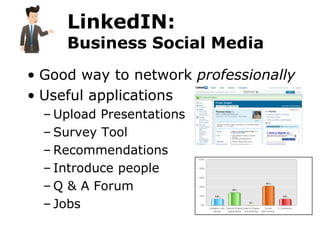
LinkedIN:
     Business Social Media
• Good way to network professionally
• Useful applications
  – Upload Presentations
  – Survey Tool
  – Recommendations
  – Introduce people
  – Q & A Forum
  – Jobs
2

      What We Will Cover:
• Part I
  – Web 301: Efficient vs. Effective
  – Your Web Marketing System
  – Creating a LinkedIn Profile
  – Connecting with others
• Part II
  – Using LinkedIn daily – um, caring.
  – Apps and mobile tools (if time permits)
• Final thoughts
5

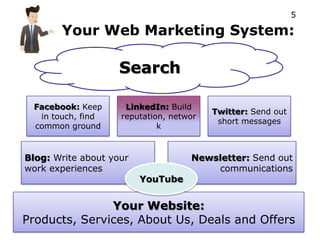
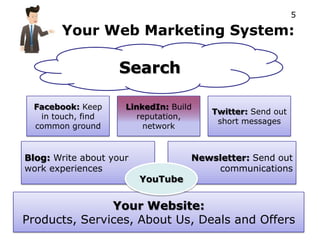
       Your Web Marketing System:

                    Search

 Facebook: Keep      LinkedIn: Build
                                         Twitter: Send out
  in touch, find    reputation, networ
                                          short messages
 common ground               k


Blog: Write about your              Newsletter: Send out
work experiences                        communications
                         YouTube


               Your Website:
Products, Services, About Us, Deals and Offers
5

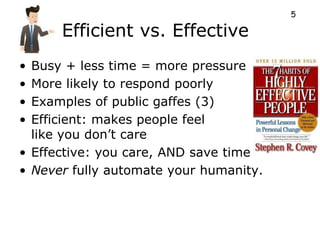
      Efficient vs. Effective
• Busy + less time = more pressure
• More likely to respond poorly
• Examples of public gaffes (3)
• Efficient: makes people feel
  like you don’t care
• Effective: you care, AND save time
• Never fully automate your humanity.
3

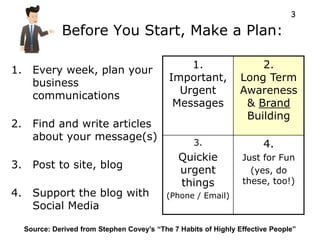
               Before You Start, Make a Plan:

                                                  1.                  2.
1.     Every week, plan your
       business                               Important,          Long Term
                                                Urgent            Awareness
       communications
                                               Messages            & Brand
                                                                   Building
2.     Find and write articles
       about your message(s)
                                                     3.                  4.
                                                 Quickie           Just for Fun
3.     Post to site, blog                        urgent              (yes, do
                                                 things            these, too!)
4. Support the blog with                     (Phone / Email)
   Social Media

     Source: Derived from Stephen Covey’s “The 7 Habits of Highly Effective People”
5
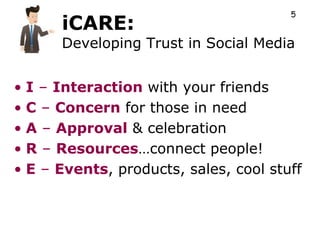
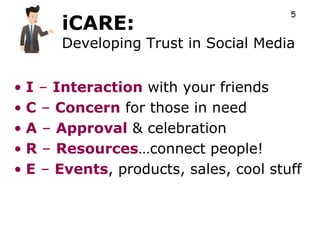
      iCARE:
      Developing Trust in Social Media


• I – Interaction with your friends
• C – Concern for those in need
• A – Approval & celebration
• R – Resources…connect people!
• E – Events, products, sales, cool stuff
5

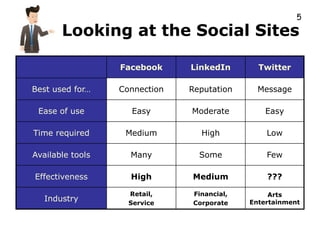
       Looking at the Social Sites

                  Facebook     LinkedIn       Twitter

Best used for…    Connection   Reputation     Message

 Ease of use        Easy       Moderate         Easy

Time required      Medium        High           Low

Available tools     Many         Some           Few

Effectiveness       High       Medium           ???

                    Retail,    Financial,        Arts
   Industry         Service    Corporate    Entertainment
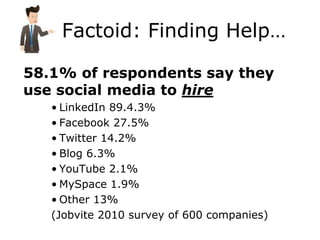
Factoid: Finding Help…

58.1% of respondents say they
use social media to hire
   • LinkedIn 89.4.3%
   • Facebook 27.5%
   • Twitter 14.2%
   • Blog 6.3%
   • YouTube 2.1%
   • MySpace 1.9%
   • Other 13%
   (Jobvite 2010 survey of 600 companies)
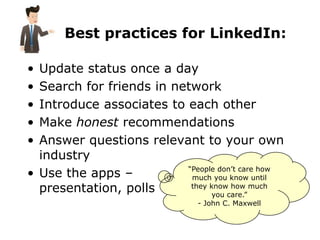
Best practices for LinkedIn:

• Update status once a day
• Search for friends in network
• Introduce associates to each other
• Make honest recommendations
• Answer questions relevant to your own
  industry
                          “People don’t care how
• Use the apps –           much you know until
  presentation, polls      they know how much
                                you care.”
                               - John C. Maxwell
Part 1: Create
 your Profile
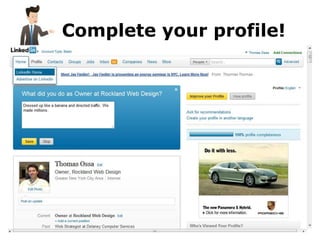
Complete your profile!
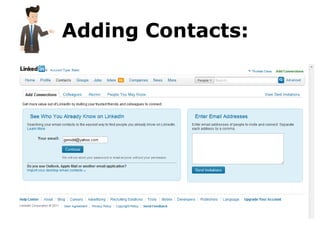
Adding Contacts:
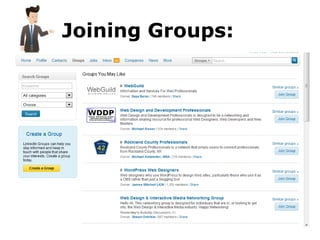
Joining Groups:
…85 minute break
1

Rockland Web Design Services
Our Core Offerings:
• Web Site Design starting at just $499
• Search Engine Optimization (SEO)
• Social Media Optimization (SNO)
• Hosting starting at just $9.99 / month
• Content management and updates

Other cool stuff:
• New!! Mobile Apps
• E-commerce websites
• Custom programming
• Flash and graphic design
• Video, multimedia creation / editing
Part 2:
Interacting with
your connections
2


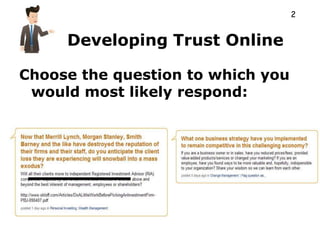
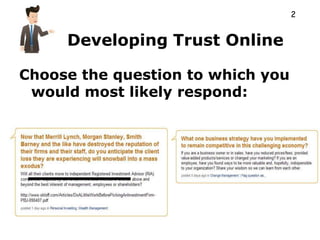
     Developing Trust Online

Choose the question to which you
 would most likely respond:
1


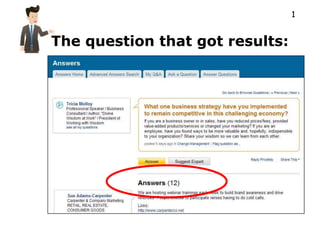
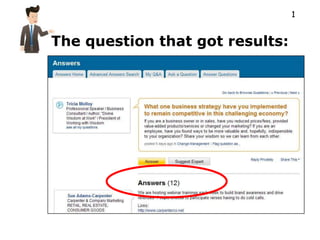
The question that got results:
2


   Story:

  Avoid
   being
“that guy”
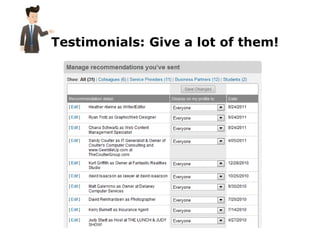
Testimonials: Give a lot of them!
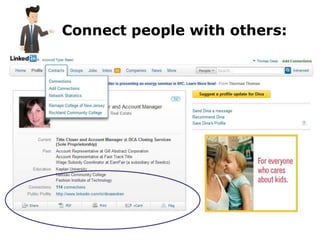
Connect people with others:
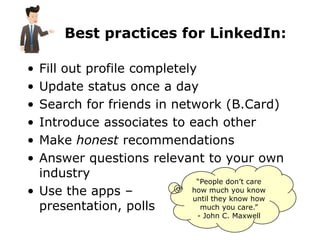
Best practices for LinkedIn:

• Fill out profile completely
• Update status once a day
• Search for friends in network (B.Card)
• Introduce associates to each other
• Make honest recommendations
• Answer questions relevant to your own
  industry
                             “People don’t care
• Use the apps –            how much you know
                            until they know how
  presentation, polls         much you care.”
                               - John C. Maxwell
5
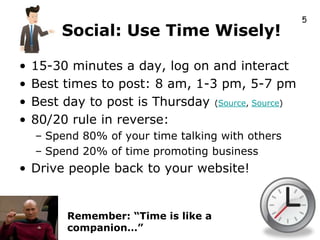
         Social: Use Time Wisely!

•   15-30 minutes a day, log on and interact
•   Best times to post: 8 am, 1-3 pm, 5-7 pm
•   Best day to post is Thursday (Source, Source)
•   80/20 rule in reverse:
    – Spend 80% of your time talking with others
    – Spend 20% of time promoting business
• Drive people back to your website!


          Remember: “Time is like a
          companion…”
5

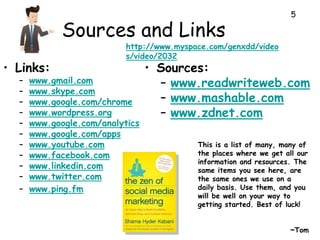
             Sources and Links
                           http://www.myspace.com/genxdd/video
                           s/video/2032
• Links:                         • Sources:
  –   www.gmail.com                – www.readwriteweb.com
  –   www.skype.com
  –   www.google.com/chrome        – www.mashable.com
  –   www.wordpress.org            – www.zdnet.com
  –   www.google.com/analytics
  –   www.google.com/apps
  –   www.youtube.com                      This is a list of many, many of
  –   www.facebook.com                     the places where we get all our
                                           information and resources. The
  –   www.linkedin.com                     same items you see here, are
  –   www.twitter.com                      the same ones we use on a
  –   www.ping.fm                          daily basis. Use them, and you
                                           will be well on your way to
                                           getting started. Best of luck!


                                                                     ~Tom
LinkedIn 201:       5


Strategy & Psychology
2

      What We Will Cover:
• Part I
  – Review of LinkedIn 101 (Quick…leeeee!)
  – Connect with your class members
  – LinkedIn Psychology
• Part II
  – Apps and mobile tools
• Final thoughts
2

     Review:
• Web 301: Efficient vs. Effective
• Your Web Marketing System
• Creating a LinkedIn Profile
• Connecting with others
• Using LinkedIn daily – um, caring.
5

       Your Web Marketing System:

                    Search

 Facebook: Keep      LinkedIn: Build
                                       Twitter: Send out
  in touch, find        reputation,
                                        short messages
 common ground            network


Blog: Write about your             Newsletter: Send out
work experiences                       communications
                         YouTube


               Your Website:
Products, Services, About Us, Deals and Offers
5
      iCARE:
      Developing Trust in Social Media


• I – Interaction with your friends
• C – Concern for those in need
• A – Approval & celebration
• R – Resources…connect people!
• E – Events, products, sales, cool stuff
2


     Developing Trust Online

Choose the question to which you
 would most likely respond:
1


The question that got results:
2


   Story:

  Avoid
   being
“that guy”
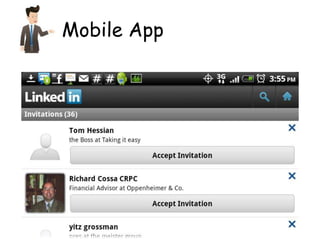
Mobile App
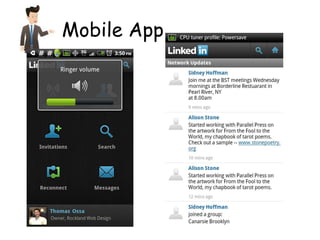
Mobile App
LinkedIn 201:       5


Strategy & Psychology

Linked In 101 Workshop

  • 1.
  • 2.
    LinkedIN: Business Social Media • Good way to network professionally • Useful applications – Upload Presentations – Survey Tool – Recommendations – Introduce people – Q & A Forum – Jobs
  • 3.
    2 What We Will Cover: • Part I – Web 301: Efficient vs. Effective – Your Web Marketing System – Creating a LinkedIn Profile – Connecting with others • Part II – Using LinkedIn daily – um, caring. – Apps and mobile tools (if time permits) • Final thoughts
  • 4.
    5 Your Web Marketing System: Search Facebook: Keep LinkedIn: Build Twitter: Send out in touch, find reputation, networ short messages common ground k Blog: Write about your Newsletter: Send out work experiences communications YouTube Your Website: Products, Services, About Us, Deals and Offers
  • 5.
    5 Efficient vs. Effective • Busy + less time = more pressure • More likely to respond poorly • Examples of public gaffes (3) • Efficient: makes people feel like you don’t care • Effective: you care, AND save time • Never fully automate your humanity.
  • 6.
    3 Before You Start, Make a Plan: 1. 2. 1. Every week, plan your business Important, Long Term Urgent Awareness communications Messages & Brand Building 2. Find and write articles about your message(s) 3. 4. Quickie Just for Fun 3. Post to site, blog urgent (yes, do things these, too!) 4. Support the blog with (Phone / Email) Social Media Source: Derived from Stephen Covey’s “The 7 Habits of Highly Effective People”
  • 7.
    5 iCARE: Developing Trust in Social Media • I – Interaction with your friends • C – Concern for those in need • A – Approval & celebration • R – Resources…connect people! • E – Events, products, sales, cool stuff
  • 8.
    5 Looking at the Social Sites Facebook LinkedIn Twitter Best used for… Connection Reputation Message Ease of use Easy Moderate Easy Time required Medium High Low Available tools Many Some Few Effectiveness High Medium ??? Retail, Financial, Arts Industry Service Corporate Entertainment
  • 9.
    Factoid: Finding Help… 58.1%of respondents say they use social media to hire • LinkedIn 89.4.3% • Facebook 27.5% • Twitter 14.2% • Blog 6.3% • YouTube 2.1% • MySpace 1.9% • Other 13% (Jobvite 2010 survey of 600 companies)
  • 10.
    Best practices forLinkedIn: • Update status once a day • Search for friends in network • Introduce associates to each other • Make honest recommendations • Answer questions relevant to your own industry “People don’t care how • Use the apps – much you know until presentation, polls they know how much you care.” - John C. Maxwell
  • 11.
    Part 1: Create your Profile
  • 12.
  • 13.
  • 14.
  • 15.
  • 16.
    1 Rockland Web DesignServices Our Core Offerings: • Web Site Design starting at just $499 • Search Engine Optimization (SEO) • Social Media Optimization (SNO) • Hosting starting at just $9.99 / month • Content management and updates Other cool stuff: • New!! Mobile Apps • E-commerce websites • Custom programming • Flash and graphic design • Video, multimedia creation / editing
  • 17.
  • 18.
    2 Developing Trust Online Choose the question to which you would most likely respond:
  • 19.
    1 The question thatgot results:
  • 20.
    2 Story: Avoid being “that guy”
  • 21.
  • 22.
  • 23.
    Best practices forLinkedIn: • Fill out profile completely • Update status once a day • Search for friends in network (B.Card) • Introduce associates to each other • Make honest recommendations • Answer questions relevant to your own industry “People don’t care • Use the apps – how much you know until they know how presentation, polls much you care.” - John C. Maxwell
  • 24.
    5 Social: Use Time Wisely! • 15-30 minutes a day, log on and interact • Best times to post: 8 am, 1-3 pm, 5-7 pm • Best day to post is Thursday (Source, Source) • 80/20 rule in reverse: – Spend 80% of your time talking with others – Spend 20% of time promoting business • Drive people back to your website! Remember: “Time is like a companion…”
  • 25.
    5 Sources and Links http://www.myspace.com/genxdd/video s/video/2032 • Links: • Sources: – www.gmail.com – www.readwriteweb.com – www.skype.com – www.google.com/chrome – www.mashable.com – www.wordpress.org – www.zdnet.com – www.google.com/analytics – www.google.com/apps – www.youtube.com This is a list of many, many of – www.facebook.com the places where we get all our information and resources. The – www.linkedin.com same items you see here, are – www.twitter.com the same ones we use on a – www.ping.fm daily basis. Use them, and you will be well on your way to getting started. Best of luck! ~Tom
  • 26.
    LinkedIn 201: 5 Strategy & Psychology
  • 27.
    2 What We Will Cover: • Part I – Review of LinkedIn 101 (Quick…leeeee!) – Connect with your class members – LinkedIn Psychology • Part II – Apps and mobile tools • Final thoughts
  • 28.
    2 Review: • Web 301: Efficient vs. Effective • Your Web Marketing System • Creating a LinkedIn Profile • Connecting with others • Using LinkedIn daily – um, caring.
  • 29.
    5 Your Web Marketing System: Search Facebook: Keep LinkedIn: Build Twitter: Send out in touch, find reputation, short messages common ground network Blog: Write about your Newsletter: Send out work experiences communications YouTube Your Website: Products, Services, About Us, Deals and Offers
  • 30.
    5 iCARE: Developing Trust in Social Media • I – Interaction with your friends • C – Concern for those in need • A – Approval & celebration • R – Resources…connect people! • E – Events, products, sales, cool stuff
  • 31.
    2 Developing Trust Online Choose the question to which you would most likely respond:
  • 32.
    1 The question thatgot results:
  • 33.
    2 Story: Avoid being “that guy”
  • 34.
  • 35.
  • 36.
    LinkedIn 201: 5 Strategy & Psychology