
Leveraging Your Network
Social Media Networking & Business Development
    Robert Burns, Tourmalet Social Business
Discussion Points


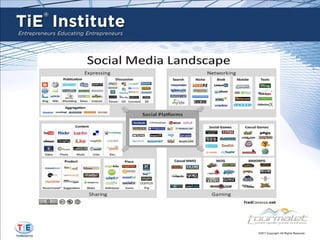
1.   Social Media Landscape. How does Social Media
     enhance your current networking activities?

2.   How can LinkedIn optimize the Business Development
     Process?

3.   LinkedIn’s Best Practices


                                                          FreeDigitalPhotos.net , image source
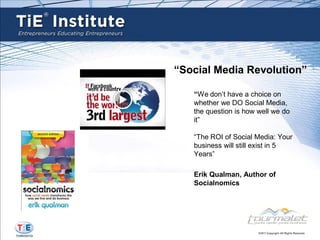
“Social Media Revolution”

   “We don’t have a choice on
   whether we DO Social Media,
   the question is how well we do
   it”

   “The ROI of Social Media: Your
   business will still exist in 5
   Years”

   Erik Qualman, Author of
   Socialnomics
Social Media and Social Networking are tools -
                    Enablers


What is the first thing you think of with Social
Media? Facebook, YouTube, Twitter, LinkedIn,
many others

Think of Social Media & Social Networking as
enablement tools, …….better yet think of them as
“opportunities”


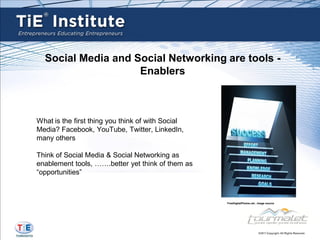
                                                   FreeDigitalPhotos.net , image source
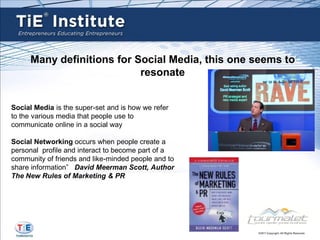
Many definitions for Social Media, this one seems to
                           resonate


Social Media is the super-set and is how we refer
to the various media that people use to
communicate online in a social way

Social Networking occurs when people create a
personal profile and interact to become part of a
community of friends and like-minded people and to
share information” David Meerman Scott, Author
The New Rules of Marketing & PR
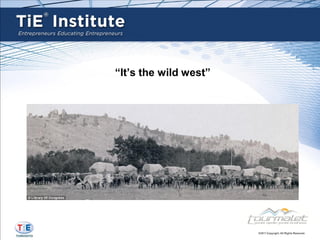
“It’s the wild west”
Social Channels
LinkedIn – Professional grade, B2B, liken it to a “Chamber of
                                        Commerce” meeting

    Twitter – “Business Social Grade”, liken it to the cocktail
            party after a business meeting or business event

           Google+, Still new. Strength is their Search. Early
                                   adopters. Shows promise

       Facebook – Strength is the large Community – B2C,
                    Community BBQ – “Everyone’s there”
Selected LinkedIn Lead Generation Best Practices

(1) Follow-up with Conference Key Note Presenters and Conference attendees with an InMail
    or Group Message
(2) Following up with Key Executives and Decision makers (news or promotions)
(3) Who’s Viewed My Profile? “Thanks for visiting my profile” with warm Invitation to Connect
(4) Profile Optimization, Recruitment Entrepreneur, Profile Optimization enhances credibility
(5) Re-Connect with current and former Colleagues and Clients. Business Cards, Outlook
    Contacts, Emails for contacts & ask them to join your LinkedIn Network with a personal
    invite
(6) Identify Leads & Prospects via Advanced Search
Selected LinkedIn Lead Generation Best Practices


(7) Join LinkedIn Groups (where are your clients/their clients?). Reach out via Group
    Messages (no charge) or LinkedIn InMail
(8) Join 50 Groups, engage and participate 1+ Groups, establish credibility and trust with
    answers. Share & promote your content
(9) Create a “Monthly” LinkedIn Activity Planner: Regular Updates, Invite New Connections,
    Make Recommendations (& Receive), Send 25 – 50+ Group Invitations, Follow-up with
    connections
(10) Incumbent Clients & Client Retention – Be “Top of Mind” with your network through
     relevant LinkedIn Updates, Sharing Compelling Content, Common Connections
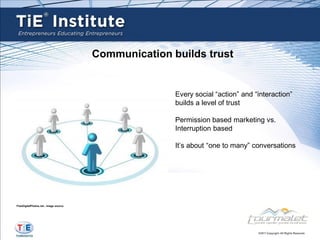
Communication builds trust


                                                      Every social “action” and “interaction”
                                                      builds a level of trust

                                                      Permission based marketing vs.
                                                      Interruption based

                                                      It’s about “one to many” conversations


FreeDigitalPhotos.net , image source
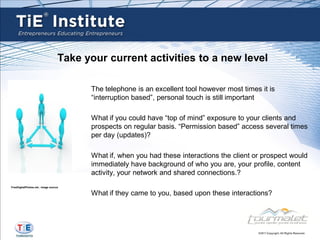
Take your current activities to a new level

                                         The telephone is an excellent tool however most times it is
                                         “interruption based”, personal touch is still important

                                         What if you could have “top of mind” exposure to your clients and
                                         prospects on regular basis. “Permission based” access several times
                                         per day (updates)?

                                         What if, when you had these interactions the client or prospect would
                                         immediately have background of who you are, your profile, content
                                         activity, your network and shared connections.?
FreeDigitalPhotos.net , image source

                                         What if they came to you, based upon these interactions?
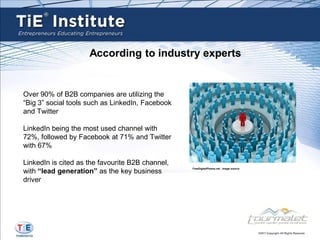
According to industry experts


Over 90% of B2B companies are utilizing the
“Big 3” social tools such as LinkedIn, Facebook
and Twitter

LinkedIn being the most used channel with
72%, followed by Facebook at 71% and Twitter
with 67%

LinkedIn is cited as the favourite B2B channel,
with “lead generation” as the key business
                                                  FreeDigitalPhotos.net , image source


driver
LinkedIn Facts
   Launched in May 2003
   Largest Professional Networking Site
   135+ million users in 200 Countries
   Grows by 2+ new members per second
   50% of users are in the U.S
   Executives from all Fortune 500 companies are LinkedIn members
   Average Years of Experience: 15 years
   Average Age: 41 years
   % who are decision makers: 47%
   LinkedIn Share button is on 180,000 domains

Other facts
 Maximum # of Invites: 3000
 Get 5 “I Don’t Knows” (IDK) and your account will be penalized by
   having to enter recipients email address for future connect requests
 1 million+ Groups on LinkedIn
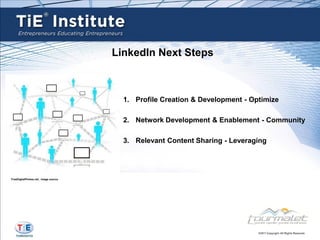
LinkedIn Next Steps


                                         1. Profile Creation & Development - Optimize

                                         2. Network Development & Enablement - Community

                                         3. Relevant Content Sharing - Leveraging


FreeDigitalPhotos.net , image source
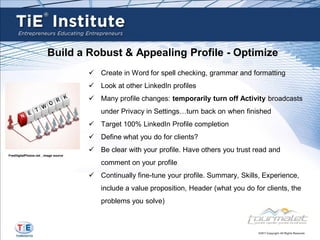
Build a Robust & Appealing Profile - Optimize
                                        Create in Word for spell checking, grammar and formatting
                                        Look at other LinkedIn profiles
                                        Many profile changes: temporarily turn off Activity broadcasts
                                          under Privacy in Settings…turn back on when finished
                                        Target 100% LinkedIn Profile completion
                                        Define what you do for clients?
                                        Be clear with your profile. Have others you trust read and
FreeDigitalPhotos.net , image source

                                          comment on your profile
                                        Continually fine-tune your profile. Summary, Skills, Experience,
                                          include a value proposition, Header (what you do for clients, the
                                          problems you solve)
Build a Robust & Appealing Profile - Optimize


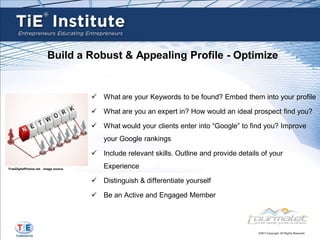
                                        What are your Keywords to be found? Embed them into your profile

                                        What are you an expert in? How would an ideal prospect find you?

                                        What would your clients enter into “Google” to find you? Improve
                                           your Google rankings

                                        Include relevant skills. Outline and provide details of your

FreeDigitalPhotos.net , image source
                                           Experience

                                        Distinguish & differentiate yourself

                                        Be an Active and Engaged Member
Define Your Audience – Build Your Network & Community
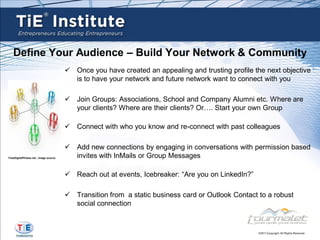
                                        Once you have created an appealing and trusting profile the next objective
                                         is to have your network and future network want to connect with you

                                        Join Groups: Associations, School and Company Alumni etc. Where are
                                         your clients? Where are their clients? Or…. Start your own Group

                                        Connect with who you know and re-connect with past colleagues

                                        Add new connections by engaging in conversations with permission based
FreeDigitalPhotos.net , image source     invites with InMails or Group Messages

                                        Reach out at events, Icebreaker: “Are you on LinkedIn?”

                                        Transition from a static business card or Outlook Contact to a robust
                                         social connection
Define Your Audience – Build Your Network & Community


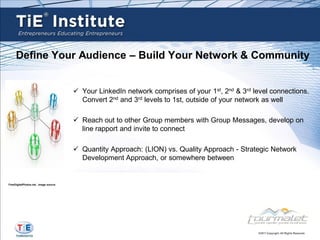
                                        Your LinkedIn network comprises of your 1st, 2nd & 3rd level connections.
                                         Convert 2nd and 3rd levels to 1st, outside of your network as well

                                        Reach out to other Group members with Group Messages, develop on
                                         line rapport and invite to connect

                                        Quantity Approach: (LION) vs. Quality Approach - Strategic Network
                                         Development Approach, or somewhere between


FreeDigitalPhotos.net , image source
Share Relevant & Compelling Content


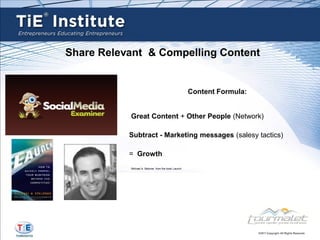
                                                       Content Formula:


           Great Content + Other People (Network)

           Subtract - Marketing messages (salesy tactics)

           = Growth
           Michael A. Stelzner, from the book Launch
Share Relevant Content

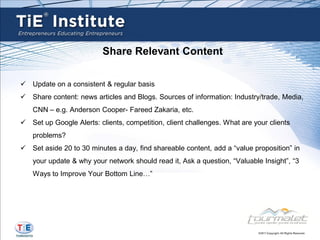
 Update on a consistent & regular basis
 Share content: news articles and Blogs. Sources of information: Industry/trade, Media,
   CNN – e.g. Anderson Cooper- Fareed Zakaria, etc.
 Set up Google Alerts: clients, competition, client challenges. What are your clients
   problems?
 Set aside 20 to 30 minutes a day, find shareable content, add a “value proposition” in
   your update & why your network should read it, Ask a question, “Valuable Insight”, “3
   Ways to Improve Your Bottom Line…”
Share Relevant Content

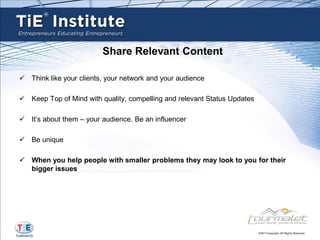
 Think like your clients, your network and your audience

 Keep Top of Mind with quality, compelling and relevant Status Updates

 It’s about them – your audience. Be an influencer

 Be unique

 When you help people with smaller problems they may look to you for their
  bigger issues
LinkedIn Subscription Comparison


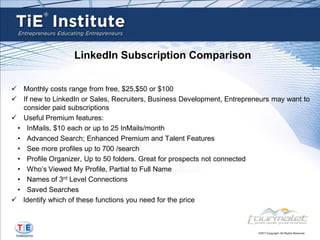
 Monthly costs range from free, $25,$50 or $100
 If new to LinkedIn or Sales, Recruiters, Business Development, Entrepreneurs may want to
   consider paid subscriptions
 Useful Premium features:
 • InMails, $10 each or up to 25 InMails/month
 • Advanced Search; Enhanced Premium and Talent Features
 • See more profiles up to 700 /search
 • Profile Organizer, Up to 50 folders. Great for prospects not connected
 • Who’s Viewed My Profile, Partial to Full Name
 • Names of 3rd Level Connections
 • Saved Searches
 Identify which of these functions you need for the price
Thank You
Robert Burns
Email: robert.burns@tourmaletsocialbusiness.com

LinkedIn: http://ca.linkedin/in/roblburns

Twitter: @robertlburns

Facebook: facebook.com/roblburns

Google+: http://goo.gl/uX7Bs

TiE Institute & Tourmalet Social Media Networking

  • 1.
    Leveraging Your Network SocialMedia Networking & Business Development Robert Burns, Tourmalet Social Business
  • 2.
    Discussion Points 1. Social Media Landscape. How does Social Media enhance your current networking activities? 2. How can LinkedIn optimize the Business Development Process? 3. LinkedIn’s Best Practices FreeDigitalPhotos.net , image source
  • 3.
    “Social Media Revolution” “We don’t have a choice on whether we DO Social Media, the question is how well we do it” “The ROI of Social Media: Your business will still exist in 5 Years” Erik Qualman, Author of Socialnomics
  • 4.
    Social Media andSocial Networking are tools - Enablers What is the first thing you think of with Social Media? Facebook, YouTube, Twitter, LinkedIn, many others Think of Social Media & Social Networking as enablement tools, …….better yet think of them as “opportunities” FreeDigitalPhotos.net , image source
  • 5.
    Many definitions forSocial Media, this one seems to resonate Social Media is the super-set and is how we refer to the various media that people use to communicate online in a social way Social Networking occurs when people create a personal profile and interact to become part of a community of friends and like-minded people and to share information” David Meerman Scott, Author The New Rules of Marketing & PR
  • 6.
  • 8.
    Social Channels LinkedIn –Professional grade, B2B, liken it to a “Chamber of Commerce” meeting Twitter – “Business Social Grade”, liken it to the cocktail party after a business meeting or business event Google+, Still new. Strength is their Search. Early adopters. Shows promise Facebook – Strength is the large Community – B2C, Community BBQ – “Everyone’s there”
  • 9.
    Selected LinkedIn LeadGeneration Best Practices (1) Follow-up with Conference Key Note Presenters and Conference attendees with an InMail or Group Message (2) Following up with Key Executives and Decision makers (news or promotions) (3) Who’s Viewed My Profile? “Thanks for visiting my profile” with warm Invitation to Connect (4) Profile Optimization, Recruitment Entrepreneur, Profile Optimization enhances credibility (5) Re-Connect with current and former Colleagues and Clients. Business Cards, Outlook Contacts, Emails for contacts & ask them to join your LinkedIn Network with a personal invite (6) Identify Leads & Prospects via Advanced Search
  • 10.
    Selected LinkedIn LeadGeneration Best Practices (7) Join LinkedIn Groups (where are your clients/their clients?). Reach out via Group Messages (no charge) or LinkedIn InMail (8) Join 50 Groups, engage and participate 1+ Groups, establish credibility and trust with answers. Share & promote your content (9) Create a “Monthly” LinkedIn Activity Planner: Regular Updates, Invite New Connections, Make Recommendations (& Receive), Send 25 – 50+ Group Invitations, Follow-up with connections (10) Incumbent Clients & Client Retention – Be “Top of Mind” with your network through relevant LinkedIn Updates, Sharing Compelling Content, Common Connections
  • 11.
    Communication builds trust Every social “action” and “interaction” builds a level of trust Permission based marketing vs. Interruption based It’s about “one to many” conversations FreeDigitalPhotos.net , image source
  • 12.
    Take your currentactivities to a new level The telephone is an excellent tool however most times it is “interruption based”, personal touch is still important What if you could have “top of mind” exposure to your clients and prospects on regular basis. “Permission based” access several times per day (updates)? What if, when you had these interactions the client or prospect would immediately have background of who you are, your profile, content activity, your network and shared connections.? FreeDigitalPhotos.net , image source What if they came to you, based upon these interactions?
  • 13.
    According to industryexperts Over 90% of B2B companies are utilizing the “Big 3” social tools such as LinkedIn, Facebook and Twitter LinkedIn being the most used channel with 72%, followed by Facebook at 71% and Twitter with 67% LinkedIn is cited as the favourite B2B channel, with “lead generation” as the key business FreeDigitalPhotos.net , image source driver
  • 14.
    LinkedIn Facts  Launched in May 2003  Largest Professional Networking Site  135+ million users in 200 Countries  Grows by 2+ new members per second  50% of users are in the U.S  Executives from all Fortune 500 companies are LinkedIn members  Average Years of Experience: 15 years  Average Age: 41 years  % who are decision makers: 47%  LinkedIn Share button is on 180,000 domains Other facts  Maximum # of Invites: 3000  Get 5 “I Don’t Knows” (IDK) and your account will be penalized by having to enter recipients email address for future connect requests  1 million+ Groups on LinkedIn
  • 15.
    LinkedIn Next Steps 1. Profile Creation & Development - Optimize 2. Network Development & Enablement - Community 3. Relevant Content Sharing - Leveraging FreeDigitalPhotos.net , image source
  • 16.
    Build a Robust& Appealing Profile - Optimize  Create in Word for spell checking, grammar and formatting  Look at other LinkedIn profiles  Many profile changes: temporarily turn off Activity broadcasts under Privacy in Settings…turn back on when finished  Target 100% LinkedIn Profile completion  Define what you do for clients?  Be clear with your profile. Have others you trust read and FreeDigitalPhotos.net , image source comment on your profile  Continually fine-tune your profile. Summary, Skills, Experience, include a value proposition, Header (what you do for clients, the problems you solve)
  • 17.
    Build a Robust& Appealing Profile - Optimize  What are your Keywords to be found? Embed them into your profile  What are you an expert in? How would an ideal prospect find you?  What would your clients enter into “Google” to find you? Improve your Google rankings  Include relevant skills. Outline and provide details of your FreeDigitalPhotos.net , image source Experience  Distinguish & differentiate yourself  Be an Active and Engaged Member
  • 18.
    Define Your Audience– Build Your Network & Community  Once you have created an appealing and trusting profile the next objective is to have your network and future network want to connect with you  Join Groups: Associations, School and Company Alumni etc. Where are your clients? Where are their clients? Or…. Start your own Group  Connect with who you know and re-connect with past colleagues  Add new connections by engaging in conversations with permission based FreeDigitalPhotos.net , image source invites with InMails or Group Messages  Reach out at events, Icebreaker: “Are you on LinkedIn?”  Transition from a static business card or Outlook Contact to a robust social connection
  • 19.
    Define Your Audience– Build Your Network & Community  Your LinkedIn network comprises of your 1st, 2nd & 3rd level connections. Convert 2nd and 3rd levels to 1st, outside of your network as well  Reach out to other Group members with Group Messages, develop on line rapport and invite to connect  Quantity Approach: (LION) vs. Quality Approach - Strategic Network Development Approach, or somewhere between FreeDigitalPhotos.net , image source
  • 20.
    Share Relevant &Compelling Content Content Formula: Great Content + Other People (Network) Subtract - Marketing messages (salesy tactics) = Growth Michael A. Stelzner, from the book Launch
  • 21.
    Share Relevant Content Update on a consistent & regular basis  Share content: news articles and Blogs. Sources of information: Industry/trade, Media, CNN – e.g. Anderson Cooper- Fareed Zakaria, etc.  Set up Google Alerts: clients, competition, client challenges. What are your clients problems?  Set aside 20 to 30 minutes a day, find shareable content, add a “value proposition” in your update & why your network should read it, Ask a question, “Valuable Insight”, “3 Ways to Improve Your Bottom Line…”
  • 22.
    Share Relevant Content Think like your clients, your network and your audience  Keep Top of Mind with quality, compelling and relevant Status Updates  It’s about them – your audience. Be an influencer  Be unique  When you help people with smaller problems they may look to you for their bigger issues
  • 23.
    LinkedIn Subscription Comparison Monthly costs range from free, $25,$50 or $100  If new to LinkedIn or Sales, Recruiters, Business Development, Entrepreneurs may want to consider paid subscriptions  Useful Premium features: • InMails, $10 each or up to 25 InMails/month • Advanced Search; Enhanced Premium and Talent Features • See more profiles up to 700 /search • Profile Organizer, Up to 50 folders. Great for prospects not connected • Who’s Viewed My Profile, Partial to Full Name • Names of 3rd Level Connections • Saved Searches  Identify which of these functions you need for the price
  • 24.
    Thank You Robert Burns Email:robert.burns@tourmaletsocialbusiness.com LinkedIn: http://ca.linkedin/in/roblburns Twitter: @robertlburns Facebook: facebook.com/roblburns Google+: http://goo.gl/uX7Bs