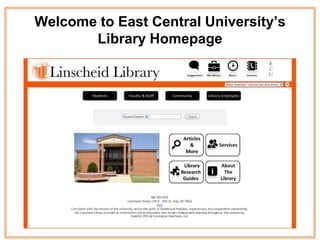
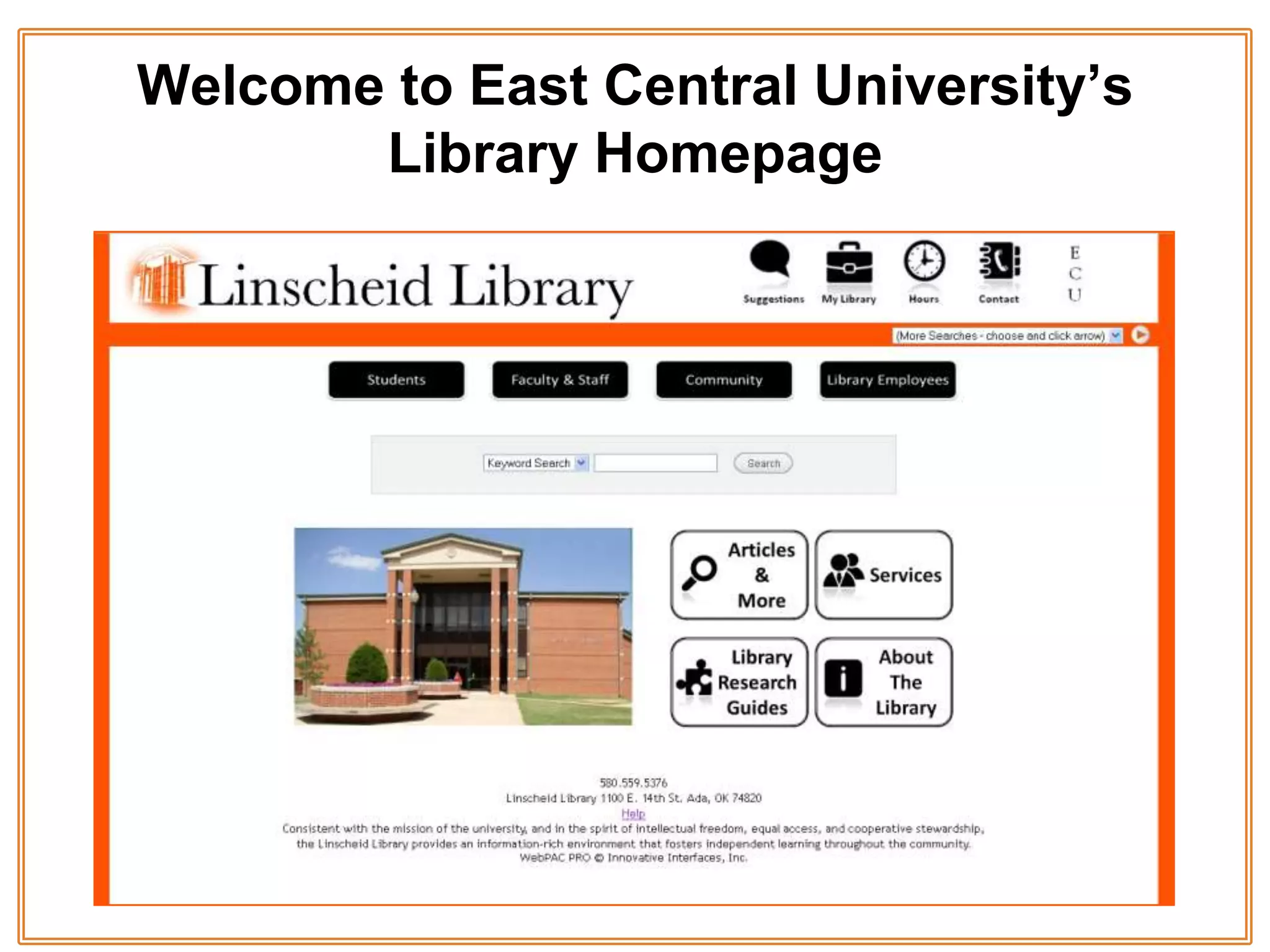
Welcome to East Central University’s
       Library Homepage
About this Tutorial
Students:
This tutorial will:
  • Help you become familiar with where to find the various features of the
    library homepage such as…
    –   electronic resources
    –   the library catalog
    –   your library account
    –   and more.
This tutorial will take you about 20 minutes to complete.
Faculty:
  • The tutorial was created using Microsoft PowerPoint 2007.
  • This tutorial will help students navigate the library homepage and familiarize
    them with its various features.

                   This tutorial meets the following ACRL standards:
                                         2.5a
What to watch for…


 Notes –
  These are to let you know
  there is important information
  you need to know about what
  is being covered.
Finding the homepage…


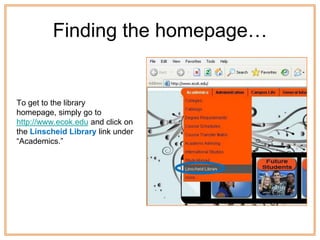
To get to the library
homepage, simply go to
http://www.ecok.edu and click on
the Linscheid Library link under
“Academics.”
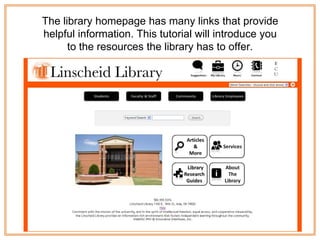
The library homepage has many links that provide
helpful information. This tutorial will introduce you
      to the resources the library has to offer.
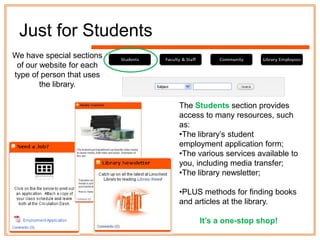
Just for Students
We have special sections
 of our website for each
type of person that uses
        the library.

                           The Students section provides
                           access to many resources, such
                           as:
                           •The library‟s student
                           employment application form;
                           •The various services available to
                           you, including media transfer;
                           •The library newsletter;

                           •PLUS methods for finding books
                           and articles at the library.

                                It’s a one-stop shop!
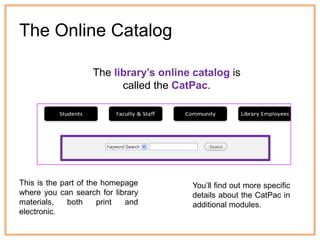
The Online Catalog

                   The library’s online catalog is
                         called the CatPac.


This is the part of the homepage       You‟ll find out more specific
where you can search for library       details about the CatPac in
materials,    both     print and       additional modules.
electronic.
Articles & More


The Articles & More section provides access to our electronic resources, which
include newspapers, magazines, journals, and e-books found in various
collections called databases.

These databases provide either the abstracts or full-text of magazine and journal
articles, encyclopedias and other reference sources. Although anyone can use
these resources within the library, off-campus access is limited to ECU faculty,
staff, and students.
Abstract: a brief summary of an article in a journal or
                                                            magazine. When a database does not provide a full-
                                                            text copy of an article then the abstract can be helpful
                                                            in giving you some information about the article so you
                                                            can decide if it is one that you want to use for your
                                                            research.


                               You should know
                                 these terms.


Database: an electronic resource that the library subscribes to that contains
articles   and     information     from     print    sources     such      as
magazines, newspapers, journals, and reference books.


Databases are not "internet" sources. Although you access our databases from the internet, the articles
you find in them are reprinted from real live print sources. Most of the things you find in our database
cannot be found by searching Google or Yahoo. These are subscription services that the library pays
for. They are every bit a part of our library's collection as the books on our shelf, but you must go
through the library's website to access them.
http://webclass.lakeland.cc.il.us/info_lit/database1.html
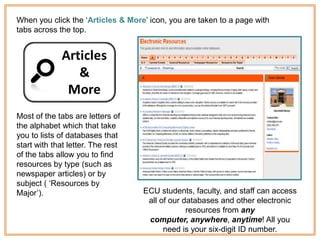
When you click the „Articles & More‟ icon, you are taken to a page with
tabs across the top.


Most of the tabs are letters of
the alphabet which that take
you to lists of databases that
start with that letter. The rest
of the tabs allow you to find
resources by type (such as
newspaper articles) or by
subject ( „Resources by
Major‟).                           ECU students, faculty, and staff can access
                                    all of our databases and other electronic
                                                resources from any
                                    computer, anywhere, anytime! All you
                                         need is your six-digit ID number.
Services
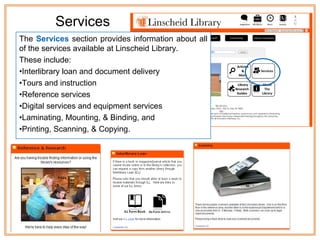
The Services section provides information about all
of the services available at Linscheid Library.
These include:
•Interlibrary loan and document delivery
•Tours and instruction
•Reference services
•Digital services and equipment services
•Laminating, Mounting, & Binding, and
•Printing, Scanning, & Copying.
Library Research
     Guides

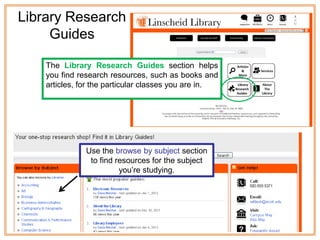
    The Library Research Guides section helps
    you find research resources, such as books and
    articles, for the particular classes you are in.


               Use the browse by subject section
                to find resources for the subject
                         you‟re studying.
About the Library
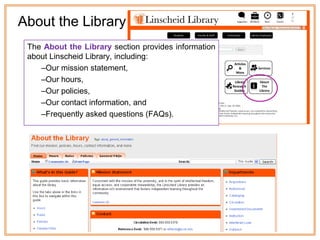
 The About the Library section provides information
 about Linscheid Library, including:
    –Our mission statement,
    –Our hours,
    –Our policies,
    –Our contact information, and
    –Frequently asked questions (FAQs).
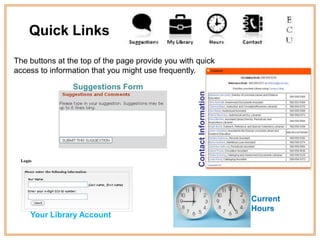
Quick Links
The buttons at the top of the page provide you with quick
access to information that you might use frequently.

                Suggestions Form


                                                    Contact Information   Current
                                                                          Hours
    Your Library Account
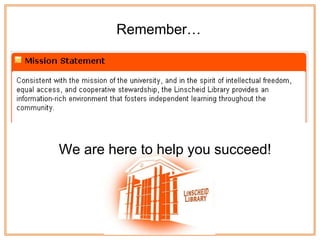
Remember…


We are here to help you succeed!
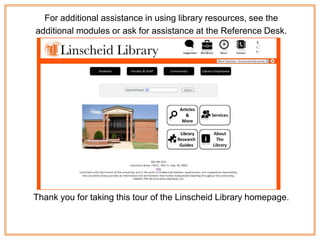
For additional assistance in using library resources, see the
additional modules or ask for assistance at the Reference Desk.


Thank you for taking this tour of the Linscheid Library homepage.

Library Web overview

  • 1.
    Welcome to EastCentral University’s Library Homepage
  • 2.
    About this Tutorial Students: Thistutorial will: • Help you become familiar with where to find the various features of the library homepage such as… – electronic resources – the library catalog – your library account – and more. This tutorial will take you about 20 minutes to complete. Faculty: • The tutorial was created using Microsoft PowerPoint 2007. • This tutorial will help students navigate the library homepage and familiarize them with its various features. This tutorial meets the following ACRL standards: 2.5a
  • 3.
    What to watchfor… Notes – These are to let you know there is important information you need to know about what is being covered.
  • 4.
    Finding the homepage… Toget to the library homepage, simply go to http://www.ecok.edu and click on the Linscheid Library link under “Academics.”
  • 5.
    The library homepagehas many links that provide helpful information. This tutorial will introduce you to the resources the library has to offer.
  • 6.
    Just for Students Wehave special sections of our website for each type of person that uses the library. The Students section provides access to many resources, such as: •The library‟s student employment application form; •The various services available to you, including media transfer; •The library newsletter; •PLUS methods for finding books and articles at the library. It’s a one-stop shop!
  • 7.
    The Online Catalog The library’s online catalog is called the CatPac. This is the part of the homepage You‟ll find out more specific where you can search for library details about the CatPac in materials, both print and additional modules. electronic.
  • 8.
    Articles & More TheArticles & More section provides access to our electronic resources, which include newspapers, magazines, journals, and e-books found in various collections called databases. These databases provide either the abstracts or full-text of magazine and journal articles, encyclopedias and other reference sources. Although anyone can use these resources within the library, off-campus access is limited to ECU faculty, staff, and students.
  • 9.
    Abstract: a briefsummary of an article in a journal or magazine. When a database does not provide a full- text copy of an article then the abstract can be helpful in giving you some information about the article so you can decide if it is one that you want to use for your research. You should know these terms. Database: an electronic resource that the library subscribes to that contains articles and information from print sources such as magazines, newspapers, journals, and reference books. Databases are not "internet" sources. Although you access our databases from the internet, the articles you find in them are reprinted from real live print sources. Most of the things you find in our database cannot be found by searching Google or Yahoo. These are subscription services that the library pays for. They are every bit a part of our library's collection as the books on our shelf, but you must go through the library's website to access them. http://webclass.lakeland.cc.il.us/info_lit/database1.html
  • 10.
    When you clickthe „Articles & More‟ icon, you are taken to a page with tabs across the top. Most of the tabs are letters of the alphabet which that take you to lists of databases that start with that letter. The rest of the tabs allow you to find resources by type (such as newspaper articles) or by subject ( „Resources by Major‟). ECU students, faculty, and staff can access all of our databases and other electronic resources from any computer, anywhere, anytime! All you need is your six-digit ID number.
  • 11.
    Services The Services sectionprovides information about all of the services available at Linscheid Library. These include: •Interlibrary loan and document delivery •Tours and instruction •Reference services •Digital services and equipment services •Laminating, Mounting, & Binding, and •Printing, Scanning, & Copying.
  • 12.
    Library Research Guides The Library Research Guides section helps you find research resources, such as books and articles, for the particular classes you are in. Use the browse by subject section to find resources for the subject you‟re studying.
  • 13.
    About the Library The About the Library section provides information about Linscheid Library, including: –Our mission statement, –Our hours, –Our policies, –Our contact information, and –Frequently asked questions (FAQs).
  • 14.
    Quick Links The buttonsat the top of the page provide you with quick access to information that you might use frequently. Suggestions Form Contact Information Current Hours Your Library Account
  • 15.
    Remember… We are hereto help you succeed!
  • 16.
    For additional assistancein using library resources, see the additional modules or ask for assistance at the Reference Desk. Thank you for taking this tour of the Linscheid Library homepage.