An Adventure in Research
  Using Beaman Library
 Services and Resources
        Fall 2010
Beaman Library is your starting
     point for research

Research materials at your fingertips!

Computers for your convenience!

Study Rooms available to study by
 yourself or for a group to gather!

Our Library Staff is here for you!
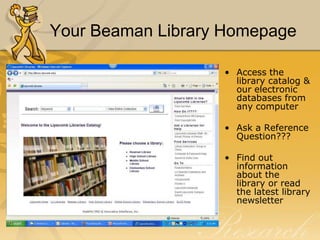
Your Beaman Library Homepage

                   • Access the
                     library catalog &
                     our electronic
                     databases from
                     any computer

                   • Ask a Reference
                     Question???

                   • Find out
                     information
                     about the
                     library or read
                     the latest library
                     newsletter
Information Resources in
     Beaman Library - Organization

Library of Congress Classification
 System (LB 2806 .R38)—Read the call number
 alphabetically and numerically. Any number after the decimal point
 is treated like a decimal number.


Designators (Ref, Oversize, Buffington…)—
 Gives you a clue as to where these books are physically located in
 library. They are special sections unto themselves.


Local Collections (Special Collections,
 Restoration Collection…)
Information Resources in
  Beaman Library – access tools

Books

Articles (print & electronic)
-Scholarly journal articles
-Popular magazine articles
-Newspaper articles

Websites
Books!

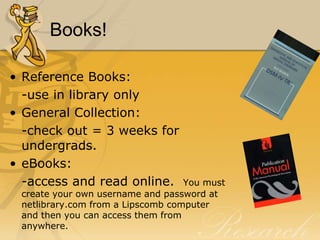
• Reference Books:
  -use in library only
• General Collection:
  -check out = 3 weeks for
  undergrads.
• eBooks:
  -access and read online.         You must
 create your own username and password at
 netlibrary.com from a Lipscomb computer
 and then you can access them from
 anywhere.
To find a Book…

Use…
The online catalog
• Author Search
• Title Search
• Subject Search—very specific
  only searches subject line (which are
  Library of Congress approved subject
  headings)

• Keyword Search--searches all
  lines in the record except for Subjects.

http://library.lipscomb.edu
Articles!

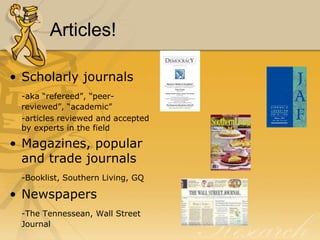
• Scholarly journals
 -aka “refereed”, “peer-
 reviewed”, “academic”
 -articles reviewed and accepted
 by experts in the field

• Magazines, popular
  and trade journals
 -Booklist, Southern Living, GQ

• Newspapers
 -The Tennessean, Wall Street
 Journal
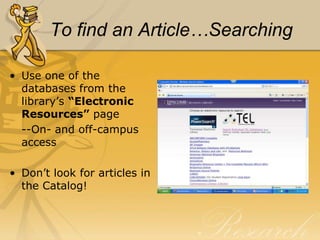
To find an Article…Searching

• Use one of the
  databases from the
  library’s “Electronic
  Resources” page
  --On- and off-campus
  access

• Don’t look for articles in
  the Catalog!
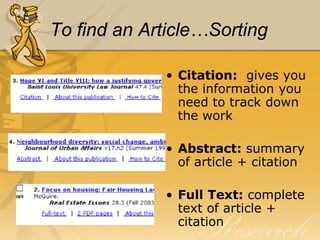
To find an Article…Sorting

             • Citation: gives you
               the information you
               need to track down
               the work

             • Abstract: summary
               of article + citation

             • Full Text: complete
               text of article +
               citation
To find an Article…Locating

• Found sources in a database? Now,
  how do you find them?
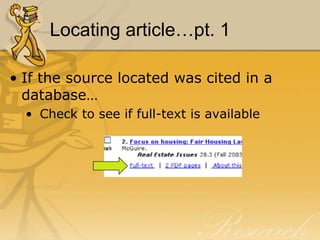
Locating article…pt. 1

• If the source located was cited in a
  database…
  • Check to see if full-text is available
Locating article…pt. 2

• If the source located was not available
  in full-text in a database…
  • Check the journal title in the Catalog by
    doing a Title Search to see if Beaman has
    the journal in print

  • Check the journal title in Ebsco A to Z
Locating articles…pt. 3

• If the source is not available in print in
  Beaman Library or full-text via
  database…
  • Check other local libraries (in WorldCat or
    Athena) to see if they have the journal in
    print
  • Request the article through Interlibrary
    Loan (Allow 2 weeks)
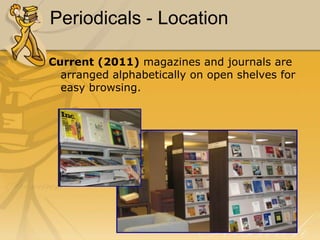
Periodicals - Location

Current (2011) magazines and journals are
  arranged alphabetically on open shelves for
  easy browsing.
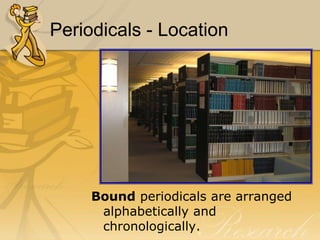
Periodicals - Location


     Bound periodicals are arranged
      alphabetically and
      chronologically.
Periodicals - Location

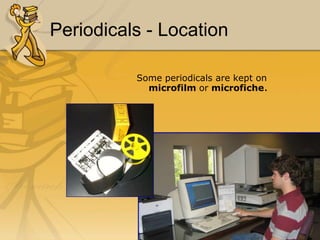
          Some periodicals are kept on
            microfilm or microfiche.
Electronic/ Online Resources:
        Types
• General

• Subject specific

• Government

• Military

• Commercial

• Education
Databases


Tennessee Electronic Library

  • Academic OneFile
  • Expanded Academic
  • Science Database
  • PowerSearch
Databases
Also try…

• America: History and Life
• Biography Resource Center
• Business Source Premier
• EBSCOhost
• Facts on File
• LearningExpress Library (for practice
  tests and Entrance Exams)
• LexisNexis
Search engines


                     http://scholar.google.com/


search specifically for scholarly literature:
        peer-reviewed papers
     theses        books      preprints
       abstracts      technical reports
arranges search results by relevancy
Search engines


http://infomine.ucr.edu/


    … a virtual library of Internet resources relevant to faculty, students,
                   and research staff at the university level.

            electronic journals          electronic books
            bulletin boards              databases
            articles
Evaluating Information


 from monographs [books]

 from periodicals

 from databases
Evaluating books


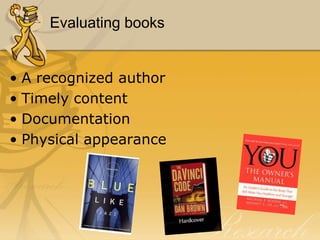
• A recognized author
• Timely content
• Documentation
• Physical appearance
Evaluating Journal Articles


       Scholarly Journal
         Characteristics

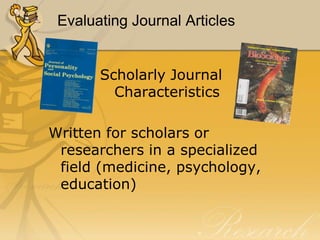
Written for scholars or
 researchers in a specialized
 field (medicine, psychology,
 education)
Evaluating Journal Articles


• found in specialized (subject) indexes
  [Social Sciences Index]

  usually published quarterly or monthly

• mostly print
  • graphs and/or tables
  • few or no ads
Evaluating Journal Articles


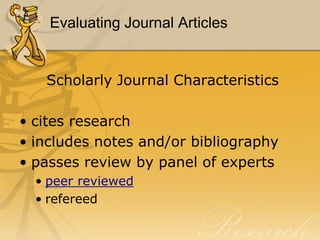
   Scholarly Journal Characteristics

• cites research
• includes notes and/or bibliography
• passes review by panel of experts
  • peer reviewed
  • refereed
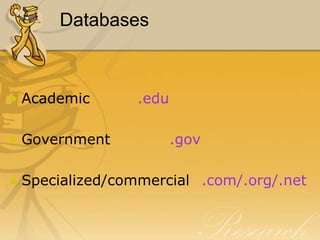
Databases


• Academic      .edu

• Government           .gov

• Specialized/commercial .com/.org/.net
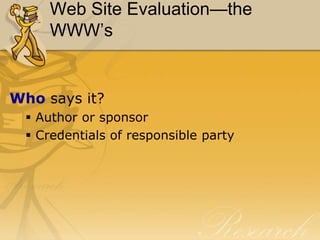
Web Site Evaluation—the
     WWW’s


Who says it?
   Author or sponsor
   Credentials of responsible party
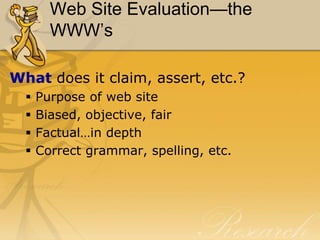
Web Site Evaluation—the
        WWW’s

What does it claim, assert, etc.?
     Purpose of web site
     Biased, objective, fair
     Factual…in depth
     Correct grammar, spelling, etc.
Web Site Evaluation—the
     WWW’s


When was it said?
  • Publication date
  • Revisions
  • Links up-to-date
Interlibrary Loan

• Question:
  What do I do if a resource I need is not
     available in the Beaman Library?
• Answer:
   Use the Interlibrary loan service
     provided by Beaman Library
Interlibrary Loan
Facts about Interlibrary Loan:

•   Interlibrary Loan is a service provided by Beaman Library to obtain
    materials NOT owned by Beaman Library.

•   The conditions of this service are set by the National Interlibrary
    Loan Code.

•   The loan period is determined by the lending library.

•   Athena is an area consortium of local libraries who loan and borrow
    from one another without charge.

•   Applications are available at the Reference desk or online in
    Catacomb.

    Access form online: http://library.lipscomb.edu
Review: The Power of Five


What does scholarly research require?
A knowledge of
  1. The locations of information resources
  2. Organization of information resources
  3. The access tools needed for obtaining
     information regardless of its format
  4. The criteria for evaluating information
                     located
  5. The rules of scholarly research
     (proper citing/respect for copyright)

Beginning research fall2011

  • 1.
    An Adventure inResearch Using Beaman Library Services and Resources Fall 2010
  • 2.
    Beaman Library isyour starting point for research Research materials at your fingertips! Computers for your convenience! Study Rooms available to study by yourself or for a group to gather! Our Library Staff is here for you!
  • 3.
    Your Beaman LibraryHomepage • Access the library catalog & our electronic databases from any computer • Ask a Reference Question??? • Find out information about the library or read the latest library newsletter
  • 4.
    Information Resources in Beaman Library - Organization Library of Congress Classification System (LB 2806 .R38)—Read the call number alphabetically and numerically. Any number after the decimal point is treated like a decimal number. Designators (Ref, Oversize, Buffington…)— Gives you a clue as to where these books are physically located in library. They are special sections unto themselves. Local Collections (Special Collections, Restoration Collection…)
  • 5.
    Information Resources in Beaman Library – access tools Books Articles (print & electronic) -Scholarly journal articles -Popular magazine articles -Newspaper articles Websites
  • 6.
    Books! • Reference Books: -use in library only • General Collection: -check out = 3 weeks for undergrads. • eBooks: -access and read online. You must create your own username and password at netlibrary.com from a Lipscomb computer and then you can access them from anywhere.
  • 7.
    To find aBook… Use… The online catalog • Author Search • Title Search • Subject Search—very specific only searches subject line (which are Library of Congress approved subject headings) • Keyword Search--searches all lines in the record except for Subjects. http://library.lipscomb.edu
  • 8.
    Articles! • Scholarly journals -aka “refereed”, “peer- reviewed”, “academic” -articles reviewed and accepted by experts in the field • Magazines, popular and trade journals -Booklist, Southern Living, GQ • Newspapers -The Tennessean, Wall Street Journal
  • 9.
    To find anArticle…Searching • Use one of the databases from the library’s “Electronic Resources” page --On- and off-campus access • Don’t look for articles in the Catalog!
  • 10.
    To find anArticle…Sorting • Citation: gives you the information you need to track down the work • Abstract: summary of article + citation • Full Text: complete text of article + citation
  • 11.
    To find anArticle…Locating • Found sources in a database? Now, how do you find them?
  • 12.
    Locating article…pt. 1 •If the source located was cited in a database… • Check to see if full-text is available
  • 13.
    Locating article…pt. 2 •If the source located was not available in full-text in a database… • Check the journal title in the Catalog by doing a Title Search to see if Beaman has the journal in print • Check the journal title in Ebsco A to Z
  • 14.
    Locating articles…pt. 3 •If the source is not available in print in Beaman Library or full-text via database… • Check other local libraries (in WorldCat or Athena) to see if they have the journal in print • Request the article through Interlibrary Loan (Allow 2 weeks)
  • 15.
    Periodicals - Location Current(2011) magazines and journals are arranged alphabetically on open shelves for easy browsing.
  • 16.
    Periodicals - Location Bound periodicals are arranged alphabetically and chronologically.
  • 17.
    Periodicals - Location Some periodicals are kept on microfilm or microfiche.
  • 18.
    Electronic/ Online Resources: Types • General • Subject specific • Government • Military • Commercial • Education
  • 19.
    Databases Tennessee Electronic Library • Academic OneFile • Expanded Academic • Science Database • PowerSearch
  • 20.
    Databases Also try… • America:History and Life • Biography Resource Center • Business Source Premier • EBSCOhost • Facts on File • LearningExpress Library (for practice tests and Entrance Exams) • LexisNexis
  • 21.
    Search engines http://scholar.google.com/ search specifically for scholarly literature: peer-reviewed papers theses books preprints abstracts technical reports arranges search results by relevancy
  • 22.
    Search engines http://infomine.ucr.edu/ … a virtual library of Internet resources relevant to faculty, students, and research staff at the university level. electronic journals electronic books bulletin boards databases articles
  • 23.
    Evaluating Information  frommonographs [books]  from periodicals  from databases
  • 24.
    Evaluating books • Arecognized author • Timely content • Documentation • Physical appearance
  • 25.
    Evaluating Journal Articles Scholarly Journal Characteristics Written for scholars or researchers in a specialized field (medicine, psychology, education)
  • 26.
    Evaluating Journal Articles •found in specialized (subject) indexes [Social Sciences Index] usually published quarterly or monthly • mostly print • graphs and/or tables • few or no ads
  • 27.
    Evaluating Journal Articles Scholarly Journal Characteristics • cites research • includes notes and/or bibliography • passes review by panel of experts • peer reviewed • refereed
  • 28.
    Databases • Academic .edu • Government .gov • Specialized/commercial .com/.org/.net
  • 29.
    Web Site Evaluation—the WWW’s Who says it?  Author or sponsor  Credentials of responsible party
  • 30.
    Web Site Evaluation—the WWW’s What does it claim, assert, etc.?  Purpose of web site  Biased, objective, fair  Factual…in depth  Correct grammar, spelling, etc.
  • 31.
    Web Site Evaluation—the WWW’s When was it said? • Publication date • Revisions • Links up-to-date
  • 32.
    Interlibrary Loan • Question: What do I do if a resource I need is not available in the Beaman Library? • Answer: Use the Interlibrary loan service provided by Beaman Library
  • 33.
    Interlibrary Loan Facts aboutInterlibrary Loan: • Interlibrary Loan is a service provided by Beaman Library to obtain materials NOT owned by Beaman Library. • The conditions of this service are set by the National Interlibrary Loan Code. • The loan period is determined by the lending library. • Athena is an area consortium of local libraries who loan and borrow from one another without charge. • Applications are available at the Reference desk or online in Catacomb. Access form online: http://library.lipscomb.edu
  • 34.
    Review: The Powerof Five What does scholarly research require? A knowledge of 1. The locations of information resources 2. Organization of information resources 3. The access tools needed for obtaining information regardless of its format 4. The criteria for evaluating information located 5. The rules of scholarly research (proper citing/respect for copyright)