Digital Video
Lesson 8
Lesson Goals
Know the requirements of the client brief
Understand how to give effective feedback
Be able to test the video and give feedback to others
#test #feedback
#requirement
What can we test
in the final video?
Think about the key requirements…
Understand how to give feedback
Be able to test the final video
#test #feedback
#requirement
Key Features Understand how to give feedback
Be able to test the final video
#test #feedback
#requirement
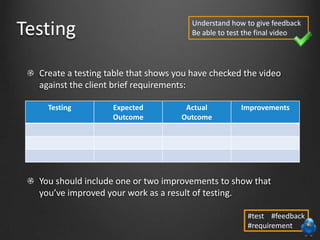
Testing
Create a testing table that shows you have checked the video
against the client brief requirements:
You should include one or two improvements to show that
you’ve improved your work as a result of testing.
Understand how to give feedback
Be able to test the final video
#test #feedback
#requirement
Testing Expected
Outcome
Actual
Outcome
Improvements
What feedback could
you give someone?
Think about positives and negatives…
Understand how to give feedback
Be able to test the final video
#test #feedback
#requirement
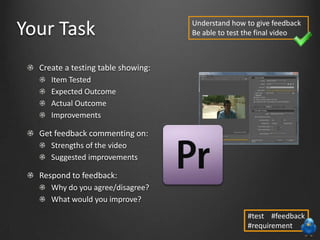
Create a testing table showing:
Item Tested
Expected Outcome
Actual Outcome
Improvements
Get feedback commenting on:
Strengths of the video
Suggested improvements
Respond to feedback:
Why do you agree/disagree?
What would you improve?
Your Task Understand how to give feedback
Be able to test the final video
#test #feedback
#requirement
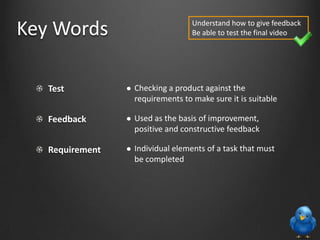
Test
Feedback
Requirement
 Checking a product against the
requirements to make sure it is suitable
 Used as the basis of improvement,
positive and constructive feedback
 Individual elements of a task that must
be completed
Key Words Understand how to give feedback
Be able to test the final video

Lesson 8 - Testing

  • 1.
  • 2.
    Lesson Goals Know therequirements of the client brief Understand how to give effective feedback Be able to test the video and give feedback to others #test #feedback #requirement
  • 3.
    What can wetest in the final video? Think about the key requirements… Understand how to give feedback Be able to test the final video #test #feedback #requirement
  • 4.
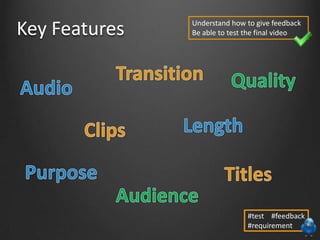
    Key Features Understandhow to give feedback Be able to test the final video #test #feedback #requirement
  • 5.
    Testing Create a testingtable that shows you have checked the video against the client brief requirements: You should include one or two improvements to show that you’ve improved your work as a result of testing. Understand how to give feedback Be able to test the final video #test #feedback #requirement Testing Expected Outcome Actual Outcome Improvements
  • 6.
    What feedback could yougive someone? Think about positives and negatives… Understand how to give feedback Be able to test the final video #test #feedback #requirement
  • 7.
    Create a testingtable showing: Item Tested Expected Outcome Actual Outcome Improvements Get feedback commenting on: Strengths of the video Suggested improvements Respond to feedback: Why do you agree/disagree? What would you improve? Your Task Understand how to give feedback Be able to test the final video #test #feedback #requirement
  • 8.
    Test Feedback Requirement  Checking aproduct against the requirements to make sure it is suitable  Used as the basis of improvement, positive and constructive feedback  Individual elements of a task that must be completed Key Words Understand how to give feedback Be able to test the final video