© Copyright 2014 Hewlett-Packard Development Company, L.P. The information contained herein is subject to change without notice.
UsabilityTesting
Is it awesome or not?
Tomas Muchka / November 19, 2014
© Copyright 2014 Hewlett-Packard Development Company, L.P. The information contained herein is subject to change without notice.2
Today I‘m going to talk about
• What is usability testing
• Why are we testing usability
• How to test usability
• Basic steps of usability testing
• Test evaluation
© Copyright 2014 Hewlett-Packard Development Company, L.P. The information contained herein is subject to change without notice.
“Don‘tmakemethink”
Steve Krug, usability guru at Sensible.com
© Copyright 2014 Hewlett-Packard Development Company, L.P. The information contained herein is subject to change without notice.4
What is usability testing
A technique used in user-centered interaction design to evaluate a product by
testing it on users.
© Copyright 2014 Hewlett-Packard Development Company, L.P. The information contained herein is subject to change without notice.5
Why are we testing usability
• Fast
• Cheap
• Unburden feedback
• It brings results!
© Copyright 2014 Hewlett-Packard Development Company, L.P. The information contained herein is subject to change without notice.6
Expert review
• Expert evaulators
• Heuristic evaluation
A/B testing
• Mostly in web applications
• Two or more versions of tested feature
• Decisions through analytics
How to test usability
Hallway testing
• In-house testing
• People from outside the team
Remote usability testing
• People are not located in the same
building/city/country
• Real-time vs post-time review
© Copyright 2014 Hewlett-Packard Development Company, L.P. The information contained herein is subject to change without notice.7
Best advices on usability testing
• Get as many people as possible
(Stakeholders, Managers, Developers…)
• Attend in person
• Seeing is believing
• Usually, nobody hurts others feelings
• Focus only on the most serious problems
© Copyright 2014 Hewlett-Packard Development Company, L.P. The information contained herein is subject to change without notice.
Basicstepsofusabilitytesting
© Copyright 2014 Hewlett-Packard Development Company, L.P. The information contained herein is subject to change without notice.9
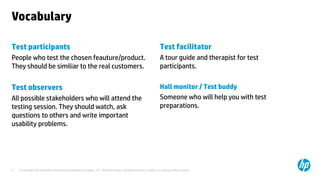
Vocabulary
Test participants
People who test the chosen feauture/product.
They should be similiar to the real customers.
Test observers
All possible stakeholders who will attend the
testing session. They should watch, ask
questions to others and write important
usability problems.
Test facilitator
A tour guide and therapist for test
participants.
Hall monitor / Test buddy
Someone who will help you with test
preparations.
© Copyright 2014 Hewlett-Packard Development Company, L.P. The information contained herein is subject to change without notice.10
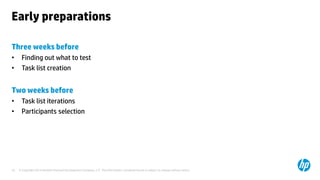
Early preparations
Three weeks before
• Finding out what to test
• Task list creation
Two weeks before
• Task list iterations
• Participants selection
© Copyright 2014 Hewlett-Packard Development Company, L.P. The information contained herein is subject to change without notice.11
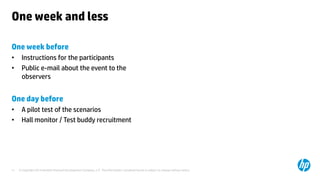
One week and less
One week before
• Instructions for the participants
• Public e-mail about the event to the
observers
One day before
• A pilot test of the scenarios
• Hall monitor / Test buddy recruitment
© Copyright 2014 Hewlett-Packard Development Company, L.P. The information contained herein is subject to change without notice.12
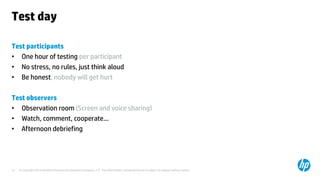
Test day
Test participants
• One hour of testing per participant
• No stress, no rules, just think aloud
• Be honest, nobody will get hurt
Test observers
• Observation room (Screen and voice sharing)
• Watch, comment, cooperate…
• Afternoon debriefing
© Copyright 2014 Hewlett-Packard Development Company, L.P. The information contained herein is subject to change without notice.
TestEvaluation
© Copyright 2014 Hewlett-Packard Development Company, L.P. The information contained herein is subject to change without notice.14
Debriefing
Key points
• As soon as possible after testing session
• Take the worst first
• Ideally only for the test session attendees
Outcomes
• A list of most serious usability problems
• A list of problems which are going to be fixed
before next testing round
© Copyright 2014 Hewlett-Packard Development Company, L.P. The information contained herein is subject to change without notice.15
What problems should be fixed
Key points
• Get top three problems from all attendees
• Vote or pick the top usability problems
• Discuss how each problem could be fixed
within next month
Tips for success
• Stick to what you have observed
• Focus on the most serious problems
© Copyright 2014 Hewlett-Packard Development Company, L.P. The information contained herein is subject to change without notice.16
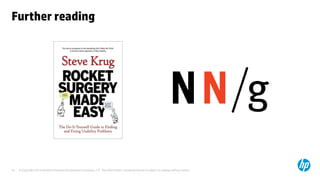
Further reading
© Copyright 2014 Hewlett-Packard Development Company, L.P. The information contained herein is subject to change without notice.
Usabilitytestingisawesome
Tomas Muchka, SW Designer at HP

Usability Testing: A Complete Guide

  • 1.
    © Copyright 2014Hewlett-Packard Development Company, L.P. The information contained herein is subject to change without notice. UsabilityTesting Is it awesome or not? Tomas Muchka / November 19, 2014
  • 2.
    © Copyright 2014Hewlett-Packard Development Company, L.P. The information contained herein is subject to change without notice.2 Today I‘m going to talk about • What is usability testing • Why are we testing usability • How to test usability • Basic steps of usability testing • Test evaluation
  • 3.
    © Copyright 2014Hewlett-Packard Development Company, L.P. The information contained herein is subject to change without notice. “Don‘tmakemethink” Steve Krug, usability guru at Sensible.com
  • 4.
    © Copyright 2014Hewlett-Packard Development Company, L.P. The information contained herein is subject to change without notice.4 What is usability testing A technique used in user-centered interaction design to evaluate a product by testing it on users.
  • 5.
    © Copyright 2014Hewlett-Packard Development Company, L.P. The information contained herein is subject to change without notice.5 Why are we testing usability • Fast • Cheap • Unburden feedback • It brings results!
  • 6.
    © Copyright 2014Hewlett-Packard Development Company, L.P. The information contained herein is subject to change without notice.6 Expert review • Expert evaulators • Heuristic evaluation A/B testing • Mostly in web applications • Two or more versions of tested feature • Decisions through analytics How to test usability Hallway testing • In-house testing • People from outside the team Remote usability testing • People are not located in the same building/city/country • Real-time vs post-time review
  • 7.
    © Copyright 2014Hewlett-Packard Development Company, L.P. The information contained herein is subject to change without notice.7 Best advices on usability testing • Get as many people as possible (Stakeholders, Managers, Developers…) • Attend in person • Seeing is believing • Usually, nobody hurts others feelings • Focus only on the most serious problems
  • 8.
    © Copyright 2014Hewlett-Packard Development Company, L.P. The information contained herein is subject to change without notice. Basicstepsofusabilitytesting
  • 9.
    © Copyright 2014Hewlett-Packard Development Company, L.P. The information contained herein is subject to change without notice.9 Vocabulary Test participants People who test the chosen feauture/product. They should be similiar to the real customers. Test observers All possible stakeholders who will attend the testing session. They should watch, ask questions to others and write important usability problems. Test facilitator A tour guide and therapist for test participants. Hall monitor / Test buddy Someone who will help you with test preparations.
  • 10.
    © Copyright 2014Hewlett-Packard Development Company, L.P. The information contained herein is subject to change without notice.10 Early preparations Three weeks before • Finding out what to test • Task list creation Two weeks before • Task list iterations • Participants selection
  • 11.
    © Copyright 2014Hewlett-Packard Development Company, L.P. The information contained herein is subject to change without notice.11 One week and less One week before • Instructions for the participants • Public e-mail about the event to the observers One day before • A pilot test of the scenarios • Hall monitor / Test buddy recruitment
  • 12.
    © Copyright 2014Hewlett-Packard Development Company, L.P. The information contained herein is subject to change without notice.12 Test day Test participants • One hour of testing per participant • No stress, no rules, just think aloud • Be honest, nobody will get hurt Test observers • Observation room (Screen and voice sharing) • Watch, comment, cooperate… • Afternoon debriefing
  • 13.
    © Copyright 2014Hewlett-Packard Development Company, L.P. The information contained herein is subject to change without notice. TestEvaluation
  • 14.
    © Copyright 2014Hewlett-Packard Development Company, L.P. The information contained herein is subject to change without notice.14 Debriefing Key points • As soon as possible after testing session • Take the worst first • Ideally only for the test session attendees Outcomes • A list of most serious usability problems • A list of problems which are going to be fixed before next testing round
  • 15.
    © Copyright 2014Hewlett-Packard Development Company, L.P. The information contained herein is subject to change without notice.15 What problems should be fixed Key points • Get top three problems from all attendees • Vote or pick the top usability problems • Discuss how each problem could be fixed within next month Tips for success • Stick to what you have observed • Focus on the most serious problems
  • 16.
    © Copyright 2014Hewlett-Packard Development Company, L.P. The information contained herein is subject to change without notice.16 Further reading
  • 17.
    © Copyright 2014Hewlett-Packard Development Company, L.P. The information contained herein is subject to change without notice. Usabilitytestingisawesome Tomas Muchka, SW Designer at HP