







A t t r I b u t e s
An attribute refers
to the quality or the
characteristics of
an HTML tag
s y n t A x
A syntax refers to the
structure or the
arrangement of
the tag
accordingly.
the part of a
scene that is
seemed toward
the back
bAckground
the surroundings,
especially those behind
something and providing
harmony or contrast;
surface against which
something is seen
bAckground
I am a type of
background that sets
an element, to make
the underlying colors
shine through.
Background Color
I am a type of
background that give
beauty to the web
page and usually the
reflection of a person
or object
Background picture
I am a type of
background that sets
an element such as
songs, that attract the
listener
Background sound
Color
Picture
Sound
Procedures in
Inserting
Background
Color
In creating a Web
page using HTML
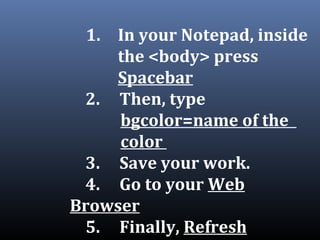
1. In your Notepad, inside
the <body> press
Spacebar
2. Then, type
bgcolor=name of the
color
3. Save your work.
4. Go to your Web
Browser
5. Finally, Refresh
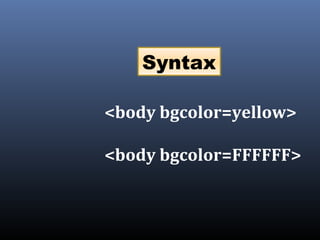
<body bgcolor=yellow>
<body bgcolor=FFFFFF>
Syntax
How to Insert
Background
Picture
In creating a Web page
using HTML
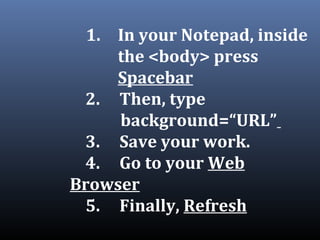
1. In your Notepad, inside
the <body> press
Spacebar
2. Then, type
background=“URL”
3. Save your work.
4. Go to your Web
Browser
5. Finally, Refresh
1. Browse the picture you
want to use as background
picture
2. Right click on the picture,
then choose Open with...
3. Choose Internet Explorer.
4. Finally, get the URL.
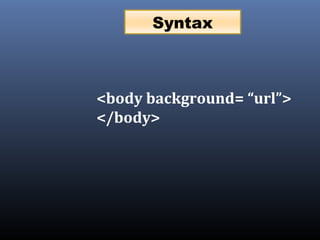
<body background= “url”>
</body>
Syntax
Procedures in
Inserting
Background Sound
In creating a Web page
using HTML
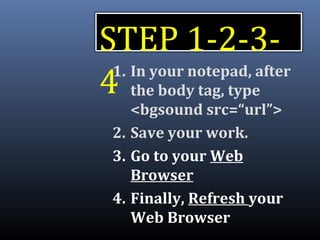
STEP 1-2-3-
41. In your notepad, after
the body tag, type
<bgsound src=“url”>
2. Save your work.
3. Go to your Web
Browser
4. Finally, Refresh your
Web Browser
How to get
the URL of
a sound?
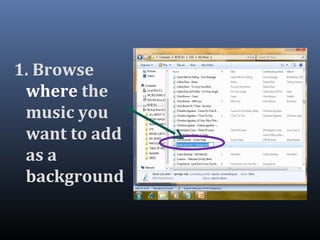
1. Browse
where the
music you
want to add
as a
background
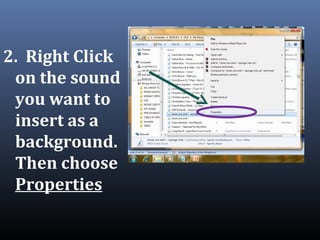
2. Right Click
on the sound
you want to
insert as a
background.
Then choose
Properties
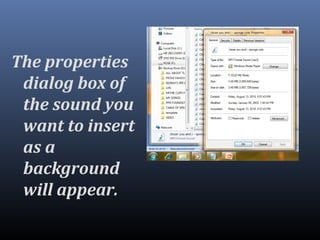
The properties
dialog box of
the sound you
want to insert
as a
background
will appear.
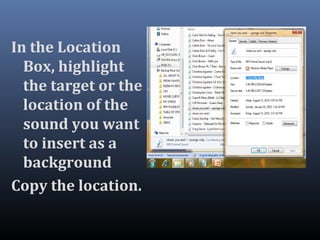
In the Location
Box, highlight
the target or the
location of the
sound you want
to insert as a
background
Copy the location.
Paste the
location in
your notepad,
inside the src
value
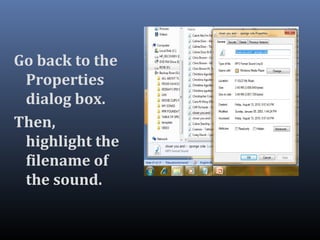
Go back to the
Properties
dialog box.
Then,
highlight the
filename of
the sound.
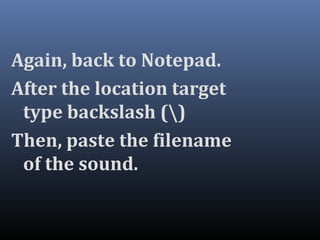
Again, back to Notepad.
After the location target
type backslash ()
Then, paste the filename
of the sound.
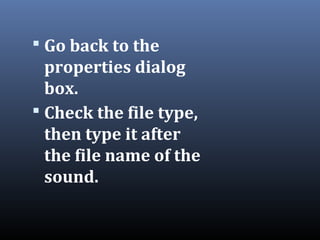
 Go back to the
properties dialog
box.
 Check the file type,
then type it after
the file name of the
sound.
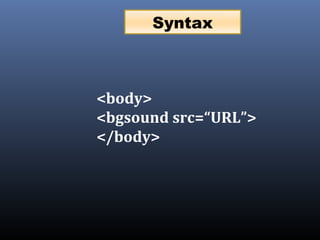
<body>
<bgsound src=“URL”>
</body>
Syntax
Assignment
Topic:
Alignment and Horizontal
Ruled Line
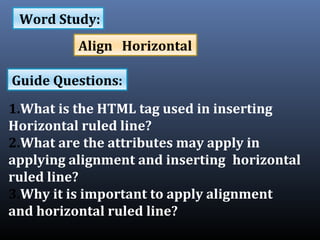
1.What is the HTML tag used in inserting
Horizontal ruled line?
2.What are the attributes may apply in
applying alignment and inserting horizontal
ruled line?
3.Why it is important to apply alignment
and horizontal ruled line?
Word Study:
Guide Questions:
Align Horizontal
Simple Web Design by
Gino Velasco
www.w3schools.com,
www.yahoo.com ,
www.google.com etc.
References:

Types of background in MS Frontpage 2003