1
Edited by Duc-Long, Le -
Một số quy ước trên slide
 Tắt màn hình máy tính
 Được dùng máy tính
 Làm việc theo nhóm
 Ghi chép bằng văn bản
TỰ NGHIÊN CỨU- ĐỌC THÊM
Duc-Long, Le (2011)
Company
LOGO
Bổ trợ cho học phần Công Nghệ Dạy Học
Dành cho sv ngành SP Tin học
e-Learning trong dạy học phổ thông
2
HCMc University of Education, Vietnam
Faculty of Information Technology
Department of Pedagogical Technique
Address: 280, An Duong Vuong st., HCMc
Phone: (08).8352020 - 8352021
3
Duc-Long, Le (2011)
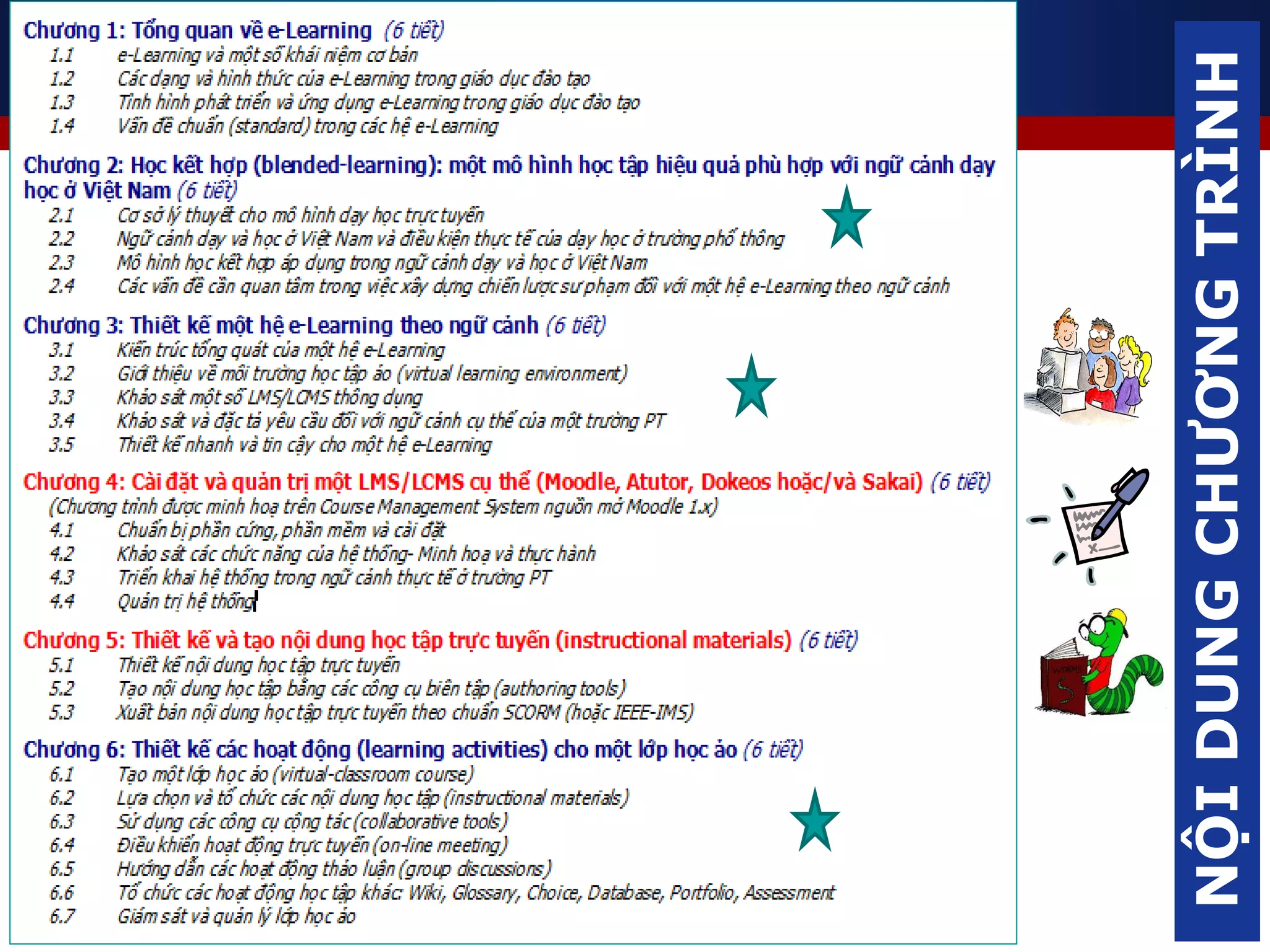
NỘIDUNGCHƯƠNGTRÌNH
4
Duc-Long, Le (2011)
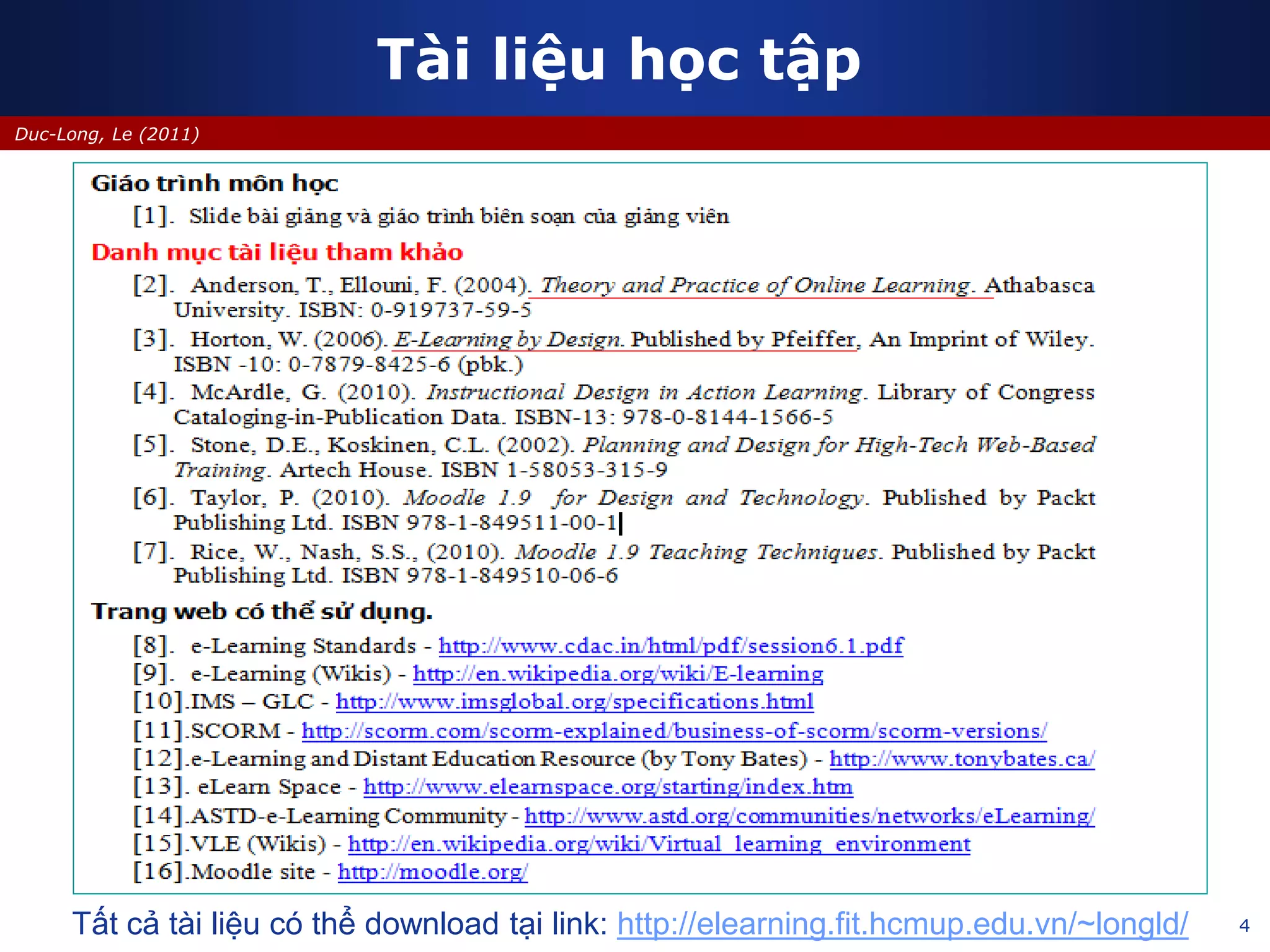
Tài liệu học tập
Tất cả tài liệu có thể download tại link: http://elearning.fit.hcmup.edu.vn/~longld/
5
Duc-Long, Le (2011)
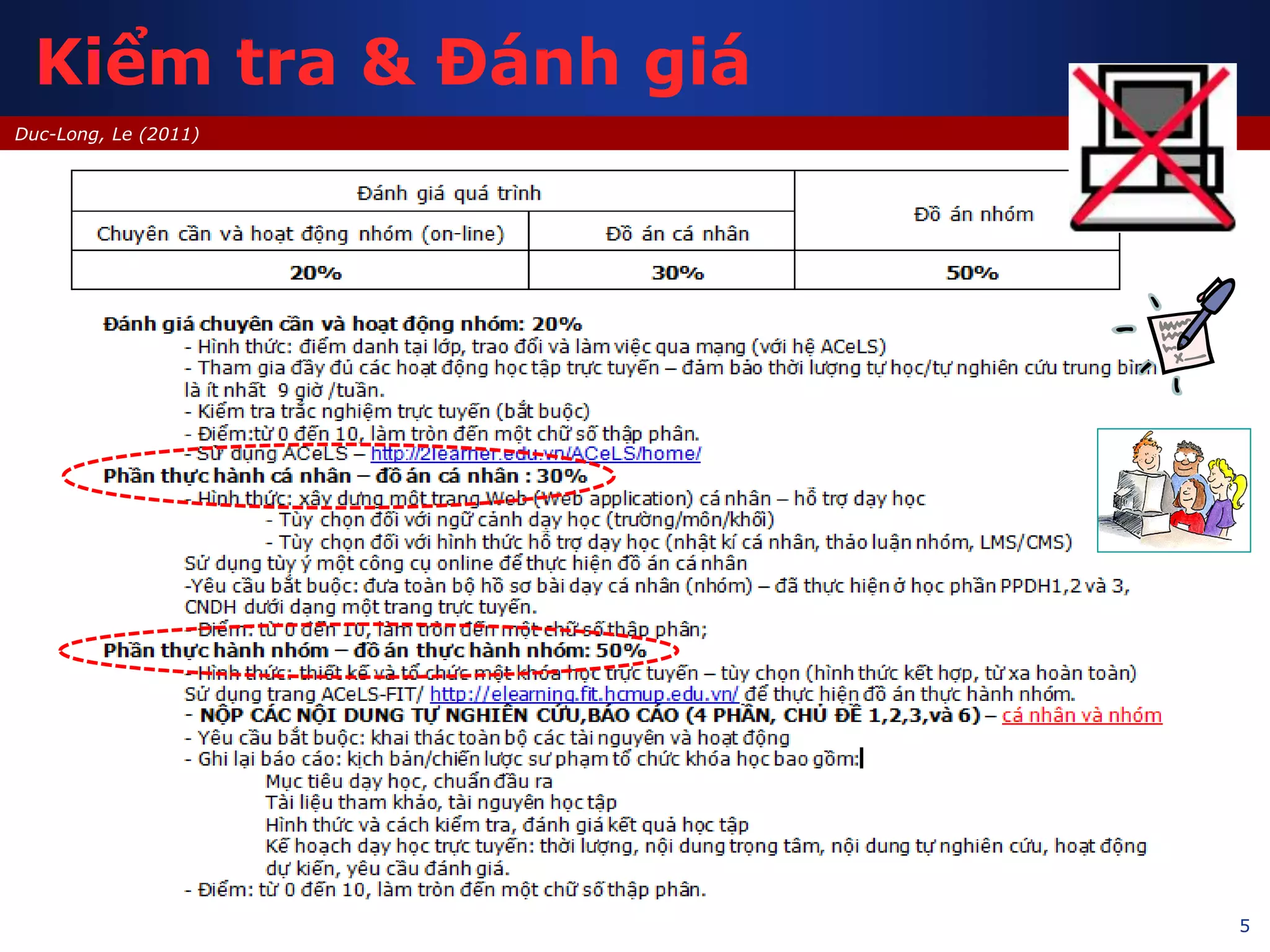
Kiểm tra & Đánh giá
6
Duc-Long, Le (2011)
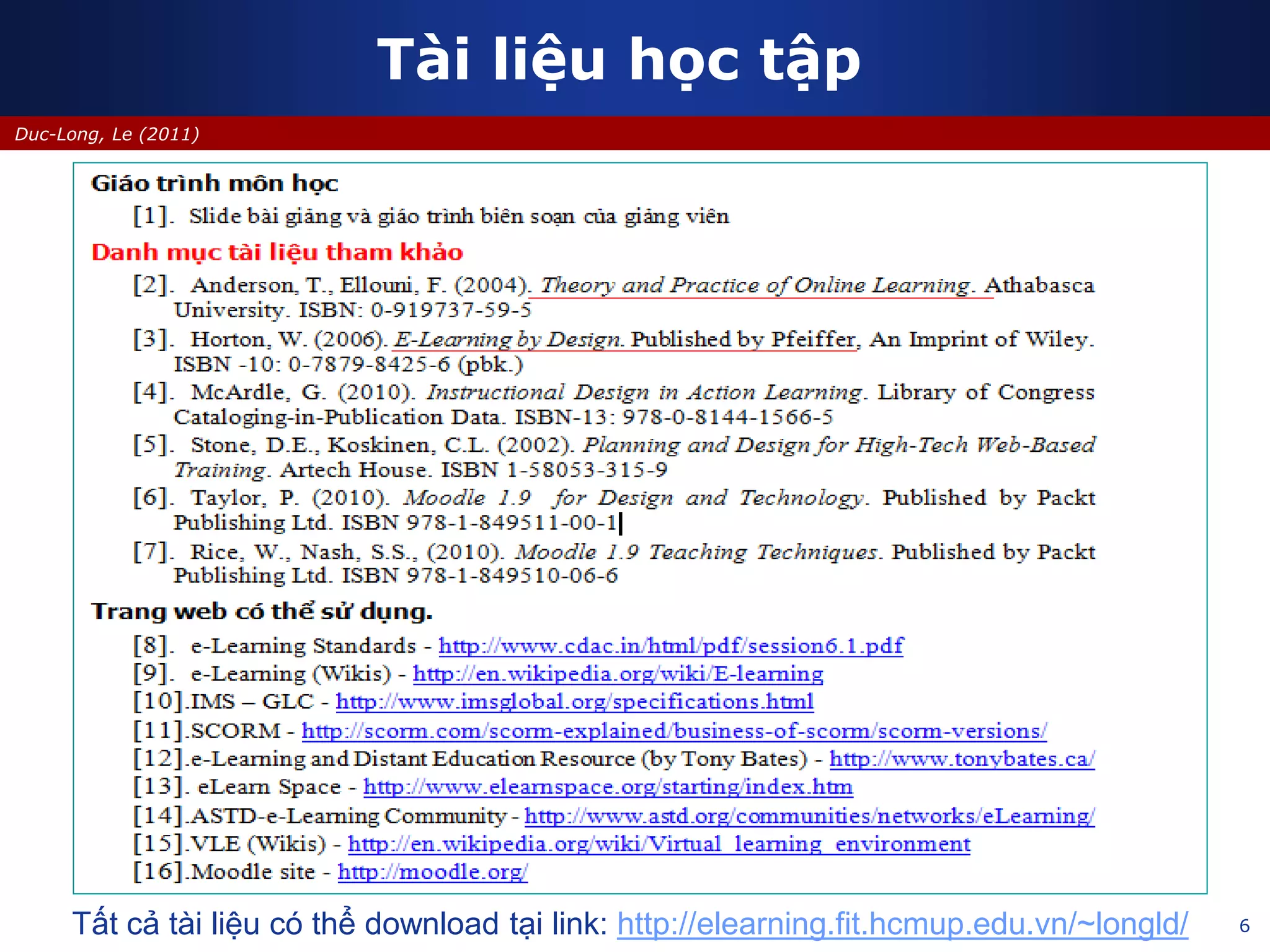
Tài liệu học tập
Tất cả tài liệu có thể download tại link: http://elearning.fit.hcmup.edu.vn/~longld/
7
Duc-Long, Le (2011)
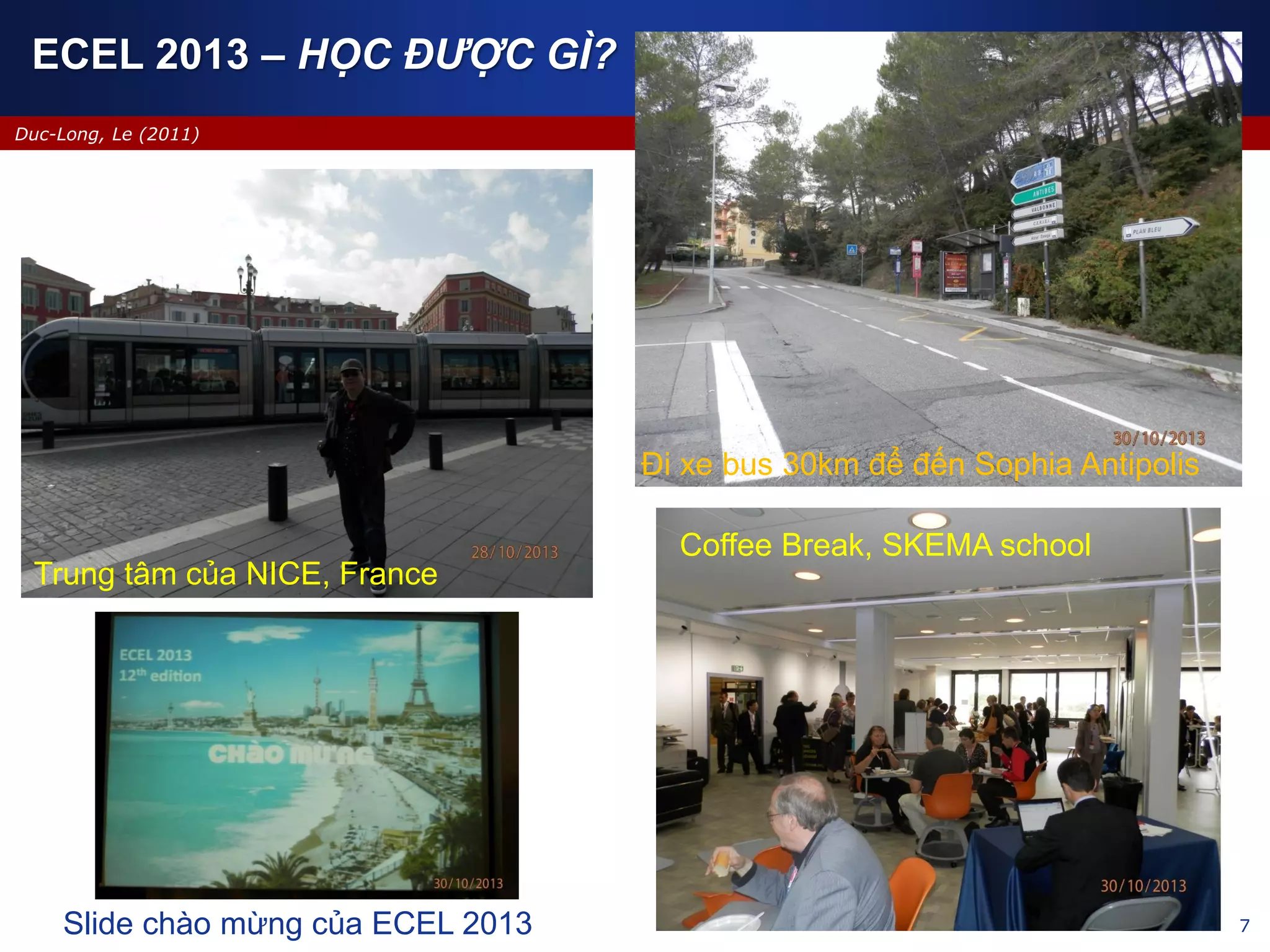
Trung tâm của NICE, France
Đi xe bus 30km để đến Sophia Antipolis
Coffee Break, SKEMA school
Slide chào mừng của ECEL 2013
ECEL 2013 – HỌC ĐƯỢC GÌ?
Duc-Long, Le (2011)
Company
LOGO
e-Learning in the Future
e-Learning phát triển ở tương lai sẽ như thế nào?
Làm sao để dạy học trực tuyến hiệu quả và hấp dẫn?
Chuyên đề – e-Learning trong trường phổ thông
09/2013
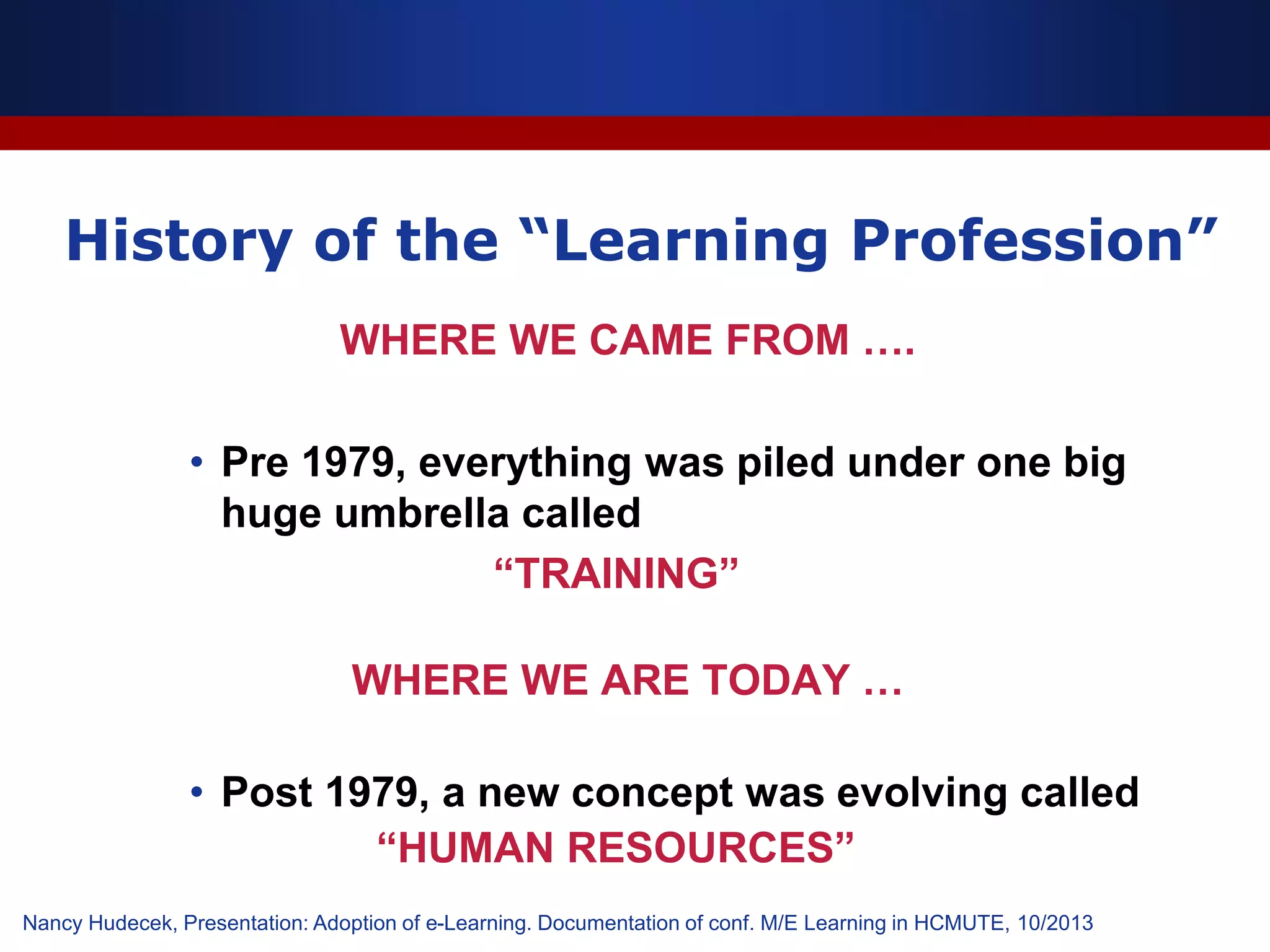
History of the “Learning Profession”
WHERE WE CAME FROM ….
• Pre 1979, everything was piled under one big
huge umbrella called
“TRAINING”
WHERE WE ARE TODAY …
• Post 1979, a new concept was evolving called
“HUMAN RESOURCES”
Nancy Hudecek, Presentation: Adoption of e-Learning. Documentation of conf. M/E Learning in HCMUTE, 10/2013
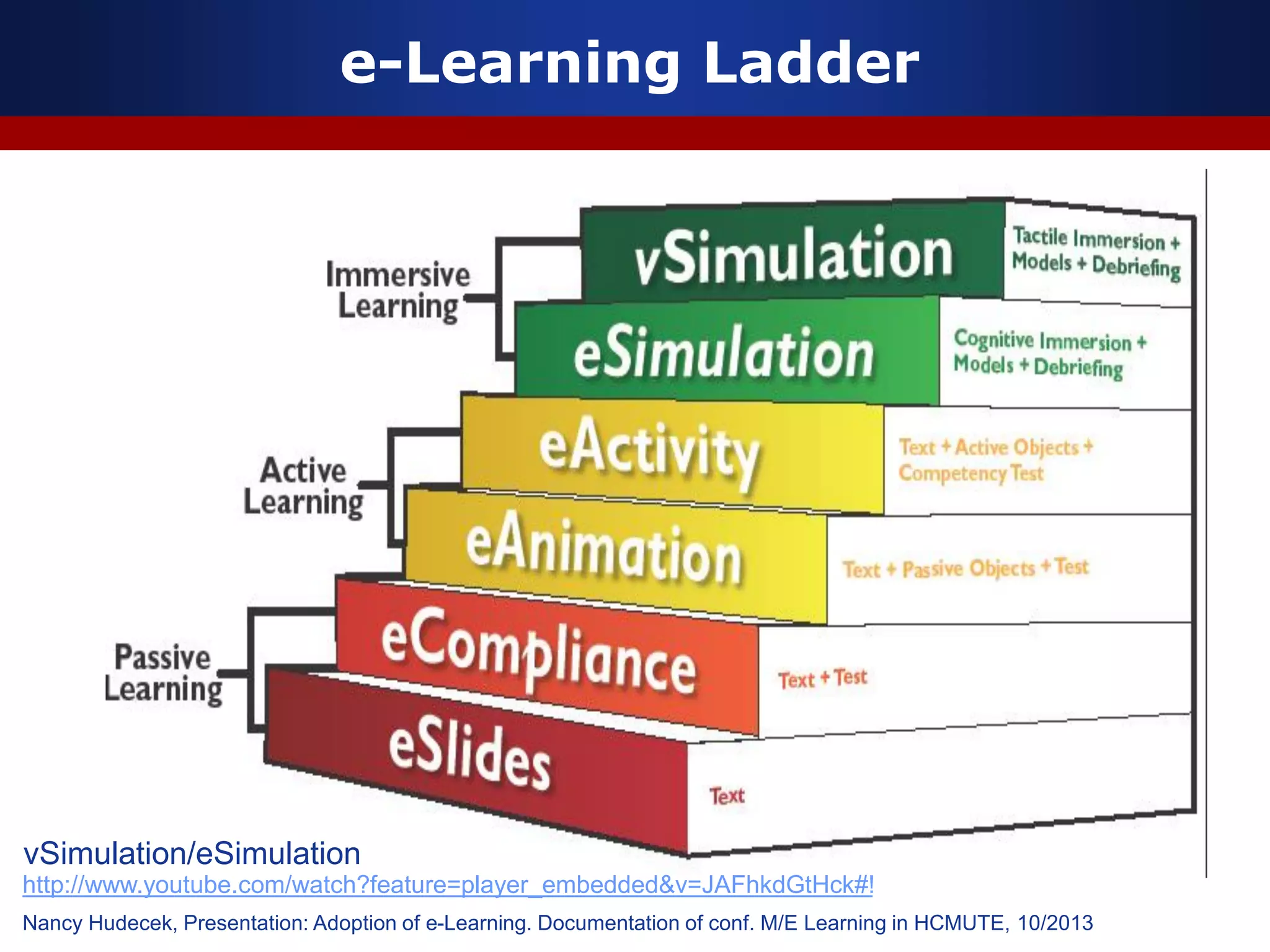
e-Learning Ladder
Nancy Hudecek, Presentation: Adoption of e-Learning. Documentation of conf. M/E Learning in HCMUTE, 10/2013
http://www.youtube.com/watch?feature=player_embedded&v=JAFhkdGtHck#!
vSimulation/eSimulation
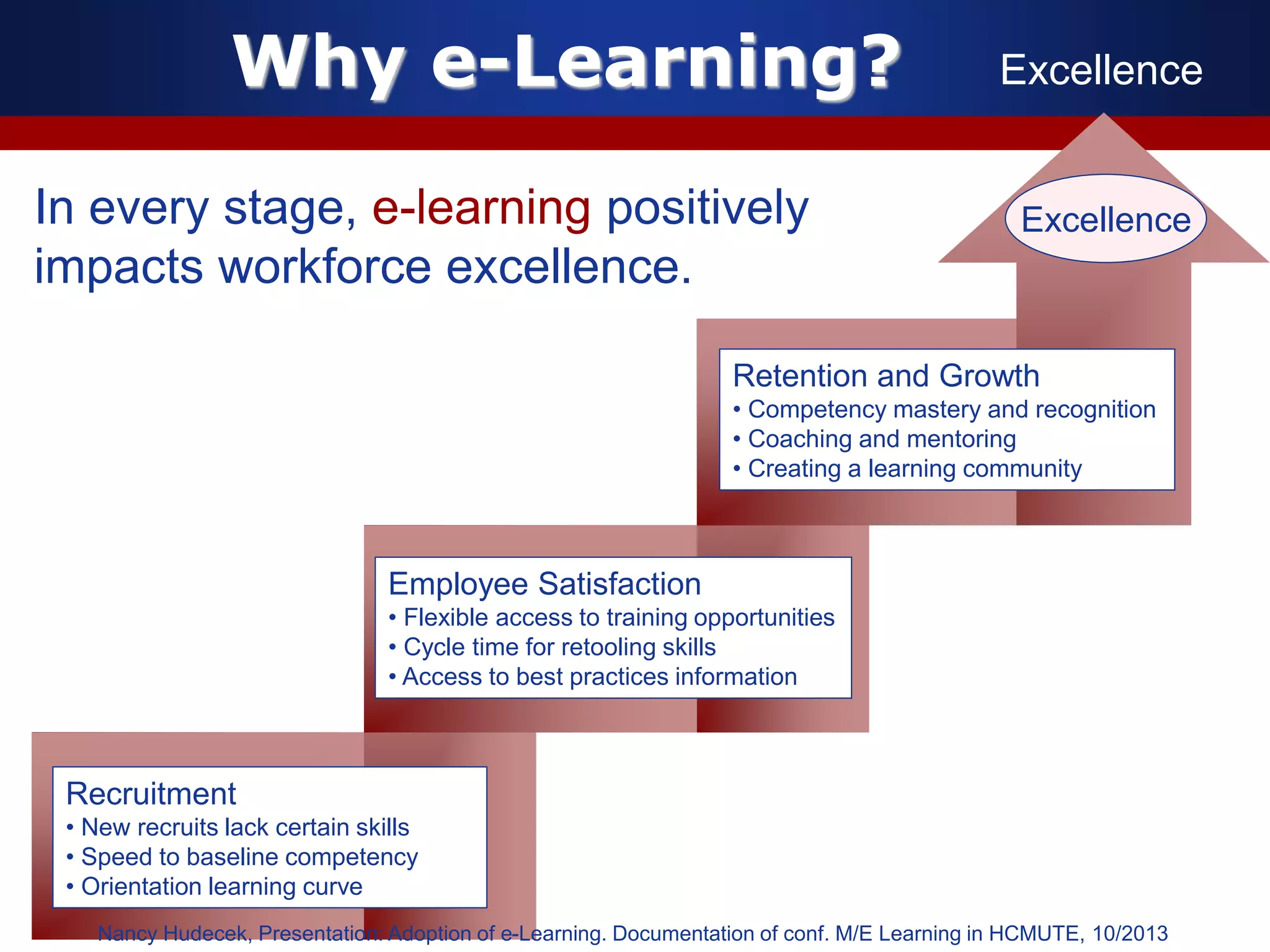
Why e-Learning? Excellence
In every stage, e-learning positively
impacts workforce excellence.
Recruitment
• New recruits lack certain skills
• Speed to baseline competency
• Orientation learning curve
Employee Satisfaction
• Flexible access to training opportunities
• Cycle time for retooling skills
• Access to best practices information
Retention and Growth
• Competency mastery and recognition
• Coaching and mentoring
• Creating a learning community
Excellence
Nancy Hudecek, Presentation: Adoption of e-Learning. Documentation of conf. M/E Learning in HCMUTE, 10/2013
Duc-Long, Le (2011)
Company
LOGO
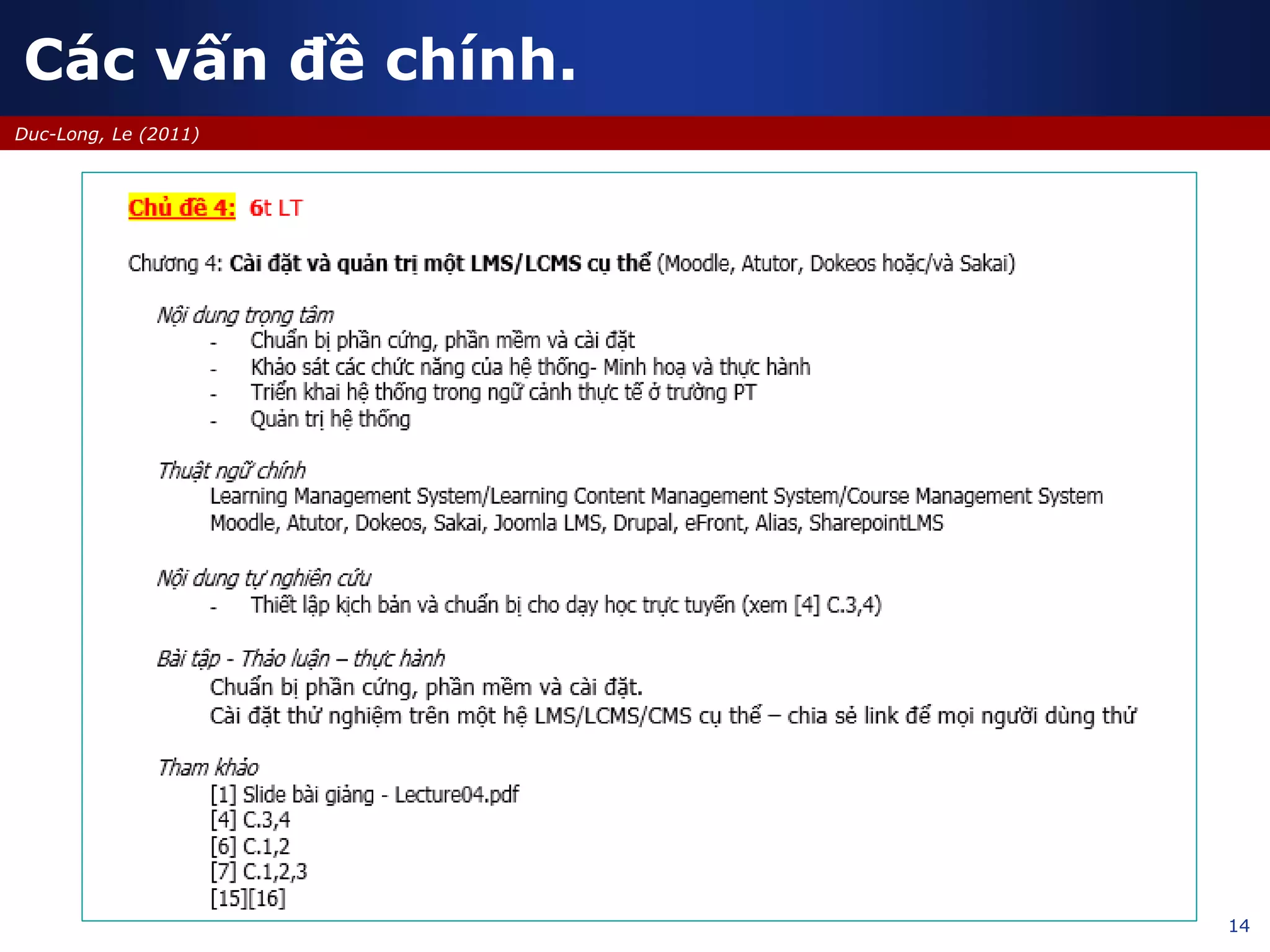
Cài đặt và quản trị LMS/CMS
Sử dụng CMS nguồn mở Moodle, Atutor, Dokeos hoặc/và Sakai
Chuyên đề – e-Learning trong trường phổ thông
09/2013
14
Duc-Long, Le (2011)
Các vấn đề chính.
15
Duc-Long, Le (2011)
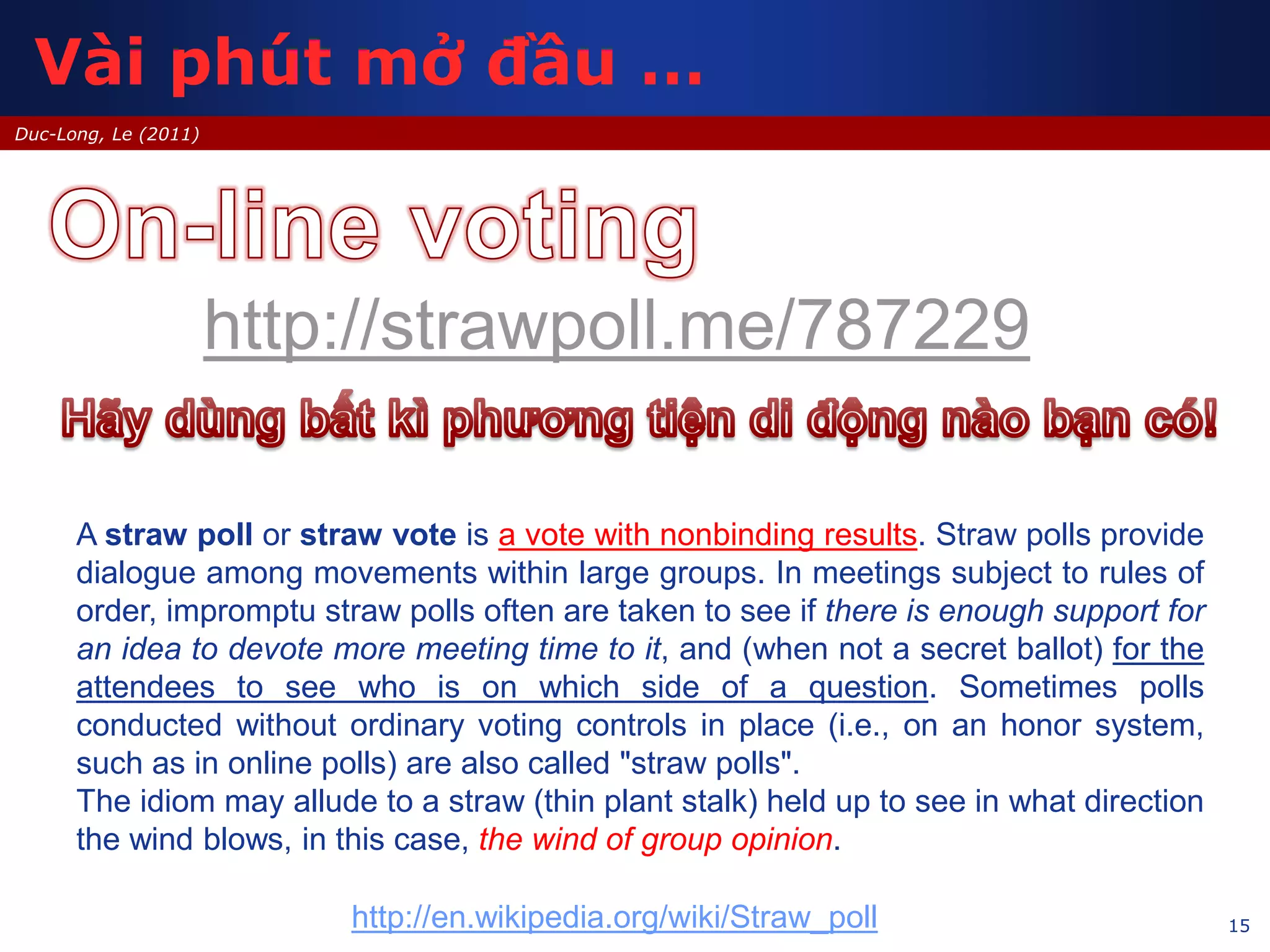
http://strawpoll.me/787229
A straw poll or straw vote is a vote with nonbinding results. Straw polls provide
dialogue among movements within large groups. In meetings subject to rules of
order, impromptu straw polls often are taken to see if there is enough support for
an idea to devote more meeting time to it, and (when not a secret ballot) for the
attendees to see who is on which side of a question. Sometimes polls
conducted without ordinary voting controls in place (i.e., on an honor system,
such as in online polls) are also called "straw polls".
The idiom may allude to a straw (thin plant stalk) held up to see in what direction
the wind blows, in this case, the wind of group opinion.
http://en.wikipedia.org/wiki/Straw_poll
Vài phút mở đầu …
16
Duc-Long, Le (2011)
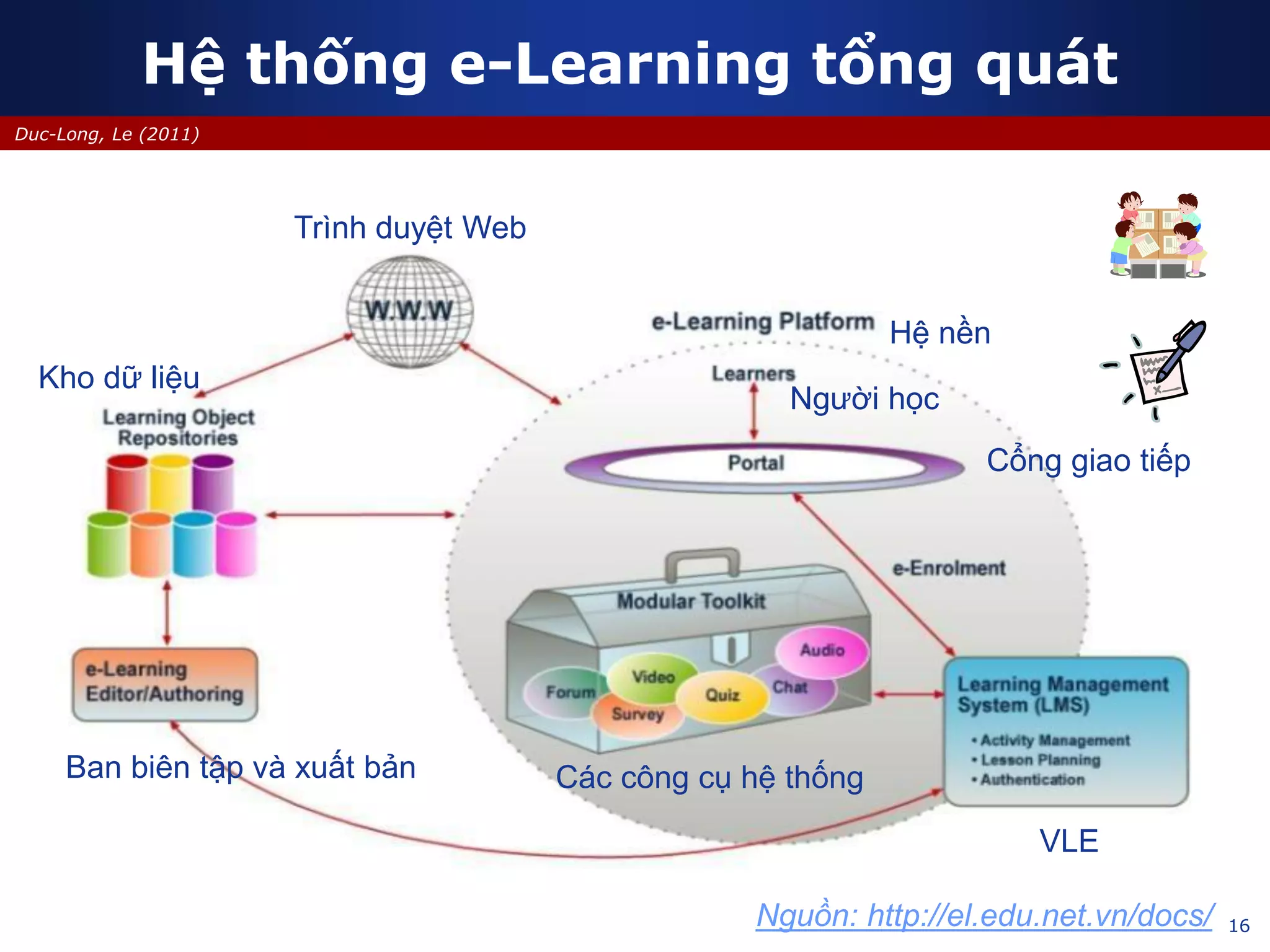
Hệ thống e-Learning tổng quát
Trình duyệt Web
VLE
Ban biên tập và xuất bản
Kho dữ liệu
Cổng giao tiếp
Các công cụ hệ thống
Người học
Hệ nền
Nguồn: http://el.edu.net.vn/docs/
17
Duc-Long, Le (2011)
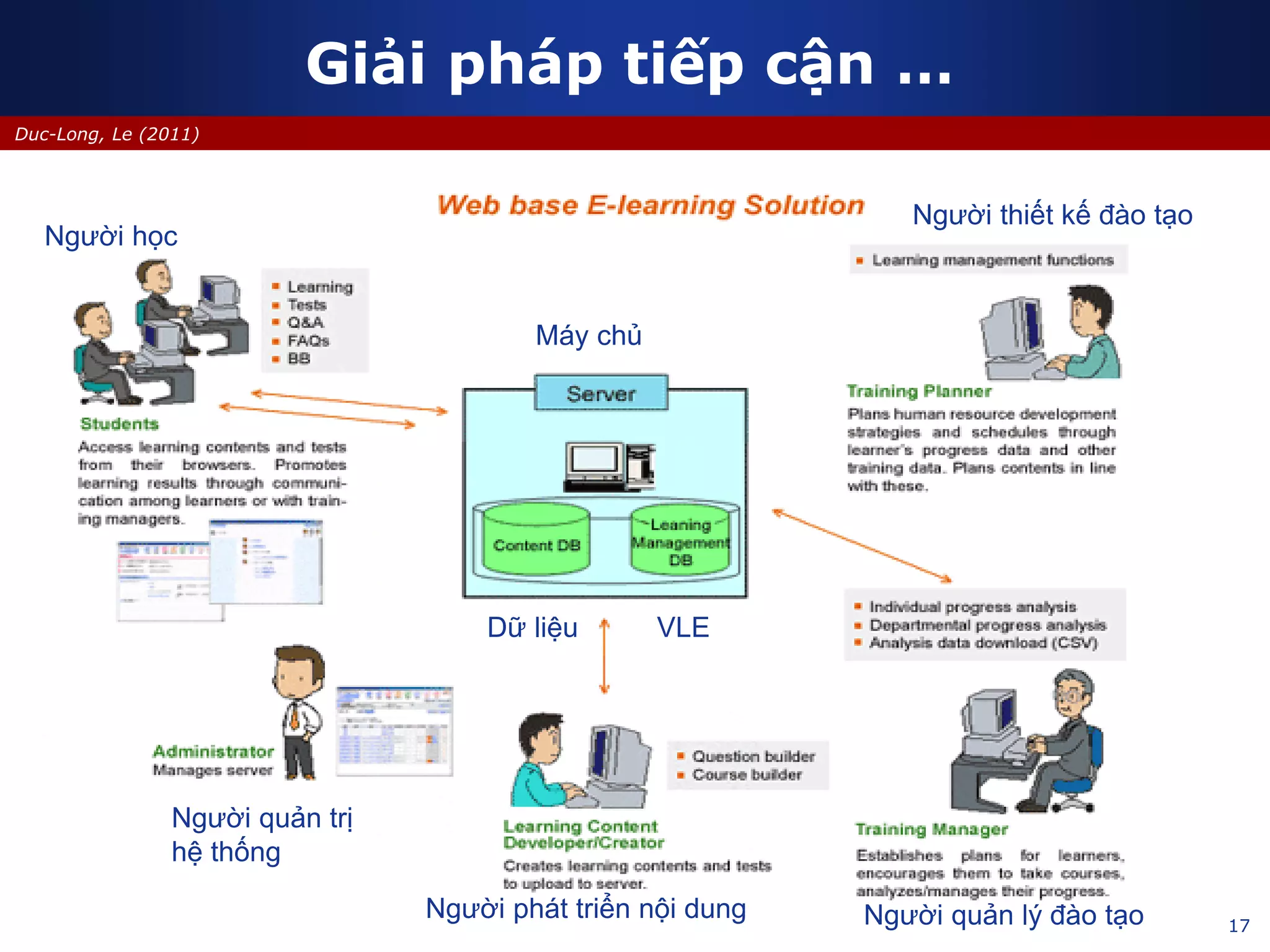
Giải pháp tiếp cận …
Người học
Máy chủ
VLEDữ liệu
Người quản trị
hệ thống
Người phát triển nội dung Người quản lý đào tạo
Người thiết kế đào tạo
18
Duc-Long, Le (2011)
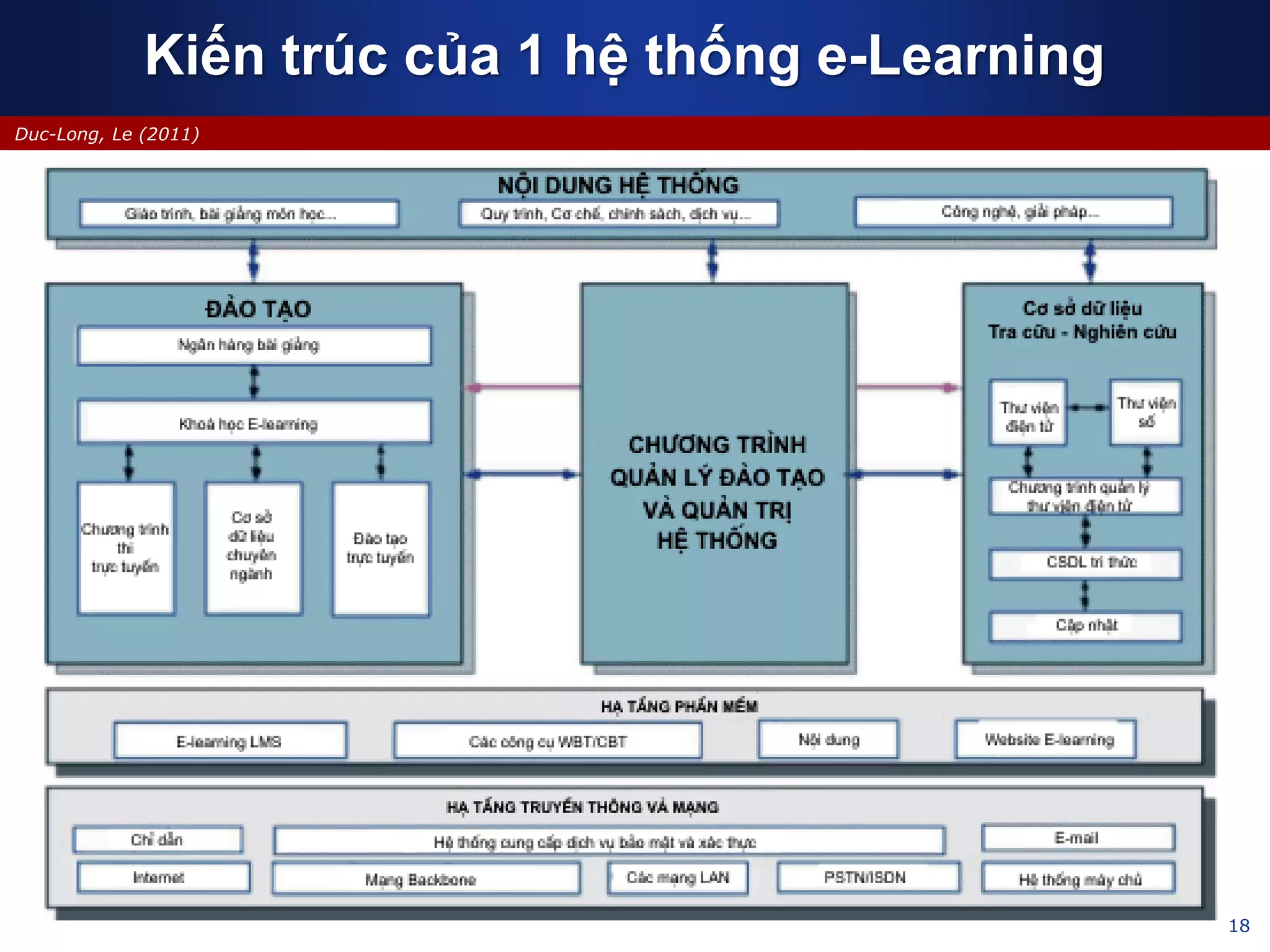
Kiến trúc của 1 hệ thống e-Learning
19
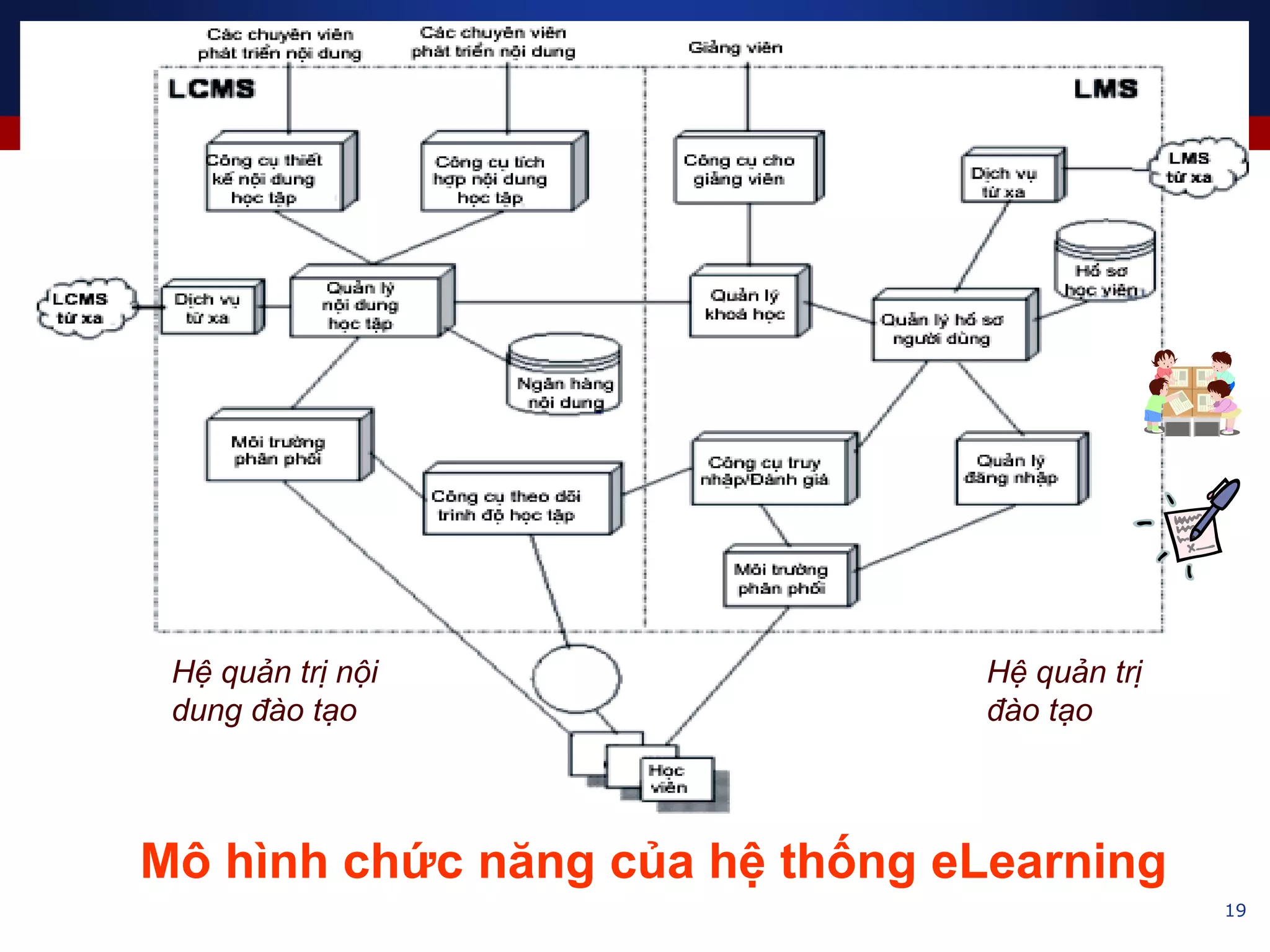
Mô hình chức năng của hệ thống eLearning
Hệ quản trị nội
dung đào tạo
Hệ quản trị
đào tạo
20
Edited by Duc-Long, Le -
(*) http://en.wikipedia.org/wiki/Virtual_learning_environment
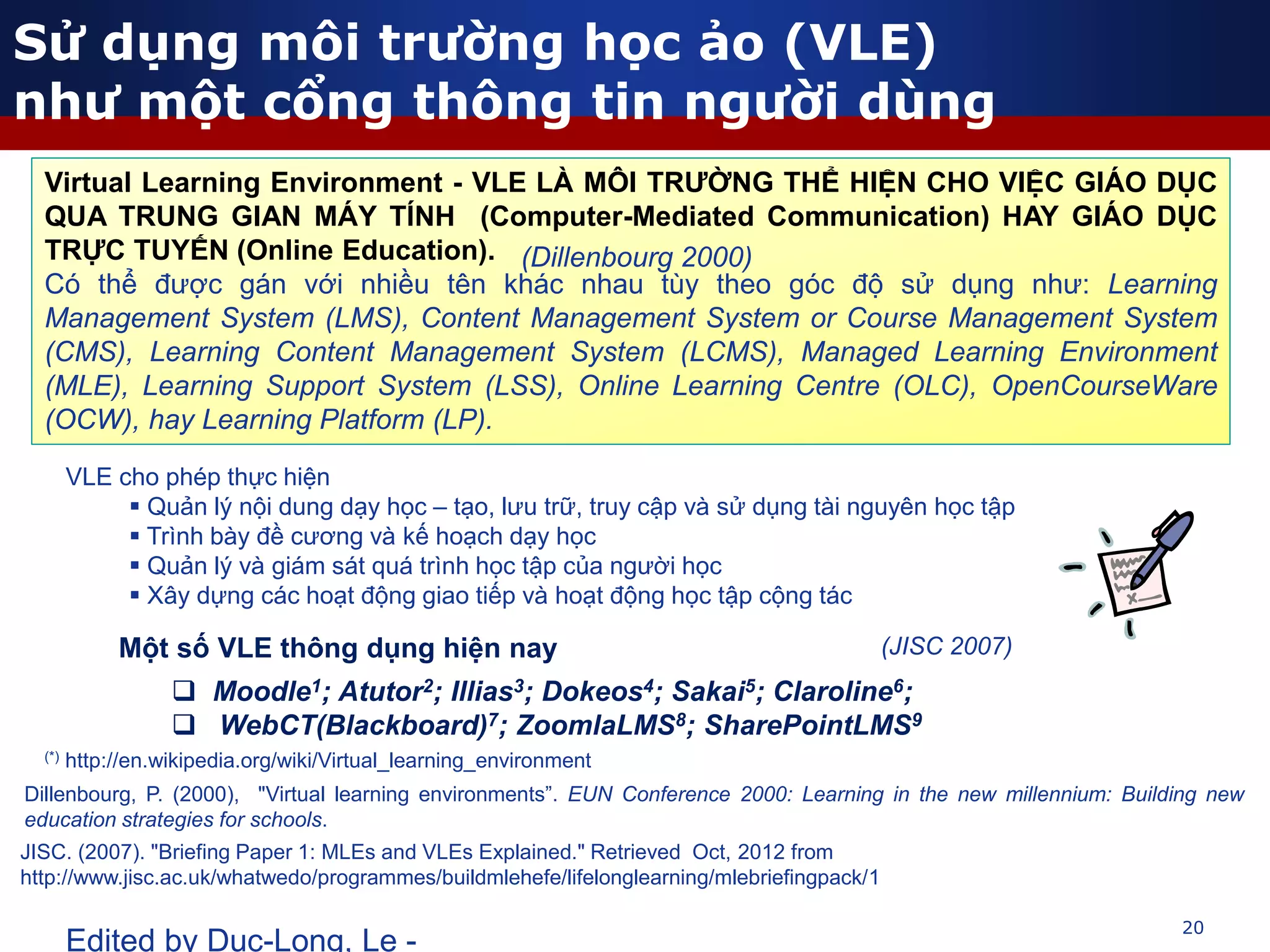
Virtual Learning Environment - VLE LÀ MÔI TRƯỜNG THỂ HIỆN CHO VIỆC GIÁO DỤC
QUA TRUNG GIAN MÁY TÍNH (Computer-Mediated Communication) HAY GIÁO DỤC
TRỰC TUYẾN (Online Education).
Có thể được gán với nhiều tên khác nhau tùy theo góc độ sử dụng như: Learning
Management System (LMS), Content Management System or Course Management System
(CMS), Learning Content Management System (LCMS), Managed Learning Environment
(MLE), Learning Support System (LSS), Online Learning Centre (OLC), OpenCourseWare
(OCW), hay Learning Platform (LP).
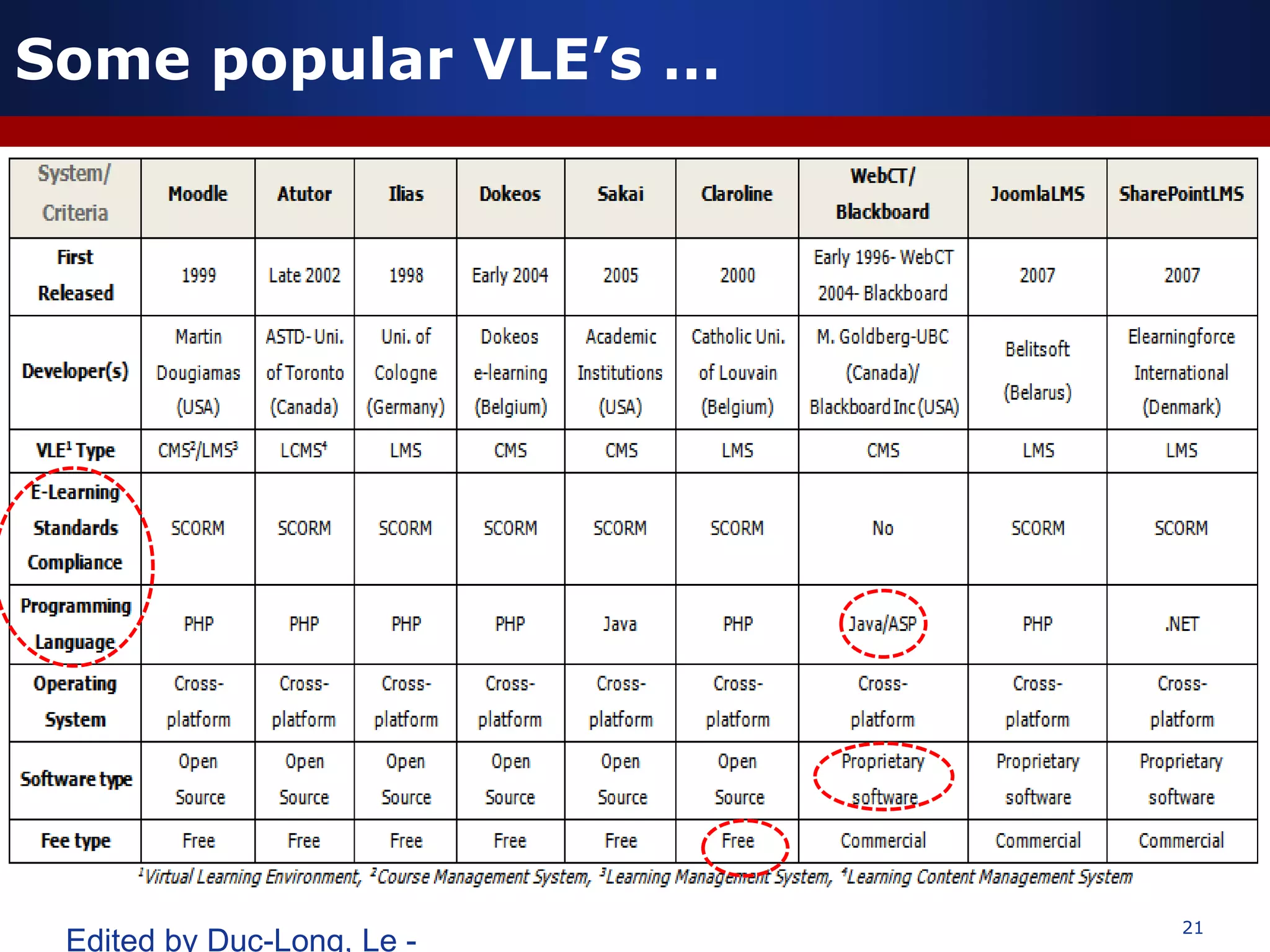
Một số VLE thông dụng hiện nay
 Moodle1; Atutor2; Illias3; Dokeos4; Sakai5; Claroline6;
 WebCT(Blackboard)7; ZoomlaLMS8; SharePointLMS9
VLE cho phép thực hiện
 Quản lý nội dung dạy học – tạo, lưu trữ, truy cập và sử dụng tài nguyên học tập
 Trình bày đề cương và kế hoạch dạy học
 Quản lý và giám sát quá trình học tập của người học
 Xây dựng các hoạt động giao tiếp và hoạt động học tập cộng tác
(Dillenbourg 2000)
(JISC 2007)
Sử dụng môi trường học ảo (VLE)
như một cổng thông tin người dùng
Dillenbourg, P. (2000), "Virtual learning environments”. EUN Conference 2000: Learning in the new millennium: Building new
education strategies for schools.
JISC. (2007). "Briefing Paper 1: MLEs and VLEs Explained." Retrieved Oct, 2012 from
http://www.jisc.ac.uk/whatwedo/programmes/buildmlehefe/lifelonglearning/mlebriefingpack/1
21
Edited by Duc-Long, Le -
Some popular VLE’s …
22
Duc-Long, Le (2011)
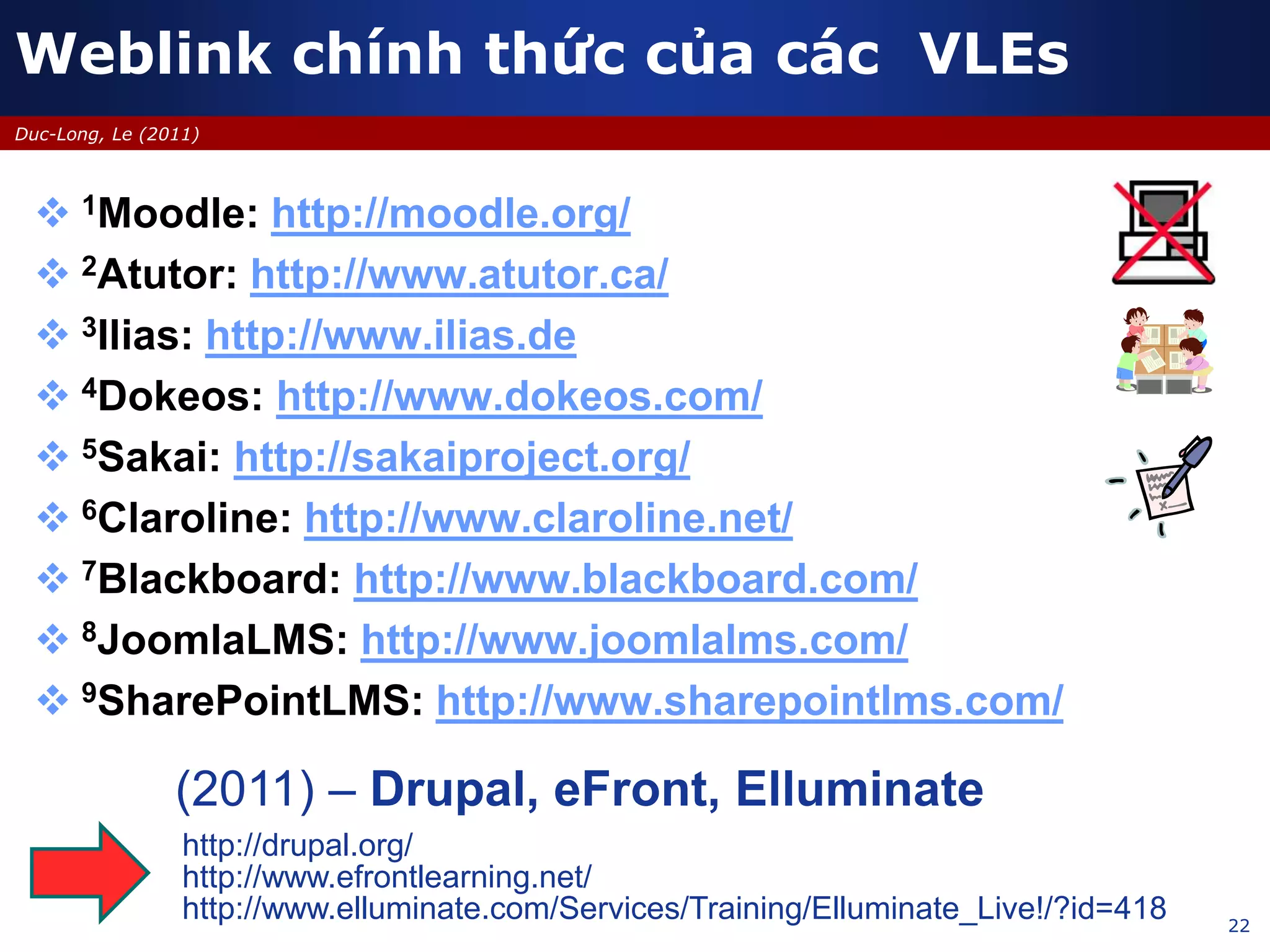
 1Moodle: http://moodle.org/
 2Atutor: http://www.atutor.ca/
 3Ilias: http://www.ilias.de
 4Dokeos: http://www.dokeos.com/
 5Sakai: http://sakaiproject.org/
 6Claroline: http://www.claroline.net/
 7Blackboard: http://www.blackboard.com/
 8JoomlaLMS: http://www.joomlalms.com/
 9SharePointLMS: http://www.sharepointlms.com/
Weblink chính thức của các VLEs
(2011) – Drupal, eFront, Elluminate
http://drupal.org/
http://www.efrontlearning.net/
http://www.elluminate.com/Services/Training/Elluminate_Live!/?id=418
23
Duc-Long, Le (2011)
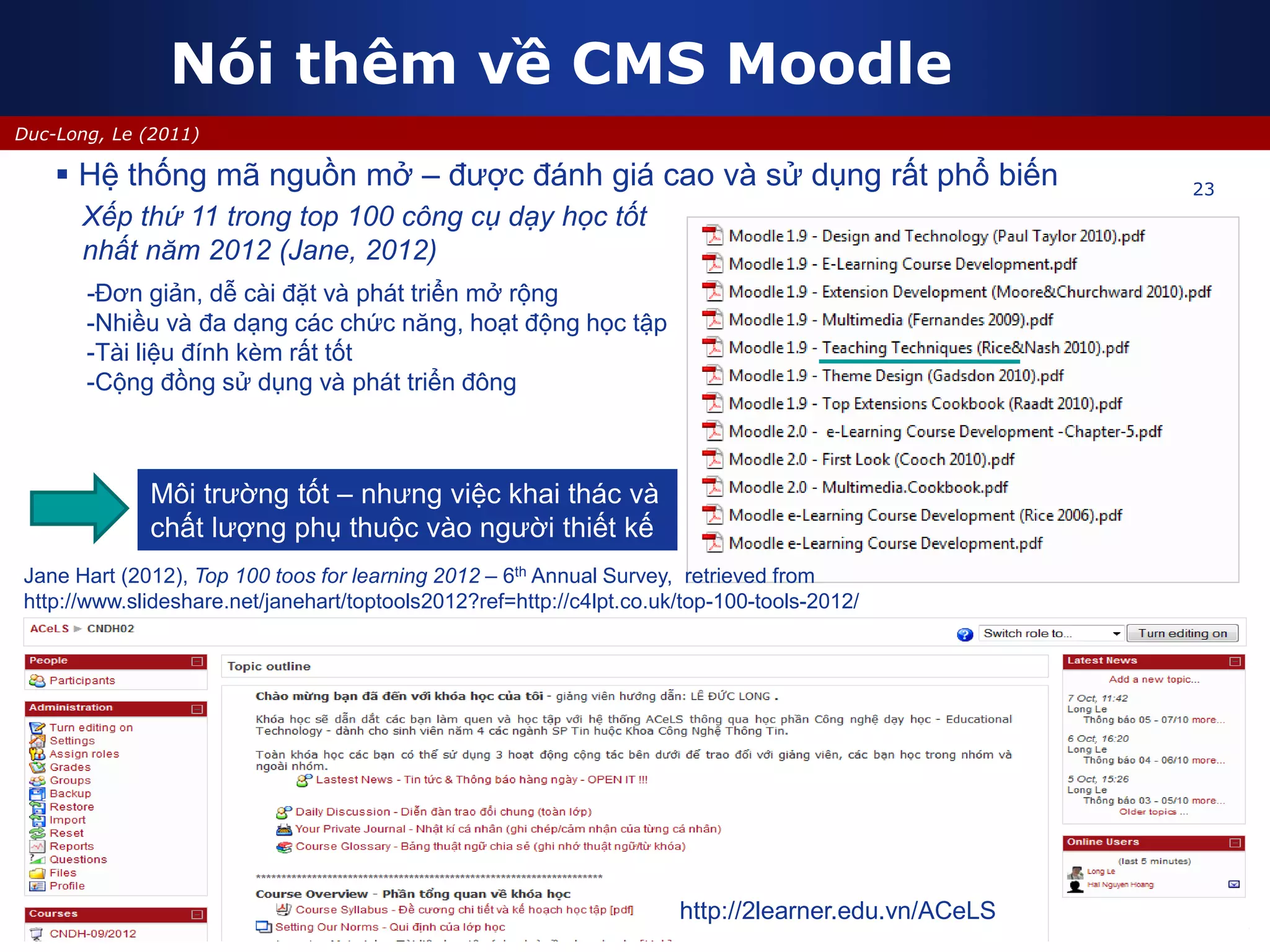
Nói thêm về CMS Moodle
23
http://2learner.edu.vn/ACeLS
 Hệ thống mã nguồn mở – được đánh giá cao và sử dụng rất phổ biến
-Đơn giản, dễ cài đặt và phát triển mở rộng
-Nhiều và đa dạng các chức năng, hoạt động học tập
-Tài liệu đính kèm rất tốt
-Cộng đồng sử dụng và phát triển đông
Xếp thứ 11 trong top 100 công cụ dạy học tốt
nhất năm 2012 (Jane, 2012)
Môi trường tốt – nhưng việc khai thác và
chất lượng phụ thuộc vào người thiết kế
Jane Hart (2012), Top 100 toos for learning 2012 – 6th Annual Survey, retrieved from
http://www.slideshare.net/janehart/toptools2012?ref=http://c4lpt.co.uk/top-100-tools-2012/
24
Duc-Long, Le (2011)
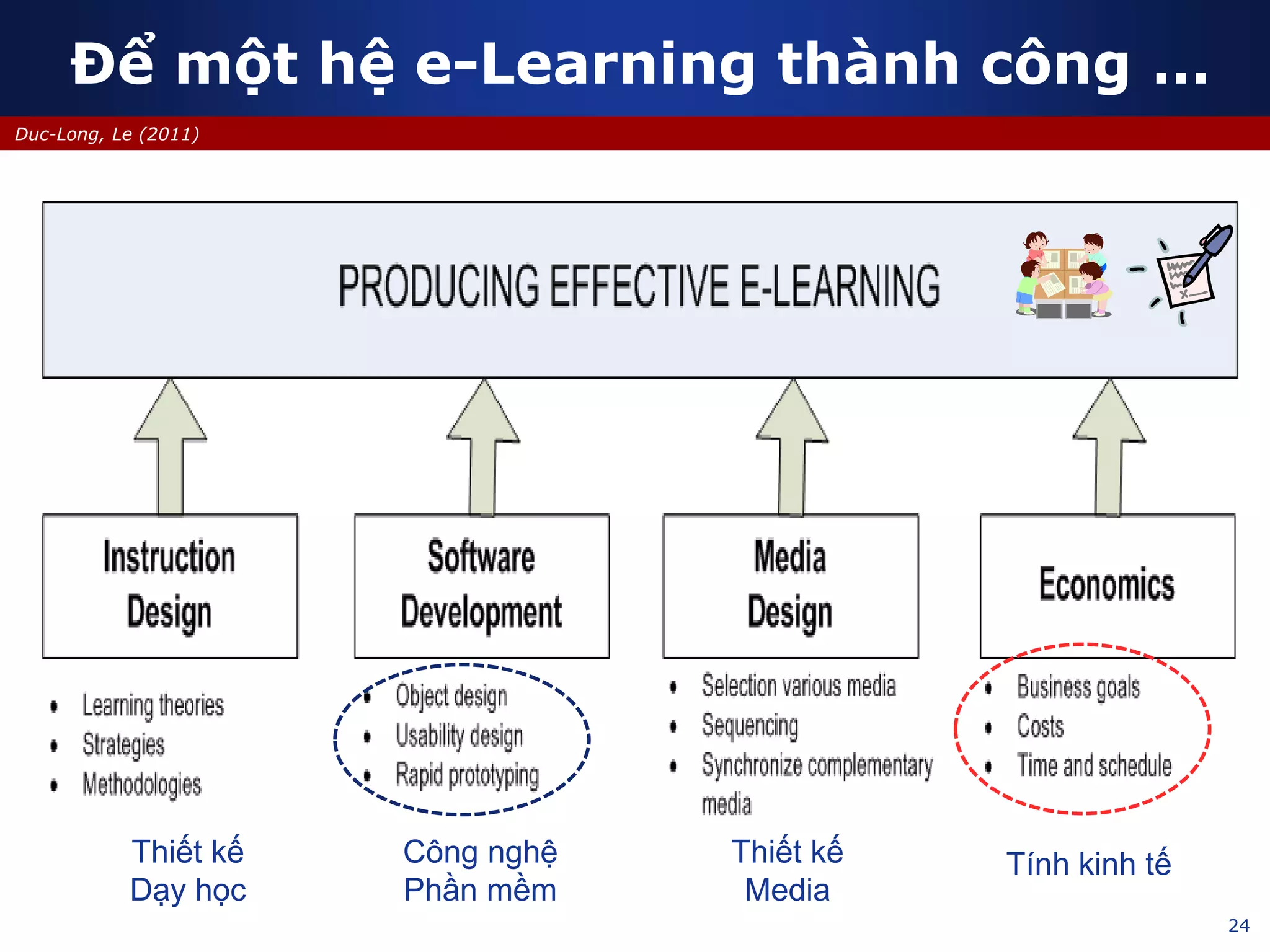
Để một hệ e-Learning thành công …
Công nghệ
Phần mềm
Thiết kế
Dạy học
Thiết kế
Media
Tính kinh tế
25
Duc-Long, Le (2011)
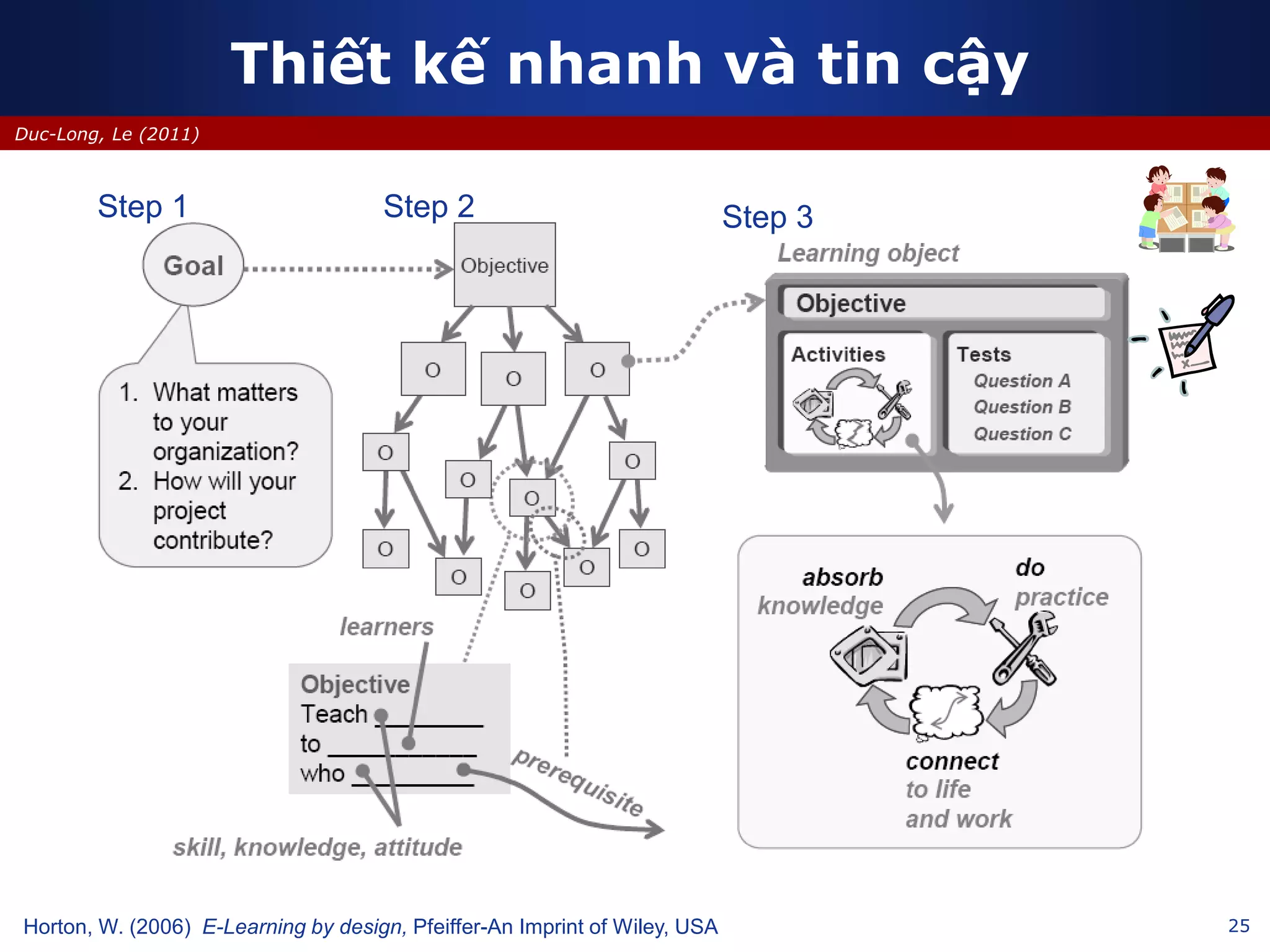
Thiết kế nhanh và tin cậy
Horton, W. (2006) E-Learning by design, Pfeiffer-An Imprint of Wiley, USA
Step 1 Step 2 Step 3
26
Duc-Long, Le (2011)
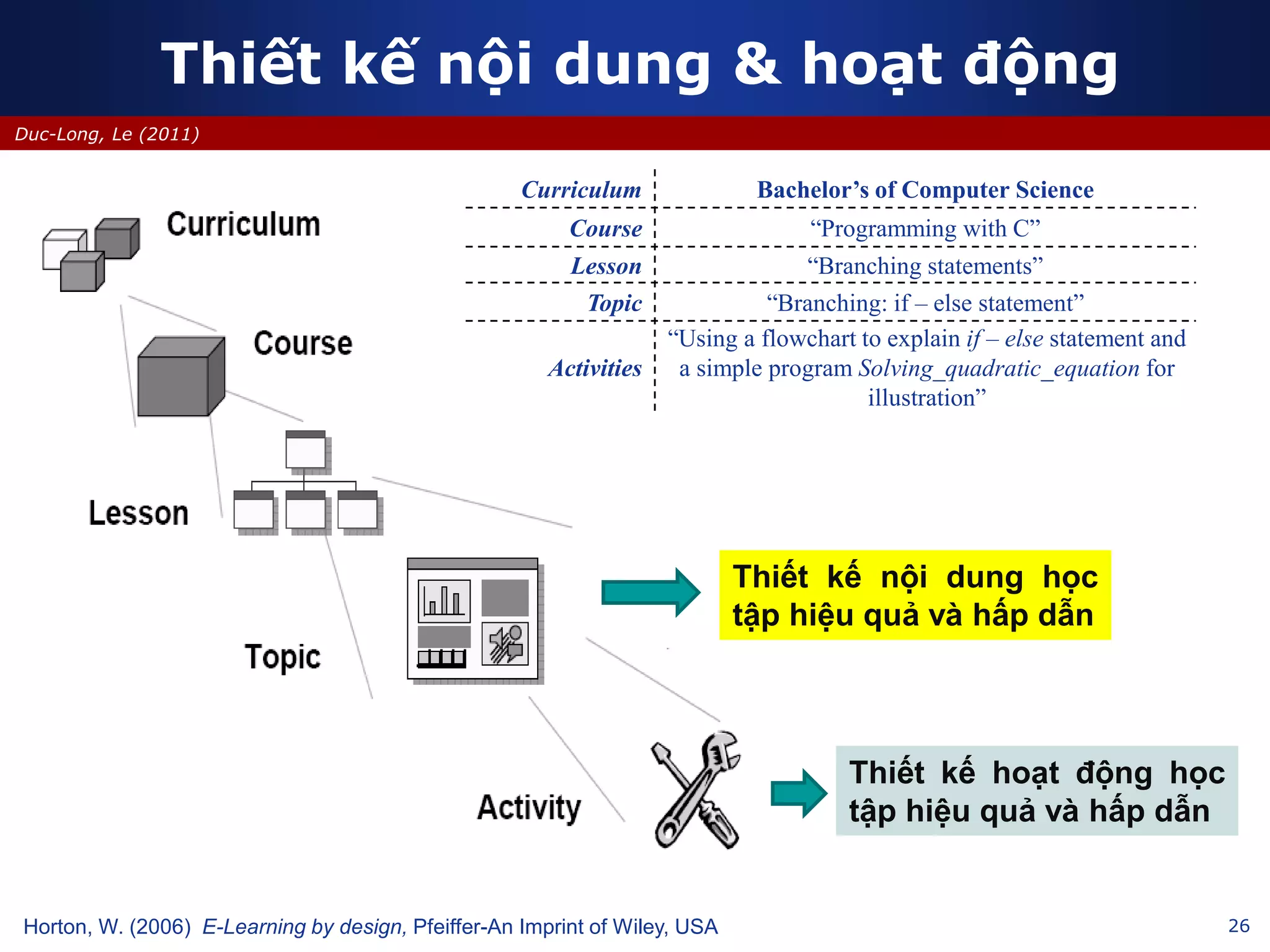
Thiết kế nội dung & hoạt động
Horton, W. (2006) E-Learning by design, Pfeiffer-An Imprint of Wiley, USA
Curriculum Bachelor’s of Computer Science
Course “Programming with C”
Lesson “Branching statements”
Topic “Branching: if – else statement”
Activities
“Using a flowchart to explain if – else statement and
a simple program Solving_quadratic_equation for
illustration”
Thiết kế nội dung học
tập hiệu quả và hấp dẫn
Thiết kế hoạt động học
tập hiệu quả và hấp dẫn
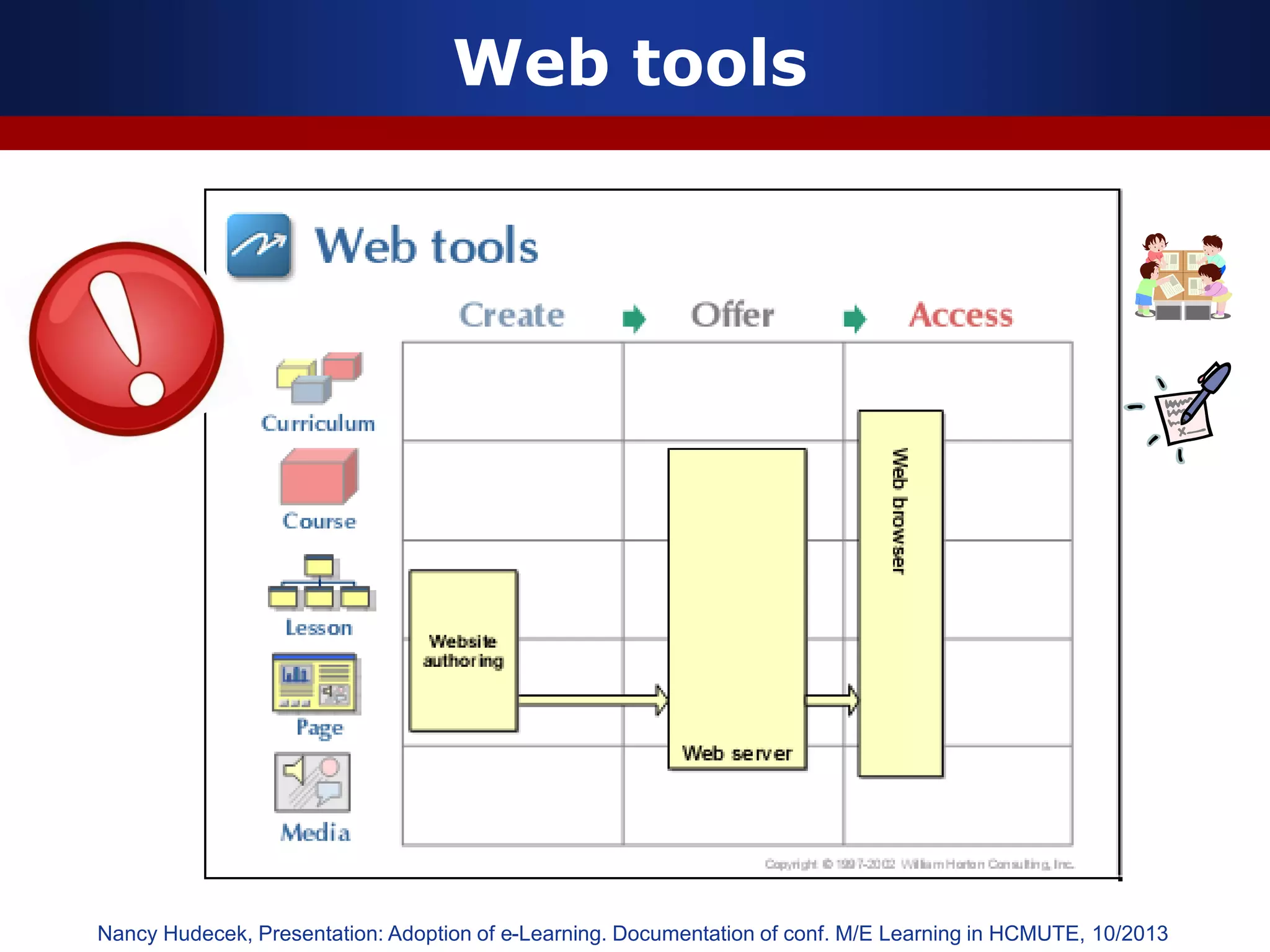
Web tools
Nancy Hudecek, Presentation: Adoption of e-Learning. Documentation of conf. M/E Learning in HCMUTE, 10/2013
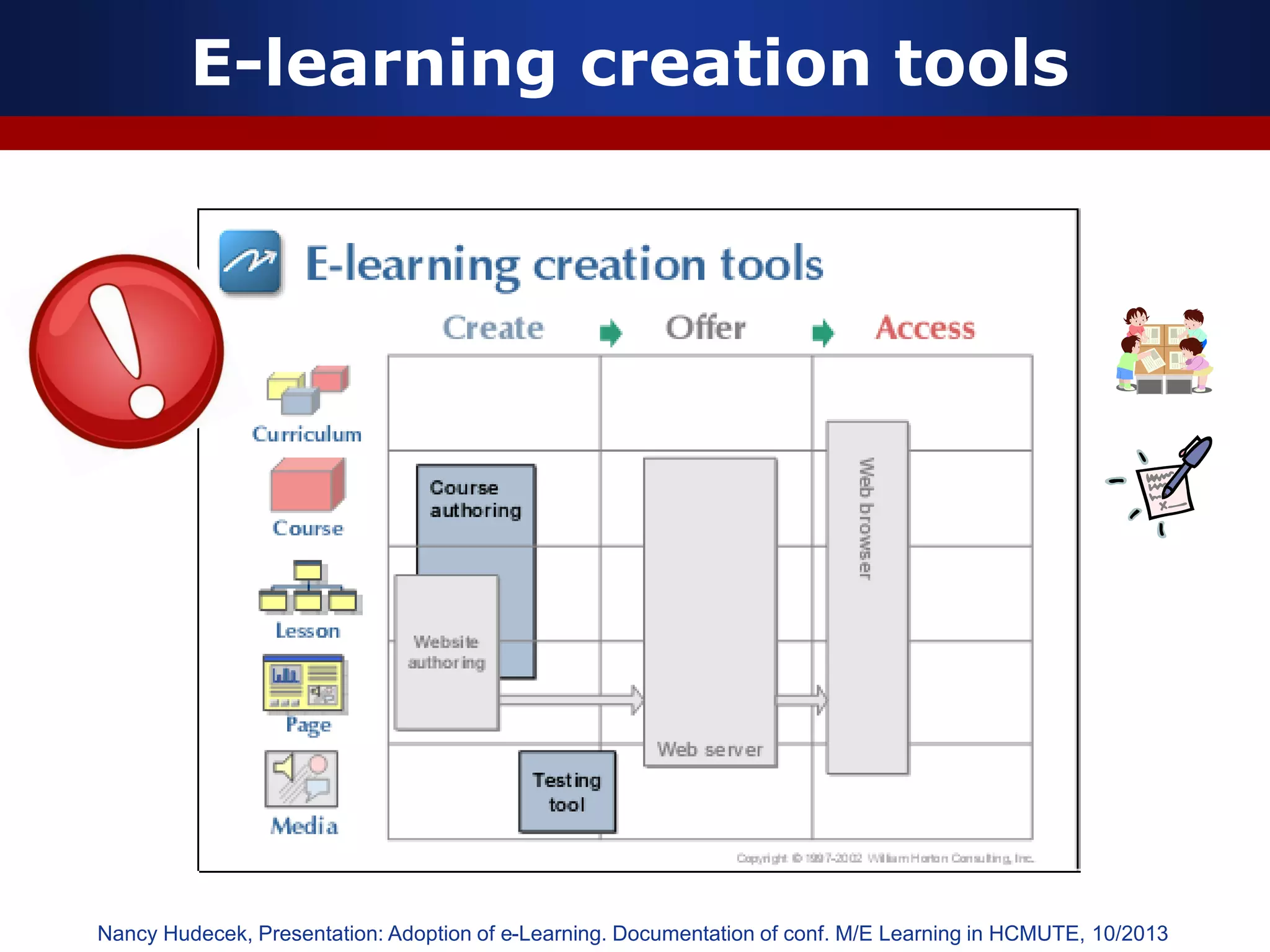
E-learning creation tools
Nancy Hudecek, Presentation: Adoption of e-Learning. Documentation of conf. M/E Learning in HCMUTE, 10/2013
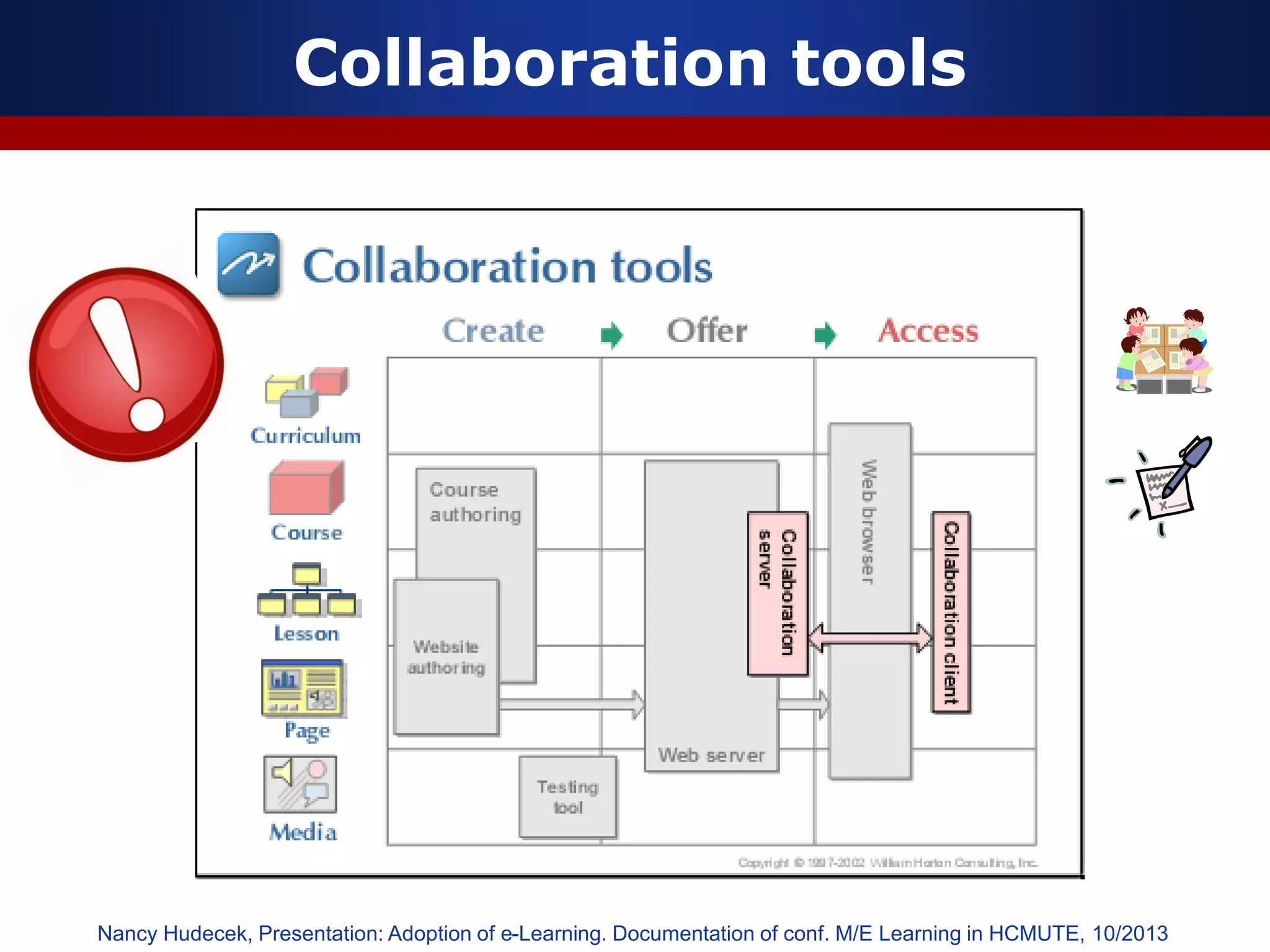
Collaboration tools
Nancy Hudecek, Presentation: Adoption of e-Learning. Documentation of conf. M/E Learning in HCMUTE, 10/2013
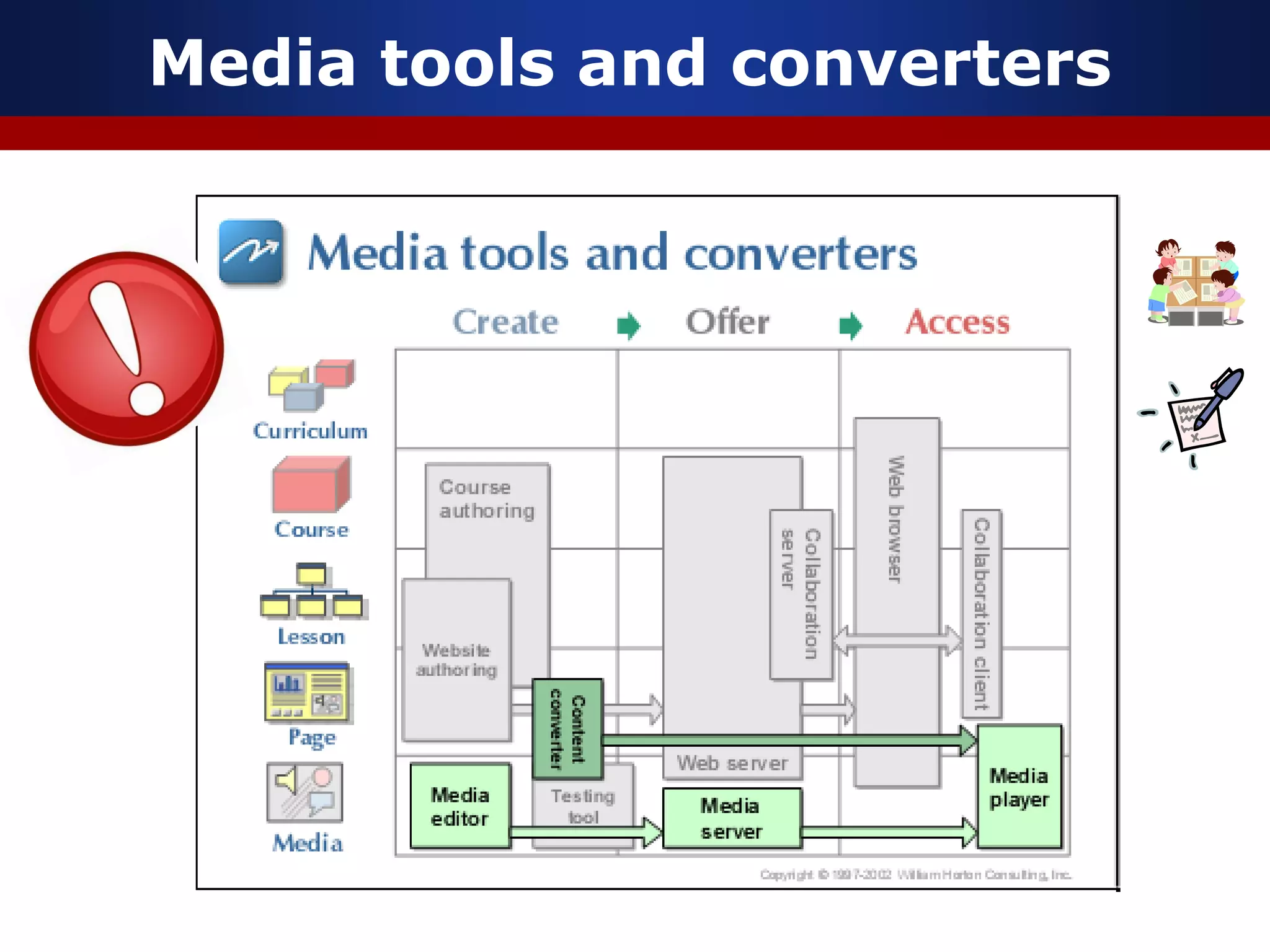
Media tools and converters
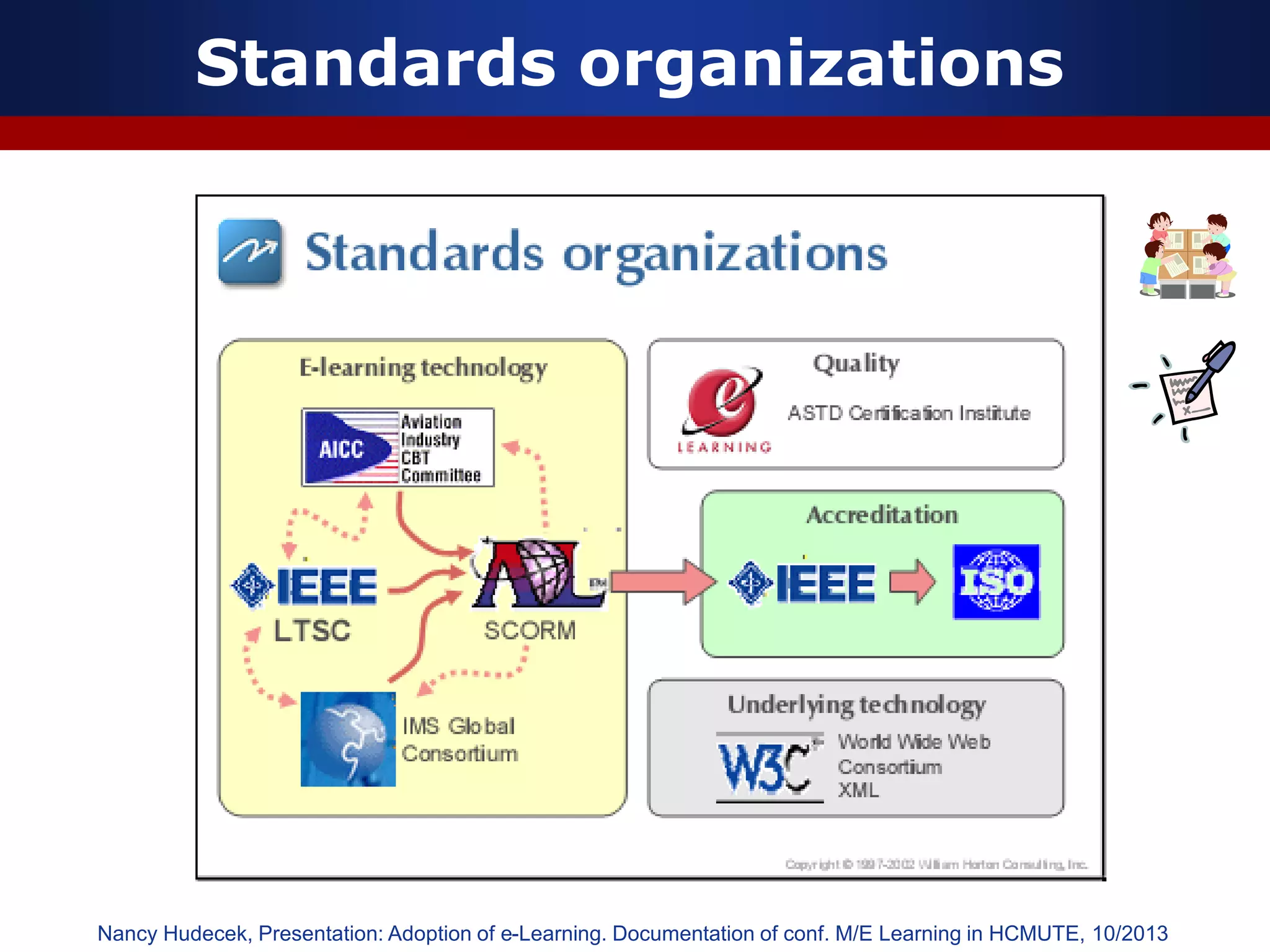
Standards organizations
Nancy Hudecek, Presentation: Adoption of e-Learning. Documentation of conf. M/E Learning in HCMUTE, 10/2013
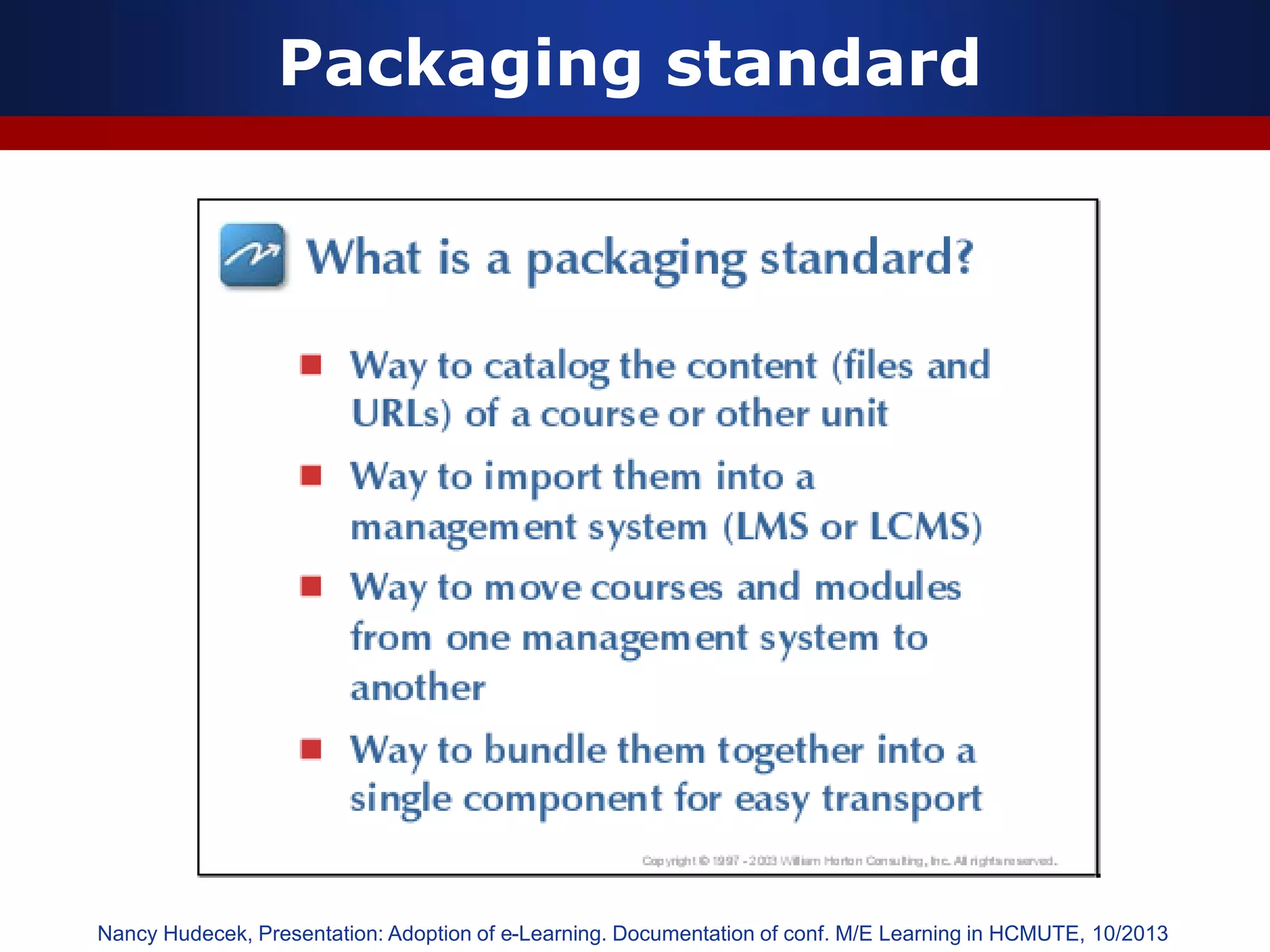
Packaging standard
Nancy Hudecek, Presentation: Adoption of e-Learning. Documentation of conf. M/E Learning in HCMUTE, 10/2013
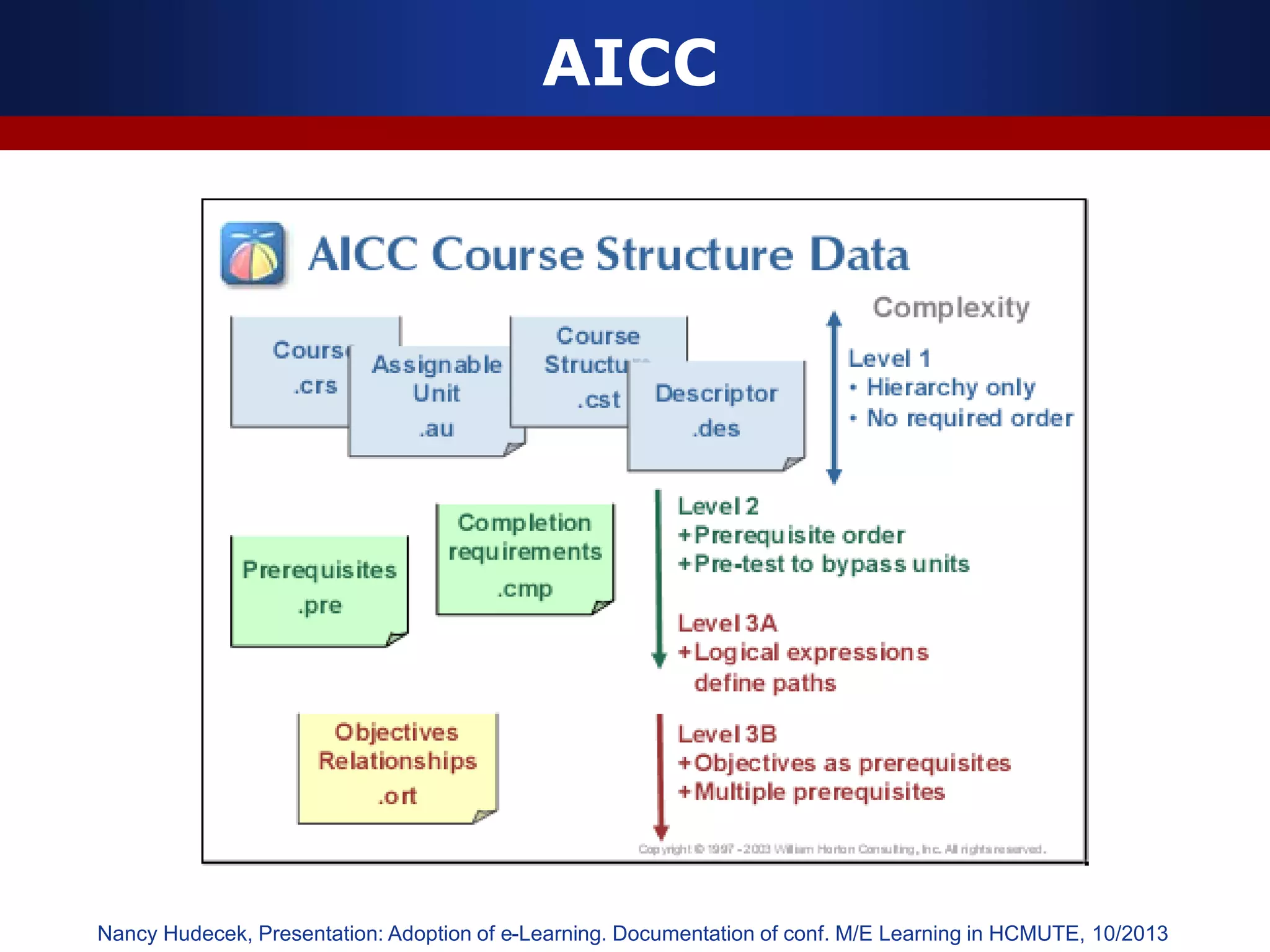
AICC
Nancy Hudecek, Presentation: Adoption of e-Learning. Documentation of conf. M/E Learning in HCMUTE, 10/2013
AICC (Aviation Industry CBT Committee)
 The AICC (Aviation Industry CBT Committee) develops
guidelines for the aviation industry in the development, delivery,
and evaluation of CBT and related training technologies.
 The objectives of the AICC are to:
 Assist airplane operators in development of guidelines that
promote the economic and effective implementation of
computer-based training (CBT)
 Develop guidelines to enable interoperability
 Provide an open forum for the discussion of CBT and other
training technologies
 Although AICC primarily attends to the aviation industry, over
13 years focus on the specifications required to meet this
industry's needs has led to a very well developed
specifications for learning and particularly for computer
managed instruction. As a result, a wide range of learning
consortiums and accredited standards groups are in the
process of adopting and adapting the AICC guidelines to their
own industries.
Nancy Hudecek, Presentation: Adoption of e-Learning. Documentation of conf. M/E Learning in HCMUTE, 10/2013
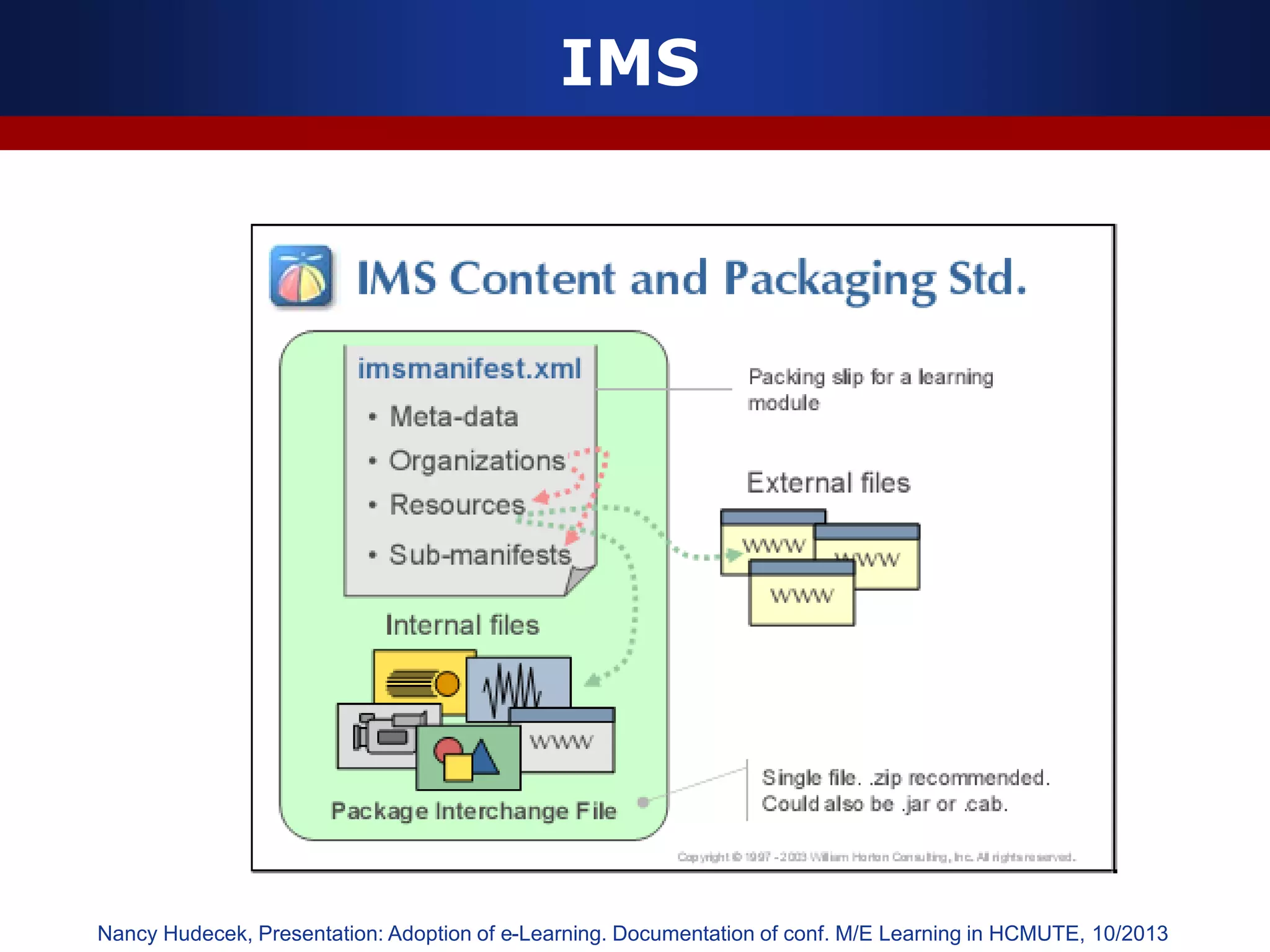
IMS
Nancy Hudecek, Presentation: Adoption of e-Learning. Documentation of conf. M/E Learning in HCMUTE, 10/2013
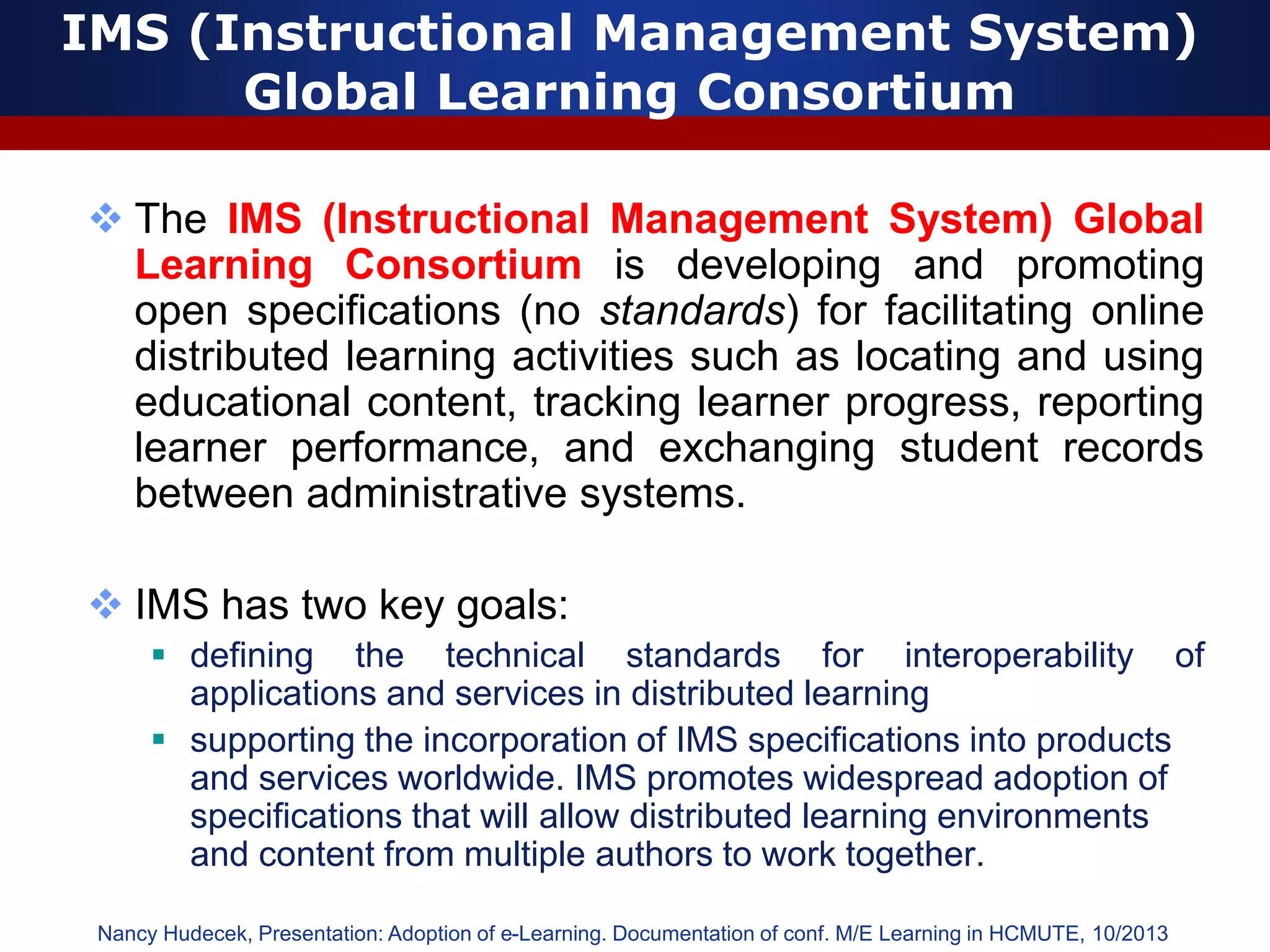
IMS (Instructional Management System)
Global Learning Consortium
 The IMS (Instructional Management System) Global
Learning Consortium is developing and promoting
open specifications (no standards) for facilitating online
distributed learning activities such as locating and using
educational content, tracking learner progress, reporting
learner performance, and exchanging student records
between administrative systems.
 IMS has two key goals:
 defining the technical standards for interoperability of
applications and services in distributed learning
 supporting the incorporation of IMS specifications into products
and services worldwide. IMS promotes widespread adoption of
specifications that will allow distributed learning environments
and content from multiple authors to work together.
Nancy Hudecek, Presentation: Adoption of e-Learning. Documentation of conf. M/E Learning in HCMUTE, 10/2013
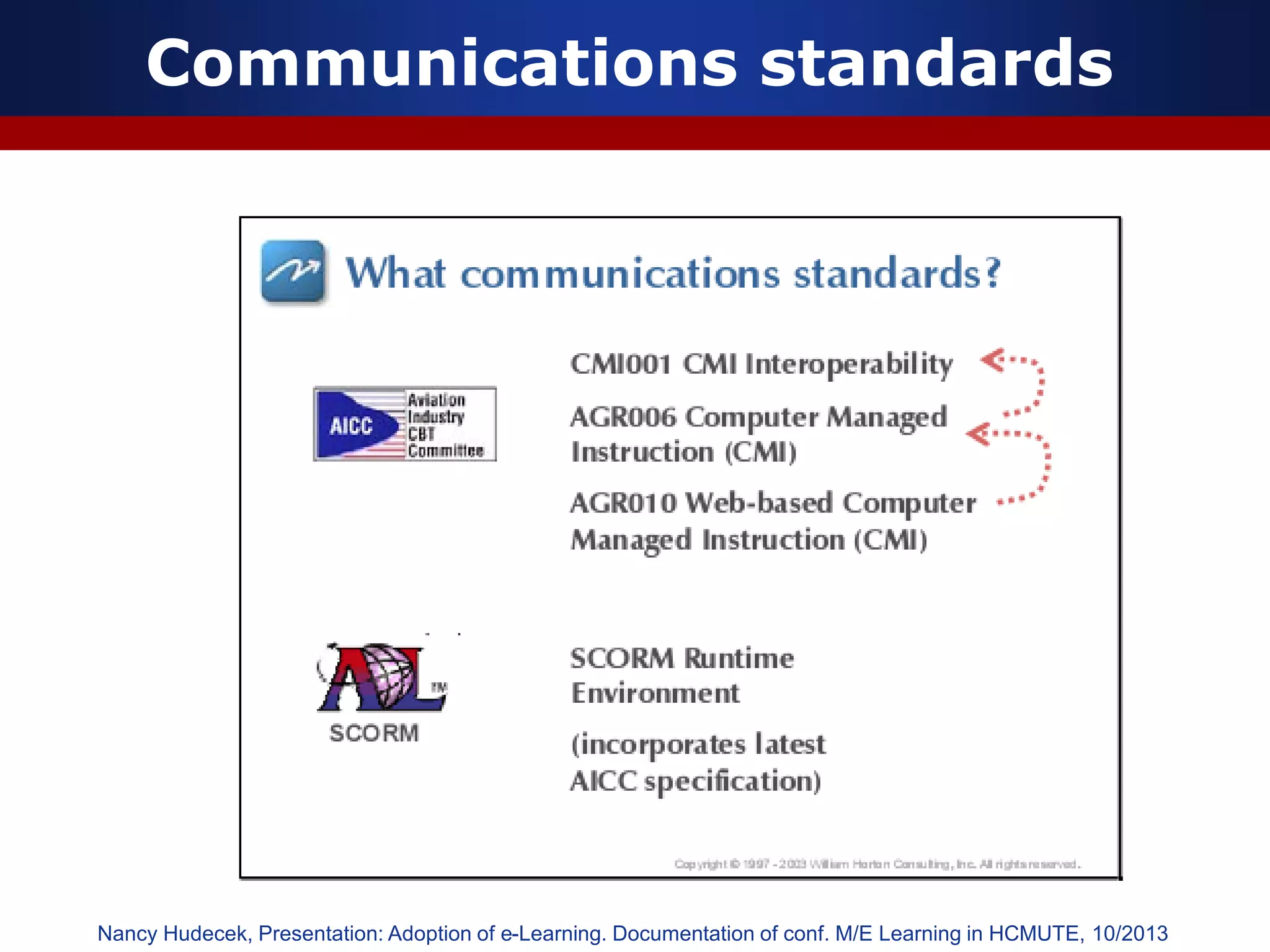
Communications standards
Nancy Hudecek, Presentation: Adoption of e-Learning. Documentation of conf. M/E Learning in HCMUTE, 10/2013
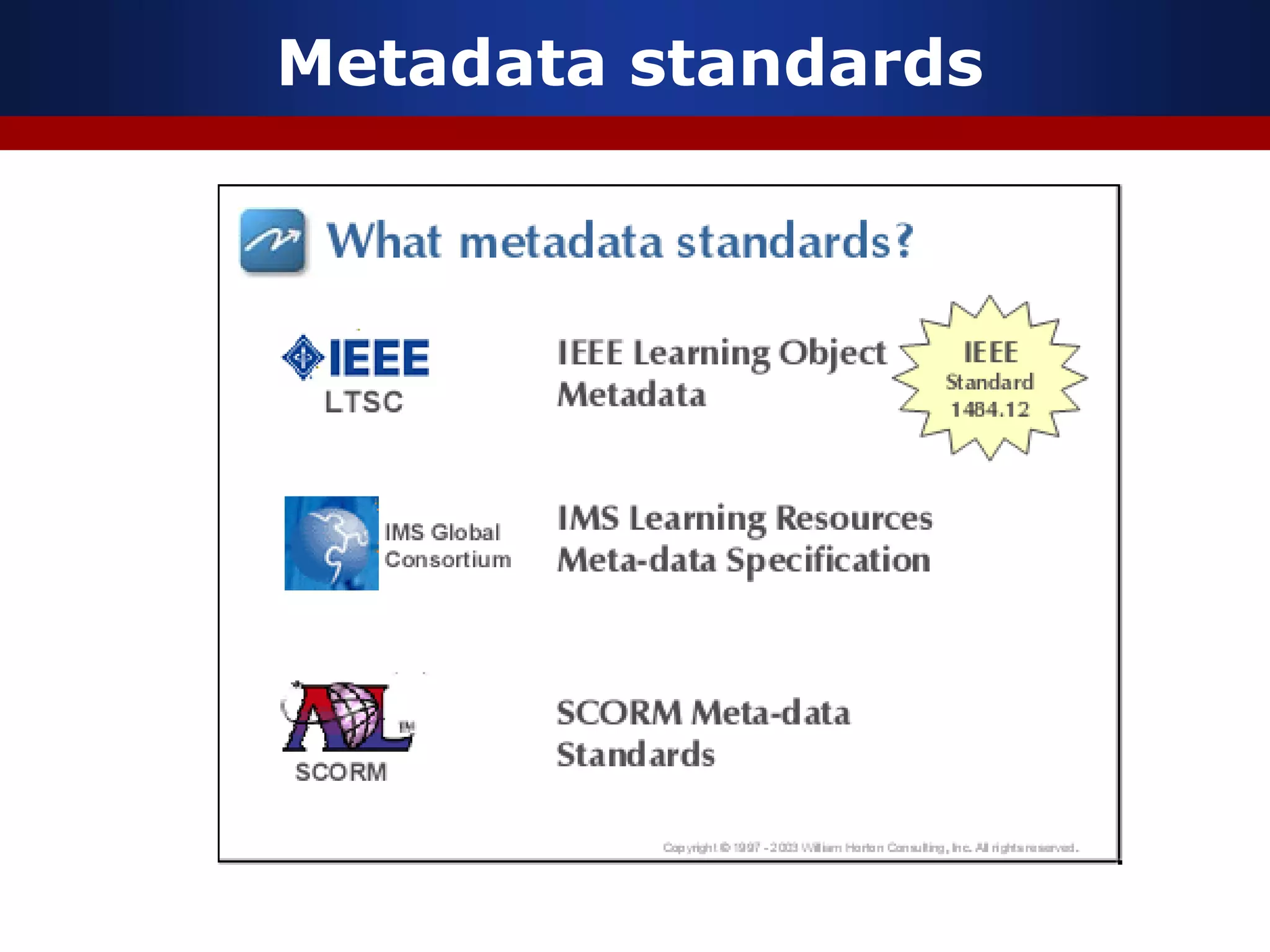
Metadata standards
IEEE Learning Technology
Standards Committee (LTSC)
 One of the most important accredited standards bodies
is IEEE Learning Technology Standards Committee
(LTSC). This committee consist of over 20 working
groups who are covering a large far-reaching topics
including learning object metadata, student profiles,
course sequencing, computer managed instruction,
competency definitions, localization, and content
packaging. The mission of IEEE LTSC working groups is
to develop technical Standards, Recommended
Practices, and Guides for software components, tools,
technologies and design methods that facilitate the
development, deployment, maintenance and
interoperation of computer implementations of education
and training components and systems.
Nancy Hudecek, Presentation: Adoption of e-Learning. Documentation of conf. M/E Learning in HCMUTE, 10/2013
Quality standards
Nancy Hudecek, Presentation: Adoption of e-Learning. Documentation of conf. M/E Learning in HCMUTE, 10/2013
International Standards Organization
(ISO)
 The IEEE LTSC has also recently initiated the move of
this work to the full International Standards
Organization (ISO) standards by establishing ISO Joint
Technical Committee 1 (JTC1) Sub Committee 36
(SC36) on Learning Technology. SC36 Develops
International Standards in the areas of Learning,
Education, and Training.
 ISO is a worldwide federation of national standards bodies from
some 130 countries, one from each country. The mission of ISO
is to promote the development of standardization and related
activities in the world with a view to facilitating the international
exchange of goods and services, and to developing cooperation
in the spheres of intellectual, scientific, technological and
economic activity. ISO's work results in international
agreements, which are published as International Standards.
Nancy Hudecek, Presentation: Adoption of e-Learning. Documentation of conf. M/E Learning in HCMUTE, 10/2013
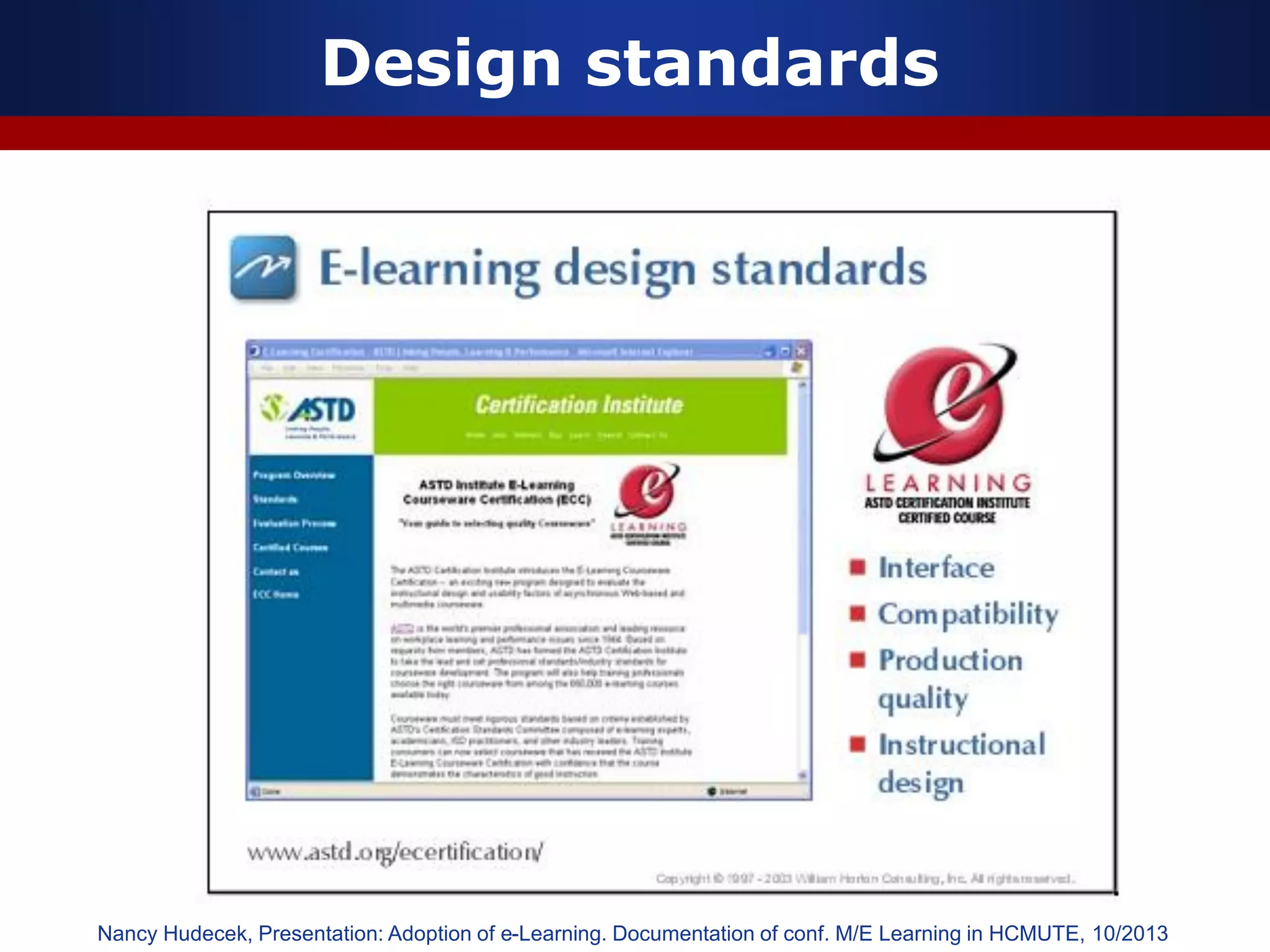
Design standards
Nancy Hudecek, Presentation: Adoption of e-Learning. Documentation of conf. M/E Learning in HCMUTE, 10/2013
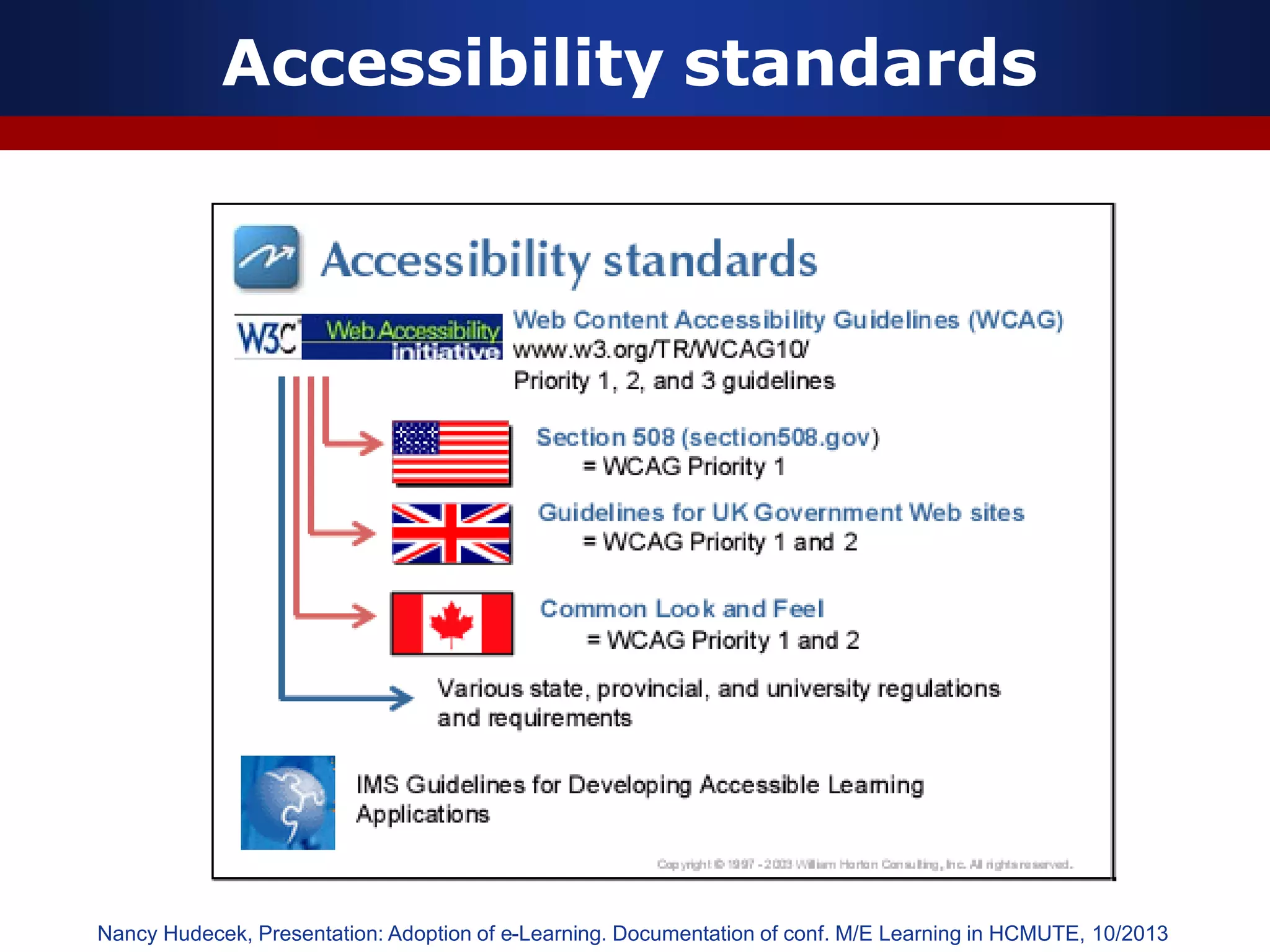
Accessibility standards
Nancy Hudecek, Presentation: Adoption of e-Learning. Documentation of conf. M/E Learning in HCMUTE, 10/2013
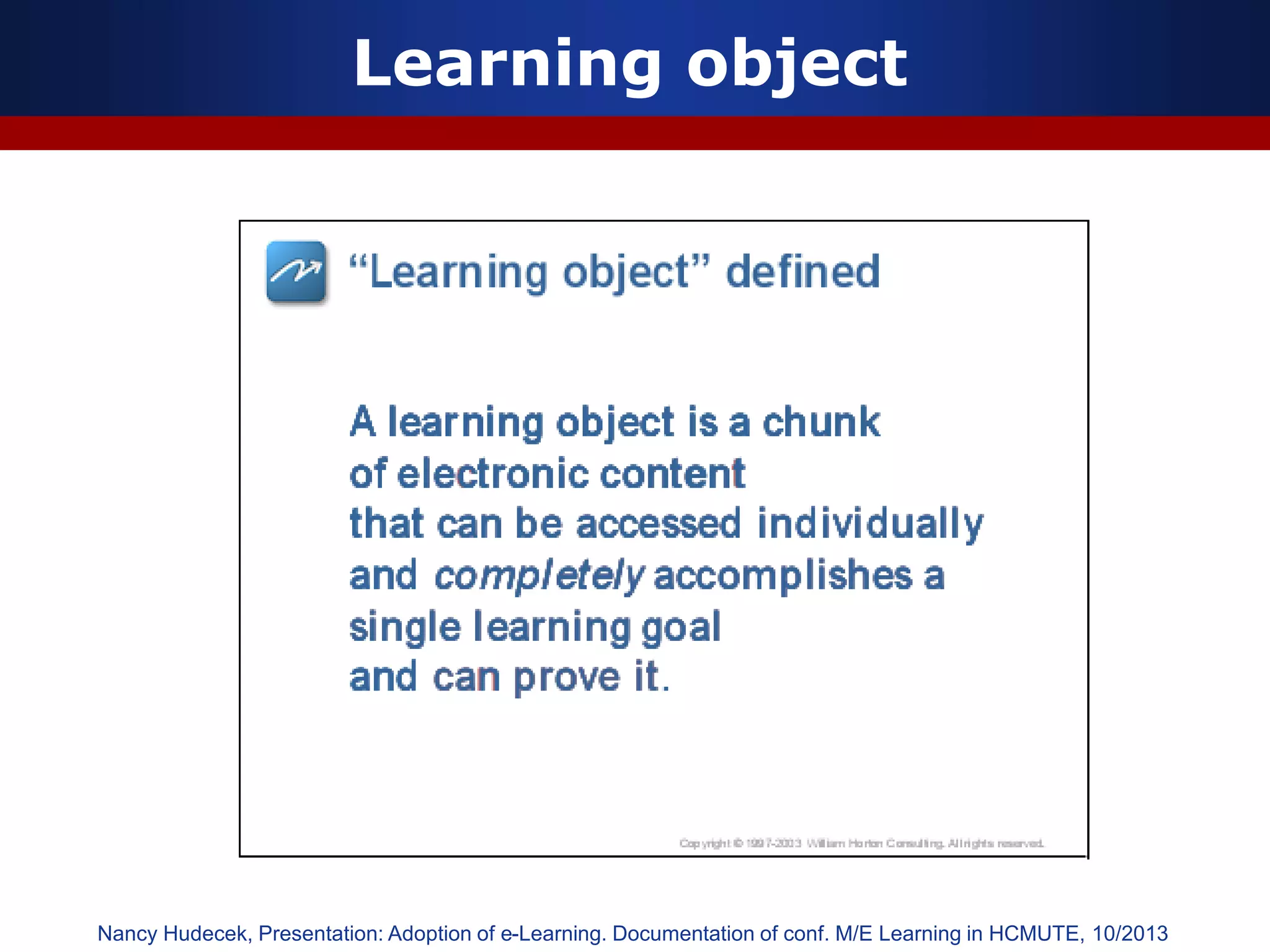
Learning object
Nancy Hudecek, Presentation: Adoption of e-Learning. Documentation of conf. M/E Learning in HCMUTE, 10/2013
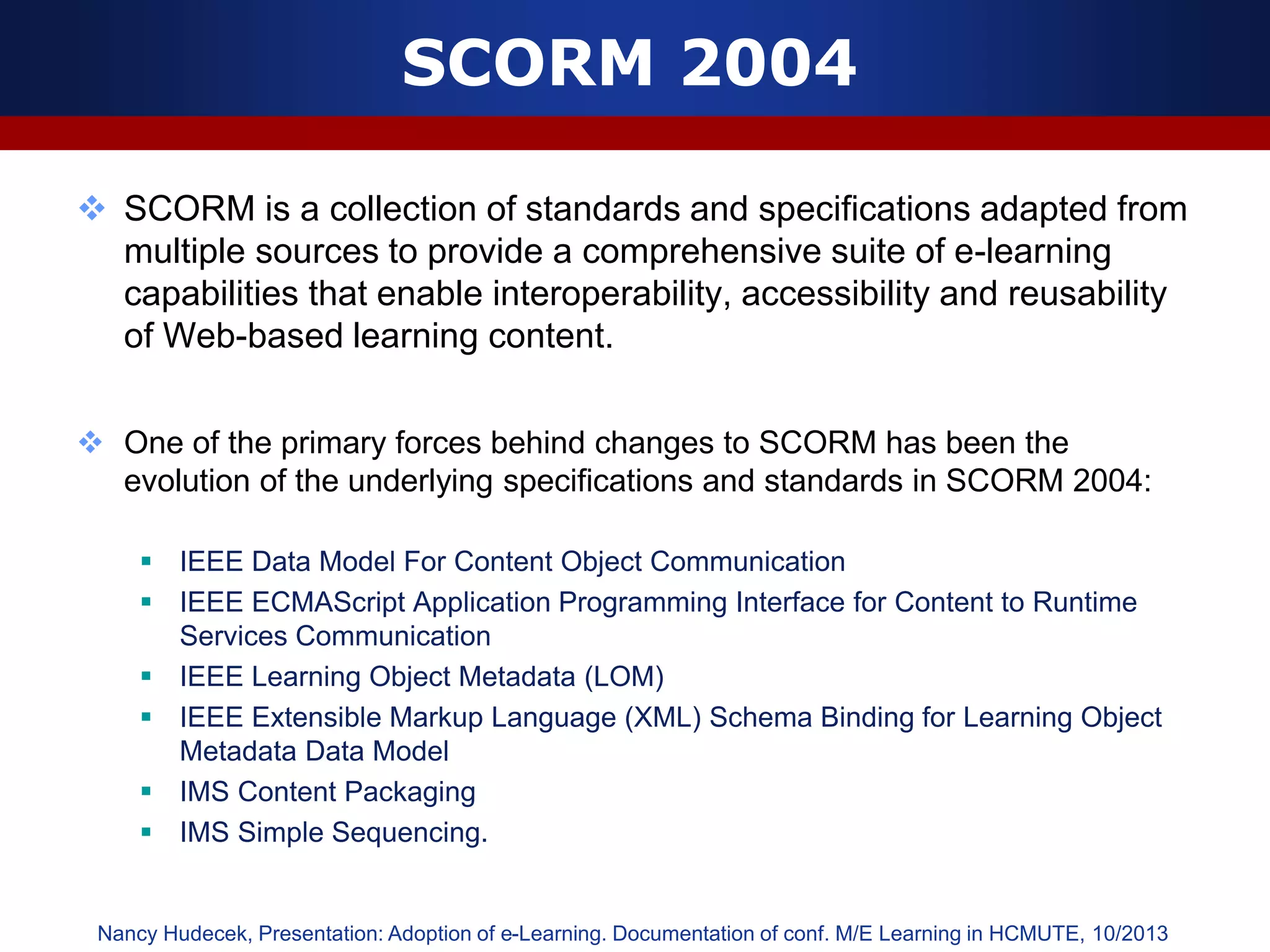
SCORM 2004
 SCORM is a collection of standards and specifications adapted from
multiple sources to provide a comprehensive suite of e-learning
capabilities that enable interoperability, accessibility and reusability
of Web-based learning content.
 One of the primary forces behind changes to SCORM has been the
evolution of the underlying specifications and standards in SCORM 2004:
 IEEE Data Model For Content Object Communication
 IEEE ECMAScript Application Programming Interface for Content to Runtime
Services Communication
 IEEE Learning Object Metadata (LOM)
 IEEE Extensible Markup Language (XML) Schema Binding for Learning Object
Metadata Data Model
 IMS Content Packaging
 IMS Simple Sequencing.
Nancy Hudecek, Presentation: Adoption of e-Learning. Documentation of conf. M/E Learning in HCMUTE, 10/2013
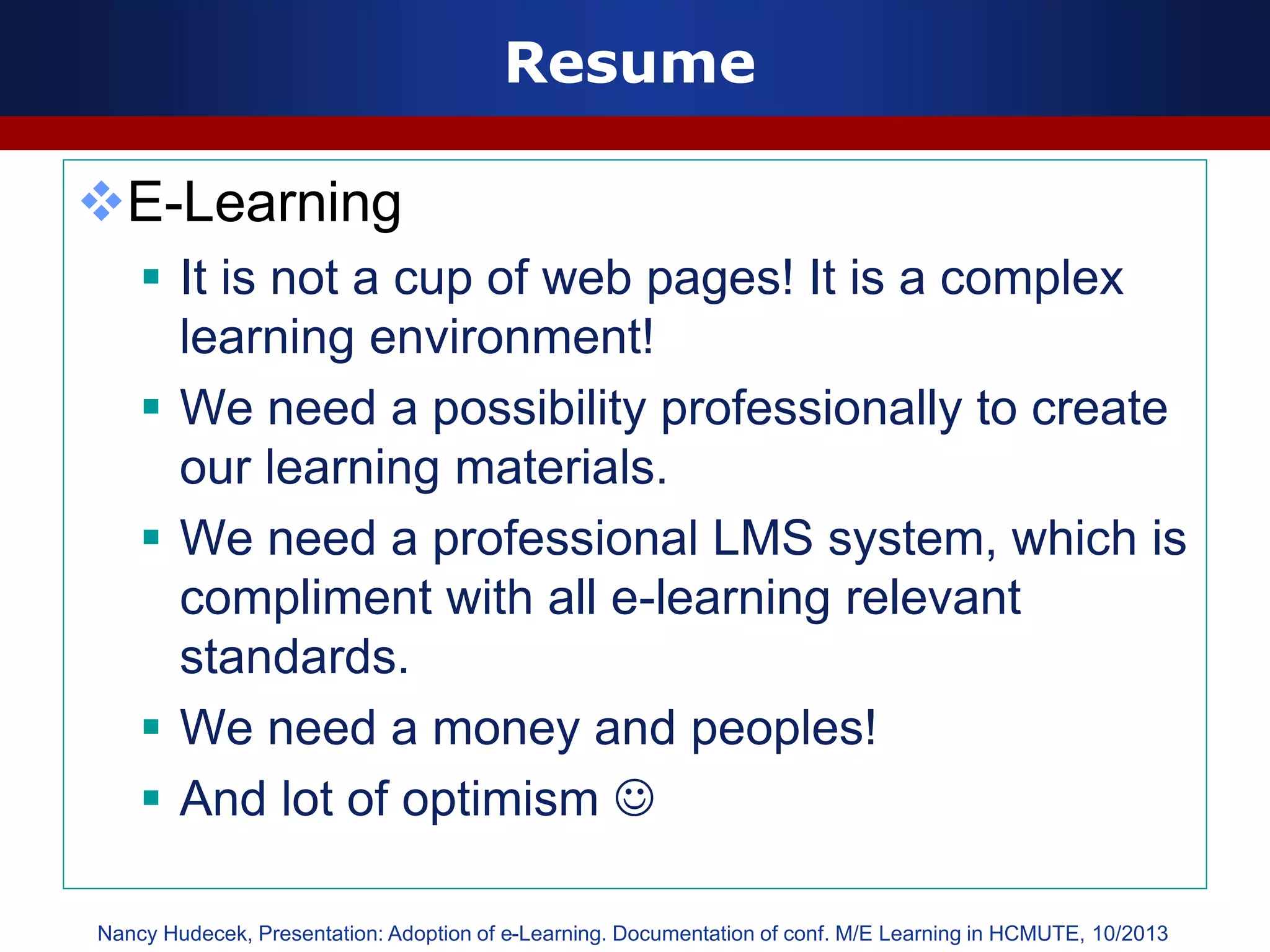
Resume
E-Learning
 It is not a cup of web pages! It is a complex
learning environment!
 We need a possibility professionally to create
our learning materials.
 We need a professional LMS system, which is
compliment with all e-learning relevant
standards.
 We need a money and peoples!
 And lot of optimism 
Nancy Hudecek, Presentation: Adoption of e-Learning. Documentation of conf. M/E Learning in HCMUTE, 10/2013
47
Duc-Long, Le (2011)
Yêu cầu thực hiện sau chủ đề 04
Duc-Long, Le (2011)
Company
LOGO
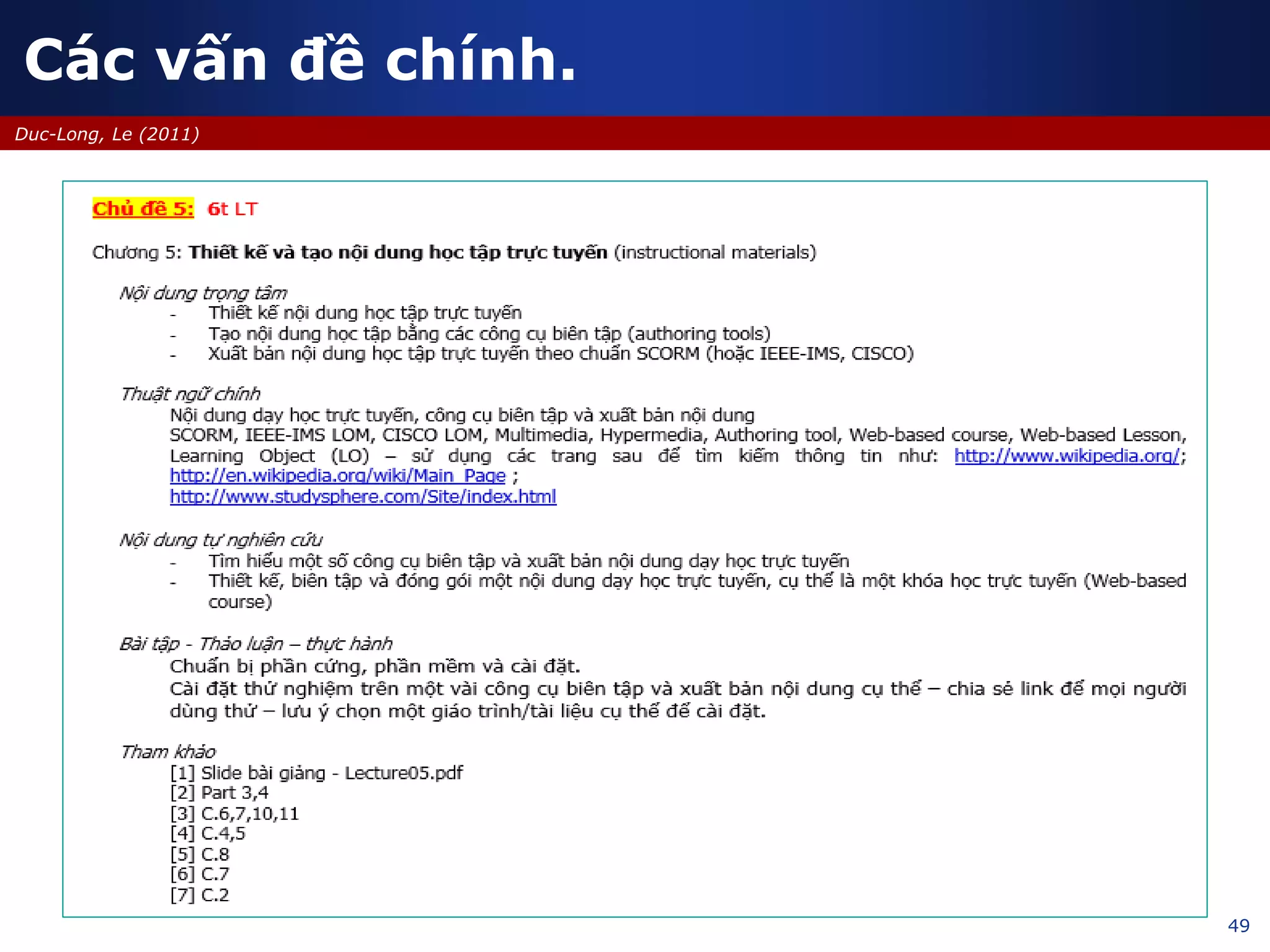
Thiết kế và tạo nội dung học tập
Sử dụng các công cụ biên tập và xuất bản nội dung
Chuyên đề – e-Learning trong trường phổ thông
09/2013
49
Duc-Long, Le (2011)
Các vấn đề chính.
50
Duc-Long, Le (2011)
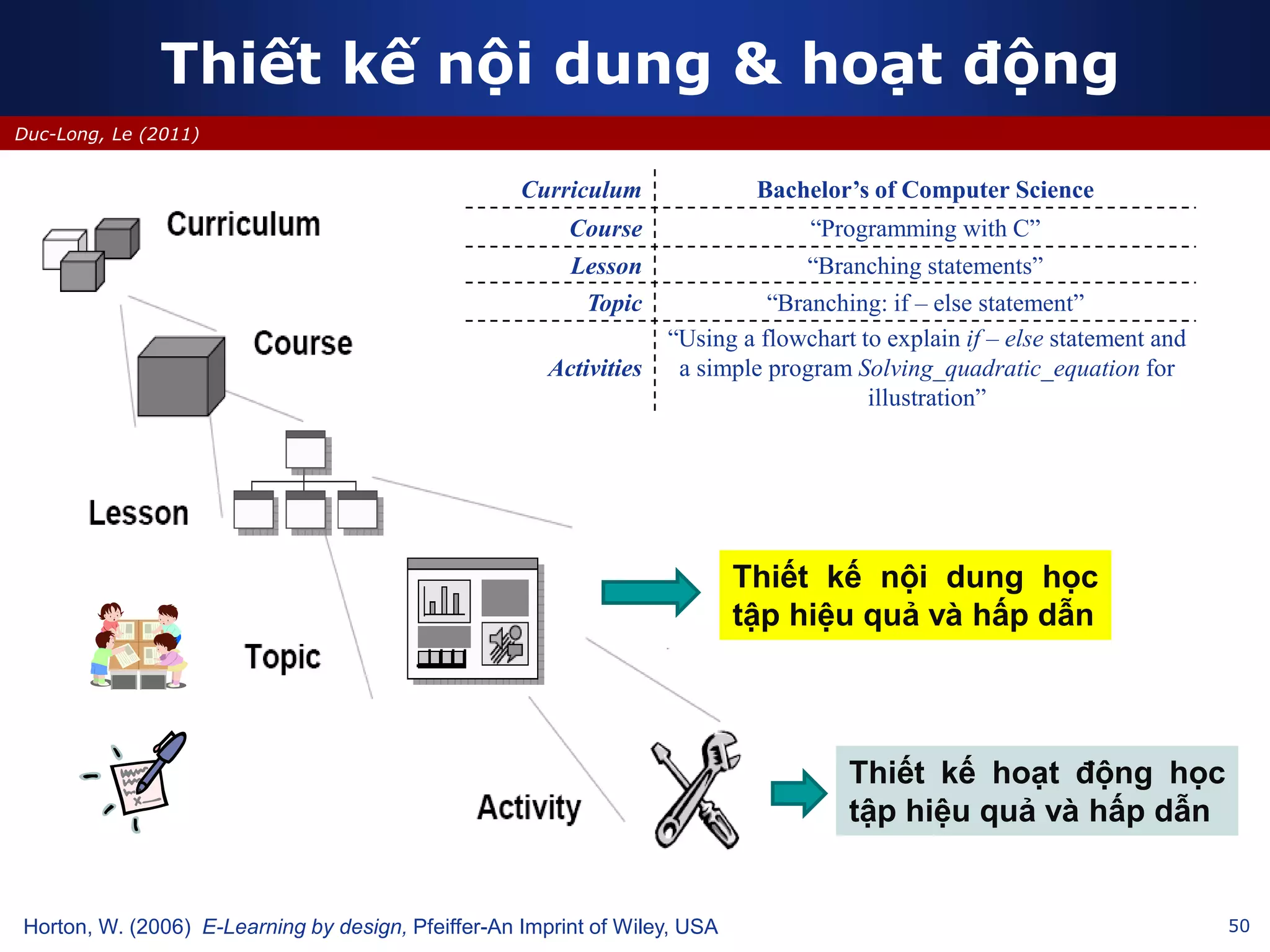
Thiết kế nội dung & hoạt động
Horton, W. (2006) E-Learning by design, Pfeiffer-An Imprint of Wiley, USA
Curriculum Bachelor’s of Computer Science
Course “Programming with C”
Lesson “Branching statements”
Topic “Branching: if – else statement”
Activities
“Using a flowchart to explain if – else statement and
a simple program Solving_quadratic_equation for
illustration”
Thiết kế nội dung học
tập hiệu quả và hấp dẫn
Thiết kế hoạt động học
tập hiệu quả và hấp dẫn
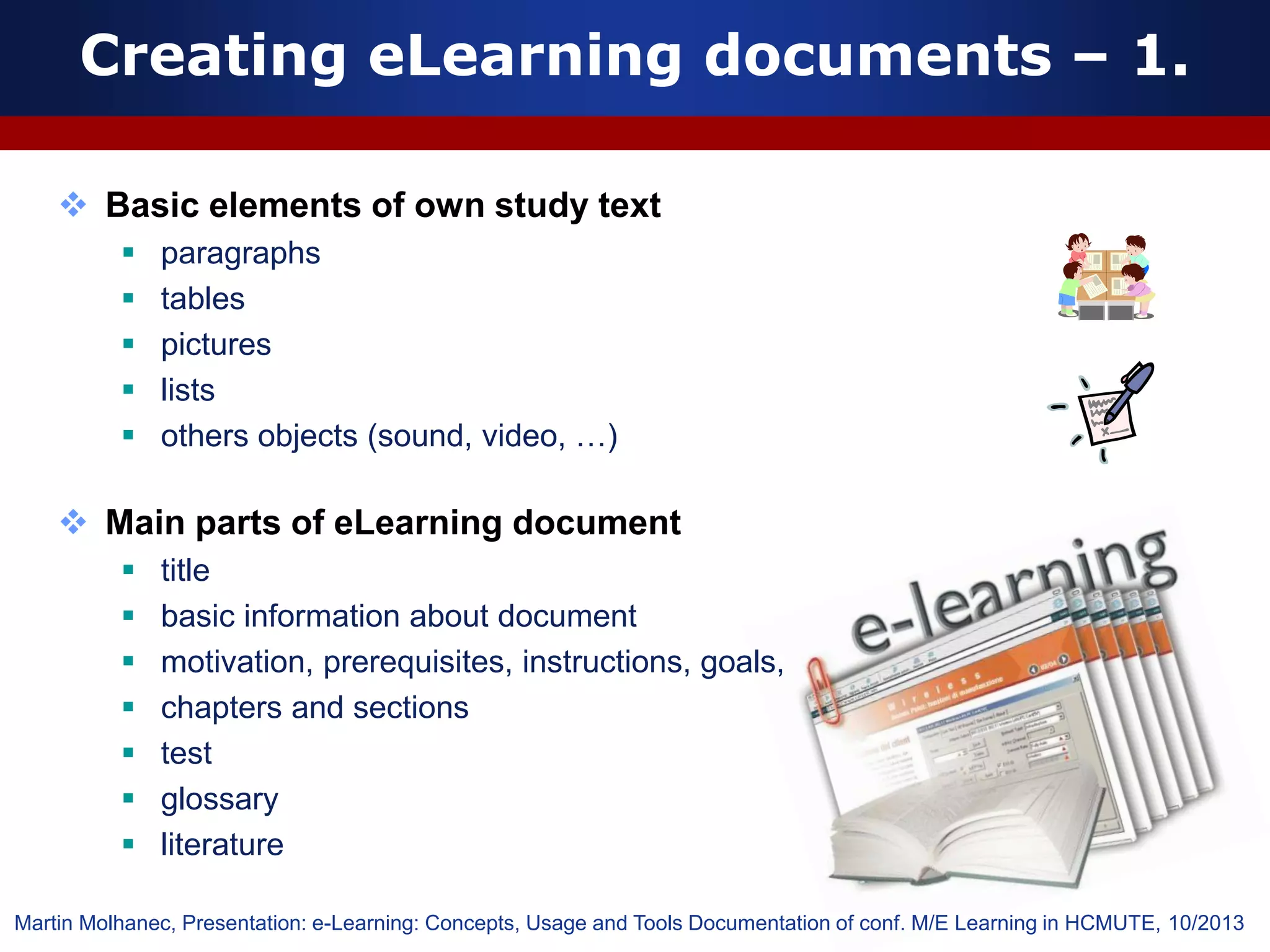
Creating eLearning documents – 1.
 Basic elements of own study text
 paragraphs
 tables
 pictures
 lists
 others objects (sound, video, …)
 Main parts of eLearning document
 title
 basic information about document
 motivation, prerequisites, instructions, goals,
 chapters and sections
 test
 glossary
 literature
Martin Molhanec, Presentation: e-Learning: Concepts, Usage and Tools Documentation of conf. M/E Learning in HCMUTE, 10/2013
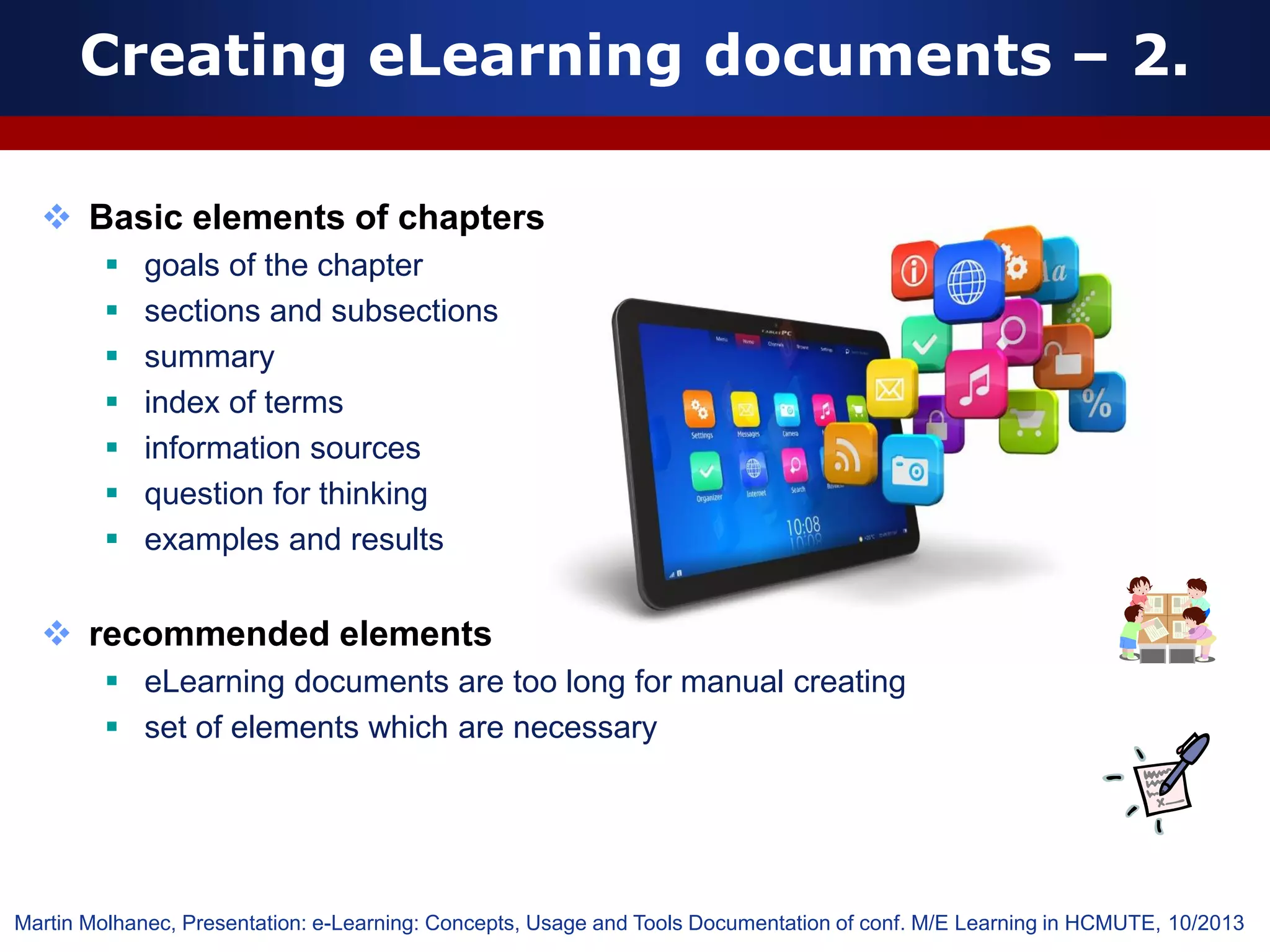
 Basic elements of chapters
 goals of the chapter
 sections and subsections
 summary
 index of terms
 information sources
 question for thinking
 examples and results
 recommended elements
 eLearning documents are too long for manual creating
 set of elements which are necessary
Creating eLearning documents – 2.
Martin Molhanec, Presentation: e-Learning: Concepts, Usage and Tools Documentation of conf. M/E Learning in HCMUTE, 10/2013
What is a learning object?
53
“Any entity, digital or non-digital, which can be used, re-used and referenced
during technology-supported learning” (IEEE 2002)
“Any digital resource that can be reused to support learning.” (Wiley 2002)
Characteristics of Learning Objects (LO’s) (Paille 2004)
Again, there will not be full agreement on the characteristics of learning objects, but
the following is a list of features that are commonly associated with learning objects:
•Learning objects are digital
•Learning objects can be stored in a database or repository
•Learning objects can be described using a metadata standard or specification
•Learning objects are discoverable through searching a database
•Learning objects are interoperable in that they are independent of hardware,
operating system and browser type
•Learning objects tend to be, but are not necessarily, small or granular in nature
•Learning objects tend to be, but are not necessarily, disassociated from context
•Learning objects are reusable
•Learning objects can be repurposed for different educational contexts
•Learning objects have an explicit educational purpose
IEEE (2002) LOM P1484 12.1. Available at http://ltsc.ieee.org/wg12/files/LOM_1484_12_1_v1_Final_Draft.pdf
Wiley, D. (2002) The Instructional User of Learning Objects, Bloomington: Association for Educational Communications and
Technology. Online version.. Available at http://www.reusability.org/read/
Paille, G. (2004) A Short Course on Structured Course Development, Learning Objects, and E-Learning Standards, Retrieved
Mar, 2010, http://careo.prn.bc.ca/losc/
54
Duc-Long, Le (2010)
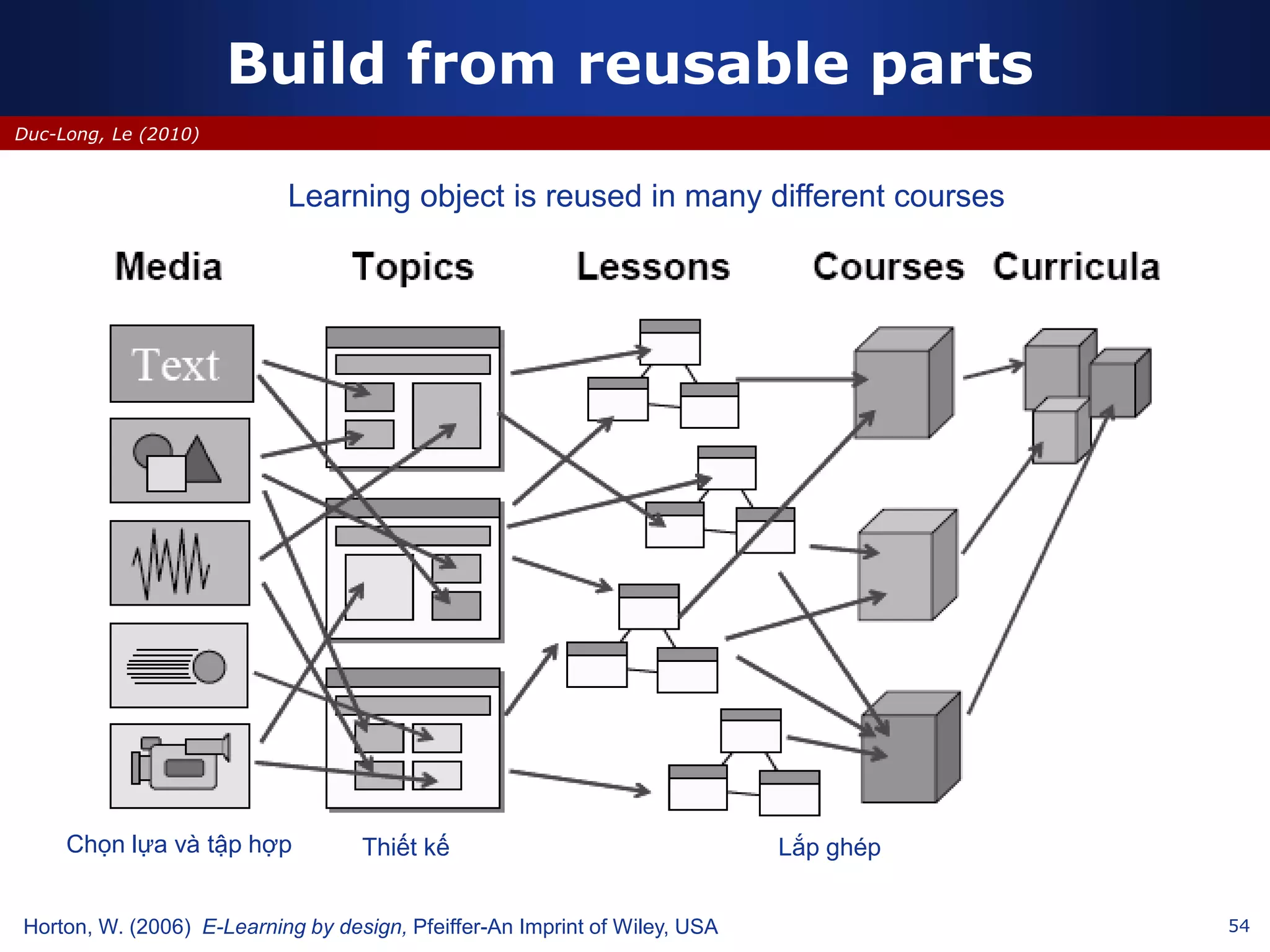
Build from reusable parts
Learning object is reused in many different courses
Horton, W. (2006) E-Learning by design, Pfeiffer-An Imprint of Wiley, USA
Chọn lựa và tập hợp Thiết kế Lắp ghép
55
Duc-Long, Le (2010)
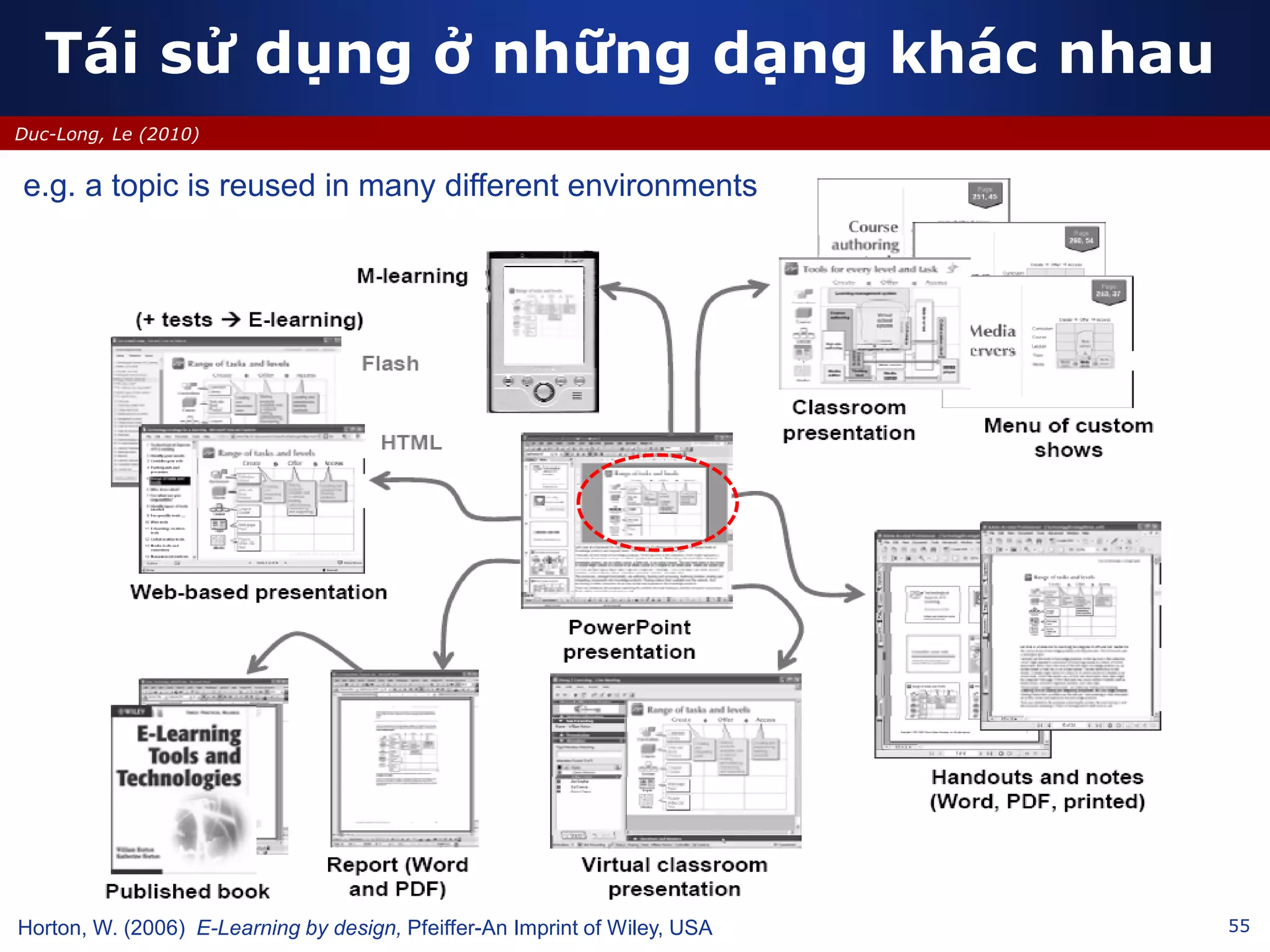
Tái sử dụng ở những dạng khác nhau
e.g. a topic is reused in many different environments
Horton, W. (2006) E-Learning by design, Pfeiffer-An Imprint of Wiley, USA
56
Duc-Long, Le (2011)
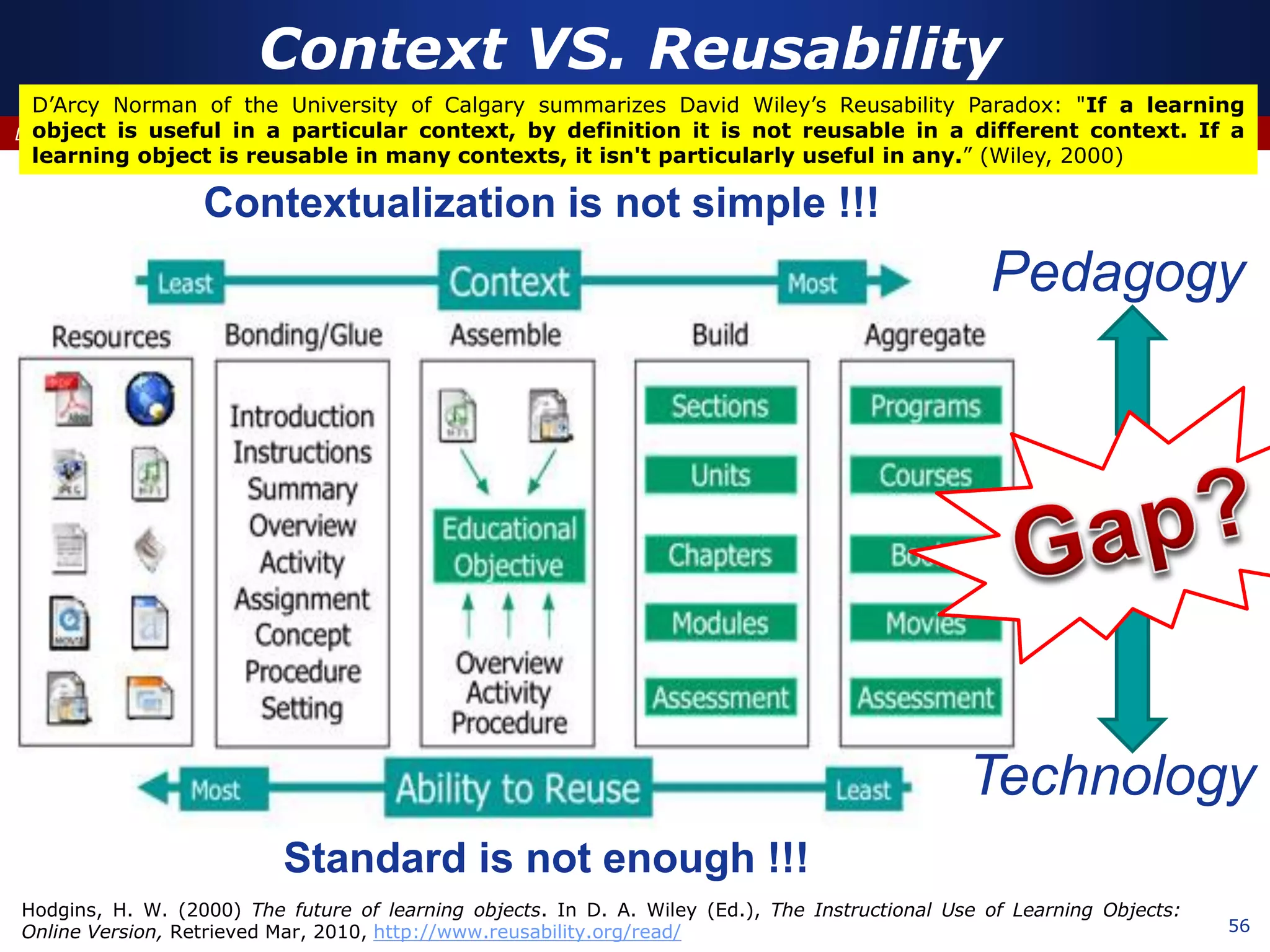
Context VS. Reusability
Hodgins, H. W. (2000) The future of learning objects. In D. A. Wiley (Ed.), The Instructional Use of Learning Objects:
Online Version, Retrieved Mar, 2010, http://www.reusability.org/read/
D’Arcy Norman of the University of Calgary summarizes David Wiley’s Reusability Paradox: "If a learning
object is useful in a particular context, by definition it is not reusable in a different context. If a
learning object is reusable in many contexts, it isn't particularly useful in any.” (Wiley, 2000)
Standard is not enough !!!
Contextualization is not simple !!!
Technology
Pedagogy
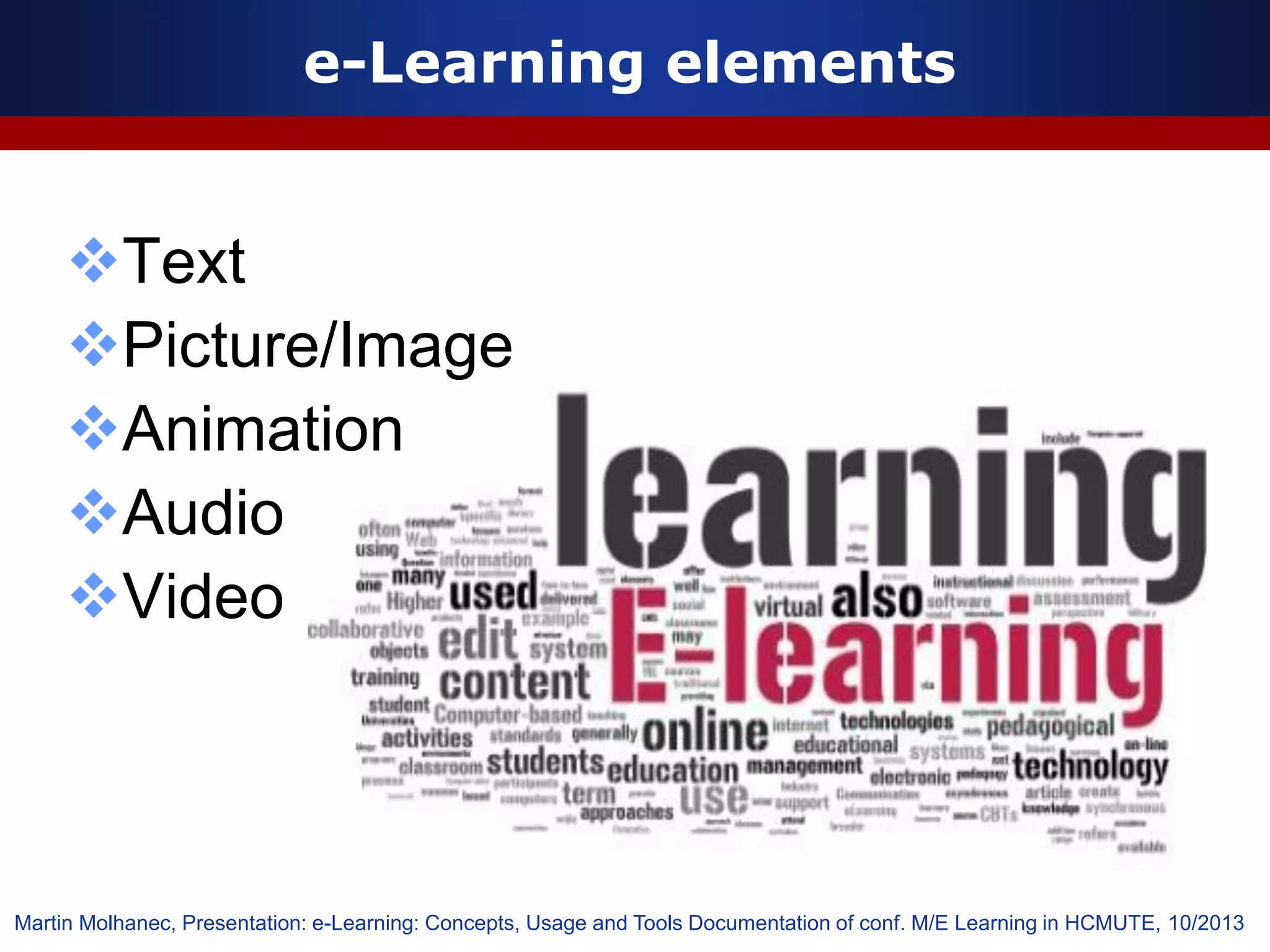
e-Learning elements
Text
Picture/Image
Animation
Audio
Video
Martin Molhanec, Presentation: e-Learning: Concepts, Usage and Tools Documentation of conf. M/E Learning in HCMUTE, 10/2013
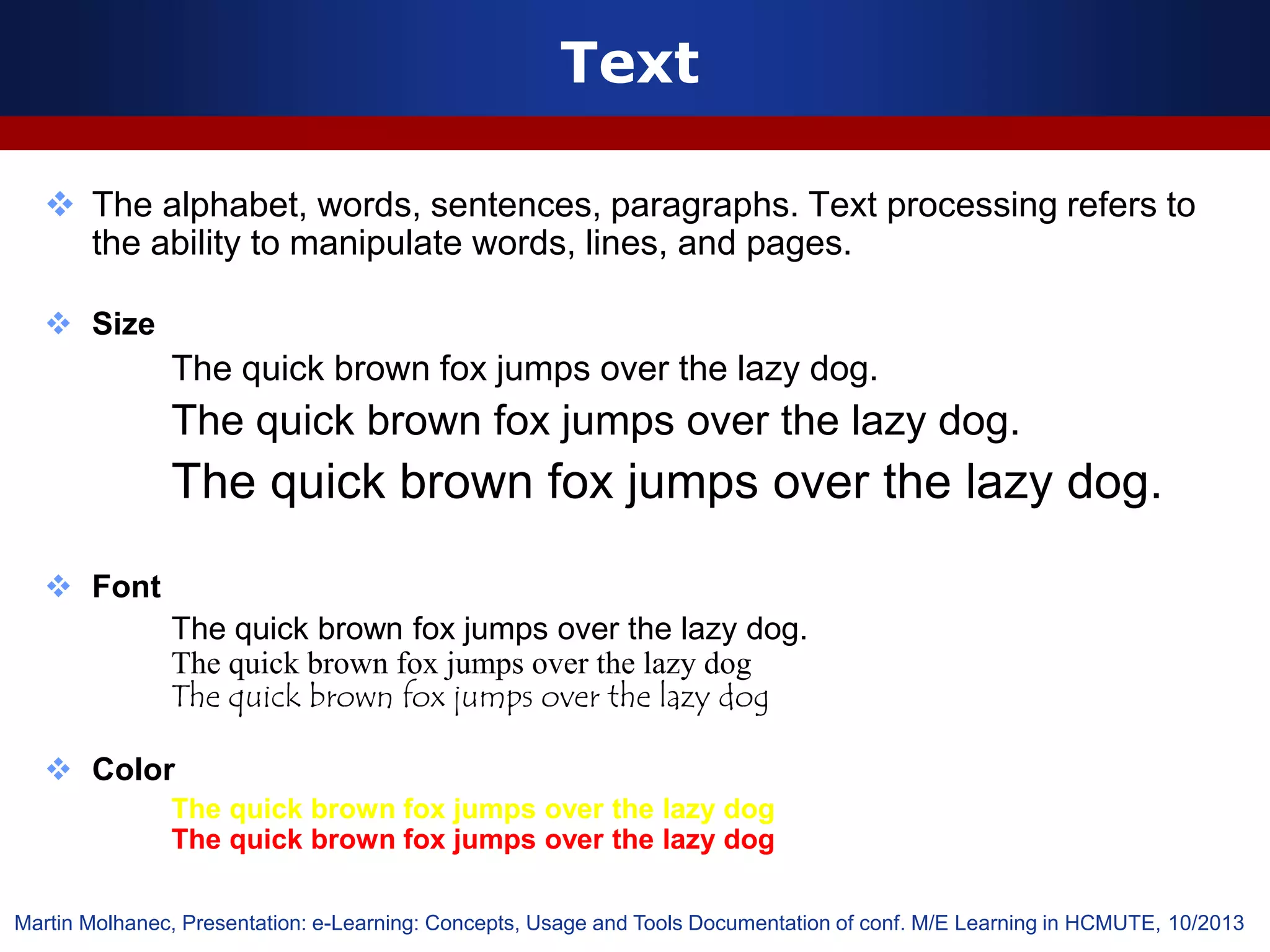
Text
 The alphabet, words, sentences, paragraphs. Text processing refers to
the ability to manipulate words, lines, and pages.
 Size
The quick brown fox jumps over the lazy dog.
 Font
The quick brown fox jumps over the lazy dog.
The quick brown fox jumps over the lazy dog
 Color
The quick brown fox jumps over the lazy dog
Martin Molhanec, Presentation: e-Learning: Concepts, Usage and Tools Documentation of conf. M/E Learning in HCMUTE, 10/2013
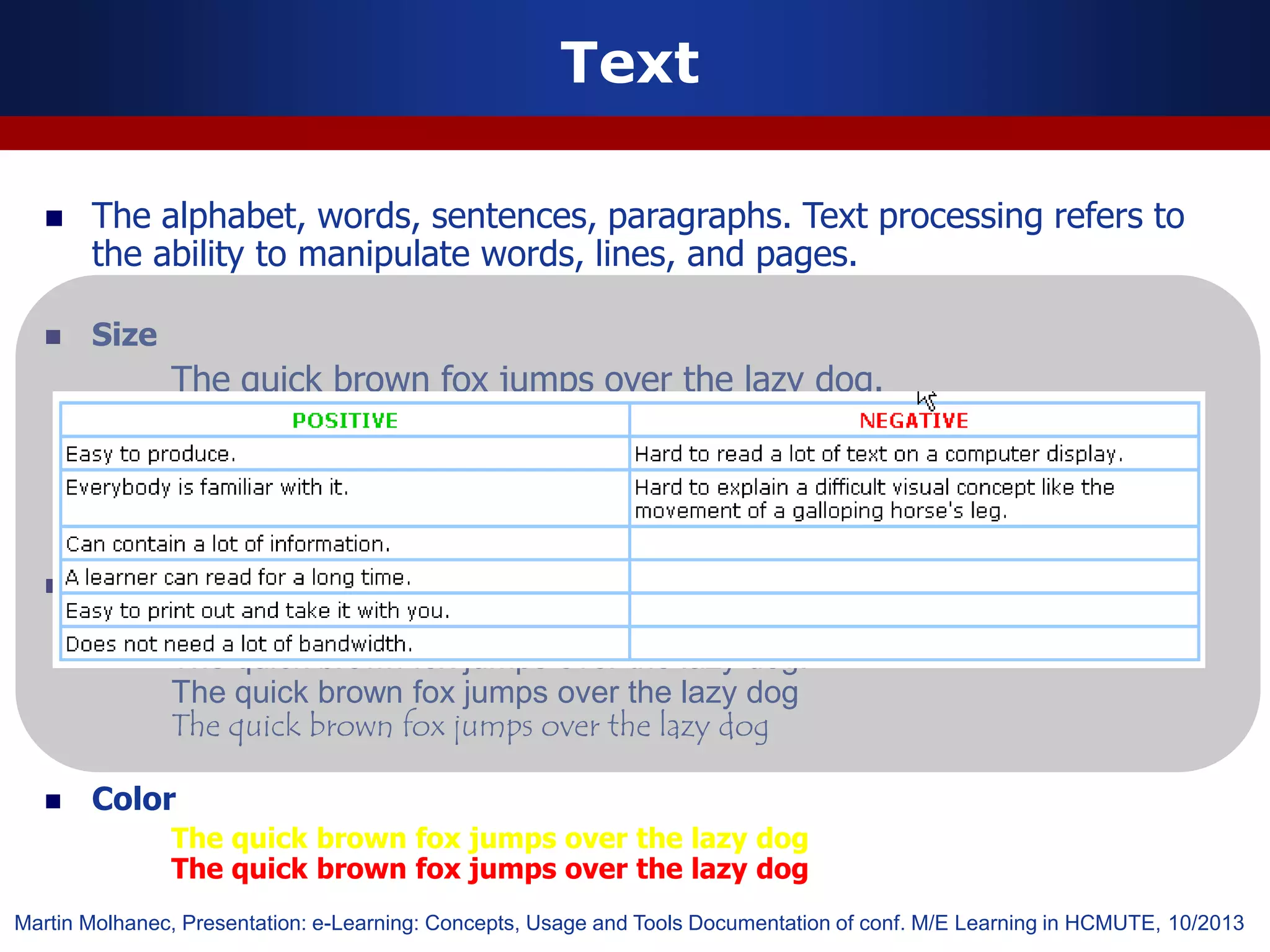
 The alphabet, words, sentences, paragraphs. Text processing refers to
the ability to manipulate words, lines, and pages.
 Size
The quick brown fox jumps over the lazy dog.
 Font
The quick brown fox jumps over the lazy dog.
The quick brown fox jumps over the lazy dog
 Color
The quick brown fox jumps over the lazy dog
Text
Martin Molhanec, Presentation: e-Learning: Concepts, Usage and Tools Documentation of conf. M/E Learning in HCMUTE, 10/2013
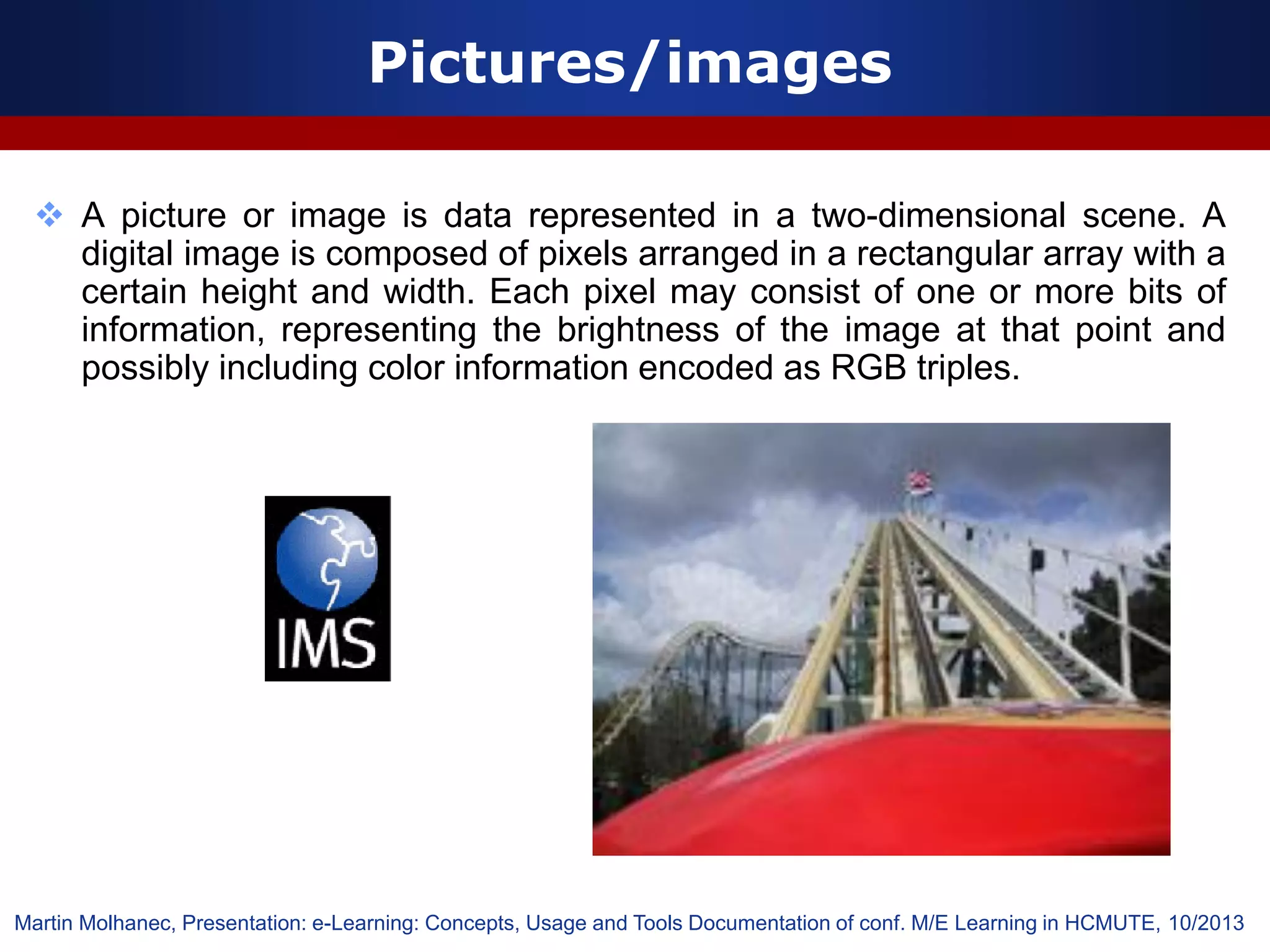
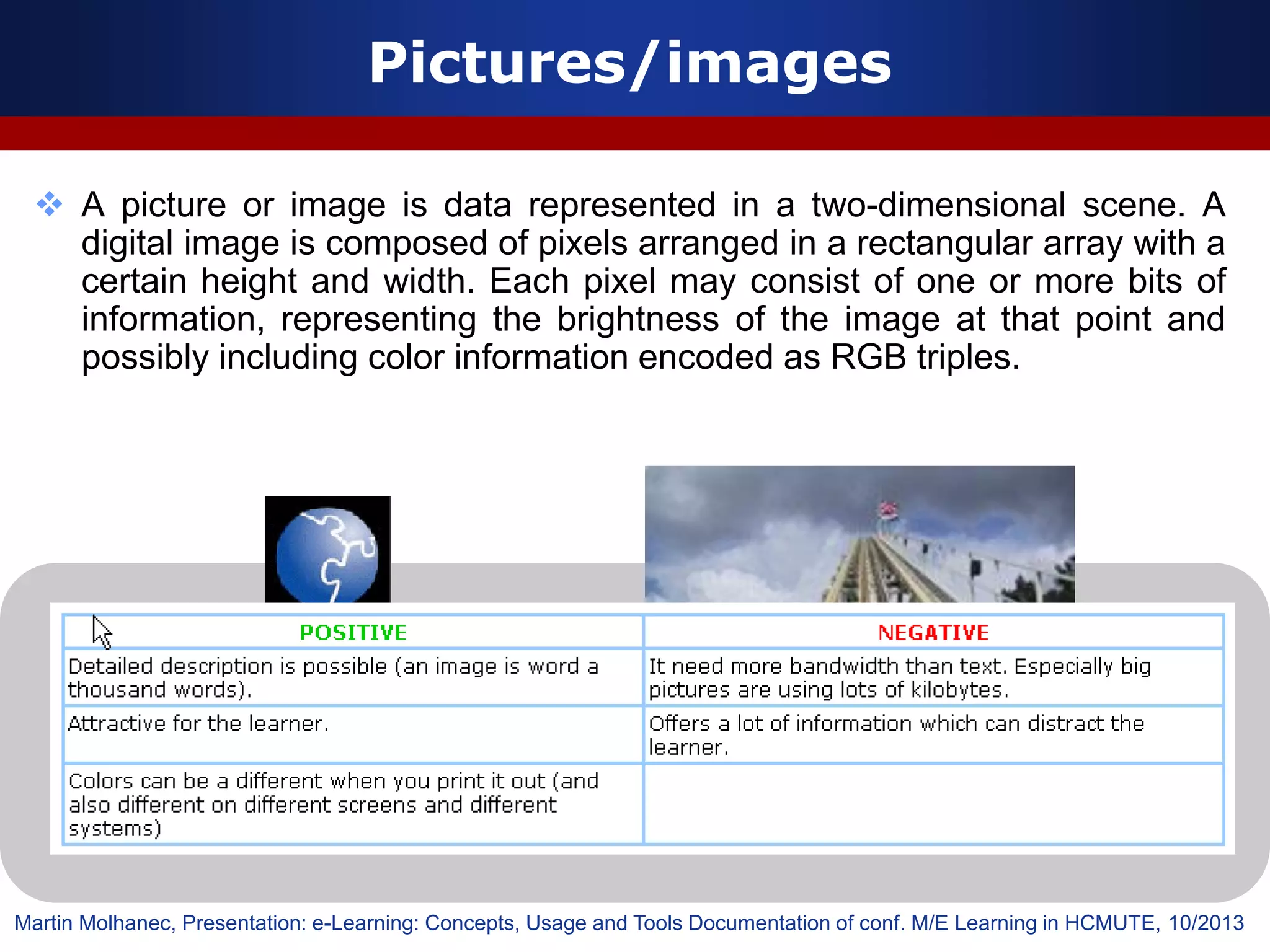
Pictures/images
 A picture or image is data represented in a two-dimensional scene. A
digital image is composed of pixels arranged in a rectangular array with a
certain height and width. Each pixel may consist of one or more bits of
information, representing the brightness of the image at that point and
possibly including color information encoded as RGB triples.
Martin Molhanec, Presentation: e-Learning: Concepts, Usage and Tools Documentation of conf. M/E Learning in HCMUTE, 10/2013
 A picture or image is data represented in a two-dimensional scene. A
digital image is composed of pixels arranged in a rectangular array with a
certain height and width. Each pixel may consist of one or more bits of
information, representing the brightness of the image at that point and
possibly including color information encoded as RGB triples.
Pictures/images
Martin Molhanec, Presentation: e-Learning: Concepts, Usage and Tools Documentation of conf. M/E Learning in HCMUTE, 10/2013
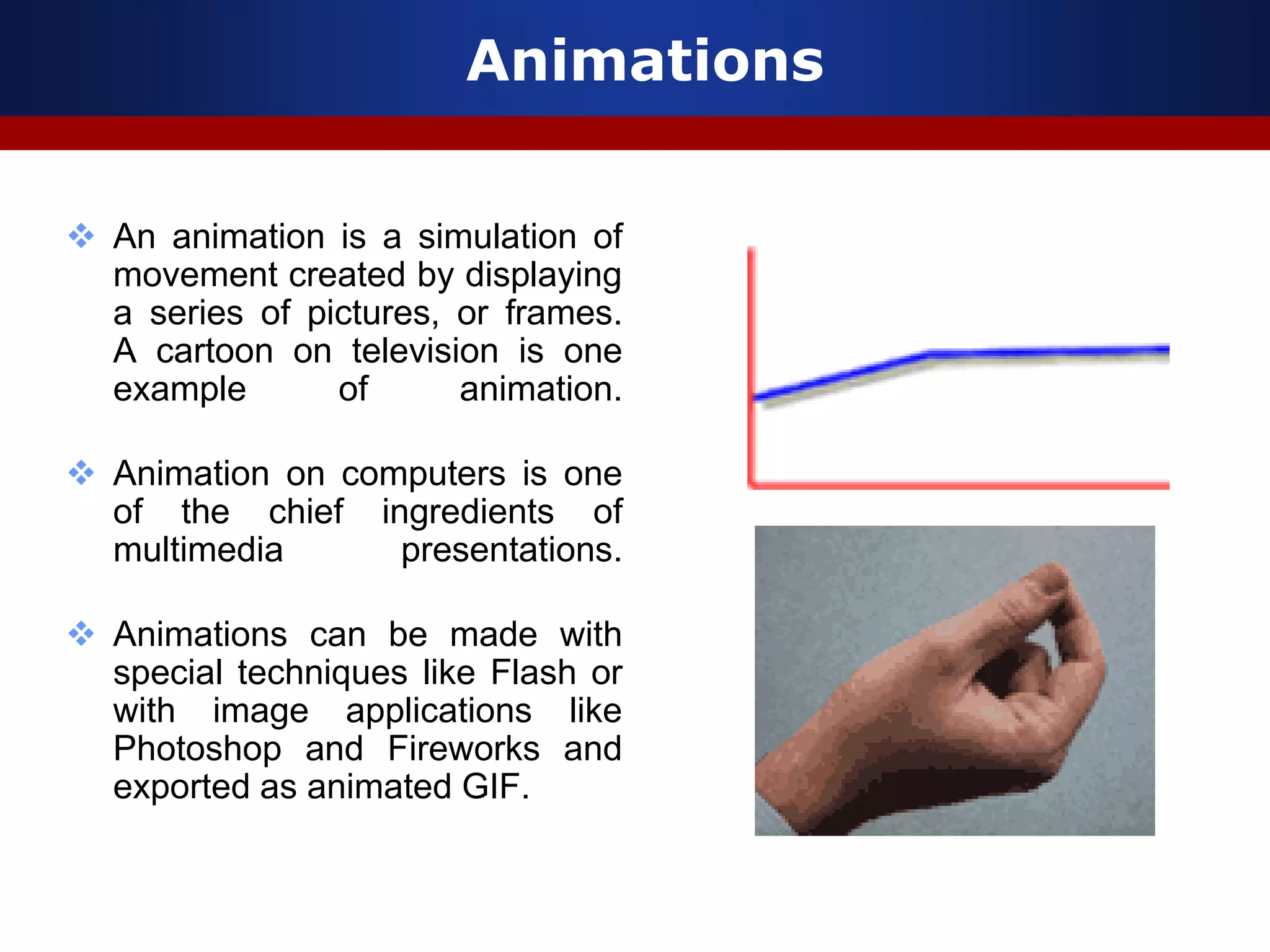
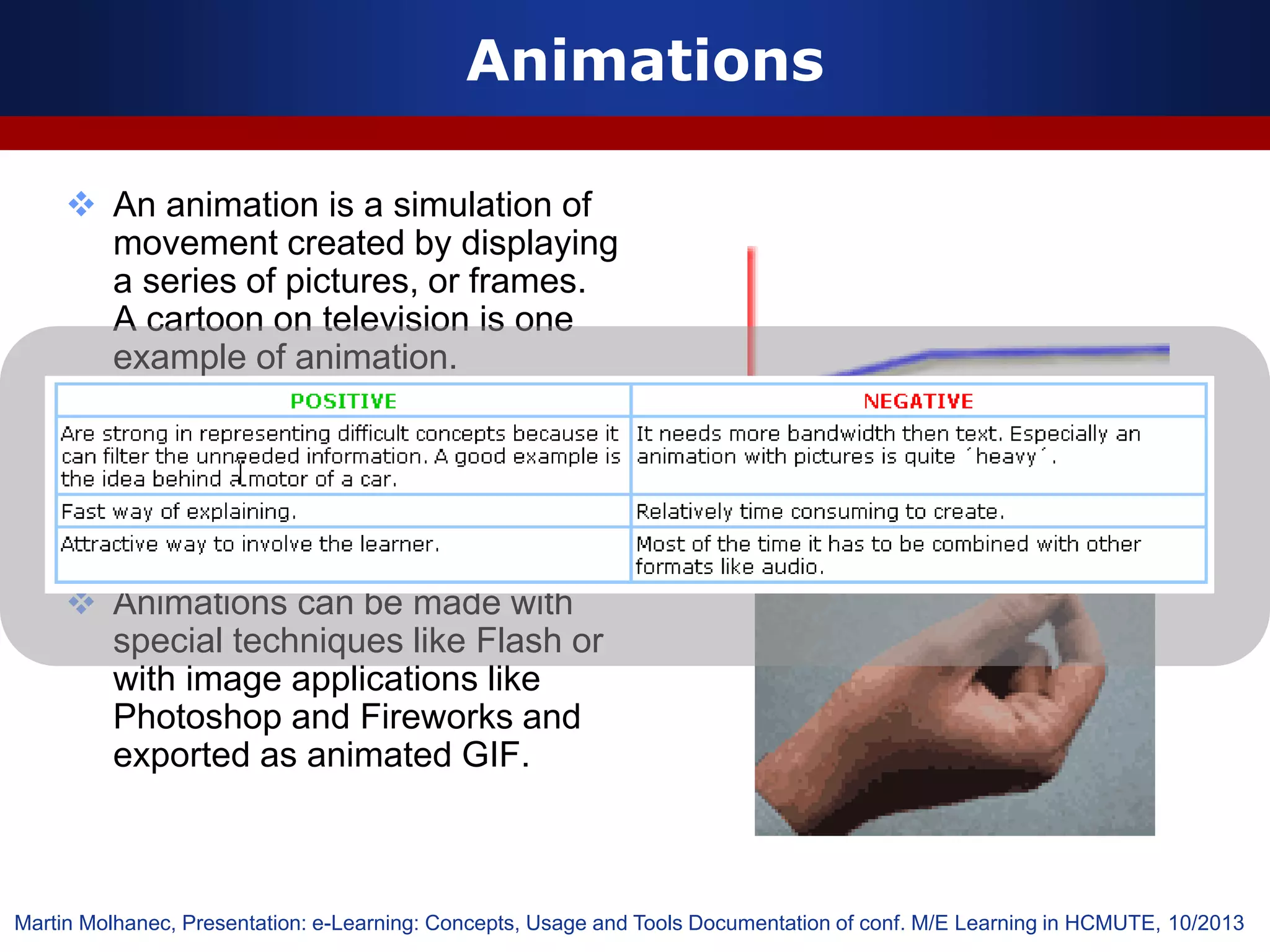
Animations
 An animation is a simulation of
movement created by displaying
a series of pictures, or frames.
A cartoon on television is one
example of animation.
 Animation on computers is one
of the chief ingredients of
multimedia presentations.
 Animations can be made with
special techniques like Flash or
with image applications like
Photoshop and Fireworks and
exported as animated GIF.
 An animation is a simulation of
movement created by displaying
a series of pictures, or frames.
A cartoon on television is one
example of animation.
 Animation on computers is one
of the chief ingredients of
multimedia presentations.
 Animations can be made with
special techniques like Flash or
with image applications like
Photoshop and Fireworks and
exported as animated GIF.
Animations
Martin Molhanec, Presentation: e-Learning: Concepts, Usage and Tools Documentation of conf. M/E Learning in HCMUTE, 10/2013
Audio
 Audio is sound within the acoustic range
available to humans. On a computer an
audio file is a record of captured sound that
can be played back.
 Audio files are usually compressed for
storage purposes or faster transmission. In
order for users to receive sound in real-time
for a multimedia effect, sound must be
delivered as streaming sound. The
advantage of streaming (instead of
downloaded sounds) is that there is no
waiting (or very little) from the time you click
the mouse until you hear the sound. Well
known formats are: wave (.wav) , midi (.mid),
MPEG, audio layer 3 (.mp3).
Martin Molhanec, Presentation: e-Learning: Concepts, Usage and Tools Documentation of conf. M/E Learning in HCMUTE, 10/2013
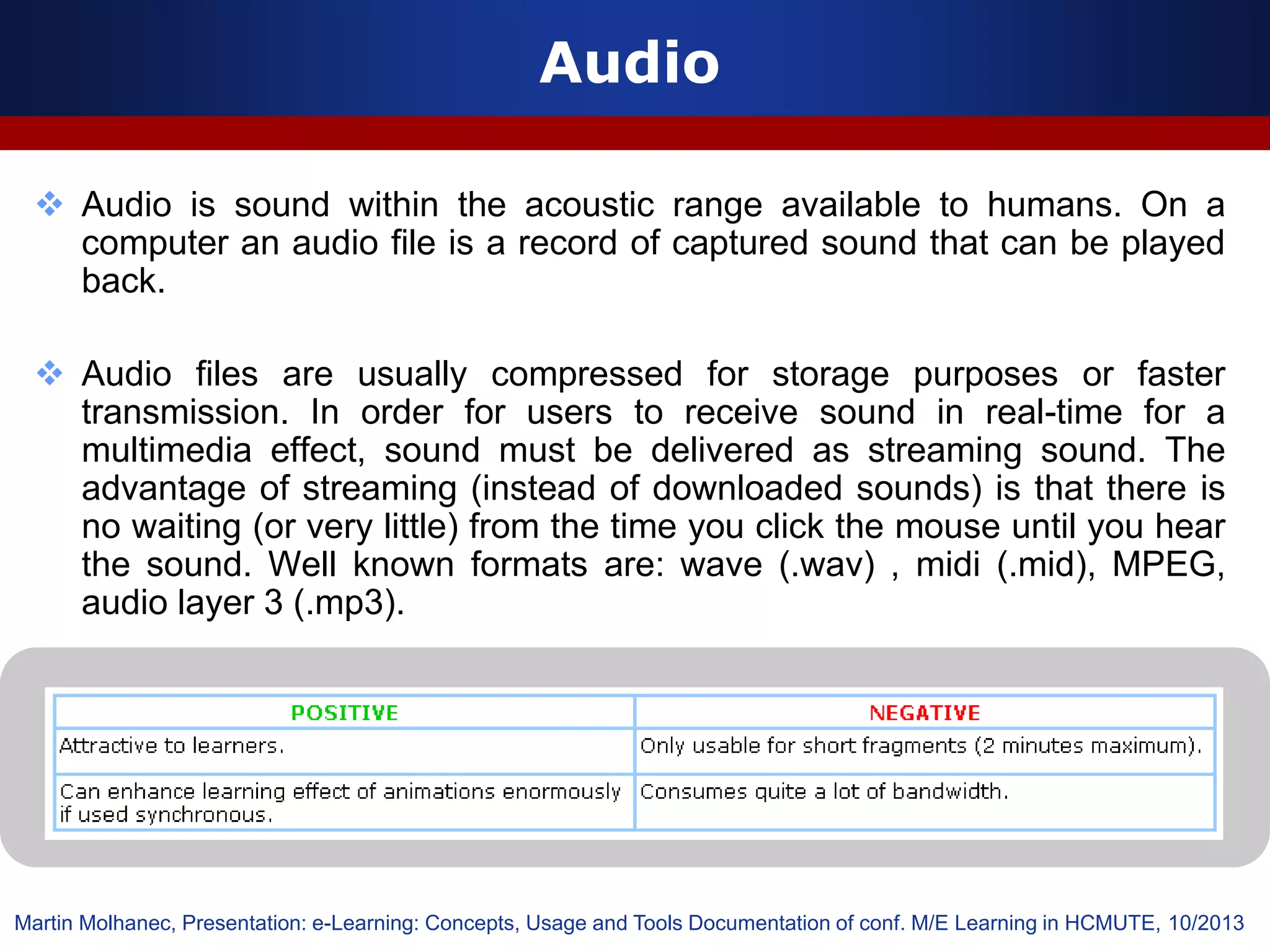
Audio
 Audio is sound within the acoustic range available to humans. On a
computer an audio file is a record of captured sound that can be played
back.
 Audio files are usually compressed for storage purposes or faster
transmission. In order for users to receive sound in real-time for a
multimedia effect, sound must be delivered as streaming sound. The
advantage of streaming (instead of downloaded sounds) is that there is
no waiting (or very little) from the time you click the mouse until you hear
the sound. Well known formats are: wave (.wav) , midi (.mid), MPEG,
audio layer 3 (.mp3).
Martin Molhanec, Presentation: e-Learning: Concepts, Usage and Tools Documentation of conf. M/E Learning in HCMUTE, 10/2013
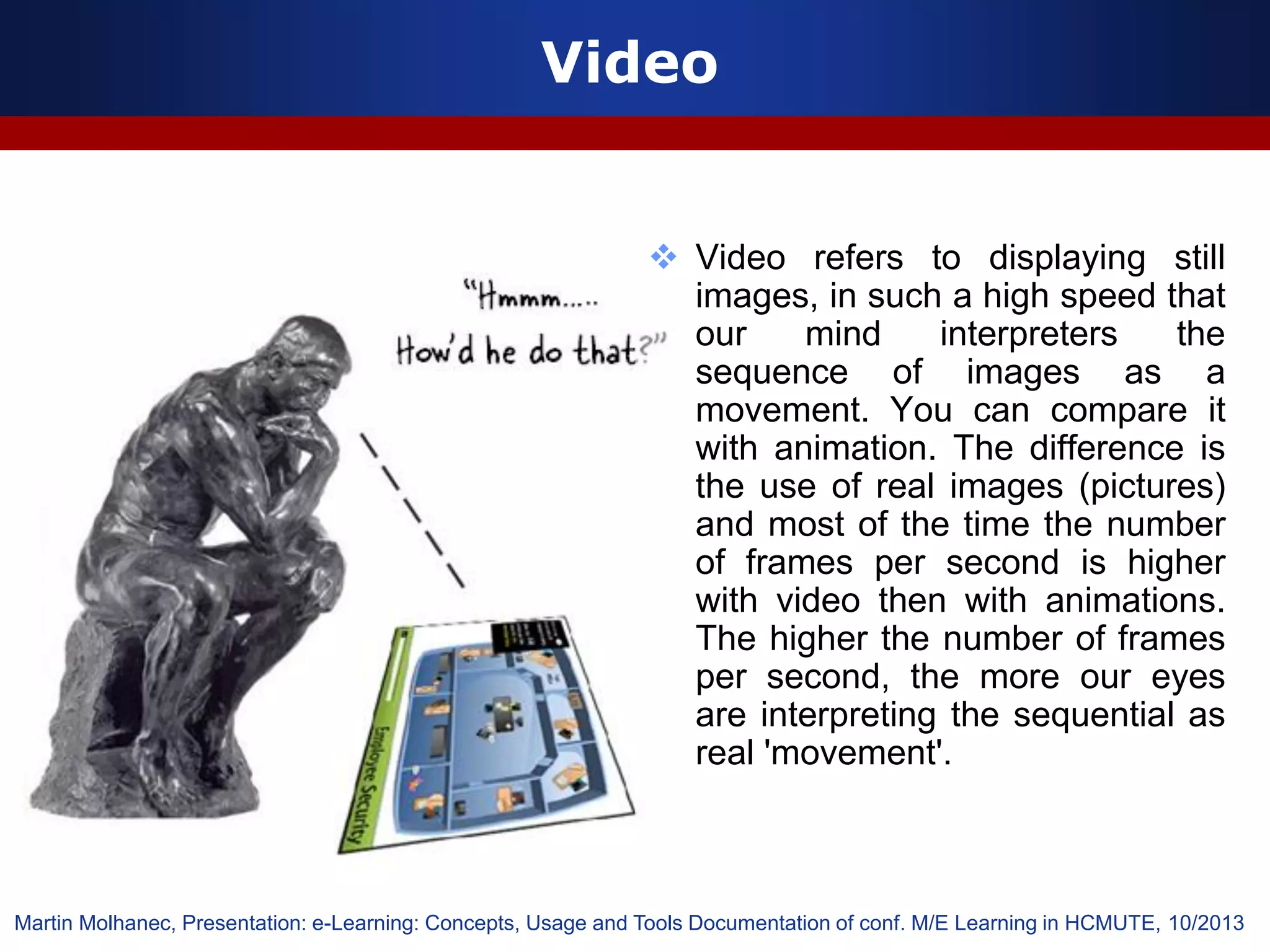
Video
 Video refers to displaying still
images, in such a high speed that
our mind interpreters the
sequence of images as a
movement. You can compare it
with animation. The difference is
the use of real images (pictures)
and most of the time the number
of frames per second is higher
with video then with animations.
The higher the number of frames
per second, the more our eyes
are interpreting the sequential as
real 'movement'.
Martin Molhanec, Presentation: e-Learning: Concepts, Usage and Tools Documentation of conf. M/E Learning in HCMUTE, 10/2013
67
Duc-Long, Le (2011)
Yêu cầu thực hiện sau chủ đề 05
Duc-Long, Le (2011)
Company
LOGO
Kết thúc buổi 3 …

Lecture04 05

  • 1.
    1 Edited by Duc-Long,Le - Một số quy ước trên slide  Tắt màn hình máy tính  Được dùng máy tính  Làm việc theo nhóm  Ghi chép bằng văn bản TỰ NGHIÊN CỨU- ĐỌC THÊM
  • 2.
    Duc-Long, Le (2011) Company LOGO Bổtrợ cho học phần Công Nghệ Dạy Học Dành cho sv ngành SP Tin học e-Learning trong dạy học phổ thông 2 HCMc University of Education, Vietnam Faculty of Information Technology Department of Pedagogical Technique Address: 280, An Duong Vuong st., HCMc Phone: (08).8352020 - 8352021
  • 3.
  • 4.
    4 Duc-Long, Le (2011) Tàiliệu học tập Tất cả tài liệu có thể download tại link: http://elearning.fit.hcmup.edu.vn/~longld/
  • 5.
    5 Duc-Long, Le (2011) Kiểmtra & Đánh giá
  • 6.
    6 Duc-Long, Le (2011) Tàiliệu học tập Tất cả tài liệu có thể download tại link: http://elearning.fit.hcmup.edu.vn/~longld/
  • 7.
    7 Duc-Long, Le (2011) Trungtâm của NICE, France Đi xe bus 30km để đến Sophia Antipolis Coffee Break, SKEMA school Slide chào mừng của ECEL 2013 ECEL 2013 – HỌC ĐƯỢC GÌ?
  • 8.
    Duc-Long, Le (2011) Company LOGO e-Learningin the Future e-Learning phát triển ở tương lai sẽ như thế nào? Làm sao để dạy học trực tuyến hiệu quả và hấp dẫn? Chuyên đề – e-Learning trong trường phổ thông 09/2013
  • 9.
    History of the“Learning Profession” WHERE WE CAME FROM …. • Pre 1979, everything was piled under one big huge umbrella called “TRAINING” WHERE WE ARE TODAY … • Post 1979, a new concept was evolving called “HUMAN RESOURCES” Nancy Hudecek, Presentation: Adoption of e-Learning. Documentation of conf. M/E Learning in HCMUTE, 10/2013
  • 10.
    e-Learning Ladder Nancy Hudecek,Presentation: Adoption of e-Learning. Documentation of conf. M/E Learning in HCMUTE, 10/2013 http://www.youtube.com/watch?feature=player_embedded&v=JAFhkdGtHck#! vSimulation/eSimulation
  • 11.
    Why e-Learning? Excellence Inevery stage, e-learning positively impacts workforce excellence. Recruitment • New recruits lack certain skills • Speed to baseline competency • Orientation learning curve Employee Satisfaction • Flexible access to training opportunities • Cycle time for retooling skills • Access to best practices information Retention and Growth • Competency mastery and recognition • Coaching and mentoring • Creating a learning community Excellence Nancy Hudecek, Presentation: Adoption of e-Learning. Documentation of conf. M/E Learning in HCMUTE, 10/2013
  • 12.
    Duc-Long, Le (2011) Company LOGO Càiđặt và quản trị LMS/CMS Sử dụng CMS nguồn mở Moodle, Atutor, Dokeos hoặc/và Sakai Chuyên đề – e-Learning trong trường phổ thông 09/2013
  • 13.
    14 Duc-Long, Le (2011) Cácvấn đề chính.
  • 14.
    15 Duc-Long, Le (2011) http://strawpoll.me/787229 Astraw poll or straw vote is a vote with nonbinding results. Straw polls provide dialogue among movements within large groups. In meetings subject to rules of order, impromptu straw polls often are taken to see if there is enough support for an idea to devote more meeting time to it, and (when not a secret ballot) for the attendees to see who is on which side of a question. Sometimes polls conducted without ordinary voting controls in place (i.e., on an honor system, such as in online polls) are also called "straw polls". The idiom may allude to a straw (thin plant stalk) held up to see in what direction the wind blows, in this case, the wind of group opinion. http://en.wikipedia.org/wiki/Straw_poll Vài phút mở đầu …
  • 15.
    16 Duc-Long, Le (2011) Hệthống e-Learning tổng quát Trình duyệt Web VLE Ban biên tập và xuất bản Kho dữ liệu Cổng giao tiếp Các công cụ hệ thống Người học Hệ nền Nguồn: http://el.edu.net.vn/docs/
  • 16.
    17 Duc-Long, Le (2011) Giảipháp tiếp cận … Người học Máy chủ VLEDữ liệu Người quản trị hệ thống Người phát triển nội dung Người quản lý đào tạo Người thiết kế đào tạo
  • 17.
    18 Duc-Long, Le (2011) Kiếntrúc của 1 hệ thống e-Learning
  • 18.
    19 Mô hình chứcnăng của hệ thống eLearning Hệ quản trị nội dung đào tạo Hệ quản trị đào tạo
  • 19.
    20 Edited by Duc-Long,Le - (*) http://en.wikipedia.org/wiki/Virtual_learning_environment Virtual Learning Environment - VLE LÀ MÔI TRƯỜNG THỂ HIỆN CHO VIỆC GIÁO DỤC QUA TRUNG GIAN MÁY TÍNH (Computer-Mediated Communication) HAY GIÁO DỤC TRỰC TUYẾN (Online Education). Có thể được gán với nhiều tên khác nhau tùy theo góc độ sử dụng như: Learning Management System (LMS), Content Management System or Course Management System (CMS), Learning Content Management System (LCMS), Managed Learning Environment (MLE), Learning Support System (LSS), Online Learning Centre (OLC), OpenCourseWare (OCW), hay Learning Platform (LP). Một số VLE thông dụng hiện nay  Moodle1; Atutor2; Illias3; Dokeos4; Sakai5; Claroline6;  WebCT(Blackboard)7; ZoomlaLMS8; SharePointLMS9 VLE cho phép thực hiện  Quản lý nội dung dạy học – tạo, lưu trữ, truy cập và sử dụng tài nguyên học tập  Trình bày đề cương và kế hoạch dạy học  Quản lý và giám sát quá trình học tập của người học  Xây dựng các hoạt động giao tiếp và hoạt động học tập cộng tác (Dillenbourg 2000) (JISC 2007) Sử dụng môi trường học ảo (VLE) như một cổng thông tin người dùng Dillenbourg, P. (2000), "Virtual learning environments”. EUN Conference 2000: Learning in the new millennium: Building new education strategies for schools. JISC. (2007). "Briefing Paper 1: MLEs and VLEs Explained." Retrieved Oct, 2012 from http://www.jisc.ac.uk/whatwedo/programmes/buildmlehefe/lifelonglearning/mlebriefingpack/1
  • 20.
    21 Edited by Duc-Long,Le - Some popular VLE’s …
  • 21.
    22 Duc-Long, Le (2011) 1Moodle: http://moodle.org/  2Atutor: http://www.atutor.ca/  3Ilias: http://www.ilias.de  4Dokeos: http://www.dokeos.com/  5Sakai: http://sakaiproject.org/  6Claroline: http://www.claroline.net/  7Blackboard: http://www.blackboard.com/  8JoomlaLMS: http://www.joomlalms.com/  9SharePointLMS: http://www.sharepointlms.com/ Weblink chính thức của các VLEs (2011) – Drupal, eFront, Elluminate http://drupal.org/ http://www.efrontlearning.net/ http://www.elluminate.com/Services/Training/Elluminate_Live!/?id=418
  • 22.
    23 Duc-Long, Le (2011) Nóithêm về CMS Moodle 23 http://2learner.edu.vn/ACeLS  Hệ thống mã nguồn mở – được đánh giá cao và sử dụng rất phổ biến -Đơn giản, dễ cài đặt và phát triển mở rộng -Nhiều và đa dạng các chức năng, hoạt động học tập -Tài liệu đính kèm rất tốt -Cộng đồng sử dụng và phát triển đông Xếp thứ 11 trong top 100 công cụ dạy học tốt nhất năm 2012 (Jane, 2012) Môi trường tốt – nhưng việc khai thác và chất lượng phụ thuộc vào người thiết kế Jane Hart (2012), Top 100 toos for learning 2012 – 6th Annual Survey, retrieved from http://www.slideshare.net/janehart/toptools2012?ref=http://c4lpt.co.uk/top-100-tools-2012/
  • 23.
    24 Duc-Long, Le (2011) Đểmột hệ e-Learning thành công … Công nghệ Phần mềm Thiết kế Dạy học Thiết kế Media Tính kinh tế
  • 24.
    25 Duc-Long, Le (2011) Thiếtkế nhanh và tin cậy Horton, W. (2006) E-Learning by design, Pfeiffer-An Imprint of Wiley, USA Step 1 Step 2 Step 3
  • 25.
    26 Duc-Long, Le (2011) Thiếtkế nội dung & hoạt động Horton, W. (2006) E-Learning by design, Pfeiffer-An Imprint of Wiley, USA Curriculum Bachelor’s of Computer Science Course “Programming with C” Lesson “Branching statements” Topic “Branching: if – else statement” Activities “Using a flowchart to explain if – else statement and a simple program Solving_quadratic_equation for illustration” Thiết kế nội dung học tập hiệu quả và hấp dẫn Thiết kế hoạt động học tập hiệu quả và hấp dẫn
  • 26.
    Web tools Nancy Hudecek,Presentation: Adoption of e-Learning. Documentation of conf. M/E Learning in HCMUTE, 10/2013
  • 27.
    E-learning creation tools NancyHudecek, Presentation: Adoption of e-Learning. Documentation of conf. M/E Learning in HCMUTE, 10/2013
  • 28.
    Collaboration tools Nancy Hudecek,Presentation: Adoption of e-Learning. Documentation of conf. M/E Learning in HCMUTE, 10/2013
  • 29.
    Media tools andconverters
  • 30.
    Standards organizations Nancy Hudecek,Presentation: Adoption of e-Learning. Documentation of conf. M/E Learning in HCMUTE, 10/2013
  • 31.
    Packaging standard Nancy Hudecek,Presentation: Adoption of e-Learning. Documentation of conf. M/E Learning in HCMUTE, 10/2013
  • 32.
    AICC Nancy Hudecek, Presentation:Adoption of e-Learning. Documentation of conf. M/E Learning in HCMUTE, 10/2013
  • 33.
    AICC (Aviation IndustryCBT Committee)  The AICC (Aviation Industry CBT Committee) develops guidelines for the aviation industry in the development, delivery, and evaluation of CBT and related training technologies.  The objectives of the AICC are to:  Assist airplane operators in development of guidelines that promote the economic and effective implementation of computer-based training (CBT)  Develop guidelines to enable interoperability  Provide an open forum for the discussion of CBT and other training technologies  Although AICC primarily attends to the aviation industry, over 13 years focus on the specifications required to meet this industry's needs has led to a very well developed specifications for learning and particularly for computer managed instruction. As a result, a wide range of learning consortiums and accredited standards groups are in the process of adopting and adapting the AICC guidelines to their own industries. Nancy Hudecek, Presentation: Adoption of e-Learning. Documentation of conf. M/E Learning in HCMUTE, 10/2013
  • 34.
    IMS Nancy Hudecek, Presentation:Adoption of e-Learning. Documentation of conf. M/E Learning in HCMUTE, 10/2013
  • 35.
    IMS (Instructional ManagementSystem) Global Learning Consortium  The IMS (Instructional Management System) Global Learning Consortium is developing and promoting open specifications (no standards) for facilitating online distributed learning activities such as locating and using educational content, tracking learner progress, reporting learner performance, and exchanging student records between administrative systems.  IMS has two key goals:  defining the technical standards for interoperability of applications and services in distributed learning  supporting the incorporation of IMS specifications into products and services worldwide. IMS promotes widespread adoption of specifications that will allow distributed learning environments and content from multiple authors to work together. Nancy Hudecek, Presentation: Adoption of e-Learning. Documentation of conf. M/E Learning in HCMUTE, 10/2013
  • 36.
    Communications standards Nancy Hudecek,Presentation: Adoption of e-Learning. Documentation of conf. M/E Learning in HCMUTE, 10/2013
  • 37.
  • 38.
    IEEE Learning Technology StandardsCommittee (LTSC)  One of the most important accredited standards bodies is IEEE Learning Technology Standards Committee (LTSC). This committee consist of over 20 working groups who are covering a large far-reaching topics including learning object metadata, student profiles, course sequencing, computer managed instruction, competency definitions, localization, and content packaging. The mission of IEEE LTSC working groups is to develop technical Standards, Recommended Practices, and Guides for software components, tools, technologies and design methods that facilitate the development, deployment, maintenance and interoperation of computer implementations of education and training components and systems. Nancy Hudecek, Presentation: Adoption of e-Learning. Documentation of conf. M/E Learning in HCMUTE, 10/2013
  • 39.
    Quality standards Nancy Hudecek,Presentation: Adoption of e-Learning. Documentation of conf. M/E Learning in HCMUTE, 10/2013
  • 40.
    International Standards Organization (ISO) The IEEE LTSC has also recently initiated the move of this work to the full International Standards Organization (ISO) standards by establishing ISO Joint Technical Committee 1 (JTC1) Sub Committee 36 (SC36) on Learning Technology. SC36 Develops International Standards in the areas of Learning, Education, and Training.  ISO is a worldwide federation of national standards bodies from some 130 countries, one from each country. The mission of ISO is to promote the development of standardization and related activities in the world with a view to facilitating the international exchange of goods and services, and to developing cooperation in the spheres of intellectual, scientific, technological and economic activity. ISO's work results in international agreements, which are published as International Standards. Nancy Hudecek, Presentation: Adoption of e-Learning. Documentation of conf. M/E Learning in HCMUTE, 10/2013
  • 41.
    Design standards Nancy Hudecek,Presentation: Adoption of e-Learning. Documentation of conf. M/E Learning in HCMUTE, 10/2013
  • 42.
    Accessibility standards Nancy Hudecek,Presentation: Adoption of e-Learning. Documentation of conf. M/E Learning in HCMUTE, 10/2013
  • 43.
    Learning object Nancy Hudecek,Presentation: Adoption of e-Learning. Documentation of conf. M/E Learning in HCMUTE, 10/2013
  • 44.
    SCORM 2004  SCORMis a collection of standards and specifications adapted from multiple sources to provide a comprehensive suite of e-learning capabilities that enable interoperability, accessibility and reusability of Web-based learning content.  One of the primary forces behind changes to SCORM has been the evolution of the underlying specifications and standards in SCORM 2004:  IEEE Data Model For Content Object Communication  IEEE ECMAScript Application Programming Interface for Content to Runtime Services Communication  IEEE Learning Object Metadata (LOM)  IEEE Extensible Markup Language (XML) Schema Binding for Learning Object Metadata Data Model  IMS Content Packaging  IMS Simple Sequencing. Nancy Hudecek, Presentation: Adoption of e-Learning. Documentation of conf. M/E Learning in HCMUTE, 10/2013
  • 45.
    Resume E-Learning  It isnot a cup of web pages! It is a complex learning environment!  We need a possibility professionally to create our learning materials.  We need a professional LMS system, which is compliment with all e-learning relevant standards.  We need a money and peoples!  And lot of optimism  Nancy Hudecek, Presentation: Adoption of e-Learning. Documentation of conf. M/E Learning in HCMUTE, 10/2013
  • 46.
    47 Duc-Long, Le (2011) Yêucầu thực hiện sau chủ đề 04
  • 47.
    Duc-Long, Le (2011) Company LOGO Thiếtkế và tạo nội dung học tập Sử dụng các công cụ biên tập và xuất bản nội dung Chuyên đề – e-Learning trong trường phổ thông 09/2013
  • 48.
    49 Duc-Long, Le (2011) Cácvấn đề chính.
  • 49.
    50 Duc-Long, Le (2011) Thiếtkế nội dung & hoạt động Horton, W. (2006) E-Learning by design, Pfeiffer-An Imprint of Wiley, USA Curriculum Bachelor’s of Computer Science Course “Programming with C” Lesson “Branching statements” Topic “Branching: if – else statement” Activities “Using a flowchart to explain if – else statement and a simple program Solving_quadratic_equation for illustration” Thiết kế nội dung học tập hiệu quả và hấp dẫn Thiết kế hoạt động học tập hiệu quả và hấp dẫn
  • 50.
    Creating eLearning documents– 1.  Basic elements of own study text  paragraphs  tables  pictures  lists  others objects (sound, video, …)  Main parts of eLearning document  title  basic information about document  motivation, prerequisites, instructions, goals,  chapters and sections  test  glossary  literature Martin Molhanec, Presentation: e-Learning: Concepts, Usage and Tools Documentation of conf. M/E Learning in HCMUTE, 10/2013
  • 51.
     Basic elementsof chapters  goals of the chapter  sections and subsections  summary  index of terms  information sources  question for thinking  examples and results  recommended elements  eLearning documents are too long for manual creating  set of elements which are necessary Creating eLearning documents – 2. Martin Molhanec, Presentation: e-Learning: Concepts, Usage and Tools Documentation of conf. M/E Learning in HCMUTE, 10/2013
  • 52.
    What is alearning object? 53 “Any entity, digital or non-digital, which can be used, re-used and referenced during technology-supported learning” (IEEE 2002) “Any digital resource that can be reused to support learning.” (Wiley 2002) Characteristics of Learning Objects (LO’s) (Paille 2004) Again, there will not be full agreement on the characteristics of learning objects, but the following is a list of features that are commonly associated with learning objects: •Learning objects are digital •Learning objects can be stored in a database or repository •Learning objects can be described using a metadata standard or specification •Learning objects are discoverable through searching a database •Learning objects are interoperable in that they are independent of hardware, operating system and browser type •Learning objects tend to be, but are not necessarily, small or granular in nature •Learning objects tend to be, but are not necessarily, disassociated from context •Learning objects are reusable •Learning objects can be repurposed for different educational contexts •Learning objects have an explicit educational purpose IEEE (2002) LOM P1484 12.1. Available at http://ltsc.ieee.org/wg12/files/LOM_1484_12_1_v1_Final_Draft.pdf Wiley, D. (2002) The Instructional User of Learning Objects, Bloomington: Association for Educational Communications and Technology. Online version.. Available at http://www.reusability.org/read/ Paille, G. (2004) A Short Course on Structured Course Development, Learning Objects, and E-Learning Standards, Retrieved Mar, 2010, http://careo.prn.bc.ca/losc/
  • 53.
    54 Duc-Long, Le (2010) Buildfrom reusable parts Learning object is reused in many different courses Horton, W. (2006) E-Learning by design, Pfeiffer-An Imprint of Wiley, USA Chọn lựa và tập hợp Thiết kế Lắp ghép
  • 54.
    55 Duc-Long, Le (2010) Táisử dụng ở những dạng khác nhau e.g. a topic is reused in many different environments Horton, W. (2006) E-Learning by design, Pfeiffer-An Imprint of Wiley, USA
  • 55.
    56 Duc-Long, Le (2011) ContextVS. Reusability Hodgins, H. W. (2000) The future of learning objects. In D. A. Wiley (Ed.), The Instructional Use of Learning Objects: Online Version, Retrieved Mar, 2010, http://www.reusability.org/read/ D’Arcy Norman of the University of Calgary summarizes David Wiley’s Reusability Paradox: "If a learning object is useful in a particular context, by definition it is not reusable in a different context. If a learning object is reusable in many contexts, it isn't particularly useful in any.” (Wiley, 2000) Standard is not enough !!! Contextualization is not simple !!! Technology Pedagogy
  • 56.
    e-Learning elements Text Picture/Image Animation Audio Video Martin Molhanec,Presentation: e-Learning: Concepts, Usage and Tools Documentation of conf. M/E Learning in HCMUTE, 10/2013
  • 57.
    Text  The alphabet,words, sentences, paragraphs. Text processing refers to the ability to manipulate words, lines, and pages.  Size The quick brown fox jumps over the lazy dog. The quick brown fox jumps over the lazy dog. The quick brown fox jumps over the lazy dog.  Font The quick brown fox jumps over the lazy dog. The quick brown fox jumps over the lazy dog The quick brown fox jumps over the lazy dog  Color The quick brown fox jumps over the lazy dog The quick brown fox jumps over the lazy dog Martin Molhanec, Presentation: e-Learning: Concepts, Usage and Tools Documentation of conf. M/E Learning in HCMUTE, 10/2013
  • 58.
     The alphabet,words, sentences, paragraphs. Text processing refers to the ability to manipulate words, lines, and pages.  Size The quick brown fox jumps over the lazy dog. The quick brown fox jumps over the lazy dog. The quick brown fox jumps over the lazy dog.  Font The quick brown fox jumps over the lazy dog. The quick brown fox jumps over the lazy dog The quick brown fox jumps over the lazy dog  Color The quick brown fox jumps over the lazy dog The quick brown fox jumps over the lazy dog Text Martin Molhanec, Presentation: e-Learning: Concepts, Usage and Tools Documentation of conf. M/E Learning in HCMUTE, 10/2013
  • 59.
    Pictures/images  A pictureor image is data represented in a two-dimensional scene. A digital image is composed of pixels arranged in a rectangular array with a certain height and width. Each pixel may consist of one or more bits of information, representing the brightness of the image at that point and possibly including color information encoded as RGB triples. Martin Molhanec, Presentation: e-Learning: Concepts, Usage and Tools Documentation of conf. M/E Learning in HCMUTE, 10/2013
  • 60.
     A pictureor image is data represented in a two-dimensional scene. A digital image is composed of pixels arranged in a rectangular array with a certain height and width. Each pixel may consist of one or more bits of information, representing the brightness of the image at that point and possibly including color information encoded as RGB triples. Pictures/images Martin Molhanec, Presentation: e-Learning: Concepts, Usage and Tools Documentation of conf. M/E Learning in HCMUTE, 10/2013
  • 61.
    Animations  An animationis a simulation of movement created by displaying a series of pictures, or frames. A cartoon on television is one example of animation.  Animation on computers is one of the chief ingredients of multimedia presentations.  Animations can be made with special techniques like Flash or with image applications like Photoshop and Fireworks and exported as animated GIF.
  • 62.
     An animationis a simulation of movement created by displaying a series of pictures, or frames. A cartoon on television is one example of animation.  Animation on computers is one of the chief ingredients of multimedia presentations.  Animations can be made with special techniques like Flash or with image applications like Photoshop and Fireworks and exported as animated GIF. Animations Martin Molhanec, Presentation: e-Learning: Concepts, Usage and Tools Documentation of conf. M/E Learning in HCMUTE, 10/2013
  • 63.
    Audio  Audio issound within the acoustic range available to humans. On a computer an audio file is a record of captured sound that can be played back.  Audio files are usually compressed for storage purposes or faster transmission. In order for users to receive sound in real-time for a multimedia effect, sound must be delivered as streaming sound. The advantage of streaming (instead of downloaded sounds) is that there is no waiting (or very little) from the time you click the mouse until you hear the sound. Well known formats are: wave (.wav) , midi (.mid), MPEG, audio layer 3 (.mp3). Martin Molhanec, Presentation: e-Learning: Concepts, Usage and Tools Documentation of conf. M/E Learning in HCMUTE, 10/2013
  • 64.
    Audio  Audio issound within the acoustic range available to humans. On a computer an audio file is a record of captured sound that can be played back.  Audio files are usually compressed for storage purposes or faster transmission. In order for users to receive sound in real-time for a multimedia effect, sound must be delivered as streaming sound. The advantage of streaming (instead of downloaded sounds) is that there is no waiting (or very little) from the time you click the mouse until you hear the sound. Well known formats are: wave (.wav) , midi (.mid), MPEG, audio layer 3 (.mp3). Martin Molhanec, Presentation: e-Learning: Concepts, Usage and Tools Documentation of conf. M/E Learning in HCMUTE, 10/2013
  • 65.
    Video  Video refersto displaying still images, in such a high speed that our mind interpreters the sequence of images as a movement. You can compare it with animation. The difference is the use of real images (pictures) and most of the time the number of frames per second is higher with video then with animations. The higher the number of frames per second, the more our eyes are interpreting the sequential as real 'movement'. Martin Molhanec, Presentation: e-Learning: Concepts, Usage and Tools Documentation of conf. M/E Learning in HCMUTE, 10/2013
  • 66.
    67 Duc-Long, Le (2011) Yêucầu thực hiện sau chủ đề 05
  • 67.