Copyright W. Howden2
Behavioral vs Static Models
• Describe interactions
between entities
• Sequence Diagrams
• Collaboration
Diagrams
• Message Sequence
Charts
• State Charts
• Describe structure of
complex entities
• Class Diagrams
• Entity-relationship
models
3.
Copyright W. Howden3
Sequence Diagrams -
Components
• Objects
– Actors, subsystems, class instances
• Messages
– One object sends a message to another message
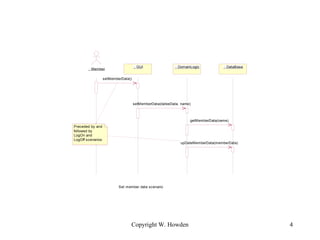
• Each diagram describes a scenario, or what
happens during a use of the system
• System described by a collection of
diagrams
4.
Copyright W. Howden4
: Member
: GUI : DomainLogic : DataBase
setMemberData()
setMemberData(dateeData, name)
getMemberData(name)
upDateMemberData(memberData)
Set member data scenario
Preceded by and
followed by
LogOn and
LogOff scenarios
5.
Copyright W. Howden5
Applicability
• System/Actor interaction
– Requirements elaboration
• Subsystem interactions
– Requirements elaboration and design
• Subsystem design
– Object properties and class visibility
6.
Copyright W. Howden6
System Actor Interaction
• Investigate the interactions the user has with
the system
• Specify the needed user interface forms
– Specify contents/capabilities of GUI before
graphical design
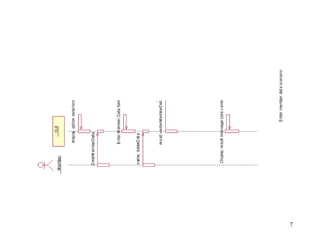
• Following example note: In the
actor/system interaction we see self-
messages notation
Copyright W. Howden8
Subsystems Interaction
• Show the messages that the subsystems
send back and forth
• Enforce a layers architecture
• Identify the subsystems interface/proxy
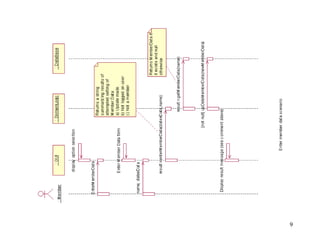
• In the following example we see the
alternatives notation, which allows multiple
related flows to be included in
Copyright W. Howden10
Additional Examples
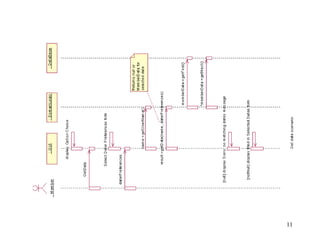
• Get a Date Scenario
– Includes conditionals allowing alternative paths
in same scenario/ISD
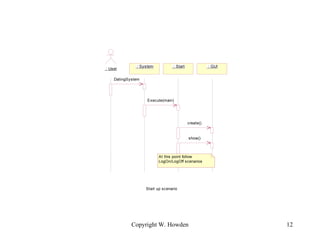
• Start up Scenario
– Shows interactions with system
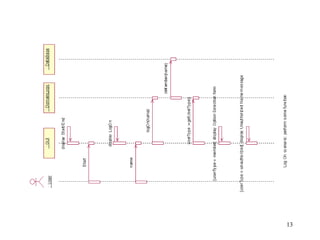
• Log On Scenario
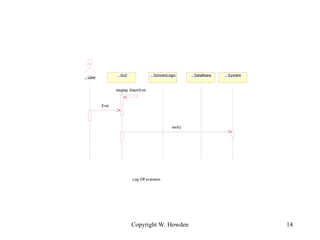
• Exit/Log Off Scenario
Copyright W. Howden12
: User
: Start : GUI
: System
DatingSystem
Execute(main)
create()
Start up scenario
At this point follow
LogOn/LogOff scenarios
show()
Copyright W. Howden14
: User
: GUI : DomainLogic : DataBase : System
display Start/End
End
Log Off scenario
exit()
15.
Copyright W. Howden15
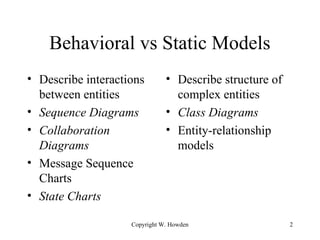
Additional Notation
• Focus of Control
– Indicate when an object’s lifestream is “active”
• Data return from a sent message
• Iteration of message
Copyright W. Howden17
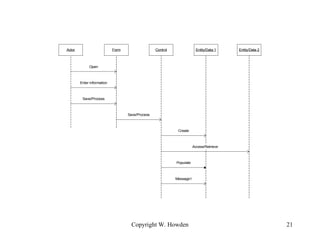
Systematic Object Identification
for Sequence Diagrams
• Rational Software approach (Rational now
part of IBM and source of Rational Unified
Process)
• Four kinds of objects
– Actor
– Boundary/Form
– Entity/Data
– Control
18.
Copyright W. Howden18
Boundary Objects
• Place where the actors interface with the
system
• Referred to as forms by some methods
19.
Copyright W. Howden19
Entity
• Data type objects
• Place where information is stored
• Data Bases
20.
Copyright W. Howden20
Control
• Coordinates the activities of the use case
• Often identified with a use case, with one
per use case
• Possible controller objects in O/O
– Use Case, Role, System/subsystem, and
Business
21.
Copyright W. Howden21
Actor Control Entity/Data 1 Entity/Data 2
Open
Form
Enter information
Save/Process
Save/Process
Create
Populate
Access/Retrieve
Message1
22.
Copyright W. Howden22
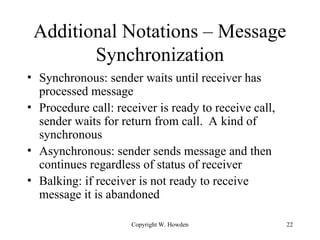
Additional Notations – Message
Synchronization
• Synchronous: sender waits until receiver has
processed message
• Procedure call: receiver is ready to receive call,
sender waits for return from call. A kind of
synchronous
• Asynchronous: sender sends message and then
continues regardless of status of receiver
• Balking: if receiver is not ready to receive
message it is abandoned
23.
Copyright W. Howden23
Application to Distributed
Systems
• Sequence diagrams show collections of
interactions between components in system,
like subsystem interaction diagrams
• Can use to develop specifications for
components, with individual state diagrams
24.
Copyright W. Howden24
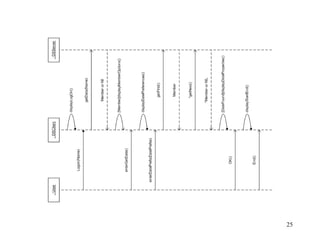
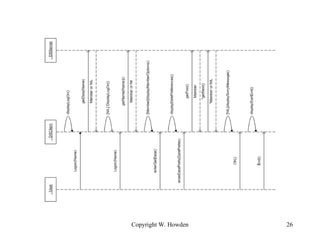
DS Scenarios For
Distributed System
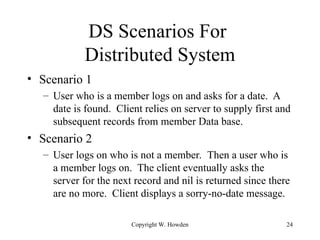
• Scenario 1
– User who is a member logs on and asks for a date. A
date is found. Client relies on server to supply first and
subsequent records from member Data base.
• Scenario 2
– User logs on who is not a member. Then a user who is
a member logs on. The client eventually asks the
server for the next record and nil is returned since there
are no more. Client displays a sorry-no-date message.
Copyright W. Howden27
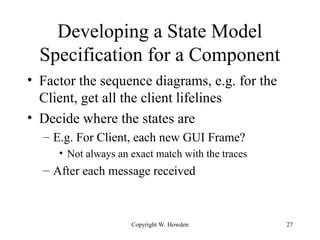
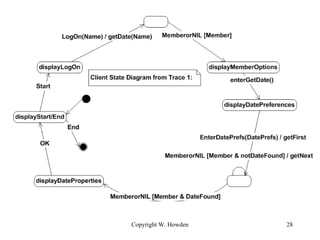
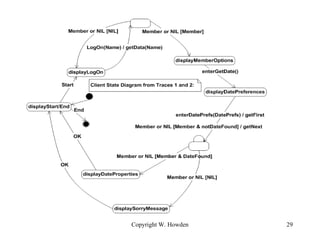
Developing a State Model
Specification for a Component
• Factor the sequence diagrams, e.g. for the
Client, get all the client lifelines
• Decide where the states are
– E.g. For Client, each new GUI Frame?
• Not always an exact match with the traces
– After each message received
![Copyright W. Howden 16
: Member : GUI : DomainLogic : DataBase
getDate()
displayOptionChoice()
dsiplayDaterPreferencesForm()
daterPreferences()
getDate()
memberData:=getFirst()
memberData:=*getNext()
searchResult
[null] displaySorry()
[notNull] displayDateProps()](https://image.slidesharecdn.com/lecture4sequenceinteractiondiagrams-251027083002-ccbf2605/85/Lecture-4-Sequence-Interaction-Diagrams-ppt-16-320.jpg)