© 2010 WinWire TechnologiesWinWire Technologies, Inc. Confidential
Going Lean Way for Better UX
@WinWire
Wired2Win Webinar Series
© 2010 WinWire Technologies
Who We Are
IT solutions company
making information
actionable for the
enterprises in the
mobile-cloud world
Collaborative and
Analytics solutions
leveraging pre-built
solution accelerators
Cloud,
Collaboration &
Analytics Technologies
Mobility,
© 2010 WinWire Technologies
Agenda
• Lean UX – Basics
• Lean UX - Process & Principles
• Example
• Case Study
• Q&A
© 2010 WinWire Technologies
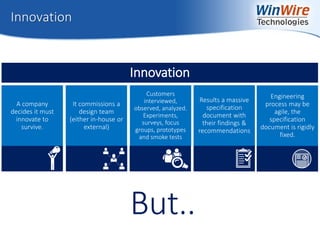
Innovation
But..
A company
decides it must
innovate to
survive.
It commissions a
design team
(either in-house or
external)
Customers
interviewed,
observed, analyzed.
Experiments,
surveys, focus
groups, prototypes
and smoke tests
Results a massive
specification
document with
their findings &
recommendations
Engineering
process may be
agile, the
specification
document is rigidly
fixed.
Innovation
© 2010 WinWire Technologies
What if…
Market conditions
have changed since the
original learning took
place?
Engineers discover that
the specification was
unworkable?
Concepts worked great
in the lab but have no
commercial appeal?
© 2010 WinWire Technologies
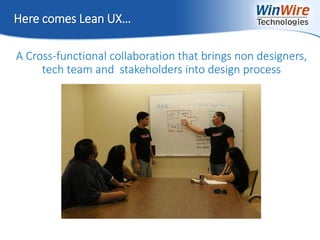
Here comes Lean UX…
A Cross-functional collaboration that brings non designers,
tech team and stakeholders into design process
© 2010 WinWire Technologies
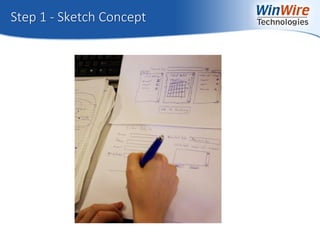
Step 1 - Sketch Concept
© 2010 WinWire Technologies
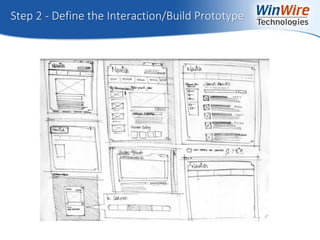
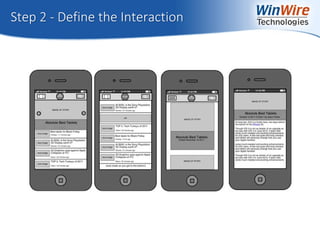
Step 2 - Define the Interaction/Build Prototype
© 2010 WinWire Technologies
Step 2 - Define the Interaction
© 2010 WinWire Technologies
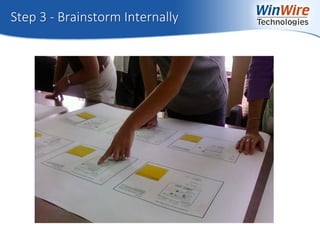
Step 3 - Brainstorm Internally
© 2010 WinWire Technologies
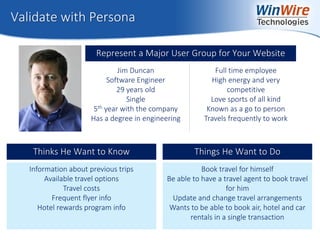
Validate with Persona
Represent a Major User Group for Your Website
Jim Duncan
Software Engineer
29 years old
Single
5th year with the company
Has a degree in engineering
Full time employee
High energy and very
competitive
Love sports of all kind
Known as a go to person
Travels frequently to work
Information about previous trips
Available travel options
Travel costs
Frequent flyer info
Hotel rewards program info
Thinks He Want to Know
Book travel for himself
Be able to have a travel agent to book travel
for him
Update and change travel arrangements
Wants to be able to book air, hotel and car
rentals in a single transaction
Things He Want to Do
© 2010 WinWire Technologies
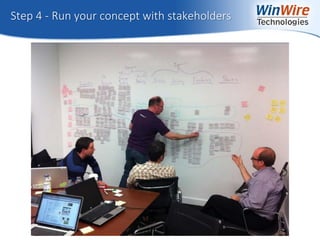
Step 4 - Run your concept with stakeholders
© 2010 WinWire Technologies
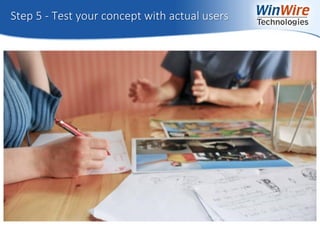
Step 5 - Test your concept with actual users
© 2010 WinWire Technologies
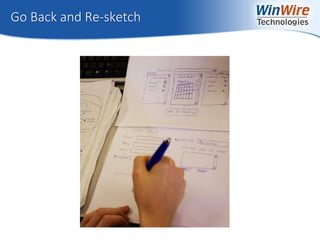
Go Back and Re-sketch
© 2010 WinWire Technologies
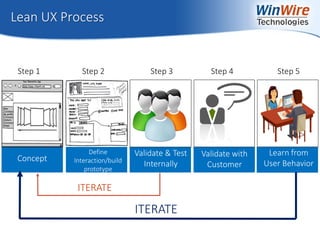
Lean UX Process
ITERATE
Validate & Test
Internally
Validate with
Customer
Learn from
User Behavior
Define
Interaction/build
prototype
Concept
ITERATE
Step 1 Step 2 Step 3 Step 4 Step 5
© 2010 WinWire Technologies
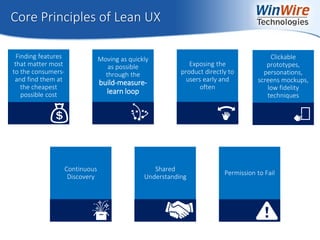
Core Principles of Lean UX
Finding features
that matter most
to the consumers-
and find them at
the cheapest
possible cost
Moving as quickly
as possible
through the
build-measure-
learn loop
Exposing the
product directly to
users early and
often
Clickable
prototypes,
personations,
screens mockups,
low fidelity
techniques
Continuous
Discovery
Shared
Understanding
Permission to Fail
© 2010 WinWire Technologies
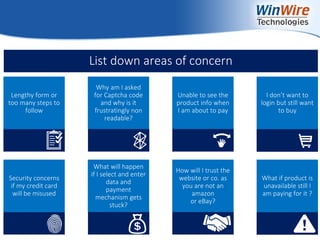
Lengthy form or
too many steps to
follow
Why am I asked
for Captcha code
and why is it
frustratingly non
readable?
Unable to see the
product info when
I am about to pay
I don’t want to
login but still want
to buy
Security concerns
if my credit card
will be misused
What will happen
if I select and enter
data and
payment
mechanism gets
stuck?
How will I trust the
website or co. as
you are not an
amazon
or eBay?
What if product is
unavailable still I
am paying for it ?
List down areas of concern
© 2010 WinWire Technologies
Security concerns
if my credit card
will be misused
What will happen
if I select and enter
data and
payment
mechanism gets
stuck?
How will I trust the
website or co. as
you are not an
amazon
or eBay?
What if product is
unavailable still I
am paying for it ?
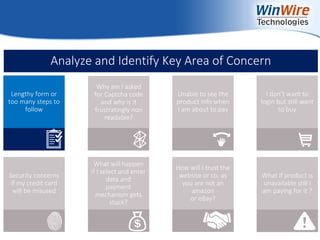
Lengthy form or
too many steps to
follow
Why am I asked
for Captcha code
and why is it
frustratingly non
readable?
Unable to see the
product info when
I am about to pay
I don’t want to
login but still want
to buy
Analyze and Identify Key Area of Concern
© 2010 WinWire Technologies
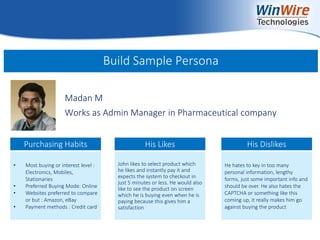
Build Sample Persona
Madan M
Works as Admin Manager in Pharmaceutical company
• Most buying or interest level :
Electronics, Mobiles,
Stationaries
• Preferred Buying Mode: Online
• Websites preferred to compare
or but : Amazon, eBay
• Payment methods : Credit card
John likes to select product which
he likes and instantly pay it and
expects the system to checkout in
just 5 minutes or less. He would also
like to see the product on screen
which he is buying even when he is
paying because this gives him a
satisfaction
He hates to key in too many
personal information, lengthy
forms, just some important info and
should be over. He also hates the
CAPTCHA or something like this
coming up, it really makes him go
against buying the product
Purchasing Habits His Likes His Dislikes
© 2010 WinWire Technologies
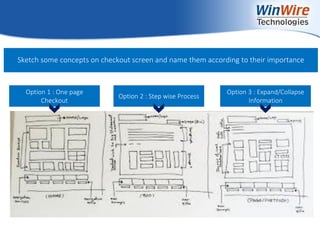
Option 1 : One page
Checkout
Option 2 : Step wise Process
Option 3 : Expand/Collapse
Information
Sketch some concepts on checkout screen and name them according to their importance
© 2010 WinWire Technologies
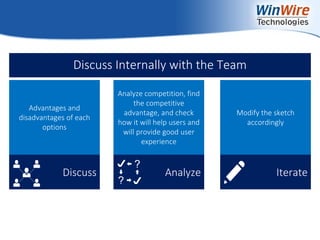
Discuss Analyze Iterate
Discuss Internally with the Team
Advantages and
disadvantages of each
options
Analyze competition, find
the competitive
advantage, and check
how it will help users and
will provide good user
experience
Modify the sketch
accordingly
© 2010 WinWire Technologies
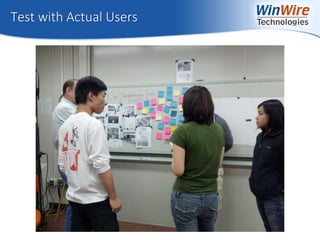
Test with Actual Users
© 2010 WinWire Technologies
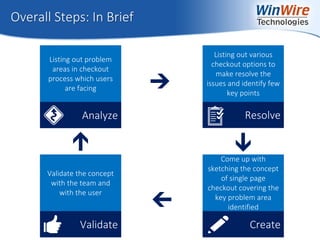
Overall Steps: In Brief
Analyze
Listing out problem
areas in checkout
process which users
are facing
Resolve
Listing out various
checkout options to
make resolve the
issues and identify few
key points
Create
Come up with
sketching the concept
of single page
checkout covering the
key problem area
identified
Validate
Validate the concept
with the team and
with the user
© 2010 WinWire Technologies
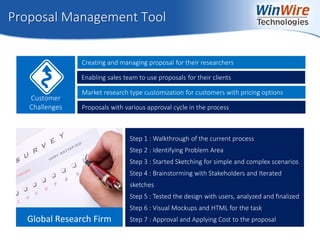
Proposal Management Tool
Creating and managing proposal for their researchers
Customer
Challenges
Enabling sales team to use proposals for their clients
Market research type customization for customers with pricing options
Proposals with various approval cycle in the process
Step 1 : Walkthrough of the current process
Step 2 : Identifying Problem Area
Step 3 : Started Sketching for simple and complex scenarios
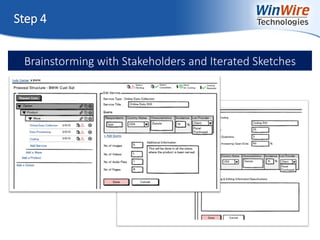
Step 4 : Brainstorming with Stakeholders and Iterated
sketches
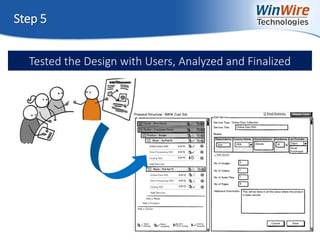
Step 5 : Tested the design with users, analyzed and finalized
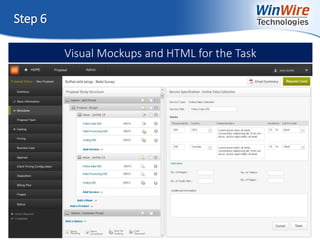
Step 6 : Visual Mockups and HTML for the task
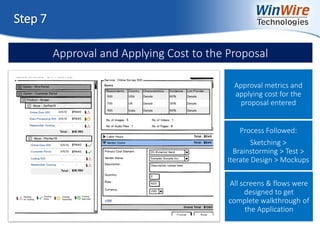
Step 7 : Approval and Applying Cost to the proposal
© 2010 WinWire Technologies
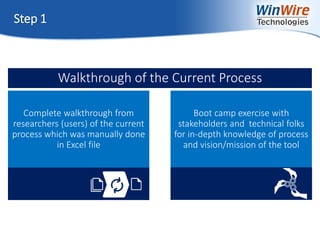
Step 1
Complete walkthrough from
researchers (users) of the current
process which was manually done
in Excel file
Boot camp exercise with
stakeholders and technical folks
for in-depth knowledge of process
and vision/mission of the tool
Walkthrough of the Current Process
© 2010 WinWire Technologies
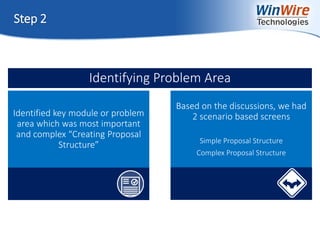
Step 2
Identified key module or problem
area which was most important
and complex “Creating Proposal
Structure”
Based on the discussions, we had
2 scenario based screens
Simple Proposal Structure
Complex Proposal Structure
Identifying Problem Area
© 2010 WinWire Technologies
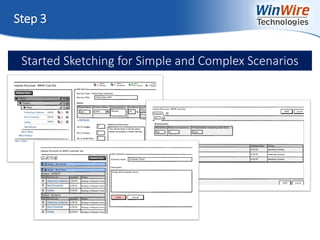
Step 3
Started Sketching for Simple and Complex Scenarios
© 2010 WinWire Technologies
Step 4
Brainstorming with Stakeholders and Iterated Sketches
© 2010 WinWire Technologies
Step 5
Tested the Design with Users, Analyzed and Finalized
© 2010 WinWire Technologies
Step 6
Visual Mockups and HTML for the Task
© 2010 WinWire Technologies
Step 7
Approval and Applying Cost to the Proposal
Approval metrics and
applying cost for the
proposal entered
All screens & flows were
designed to get
complete walkthrough of
the Application
Process Followed:
Sketching >
Brainstorming > Test >
Iterate Design > Mockups
© 2010 WinWire Technologies
Join us for our Next Webinar on Wired2Win Webinar Series!
Best Practices: Hybrid App Implementation
Date: 17 April, 2014
Time: 9 am PT
© 2010 WinWire TechnologiesWinWire Technologies, Inc. Confidential
WinWire Technologies, Inc. Confidential
Reach out to us at marketing@winwire.com
Visit us: www.winwire.com
http://www.winwire.com/winwire-blog/
www.twitter.com/winwire
Thank You

Going Lean Way for Better UX

  • 1.
    © 2010 WinWireTechnologiesWinWire Technologies, Inc. Confidential Going Lean Way for Better UX @WinWire Wired2Win Webinar Series
  • 2.
    © 2010 WinWireTechnologies Who We Are IT solutions company making information actionable for the enterprises in the mobile-cloud world Collaborative and Analytics solutions leveraging pre-built solution accelerators Cloud, Collaboration & Analytics Technologies Mobility,
  • 3.
    © 2010 WinWireTechnologies
  • 4.
    © 2010 WinWireTechnologies Agenda • Lean UX – Basics • Lean UX - Process & Principles • Example • Case Study • Q&A
  • 5.
    © 2010 WinWireTechnologies Innovation But.. A company decides it must innovate to survive. It commissions a design team (either in-house or external) Customers interviewed, observed, analyzed. Experiments, surveys, focus groups, prototypes and smoke tests Results a massive specification document with their findings & recommendations Engineering process may be agile, the specification document is rigidly fixed. Innovation
  • 6.
    © 2010 WinWireTechnologies What if… Market conditions have changed since the original learning took place? Engineers discover that the specification was unworkable? Concepts worked great in the lab but have no commercial appeal?
  • 7.
    © 2010 WinWireTechnologies Here comes Lean UX… A Cross-functional collaboration that brings non designers, tech team and stakeholders into design process
  • 8.
    © 2010 WinWireTechnologies Step 1 - Sketch Concept
  • 9.
    © 2010 WinWireTechnologies Step 2 - Define the Interaction/Build Prototype
  • 10.
    © 2010 WinWireTechnologies Step 2 - Define the Interaction
  • 11.
    © 2010 WinWireTechnologies Step 3 - Brainstorm Internally
  • 12.
    © 2010 WinWireTechnologies Validate with Persona Represent a Major User Group for Your Website Jim Duncan Software Engineer 29 years old Single 5th year with the company Has a degree in engineering Full time employee High energy and very competitive Love sports of all kind Known as a go to person Travels frequently to work Information about previous trips Available travel options Travel costs Frequent flyer info Hotel rewards program info Thinks He Want to Know Book travel for himself Be able to have a travel agent to book travel for him Update and change travel arrangements Wants to be able to book air, hotel and car rentals in a single transaction Things He Want to Do
  • 13.
    © 2010 WinWireTechnologies Step 4 - Run your concept with stakeholders
  • 14.
    © 2010 WinWireTechnologies Step 5 - Test your concept with actual users
  • 15.
    © 2010 WinWireTechnologies Go Back and Re-sketch
  • 16.
    © 2010 WinWireTechnologies Lean UX Process ITERATE Validate & Test Internally Validate with Customer Learn from User Behavior Define Interaction/build prototype Concept ITERATE Step 1 Step 2 Step 3 Step 4 Step 5
  • 17.
    © 2010 WinWireTechnologies Core Principles of Lean UX Finding features that matter most to the consumers- and find them at the cheapest possible cost Moving as quickly as possible through the build-measure- learn loop Exposing the product directly to users early and often Clickable prototypes, personations, screens mockups, low fidelity techniques Continuous Discovery Shared Understanding Permission to Fail
  • 18.
    © 2010 WinWireTechnologies
  • 19.
    © 2010 WinWireTechnologies Lengthy form or too many steps to follow Why am I asked for Captcha code and why is it frustratingly non readable? Unable to see the product info when I am about to pay I don’t want to login but still want to buy Security concerns if my credit card will be misused What will happen if I select and enter data and payment mechanism gets stuck? How will I trust the website or co. as you are not an amazon or eBay? What if product is unavailable still I am paying for it ? List down areas of concern
  • 20.
    © 2010 WinWireTechnologies Security concerns if my credit card will be misused What will happen if I select and enter data and payment mechanism gets stuck? How will I trust the website or co. as you are not an amazon or eBay? What if product is unavailable still I am paying for it ? Lengthy form or too many steps to follow Why am I asked for Captcha code and why is it frustratingly non readable? Unable to see the product info when I am about to pay I don’t want to login but still want to buy Analyze and Identify Key Area of Concern
  • 21.
    © 2010 WinWireTechnologies Build Sample Persona Madan M Works as Admin Manager in Pharmaceutical company • Most buying or interest level : Electronics, Mobiles, Stationaries • Preferred Buying Mode: Online • Websites preferred to compare or but : Amazon, eBay • Payment methods : Credit card John likes to select product which he likes and instantly pay it and expects the system to checkout in just 5 minutes or less. He would also like to see the product on screen which he is buying even when he is paying because this gives him a satisfaction He hates to key in too many personal information, lengthy forms, just some important info and should be over. He also hates the CAPTCHA or something like this coming up, it really makes him go against buying the product Purchasing Habits His Likes His Dislikes
  • 22.
    © 2010 WinWireTechnologies Option 1 : One page Checkout Option 2 : Step wise Process Option 3 : Expand/Collapse Information Sketch some concepts on checkout screen and name them according to their importance
  • 23.
    © 2010 WinWireTechnologies Discuss Analyze Iterate Discuss Internally with the Team Advantages and disadvantages of each options Analyze competition, find the competitive advantage, and check how it will help users and will provide good user experience Modify the sketch accordingly
  • 24.
    © 2010 WinWireTechnologies Test with Actual Users
  • 25.
    © 2010 WinWireTechnologies Overall Steps: In Brief Analyze Listing out problem areas in checkout process which users are facing Resolve Listing out various checkout options to make resolve the issues and identify few key points Create Come up with sketching the concept of single page checkout covering the key problem area identified Validate Validate the concept with the team and with the user
  • 26.
    © 2010 WinWireTechnologies
  • 27.
    Proposal Management Tool Creatingand managing proposal for their researchers Customer Challenges Enabling sales team to use proposals for their clients Market research type customization for customers with pricing options Proposals with various approval cycle in the process Step 1 : Walkthrough of the current process Step 2 : Identifying Problem Area Step 3 : Started Sketching for simple and complex scenarios Step 4 : Brainstorming with Stakeholders and Iterated sketches Step 5 : Tested the design with users, analyzed and finalized Step 6 : Visual Mockups and HTML for the task Step 7 : Approval and Applying Cost to the proposal
  • 28.
    © 2010 WinWireTechnologies Step 1 Complete walkthrough from researchers (users) of the current process which was manually done in Excel file Boot camp exercise with stakeholders and technical folks for in-depth knowledge of process and vision/mission of the tool Walkthrough of the Current Process
  • 29.
    © 2010 WinWireTechnologies Step 2 Identified key module or problem area which was most important and complex “Creating Proposal Structure” Based on the discussions, we had 2 scenario based screens Simple Proposal Structure Complex Proposal Structure Identifying Problem Area
  • 30.
    © 2010 WinWireTechnologies Step 3 Started Sketching for Simple and Complex Scenarios
  • 31.
    © 2010 WinWireTechnologies Step 4 Brainstorming with Stakeholders and Iterated Sketches
  • 32.
    © 2010 WinWireTechnologies Step 5 Tested the Design with Users, Analyzed and Finalized
  • 33.
    © 2010 WinWireTechnologies Step 6 Visual Mockups and HTML for the Task
  • 34.
    © 2010 WinWireTechnologies Step 7 Approval and Applying Cost to the Proposal Approval metrics and applying cost for the proposal entered All screens & flows were designed to get complete walkthrough of the Application Process Followed: Sketching > Brainstorming > Test > Iterate Design > Mockups
  • 35.
    © 2010 WinWireTechnologies Join us for our Next Webinar on Wired2Win Webinar Series! Best Practices: Hybrid App Implementation Date: 17 April, 2014 Time: 9 am PT
  • 36.
    © 2010 WinWireTechnologiesWinWire Technologies, Inc. Confidential WinWire Technologies, Inc. Confidential Reach out to us at marketing@winwire.com Visit us: www.winwire.com http://www.winwire.com/winwire-blog/ www.twitter.com/winwire Thank You