L A N ( L o c a l A r e a N e t w o r k )
&
C O M P O N E N T S
Sunawar Khan
MS(CS)
International Islamic University
Islamabad
November 30, 2016
LAN
Local Area Network
Section 1
Local Area Network
Sunawar Khan
INTRODUCTION
• Covers Small Area
• Most Commonly Type of Network
• Nodes are Connected using Cables
• Covers Limited Area
–Office
–Leboratory
–Building or Group of Building etc
Local Area Network
Sunawar Khan
INTRODUCTION
Local Area Network
Sunawar Khan
• Very Fast Data Rate
• Transmission Speed 10Mbps to
1000Mbps
• Transmit Data in Limited Distance
• Limited Number of Computer can
Attatched
Topologies
Local Area Network
Sunawar Khan
• Tree
• Bus
– Special case of tree
• One trunk, no branches
• Ring
• Star
ADVANTAGES/DISADVANTAGES
• Advantages
– Resource Sharing
– Application Sharing
– Centralized Data
– Data Security & Management
– Internet Sharing
• Disadvantages
– Privacy Threat
– Expensive to Install
– Data Security Concerns
Local Area Network
Sunawar Khan
Components
LAN
Section 2
Local Area Network
Sunawar Khan
Components
• Communication Media
• Network Interface Card(NIC)
• Hub & Switch
– Active Hub
– Passive Hub
• Router
• Gateway
• Bridges
Local Area Network
Sunawar Khan
• LANs use Twisted Pair Cable
• Many LANs use Coaxial Cable or Fiber Optic Cable
– These are expensive but Faster Than Twisted Pair Cable
• Some LANs Use Wireless Transmission Media
– Easy to Setup
– Easy to Configure
– Slower Than Cable networks
Communication Media
Local Area Network
Sunawar Khan
NIC(Network Interface Card)
• Each Computer required Ethernet Card or NIC
• Enable Computer to Connect Each Other
• NIC is Circuit Board
• Install in Expansion Slot
• NIC has Socket Where Network Cable
Connected
• Most Popular Card is Ethernet Card or LAN
Card.
Local Area Network
Sunawar Khan
HUB
• Central Communication Point
• Multiple Ports To Connect Computers
• Hub is also called Concenter OR Multistation
Access Unit(MAU).
• HUB doesn’t Manage Network Traffic
• Broadcast all data Packet or Message to Every
Node.
• Only Intended Recipient accept Message.
Local Area Network
Sunawar Khan
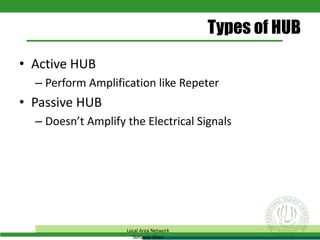
Types of HUB
• Active HUB
– Perform Amplification like Repeter
• Passive HUB
– Doesn’t Amplify the Electrical Signals
Local Area Network
Sunawar Khan
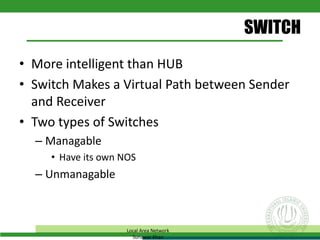
SWITCH
• More intelligent than HUB
• Switch Makes a Virtual Path between Sender
and Receiver
• Two types of Switches
– Managable
• Have its own NOS
– Unmanagable
Local Area Network
Sunawar Khan
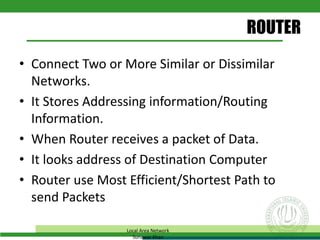
ROUTER
• Connect Two or More Similar or Dissimilar
Networks.
• It Stores Addressing information/Routing
Information.
• When Router receives a packet of Data.
• It looks address of Destination Computer
• Router use Most Efficient/Shortest Path to
send Packets
Local Area Network
Sunawar Khan
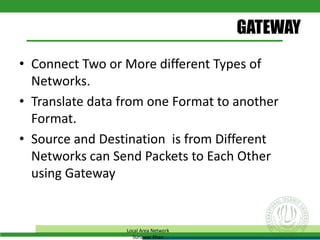
GATEWAY
• Connect Two or More different Types of
Networks.
• Translate data from one Format to another
Format.
• Source and Destination is from Different
Networks can Send Packets to Each Other
using Gateway
Local Area Network
Sunawar Khan
BRIDGES
• It is use to Connect two Similar network
Segments.
• If sender and receiver from same segment it
doesn’t pass the message to Bridge.
• If sender and receiver from different segment
it pass the message to Bridge and send to
destination computer.
• It reduce the network traffic. So, performance
of network traffic increased.
Local Area Network
Sunawar Khan
THANKS
My Dreams are My Own Dreams
S.K. Ahsan

Lan and Its Components

  • 1.
    L A N( L o c a l A r e a N e t w o r k ) & C O M P O N E N T S Sunawar Khan MS(CS) International Islamic University Islamabad November 30, 2016
  • 2.
    LAN Local Area Network Section1 Local Area Network Sunawar Khan
  • 3.
    INTRODUCTION • Covers SmallArea • Most Commonly Type of Network • Nodes are Connected using Cables • Covers Limited Area –Office –Leboratory –Building or Group of Building etc Local Area Network Sunawar Khan
  • 4.
    INTRODUCTION Local Area Network SunawarKhan • Very Fast Data Rate • Transmission Speed 10Mbps to 1000Mbps • Transmit Data in Limited Distance • Limited Number of Computer can Attatched
  • 5.
    Topologies Local Area Network SunawarKhan • Tree • Bus – Special case of tree • One trunk, no branches • Ring • Star
  • 6.
    ADVANTAGES/DISADVANTAGES • Advantages – ResourceSharing – Application Sharing – Centralized Data – Data Security & Management – Internet Sharing • Disadvantages – Privacy Threat – Expensive to Install – Data Security Concerns Local Area Network Sunawar Khan
  • 7.
  • 8.
    Components • Communication Media •Network Interface Card(NIC) • Hub & Switch – Active Hub – Passive Hub • Router • Gateway • Bridges Local Area Network Sunawar Khan
  • 9.
    • LANs useTwisted Pair Cable • Many LANs use Coaxial Cable or Fiber Optic Cable – These are expensive but Faster Than Twisted Pair Cable • Some LANs Use Wireless Transmission Media – Easy to Setup – Easy to Configure – Slower Than Cable networks Communication Media Local Area Network Sunawar Khan
  • 10.
    NIC(Network Interface Card) •Each Computer required Ethernet Card or NIC • Enable Computer to Connect Each Other • NIC is Circuit Board • Install in Expansion Slot • NIC has Socket Where Network Cable Connected • Most Popular Card is Ethernet Card or LAN Card. Local Area Network Sunawar Khan
  • 11.
    HUB • Central CommunicationPoint • Multiple Ports To Connect Computers • Hub is also called Concenter OR Multistation Access Unit(MAU). • HUB doesn’t Manage Network Traffic • Broadcast all data Packet or Message to Every Node. • Only Intended Recipient accept Message. Local Area Network Sunawar Khan
  • 12.
    Types of HUB •Active HUB – Perform Amplification like Repeter • Passive HUB – Doesn’t Amplify the Electrical Signals Local Area Network Sunawar Khan
  • 13.
    SWITCH • More intelligentthan HUB • Switch Makes a Virtual Path between Sender and Receiver • Two types of Switches – Managable • Have its own NOS – Unmanagable Local Area Network Sunawar Khan
  • 14.
    ROUTER • Connect Twoor More Similar or Dissimilar Networks. • It Stores Addressing information/Routing Information. • When Router receives a packet of Data. • It looks address of Destination Computer • Router use Most Efficient/Shortest Path to send Packets Local Area Network Sunawar Khan
  • 15.
    GATEWAY • Connect Twoor More different Types of Networks. • Translate data from one Format to another Format. • Source and Destination is from Different Networks can Send Packets to Each Other using Gateway Local Area Network Sunawar Khan
  • 16.
    BRIDGES • It isuse to Connect two Similar network Segments. • If sender and receiver from same segment it doesn’t pass the message to Bridge. • If sender and receiver from different segment it pass the message to Bridge and send to destination computer. • It reduce the network traffic. So, performance of network traffic increased. Local Area Network Sunawar Khan
  • 17.
    THANKS My Dreams areMy Own Dreams S.K. Ahsan