HTML Basics, Textile and Movable Type
Movable Type  is the tool you’ll use to update CHILD. You’ll use very basic  HTML  and  Textile  within Movable Type to format the text and add links.  Why do I need to know this?
HTML Basics
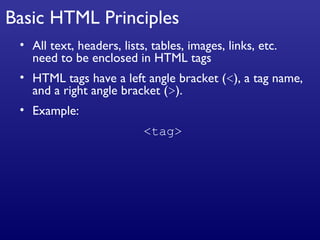
Basic HTML Principles All text, headers, lists, tables, images, links, etc. need to be enclosed in HTML tags HTML tags have a left angle bracket ( < ), a tag name, and a right angle bracket ( > ). Example: <tag>
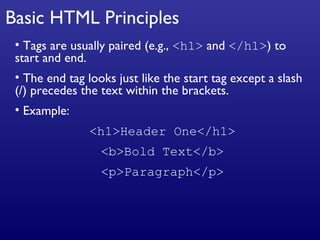
Basic HTML Principles Tags are usually paired (e.g.,  <h1>  and  </h1> ) to start and end. The end tag looks just like the start tag except a slash (/) precedes the text within the brackets. Example: <h1>Header One</h1> <b>Bold Text</b> <p>Paragraph</p>
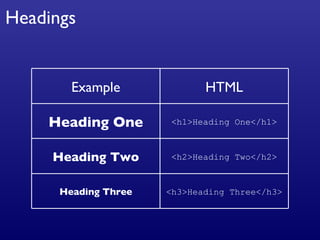
Headings Example HTML Heading One <h1>Heading One</h1> Heading Two <h2>Heading Two</h2> Heading Three <h3>Heading Three</h3>
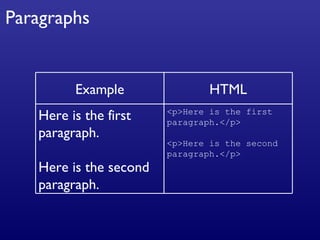
Paragraphs Example HTML Here is the first paragraph. Here is the second paragraph. <p>Here is the first paragraph.</p> <p>Here is the second paragraph.</p>
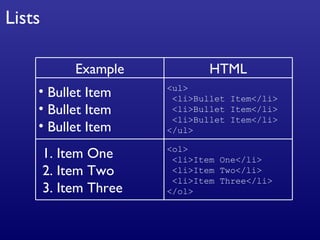
Lists Example HTML Bullet Item Bullet Item Bullet Item <ul> <li>Bullet Item</li> <li>Bullet Item</li> <li>Bullet Item</li> </ul> 1. Item One 2. Item Two 3. Item Three <ol> <li>Item One</li> <li>Item Two</li> <li>Item Three</li> </ol>
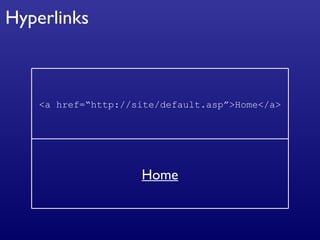
Hyperlinks <a href=“http://site/default.asp”>Home</a> Home
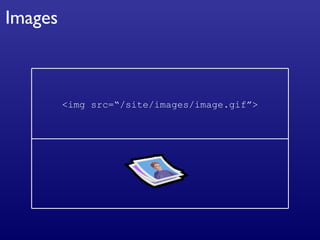
Images <img src=“/site/images/image.gif”>
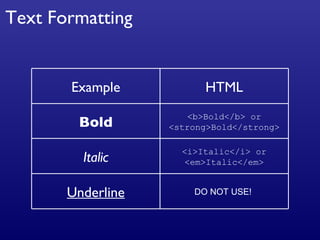
Text Formatting DO NOT USE!  Underline Example HTML Bold <b>Bold</b> or <strong>Bold</strong> Italic <i>Italic</i> or <em>Italic</em>
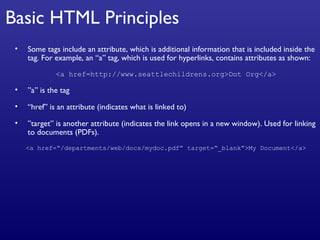
Basic HTML Principles Some tags include an attribute, which is additional information that is included inside the tag. For example, an “a” tag, which is used for hyperlinks, contains attributes as shown: <a href=http://www.seattlechildrens.org>Dot Org</a> ” a” is the tag “ href” is an attribute (indicates what is linked to) ” target” is another attribute (indicates the link opens in a new window). Used for linking to documents (PDFs). <a href=“/departments/web/docs/mydoc.pdf” target=“_blank”>My Document</a>
Textile
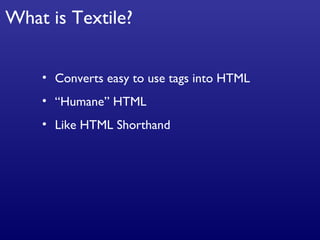
What is Textile? Converts easy to use tags into HTML “Humane” HTML Like HTML Shorthand
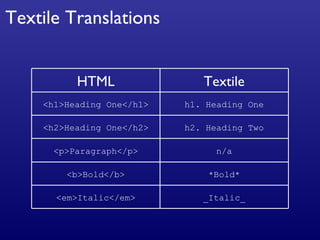
Textile Translations HTML Textile <h1>Heading One</h1> h1. Heading One <h2>Heading One</h2> h2. Heading Two <p>Paragraph</p> n/a <b>Bold</b> *Bold* <em>Italic</em> _Italic_
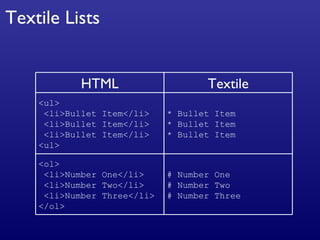
Textile Lists HTML Textile <ul> <li>Bullet Item</li> <li>Bullet Item</li> <li>Bullet Item</li> <ul> * Bullet Item * Bullet Item * Bullet Item <ol> <li>Number One</li> <li>Number Two</li> <li>Number Three</li> </ol> # Number One # Number Two # Number Three
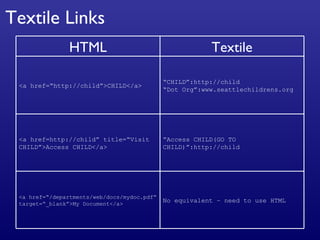
Textile Links No equivalent – need to use HTML <a href=“/departments/web/docs/mydoc.pdf” target=“_blank”>My Document</a> HTML Textile <a href=“http://child”>CHILD</a> “ CHILD”:http://child “ Dot Org”:www.seattlechildrens.org <a href=http://child” title=“Visit CHILD”>Access CHILD</a> “ Access CHILD(GO TO CHILD)”:http://child
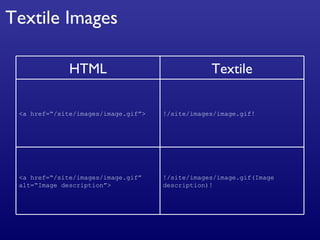
Textile Images HTML Textile <a href=“/site/images/image.gif”> !/site/images/image.gif! <a href=“/site/images/image.gif” alt=“Image description”> !/site/images/image.gif(Image description)!

HTML & Textile Training

  • 1.
    HTML Basics, Textileand Movable Type
  • 2.
    Movable Type is the tool you’ll use to update CHILD. You’ll use very basic HTML and Textile within Movable Type to format the text and add links. Why do I need to know this?
  • 3.
  • 4.
    Basic HTML PrinciplesAll text, headers, lists, tables, images, links, etc. need to be enclosed in HTML tags HTML tags have a left angle bracket ( < ), a tag name, and a right angle bracket ( > ). Example: <tag>
  • 5.
    Basic HTML PrinciplesTags are usually paired (e.g., <h1> and </h1> ) to start and end. The end tag looks just like the start tag except a slash (/) precedes the text within the brackets. Example: <h1>Header One</h1> <b>Bold Text</b> <p>Paragraph</p>
  • 6.
    Headings Example HTMLHeading One <h1>Heading One</h1> Heading Two <h2>Heading Two</h2> Heading Three <h3>Heading Three</h3>
  • 7.
    Paragraphs Example HTMLHere is the first paragraph. Here is the second paragraph. <p>Here is the first paragraph.</p> <p>Here is the second paragraph.</p>
  • 8.
    Lists Example HTMLBullet Item Bullet Item Bullet Item <ul> <li>Bullet Item</li> <li>Bullet Item</li> <li>Bullet Item</li> </ul> 1. Item One 2. Item Two 3. Item Three <ol> <li>Item One</li> <li>Item Two</li> <li>Item Three</li> </ol>
  • 9.
  • 10.
  • 11.
    Text Formatting DONOT USE! Underline Example HTML Bold <b>Bold</b> or <strong>Bold</strong> Italic <i>Italic</i> or <em>Italic</em>
  • 12.
    Basic HTML PrinciplesSome tags include an attribute, which is additional information that is included inside the tag. For example, an “a” tag, which is used for hyperlinks, contains attributes as shown: <a href=http://www.seattlechildrens.org>Dot Org</a> ” a” is the tag “ href” is an attribute (indicates what is linked to) ” target” is another attribute (indicates the link opens in a new window). Used for linking to documents (PDFs). <a href=“/departments/web/docs/mydoc.pdf” target=“_blank”>My Document</a>
  • 13.
  • 14.
    What is Textile?Converts easy to use tags into HTML “Humane” HTML Like HTML Shorthand
  • 15.
    Textile Translations HTMLTextile <h1>Heading One</h1> h1. Heading One <h2>Heading One</h2> h2. Heading Two <p>Paragraph</p> n/a <b>Bold</b> *Bold* <em>Italic</em> _Italic_
  • 16.
    Textile Lists HTMLTextile <ul> <li>Bullet Item</li> <li>Bullet Item</li> <li>Bullet Item</li> <ul> * Bullet Item * Bullet Item * Bullet Item <ol> <li>Number One</li> <li>Number Two</li> <li>Number Three</li> </ol> # Number One # Number Two # Number Three
  • 17.
    Textile Links Noequivalent – need to use HTML <a href=“/departments/web/docs/mydoc.pdf” target=“_blank”>My Document</a> HTML Textile <a href=“http://child”>CHILD</a> “ CHILD”:http://child “ Dot Org”:www.seattlechildrens.org <a href=http://child” title=“Visit CHILD”>Access CHILD</a> “ Access CHILD(GO TO CHILD)”:http://child
  • 18.
    Textile Images HTMLTextile <a href=“/site/images/image.gif”> !/site/images/image.gif! <a href=“/site/images/image.gif” alt=“Image description”> !/site/images/image.gif(Image description)!