JUSTIFICATION OF
TECHNOLOGY
Question #2: Can technology really help in completing
and understanding the material from the student's point
of view or is it simply another method to deliver the
content? How do we squeeze technology into an
already full curriculum? A lot of money and time is
budgeted and spent on technology in education. How
do we, or do we have to justify the use of technology?
A question posed by K. Walsh on Emerging Ed Tech in 2009


   “Are you using Internet tools to engage
   students in the classroom and improve
   learning outcomes, or are you just using
   technology to decrease the time you spend
   lecturing and interacting with your students?”


http://www.emergingedtech.com/2009/09/education-technology-dont-lean-on-it-leverage-it/
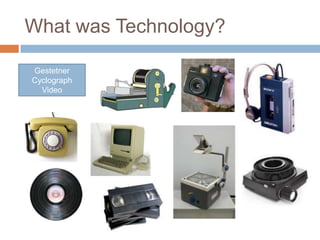
What was Technology?

Gestetner
Cyclograph
  Video
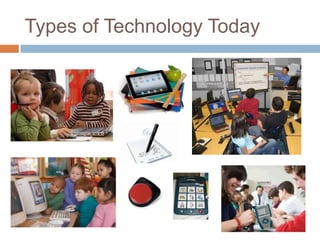
Types of Technology Today
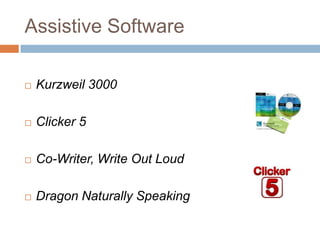
Assistive Software

   Kurzweil 3000

   Clicker 5

   Co-Writer, Write Out Loud

   Dragon Naturally Speaking
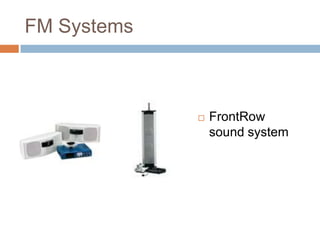
FM Systems


                FrontRow
                 sound system
Educational Websites

 http://www.studyplace.org/wiki/List_of_Educational_W
 ebsites
 http://www.pbs.org/teachers/
 http://www.sitesforteachers.com/index.html
 http://www.info.com/Teaching%20Resource%20Websi
 te?cb=54&cmp=316567&gclid=CJHo3Z3VlLECFUgD
 QAodiFnphw
 http://www.ask.com/web?qsrc=6&q=Free+Math+Drills
 &o=15601&l=sem
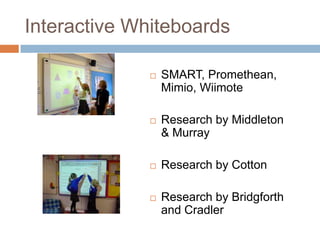
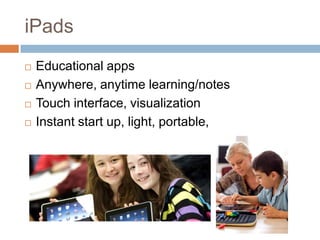
Interactive Whiteboards

                 SMART, Promethean,
                  Mimio, Wiimote

                 Research by Middleton
                  & Murray

                 Research by Cotton

                 Research by Bridgforth
                  and Cradler
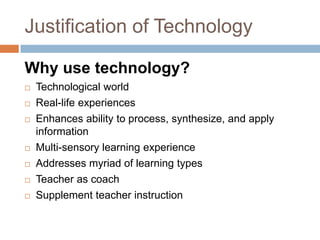
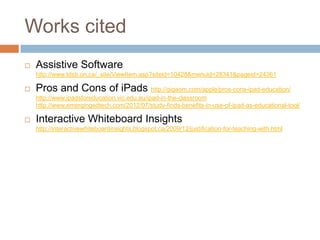
iPads
   Educational apps
   Anywhere, anytime learning/notes
   Touch interface, visualization
   Instant start up, light, portable,
Justification of Technology

Why use technology?
   Technological world
   Real-life experiences
   Enhances ability to process, synthesize, and apply
    information
   Multi-sensory learning experience
   Addresses myriad of learning types
   Teacher as coach
   Supplement teacher instruction
Works cited
   Assistive Software
    http://www.tdsb.on.ca/_site/ViewItem.asp?siteid=10428&menuid=28341&pageid=24361

   Pros and Cons of iPads http://gigaom.com/apple/pros-cons-ipad-education/
    http://www.ipadsforeducation.vic.edu.au/ipad-in-the-classroom
    http://www.emergingedtech.com/2012/07/study-finds-benefits-in-use-of-ipad-as-educational-tool/

   Interactive Whiteboard Insights
    http://interactivewhiteboardinsights.blogspot.ca/2009/12/justification-for-teaching-with.html

Justification of technology2

  • 1.
    JUSTIFICATION OF TECHNOLOGY Question #2:Can technology really help in completing and understanding the material from the student's point of view or is it simply another method to deliver the content? How do we squeeze technology into an already full curriculum? A lot of money and time is budgeted and spent on technology in education. How do we, or do we have to justify the use of technology?
  • 2.
    A question posedby K. Walsh on Emerging Ed Tech in 2009 “Are you using Internet tools to engage students in the classroom and improve learning outcomes, or are you just using technology to decrease the time you spend lecturing and interacting with your students?” http://www.emergingedtech.com/2009/09/education-technology-dont-lean-on-it-leverage-it/
  • 3.
  • 4.
  • 5.
    Assistive Software  Kurzweil 3000  Clicker 5  Co-Writer, Write Out Loud  Dragon Naturally Speaking
  • 6.
    FM Systems  FrontRow sound system
  • 7.
    Educational Websites http://www.studyplace.org/wiki/List_of_Educational_W ebsites http://www.pbs.org/teachers/ http://www.sitesforteachers.com/index.html http://www.info.com/Teaching%20Resource%20Websi te?cb=54&cmp=316567&gclid=CJHo3Z3VlLECFUgD QAodiFnphw http://www.ask.com/web?qsrc=6&q=Free+Math+Drills &o=15601&l=sem
  • 8.
    Interactive Whiteboards  SMART, Promethean, Mimio, Wiimote  Research by Middleton & Murray  Research by Cotton  Research by Bridgforth and Cradler
  • 9.
    iPads  Educational apps  Anywhere, anytime learning/notes  Touch interface, visualization  Instant start up, light, portable,
  • 10.
    Justification of Technology Whyuse technology?  Technological world  Real-life experiences  Enhances ability to process, synthesize, and apply information  Multi-sensory learning experience  Addresses myriad of learning types  Teacher as coach  Supplement teacher instruction
  • 11.
    Works cited  Assistive Software http://www.tdsb.on.ca/_site/ViewItem.asp?siteid=10428&menuid=28341&pageid=24361  Pros and Cons of iPads http://gigaom.com/apple/pros-cons-ipad-education/ http://www.ipadsforeducation.vic.edu.au/ipad-in-the-classroom http://www.emergingedtech.com/2012/07/study-finds-benefits-in-use-of-ipad-as-educational-tool/  Interactive Whiteboard Insights http://interactivewhiteboardinsights.blogspot.ca/2009/12/justification-for-teaching-with.html

Editor's Notes

  • #6 Kurzweil 3000 is a reading, study skills, and writing program that educators can use to meet the needs of struggling students.  Kurzweil 3000 converts print to electronic text which can be read to the student.  Features also include a talking word processor, word prediction and text highlighting.Clicker 5 is a powerful yet easy to use writing support and multimedia tool that provides onscreen grids for writing with letters, whole words and/or phrases. In this hands-on workshop you will learn how to create on-screen grids to use in conjunction with Clicker 5 Writer to support your students.Co:Writer is a word prediction tool designed to assist students with writing. Co:Writer features text to speech feedback and the ability to insert predicted words into most word processing documents.Write Out Loudis a talking word processor that gives auditory feedback to help students when writing. Features include a talking word processor and text highlighting.Dragon Naturally Speaking is a speech to text software that changes spoken words into text. Students make personal voice files before using the software. Students use the software to dictate their ideas into a word processor.
  • #9 Research by Middleton & Murray shows:• Students whose teachers were high level users of technology in the classroom scored significantly better than did students whose teachers were low level users of technology in the classroom. Research by Cotton shows:• The use of technology, specifically computer-assisted instruction, also results in increased student motivation and the improvement of student attitudes toward learning, toward themselves as learners, toward the use of computers, toward the quality of instruction, and toward school in general. Studies have even indicated that “computer-assisted learning results in higher levels of self-efficacy, higher school attendance rates, increased time on-task, and increased pro-social behavior.” Research by Bridgforth and Cradler shows that teachers also benefit greatly from the use of technology:• Technology improves teacher quality by creating time for them to be engaged in advising students, by requiring rethinking and revision of curriculum and instructional methods, and by acting as a catalyst for increased teacher and administrative communication with parents. • Teachers have even shown increased interest in teaching with the ability to use technology in the classroom
  • #10 Here are some educational reasons for using the iPad:Users to date are finding that through the use of different apps, students are able to choose the type of product they construct to demonstrate their understanding.The iPad is a personal device and reasonably costed to act as a 1 to 1, anywhere, anytime learning device.The abundance of apps and access to information on a vast range of topics allows students to pursue areas they are interested in learning about.Notes can be kept in one spot, commented on and available anywhere.The touch interface correlates to the technology students use in their everyday life and allows a high level of interactivity.A 10 hour battery life means the iPad can be used throughout the entire school day.The instant startup of the iPad means greater use of class time for learning.There is anywhere, anytime access to current information that contains text, sound, images and interactivity. Information is represented with rich multimedia and data visualisation techniques.Light and portable, easily carried in the school bag and to and from class.Heavy schoolbooks could in time be replaced by virtual eBooks and these can be updated in a timely fashion. Documents and tasks can be uploaded to iBooks by the teacher and downloaded onto the iPad by the student and vice versa. Texts and documents can be annotated and commented on by multiple students and teachers.The iPad is seen to be an intuitive device and minimal technical support is required.The iPad can be used with peripherals. For example the iPad can be slotted into a case which connects to a full size keyboard for extended periods of writing. There are also a number of other docking options which provide access to a full sixed keyboard. Voice recognition apps can also be useful for inputting large amounts of text and is another option worth investigating.Longfield Academy in Kent, England did a study on using ipads in their classrooms. Below are some of their findings:The study used surveys to assess the impact of iPad use on motivation, quality of work, achievement, collaboration, and other factors. Among the findings:77% of faculty respondents felt that student achievement appeared to have risen since the introduction of the iPad73% of students and 67% of staff felt that the iPad helped students improve the quality of their work69% of students that completed the survey felt that using the iPad was motivating and that they worked better with it than without it60% of faculty thought that students were more motivated by lessons that incorporate the iPad than those that did not
  • #11 Why use Technology:1. We live in a technological world. Therefore, the in-class learning experience shouldincorporate this significant aspect of our students’ lives.2. Technology experience in the class gives students necessary real-life experiencewith: “Learning through projects while equipped with technology tools allowsstudents to be intellectually challenged while providing them with a realisticsnapshot of what the modern office looks like.”3. Technology use enhances students’ ability to process, synthesize, and applyinformation. They learn to problem solve and analyze individually and as ateam.4. Technology use enables students to gain access to a multi-sensory learningexperience. They can learn through images, sound and text--and often all atthe same time.5. Technology enables teachers to reach a myriad of learning-types all at once.Technology forces teachers to reevaluate their teaching practices becausethey force teachers to be aware of the needs of different learning styles.6. Technology use changes the role of the teacher. Instead of making the teacherthe dispenser of information, technology becomes the source of information.The teacher then becomes a coach, content expert and adviser.7. Computer programs can help supplement teacher instruction. For example,interactive reading software can be used for students falling behind in class.