Medicine, Nursing and Health Sciences 
Challenges of utilising external 
assessors (our experiences) 
Presented by: John Mc Inerney 
Prepared by John Mc Inerney in collaboration with Ruth Druva
Background 
 Change can be difficult to implement and 
Manage. 
 The challenge is not unique to Monash. 
 Our experience, the challenges. 
 What we have learned.
Development 
 Introduce personalised online Learning management system in the 
undergraduate radiography program. 
 Replacing paper-based workbooks as a repository for recording of 
clinical skills and assessment. 
 Students submit their work to the institutional learning environment for 
review. 
 Clinical skills assessments conducted within the submissions by 
external clinical partners. 
 Students to create ePortfolios to showcase their abilities following 
clinical placement.
Release date 
 First cut to be completed three weeks post training on the new 
platform. 
 Full implementation across the years within 1 year 
– All task portolios created and released 
– All student guides created 
– All clinical partners trained 
– All clinical partners guides created
Pre-production 
 88 Centres 
– Public/Private 
– Large/Small 
– Regional/Metropolitan 
– Assigned/Volunteer tutors 
 135 contacts on our address book 
 Deputies allowed to supervise clinical skills assessments 
 Additional staff
Production 
 Team approach 
– IT 
– PebblePad 
– Students 
– Clinical Partners 
– Other institutions 
 Training workshops offered via Doodle Poll (Early April and Early June) 
 Finalised dates X 2 
 Resources created
Distribution 
Students and clinical partners access workbooks on a “live link” 
 Phased approach in an effort to reduce the strain on clinical partners 
 52 Year thee students late February(S1) 
– limited, no assessor input 
 54 Year two students late March (S1) 
– early adopters for clinical skills assessment component, 
radiography skills only 
 40 Year one students mid June (S1) 
– radiography skills only 
 52 Year three students late August (S2) 
– full clinical partners engagement, including nursing assessments
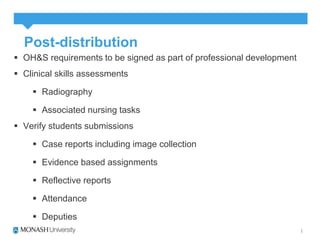
Post-distribution 
 OH&S requirements to be signed as part of professional development 
 Clinical skills assessments 
 Radiography 
 Associated nursing tasks 
 Verify students submissions 
 Case reports including image collection 
 Evidence based assignments 
 Reflective reports 
 Attendance 
 Deputies
The reviews 
 360 degree feedback from stakeholders 
– Students 
– Clinical partners 
– Clinical Liaison staff 
– IT (designer) 
– PP 
– Ourselves 
 Review and incorporate changes 
 Showcase our own work
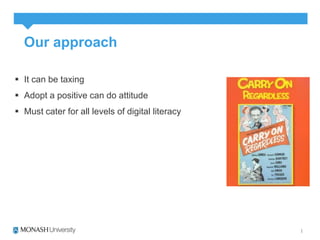
Our approach 
 It can be taxing 
 Adopt a positive can do attitude 
 Must cater for all levels of digital literacy
Trailers!! 
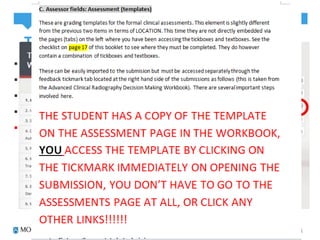
 Manual produced to coincide with each clinical placement 
 Printed copy for workshop attendees 
 PDF provided to all email contacts 
 Step by step pictorial guides 
 Highlighted areas of potential difficulty
Meeting the audience 
 Clinical liaison visits 
 Scheduled to train assessors at centres where student would be 
utilising workbooks 
 Time consuming, not the focus of visits
An actual movie 
 First full year group of “paperless students” students, not all clinical 
partners trained for various reasons 
 Had to be innovative 
 Camtasia Movie
CHALLENGES
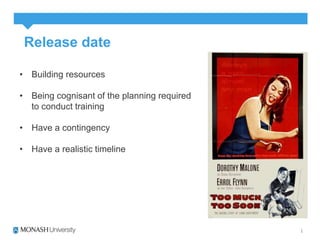
Release date 
• Building resources 
• Being cognisant of the planning required 
to conduct training 
• Have a contingency 
• Have a realistic timeline
The critics 
Very broad range of digital literacy 
skills 
People have very different attitudes, 
some will “blindly” proceed without 
even referring to the resources 
Some will be uber cautious and are 
fearful of “losing” what they have 
completed
The script 
EPortfolios have a very different 
terminology 
Adds to the communication 
difficulties
The message 
What we hoped for v What can 
happen 
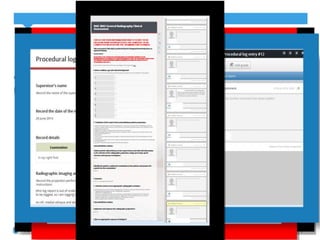
Demonstration 
nbNW7tmk
Testing 
Remember that glitch in the matrix? 
You need to have a plan how you will trial 
and what (Language used) 
Trialling when the students were on clinical 
placement was incredibly difficult for many 
reasons
The sequels
Acknowledgements 
Monash University 
 Ruth Druva 
 Marilyn Baird 
 Our clinical partners across the board 
 Our students 
 Alex Czech/George Kotsanas 
PebblePad 
 Alison Poot/Jodie Young 
LaTrobe University 
 Terry Young 
Everybody else along the way who weighed in with great advice

John McInerney 2014 - Training assessors

  • 1.
    Medicine, Nursing andHealth Sciences Challenges of utilising external assessors (our experiences) Presented by: John Mc Inerney Prepared by John Mc Inerney in collaboration with Ruth Druva
  • 2.
    Background  Changecan be difficult to implement and Manage.  The challenge is not unique to Monash.  Our experience, the challenges.  What we have learned.
  • 3.
    Development  Introducepersonalised online Learning management system in the undergraduate radiography program.  Replacing paper-based workbooks as a repository for recording of clinical skills and assessment.  Students submit their work to the institutional learning environment for review.  Clinical skills assessments conducted within the submissions by external clinical partners.  Students to create ePortfolios to showcase their abilities following clinical placement.
  • 4.
    Release date First cut to be completed three weeks post training on the new platform.  Full implementation across the years within 1 year – All task portolios created and released – All student guides created – All clinical partners trained – All clinical partners guides created
  • 5.
    Pre-production  88Centres – Public/Private – Large/Small – Regional/Metropolitan – Assigned/Volunteer tutors  135 contacts on our address book  Deputies allowed to supervise clinical skills assessments  Additional staff
  • 6.
    Production  Teamapproach – IT – PebblePad – Students – Clinical Partners – Other institutions  Training workshops offered via Doodle Poll (Early April and Early June)  Finalised dates X 2  Resources created
  • 7.
    Distribution Students andclinical partners access workbooks on a “live link”  Phased approach in an effort to reduce the strain on clinical partners  52 Year thee students late February(S1) – limited, no assessor input  54 Year two students late March (S1) – early adopters for clinical skills assessment component, radiography skills only  40 Year one students mid June (S1) – radiography skills only  52 Year three students late August (S2) – full clinical partners engagement, including nursing assessments
  • 8.
    Post-distribution  OH&Srequirements to be signed as part of professional development  Clinical skills assessments  Radiography  Associated nursing tasks  Verify students submissions  Case reports including image collection  Evidence based assignments  Reflective reports  Attendance  Deputies
  • 9.
    The reviews 360 degree feedback from stakeholders – Students – Clinical partners – Clinical Liaison staff – IT (designer) – PP – Ourselves  Review and incorporate changes  Showcase our own work
  • 10.
    Our approach It can be taxing  Adopt a positive can do attitude  Must cater for all levels of digital literacy
  • 11.
    Trailers!!  Manualproduced to coincide with each clinical placement  Printed copy for workshop attendees  PDF provided to all email contacts  Step by step pictorial guides  Highlighted areas of potential difficulty
  • 12.
    Meeting the audience  Clinical liaison visits  Scheduled to train assessors at centres where student would be utilising workbooks  Time consuming, not the focus of visits
  • 13.
    An actual movie  First full year group of “paperless students” students, not all clinical partners trained for various reasons  Had to be innovative  Camtasia Movie
  • 14.
  • 15.
    Release date •Building resources • Being cognisant of the planning required to conduct training • Have a contingency • Have a realistic timeline
  • 16.
    The critics Verybroad range of digital literacy skills People have very different attitudes, some will “blindly” proceed without even referring to the resources Some will be uber cautious and are fearful of “losing” what they have completed
  • 17.
    The script EPortfolioshave a very different terminology Adds to the communication difficulties
  • 18.
    The message Whatwe hoped for v What can happen Demonstration nbNW7tmk
  • 19.
    Testing Remember thatglitch in the matrix? You need to have a plan how you will trial and what (Language used) Trialling when the students were on clinical placement was incredibly difficult for many reasons
  • 20.
  • 21.
    Acknowledgements Monash University  Ruth Druva  Marilyn Baird  Our clinical partners across the board  Our students  Alex Czech/George Kotsanas PebblePad  Alison Poot/Jodie Young LaTrobe University  Terry Young Everybody else along the way who weighed in with great advice

Editor's Notes

  • #3 Here today we have seen presentations and been involved in workshops around this very challenge
  • #4 PebblePad is a web based program provided by Monash University to support the creation of a Personal Learning Space (Pebble+) where the user can create, organise, share and present records of learning and experience. They can then choose to submit their work to the Institutional Learning Environment (ATLAS) for assessment or peer review. Unlike other systems you may be familiar with (such as LMS, Blackboard & Moodle), PebblePad has been designed with the learner at its core. It provides you with your own space to make plans, record thoughts, ideas and experiences that are personally significant to you so that you may reflect on your learning and development. The system also supports you in demonstrating your capabilities and competencies to others on a formal and informal basis. In summary PebblePad incorporates: - collaboration - self and peer assessment - planning and reflection - collection of evidence - demonstration of outcomes It is important to remember that everything you create in PebblePad is private and owned by you, but can be shared with others by invitation.
  • #7 IT, took a while to get them on board but they have made valuable suggestions PebblePad, support Students, proof readers Clinical Partners, Given time during training workshops to make suggestions, * Other institutions, eg Terry
  • #8 3 early adopters chosen at specific sites
  • #10 Students, Focus groups, surveys, proof readers
  • #16 Room bookings IT
  • #17 A bit like trying to get to grips with a hoverboard, there are various levels of computer Savvy
  • #19 Login and showcase what is meant to happen, refer to earlier slides,
  • #20 We eventually got IT on board to check our setups Finding a reliable “proof reader” we are considering students, would appreciate any other advice in this regard.
  • #22 PebbleBash etc.