Best Practices for Remote Teaching
Dr. Maria Andersen, CEO, Coursetune
Adjunct Faculty, Westminster College
@busynessgirl, maria@coursetune.com
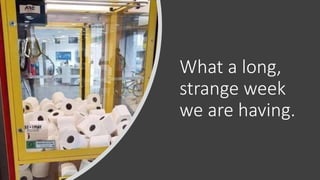
What a long,
strange week
we are having.
REMOTE
is not
ONLINE
REMOTE CLASSES
Mostly synchronous
Meets at scheduled times
Primarily utilizes virtual
meetings
Can be used anytime
ONLINE CLASSES
Mostly asynchronous
Rarely meets at
scheduled times
Primarily utilizes an LMS
(Canvas, Brightspace,
Moodle, Blackboard)
Requires careful
curriculum and
instructional design
The glass is half-empty because
you drank the first half already.
The glass is half-full because this
is an opportunity to learn and try
something new and for once your
administration won’t tell you no!
Remote Teaching Should Be in Your Teaching Toolbelt
Move to new types of Assessment:
Assessment is more than Tests
The Pressure Opportunity to Change
Remote
Teaching is
Similar to F2F
Teaching
You can see your students and they can see you
You can have discussions
You can "write on the board"
Students can work in small groups
You can use active learning techniques
But what if they don’t pay attention?
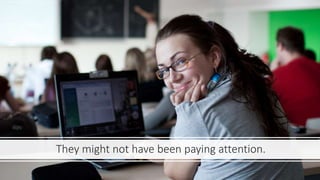
They might not have been paying attention.
Virtual
Meeting
Rooms -
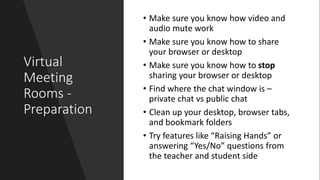
Preparation
• Make sure you know how video and
audio mute work
• Make sure you know how to share
your browser or desktop
• Make sure you know how to stop
sharing your browser or desktop
• Find where the chat window is –
private chat vs public chat
• Clean up your desktop, browser tabs,
and bookmark folders
• Try features like “Raising Hands” or
answering “Yes/No” questions from
the teacher and student side
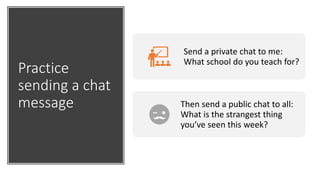
Practice
sending a chat
message
Send a private chat to me:
What school do you teach for?
Then send a public chat to all:
What is the strangest thing
you’ve seen this week?
Virtual
Meeting
Rooms -
Logistics
Record
Set meeting to auto-record
(because you’ll forget)
Mute Set students for “Mute on
Entry” (to minimize noise)
Waiting
Set for waiting room or enter
before host
Notes
Keep a paper class list by your
computer to take notes
Scene Check the scene behind you
Virtual
Meeting
Rooms –
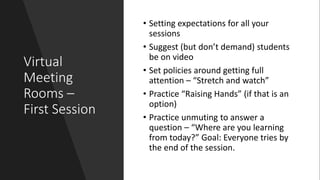
First Session
• Setting expectations for all your
sessions
• Suggest (but don’t demand) students
be on video
• Set policies around getting full
attention – “Stretch and watch”
• Practice “Raising Hands” (if that is an
option)
• Practice unmuting to answer a
question – “Where are you learning
from today?” Goal: Everyone tries by
the end of the session.
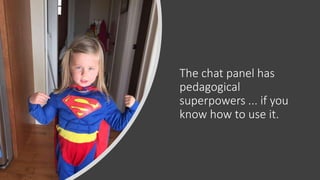
The chat panel has
pedagogical
superpowers ... if you
know how to use it.
3-2-1-Go
Method
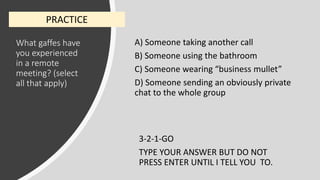
What gaffes have
you experienced
in a remote
meeting? (select
all that apply)
A) Someone taking another call
B) Someone using the bathroom
C) Someone wearing “business mullet”
D) Someone sending an obviously private
chat to the whole group
3-2-1-GO
TYPE YOUR ANSWER BUT DO NOT
PRESS ENTER UNTIL I TELL YOU TO.
PRACTICE
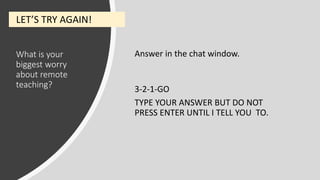
What is your
biggest worry
about remote
teaching?
Answer in the chat window.
3-2-1-GO
TYPE YOUR ANSWER BUT DO NOT
PRESS ENTER UNTIL I TELL YOU TO.
LET’S TRY AGAIN!
What makes the
3-2-1-GO chat
discussion better
than F2F
discussion?
Answer in the chat window.
3-2-1-GO
TYPE YOUR ANSWER BUT DO NOT
PRESS ENTER UNTIL I TELL YOU TO.
THE REALIZATION ...
Small Group
Discussions:
Think-Pair-
Share
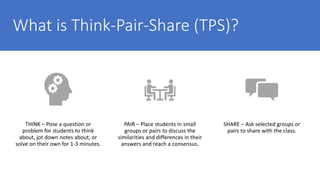
What is Think-Pair-Share (TPS)?
THINK – Pose a question or
problem for students to think
about, jot down notes about, or
solve on their own for 1-3 minutes.
PAIR – Place students in small
groups or pairs to discuss the
similarities and differences in their
answers and reach a consensus.
SHARE – Ask selected groups or
pairs to share with the class.
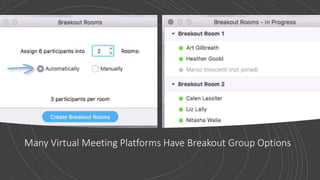
Many Virtual Meeting Platforms Have Breakout Group Options
Students can work together, you can move between
groups, and students can ask for help
THINK: How will
students be
affected by the
COVID-19 virus?
ANOTHER OPTION: SYNCHRONOUS DOCUMENTS
Jot down your own thoughts.
You have 1 minute.
PAIR: How will
students be
affected by the
COVID-19 virus?
ANOTHER OPTION: SYNCHRONOUS DOCUMENTS
Go to the designated Google Doc
and work with your group to make
a consolidated list with more
detail.
See Chat Window for Links:
Last names A-F
Last names G-M
Last names N-S
Last names T-Z
SHARE: How will
students be
affected by the
COVID-19 virus?
ANOTHER OPTION: SYNCHRONOUS DOCUMENTS
Exit slides and share browser
with documents in tabs.
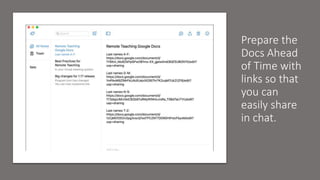
Prepare the
Docs Ahead
of Time with
links so that
you can
easily share
in chat.
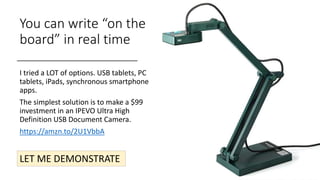
You can write “on the
board” in real time
I tried a LOT of options. USB tablets, PC
tablets, iPads, synchronous smartphone
apps.
The simplest solution is to make a $99
investment in an IPEVO Ultra High
Definition USB Document Camera.
https://amzn.to/2U1VbbA
LET ME DEMONSTRATE
Logistics for a
Doc Camera
1. SHARE YOUR FULL
SCREEN
2. GO TO THE DOC
CAMERA APP AND MAKE
IT FULL SCREEN
With a
Document
Camera
You can show problems in a book
Walk through completing a worksheet
Share handwritten solutions
Demonstrate experiments
Use math manipulatives
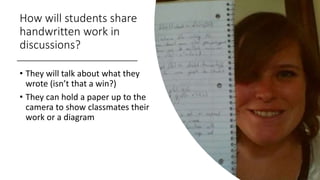
How will students share
handwritten work in
discussions?
• They will talk about what they
wrote (isn’t that a win?)
• They can hold a paper up to the
camera to show classmates their
work or a diagram
If you
happen to
have a PC
tablet, try
out
Microsoft
OneNote.
LMS tools for facilitating
“what you do in the classroom”
• Discussion Forums
• Peer Review
Assignments
• Video Discussion
Tools (add-ons)
GET HELP FROM
AN EXPERT OR
THE PEDAGOGY
AND EXECUTION
WILL BE POOR
Let’s talk about Summative Assessment
Students need a way to
turn in work just like
they would in class.
Many apps turn your
phone into a scanner
and convert photos to
PDFs.
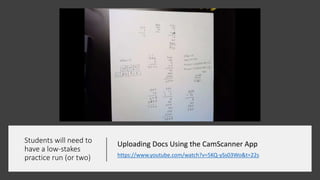
Students will need to
have a low-stakes
practice run (or two)
Uploading Docs Using the CamScanner App
https://www.youtube.com/watch?v=5KQ-ySs03Wo&t=22s
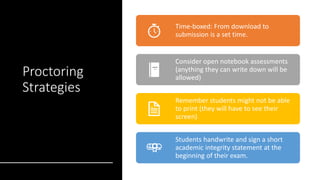
Proctoring
Strategies
Time-boxed: From download to
submission is a set time.
Consider open notebook assessments
(anything they can write down will be
allowed)
Remember students might not be able
to print (they will have to see their
screen)
Students handwrite and sign a short
academic integrity statement at the
beginning of their exam.
Don’t use Googleable Questions
Assessment
Transformation
GOOGLEABLE
What is the vertex of the
given function?
NOT SO GOOGLEABLE
List at ten properties of
the given function.
Assessment
Transformation
GOOGLEABLE
Define the word
“integrity”
NOT SO GOOGLEABLE
Give an example from
your own life that
shows how someone
without integrity might
behave.
Assessment
Transformation
GOOGLEABLE
Solve the problem ...
NOT SO GOOGLEABLE
The solution to the
above problem is ...
Now explain how to
another student how
you can solve it.
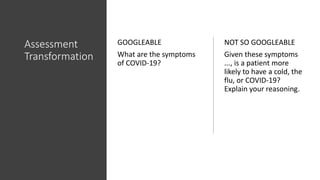
Assessment
Transformation
GOOGLEABLE
What are the symptoms
of COVID-19?
NOT SO GOOGLEABLE
Given these symptoms
..., is a patient more
likely to have a cold, the
flu, or COVID-19?
Explain your reasoning.
But maybe can we rethink assessment just a little?
How deeply
do students
need to know
the skill or
information?
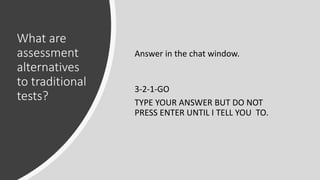
What are
assessment
alternatives
to traditional
tests?
Answer in the chat window.
3-2-1-GO
TYPE YOUR ANSWER BUT DO NOT
PRESS ENTER UNTIL I TELL YOU TO.
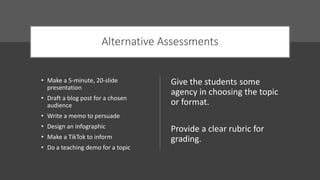
Alternative Assessments
• Make a 5-minute, 20-slide
presentation
• Draft a blog post for a chosen
audience
• Write a memo to persuade
• Design an infographic
• Make a TikTok to inform
• Do a teaching demo for a topic
Give the students some
agency in choosing the topic
or format.
Provide a clear rubric for
grading.
Recording
Videos
Drop any expectations that you’re going to somehow
record all your lectures.
Record short help videos where needed.
Sound is very important
It’s easier to cut than to splice
Free TechSmith SnagIt through June
https://discover.techsmith.com/remote-techsmith/
You can do this!
Questions?
Dr. Maria Andersen, CEO, Coursetune
Adjunct Faculty, Westminster College
@busynessgirl, maria@coursetune.com

Best Practices for Remote Teaching

  • 1.
    Best Practices forRemote Teaching Dr. Maria Andersen, CEO, Coursetune Adjunct Faculty, Westminster College @busynessgirl, maria@coursetune.com
  • 2.
    What a long, strangeweek we are having.
  • 3.
    REMOTE is not ONLINE REMOTE CLASSES Mostlysynchronous Meets at scheduled times Primarily utilizes virtual meetings Can be used anytime ONLINE CLASSES Mostly asynchronous Rarely meets at scheduled times Primarily utilizes an LMS (Canvas, Brightspace, Moodle, Blackboard) Requires careful curriculum and instructional design
  • 4.
    The glass ishalf-empty because you drank the first half already. The glass is half-full because this is an opportunity to learn and try something new and for once your administration won’t tell you no!
  • 5.
    Remote Teaching ShouldBe in Your Teaching Toolbelt
  • 6.
    Move to newtypes of Assessment: Assessment is more than Tests
  • 7.
  • 8.
    Remote Teaching is Similar toF2F Teaching You can see your students and they can see you You can have discussions You can "write on the board" Students can work in small groups You can use active learning techniques
  • 9.
    But what ifthey don’t pay attention?
  • 10.
    They might nothave been paying attention.
  • 11.
    Virtual Meeting Rooms - Preparation • Makesure you know how video and audio mute work • Make sure you know how to share your browser or desktop • Make sure you know how to stop sharing your browser or desktop • Find where the chat window is – private chat vs public chat • Clean up your desktop, browser tabs, and bookmark folders • Try features like “Raising Hands” or answering “Yes/No” questions from the teacher and student side
  • 12.
    Practice sending a chat message Senda private chat to me: What school do you teach for? Then send a public chat to all: What is the strangest thing you’ve seen this week?
  • 13.
    Virtual Meeting Rooms - Logistics Record Set meetingto auto-record (because you’ll forget) Mute Set students for “Mute on Entry” (to minimize noise) Waiting Set for waiting room or enter before host Notes Keep a paper class list by your computer to take notes Scene Check the scene behind you
  • 14.
    Virtual Meeting Rooms – First Session •Setting expectations for all your sessions • Suggest (but don’t demand) students be on video • Set policies around getting full attention – “Stretch and watch” • Practice “Raising Hands” (if that is an option) • Practice unmuting to answer a question – “Where are you learning from today?” Goal: Everyone tries by the end of the session.
  • 15.
    The chat panelhas pedagogical superpowers ... if you know how to use it.
  • 16.
  • 17.
    What gaffes have youexperienced in a remote meeting? (select all that apply) A) Someone taking another call B) Someone using the bathroom C) Someone wearing “business mullet” D) Someone sending an obviously private chat to the whole group 3-2-1-GO TYPE YOUR ANSWER BUT DO NOT PRESS ENTER UNTIL I TELL YOU TO. PRACTICE
  • 18.
    What is your biggestworry about remote teaching? Answer in the chat window. 3-2-1-GO TYPE YOUR ANSWER BUT DO NOT PRESS ENTER UNTIL I TELL YOU TO. LET’S TRY AGAIN!
  • 19.
    What makes the 3-2-1-GOchat discussion better than F2F discussion? Answer in the chat window. 3-2-1-GO TYPE YOUR ANSWER BUT DO NOT PRESS ENTER UNTIL I TELL YOU TO. THE REALIZATION ...
  • 20.
  • 21.
    What is Think-Pair-Share(TPS)? THINK – Pose a question or problem for students to think about, jot down notes about, or solve on their own for 1-3 minutes. PAIR – Place students in small groups or pairs to discuss the similarities and differences in their answers and reach a consensus. SHARE – Ask selected groups or pairs to share with the class.
  • 22.
    Many Virtual MeetingPlatforms Have Breakout Group Options
  • 23.
    Students can worktogether, you can move between groups, and students can ask for help
  • 24.
    THINK: How will studentsbe affected by the COVID-19 virus? ANOTHER OPTION: SYNCHRONOUS DOCUMENTS Jot down your own thoughts. You have 1 minute.
  • 25.
    PAIR: How will studentsbe affected by the COVID-19 virus? ANOTHER OPTION: SYNCHRONOUS DOCUMENTS Go to the designated Google Doc and work with your group to make a consolidated list with more detail. See Chat Window for Links: Last names A-F Last names G-M Last names N-S Last names T-Z
  • 26.
    SHARE: How will studentsbe affected by the COVID-19 virus? ANOTHER OPTION: SYNCHRONOUS DOCUMENTS Exit slides and share browser with documents in tabs.
  • 27.
    Prepare the Docs Ahead ofTime with links so that you can easily share in chat.
  • 28.
    You can write“on the board” in real time I tried a LOT of options. USB tablets, PC tablets, iPads, synchronous smartphone apps. The simplest solution is to make a $99 investment in an IPEVO Ultra High Definition USB Document Camera. https://amzn.to/2U1VbbA LET ME DEMONSTRATE
  • 29.
    Logistics for a DocCamera 1. SHARE YOUR FULL SCREEN 2. GO TO THE DOC CAMERA APP AND MAKE IT FULL SCREEN
  • 30.
    With a Document Camera You canshow problems in a book Walk through completing a worksheet Share handwritten solutions Demonstrate experiments Use math manipulatives
  • 31.
    How will studentsshare handwritten work in discussions? • They will talk about what they wrote (isn’t that a win?) • They can hold a paper up to the camera to show classmates their work or a diagram
  • 32.
    If you happen to havea PC tablet, try out Microsoft OneNote.
  • 33.
    LMS tools forfacilitating “what you do in the classroom” • Discussion Forums • Peer Review Assignments • Video Discussion Tools (add-ons) GET HELP FROM AN EXPERT OR THE PEDAGOGY AND EXECUTION WILL BE POOR
  • 34.
    Let’s talk aboutSummative Assessment
  • 35.
    Students need away to turn in work just like they would in class. Many apps turn your phone into a scanner and convert photos to PDFs.
  • 36.
    Students will needto have a low-stakes practice run (or two) Uploading Docs Using the CamScanner App https://www.youtube.com/watch?v=5KQ-ySs03Wo&t=22s
  • 37.
    Proctoring Strategies Time-boxed: From downloadto submission is a set time. Consider open notebook assessments (anything they can write down will be allowed) Remember students might not be able to print (they will have to see their screen) Students handwrite and sign a short academic integrity statement at the beginning of their exam.
  • 38.
  • 39.
    Assessment Transformation GOOGLEABLE What is thevertex of the given function? NOT SO GOOGLEABLE List at ten properties of the given function.
  • 40.
    Assessment Transformation GOOGLEABLE Define the word “integrity” NOTSO GOOGLEABLE Give an example from your own life that shows how someone without integrity might behave.
  • 41.
    Assessment Transformation GOOGLEABLE Solve the problem... NOT SO GOOGLEABLE The solution to the above problem is ... Now explain how to another student how you can solve it.
  • 42.
    Assessment Transformation GOOGLEABLE What are thesymptoms of COVID-19? NOT SO GOOGLEABLE Given these symptoms ..., is a patient more likely to have a cold, the flu, or COVID-19? Explain your reasoning.
  • 43.
    But maybe canwe rethink assessment just a little?
  • 44.
    How deeply do students needto know the skill or information?
  • 45.
    What are assessment alternatives to traditional tests? Answerin the chat window. 3-2-1-GO TYPE YOUR ANSWER BUT DO NOT PRESS ENTER UNTIL I TELL YOU TO.
  • 46.
    Alternative Assessments • Makea 5-minute, 20-slide presentation • Draft a blog post for a chosen audience • Write a memo to persuade • Design an infographic • Make a TikTok to inform • Do a teaching demo for a topic Give the students some agency in choosing the topic or format. Provide a clear rubric for grading.
  • 47.
    Recording Videos Drop any expectationsthat you’re going to somehow record all your lectures. Record short help videos where needed. Sound is very important It’s easier to cut than to splice Free TechSmith SnagIt through June https://discover.techsmith.com/remote-techsmith/
  • 48.
  • 49.
    Questions? Dr. Maria Andersen,CEO, Coursetune Adjunct Faculty, Westminster College @busynessgirl, maria@coursetune.com

Editor's Notes

  • #5 There are good reasons you already wanted to know how to teach remotely.
  • #6 You probably already needed a way to bring students into class when they are away for sports events, at home because a car is broken down, ill and trying to keep others from getting sick, suffering from anxiety etc. Now is the time to finally take the time to learn to support all those students that miss classes when you are teaching F2F.
  • #7 When was the last time you really thought deeply about assessment strategy. Many of you are worried about proctored tests. Does EVERYTHING need to be tested? We live in a world where computing technology and Smartphones has completely transformed the availability of information. Do you REALLY need to test EVERYTHING the same way?
  • #8 Probably some of this was already on your list to think about, but we’re all so damned busy. You know as well as I do that we only get to the changes that we HAVE to do. Now is the time! You’re going to do it!
  • #11 Guess what, many weren’t paying attention already.
  • #14 Notes: It’s difficult to keep your own digital notes during a virtual session
  • #34 These tools require additional training. We use them a lot in online classes, but don’t dive in unless you’ve learned some pedagogy.
  • #39 You should already be doing this!
  • #44 We live in a time when there is more information accessible at our fingertips than ever before.