Practical Web
Management
Christopher Gutteridge
IWMW 2009
Christopher Gutteridge?
Full time webmaster/manager for
Southampton Electronics and Computer
Science (ECS) since 1997
ECS has
Webteam of 3(ish)
10 Infrastructure webservers running 310 sites.
100 research webservers.
QuickTime™ and a
decompressor
are needed to see this picture.
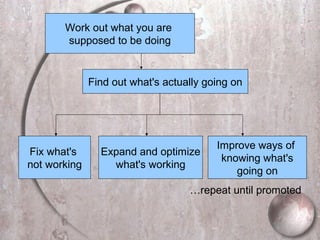
Find out what's actually going on
Work out what you are
supposed to be doing
Fix what's
not working
Expand and optimize
what's working
Improve ways of
knowing what's
going on
…repeat until promoted
1. Know what's going on
2. Have a plan
3. Be pragmatic
QuickTime™ and a
decompressor
are needed to see this picture.
What does an
IWManager do?
Same as anyone at a University should be doing!
Doing or Facilitating:
 Teaching
 Research
 Communication of Research via
Publications (and websites)
Events
Working with Industry
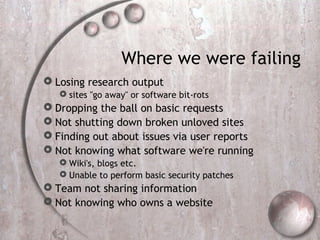
Where we were failing
 Losing research output
 sites "go away" or software bit-rots
 Dropping the ball on basic requests
 Not shutting down broken unloved sites
 Finding out about issues via user reports
 Not knowing what software we're running
 Wiki's, blogs etc.
 Unable to perform basic security patches
 Team not sharing information
 Not knowing who owns a website
Solutions to Problems
Technology,
Policy
&
Culture
Problem: Dropping the
ball
Basic tasks:
Create a new website
Create a MySQL DB
Set up a wiki
Set up a blog
Correct an error on a page
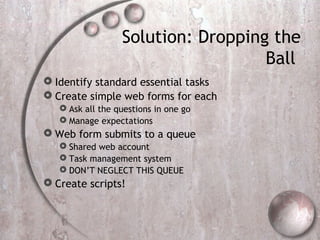
Solution: Dropping the
Ball
 Identify standard essential tasks
 Create simple web forms for each
 Ask all the questions in one go
 Manage expectations
 Web form submits to a queue
 Shared web account
 Task management system
 DON’T NEGLECT THIS QUEUE
 Create scripts!
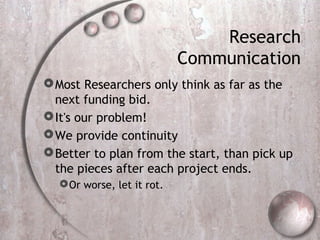
Research
Communication
Most Researchers only think as far as the
next funding bid.
It's our problem!
We provide continuity
Better to plan from the start, than pick up
the pieces after each project ends.
Or worse, let it rot.
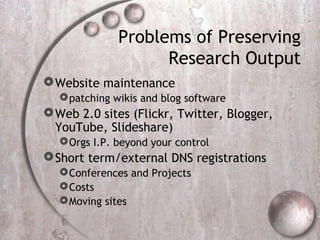
Problems of Preserving
Research Output
Website maintenance
patching wikis and blog software
Web 2.0 sites (Flickr, Twitter, Blogger,
YouTube, Slideshare)
Orgs I.P. beyond your control
Short term/external DNS registrations
Conferences and Projects
Costs
Moving sites
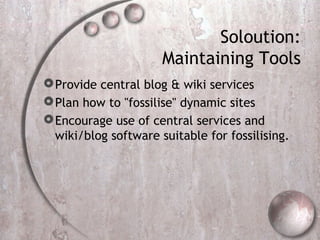
Soloution:
Maintaining Tools
Provide central blog & wiki services
Plan how to "fossilise" dynamic sites
Encourage use of central services and
wiki/blog software suitable for fossilising.
Solution: Offsite
Content
Blogs
Provide hosted blog service
Wordpress is a good choice
Twitter
No best practice yet
Solution: Offsite
Content
Youtube, Slideshare, Flickr
Encourage staff to also deposit this content in
the IR (Institutional Repository)
Make the IR provide the cool features that have
driven users to use external tools
<advertisement>
Embeddable slide-shows and streaming video
coming soon to…
QuickTime™ and a
decompressor
are needed to see this picture.
<advertisement>
Solutions: DNS
Registrations
Web team registers domains for projects,
requiring X years payment in advance
At least 3 years beyond end of project
Conferences maybe 10 years or more
Good use for a request form
Monitor DNS entry for each website
Problem: Who owns a
site?
Whom to forward queries to
Trying to shut unwanted sites down
To see where resources are being used
Who to bill about DNS
Security Issues
Solution: Website
Database
Built from comments in apache config.
#meta owner=cjg23r,dsc93
#meta type=project
Script to build webpage report periodically
Join against your list of current users to see
when a site is a candidate for deletion.
Keep config. files in version control
Generate useful reports
Discovering webservers
Ask the firewall manager about port 80
Virtual Servers are causing a proliferation!
Problem:
Waiting for complaints
Unprofessional
Hard to manage workload
Often would have been easier to fix earlier
QuickTime™ and a
decompressor
are needed to see this picture.
Solution:
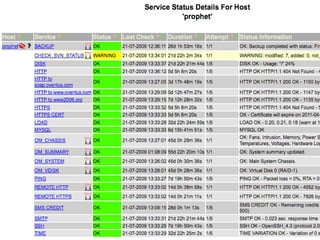
Build a batcomputer
Nagios is a good starting place
Needs to be actively looked after
Usually "champion" moves on and it rots
Monitor failures and uptime
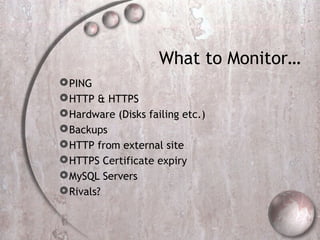
What to Monitor…
PING
HTTP & HTTPS
Hardware (Disks failing etc.)
Backups
HTTP from external site
HTTPS Certificate expiry
MySQL Servers
Rivals?
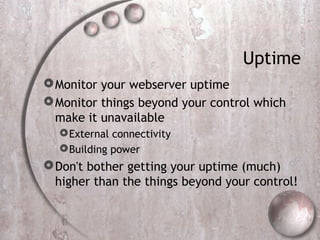
Uptime
Monitor your webserver uptime
Monitor things beyond your control which
make it unavailable
External connectivity
Building power
Don't bother getting your uptime (much)
higher than the things beyond your control!
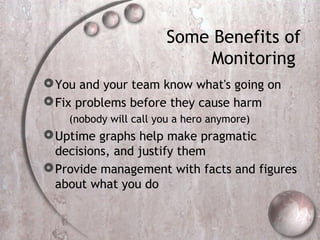
Some Benefits of
Monitoring
You and your team know what's going on
Fix problems before they cause harm
(nobody will call you a hero anymore)
Uptime graphs help make pragmatic
decisions, and justify them
Provide management with facts and figures
about what you do
Standardisation Fever
Standard solutions are Good
Enforced standardisation can be very Bad
One Size does not always fit all!
Summary
Don't try and be a hero
Find out what's going on
Know where your job is
Have a plan
Build a Batcomputer

IWMW 2009: Lightweight Web Management

  • 1.
  • 2.
    Christopher Gutteridge? Full timewebmaster/manager for Southampton Electronics and Computer Science (ECS) since 1997 ECS has Webteam of 3(ish) 10 Infrastructure webservers running 310 sites. 100 research webservers.
  • 3.
    QuickTime™ and a decompressor areneeded to see this picture.
  • 4.
    Find out what'sactually going on Work out what you are supposed to be doing Fix what's not working Expand and optimize what's working Improve ways of knowing what's going on …repeat until promoted
  • 5.
    1. Know what'sgoing on 2. Have a plan 3. Be pragmatic
  • 6.
    QuickTime™ and a decompressor areneeded to see this picture.
  • 7.
    What does an IWManagerdo? Same as anyone at a University should be doing! Doing or Facilitating:  Teaching  Research  Communication of Research via Publications (and websites) Events Working with Industry
  • 8.
    Where we werefailing  Losing research output  sites "go away" or software bit-rots  Dropping the ball on basic requests  Not shutting down broken unloved sites  Finding out about issues via user reports  Not knowing what software we're running  Wiki's, blogs etc.  Unable to perform basic security patches  Team not sharing information  Not knowing who owns a website
  • 9.
  • 10.
    Problem: Dropping the ball Basictasks: Create a new website Create a MySQL DB Set up a wiki Set up a blog Correct an error on a page
  • 11.
    Solution: Dropping the Ball Identify standard essential tasks  Create simple web forms for each  Ask all the questions in one go  Manage expectations  Web form submits to a queue  Shared web account  Task management system  DON’T NEGLECT THIS QUEUE  Create scripts!
  • 12.
    Research Communication Most Researchers onlythink as far as the next funding bid. It's our problem! We provide continuity Better to plan from the start, than pick up the pieces after each project ends. Or worse, let it rot.
  • 13.
    Problems of Preserving ResearchOutput Website maintenance patching wikis and blog software Web 2.0 sites (Flickr, Twitter, Blogger, YouTube, Slideshare) Orgs I.P. beyond your control Short term/external DNS registrations Conferences and Projects Costs Moving sites
  • 14.
    Soloution: Maintaining Tools Provide centralblog & wiki services Plan how to "fossilise" dynamic sites Encourage use of central services and wiki/blog software suitable for fossilising.
  • 15.
    Solution: Offsite Content Blogs Provide hostedblog service Wordpress is a good choice Twitter No best practice yet
  • 16.
    Solution: Offsite Content Youtube, Slideshare,Flickr Encourage staff to also deposit this content in the IR (Institutional Repository) Make the IR provide the cool features that have driven users to use external tools
  • 17.
  • 18.
    Embeddable slide-shows andstreaming video coming soon to… QuickTime™ and a decompressor are needed to see this picture.
  • 19.
  • 20.
    Solutions: DNS Registrations Web teamregisters domains for projects, requiring X years payment in advance At least 3 years beyond end of project Conferences maybe 10 years or more Good use for a request form Monitor DNS entry for each website
  • 21.
    Problem: Who ownsa site? Whom to forward queries to Trying to shut unwanted sites down To see where resources are being used Who to bill about DNS Security Issues
  • 22.
    Solution: Website Database Built fromcomments in apache config. #meta owner=cjg23r,dsc93 #meta type=project Script to build webpage report periodically Join against your list of current users to see when a site is a candidate for deletion. Keep config. files in version control Generate useful reports
  • 23.
    Discovering webservers Ask thefirewall manager about port 80 Virtual Servers are causing a proliferation!
  • 24.
    Problem: Waiting for complaints Unprofessional Hardto manage workload Often would have been easier to fix earlier
  • 25.
    QuickTime™ and a decompressor areneeded to see this picture.
  • 26.
    Solution: Build a batcomputer Nagiosis a good starting place Needs to be actively looked after Usually "champion" moves on and it rots Monitor failures and uptime
  • 27.
    What to Monitor… PING HTTP& HTTPS Hardware (Disks failing etc.) Backups HTTP from external site HTTPS Certificate expiry MySQL Servers Rivals?
  • 29.
    Uptime Monitor your webserveruptime Monitor things beyond your control which make it unavailable External connectivity Building power Don't bother getting your uptime (much) higher than the things beyond your control!
  • 30.
    Some Benefits of Monitoring Youand your team know what's going on Fix problems before they cause harm (nobody will call you a hero anymore) Uptime graphs help make pragmatic decisions, and justify them Provide management with facts and figures about what you do
  • 31.
    Standardisation Fever Standard solutionsare Good Enforced standardisation can be very Bad One Size does not always fit all!
  • 32.
    Summary Don't try andbe a hero Find out what's going on Know where your job is Have a plan Build a Batcomputer