Web Server, Access
And Security, Web
Protocol (HTTP/1.1)
PRACHI SHAH
Assistant professor
IT Department
BVM Engineering College
Outline
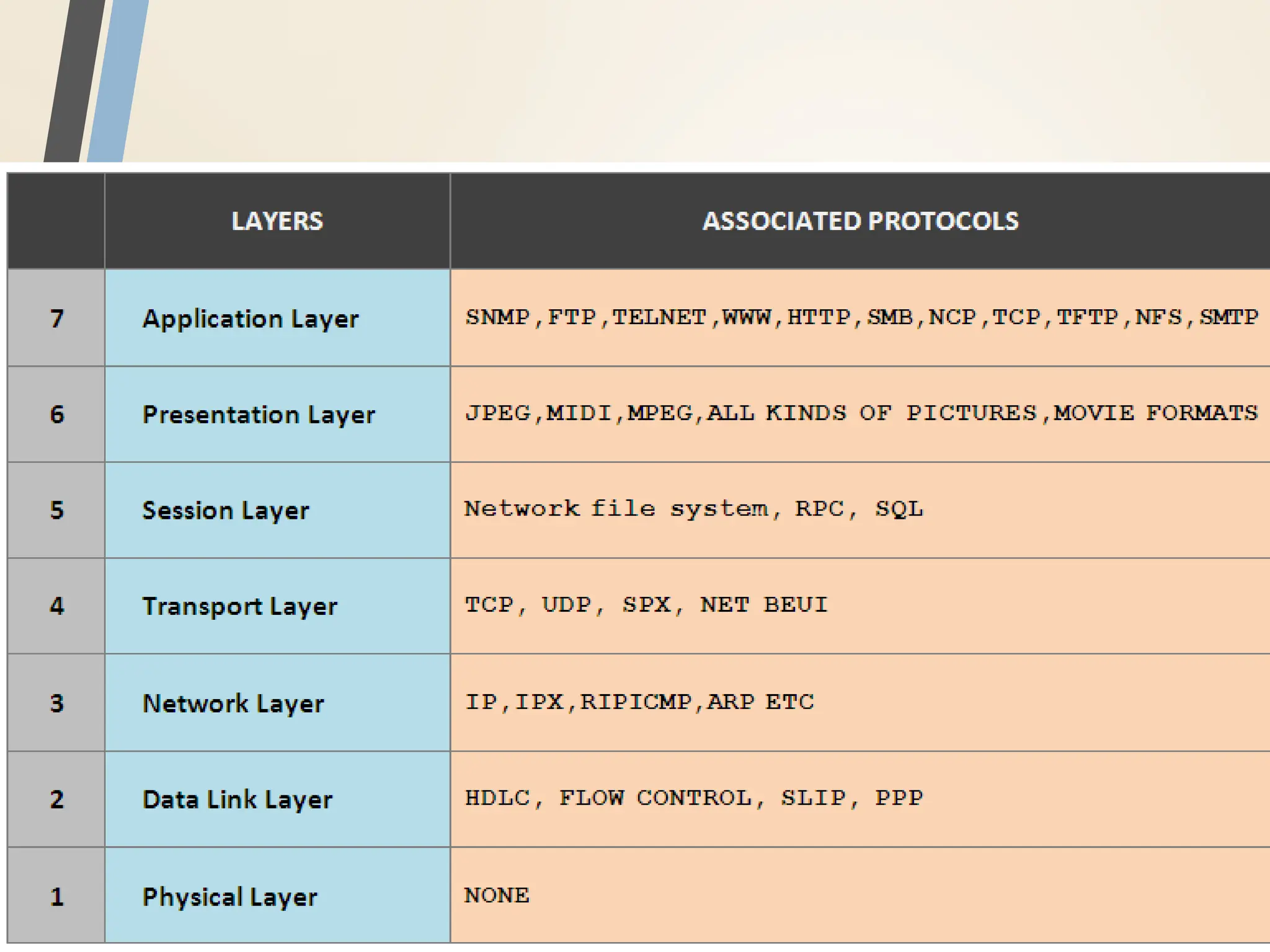
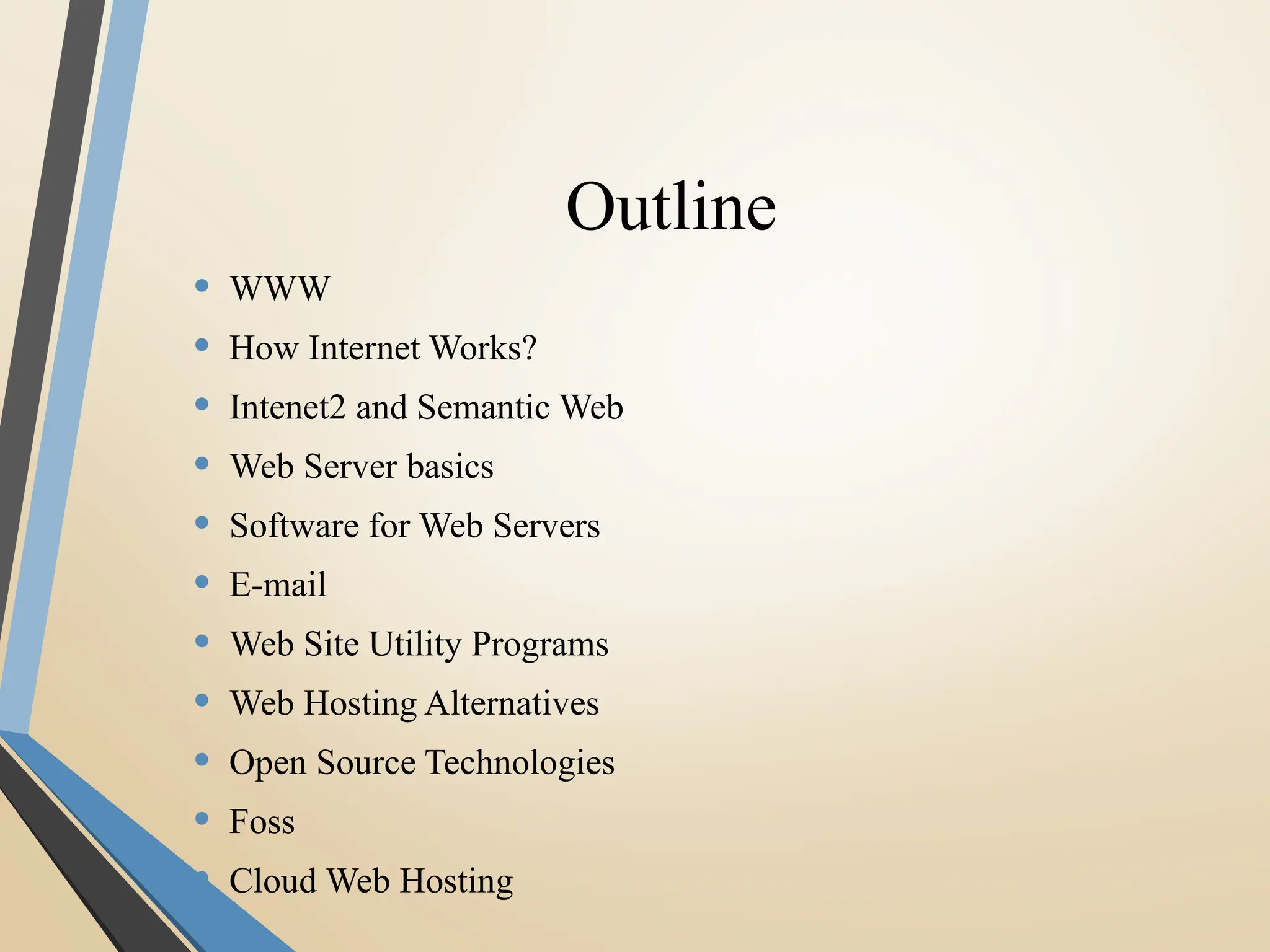
• WWW
• How Internet Works?
• Intenet2 and Semantic Web
• Web Server basics
• Software for Web Servers
• E-mail
• Web Site Utility Programs
• Web Hosting Alternatives
• Open Source Technologies
• Foss
• Cloud Web Hosting
WWW Background
• 1989-1990 – Tim Berners-Lee invents the World Wide
Web at CERN
• Means for transferring text and graphics simultaneously
• Client/Server data transfer protocol
• Communication via application level protocol
• System ran on top of standard networking infrastructure
• Text mark up language
• Not invented by Bernes-Lee
• Simple and easy to use
• Requires a client application to render text/graphics
WWW Components
• Structural Components
• Clients/browsers – to dominant implementations
• Servers – run on sophisticated hardware
• Caches – many interesting implementations
• Internet – the global infrastructure which facilitates data transfer
• Semantic Components
• Hyper Text Transfer Protocol (HTTP)
• Hyper Text Markup Language (HTML)
• eXtensible Markup Language (XML)
• Uniform Resource Identifiers (URIs)
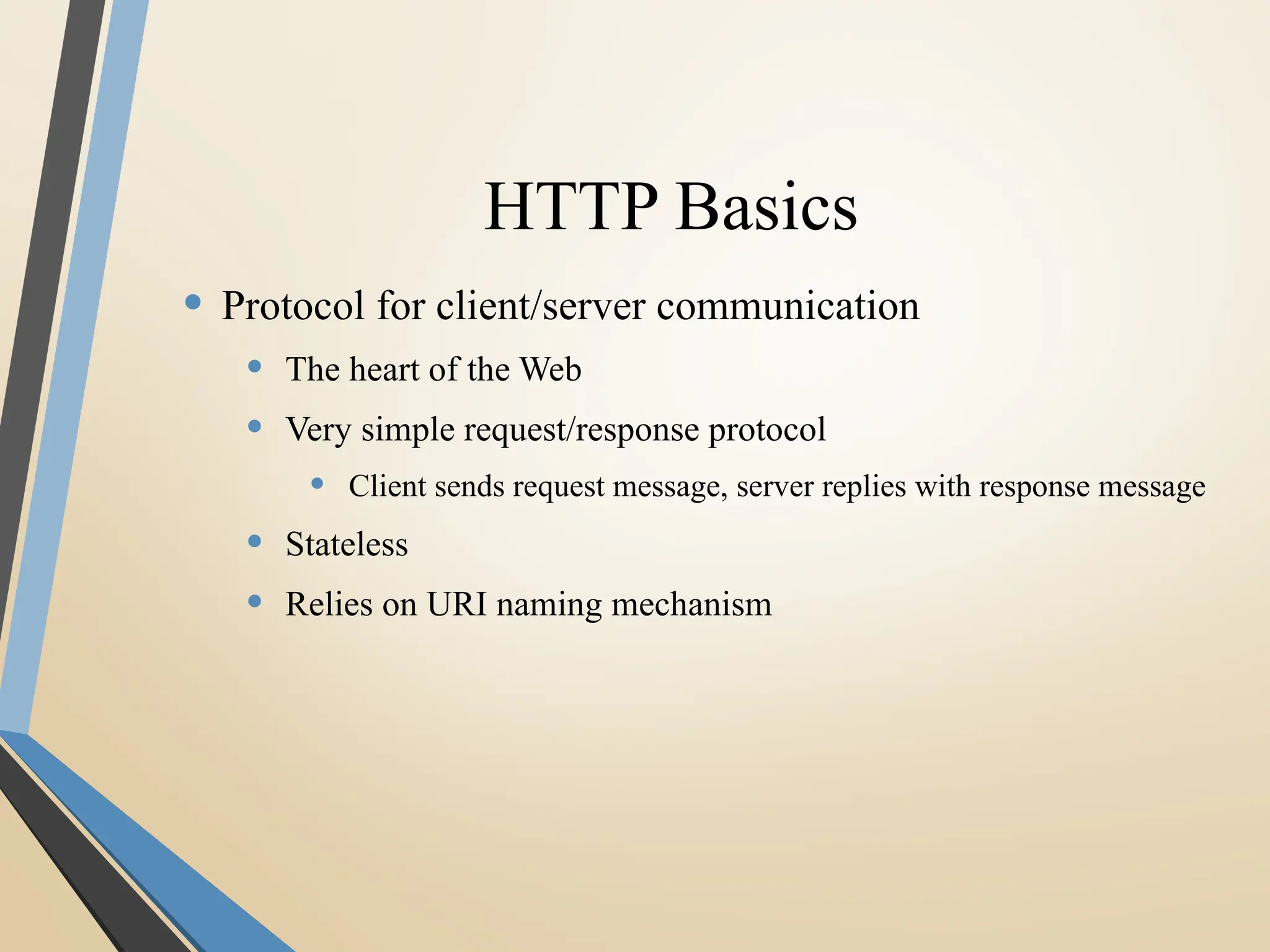
HTTP Basics
• Protocol for client/server communication
• The heart of the Web
• Very simple request/response protocol
• Client sends request message, server replies with response message
• Stateless
• Relies on URI naming mechanism
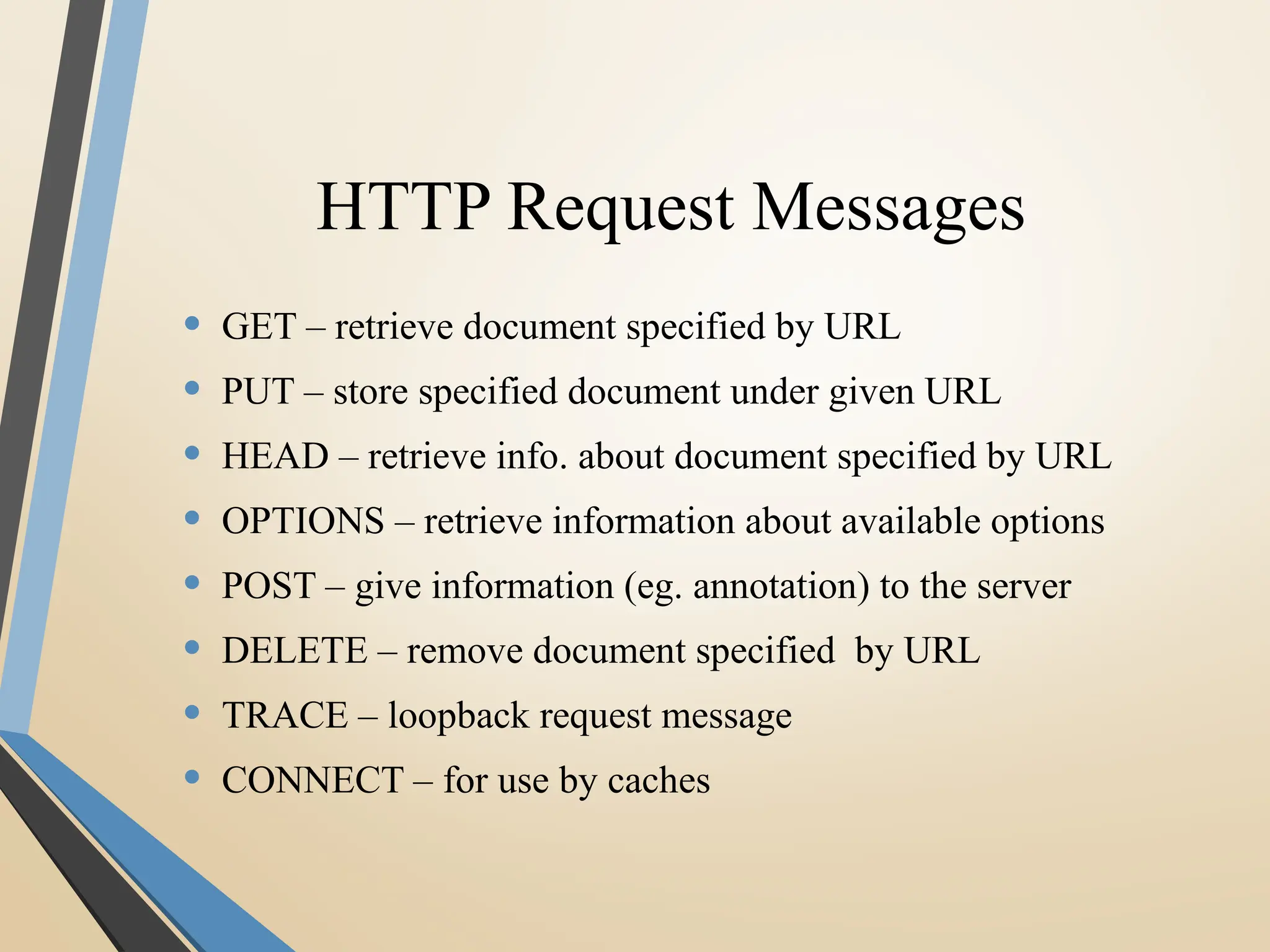
HTTP Request Messages
• GET – retrieve document specified by URL
• PUT – store specified document under given URL
• HEAD – retrieve info. about document specified by URL
• OPTIONS – retrieve information about available options
• POST – give information (eg. annotation) to the server
• DELETE – remove document specified by URL
• TRACE – loopback request message
• CONNECT – for use by caches
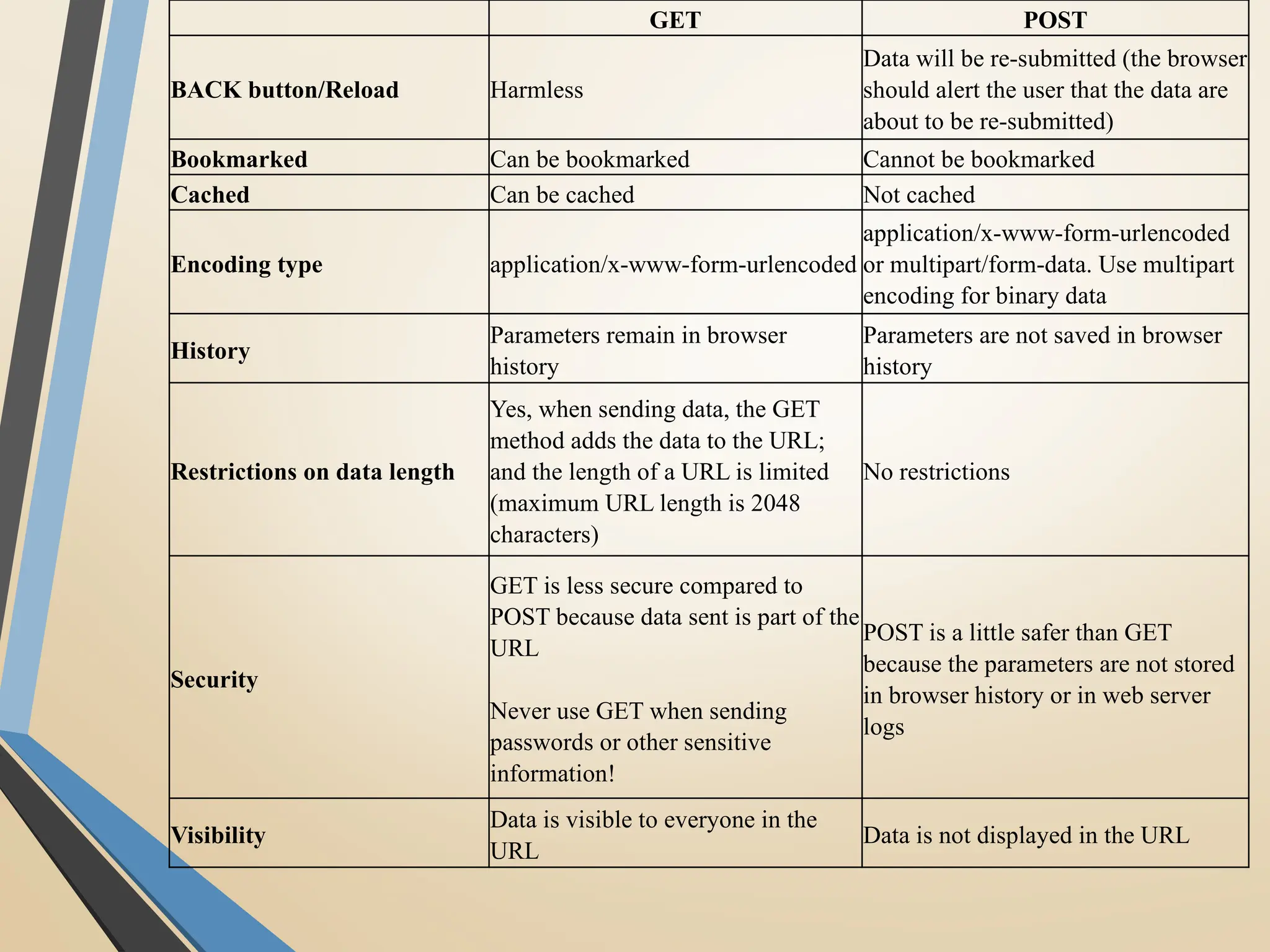
GET POST
BACK button/Reload Harmless
Data will be re-submitted (the browser
should alert the user that the data are
about to be re-submitted)
Bookmarked Can be bookmarked Cannot be bookmarked
Cached Can be cached Not cached
Encoding type application/x-www-form-urlencoded
application/x-www-form-urlencoded
or multipart/form-data. Use multipart
encoding for binary data
History
Parameters remain in browser
history
Parameters are not saved in browser
history
Restrictions on data length
Yes, when sending data, the GET
method adds the data to the URL;
and the length of a URL is limited
(maximum URL length is 2048
characters)
No restrictions
Security
GET is less secure compared to
POST because data sent is part of the
URL
Never use GET when sending
passwords or other sensitive
information!
POST is a little safer than GET
because the parameters are not stored
in browser history or in web server
logs
Visibility
Data is visible to everyone in the
URL
Data is not displayed in the URL
GET and POST
• GET requests can be cached
• GET requests remain in the browser
history
• GET requests can be bookmarked
• GET requests should never be used when
dealing with sensitive data
• GET requests have length restrictions
• GET requests should be used only to
retrieve data.
• Get request is not secured because data is
exposed in URL bar.
• Example : GET
/Register.php ?
name1=value1&name2=value2
• POST requests are never cached
• POST requests do not remain in the browser
history
• POST requests cannot be bookmarked
• POST requests have no restrictions on data length
• Post request is secured because data is not
exposed in URL bar.
• Example : POST/RegisterDao.jsp HTTP/1.1
Host: www. javatpoint.com
name1=value1&name2=value2
Web Server basics
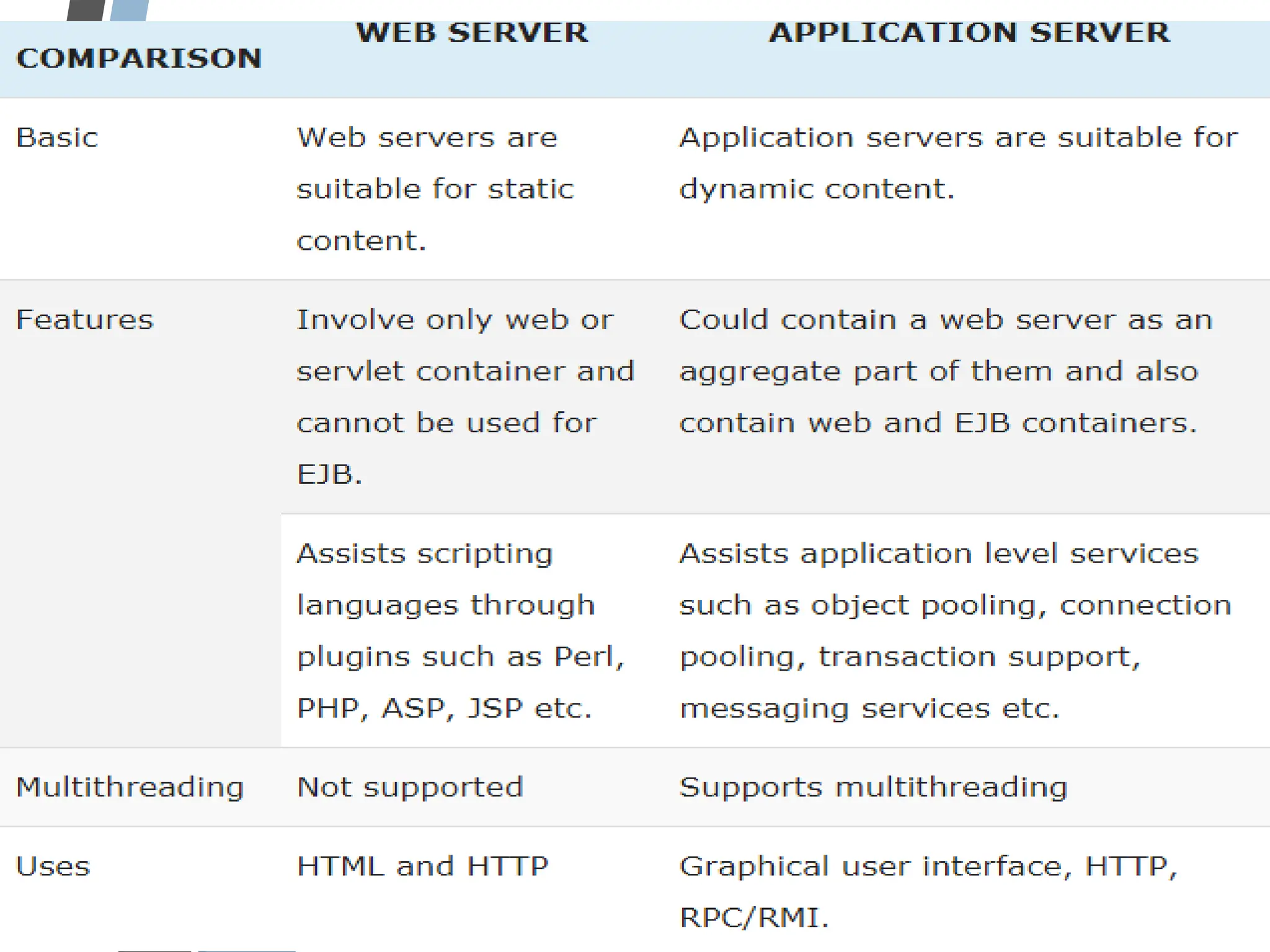
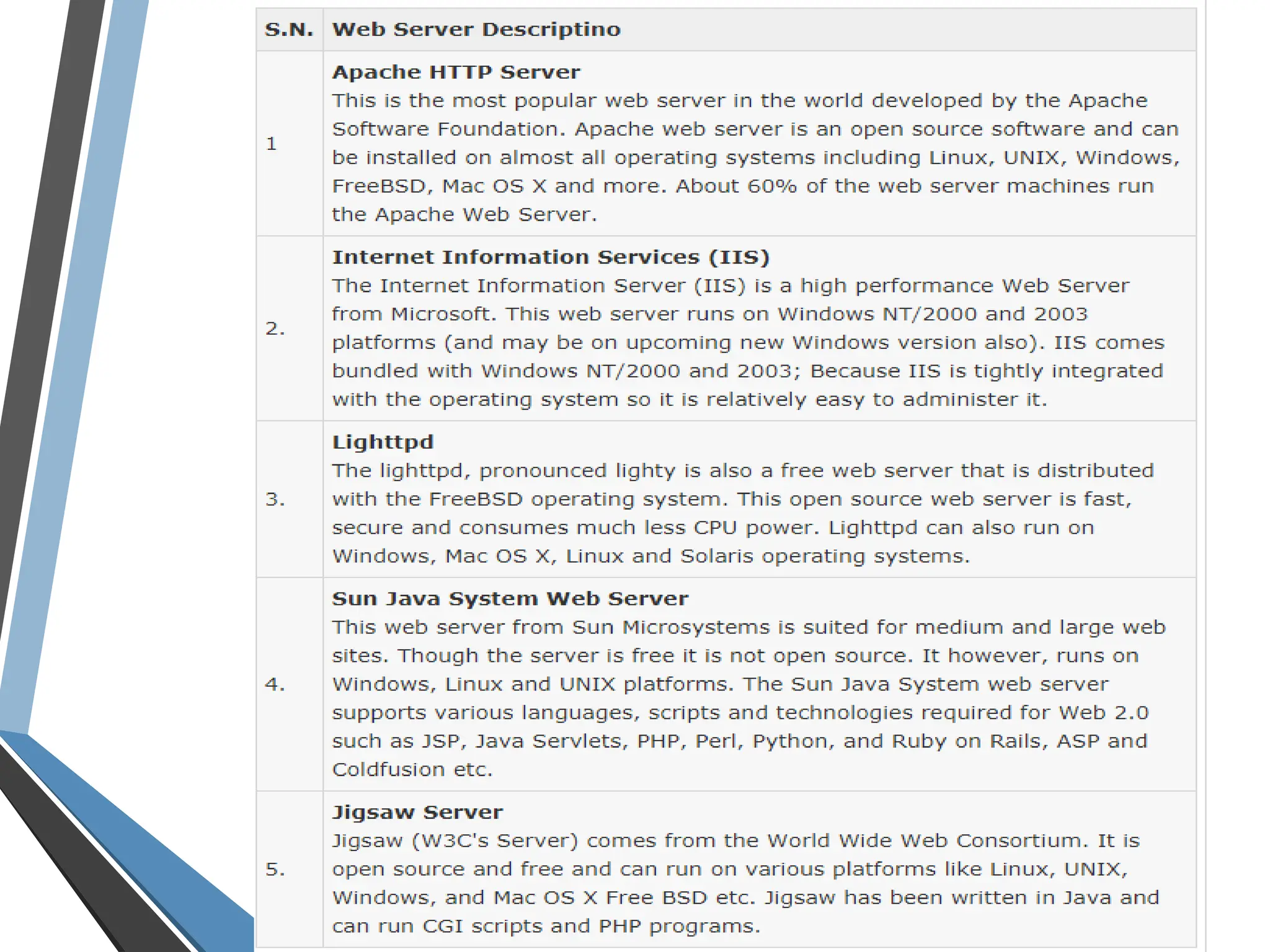
• Web server is a computer where the web content is stored.
Basically web server is used to host the web sites but there exists
other web servers also such as gaming, storage, FTP, email etc.
• Web site is collection of web pages while web server is a software
that respond to the request for web resources.
• Web server respond to the client request in either of the following
two ways:
• Sending the file to the client associated with the requested URL.
• Generating response by invoking a script and communicating with
database
Web Server basics (contd.)
• When client sends request for a web page, the web server search
for the requested page if requested page is found then it will send
it to client with an HTTP response.
• If the requested web page is not found, web server will the send
an HTTP response: Error 404 Not found.
• If client has requested for some other resources then the web
server will contact to the application server and data store to
construct the HTTP response.
• Different Scripting languages can be used to make sites that
display content dynamically.
Web scripting languages
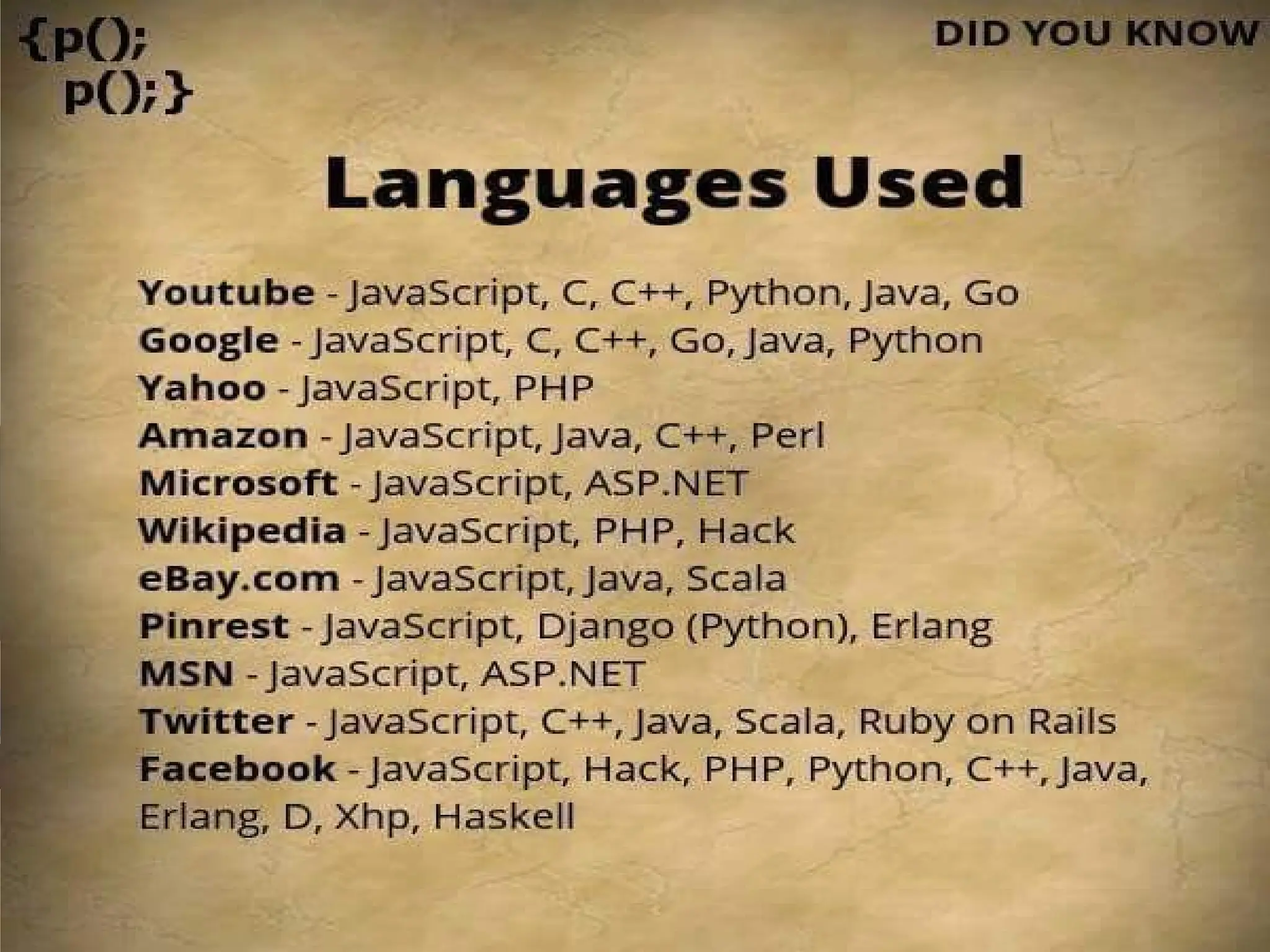
• The following languages are often used to develop web
applications:
Java
Perl
PHP
Python
Ruby
Javascript
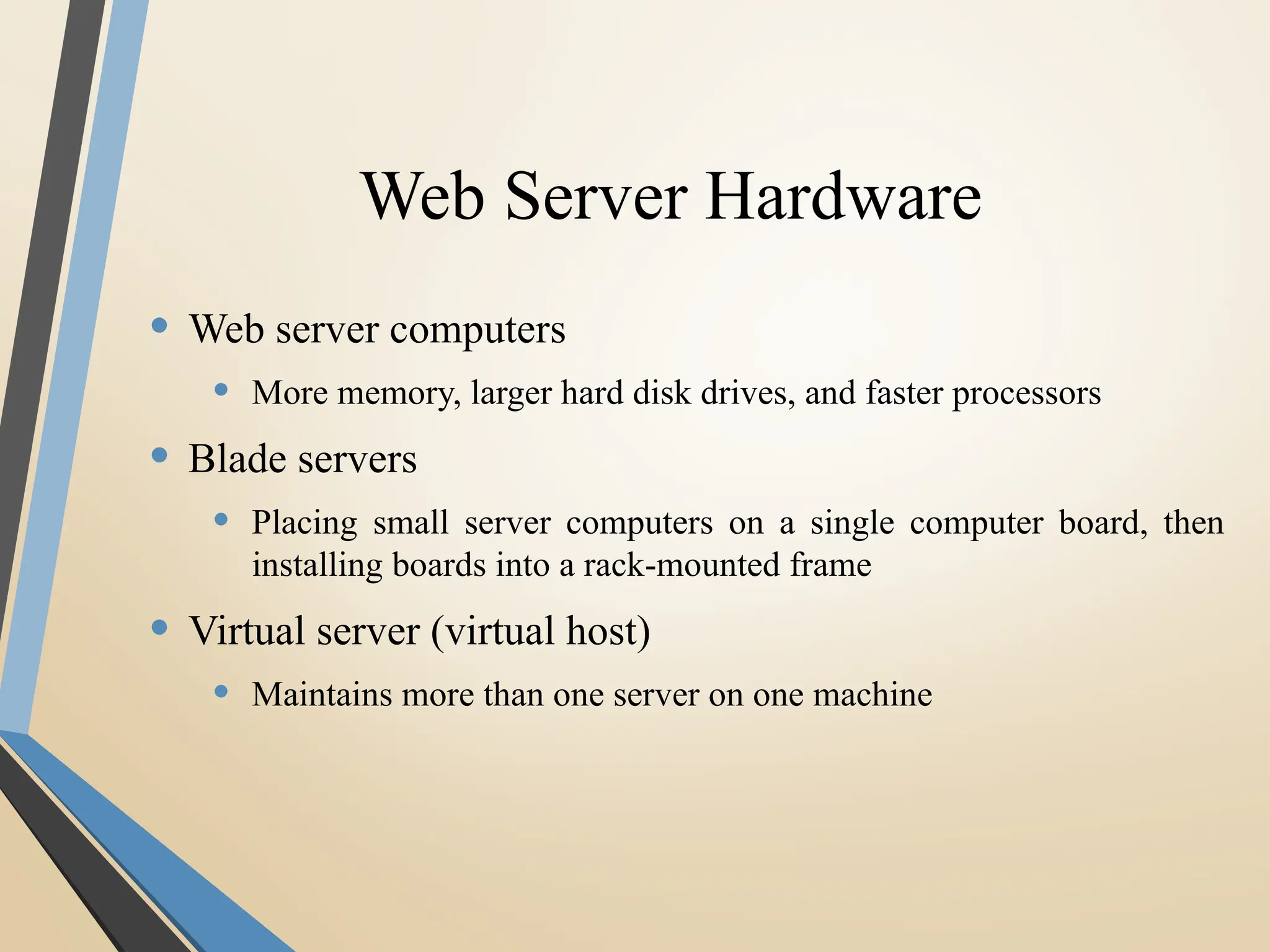
Web Server Hardware
• Web server computers
• More memory, larger hard disk drives, and faster processors
• Blade servers
• Placing small server computers on a single computer board, then
installing boards into a rack-mounted frame
• Virtual server (virtual host)
• Maintains more than one server on one machine
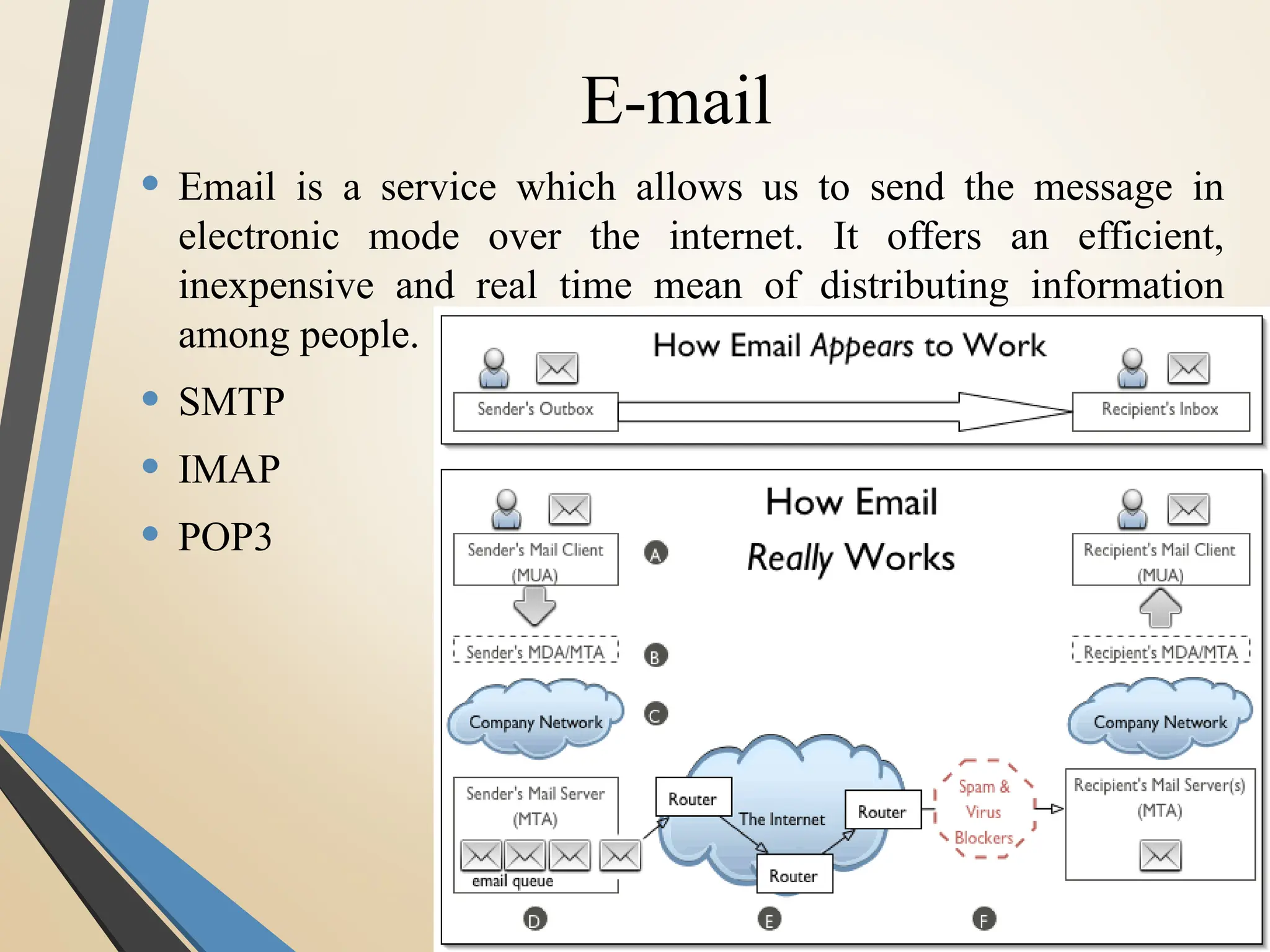
E-mail
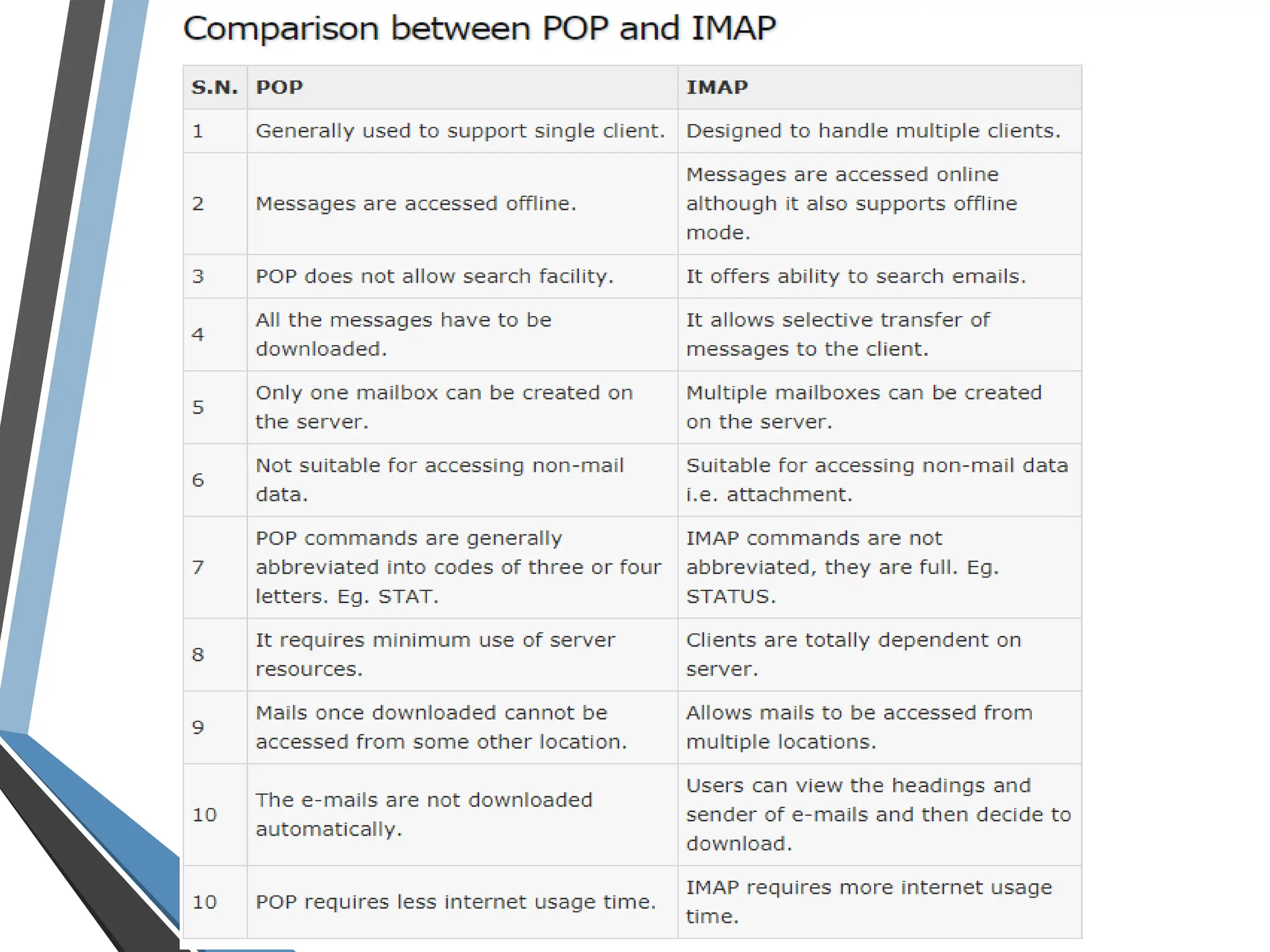
• Email is a service which allows us to send the message in
electronic mode over the internet. It offers an efficient,
inexpensive and real time mean of distributing information
among people.
• SMTP
• IMAP
• POP3
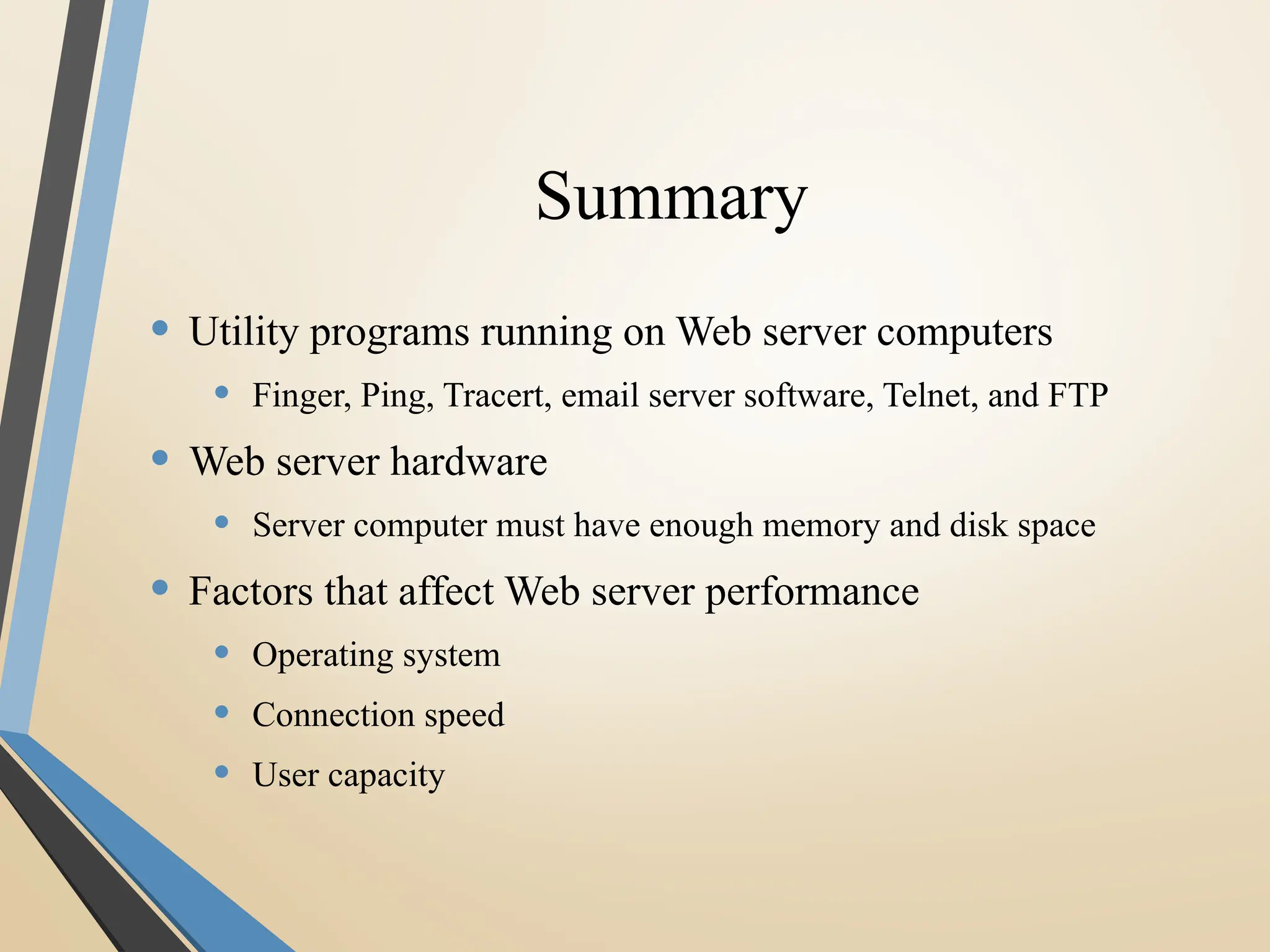
Summary
• Utility programs running on Web server computers
• Finger, Ping, Tracert, email server software, Telnet, and FTP
• Web server hardware
• Server computer must have enough memory and disk space
• Factors that affect Web server performance
• Operating system
• Connection speed
• User capacity
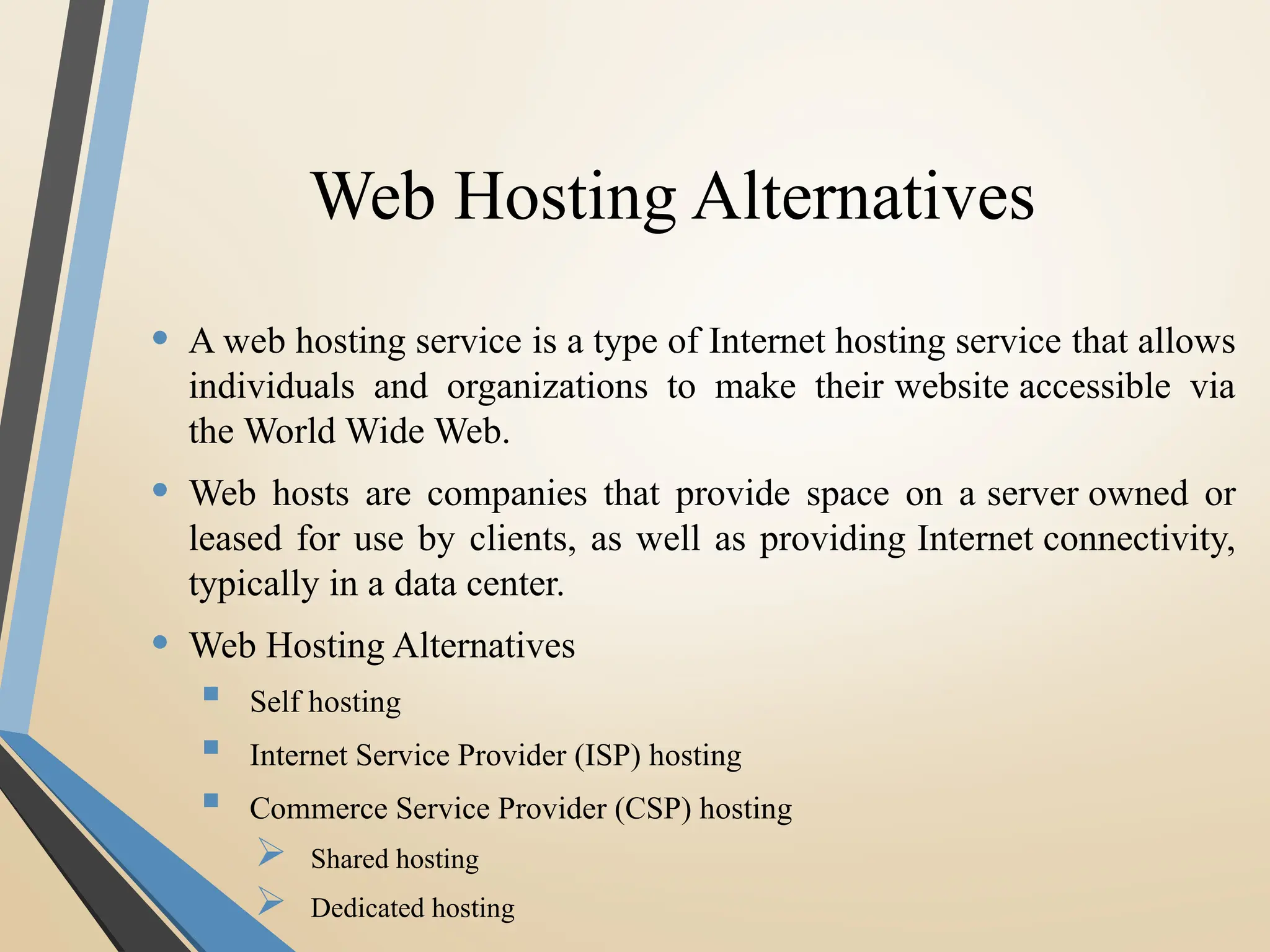
Web Hosting Alternatives
• A web hosting service is a type of Internet hosting service that allows
individuals and organizations to make their website accessible via
the World Wide Web.
• Web hosts are companies that provide space on a server owned or
leased for use by clients, as well as providing Internet connectivity,
typically in a data center.
• Web Hosting Alternatives
 Self hosting
 Internet Service Provider (ISP) hosting
 Commerce Service Provider (CSP) hosting
 Shared hosting
 Dedicated hosting
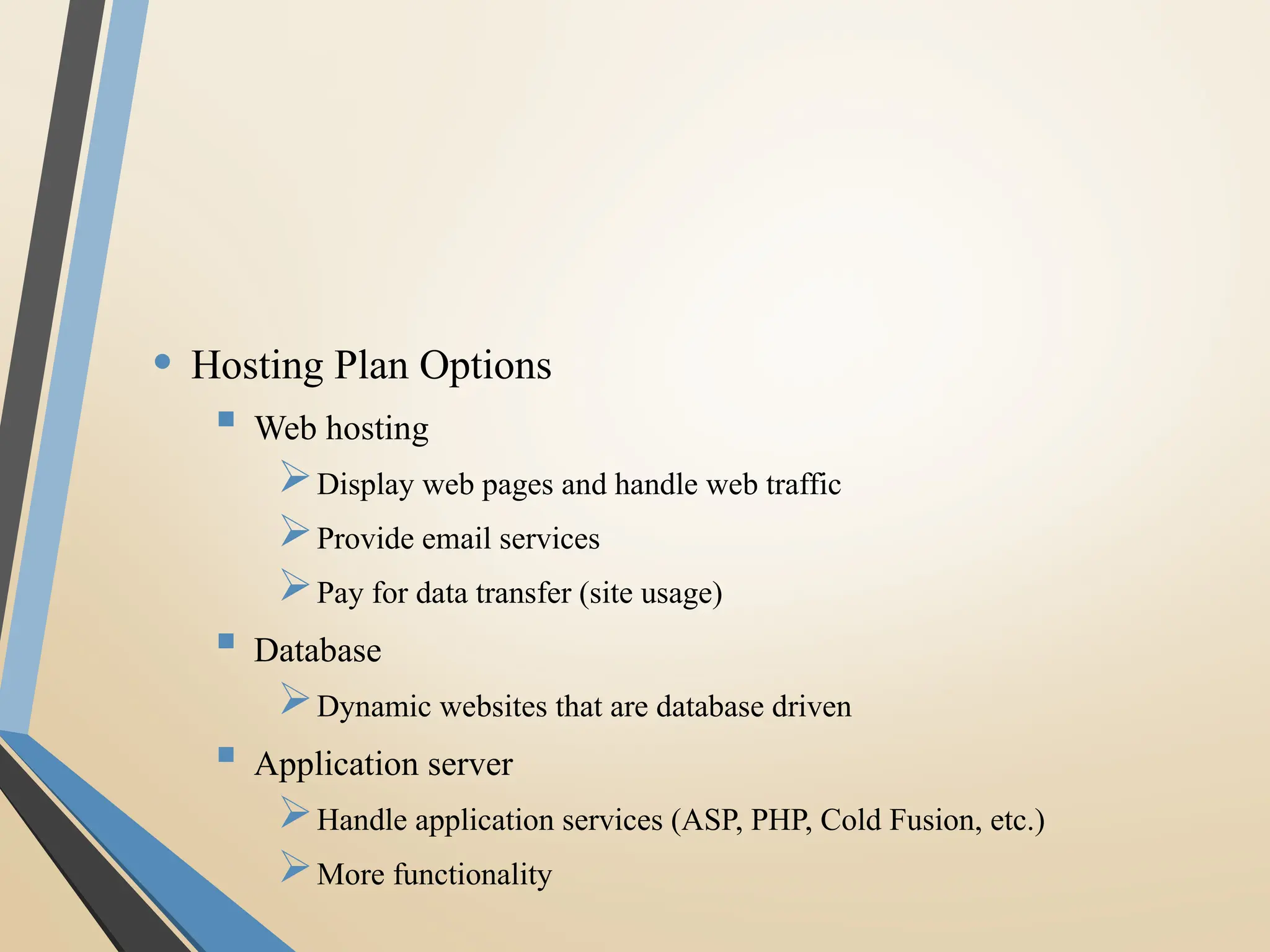
• Hosting Plan Options
 Web hosting
Display web pages and handle web traffic
Provide email services
Pay for data transfer (site usage)
 Database
Dynamic websites that are database driven
 Application server
Handle application services (ASP, PHP, Cold Fusion, etc.)
More functionality
Examples:
• Dream Host
• Bluehost
• Inmotion Hosting
• Ipage
• Go Daddy
• Big rock
• Just host
 Sitey
 Ipower
 Purehost
 webhost
Open Source Technologies
• Open-source software (OSS) is computer software with
its source code made available with a license in which
the copyright holder provides the rights to study, change,
and distribute the software to anyone and for any purpose.
• Open-source software may be developed in a collaborative
public manner.
Foss
• Free and open-source software (FOSS) is computer
software that can be classified as both free
software and open-source software.
• That is, anyone is freely licensed to use, copy, study, and
change the software in any way, and the source code is
openly shared so that people are encouraged to voluntarily
improve the design of the software.
Cloud Web Hosting
• Cloud Computing :- the practice of using a network of
remote servers hosted on the Internet to store, manage, and
process data, rather than a local server or a personal
computer.
• Basically, Cloud Web Hosting means that your website uses
the virtual resources of several servers to accommodate all
the aspects of hosting your site. The load is balanced,
security is taken care of and hardware resources are available
virtually so they can be used when needed. The cluster of
servers is the cloud.
The “Cloud” = 10X Improvements
• Ease of Use
• Scalability
• Risk
• Reliability
• Cost
Ease of Use
• Deploy infrastructure with a mouse or API
• No cabling, screwdrivers, racking, unboxing, buying
• Middle of the night
• Do it yourself remotely from anywhere anytime
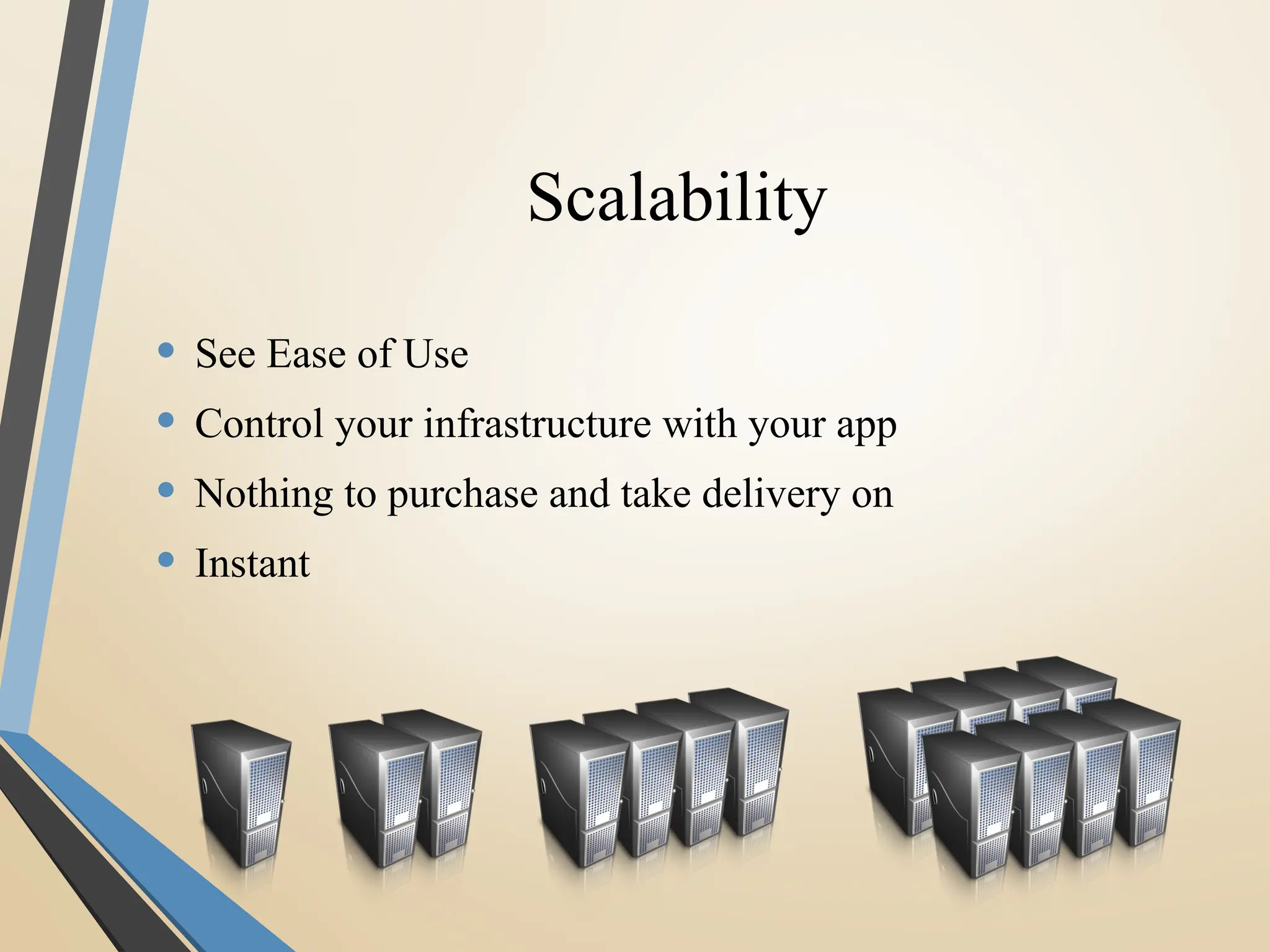
Scalability
• See Ease of Use
• Control your infrastructure with your app
• Nothing to purchase and take delivery on
• Instant
Risk
• Nothing to buy
• Cancel immediately
• Change instantly, even operating systems
• Throw it out
• Rebuild it instantly after testing
RISK
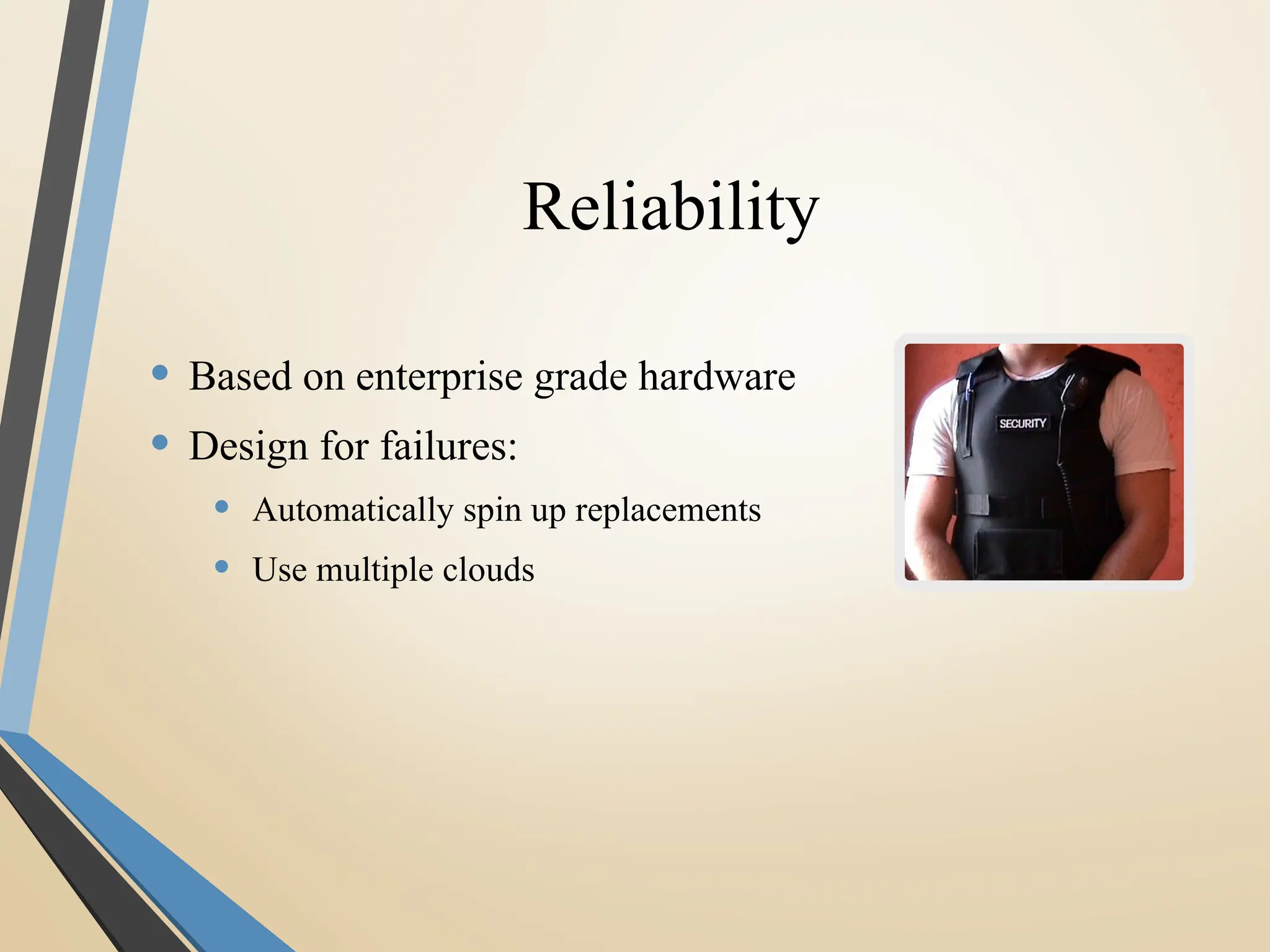
Reliability
• Based on enterprise grade hardware
• Design for failures:
• Automatically spin up replacements
• Use multiple clouds
Cost
• “Turn off the lights” = turn off servers you aren’t using
• Ex: Turn off development and test environments
• Pay for only what you use
• No need to buy in advance
• Zero Capital Outlay
• No contracts
Do You Know ????
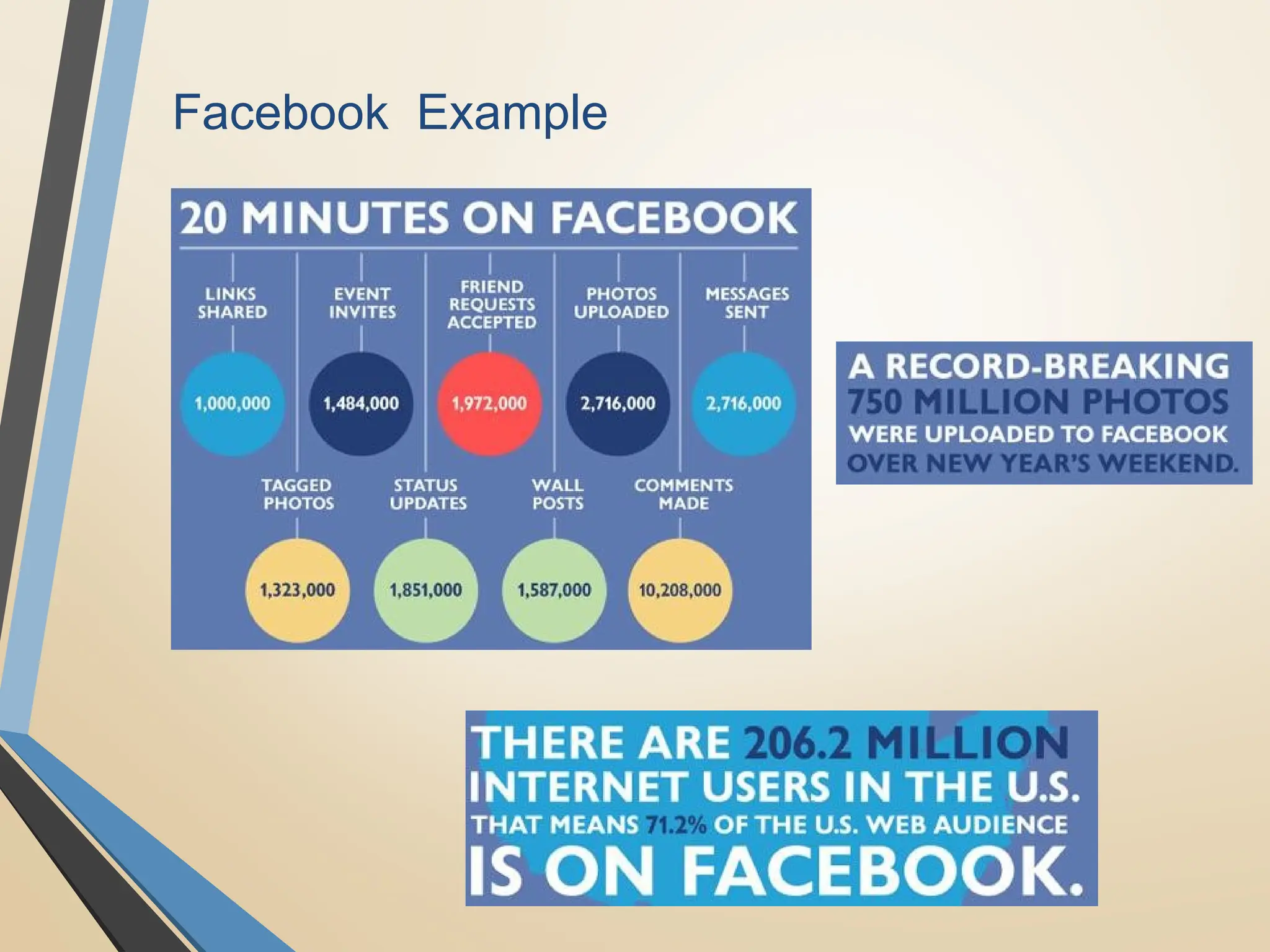
• YouTube users upload 48 hours of new video every minute of the day.
• 571 new websites are created every minute of the day.
• Brands and organizations on Facebook receive 34,722 Likes every minute of
the day.
• 100 terabytes of data uploaded daily to Facebook.
• According to Twitter’s own research in early 2012, it sees roughly 175 million
tweets every day, and has more than 465 million accounts.
• 30 Billion pieces of content shared on Facebook every month.
• Data production will be 44 times greater in 2020 than it was in 2009.
• In late 2011, IDC Digital Universe published a report indicating that some 1.8
zettabytes of data will be created that year.
Data volume is growing
exponentially
• Estimated Global Data Volume:
 2011: 1.8 ZB
 2015: 7.9 ZB ( tera ,peta ,exa ,zetta 10^21)
• The world's information doubles every two years
• Over the next 10 years:
 The number of servers worldwide will grow by 10x
 Amount of information managed by enterprise data centers will grow by 50x
 Number of “files” enterprise data center handle will grow by 75x
• Source: http://www.emc.com/leadership/programs/digital-universe.htm,
which was based on the 2011 IDC Digital Universe Study

Facebook Example
Thank
You…

Advance Wbr j

  • 1.
    Web Server, Access AndSecurity, Web Protocol (HTTP/1.1) PRACHI SHAH Assistant professor IT Department BVM Engineering College
  • 2.
    Outline • WWW • HowInternet Works? • Intenet2 and Semantic Web • Web Server basics • Software for Web Servers • E-mail • Web Site Utility Programs • Web Hosting Alternatives • Open Source Technologies • Foss • Cloud Web Hosting
  • 3.
    WWW Background • 1989-1990– Tim Berners-Lee invents the World Wide Web at CERN • Means for transferring text and graphics simultaneously • Client/Server data transfer protocol • Communication via application level protocol • System ran on top of standard networking infrastructure • Text mark up language • Not invented by Bernes-Lee • Simple and easy to use • Requires a client application to render text/graphics
  • 4.
    WWW Components • StructuralComponents • Clients/browsers – to dominant implementations • Servers – run on sophisticated hardware • Caches – many interesting implementations • Internet – the global infrastructure which facilitates data transfer • Semantic Components • Hyper Text Transfer Protocol (HTTP) • Hyper Text Markup Language (HTML) • eXtensible Markup Language (XML) • Uniform Resource Identifiers (URIs)
  • 8.
    HTTP Basics • Protocolfor client/server communication • The heart of the Web • Very simple request/response protocol • Client sends request message, server replies with response message • Stateless • Relies on URI naming mechanism
  • 9.
    HTTP Request Messages •GET – retrieve document specified by URL • PUT – store specified document under given URL • HEAD – retrieve info. about document specified by URL • OPTIONS – retrieve information about available options • POST – give information (eg. annotation) to the server • DELETE – remove document specified by URL • TRACE – loopback request message • CONNECT – for use by caches
  • 10.
    GET POST BACK button/ReloadHarmless Data will be re-submitted (the browser should alert the user that the data are about to be re-submitted) Bookmarked Can be bookmarked Cannot be bookmarked Cached Can be cached Not cached Encoding type application/x-www-form-urlencoded application/x-www-form-urlencoded or multipart/form-data. Use multipart encoding for binary data History Parameters remain in browser history Parameters are not saved in browser history Restrictions on data length Yes, when sending data, the GET method adds the data to the URL; and the length of a URL is limited (maximum URL length is 2048 characters) No restrictions Security GET is less secure compared to POST because data sent is part of the URL Never use GET when sending passwords or other sensitive information! POST is a little safer than GET because the parameters are not stored in browser history or in web server logs Visibility Data is visible to everyone in the URL Data is not displayed in the URL
  • 11.
    GET and POST •GET requests can be cached • GET requests remain in the browser history • GET requests can be bookmarked • GET requests should never be used when dealing with sensitive data • GET requests have length restrictions • GET requests should be used only to retrieve data. • Get request is not secured because data is exposed in URL bar. • Example : GET /Register.php ? name1=value1&name2=value2 • POST requests are never cached • POST requests do not remain in the browser history • POST requests cannot be bookmarked • POST requests have no restrictions on data length • Post request is secured because data is not exposed in URL bar. • Example : POST/RegisterDao.jsp HTTP/1.1 Host: www. javatpoint.com name1=value1&name2=value2
  • 12.
    Web Server basics •Web server is a computer where the web content is stored. Basically web server is used to host the web sites but there exists other web servers also such as gaming, storage, FTP, email etc. • Web site is collection of web pages while web server is a software that respond to the request for web resources. • Web server respond to the client request in either of the following two ways: • Sending the file to the client associated with the requested URL. • Generating response by invoking a script and communicating with database
  • 13.
    Web Server basics(contd.) • When client sends request for a web page, the web server search for the requested page if requested page is found then it will send it to client with an HTTP response. • If the requested web page is not found, web server will the send an HTTP response: Error 404 Not found. • If client has requested for some other resources then the web server will contact to the application server and data store to construct the HTTP response. • Different Scripting languages can be used to make sites that display content dynamically.
  • 14.
    Web scripting languages •The following languages are often used to develop web applications: Java Perl PHP Python Ruby Javascript
  • 17.
    Web Server Hardware •Web server computers • More memory, larger hard disk drives, and faster processors • Blade servers • Placing small server computers on a single computer board, then installing boards into a rack-mounted frame • Virtual server (virtual host) • Maintains more than one server on one machine
  • 18.
    E-mail • Email isa service which allows us to send the message in electronic mode over the internet. It offers an efficient, inexpensive and real time mean of distributing information among people. • SMTP • IMAP • POP3
  • 20.
    Summary • Utility programsrunning on Web server computers • Finger, Ping, Tracert, email server software, Telnet, and FTP • Web server hardware • Server computer must have enough memory and disk space • Factors that affect Web server performance • Operating system • Connection speed • User capacity
  • 21.
    Web Hosting Alternatives •A web hosting service is a type of Internet hosting service that allows individuals and organizations to make their website accessible via the World Wide Web. • Web hosts are companies that provide space on a server owned or leased for use by clients, as well as providing Internet connectivity, typically in a data center. • Web Hosting Alternatives  Self hosting  Internet Service Provider (ISP) hosting  Commerce Service Provider (CSP) hosting  Shared hosting  Dedicated hosting
  • 22.
    • Hosting PlanOptions  Web hosting Display web pages and handle web traffic Provide email services Pay for data transfer (site usage)  Database Dynamic websites that are database driven  Application server Handle application services (ASP, PHP, Cold Fusion, etc.) More functionality
  • 23.
    Examples: • Dream Host •Bluehost • Inmotion Hosting • Ipage • Go Daddy • Big rock • Just host  Sitey  Ipower  Purehost  webhost
  • 24.
    Open Source Technologies •Open-source software (OSS) is computer software with its source code made available with a license in which the copyright holder provides the rights to study, change, and distribute the software to anyone and for any purpose. • Open-source software may be developed in a collaborative public manner.
  • 25.
    Foss • Free andopen-source software (FOSS) is computer software that can be classified as both free software and open-source software. • That is, anyone is freely licensed to use, copy, study, and change the software in any way, and the source code is openly shared so that people are encouraged to voluntarily improve the design of the software.
  • 26.
    Cloud Web Hosting •Cloud Computing :- the practice of using a network of remote servers hosted on the Internet to store, manage, and process data, rather than a local server or a personal computer. • Basically, Cloud Web Hosting means that your website uses the virtual resources of several servers to accommodate all the aspects of hosting your site. The load is balanced, security is taken care of and hardware resources are available virtually so they can be used when needed. The cluster of servers is the cloud.
  • 27.
    The “Cloud” =10X Improvements • Ease of Use • Scalability • Risk • Reliability • Cost
  • 28.
    Ease of Use •Deploy infrastructure with a mouse or API • No cabling, screwdrivers, racking, unboxing, buying • Middle of the night • Do it yourself remotely from anywhere anytime
  • 29.
    Scalability • See Easeof Use • Control your infrastructure with your app • Nothing to purchase and take delivery on • Instant
  • 30.
    Risk • Nothing tobuy • Cancel immediately • Change instantly, even operating systems • Throw it out • Rebuild it instantly after testing RISK
  • 31.
    Reliability • Based onenterprise grade hardware • Design for failures: • Automatically spin up replacements • Use multiple clouds
  • 32.
    Cost • “Turn offthe lights” = turn off servers you aren’t using • Ex: Turn off development and test environments • Pay for only what you use • No need to buy in advance • Zero Capital Outlay • No contracts
  • 33.
    Do You Know???? • YouTube users upload 48 hours of new video every minute of the day. • 571 new websites are created every minute of the day. • Brands and organizations on Facebook receive 34,722 Likes every minute of the day. • 100 terabytes of data uploaded daily to Facebook. • According to Twitter’s own research in early 2012, it sees roughly 175 million tweets every day, and has more than 465 million accounts. • 30 Billion pieces of content shared on Facebook every month. • Data production will be 44 times greater in 2020 than it was in 2009. • In late 2011, IDC Digital Universe published a report indicating that some 1.8 zettabytes of data will be created that year.
  • 34.
    Data volume isgrowing exponentially • Estimated Global Data Volume:  2011: 1.8 ZB  2015: 7.9 ZB ( tera ,peta ,exa ,zetta 10^21) • The world's information doubles every two years • Over the next 10 years:  The number of servers worldwide will grow by 10x  Amount of information managed by enterprise data centers will grow by 50x  Number of “files” enterprise data center handle will grow by 75x • Source: http://www.emc.com/leadership/programs/digital-universe.htm, which was based on the 2011 IDC Digital Universe Study
  • 35.
  • 37.