3 Steps to
Maintain &
Cleanse your
WordPress site
o Just like your room and wardrobe, even
your website needs cleaning and brushing
up every now and then.
o The idea is that once you have create
something, you have to prepare to
maintain it as well.
o I know that WordPress offers the most
user friendly websites but the need to
recreate a website that helps in making a
more elaborate effort to understand the
most definite set of instructions.
o But before we start! Backup your
website! Do not proceed with
cleaning without creating a backup
o I repeat ‘Create Back-up before you
initiate cleaning process!
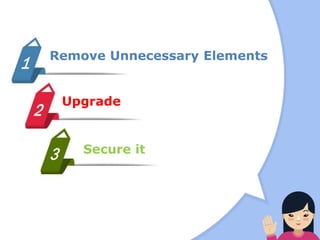
Remove Unnecessary Elements
Upgrade
Secure it
Remove Unnecessary
Elements
o When you have a website since a
long time, there are possibilities
that much spam is accumulated.
o Also, you may find unwanted post
revision or unused metadata, 404
errors etc.
Remove Unnecessary
Elements
o They take up the space of your
server and bloat querying times.
o This kind of spam chunk can
affect your SEO ratings. You can
remove all these elements by
following the given steps.
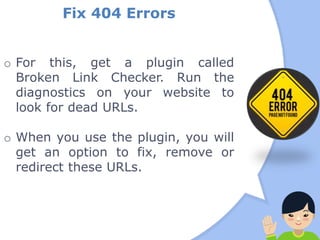
Fix 404 Errors
o For this, get a plugin called
Broken Link Checker. Run the
diagnostics on your website to
look for dead URLs.
o When you use the plugin, you will
get an option to fix, remove or
redirect these URLs.
Fix 404 Errors
o Select the suited option and lead
them somewhere or simply
remove it. This will optimize your
website and also lead to better
user experience.
Cleaning up Database
o Integrate WordPress DBManager.
This will help you in cleaning and
do the necessary repairs to your
wordpress website.
o Many wordpress developers
generally use this to optimize the
databse. Then, backup your
database and set a schedule
according to your maintenance
plan.
Delete Spam
o Use a plugin like Akismet or WP
SpamShield Antispam that will
help you clean the spam of your
wordpress site. You can delete the
currently spammed comments
from your database by running
jquery through phpMyAdmin:
DELETE FROM wp_comments WHERE comment_approved = ‘spam’
Upgrade
o As WordPress has a large
community of WordPress
developers, the core of WordPress
always receives a lot of updates,
error patches and fixes. Once you
are set out to repair your website,
it is important that you
incorporate updating as a part of
it.
Upgrade
o When you stay updates, you have
better security and also new
features that make the
performance of your website
better. Here, it is not just
important to update your core but
also the plugins that you may
have integrated or the theme that
you may have used while
developing the website.
Upgrade
o When Ask WordPress
Development Specialist in order
to gain further understanding.
Technology Core
o Upgrade to the latest version of
WordPress technology. Ask
WordPress Development Expert to
help you migrate to WordPress
4.5 the current version for better
security and latest features.
o Visit the official website
www.wordpress.org for major
updates.
Website Themes
o It is high possibility that the
theme you selected long ago has
a new version and you have not
upgraded to it.
o In this case, you may be losing on
much like aspects of look and feel
and the perks of the newly
introduced version by the author
your WordPress theme.
Website Themes
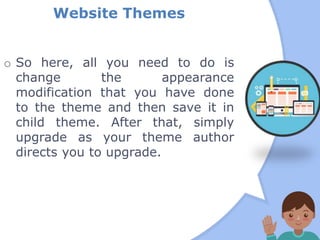
o So here, all you need to do is
change the appearance
modification that you have done
to the theme and then save it in
child theme. After that, simply
upgrade as your theme author
directs you to upgrade.
Website Plugins
o This is something very important.
Today, due to the requirements of
a website, the use of plugins has
largely increased. So even
upgrading these plugins can be
major task.
o Use tools to know about the new
and latest upgrades of the plugins
that you are using. So you keep
updating them time and again.
Website Plugins
o When you are cleaning, make sure
you start with uninstalling all
those plugins or widgets that you
are no longer using.
o Then update the ones that you are
using one by one. Do not update
all your plugins at once.
Website Plugins
o I suggest Outsourcing
WordPress development for
such cleaning or maintenance
processes so you do not
encounter any problems.
Secure it
o When you are following this
process, the part of the plan must
also include tightening security.
o As it may be the case where you
have a wordpress website
which has been there for long and
no measure are taken seriously on
the security level.
o Here is what you can do.
Secure it
o Obviously you run security scans
through trusted security plugins.
o But once you are done with all of
that, remove and clean all the
malicious activities in the scan
results and make sure you block
the IP address of its origin.
Secure it
o You can change the settings of the
wp-config.php or function.php for
enhancing security. You can also
use tools or extra layers of
protection to tighten the security
of your website. Make sure you
choose tough passwords.
Original Posted :
http://goo.gl/4a9dsD
Interested To Know
More About?
Wordpress
Web
Developers
Wordpress
Website
Development
Outsourcing
Website
Development

3 Steps to Maintain & Cleanse your WordPress site

  • 1.
    3 Steps to Maintain& Cleanse your WordPress site
  • 2.
    o Just likeyour room and wardrobe, even your website needs cleaning and brushing up every now and then. o The idea is that once you have create something, you have to prepare to maintain it as well. o I know that WordPress offers the most user friendly websites but the need to recreate a website that helps in making a more elaborate effort to understand the most definite set of instructions.
  • 3.
    o But beforewe start! Backup your website! Do not proceed with cleaning without creating a backup o I repeat ‘Create Back-up before you initiate cleaning process!
  • 4.
  • 5.
    Remove Unnecessary Elements o Whenyou have a website since a long time, there are possibilities that much spam is accumulated. o Also, you may find unwanted post revision or unused metadata, 404 errors etc.
  • 6.
    Remove Unnecessary Elements o Theytake up the space of your server and bloat querying times. o This kind of spam chunk can affect your SEO ratings. You can remove all these elements by following the given steps.
  • 7.
    Fix 404 Errors oFor this, get a plugin called Broken Link Checker. Run the diagnostics on your website to look for dead URLs. o When you use the plugin, you will get an option to fix, remove or redirect these URLs.
  • 8.
    Fix 404 Errors oSelect the suited option and lead them somewhere or simply remove it. This will optimize your website and also lead to better user experience.
  • 9.
    Cleaning up Database oIntegrate WordPress DBManager. This will help you in cleaning and do the necessary repairs to your wordpress website. o Many wordpress developers generally use this to optimize the databse. Then, backup your database and set a schedule according to your maintenance plan.
  • 10.
    Delete Spam o Usea plugin like Akismet or WP SpamShield Antispam that will help you clean the spam of your wordpress site. You can delete the currently spammed comments from your database by running jquery through phpMyAdmin: DELETE FROM wp_comments WHERE comment_approved = ‘spam’
  • 11.
    Upgrade o As WordPresshas a large community of WordPress developers, the core of WordPress always receives a lot of updates, error patches and fixes. Once you are set out to repair your website, it is important that you incorporate updating as a part of it.
  • 12.
    Upgrade o When youstay updates, you have better security and also new features that make the performance of your website better. Here, it is not just important to update your core but also the plugins that you may have integrated or the theme that you may have used while developing the website.
  • 13.
    Upgrade o When AskWordPress Development Specialist in order to gain further understanding.
  • 14.
    Technology Core o Upgradeto the latest version of WordPress technology. Ask WordPress Development Expert to help you migrate to WordPress 4.5 the current version for better security and latest features. o Visit the official website www.wordpress.org for major updates.
  • 15.
    Website Themes o Itis high possibility that the theme you selected long ago has a new version and you have not upgraded to it. o In this case, you may be losing on much like aspects of look and feel and the perks of the newly introduced version by the author your WordPress theme.
  • 16.
    Website Themes o Sohere, all you need to do is change the appearance modification that you have done to the theme and then save it in child theme. After that, simply upgrade as your theme author directs you to upgrade.
  • 17.
    Website Plugins o Thisis something very important. Today, due to the requirements of a website, the use of plugins has largely increased. So even upgrading these plugins can be major task. o Use tools to know about the new and latest upgrades of the plugins that you are using. So you keep updating them time and again.
  • 18.
    Website Plugins o Whenyou are cleaning, make sure you start with uninstalling all those plugins or widgets that you are no longer using. o Then update the ones that you are using one by one. Do not update all your plugins at once.
  • 19.
    Website Plugins o Isuggest Outsourcing WordPress development for such cleaning or maintenance processes so you do not encounter any problems.
  • 20.
    Secure it o Whenyou are following this process, the part of the plan must also include tightening security. o As it may be the case where you have a wordpress website which has been there for long and no measure are taken seriously on the security level. o Here is what you can do.
  • 21.
    Secure it o Obviouslyyou run security scans through trusted security plugins. o But once you are done with all of that, remove and clean all the malicious activities in the scan results and make sure you block the IP address of its origin.
  • 22.
    Secure it o Youcan change the settings of the wp-config.php or function.php for enhancing security. You can also use tools or extra layers of protection to tighten the security of your website. Make sure you choose tough passwords. Original Posted : http://goo.gl/4a9dsD
  • 23.
    Interested To Know MoreAbout? Wordpress Web Developers Wordpress Website Development Outsourcing Website Development