Core	
  Anima+on	
  

  Jussi	
  Pohjolainen	
  
UIVIEW	
  ANIMATION	
  
UIView	
  Anima+ons	
  
•  Several	
  view	
  proper+es	
  can	
  be	
  animated	
  
       –  Anima+on:	
  change	
  property	
  over	
  +me	
  
•  UIView	
  does	
  most	
  of	
  the	
  job	
  
•  Two	
  ways	
  
       –  Block-­‐based	
  anima:ons	
  (recommended)	
  
       –  Begin/commit	
  anima+ons	


Animatable	
  Proper+es	
  
•    frame	
  
•    bounds	
  
•    center	
  
•    transform	
  
     –  Rota+on,	
  Scale,	
  Move..	
  
•  alpha	
  
•  backgroundColor	
  
•  contentStretch	
  
UIView	
  Block	
  Methods	
  for	
  Anima+on	
  
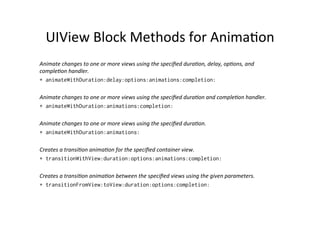
Animate	
  changes	
  to	
  one	
  or	
  more	
  views	
  using	
  the	
  specified	
  dura5on,	
  delay,	
  op5ons,	
  and	
  
comple5on	
  handler.
+ animateWithDuration:delay:options:animations:completion:

Animate	
  changes	
  to	
  one	
  or	
  more	
  views	
  using	
  the	
  specified	
  dura5on	
  and	
  comple5on	
  handler.	
  
+ animateWithDuration:animations:completion:

Animate	
  changes	
  to	
  one	
  or	
  more	
  views	
  using	
  the	
  specified	
  dura5on.
+ animateWithDuration:animations:

Creates	
  a	
  transi5on	
  anima5on	
  for	
  the	
  specified	
  container	
  view.
+ transitionWithView:duration:options:animations:completion:

Creates	
  a	
  transi5on	
  anima5on	
  between	
  the	
  specified	
  views	
  using	
  the	
  given	
  parameters.
+ transitionFromView:toView:duration:options:completion:
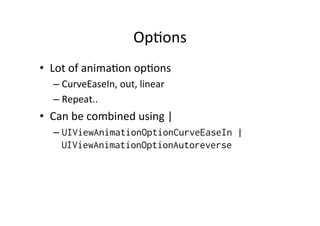
Op+ons	
  
•  Lot	
  of	
  anima+on	
  op+ons	
  
    –  CurveEaseIn,	
  out,	
  linear	
  
    –  Repeat..	
  
•  Can	
  be	
  combined	
  using	
  |	
  
    –  UIViewAnimationOptionCurveEaseIn |
       UIViewAnimationOptionAutoreverse
Anima+on	
  with	
  Blocks	
  
- (void)viewDidAppear:(BOOL)animated
{
    [super viewDidAppear:animated];

    [UIView animateWithDuration:5.0

            animations:^{
                [animatingView setAlpha:0];
                [animatingView setCenter:CGPointMake(animatingView.center.x+50.0,
                                                     animatingView.center.y+50.0)];
                }

            completion:^(BOOL finished) {
                [animatingView removeFromSuperview];
            }

    ];
}
CORE	
  ANIMATION	
  
Core	
  Anima+on	
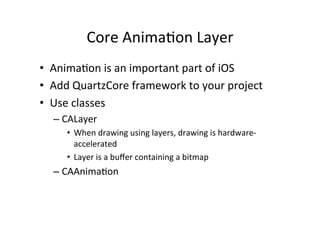
  Layer	
  	
  
•  Anima+on	
  is	
  an	
  important	
  part	
  of	
  iOS	
  	
  
•  Add	
  QuartzCore	
  framework	
  to	
  your	
  project	
  
•  Use	
  classes	
  	
  
       –  CALayer	
  
           •  When	
  drawing	
  using	
  layers,	
  drawing	
  is	
  hardware-­‐
              accelerated	
  
           •  Layer	
  is	
  a	
  buffer	
  containing	
  a	
  bitmap	
  
       –  CAAnima+on	


Implicit	
  Layer	
  
•  Every	
  UIView	
  has	
  an	
  CALayer	
  
    –  When	
  UIView	
  draws	
  itself,	
  the	
  view	
  image	
  is	
  in	
  
       CALayer	
  
•  View	
  creates	
  a	
  layer:	
  implicit	
  layer	
  
    –  Matching	
  view	
  hierarchy	
  and	
  layer	
  hierarchy	
  
Explicit	
  Layer	
  
•  To	
  create	
  a	
  explicit	
  layer,	
  just	
  create	
  instance	
  
   of	
  CALayer	
  
•  Layer	
  has	
  bounds	
  and	
  posi+on	
  
•  Posi+on	
  is	
  by	
  default	
  the	
  center	
  of	
  the	
  layer.	
  
   Uses	
  coordinates	
  of	
  the	
  superlayer’s	
  
   coordinate	
  system	
  
Explicit	
  Layer	
  
CALayer* layer = [[CALayer alloc] init];

// Setting bounds to layer
CGRect bounds = CGRectMake(0.0, 0.0, 100.0, 100.0);
[layer setBounds:bounds];

// Setting *center* position to layer (uses superlayer's coordinate system)
CGPoint position = CGPointMake(50.0, 150.0);
[layer setPosition:position];

// Setting color to layer
UIColor* red = [UIColor colorWithRed:1.0 green:0.0 blue:0.0 alpha:0.5];
// Cast from UIKit to Core Graphics
CGColorRef redRef = [red CGColor];
[layer setBackgroundColor:redRef];

[[[self view] layer] addSublayer: layer];
UIColor,	
  CGColorRef	
  
               UIImage,	
  CGImageRef?	
  
•  QuartzCore	
  frame	
  and	
  Core	
  Graphics	
  
   framework	
  eist	
  on	
  both	
  iOS	
  and	
  Mac	
  OS	
  X	
  
•  UIKit	
  exists	
  only	
  on	
  iOS	
  
    –  UIImage,	
  UIColor	
  …	
  
•  Due	
  to	
  portability	
  QuartzCore	
  uses	
  classes	
  like	
  
    –  CGImageRef,	
  CGColorRef	
  
•  UIKit	
  provides	
  methods	
  to	
  access	
  Core	
  
   Craphics	
  counterparts	
  
Using	
  Image	
  
// Create a UIImage
UIImage* layerImage = [UIImage imageNamed:@"dude.png"];

// Get underlying CGImage
CGImageRef image = [layerImage CGImage];

// CGImageRef => typecast struct CGImage*
// To cast from C-pointer to Objective-C id, we use
// __bridge
[layer setContents: (__bridge id)(image)];

// Fill the layer and maintain the aspect ratio
[layer setContentsGravity:kCAGravityResizeAspect];

[[[self view] layer] addSublayer: layer];
ZPosi+on	
  
•  Layers	
  exist	
  in	
  hierarchy	
  
    –  Can	
  have	
  sublayers	
  
    –  Each	
  layer	
  has	
  pointer	
  back	
  to	
  its	
  parent:	
  
       superlayer	
  
•  Layer	
  draws	
  on	
  top	
  of	
  its	
  superlayer	
  
•  What	
  about	
  siblings	
  and	
  overlapping?	
  
    –  Layer	
  has	
  property	
  zPosi+on	
  
    –  If	
  siblings	
  overlap,	
  layer	
  with	
  higher	
  zPosi+on	
  is	
  
       composed	
  on	
  top.	
  
Example	
  
// Layer 2 will be on top of layer1
[layer1 setZPosition:0.0];
[layer2 setZPosition:1.0];

// Set background color to layer2
UIColor* red = [UIColor colorWithRed:1.0 green:0.0 blue:0.0
alpha:0.5];
CGColorRef redRef = [red CGColor];
[layer2 setBackgroundColor:redRef];

// add layers as siblings
[[[self view] layer] addSublayer: layer1];
[[[self view] layer] addSublayer: layer2];
Implicitly	
  Animatable	
  Proper+es	
  
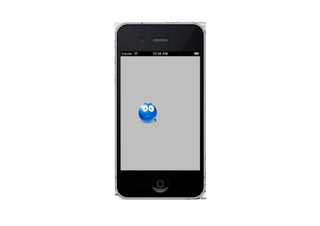
•  Several	
  CALayer	
  proper+es	
  are	
  implicitly	
  
   animatable	
  
   –  When	
  a	
  se?er	
  is	
  called,	
  proper5es	
  are	
  animated!	
  
   –  Calling	
  setPosi+on	
  will	
  animate	
  layer	
  from	
  a	
  to	
  b	
  
•  The	
  animatable	
  property	
  changes	
  to	
  its	
  
     des+na+on	
  value	
  over	
  constant	
  +me	
  interval	
  
•  Changing	
  property	
  while	
  being	
  animated	
  
     starts	
  another	
  anima+on:	
  anima+on	
  seems	
  
     slow	


Disable	
  implicit	
  anima+on	
  
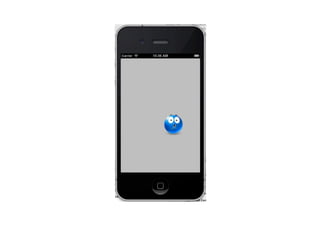
•  To	
  disable	
  implicit	
  anima+on,	
  use	
  anima+on	
  
   transac+on	
  
•  Batch	
  anima+ons	
  and	
  set	
  there	
  parameters,	
  
   like	
  dura+on	
  and	
  anima+on	
  curve	
  
•  Set	
  begin	
  and	
  commit	
  to	
  CATransac+on	
  
CAANIMATION	
  
About	
  Anima+on	
  
•  Anima+on	
  object	
  changes	
  over	
  :me	
  
•  Instruc+on	
  set	
  that	
  can	
  be	
  added	
  to	
  a	
  CALayer	
  
   instance	
  
•  When	
  instruc+ons	
  are	
  added	
  to	
  layer,	
  layer	
  
   begins	
  following	
  the	
  instruc+ons	
  of	
  the	
  
   anima+on.	
  
•  Many	
  proper+es	
  can	
  be	
  animated:	
  opacity,	
  
   posi+on,	
  transform,	
  bounds	
  …	
  
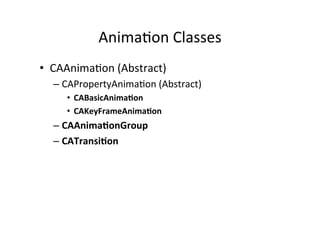
Anima+on	
  Classes	
  
•  CAAnima+on	
  (Abstract)	
  
   –  CAPropertyAnima+on	
  (Abstract)	
  
      •  CABasicAnima:on	
  
      •  CAKeyFrameAnima:on	
  
   –  CAAnima:onGroup	
  
   –  CATransi:on	
  
CABasicAnima+on	
  
•  CABasicAnima+on	
  has	
  two	
  values	
  
   –  fromValue
   –  toValue
   –  (and	
  the	
  dura+on	
  from	
  CAAnimation)	
  
•  Decide	
  the	
  property,	
  then	
  set	
  values	
  
   fromValue	
  to	
  toValue	
  and	
  set	
  dura+on	
  also	
  
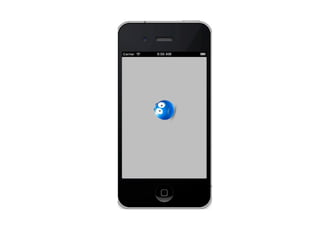
Spinning	
  Layer	
  Example	
  
// Create CABasicAnimation and inform about the property
// we are going to influence
CABasicAnimation *spin = [CABasicAnimation
animationWithKeyPath:@"transform.rotation"];

// Changes rotation (uses radians)
[spin setToValue:[NSNumber numberWithFloat:M_PI*2.0]];

// Set duration to one second
[spin setDuration:1.0];

// Repeat forever
[spin setRepeatCount:HUGE_VALF];

// Add the animation to layer
[_layer1 addAnimation:spin forKey:@"spinAnimation"];
CAKeyframeAnima+on	
  
•  The	
  basic	
  anima+on	
  animates	
  from	
  one	
  value	
  
   to	
  second.	
  	
  
•  CAKeyFrameAnima+on	
  accepts	
  many	
  values,	
  
   an	
  NSArray	
  of	
  values.	
  
•  The	
  NSArray	
  is	
  set	
  as	
  the	
  values	
  property	
  of	
  a	
  
   CAKeyframeAnima+on	
  
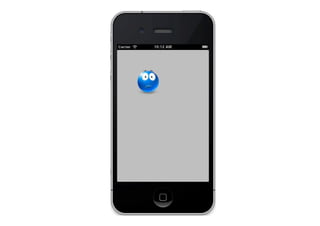
Move	
  Layer	
  Example	
  
CAKeyframeAnimation *moveAnim = [CAKeyframeAnimation
    animationWithKeyPath:@"position"];

NSMutableArray* locations = [NSMutableArray array];

// C API (CGPoint is struct)
CGPoint loc = CGPointMake(0.0, 0.0);

// Cast to Objective-C object
NSValue* value = [NSValue valueWithCGPoint:loc];

[locations addObject: value];
[locations addObject: [NSValue valueWithCGPoint:CGPointMake(150,150)]];
[locations addObject: [NSValue valueWithCGPoint:CGPointMake(100,350)]];

[moveAnim setValues: locations];
[moveAnim setDuration:5.0];
[moveAnim setRepeatCount:HUGE_VALF];
CAAnima+onGroup	
  
•  CAAnima+onGroup	
  holds	
  group	
  of	
  
   CAAnima+ons	
  
•  Several	
  anima+ons	
  done	
  concurrently	
  
•  Add	
  NSArray	
  of	
  anima+ons	
  to	
  
   CAAnima+onGroup	
  and	
  set	
  this	
  to	
  layer	
  
CAAnima+onGroup	
  
CAKeyframeAnimation *move =
  [CAKeyframeAnimation animationWithKeyPath:@"position"];

 ...

 CABasicAnimation *spin =
   [CABasicAnimation animationWithKeyPath:@"transform.rotation"];
 [spin setToValue:[NSNumber numberWithFloat:M_PI*2.0]];
 [spin setDuration:1.0];
 [spin setRepeatCount:HUGE_VALF];

 CAAnimationGroup* group = [CAAnimationGroup animation];
 [group setAnimations:[NSArray arrayWithObjects:spin, move, nil]];
 [group setDuration:5.0];
 [group setRepeatCount:HUGE_VALF];
CATransi+on	
  
•  Transi+on	
  of	
  layer	
  on	
  and	
  off	
  screen	
  
•  UINaviga+onController	
  uses	
  CATransi+on	
  
•  Set	
  type	
  
    –  Fade,	
  MoveIn,	
  Push,	
  Reveal	
  
•  Set	
  subtype	
  (direc+on)	
  
    –  Le`,	
  right,	
  up,	
  boaom	
  
•  And	
  set	
  also	
  dura+on	
  

iOS Core Animation

  • 1.
    Core  Anima+on   Jussi  Pohjolainen  
  • 2.
  • 3.
    UIView  Anima+ons   • Several  view  proper+es  can  be  animated   –  Anima+on:  change  property  over  +me   •  UIView  does  most  of  the  job   •  Two  ways   –  Block-­‐based  anima:ons  (recommended)   –  Begin/commit  anima+ons    
  • 4.
    Animatable  Proper+es   •  frame   •  bounds   •  center   •  transform   –  Rota+on,  Scale,  Move..   •  alpha   •  backgroundColor   •  contentStretch  
  • 5.
    UIView  Block  Methods  for  Anima+on   Animate  changes  to  one  or  more  views  using  the  specified  dura5on,  delay,  op5ons,  and   comple5on  handler. + animateWithDuration:delay:options:animations:completion: Animate  changes  to  one  or  more  views  using  the  specified  dura5on  and  comple5on  handler.   + animateWithDuration:animations:completion: Animate  changes  to  one  or  more  views  using  the  specified  dura5on. + animateWithDuration:animations: Creates  a  transi5on  anima5on  for  the  specified  container  view. + transitionWithView:duration:options:animations:completion: Creates  a  transi5on  anima5on  between  the  specified  views  using  the  given  parameters. + transitionFromView:toView:duration:options:completion:
  • 6.
    Op+ons   •  Lot  of  anima+on  op+ons   –  CurveEaseIn,  out,  linear   –  Repeat..   •  Can  be  combined  using  |   –  UIViewAnimationOptionCurveEaseIn | UIViewAnimationOptionAutoreverse
  • 7.
    Anima+on  with  Blocks   - (void)viewDidAppear:(BOOL)animated { [super viewDidAppear:animated]; [UIView animateWithDuration:5.0 animations:^{ [animatingView setAlpha:0]; [animatingView setCenter:CGPointMake(animatingView.center.x+50.0, animatingView.center.y+50.0)]; } completion:^(BOOL finished) { [animatingView removeFromSuperview]; } ]; }
  • 8.
  • 9.
    Core  Anima+on  Layer     •  Anima+on  is  an  important  part  of  iOS     •  Add  QuartzCore  framework  to  your  project   •  Use  classes     –  CALayer   •  When  drawing  using  layers,  drawing  is  hardware-­‐ accelerated   •  Layer  is  a  buffer  containing  a  bitmap   –  CAAnima+on    
  • 10.
    Implicit  Layer   • Every  UIView  has  an  CALayer   –  When  UIView  draws  itself,  the  view  image  is  in   CALayer   •  View  creates  a  layer:  implicit  layer   –  Matching  view  hierarchy  and  layer  hierarchy  
  • 11.
    Explicit  Layer   • To  create  a  explicit  layer,  just  create  instance   of  CALayer   •  Layer  has  bounds  and  posi+on   •  Posi+on  is  by  default  the  center  of  the  layer.   Uses  coordinates  of  the  superlayer’s   coordinate  system  
  • 12.
    Explicit  Layer   CALayer*layer = [[CALayer alloc] init]; // Setting bounds to layer CGRect bounds = CGRectMake(0.0, 0.0, 100.0, 100.0); [layer setBounds:bounds]; // Setting *center* position to layer (uses superlayer's coordinate system) CGPoint position = CGPointMake(50.0, 150.0); [layer setPosition:position]; // Setting color to layer UIColor* red = [UIColor colorWithRed:1.0 green:0.0 blue:0.0 alpha:0.5]; // Cast from UIKit to Core Graphics CGColorRef redRef = [red CGColor]; [layer setBackgroundColor:redRef]; [[[self view] layer] addSublayer: layer];
  • 13.
    UIColor,  CGColorRef   UIImage,  CGImageRef?   •  QuartzCore  frame  and  Core  Graphics   framework  eist  on  both  iOS  and  Mac  OS  X   •  UIKit  exists  only  on  iOS   –  UIImage,  UIColor  …   •  Due  to  portability  QuartzCore  uses  classes  like   –  CGImageRef,  CGColorRef   •  UIKit  provides  methods  to  access  Core   Craphics  counterparts  
  • 14.
    Using  Image   //Create a UIImage UIImage* layerImage = [UIImage imageNamed:@"dude.png"]; // Get underlying CGImage CGImageRef image = [layerImage CGImage]; // CGImageRef => typecast struct CGImage* // To cast from C-pointer to Objective-C id, we use // __bridge [layer setContents: (__bridge id)(image)]; // Fill the layer and maintain the aspect ratio [layer setContentsGravity:kCAGravityResizeAspect]; [[[self view] layer] addSublayer: layer];
  • 15.
    ZPosi+on   •  Layers  exist  in  hierarchy   –  Can  have  sublayers   –  Each  layer  has  pointer  back  to  its  parent:   superlayer   •  Layer  draws  on  top  of  its  superlayer   •  What  about  siblings  and  overlapping?   –  Layer  has  property  zPosi+on   –  If  siblings  overlap,  layer  with  higher  zPosi+on  is   composed  on  top.  
  • 16.
    Example   // Layer2 will be on top of layer1 [layer1 setZPosition:0.0]; [layer2 setZPosition:1.0]; // Set background color to layer2 UIColor* red = [UIColor colorWithRed:1.0 green:0.0 blue:0.0 alpha:0.5]; CGColorRef redRef = [red CGColor]; [layer2 setBackgroundColor:redRef]; // add layers as siblings [[[self view] layer] addSublayer: layer1]; [[[self view] layer] addSublayer: layer2];
  • 17.
    Implicitly  Animatable  Proper+es   •  Several  CALayer  proper+es  are  implicitly   animatable   –  When  a  se?er  is  called,  proper5es  are  animated!   –  Calling  setPosi+on  will  animate  layer  from  a  to  b   •  The  animatable  property  changes  to  its   des+na+on  value  over  constant  +me  interval   •  Changing  property  while  being  animated   starts  another  anima+on:  anima+on  seems   slow    
  • 19.
    Disable  implicit  anima+on   •  To  disable  implicit  anima+on,  use  anima+on   transac+on   •  Batch  anima+ons  and  set  there  parameters,   like  dura+on  and  anima+on  curve   •  Set  begin  and  commit  to  CATransac+on  
  • 21.
  • 22.
    About  Anima+on   • Anima+on  object  changes  over  :me   •  Instruc+on  set  that  can  be  added  to  a  CALayer   instance   •  When  instruc+ons  are  added  to  layer,  layer   begins  following  the  instruc+ons  of  the   anima+on.   •  Many  proper+es  can  be  animated:  opacity,   posi+on,  transform,  bounds  …  
  • 23.
    Anima+on  Classes   • CAAnima+on  (Abstract)   –  CAPropertyAnima+on  (Abstract)   •  CABasicAnima:on   •  CAKeyFrameAnima:on   –  CAAnima:onGroup   –  CATransi:on  
  • 24.
    CABasicAnima+on   •  CABasicAnima+on  has  two  values   –  fromValue –  toValue –  (and  the  dura+on  from  CAAnimation)   •  Decide  the  property,  then  set  values   fromValue  to  toValue  and  set  dura+on  also  
  • 25.
    Spinning  Layer  Example   // Create CABasicAnimation and inform about the property // we are going to influence CABasicAnimation *spin = [CABasicAnimation animationWithKeyPath:@"transform.rotation"]; // Changes rotation (uses radians) [spin setToValue:[NSNumber numberWithFloat:M_PI*2.0]]; // Set duration to one second [spin setDuration:1.0]; // Repeat forever [spin setRepeatCount:HUGE_VALF]; // Add the animation to layer [_layer1 addAnimation:spin forKey:@"spinAnimation"];
  • 27.
    CAKeyframeAnima+on   •  The  basic  anima+on  animates  from  one  value   to  second.     •  CAKeyFrameAnima+on  accepts  many  values,   an  NSArray  of  values.   •  The  NSArray  is  set  as  the  values  property  of  a   CAKeyframeAnima+on  
  • 28.
    Move  Layer  Example   CAKeyframeAnimation *moveAnim = [CAKeyframeAnimation animationWithKeyPath:@"position"]; NSMutableArray* locations = [NSMutableArray array]; // C API (CGPoint is struct) CGPoint loc = CGPointMake(0.0, 0.0); // Cast to Objective-C object NSValue* value = [NSValue valueWithCGPoint:loc]; [locations addObject: value]; [locations addObject: [NSValue valueWithCGPoint:CGPointMake(150,150)]]; [locations addObject: [NSValue valueWithCGPoint:CGPointMake(100,350)]]; [moveAnim setValues: locations]; [moveAnim setDuration:5.0]; [moveAnim setRepeatCount:HUGE_VALF];
  • 30.
    CAAnima+onGroup   •  CAAnima+onGroup  holds  group  of   CAAnima+ons   •  Several  anima+ons  done  concurrently   •  Add  NSArray  of  anima+ons  to   CAAnima+onGroup  and  set  this  to  layer  
  • 31.
    CAAnima+onGroup   CAKeyframeAnimation *move= [CAKeyframeAnimation animationWithKeyPath:@"position"]; ... CABasicAnimation *spin = [CABasicAnimation animationWithKeyPath:@"transform.rotation"]; [spin setToValue:[NSNumber numberWithFloat:M_PI*2.0]]; [spin setDuration:1.0]; [spin setRepeatCount:HUGE_VALF]; CAAnimationGroup* group = [CAAnimationGroup animation]; [group setAnimations:[NSArray arrayWithObjects:spin, move, nil]]; [group setDuration:5.0]; [group setRepeatCount:HUGE_VALF];
  • 33.
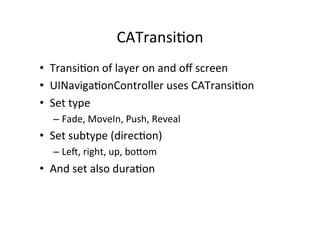
    CATransi+on   •  Transi+on  of  layer  on  and  off  screen   •  UINaviga+onController  uses  CATransi+on   •  Set  type   –  Fade,  MoveIn,  Push,  Reveal   •  Set  subtype  (direc+on)   –  Le`,  right,  up,  boaom   •  And  set  also  dura+on