Introducing Collection Views
Mark Pospesel
Mobile Architect
Y Media Labs
code	 github.com/mpospese/IntroducingCollectionViews
slides	 bit.ly/ViTNiK
@mpospese
Slides and code on
flash drives
Who Am I?
• Studied mathematics, marine biology, and teaching English as a Second
Language
• 14 years industry experience
• Programming for mobile since 1999!
• Mobile Architect for Y Media Labs
Outline
• Introduction
• API
• Flow Layout
• Custom Layouts
• More Customizations
• Summary
Introduction
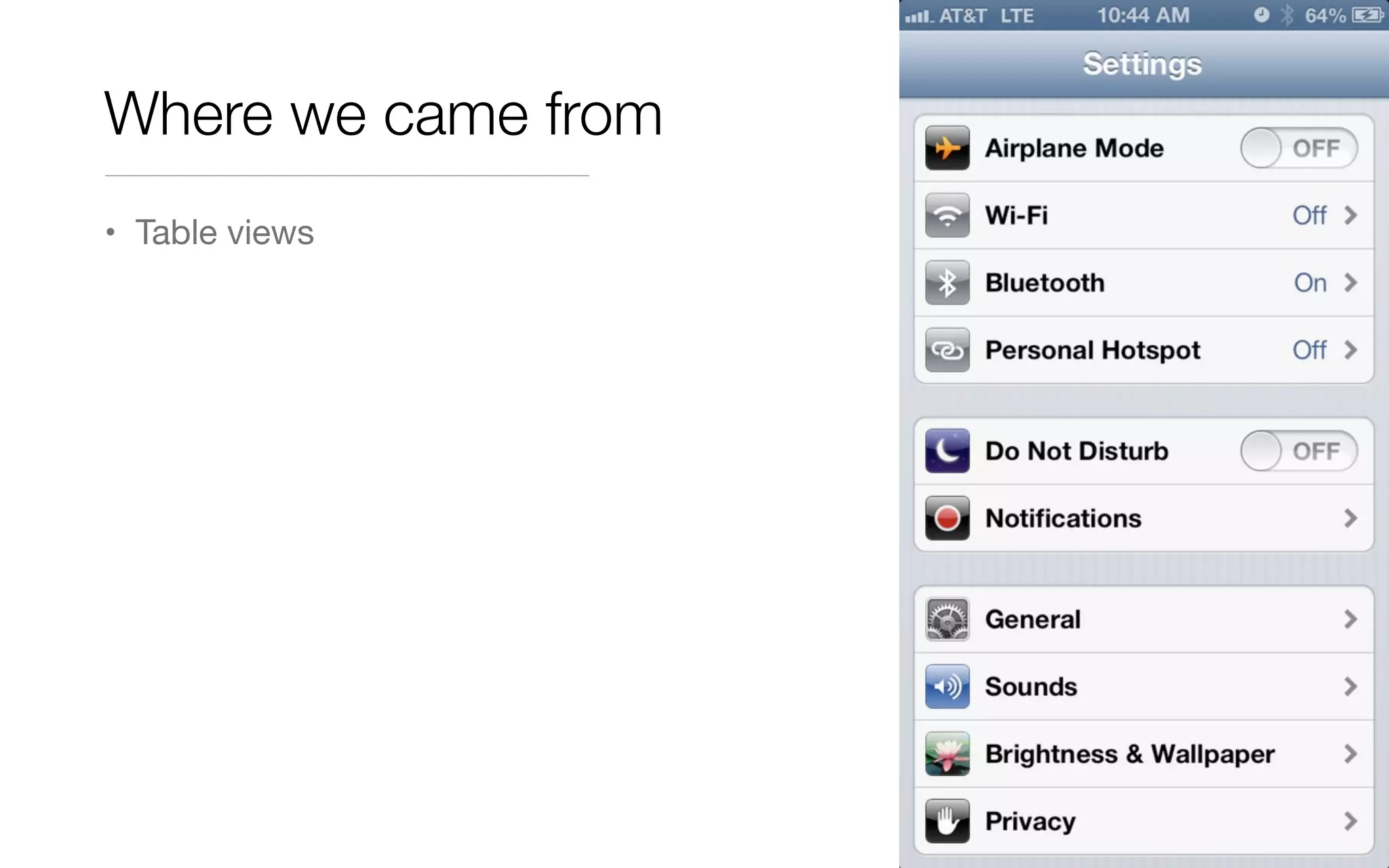
Where we came from
• Table views
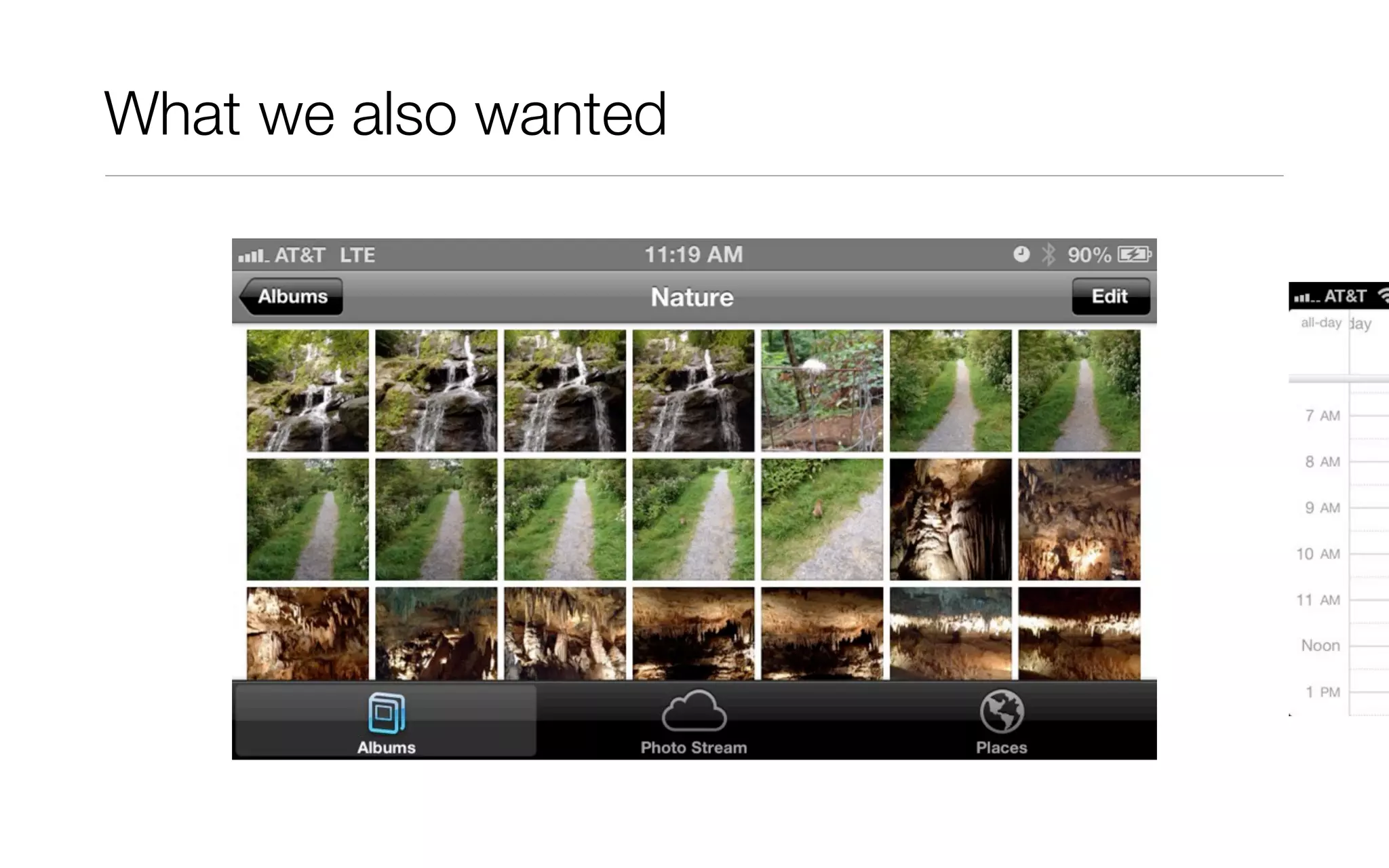
What we also wanted
Grid views and horizontal scrollers
The hard way
• UIScrollView
• manually place “cells”
• DataSource delegate
• delegate for selection, appearance, disappearance, etc.
• create views for cells on demand and cache cells for reuse
What if you wanted something even more complex?
Enter UICollectionView
• Handles grids
• Handles horizontal line scrollers
• Handles pretty much any custom layout you can imagine
• High-performance even with large data sets
• Works well with Core Data and NSFetchedResultsController
• Familiar delegate / data source API pattern
• Disclaimer: Never ship
programmer art!
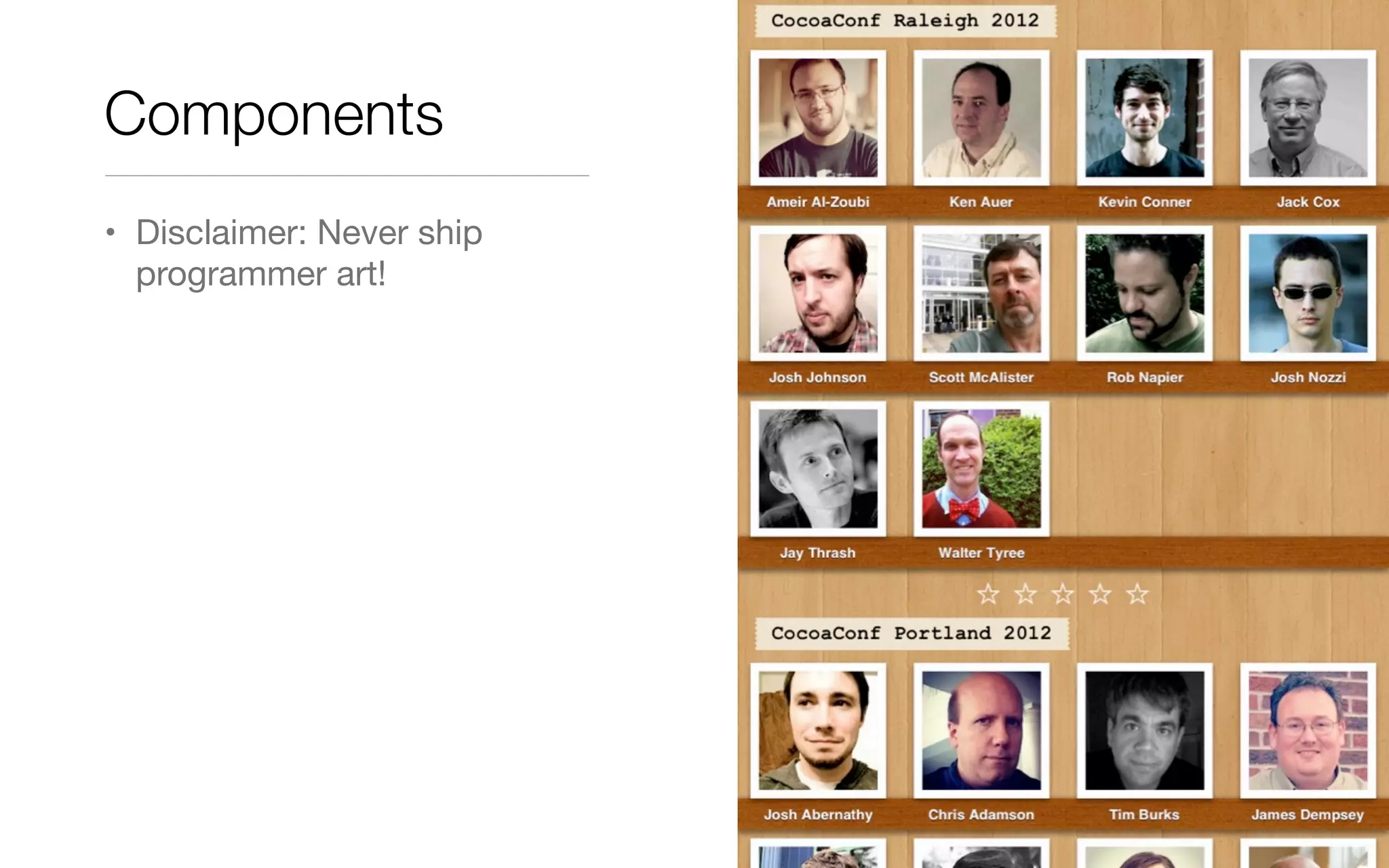
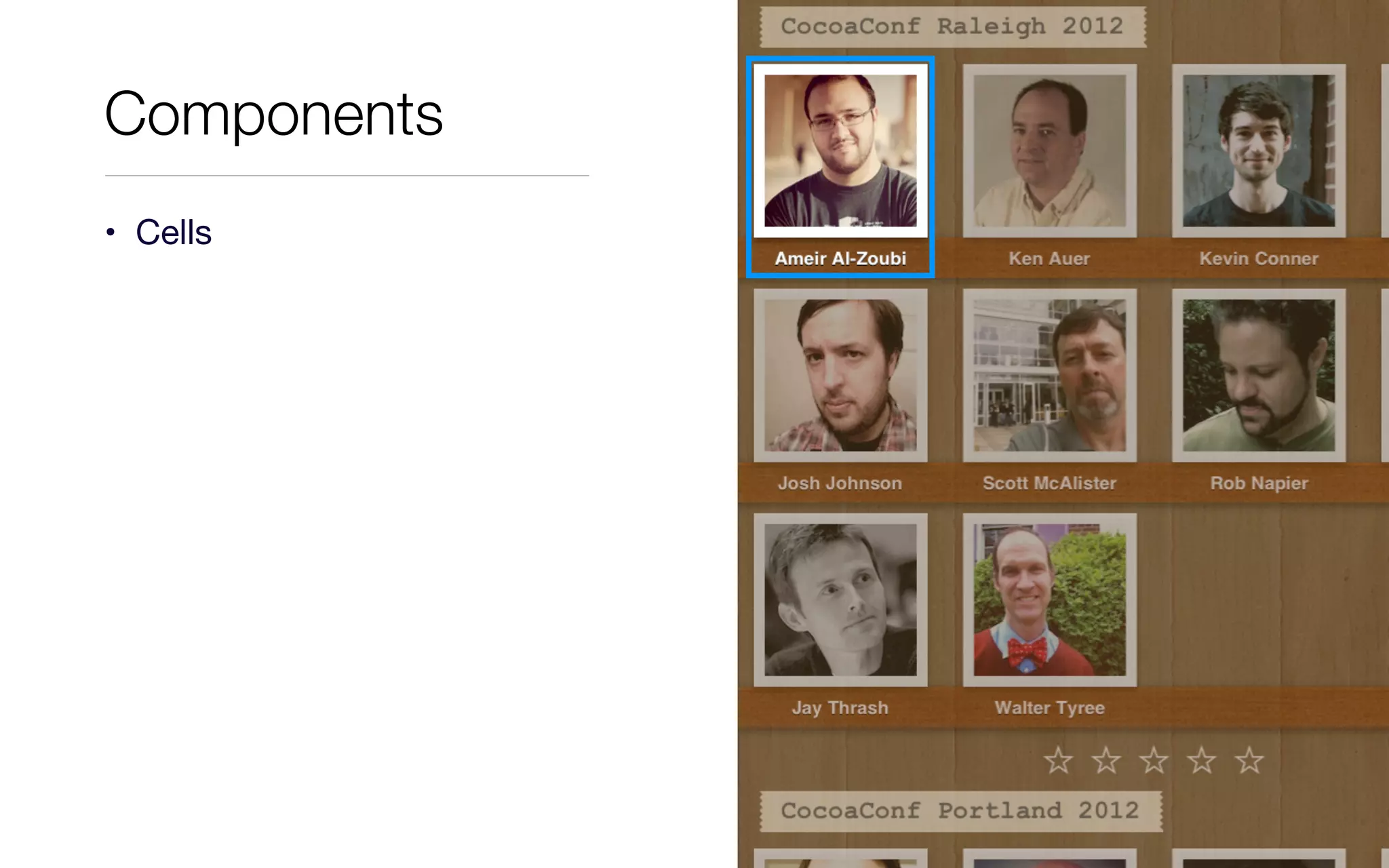
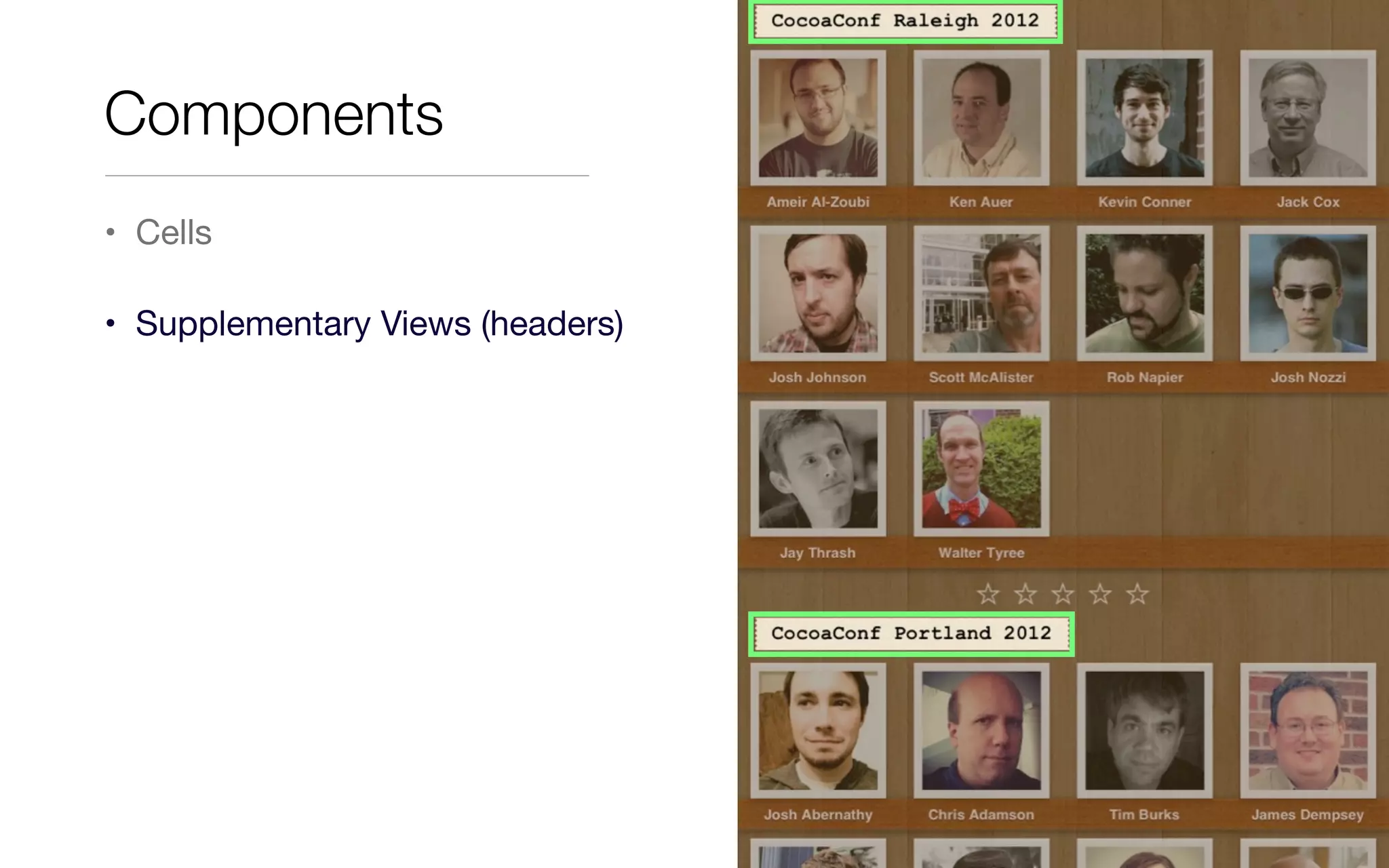
Components
• Cells
Components
• Cells
Components
• Cells
• UICollectionViewCell
• UIView
• UIImageView
• UILabel
Components
• Cells
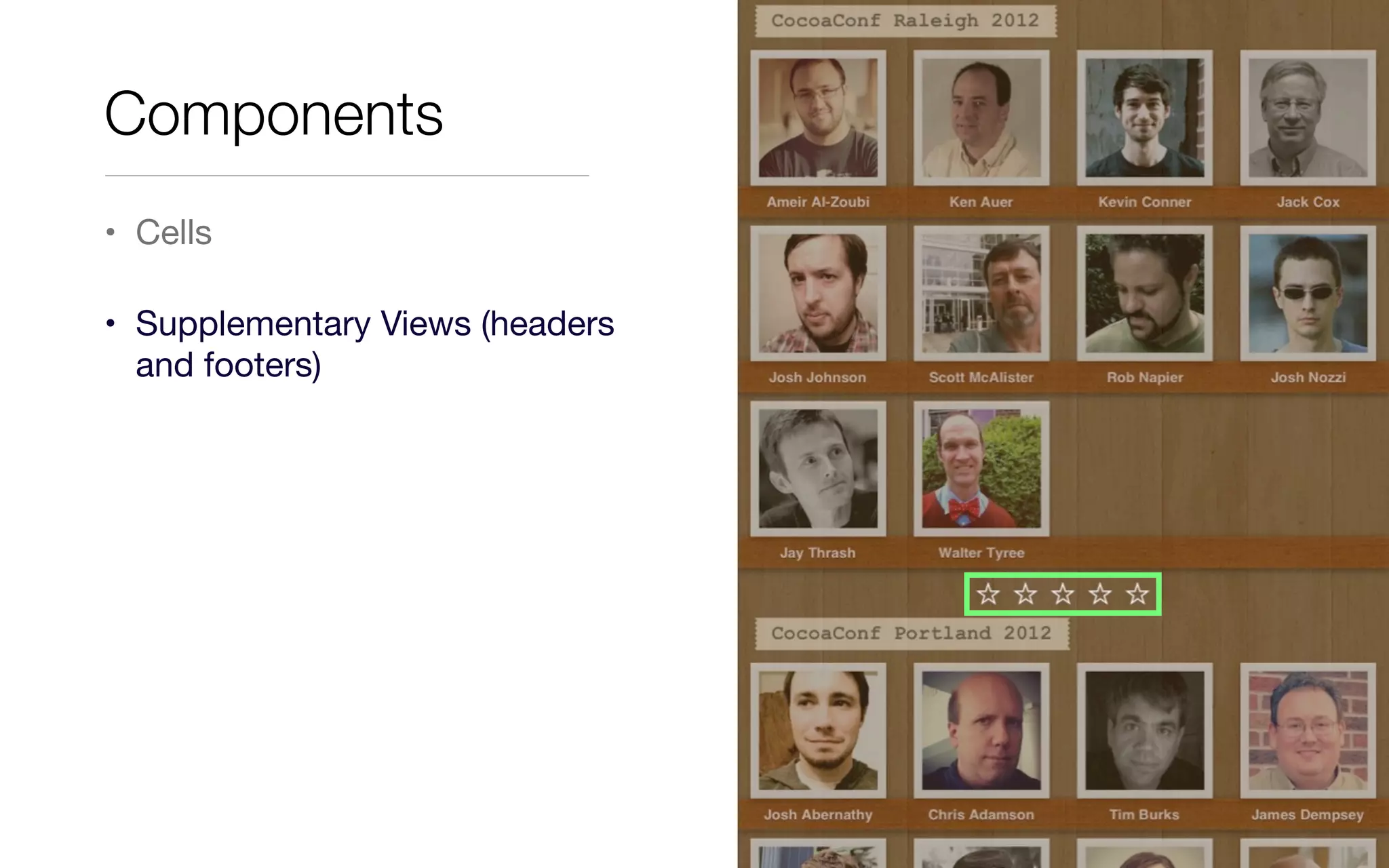
• Supplementary Views (headers)
Components
• Cells
• Supplementary Views (headers
and footers)
Components
• Cells
• Supplementary Views (headers
and footers)
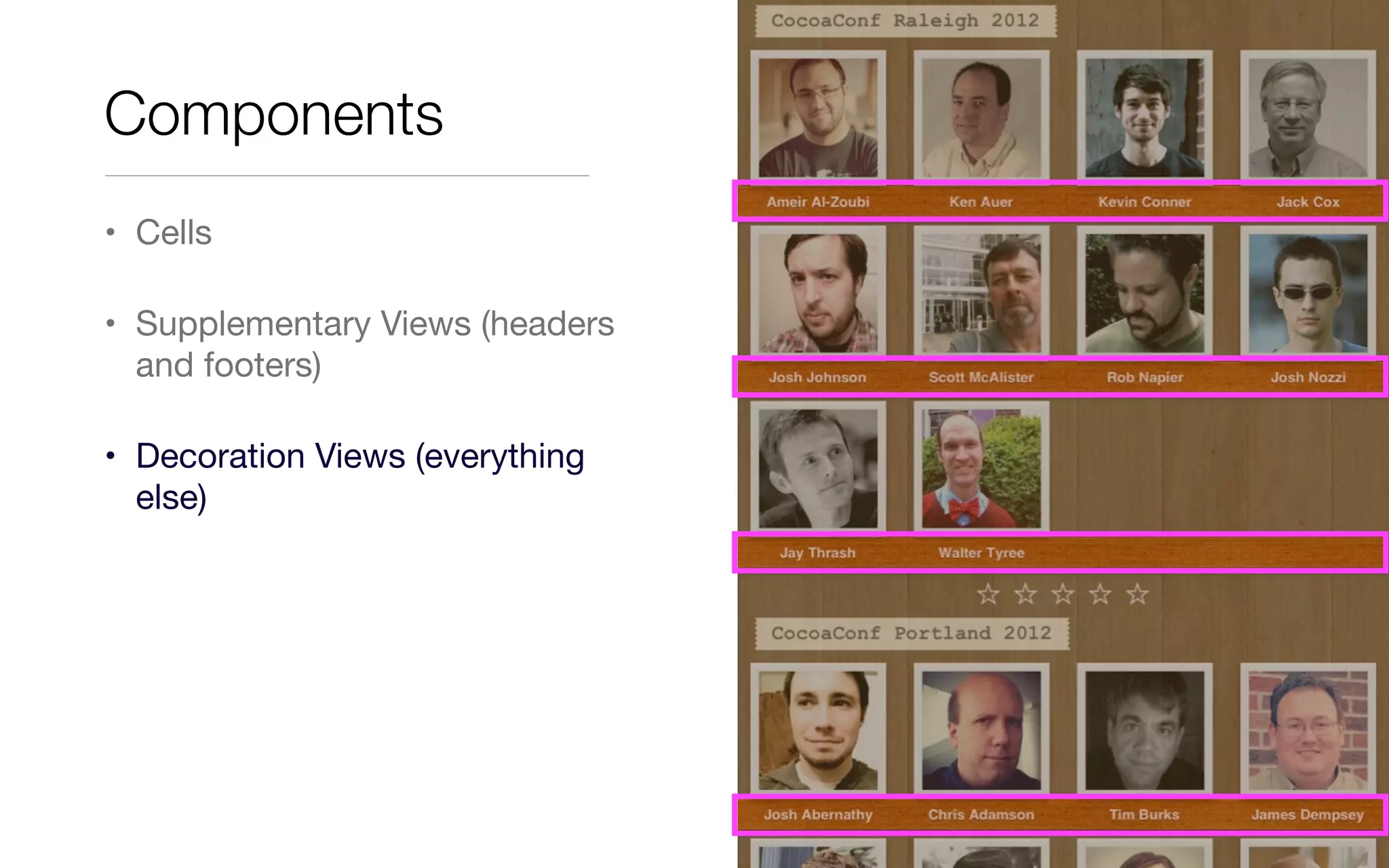
• Decoration Views (everything
else)
Components
API
UICollectionView
• If you know how to use UITableView, you mostly know how to use simple
Collection Views already
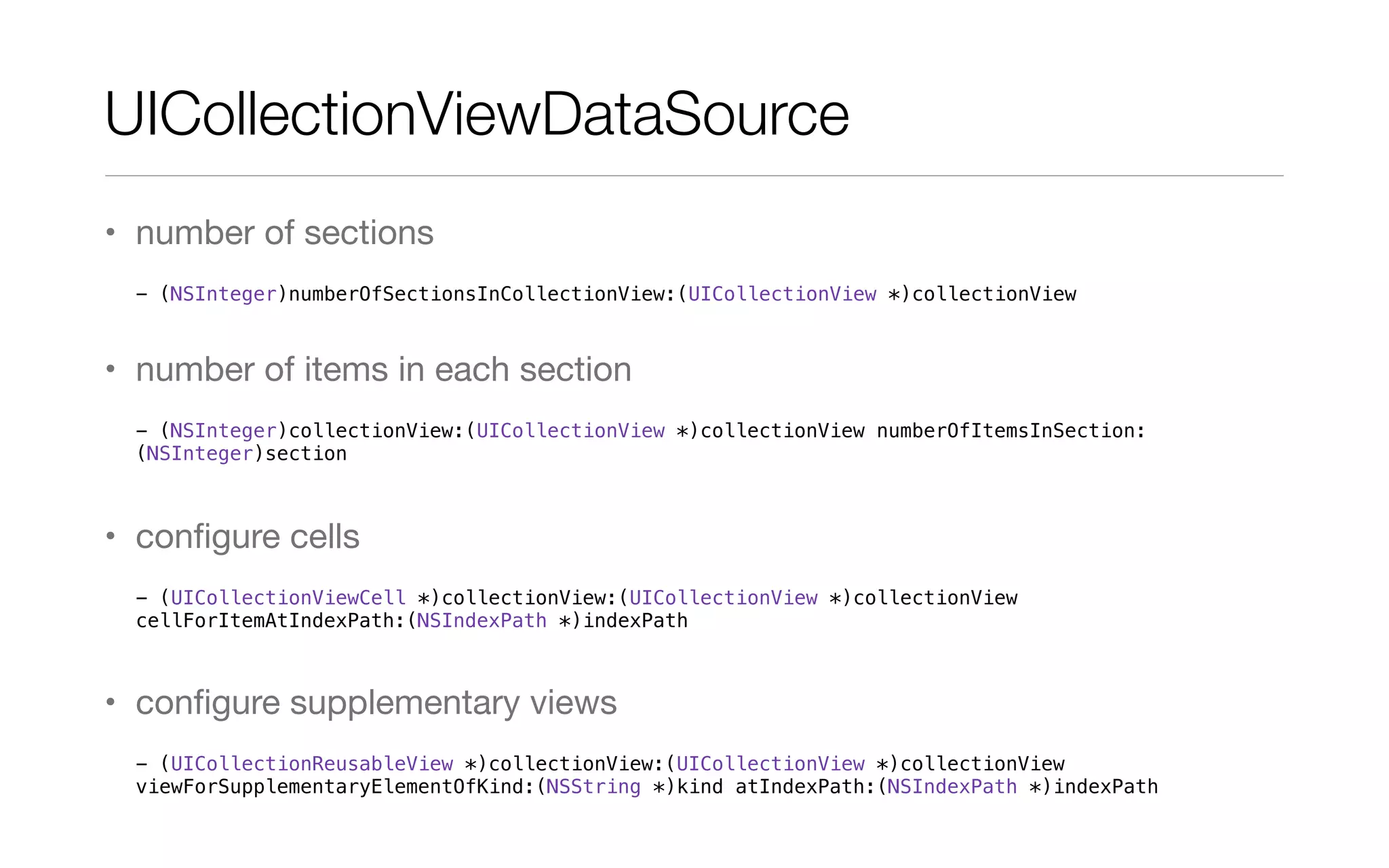
UICollectionViewDataSource
• number of sections
- (NSInteger)numberOfSectionsInCollectionView:(UICollectionView *)collectionView
• number of items in each section
- (NSInteger)collectionView:(UICollectionView *)collectionView numberOfItemsInSection:
(NSInteger)section
• configure cells
- (UICollectionViewCell *)collectionView:(UICollectionView *)collectionView
cellForItemAtIndexPath:(NSIndexPath *)indexPath
• configure supplementary views
- (UICollectionReusableView *)collectionView:(UICollectionView *)collectionView
viewForSupplementaryElementOfKind:(NSString *)kind atIndexPath:(NSIndexPath *)indexPath
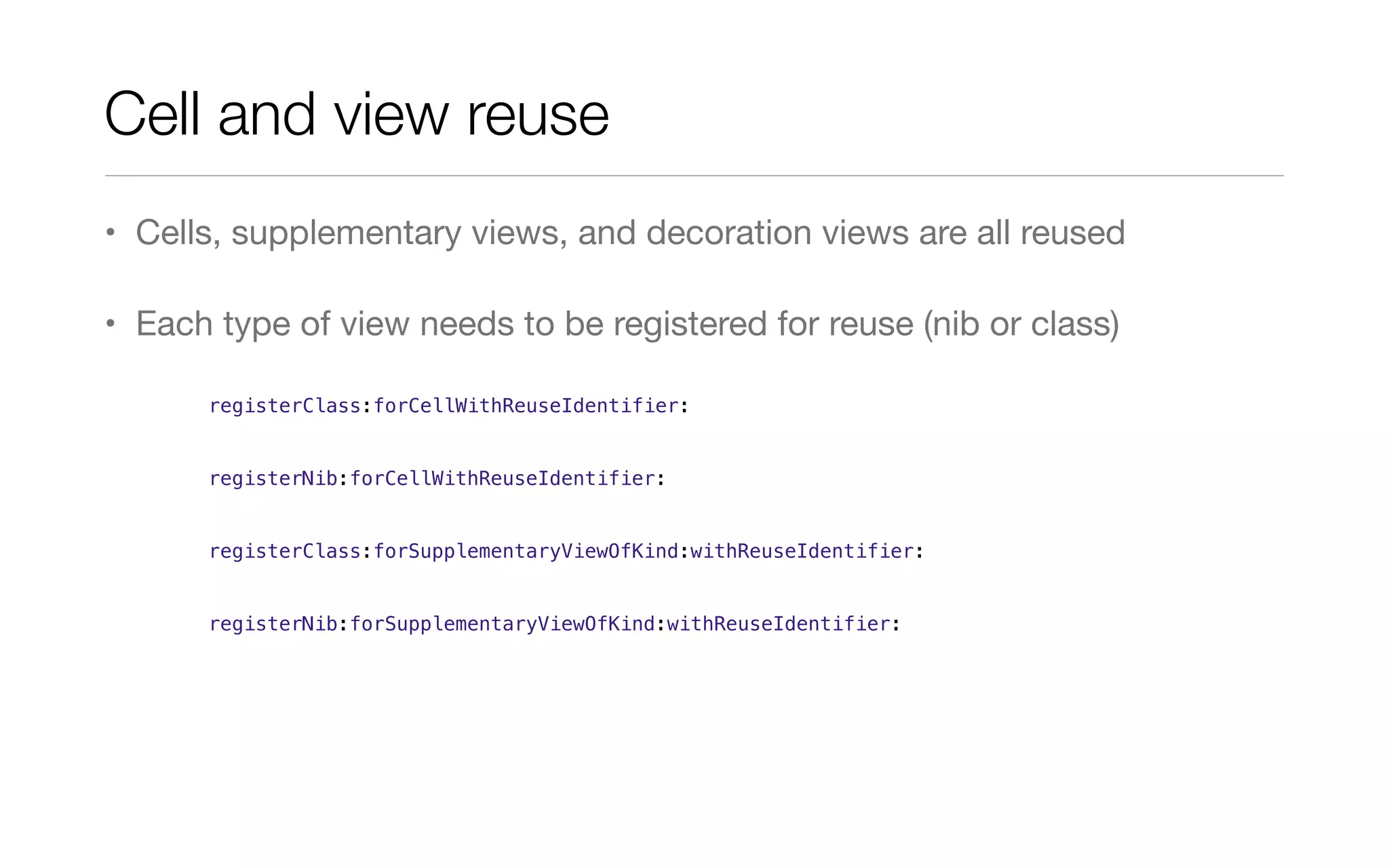
Cell and view reuse
• Cells, supplementary views, and decoration views are all reused
• Each type of view needs to be registered for reuse (nib or class)
registerClass:forCellWithReuseIdentifier:
registerNib:forCellWithReuseIdentifier:
registerClass:forSupplementaryViewOfKind:withReuseIdentifier:
registerNib:forSupplementaryViewOfKind:withReuseIdentifier:
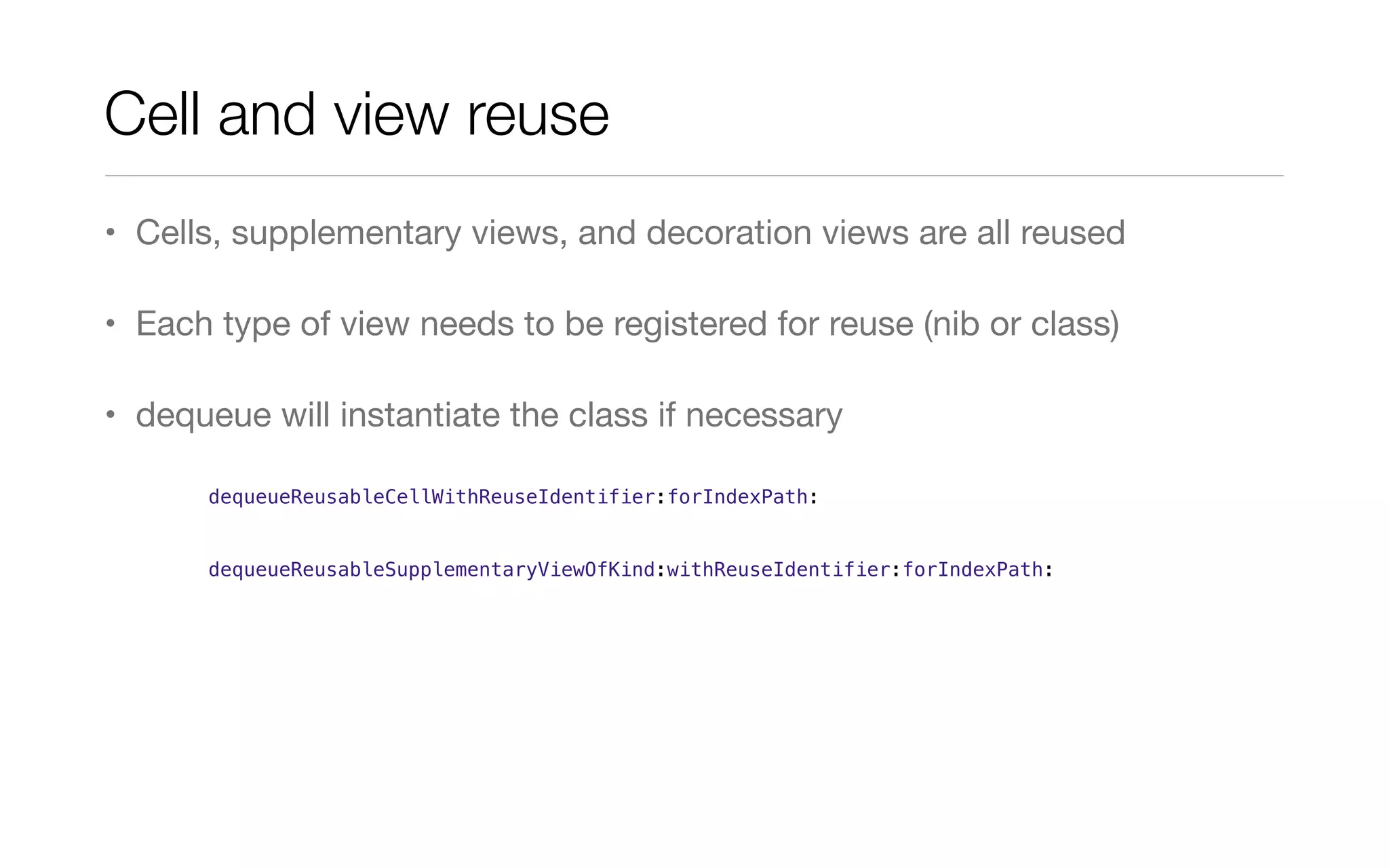
Cell and view reuse
• Cells, supplementary views, and decoration views are all reused
• Each type of view needs to be registered for reuse (nib or class)
• dequeue will instantiate the class if necessary
dequeueReusableCellWithReuseIdentifier:forIndexPath:
dequeueReusableSupplementaryViewOfKind:withReuseIdentifier:forIndexPath:
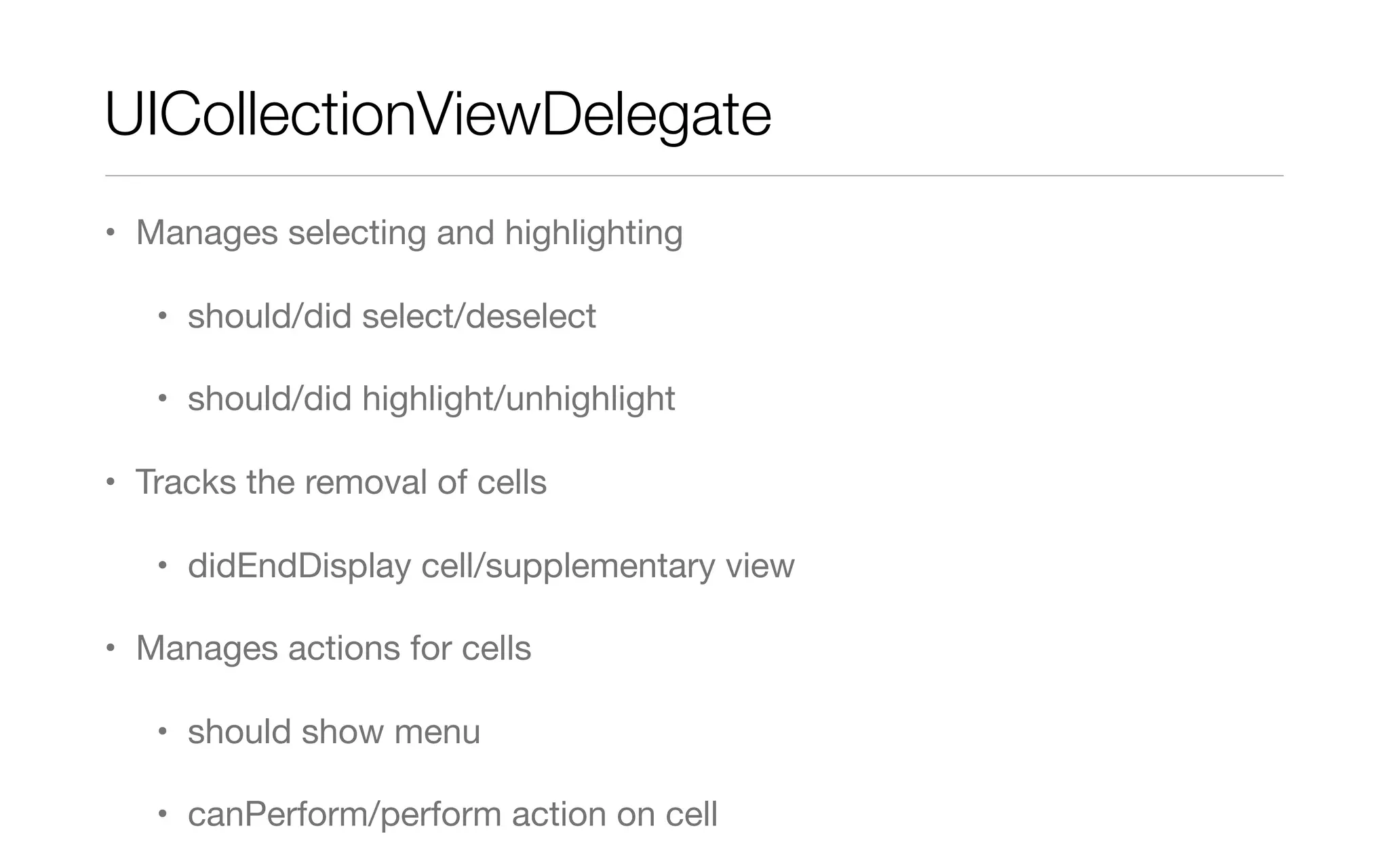
UICollectionViewDelegate
• Manages selecting and highlighting
• should/did select/deselect
• should/did highlight/unhighlight
• Tracks the removal of cells
• didEndDisplay cell/supplementary view
• Manages actions for cells
• should show menu
• canPerform/perform action on cell
Layouts
UICollectionViewLayout
• Tells the collection view about position, size, and visual state of items in
the collection
• abstract class
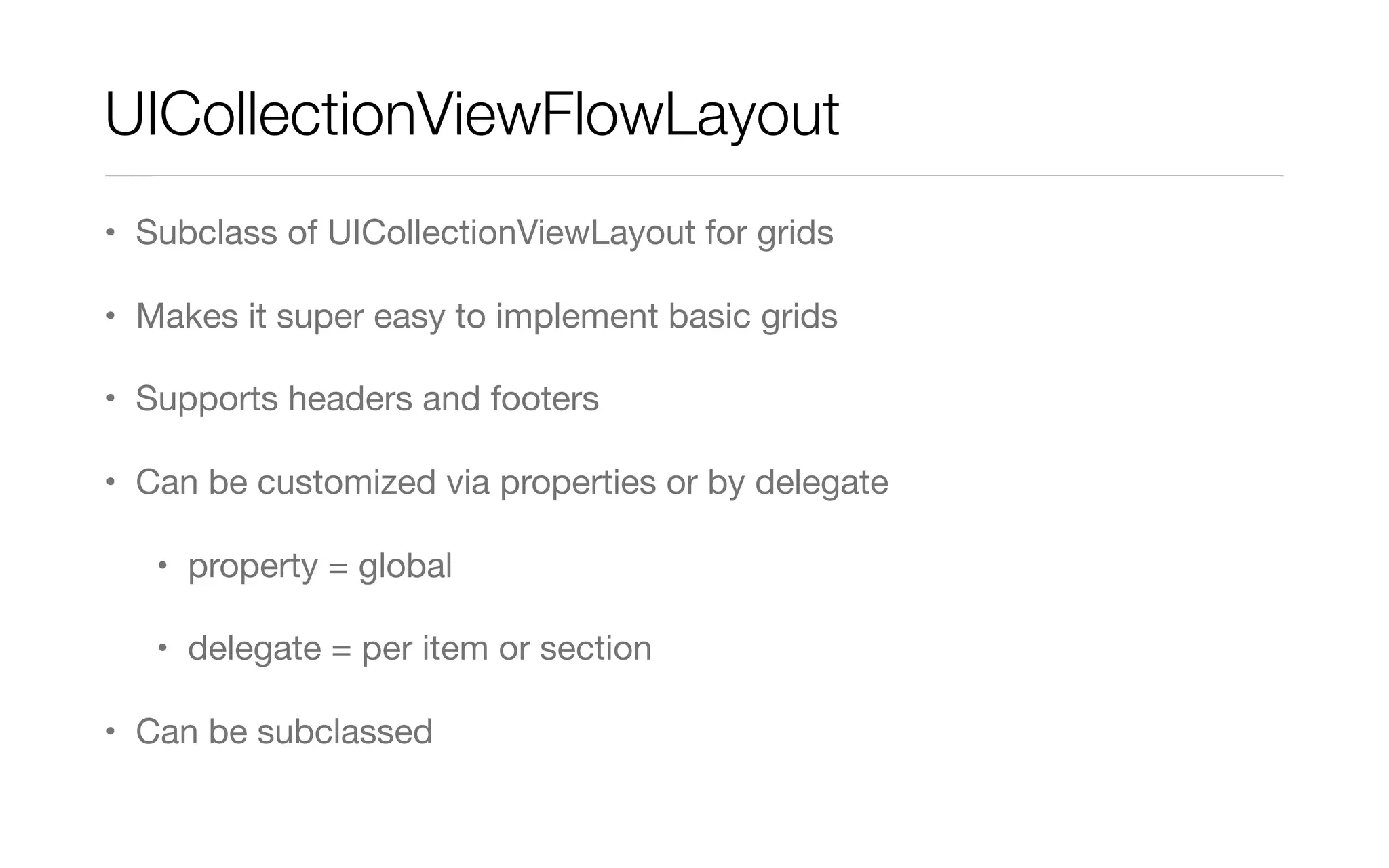
UICollectionViewFlowLayout
• Subclass of UICollectionViewLayout for grids
• Makes it super easy to implement basic grids
• Supports headers and footers
• Can be customized via properties or by delegate
• property = global
• delegate = per item or section
• Can be subclassed
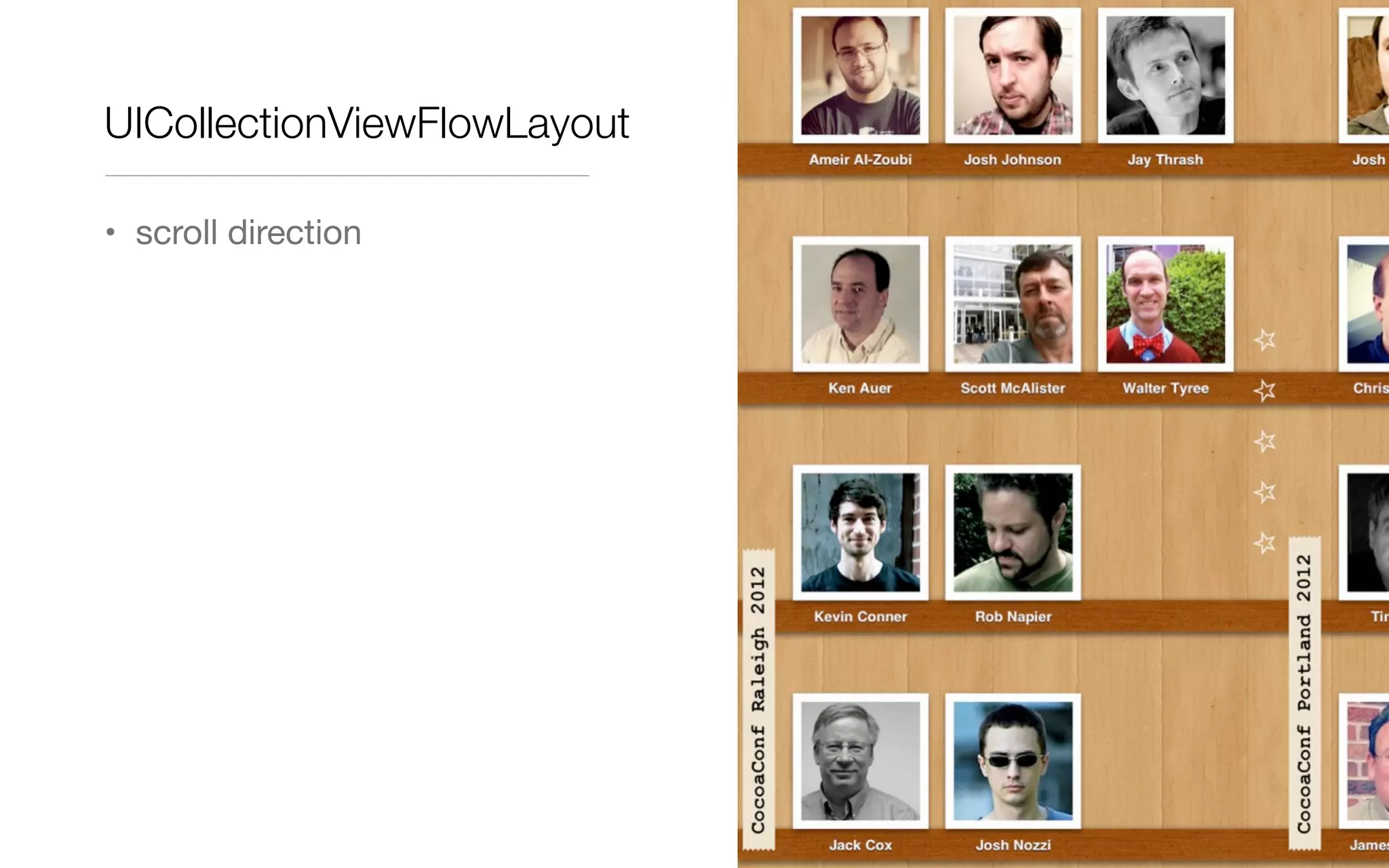
UICollectionViewFlowLayout
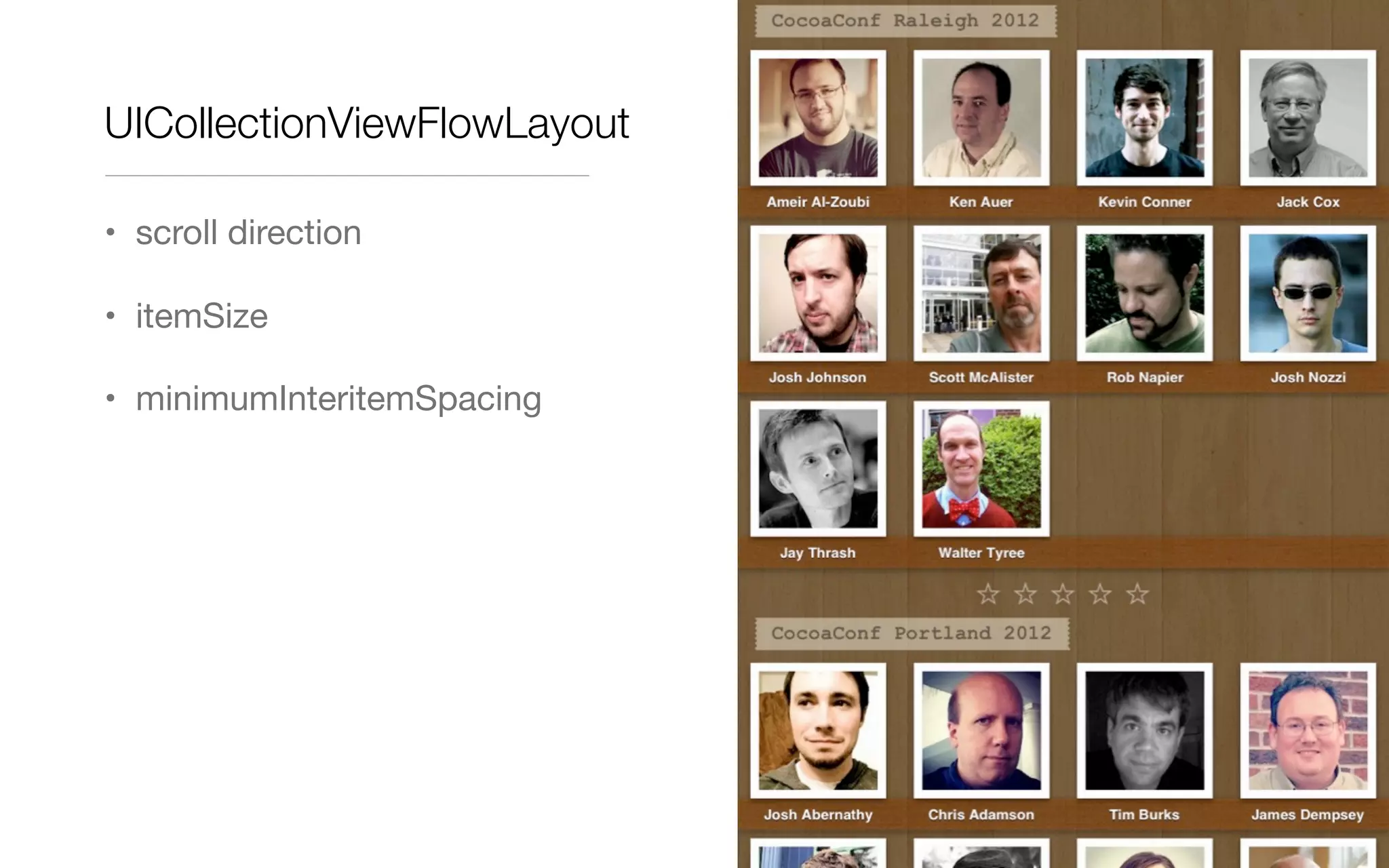
• scroll direction
UICollectionViewFlowLayout
• scroll direction
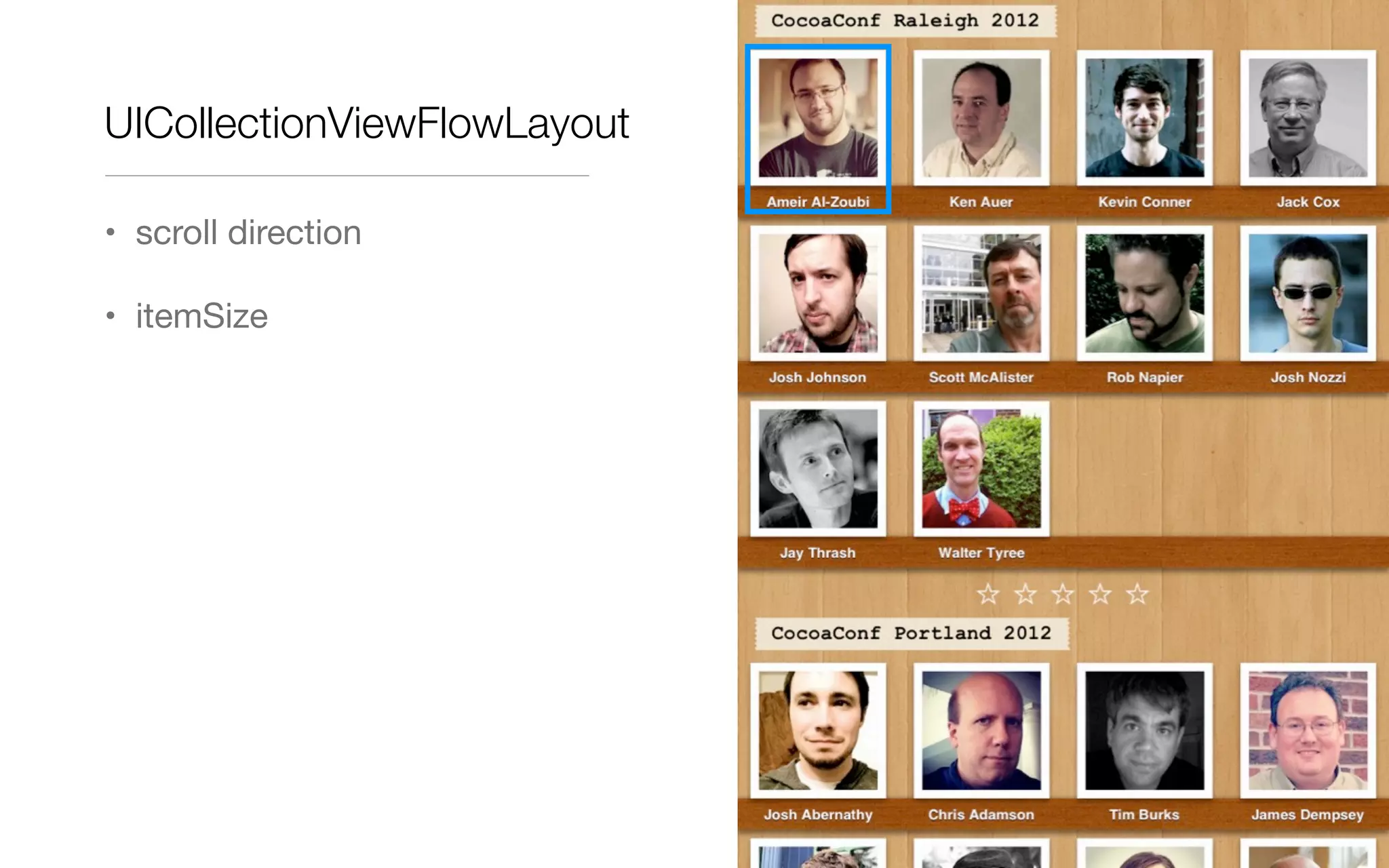
UICollectionViewFlowLayout
• scroll direction
• itemSize
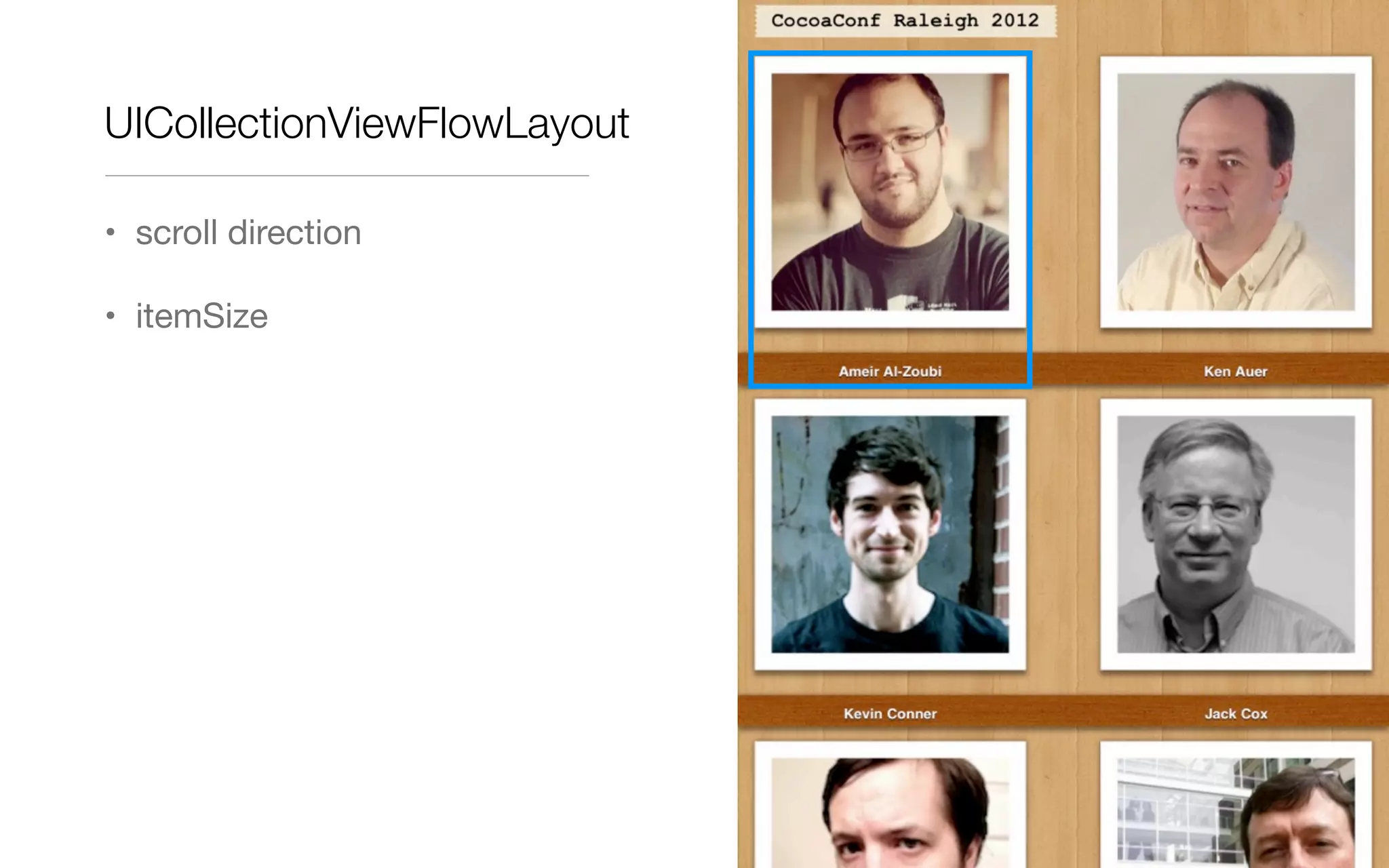
UICollectionViewFlowLayout
• scroll direction
• itemSize
UICollectionViewFlowLayout
• scroll direction
• itemSize
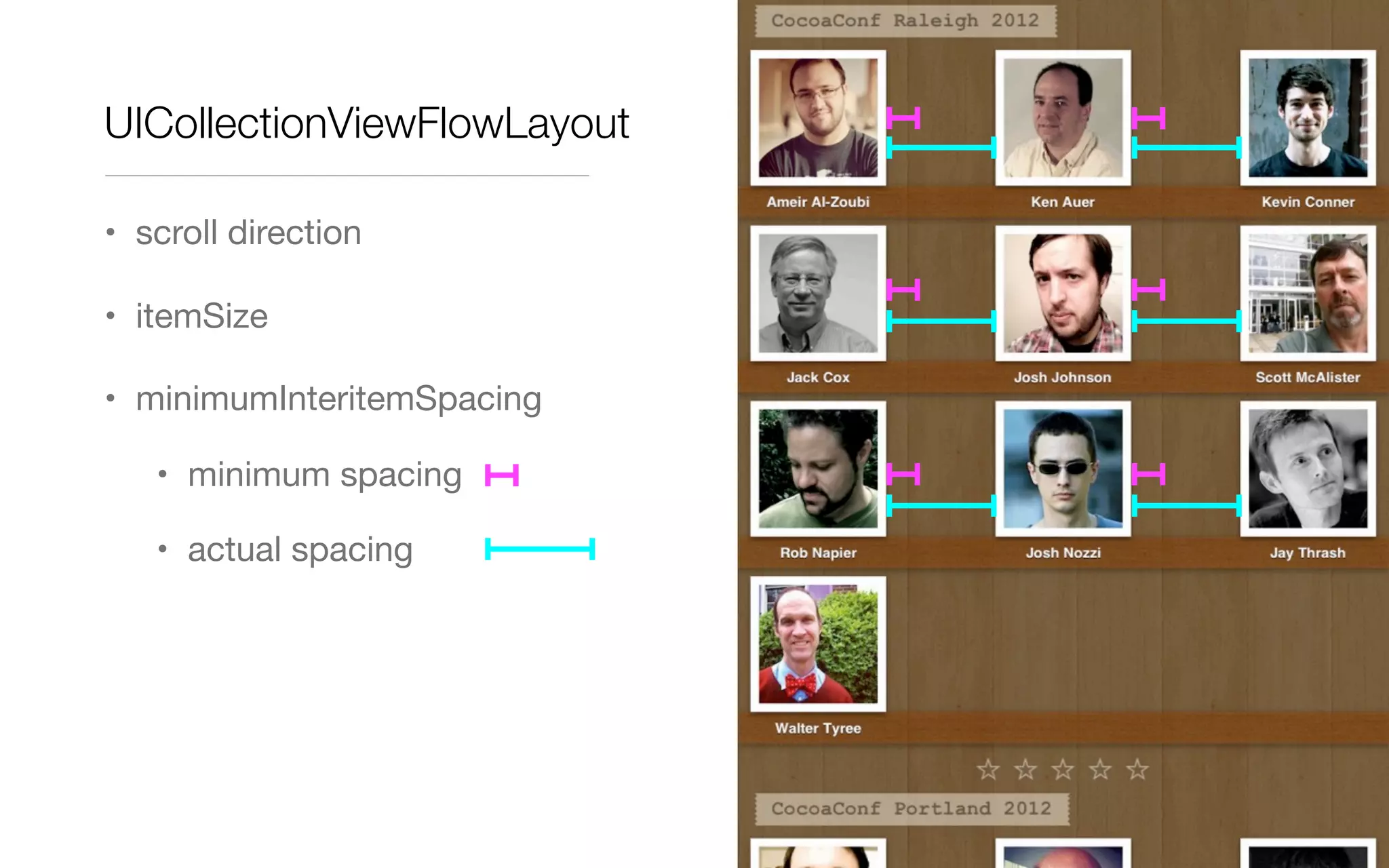
• minimumInteritemSpacing
UICollectionViewFlowLayout
• scroll direction
• itemSize
• minimumInteritemSpacing
• minimum spacing
• actual spacing
UICollectionViewFlowLayout
• scroll direction
• itemSize
• minimumInteritemSpacing
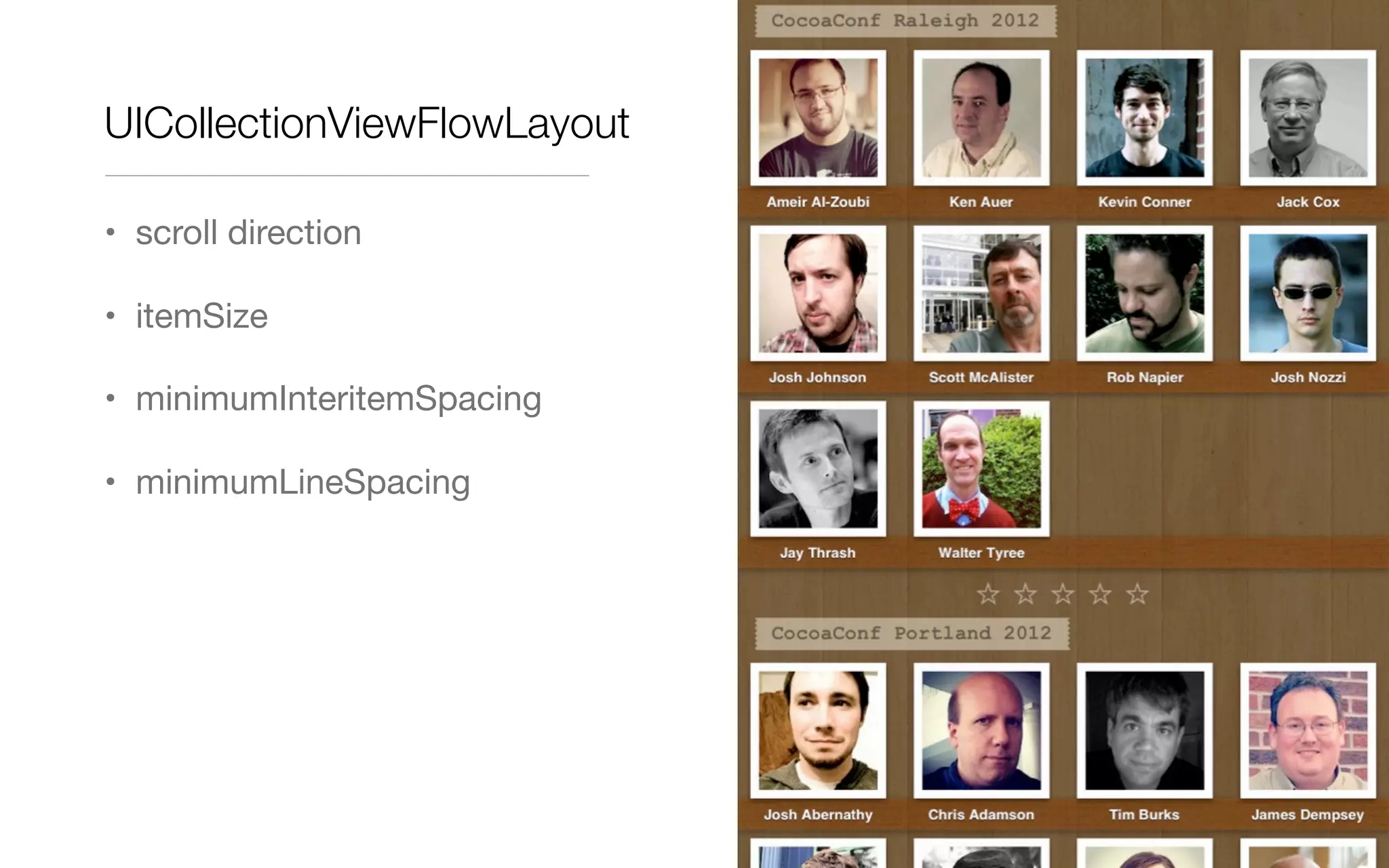
• minimumLineSpacing
UICollectionViewFlowLayout
• scroll direction
• itemSize
• minimumInteritemSpacing
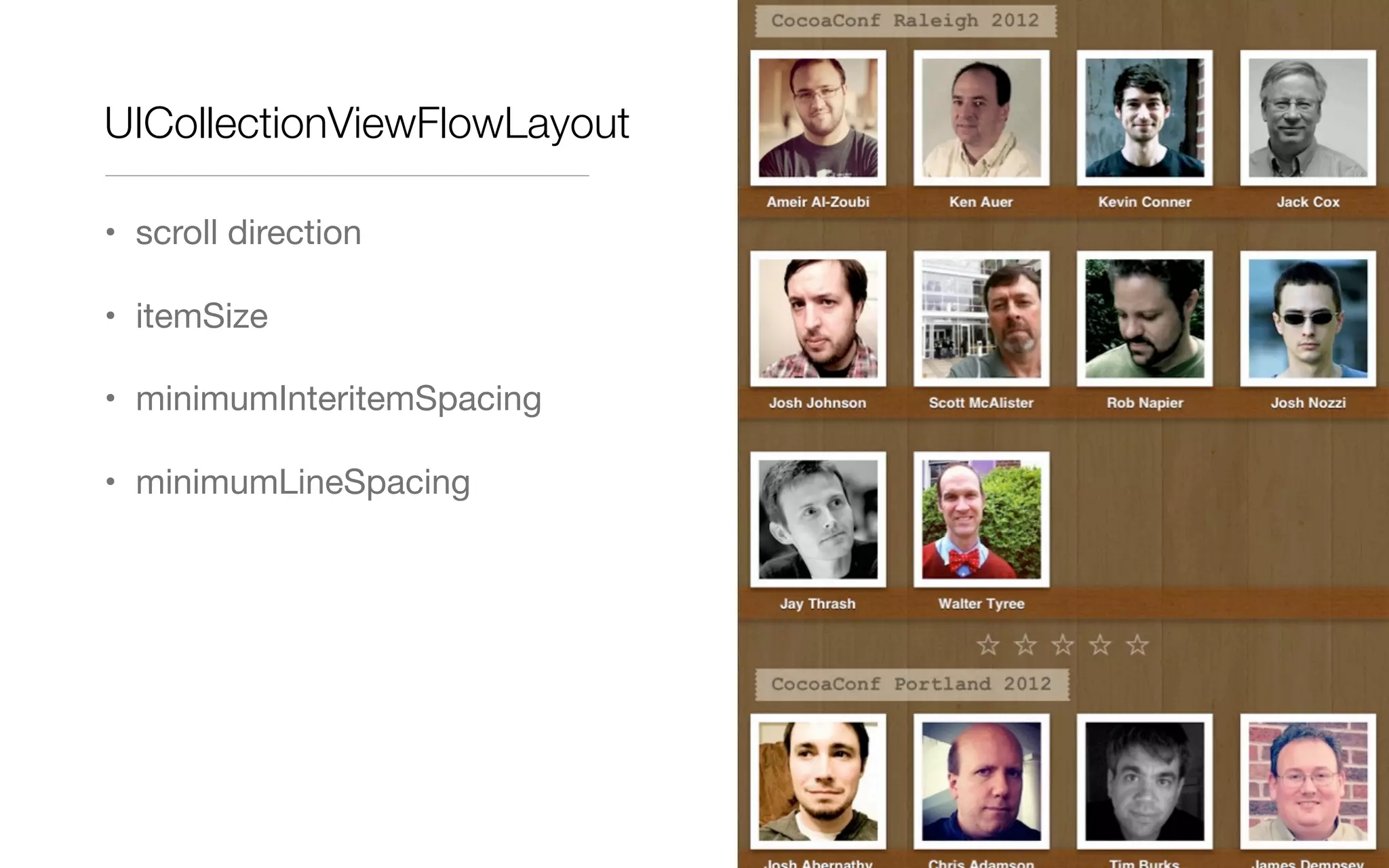
• minimumLineSpacing
UICollectionViewFlowLayout
• scroll direction
• itemSize
• minimumInteritemSpacing
• minimumLineSpacing
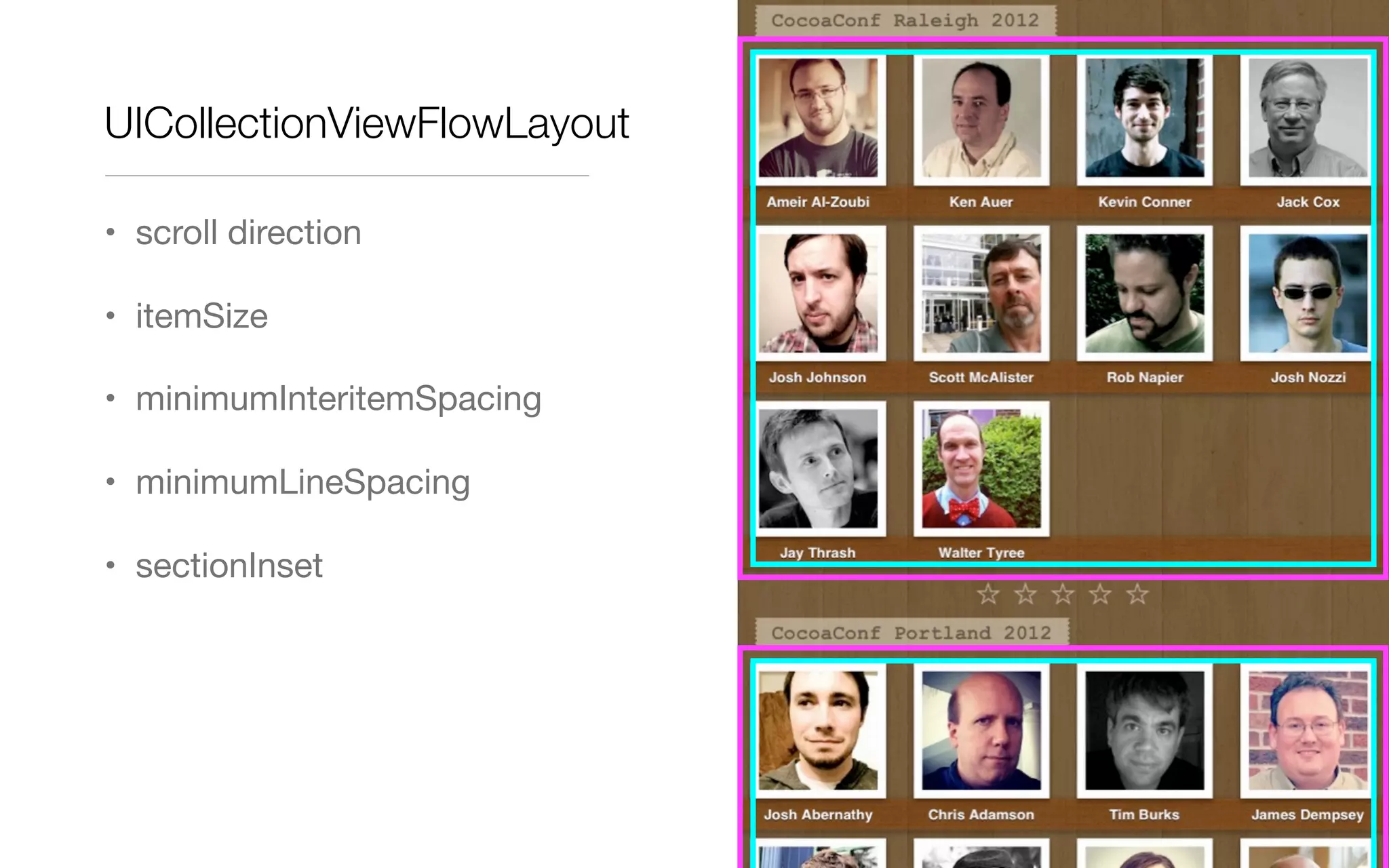
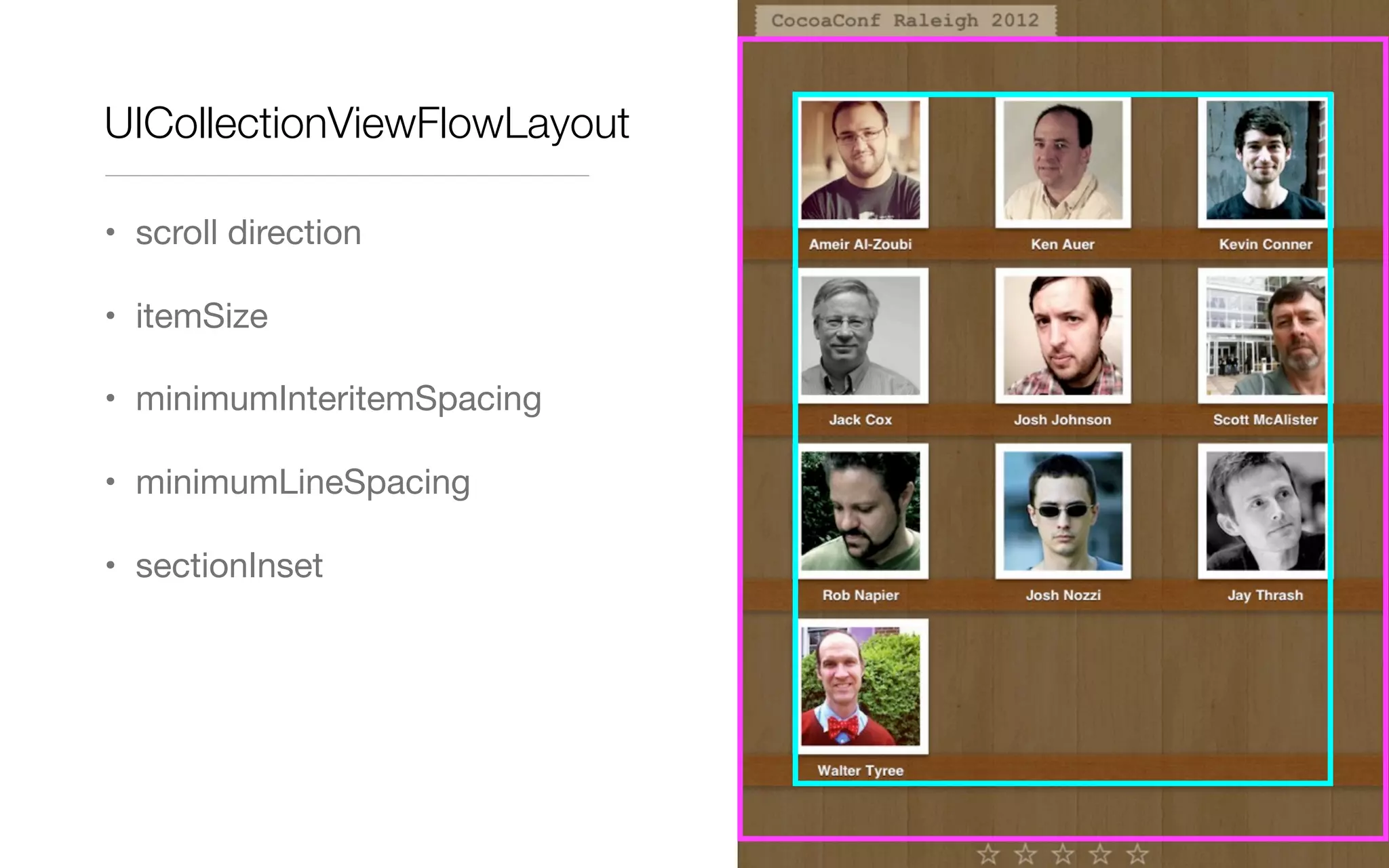
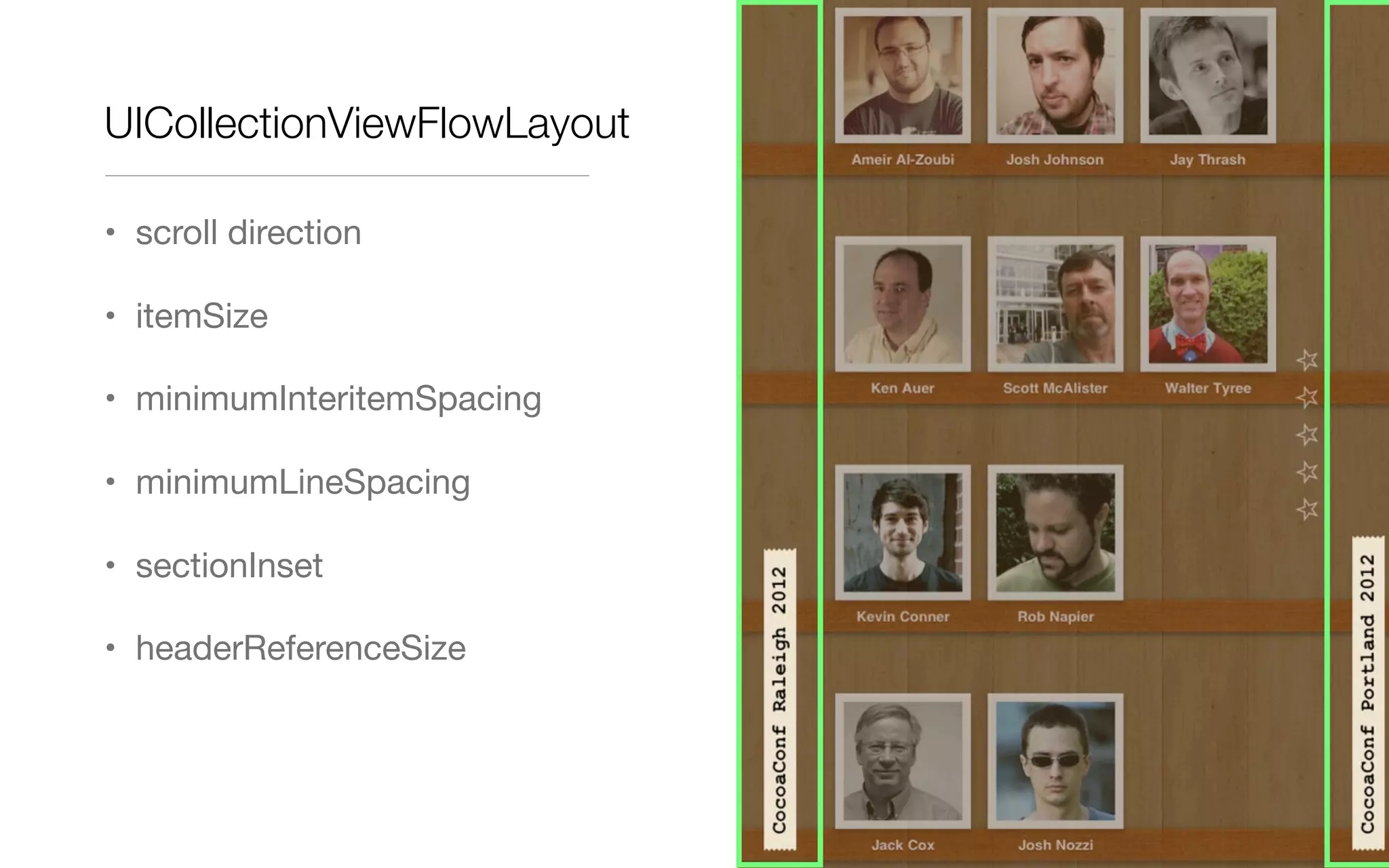
• sectionInset
UICollectionViewFlowLayout
• scroll direction
• itemSize
• minimumInteritemSpacing
• minimumLineSpacing
• sectionInset
UICollectionViewFlowLayout
• scroll direction
• itemSize
• minimumInteritemSpacing
• minimumLineSpacing
• sectionInset
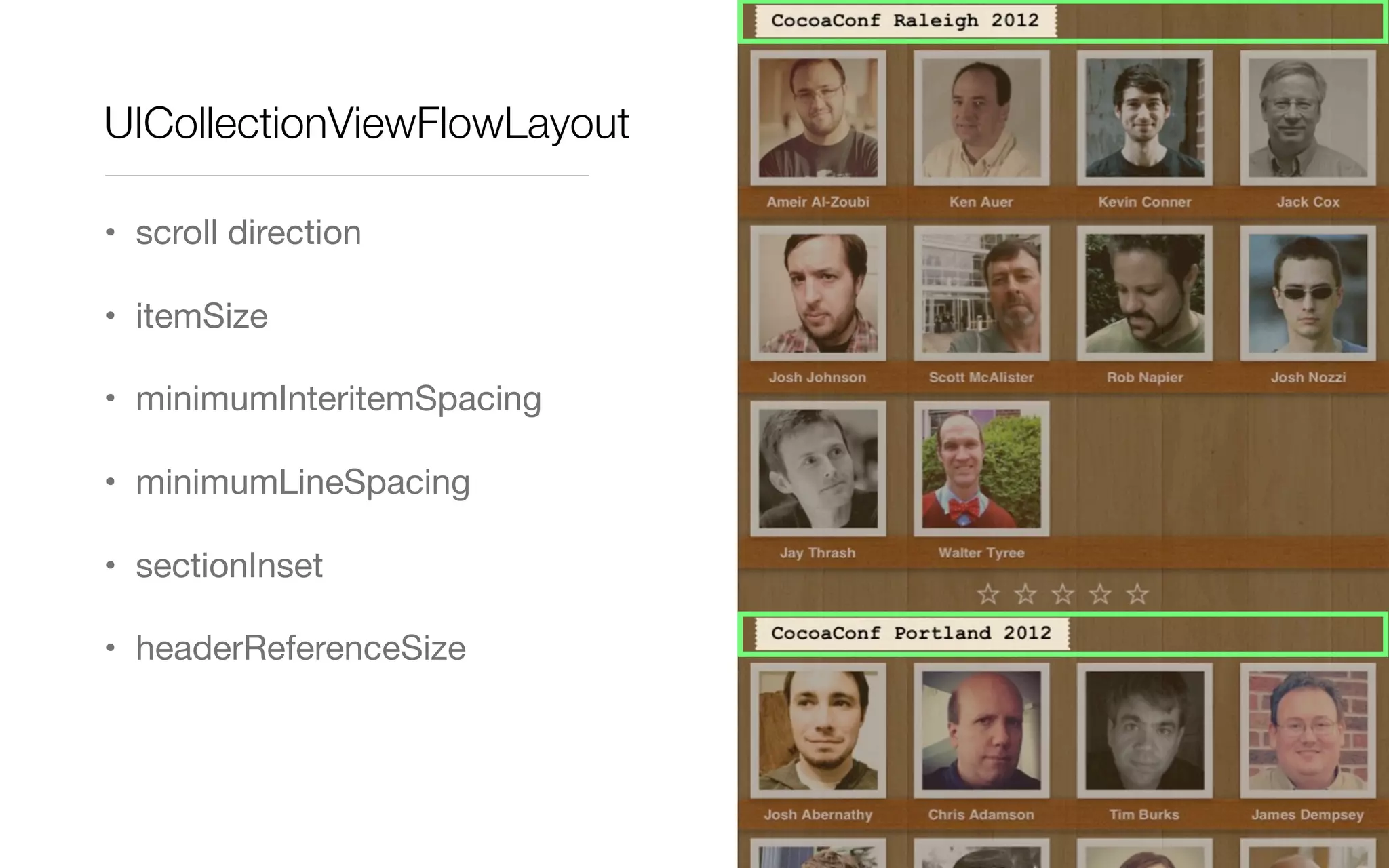
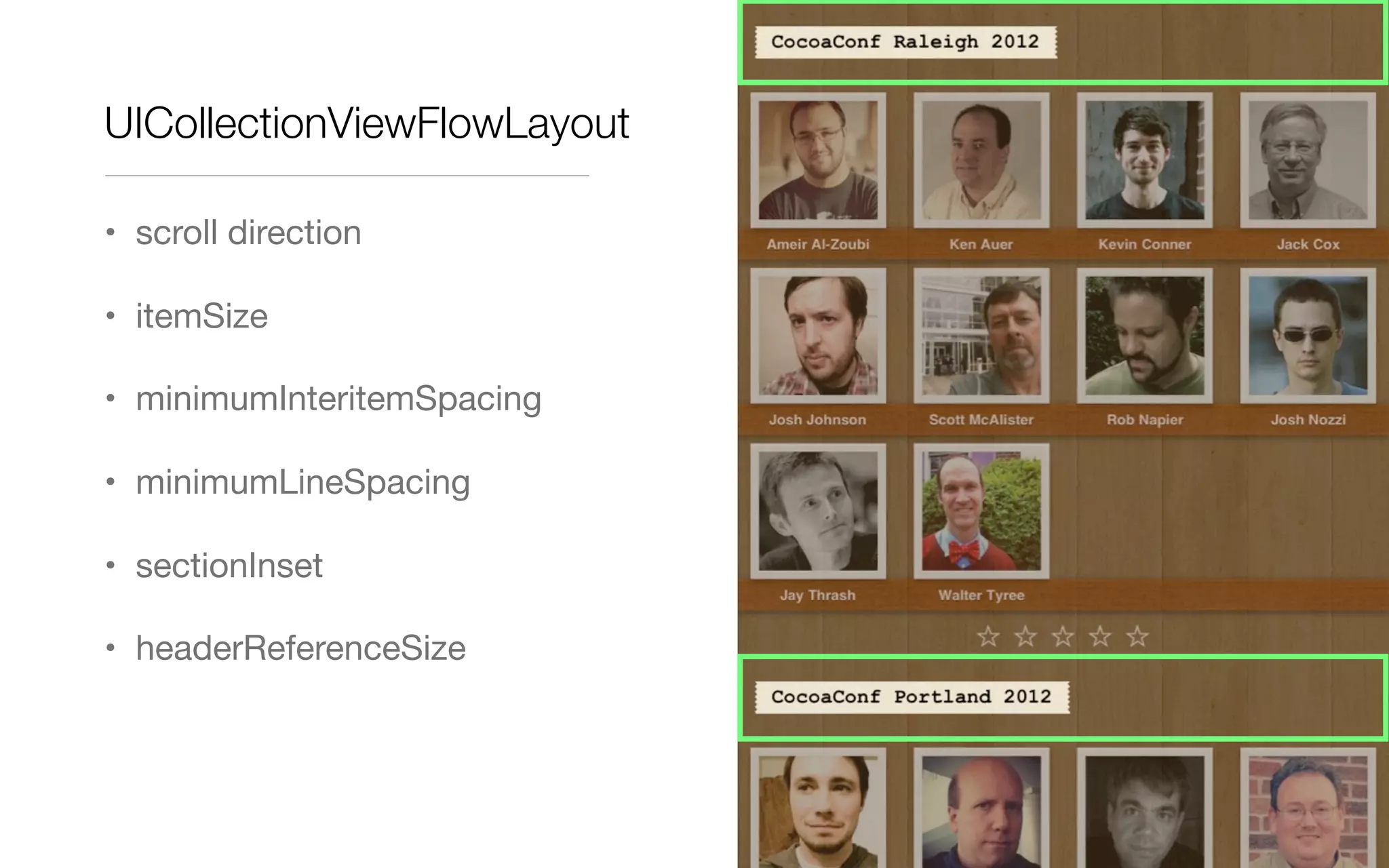
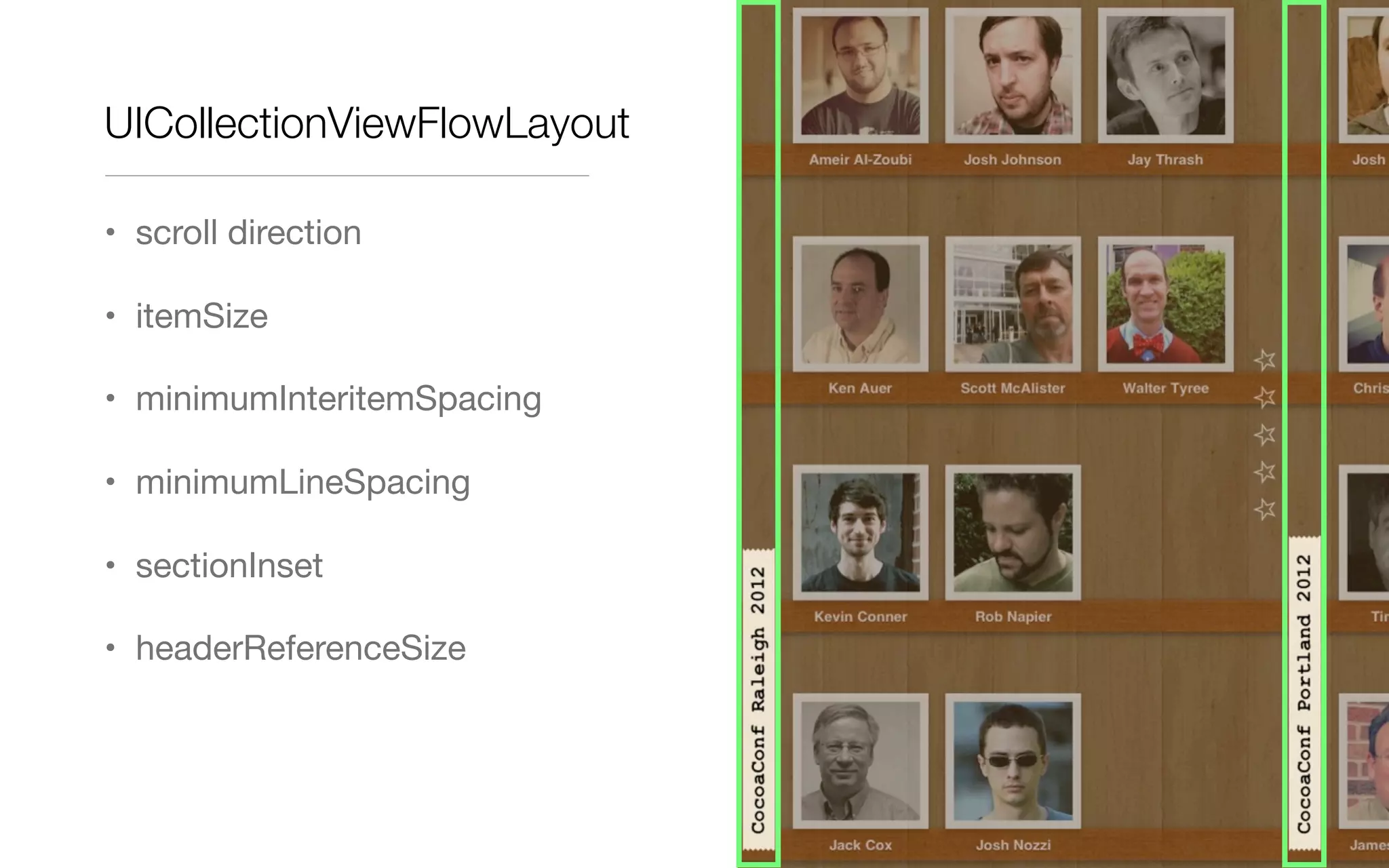
• headerReferenceSize
UICollectionViewFlowLayout
• scroll direction
• itemSize
• minimumInteritemSpacing
• minimumLineSpacing
• sectionInset
• headerReferenceSize
UICollectionViewFlowLayout
• scroll direction
• itemSize
• minimumInteritemSpacing
• minimumLineSpacing
• sectionInset
• headerReferenceSize
UICollectionViewFlowLayout
• scroll direction
• itemSize
• minimumInteritemSpacing
• minimumLineSpacing
• sectionInset
• headerReferenceSize
UICollectionViewFlowLayout
• scroll direction
• itemSize
• minimumInteritemSpacing
• minimumLineSpacing
• sectionInset
• headerReferenceSize
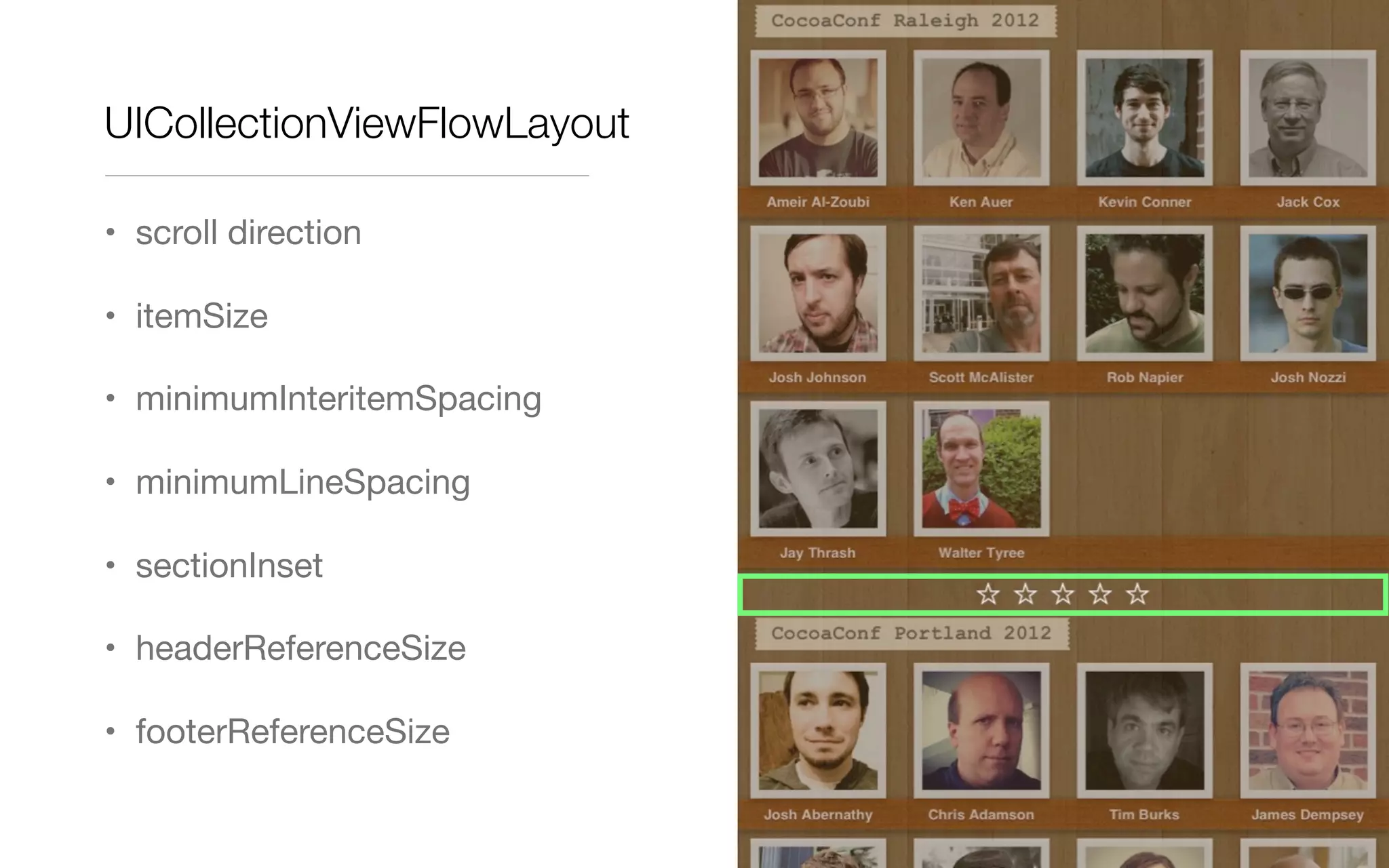
• footerReferenceSize
UICollectionViewFlowLayout
• scroll direction
• itemSize
• minimumInteritemSpacing
• minimumLineSpacing
• sectionInset
• headerReferenceSize
• footerReferenceSize
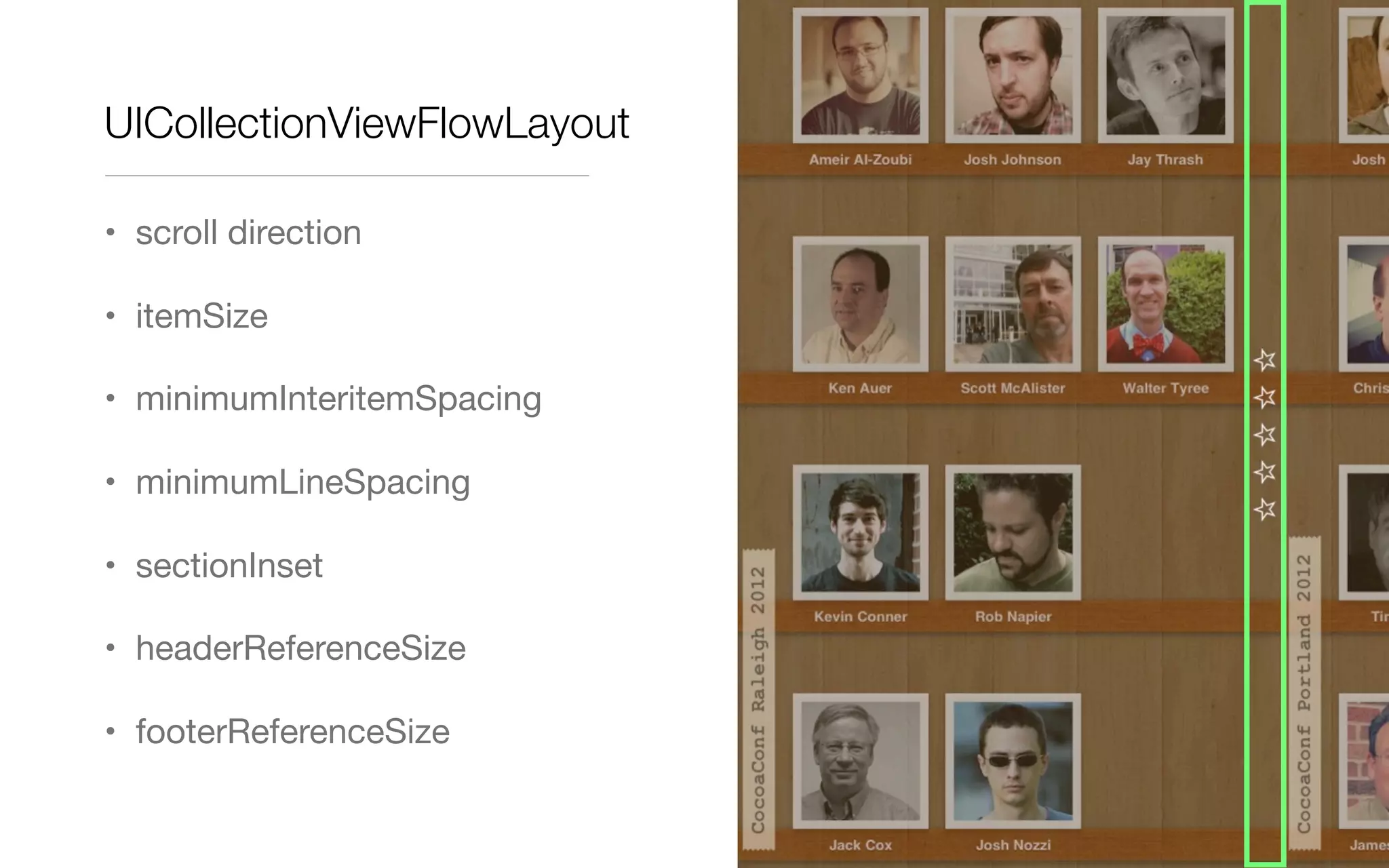
UICollectionViewFlowLayout
• scroll direction
• itemSize
• minimumInteritemSpacing
• minimumLineSpacing
• sectionInset
• headerReferenceSize
• footerReferenceSize
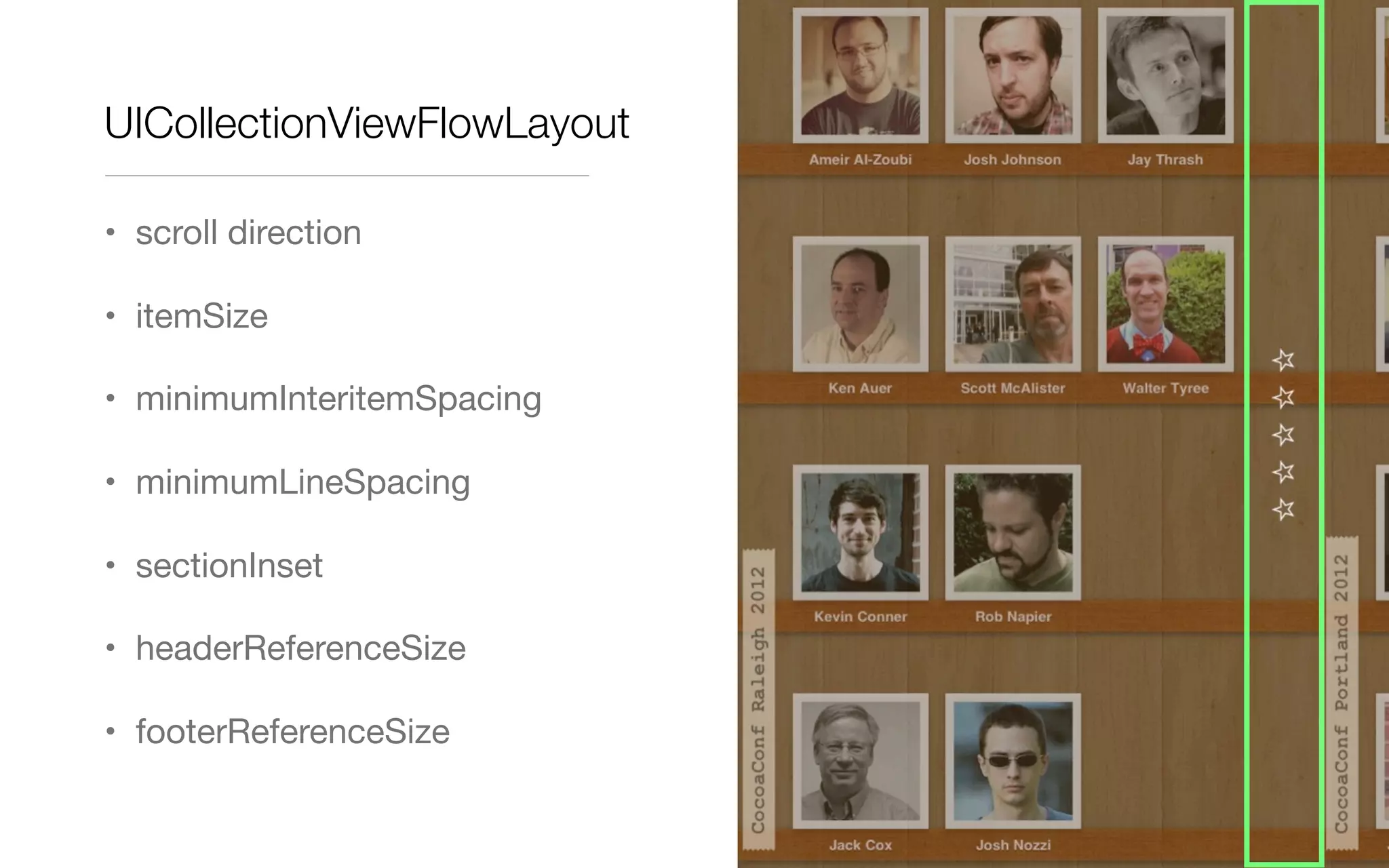
UICollectionViewFlowLayout
• scroll direction
• itemSize
• minimumInteritemSpacing
• minimumLineSpacing
• sectionInset
• headerReferenceSize
• footerReferenceSize
UICollectionViewDelegateFlowLayout
• extends UICollectionViewDelegate
• customize per section (size per item)
UICollectionViewFlowLayout
• itemSize
• minimumInteritemSpacing
• minimumLineSpacing
• sectionInset
• referenceSizeForHeader
• referenceSizeForFooter
UICollectionViewDelegateFlowLayout
• – collectionView:layout:sizeForItemAtIndexPath:
• – collectionView:layout:minimumInteritemSpacingForSectionAtIndex:
• – collectionView:layout:minimumLineSpacingForSectionAtIndex:
• – collectionView:layout:insetForSectionAtIndex:
• – collectionView:layout:referenceSizeForHeaderInSection:
• – collectionView:layout:referenceSizeForFooterInSection:
DEMO
Flow Layouts
Custom Layouts
UICollectionViewLayoutAttributes
• Describe position, size, visual state of collection items
• Apply to cells, supplementary views, and decoration views
• Set by layout
• Used by collection view to configure cells and views
• Subclass to add additional attributes
UICollectionViewLayoutAttributes
• position
• size
• opacity
• zIndex
• transform
When to subclass UICollectionViewFlowLayout
• add decoration views
• add extra supplementary views (beyond headers and footers)
• adjust the default layout attributes of items
• add new layout attributes
• use custom insert or delete animations
When to subclass UICollectionViewLayout
• The layout you want is nothing like a grid
• You’d have to change the default attributes so much that it would be less
work to not derive from flow layout
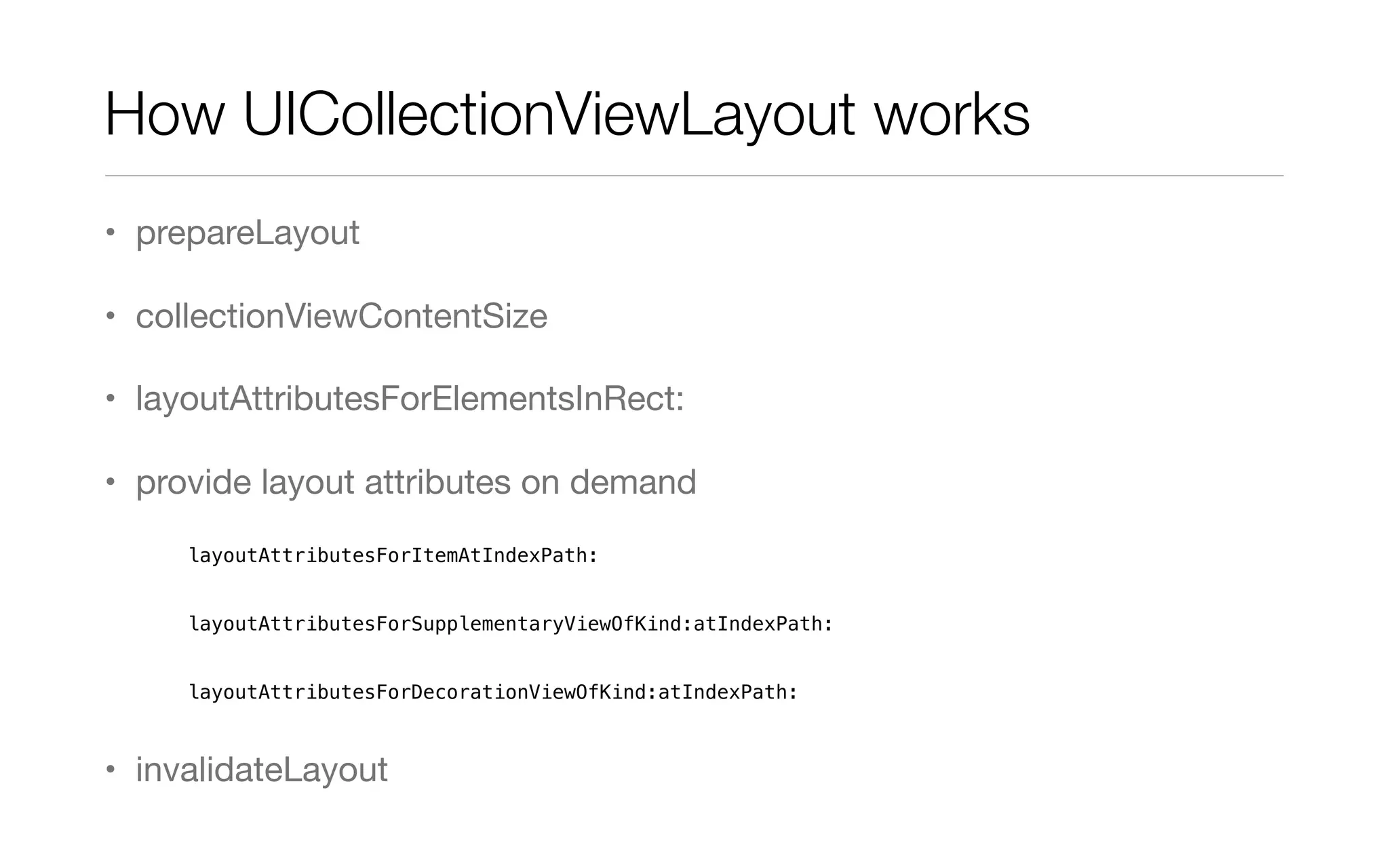
How UICollectionViewLayout works
• prepareLayout
• collectionViewContentSize
• layoutAttributesForElementsInRect:
• provide layout attributes on demand
layoutAttributesForItemAtIndexPath:
layoutAttributesForSupplementaryViewOfKind:atIndexPath:
layoutAttributesForDecorationViewOfKind:atIndexPath:
• invalidateLayout
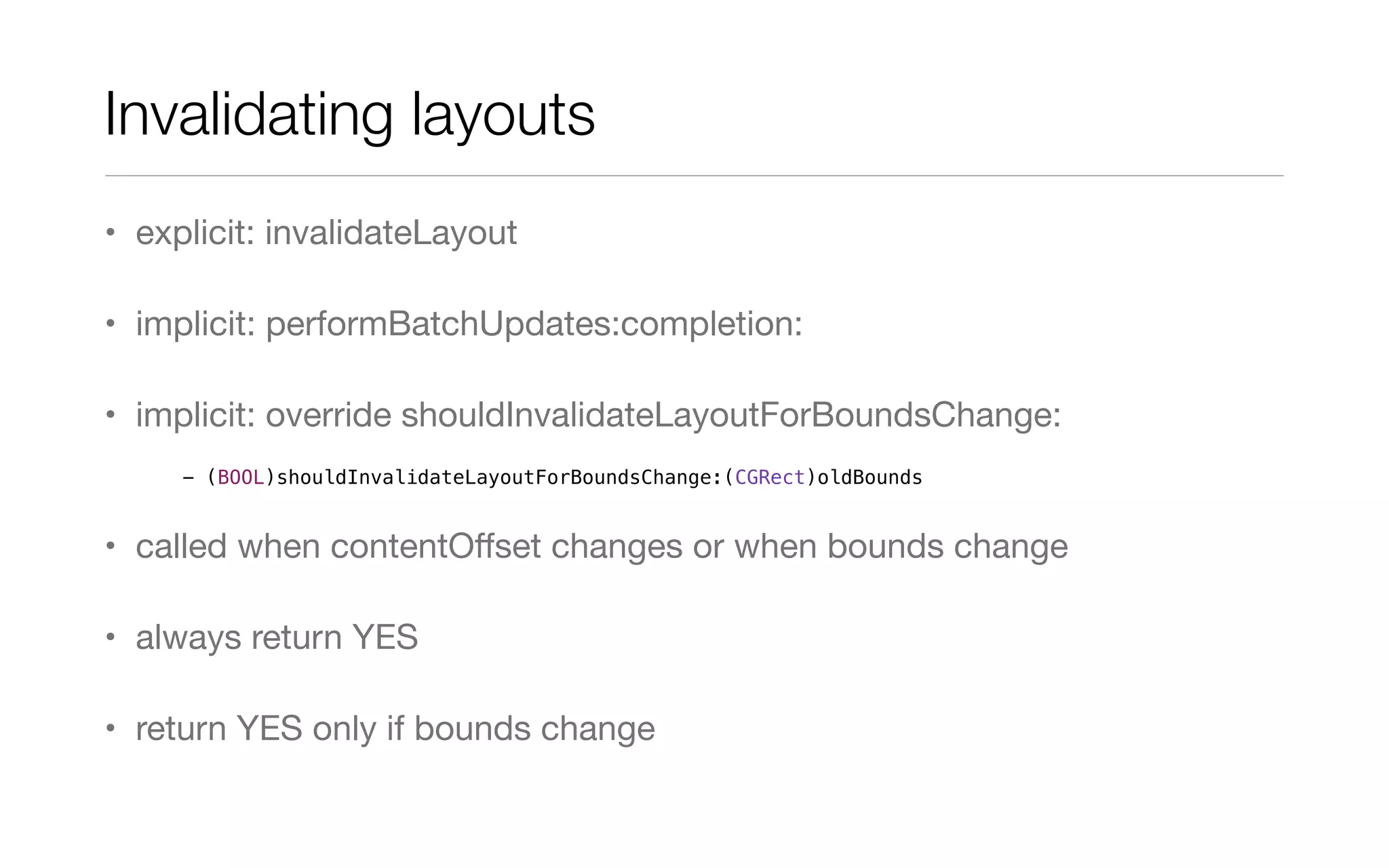
Invalidating layouts
• explicit: invalidateLayout
• implicit: performBatchUpdates:completion:
• implicit: override shouldInvalidateLayoutForBoundsChange:
• called when contentOffset changes or when bounds change
• always return YES
• return YES only if bounds change
- (BOOL)shouldInvalidateLayoutForBoundsChange:(CGRect)oldBounds
Miscellaneous Tips
• don’t use collectionView.frame / bounds outside of prepareLayout
• consider setting hidden = YES instead of alpha = 0
DEMO
Custom Layouts
More Customizations
More Customizations
• Decoration Views
• Custom Layout Attributes
• Custom Insert & Delete Animations
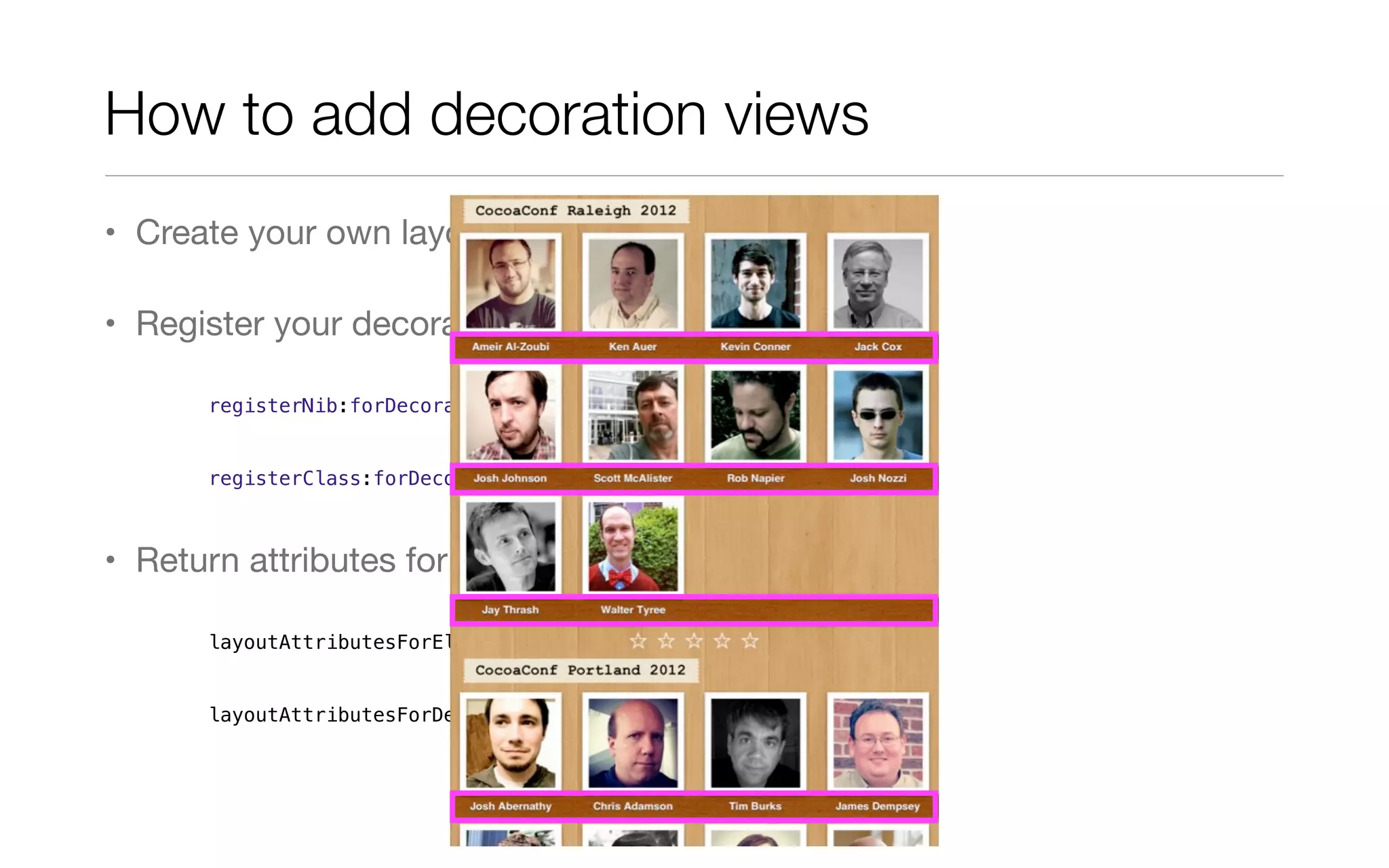
How to add decoration views
• Create your own layout class
• Register your decoration view
registerNib:forDecorationViewOfKind:
registerClass:forDecorationViewOfKind:
• Return attributes for all decoration views
layoutAttributesForElementsInRect:
layoutAttributesForDecorationViewOfKind:atIndexPath:
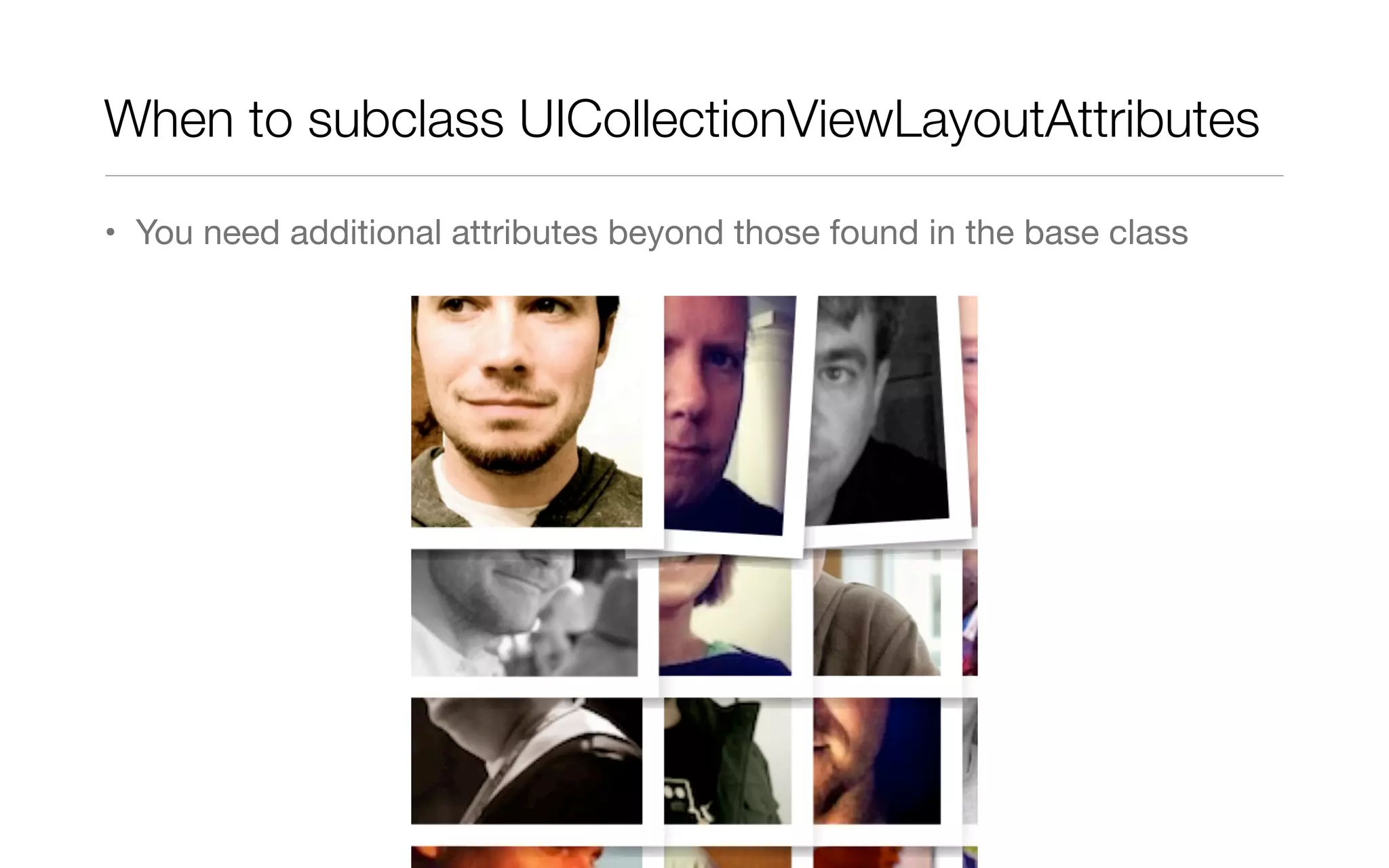
When to subclass UICollectionViewLayoutAttributes
• You need additional attributes beyond those found in the base class
How to create custom attributes
• Subclass UICollectionViewLayoutAttributes
• add additional properties
• Important! You must implement copyWithZone:
- (id)copyWithZone:(NSZone *)zone
{
CustomAttributes *attributes = [super copyWithZone:zone];
attributes.customProperty = self.customProperty;
return attributes;
}
How to create custom attributes
• Subclass UICollectionViewLayoutAttributes
• Subclass UICollectionViewLayout (or flow layout)
• implement layoutAttributesClass to return your custom class
+ (Class)layoutAttributesClass
{
return [CustomAttributes class];
}
How to create custom attributes
• Subclass UICollectionViewLayoutAttributes
• Subclass UICollectionViewLayout (or flow layout)
• implement layoutAttributesClass to return your custom class
• set your custom attributes
layoutAttributesForElementsInRect:
layoutAttributesForItemAtIndexPath:
layoutAttributesForSupplementaryViewOfKind:atIndexPath:
layoutAttributesForDecorationViewOfKind:atIndexPath:
How to create custom attributes
• Subclass UICollectionViewLayoutAttributes
• Subclass UICollectionViewLayout (or flow layout)
• In your cell, supplementary view, or decoration view classes implement
applyLayoutAttributes:
- (void)applyLayoutAttributes:(UICollectionViewLayoutAttributes *)layoutAttributes
{
if ([layoutAttributes isKindOfClass:[CustomAttributes class]])
{
CustomAttributes *customAttributes = (CustomAttributes *)layoutAttributes;
// Do something interesting with them
}
}
DEMO
Custom layout attributes
UICollectionView animations
• switch layout
• insert items
• delete items
• move items
- (void)setCollectionViewLayout:animated:
- (void)insertItemsAtIndexPaths:
- (void)deleteItemsAtIndexPaths:
- (void)moveItemAtIndexPath:toIndexPath:
Delete animations	
• Deleted item fades away
• Remaining items move to their new positions
• override finalLayoutAttributesForDisappearingItemAtIndexPath:
- (UICollectionViewLayoutAttributes *)finalLayoutAttributesForDisappearingItemAtIndexPath:
(NSIndexPath *)itemIndexPath
{
UICollectionViewLayoutAttributes* attributes = [self
layoutAttributesForItemAtIndexPath:itemIndexPath];
// Configure attributes ...
return attributes;
}
Customizing delete animations
• override finalLayoutAttributesForDisappearingItemAtIndexPath:
• gets called for every item that needs to be moved too, so need to track
index of deleted item(s).
• do that in prepareForCollectionViewUpdates: (don’t forget to call super!)
Customizing delete animations
What they didn’t tell you
- (void)prepareForCollectionViewUpdates:(NSArray *)updateItems
{
[super prepareForCollectionViewUpdates:updateItems];
self.deleteIndexPaths = [NSMutableArray array];
for (UICollectionViewUpdateItem *update in updateItems)
{
if (update.updateAction == UICollectionUpdateActionDelete)
{
[self.deleteIndexPaths addObject:update.indexPathBeforeUpdate];
}
}
}
• override finalLayoutAttributesForDisappearingItemAtIndexPath:
• gets called for every item that needs to be moved too, so need to track
index of deleted item(s).
• do that in prepareForCollectionViewUpdates: (don’t forget to call super!)
• clean up in finalizeCollectionViewUpdates
Customizing delete animations
What they didn’t tell you
- (void)finalizeCollectionViewUpdates
{
[super finalizeCollectionViewUpdates];
self.deleteIndexPaths = nil;
}
• override finalLayoutAttributesForDisappearingItemAtIndexPath:
Customizing delete animations
What they didn’t tell you
- (UICollectionViewLayoutAttributes *)finalLayoutAttributesForDisappearingItemAtIndexPath:
(NSIndexPath *)itemIndexPath
{
if ([self.deleteIndexPaths containsObject:itemIndexPath])
{
UICollectionViewLayoutAttributes* attributes = [self
layoutAttributesForItemAtIndexPath:itemIndexPath];
// Configure attributes ...
return attributes;
}
return nil;
}
• same applies to initialLayoutAttributesForAppearingItemAtIndexPath:
• will get called for both insert and delete animations
• must call super
Customizing delete animations
But wait, there’s more!
- (UICollectionViewLayoutAttributes *)initialLayoutAttributesForAppearingItemAtIndexPath:
(NSIndexPath *)itemIndexPath
{
UICollectionViewLayoutAttributes *attributes = [super
initialLayoutAttributesForAppearingItemAtIndexPath:itemIndexPath];
if ([self.insertIndexPaths containsObject:itemIndexPath])
{
if (!attributes)
attributes = [self layoutAttributesForItemAtIndexPath:itemIndexPath];
// Configure attributes ...
}
return attributes;
}
DEMO
Custom delete animation
Summary
Summary
• Collection views are very powerful, flexible tool
• UICollectionViewFlowLayout is highly customizable via properties,
subclassing, or delegation
• UICollectionView can support any arbitrary layout
• If you can dream it, build a layout for it!
Support for iOS 4.3 & 5
PSTCollectionView
• GitHub project by Peter Steinberger
• uses UICollectionView classes under iOS 6
• uses custom classes under iOS 4.3 and 5
• doesn’t have all the animations (yet)
• github.com/steipete/PSTCollectionView
Resources
• github.com/mpospese/IntroducingCollectionViews
• github.com/steipete/PSTCollectionView
• developer.apple.com/library/ios/documentation/WindowsViews/
Conceptual/CollectionViewPGforIOS/CollectionViewPGforIOS.pdf
• WWDC 2012, Session 205 (Introducing Collection Views)
• WWDC 2012, Session 219 (Advanced Collection Views and Building
Custom Layouts)
Contact
twitter! @mpospese
email! mark.pospesel@ymedialabs.com
phone! 650.260.5227
web!! ymedialabs.com
blog!! markpospesel.com

Introducing collection views - Mark Pospesel

  • 1.
    Introducing Collection Views MarkPospesel Mobile Architect Y Media Labs code github.com/mpospese/IntroducingCollectionViews slides bit.ly/ViTNiK @mpospese Slides and code on flash drives
  • 2.
    Who Am I? •Studied mathematics, marine biology, and teaching English as a Second Language • 14 years industry experience • Programming for mobile since 1999! • Mobile Architect for Y Media Labs
  • 3.
    Outline • Introduction • API •Flow Layout • Custom Layouts • More Customizations • Summary
  • 4.
  • 5.
    Where we camefrom • Table views
  • 6.
  • 7.
    Grid views andhorizontal scrollers The hard way • UIScrollView • manually place “cells” • DataSource delegate • delegate for selection, appearance, disappearance, etc. • create views for cells on demand and cache cells for reuse
  • 8.
    What if youwanted something even more complex?
  • 9.
    Enter UICollectionView • Handlesgrids • Handles horizontal line scrollers • Handles pretty much any custom layout you can imagine • High-performance even with large data sets • Works well with Core Data and NSFetchedResultsController • Familiar delegate / data source API pattern
  • 10.
    • Disclaimer: Nevership programmer art! Components
  • 11.
  • 12.
  • 13.
    • Cells • UICollectionViewCell •UIView • UIImageView • UILabel Components
  • 14.
    • Cells • SupplementaryViews (headers) Components
  • 15.
    • Cells • SupplementaryViews (headers and footers) Components
  • 16.
    • Cells • SupplementaryViews (headers and footers) • Decoration Views (everything else) Components
  • 17.
  • 18.
    UICollectionView • If youknow how to use UITableView, you mostly know how to use simple Collection Views already
  • 19.
    UICollectionViewDataSource • number ofsections - (NSInteger)numberOfSectionsInCollectionView:(UICollectionView *)collectionView • number of items in each section - (NSInteger)collectionView:(UICollectionView *)collectionView numberOfItemsInSection: (NSInteger)section • configure cells - (UICollectionViewCell *)collectionView:(UICollectionView *)collectionView cellForItemAtIndexPath:(NSIndexPath *)indexPath • configure supplementary views - (UICollectionReusableView *)collectionView:(UICollectionView *)collectionView viewForSupplementaryElementOfKind:(NSString *)kind atIndexPath:(NSIndexPath *)indexPath
  • 20.
    Cell and viewreuse • Cells, supplementary views, and decoration views are all reused • Each type of view needs to be registered for reuse (nib or class) registerClass:forCellWithReuseIdentifier: registerNib:forCellWithReuseIdentifier: registerClass:forSupplementaryViewOfKind:withReuseIdentifier: registerNib:forSupplementaryViewOfKind:withReuseIdentifier:
  • 21.
    Cell and viewreuse • Cells, supplementary views, and decoration views are all reused • Each type of view needs to be registered for reuse (nib or class) • dequeue will instantiate the class if necessary dequeueReusableCellWithReuseIdentifier:forIndexPath: dequeueReusableSupplementaryViewOfKind:withReuseIdentifier:forIndexPath:
  • 22.
    UICollectionViewDelegate • Manages selectingand highlighting • should/did select/deselect • should/did highlight/unhighlight • Tracks the removal of cells • didEndDisplay cell/supplementary view • Manages actions for cells • should show menu • canPerform/perform action on cell
  • 23.
  • 24.
    UICollectionViewLayout • Tells thecollection view about position, size, and visual state of items in the collection • abstract class
  • 25.
    UICollectionViewFlowLayout • Subclass ofUICollectionViewLayout for grids • Makes it super easy to implement basic grids • Supports headers and footers • Can be customized via properties or by delegate • property = global • delegate = per item or section • Can be subclassed
  • 26.
  • 27.
  • 28.
  • 29.
  • 30.
    UICollectionViewFlowLayout • scroll direction •itemSize • minimumInteritemSpacing
  • 31.
    UICollectionViewFlowLayout • scroll direction •itemSize • minimumInteritemSpacing • minimum spacing • actual spacing
  • 32.
    UICollectionViewFlowLayout • scroll direction •itemSize • minimumInteritemSpacing • minimumLineSpacing
  • 33.
    UICollectionViewFlowLayout • scroll direction •itemSize • minimumInteritemSpacing • minimumLineSpacing
  • 34.
    UICollectionViewFlowLayout • scroll direction •itemSize • minimumInteritemSpacing • minimumLineSpacing • sectionInset
  • 35.
    UICollectionViewFlowLayout • scroll direction •itemSize • minimumInteritemSpacing • minimumLineSpacing • sectionInset
  • 36.
    UICollectionViewFlowLayout • scroll direction •itemSize • minimumInteritemSpacing • minimumLineSpacing • sectionInset • headerReferenceSize
  • 37.
    UICollectionViewFlowLayout • scroll direction •itemSize • minimumInteritemSpacing • minimumLineSpacing • sectionInset • headerReferenceSize
  • 38.
    UICollectionViewFlowLayout • scroll direction •itemSize • minimumInteritemSpacing • minimumLineSpacing • sectionInset • headerReferenceSize
  • 39.
    UICollectionViewFlowLayout • scroll direction •itemSize • minimumInteritemSpacing • minimumLineSpacing • sectionInset • headerReferenceSize
  • 40.
    UICollectionViewFlowLayout • scroll direction •itemSize • minimumInteritemSpacing • minimumLineSpacing • sectionInset • headerReferenceSize • footerReferenceSize
  • 41.
    UICollectionViewFlowLayout • scroll direction •itemSize • minimumInteritemSpacing • minimumLineSpacing • sectionInset • headerReferenceSize • footerReferenceSize
  • 42.
    UICollectionViewFlowLayout • scroll direction •itemSize • minimumInteritemSpacing • minimumLineSpacing • sectionInset • headerReferenceSize • footerReferenceSize
  • 43.
    UICollectionViewFlowLayout • scroll direction •itemSize • minimumInteritemSpacing • minimumLineSpacing • sectionInset • headerReferenceSize • footerReferenceSize
  • 44.
  • 45.
    UICollectionViewFlowLayout • itemSize • minimumInteritemSpacing •minimumLineSpacing • sectionInset • referenceSizeForHeader • referenceSizeForFooter
  • 46.
    UICollectionViewDelegateFlowLayout • – collectionView:layout:sizeForItemAtIndexPath: • – collectionView:layout:minimumInteritemSpacingForSectionAtIndex: •– collectionView:layout:minimumLineSpacingForSectionAtIndex: • – collectionView:layout:insetForSectionAtIndex: • – collectionView:layout:referenceSizeForHeaderInSection: • – collectionView:layout:referenceSizeForFooterInSection:
  • 47.
  • 48.
  • 49.
    UICollectionViewLayoutAttributes • Describe position,size, visual state of collection items • Apply to cells, supplementary views, and decoration views • Set by layout • Used by collection view to configure cells and views • Subclass to add additional attributes
  • 50.
  • 51.
    When to subclassUICollectionViewFlowLayout • add decoration views • add extra supplementary views (beyond headers and footers) • adjust the default layout attributes of items • add new layout attributes • use custom insert or delete animations
  • 52.
    When to subclassUICollectionViewLayout • The layout you want is nothing like a grid • You’d have to change the default attributes so much that it would be less work to not derive from flow layout
  • 53.
    How UICollectionViewLayout works •prepareLayout • collectionViewContentSize • layoutAttributesForElementsInRect: • provide layout attributes on demand layoutAttributesForItemAtIndexPath: layoutAttributesForSupplementaryViewOfKind:atIndexPath: layoutAttributesForDecorationViewOfKind:atIndexPath: • invalidateLayout
  • 54.
    Invalidating layouts • explicit:invalidateLayout • implicit: performBatchUpdates:completion: • implicit: override shouldInvalidateLayoutForBoundsChange: • called when contentOffset changes or when bounds change • always return YES • return YES only if bounds change - (BOOL)shouldInvalidateLayoutForBoundsChange:(CGRect)oldBounds
  • 55.
    Miscellaneous Tips • don’tuse collectionView.frame / bounds outside of prepareLayout • consider setting hidden = YES instead of alpha = 0
  • 56.
  • 57.
  • 58.
    More Customizations • DecorationViews • Custom Layout Attributes • Custom Insert & Delete Animations
  • 59.
    How to adddecoration views • Create your own layout class • Register your decoration view registerNib:forDecorationViewOfKind: registerClass:forDecorationViewOfKind: • Return attributes for all decoration views layoutAttributesForElementsInRect: layoutAttributesForDecorationViewOfKind:atIndexPath:
  • 60.
    When to subclassUICollectionViewLayoutAttributes • You need additional attributes beyond those found in the base class
  • 61.
    How to createcustom attributes • Subclass UICollectionViewLayoutAttributes • add additional properties • Important! You must implement copyWithZone: - (id)copyWithZone:(NSZone *)zone { CustomAttributes *attributes = [super copyWithZone:zone]; attributes.customProperty = self.customProperty; return attributes; }
  • 62.
    How to createcustom attributes • Subclass UICollectionViewLayoutAttributes • Subclass UICollectionViewLayout (or flow layout) • implement layoutAttributesClass to return your custom class + (Class)layoutAttributesClass { return [CustomAttributes class]; }
  • 63.
    How to createcustom attributes • Subclass UICollectionViewLayoutAttributes • Subclass UICollectionViewLayout (or flow layout) • implement layoutAttributesClass to return your custom class • set your custom attributes layoutAttributesForElementsInRect: layoutAttributesForItemAtIndexPath: layoutAttributesForSupplementaryViewOfKind:atIndexPath: layoutAttributesForDecorationViewOfKind:atIndexPath:
  • 64.
    How to createcustom attributes • Subclass UICollectionViewLayoutAttributes • Subclass UICollectionViewLayout (or flow layout) • In your cell, supplementary view, or decoration view classes implement applyLayoutAttributes: - (void)applyLayoutAttributes:(UICollectionViewLayoutAttributes *)layoutAttributes { if ([layoutAttributes isKindOfClass:[CustomAttributes class]]) { CustomAttributes *customAttributes = (CustomAttributes *)layoutAttributes; // Do something interesting with them } }
  • 65.
  • 66.
    UICollectionView animations • switchlayout • insert items • delete items • move items - (void)setCollectionViewLayout:animated: - (void)insertItemsAtIndexPaths: - (void)deleteItemsAtIndexPaths: - (void)moveItemAtIndexPath:toIndexPath:
  • 67.
    Delete animations • Deleteditem fades away • Remaining items move to their new positions
  • 68.
    • override finalLayoutAttributesForDisappearingItemAtIndexPath: -(UICollectionViewLayoutAttributes *)finalLayoutAttributesForDisappearingItemAtIndexPath: (NSIndexPath *)itemIndexPath { UICollectionViewLayoutAttributes* attributes = [self layoutAttributesForItemAtIndexPath:itemIndexPath]; // Configure attributes ... return attributes; } Customizing delete animations
  • 69.
    • override finalLayoutAttributesForDisappearingItemAtIndexPath: •gets called for every item that needs to be moved too, so need to track index of deleted item(s). • do that in prepareForCollectionViewUpdates: (don’t forget to call super!) Customizing delete animations What they didn’t tell you - (void)prepareForCollectionViewUpdates:(NSArray *)updateItems { [super prepareForCollectionViewUpdates:updateItems]; self.deleteIndexPaths = [NSMutableArray array]; for (UICollectionViewUpdateItem *update in updateItems) { if (update.updateAction == UICollectionUpdateActionDelete) { [self.deleteIndexPaths addObject:update.indexPathBeforeUpdate]; } } }
  • 70.
    • override finalLayoutAttributesForDisappearingItemAtIndexPath: •gets called for every item that needs to be moved too, so need to track index of deleted item(s). • do that in prepareForCollectionViewUpdates: (don’t forget to call super!) • clean up in finalizeCollectionViewUpdates Customizing delete animations What they didn’t tell you - (void)finalizeCollectionViewUpdates { [super finalizeCollectionViewUpdates]; self.deleteIndexPaths = nil; }
  • 71.
    • override finalLayoutAttributesForDisappearingItemAtIndexPath: Customizingdelete animations What they didn’t tell you - (UICollectionViewLayoutAttributes *)finalLayoutAttributesForDisappearingItemAtIndexPath: (NSIndexPath *)itemIndexPath { if ([self.deleteIndexPaths containsObject:itemIndexPath]) { UICollectionViewLayoutAttributes* attributes = [self layoutAttributesForItemAtIndexPath:itemIndexPath]; // Configure attributes ... return attributes; } return nil; }
  • 72.
    • same appliesto initialLayoutAttributesForAppearingItemAtIndexPath: • will get called for both insert and delete animations • must call super Customizing delete animations But wait, there’s more! - (UICollectionViewLayoutAttributes *)initialLayoutAttributesForAppearingItemAtIndexPath: (NSIndexPath *)itemIndexPath { UICollectionViewLayoutAttributes *attributes = [super initialLayoutAttributesForAppearingItemAtIndexPath:itemIndexPath]; if ([self.insertIndexPaths containsObject:itemIndexPath]) { if (!attributes) attributes = [self layoutAttributesForItemAtIndexPath:itemIndexPath]; // Configure attributes ... } return attributes; }
  • 73.
  • 74.
  • 75.
    Summary • Collection viewsare very powerful, flexible tool • UICollectionViewFlowLayout is highly customizable via properties, subclassing, or delegation • UICollectionView can support any arbitrary layout • If you can dream it, build a layout for it!
  • 76.
    Support for iOS4.3 & 5 PSTCollectionView • GitHub project by Peter Steinberger • uses UICollectionView classes under iOS 6 • uses custom classes under iOS 4.3 and 5 • doesn’t have all the animations (yet) • github.com/steipete/PSTCollectionView
  • 77.
    Resources • github.com/mpospese/IntroducingCollectionViews • github.com/steipete/PSTCollectionView •developer.apple.com/library/ios/documentation/WindowsViews/ Conceptual/CollectionViewPGforIOS/CollectionViewPGforIOS.pdf • WWDC 2012, Session 205 (Introducing Collection Views) • WWDC 2012, Session 219 (Advanced Collection Views and Building Custom Layouts)
  • 78.
    Contact twitter! @mpospese email! mark.pospesel@ymedialabs.com phone!650.260.5227 web!! ymedialabs.com blog!! markpospesel.com