Introducing
The Great
CALayer Tour
Presented by Scott Gardner
About Me
Scott Gardner
iOS developer for 4+ years
Author of Transitioning to Swift
Speaking at CocoaConf Chicago ,
March 2015
LinkedIn: scotteg.com
Twitter: @scotteg
Tech Talk Overview
Things to Know
CALayer and Subclasses
Demos
Getting Started
Layer Player Tour
Layer Player Code
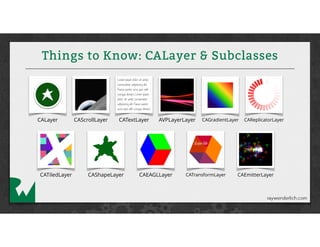
Things to Know: CALayer & Subclasses
CALayer CAScrollLayer CATextLayer CAGradientLayer CAReplicatorLayer
CATiledLayer CAShapeLayer CAEAGLLayer CATransformLayer CAEmitterLayer
AVPLayerLayer
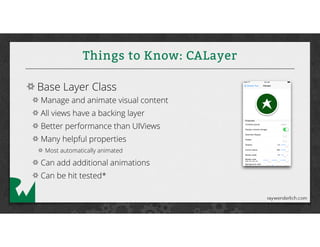
Things to Know: CALayer
Base Layer Class
Manage and animate visual content
All views have a backing layer
Better performance than UIViews
Many helpful properties
Most automatically animated
Can add additional animations
Can be hit tested*
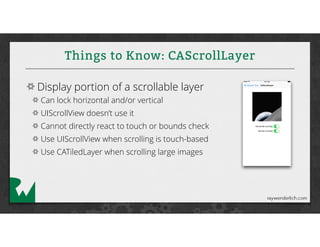
Things to Know: CAScrollLayer
Display portion of a scrollable layer
Can lock horizontal and/or vertical
UIScrollView doesn’t use it
Cannot directly react to touch or bounds check
Use UIScrollView when scrolling is touch-based
Use CATiledLayer when scrolling large images
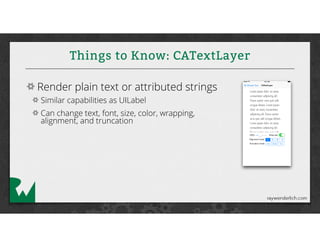
Things to Know: CATextLayer
Render plain text or attributed strings
Similar capabilities as UILabel
Can change text, font, size, color, wrapping,
alignment, and truncation
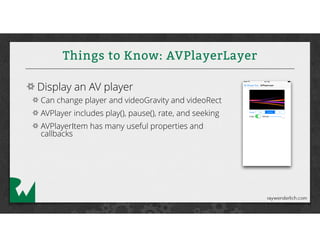
Things to Know: AVPlayerLayer
Display an AV player
Can change player and videoGravity and videoRect
AVPlayer includes play(), pause(), rate, and seeking
AVPlayerItem has many useful properties and
callbacks
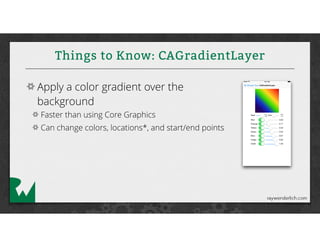
Things to Know: CAGradientLayer
Apply a color gradient over the
background
Faster than using Core Graphics
Can change colors, locations*, and start/end points
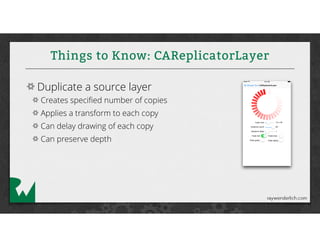
Things to Know: CAReplicatorLayer
Duplicate a source layer
Creates specified number of copies
Applies a transform to each copy
Can delay drawing of each copy
Can preserve depth
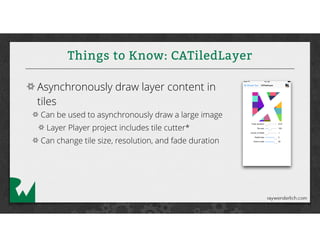
Things to Know: CATiledLayer
Asynchronously draw layer content in
tiles
Can be used to asynchronously draw a large image
Layer Player project includes tile cutter*
Can change tile size, resolution, and fade duration
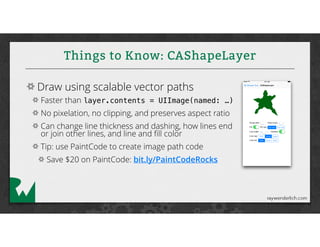
Things to Know: CAShapeLayer
Draw using scalable vector paths
Faster than layer.contents = UIImage(named: …)
No pixelation, no clipping, and preserves aspect ratio
Can change line thickness and dashing, how lines end
or join other lines, and line and fill color
Tip: use PaintCode to create image path code
Save $20 on PaintCode: bit.ly/PaintCodeRocks
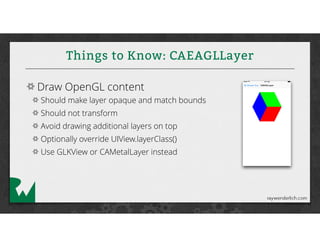
Things to Know: CAEAGLLayer
Draw OpenGL content
Should make layer opaque and match bounds
Should not transform
Avoid drawing additional layers on top
Optionally override UIView.layerClass()
Use GLKView or CAMetalLayer instead
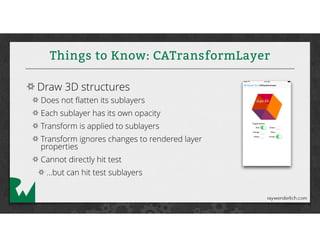
Things to Know: CATransformLayer
Draw 3D structures
Does not flatten its sublayers
Each sublayer has its own opacity
Transform is applied to sublayers
Transform ignores changes to rendered layer
properties
Cannot directly hit test
…but can hit test sublayers
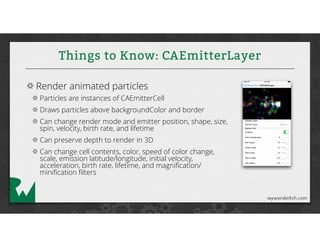
Things to Know: CAEmitterLayer
Render animated particles
Particles are instances of CAEmitterCell
Draws particles above backgroundColor and border
Can change render mode and emitter position, shape, size,
spin, velocity, birth rate, and lifetime
Can preserve depth to render in 3D
Can change cell contents, color, speed of color change,
scale, emission latitude/longitude, initial velocity,
acceleration, birth rate, lifetime, and magnification/
minification filters
Introducing
The Great
CALayer Tour
Demos
Where To Go From Here?
Download Layer Player from App Store
Read 10 Ways To Score Wins With Layers
tutorial on raywenderlich.com
Practice, practice, practice!
Drop me a note anytime! :]
@scotteg
fin

The Great CALayer Tour

  • 1.
  • 2.
    About Me Scott Gardner iOSdeveloper for 4+ years Author of Transitioning to Swift Speaking at CocoaConf Chicago , March 2015 LinkedIn: scotteg.com Twitter: @scotteg
  • 3.
    Tech Talk Overview Thingsto Know CALayer and Subclasses Demos Getting Started Layer Player Tour Layer Player Code
  • 4.
    Things to Know:CALayer & Subclasses CALayer CAScrollLayer CATextLayer CAGradientLayer CAReplicatorLayer CATiledLayer CAShapeLayer CAEAGLLayer CATransformLayer CAEmitterLayer AVPLayerLayer
  • 5.
    Things to Know:CALayer Base Layer Class Manage and animate visual content All views have a backing layer Better performance than UIViews Many helpful properties Most automatically animated Can add additional animations Can be hit tested*
  • 6.
    Things to Know:CAScrollLayer Display portion of a scrollable layer Can lock horizontal and/or vertical UIScrollView doesn’t use it Cannot directly react to touch or bounds check Use UIScrollView when scrolling is touch-based Use CATiledLayer when scrolling large images
  • 7.
    Things to Know:CATextLayer Render plain text or attributed strings Similar capabilities as UILabel Can change text, font, size, color, wrapping, alignment, and truncation
  • 8.
    Things to Know:AVPlayerLayer Display an AV player Can change player and videoGravity and videoRect AVPlayer includes play(), pause(), rate, and seeking AVPlayerItem has many useful properties and callbacks
  • 9.
    Things to Know:CAGradientLayer Apply a color gradient over the background Faster than using Core Graphics Can change colors, locations*, and start/end points
  • 10.
    Things to Know:CAReplicatorLayer Duplicate a source layer Creates specified number of copies Applies a transform to each copy Can delay drawing of each copy Can preserve depth
  • 11.
    Things to Know:CATiledLayer Asynchronously draw layer content in tiles Can be used to asynchronously draw a large image Layer Player project includes tile cutter* Can change tile size, resolution, and fade duration
  • 12.
    Things to Know:CAShapeLayer Draw using scalable vector paths Faster than layer.contents = UIImage(named: …) No pixelation, no clipping, and preserves aspect ratio Can change line thickness and dashing, how lines end or join other lines, and line and fill color Tip: use PaintCode to create image path code Save $20 on PaintCode: bit.ly/PaintCodeRocks
  • 13.
    Things to Know:CAEAGLLayer Draw OpenGL content Should make layer opaque and match bounds Should not transform Avoid drawing additional layers on top Optionally override UIView.layerClass() Use GLKView or CAMetalLayer instead
  • 14.
    Things to Know:CATransformLayer Draw 3D structures Does not flatten its sublayers Each sublayer has its own opacity Transform is applied to sublayers Transform ignores changes to rendered layer properties Cannot directly hit test …but can hit test sublayers
  • 15.
    Things to Know:CAEmitterLayer Render animated particles Particles are instances of CAEmitterCell Draws particles above backgroundColor and border Can change render mode and emitter position, shape, size, spin, velocity, birth rate, and lifetime Can preserve depth to render in 3D Can change cell contents, color, speed of color change, scale, emission latitude/longitude, initial velocity, acceleration, birth rate, lifetime, and magnification/ minification filters
  • 16.
  • 17.
    Where To GoFrom Here? Download Layer Player from App Store Read 10 Ways To Score Wins With Layers tutorial on raywenderlich.com Practice, practice, practice! Drop me a note anytime! :] @scotteg
  • 18.