

Kumayl Rajani
Cyber Security Trainer & Consultant
(CEH, ECSA, CHFI, MOS, CCNP)
Etech global solution
Cyber Security
Awareness
 What is Cyber Security?
 What is a Malware?
 What is a Phishing attack?
 Quiz
What is Hacking?
To gain unauthorized access to a system such as computers,
smartphones and even entire networks.
”Hacking might not always be for malicious purposes”
3 By Kumayl Rajani
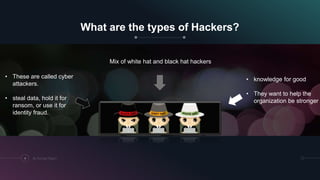
What are the types of Hackers?
4 By Kumayl Rajani
• knowledge for good
• They want to help the
organization be stronger
• These are called cyber
attackers.
• steal data, hold it for
ransom, or use it for
identity fraud.
Mix of white hat and black hat hackers
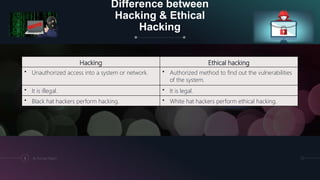
Difference between
Hacking & Ethical
Hacking
5 By Kumayl Rajani
Hacking Ethical hacking
• Unauthorized access into a system or network. • Authorized method to find out the vulnerabilities
of the system.
• It is illegal. • It is legal.
• Black hat hackers perform hacking. • White hat hackers perform ethical hacking.
What is Cyber Security?
Cyber security is the protection of computers systems from
malicious attacks.
6 By Kumayl Rajani
Why is Cyber Security Important?
Did you know that 95% of cybersecurity breaches are due to human
error? On top of that, only 38% of global organizations state that
they’re prepared to handle a sophisticated cyber-attack.
7 By Kumayl Rajani
What is a Malware?
• Malwares are malicious software that enables the attacker to have full
or limited control over the target system once it enters.
What they do?
 Damage or modify information in the system
 Steals the information from the system
8 By Kumayl Rajani
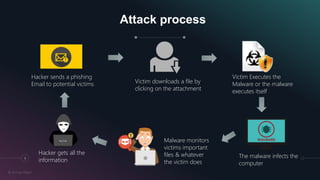
Attack process
9
By Kumayl Rajani
Hacker sends a phishing
Email to potential victims Victim downloads a file by
clicking on the attachment
Victim Executes the
Malware or the malware
executes itself
The malware infects the
computer
Malware monitors
victims important
files & whatever
the victim does
Hacker gets all the
information
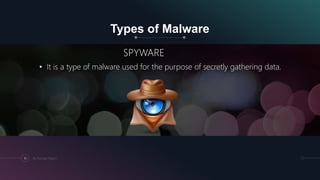
Types of Malware
SPYWARE
• It is a type of malware used for the purpose of secretly gathering data.
10 By Kumayl Rajani
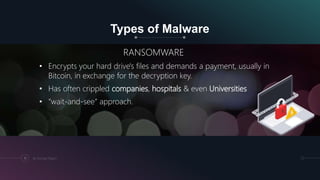
Types of Malware
RANSOMWARE
• Encrypts your hard drive's files and demands a payment, usually in
Bitcoin, in exchange for the decryption key.
• Has often crippled companies, hospitals & even Universities
• “wait-and-see” approach.
11 By Kumayl Rajani
Ransomware Prevention
• Never click on unverified links
• Do not open untrusted email attachments
• Only download from sites you trust
• Avoid giving out personal data
• Never use unfamiliar USBs
• Keep your software and operating system updated
• Backup your data (Most Important)
12 By Kumayl Rajani
Phishing
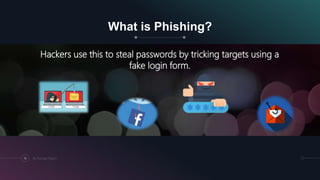
What is Phishing?
Hackers use this to steal passwords by tricking targets using a
fake login form.
14 By Kumayl Rajani
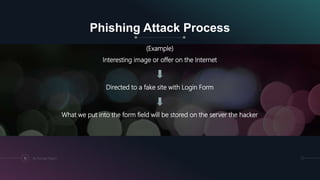
Phishing Attack Process
(Example)
Interesting image or offer on the Internet
Directed to a fake site with Login Form
What we put into the form field will be stored on the server the hacker
15 By Kumayl Rajani
Google blocking 18m coronavirus scam
emails every day
• Scammers are sending 18 million hoax emails about Covid-19 to
Gmail users every day, according to Google.
• The tech giant says the pandemic has led to an explosion of phishing
attacks
16 By Kumayl Rajani
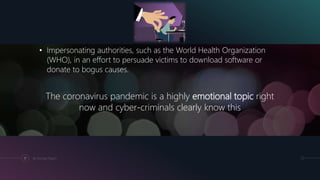
• Impersonating authorities, such as the World Health Organization
(WHO), in an effort to persuade victims to download software or
donate to bogus causes.
The coronavirus pandemic is a highly emotional topic right
now and cyber-criminals clearly know this
17 By Kumayl Rajani
18
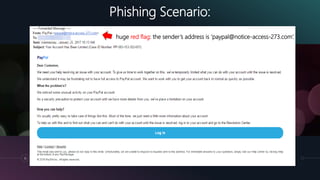
Phishing Scenario:
huge red flag: the sender’s address is ‘paypal@notice-access-273.com’.
19
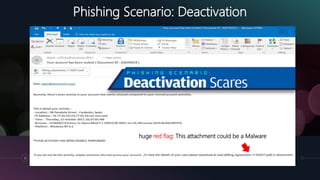
Phishing Scenario: Deactivation
huge red flag: This attachment could be a Malware
21
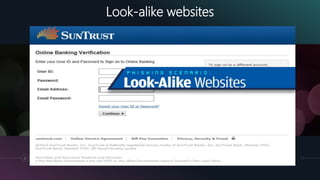
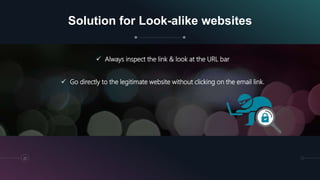
Look-alike websites
Solution for Look-alike websites
 Always inspect the link & look at the URL bar
 Go directly to the legitimate website without clicking on the email link.
22
26
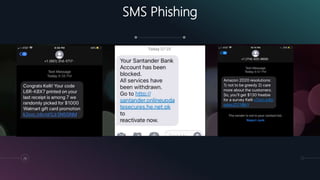
SMS Phishing
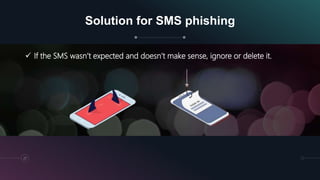
Solution for SMS phishing
 If the SMS wasn’t expected and doesn’t make sense, ignore or delete it.
27
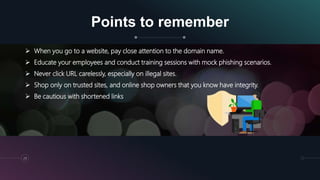
Points to remember
29
 When you go to a website, pay close attention to the domain name.
 Educate your employees and conduct training sessions with mock phishing scenarios.
 Never click URL carelessly, especially on illegal sites.
 Shop only on trusted sites, and online shop owners that you know have integrity.
 Be cautious with shortened links
Different Training Programs we
offer
30
 Internet Safety Training for Women
 Cyber Security Training for corporate employees
 Cyber Security awareness Training for School &
Universities (Students & Teachers)
Kumayl@etechglobalsolution.com
Training@etechglobalsolution.com
+971 521716950 (Call)
For trainings:
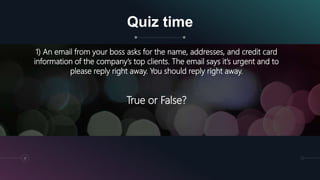
Quiz time
31
1) An email from your boss asks for the name, addresses, and credit card
information of the company’s top clients. The email says it’s urgent and to
please reply right away. You should reply right away.
True or False?
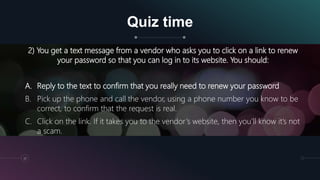
Quiz time
32
2) You get a text message from a vendor who asks you to click on a link to renew
your password so that you can log in to its website. You should:
A. Reply to the text to confirm that you really need to renew your password
B. Pick up the phone and call the vendor, using a phone number you know to be
correct, to confirm that the request is real.
C. Click on the link. If it takes you to the vendor’s website, then you’ll know it’s not
a scam.
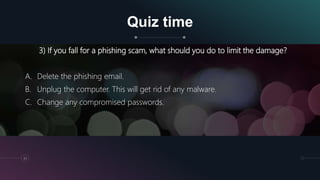
Quiz time
33
3) If you fall for a phishing scam, what should you do to limit the damage?
A. Delete the phishing email.
B. Unplug the computer. This will get rid of any malware.
C. Change any compromised passwords.
THANK YOU!

Introduction to Cyber Security | Malware | Phishing attacks

  • 1.
    Kumayl Rajani Cyber SecurityTrainer & Consultant (CEH, ECSA, CHFI, MOS, CCNP) Etech global solution
  • 2.
    Cyber Security Awareness  Whatis Cyber Security?  What is a Malware?  What is a Phishing attack?  Quiz
  • 3.
    What is Hacking? Togain unauthorized access to a system such as computers, smartphones and even entire networks. ”Hacking might not always be for malicious purposes” 3 By Kumayl Rajani
  • 4.
    What are thetypes of Hackers? 4 By Kumayl Rajani • knowledge for good • They want to help the organization be stronger • These are called cyber attackers. • steal data, hold it for ransom, or use it for identity fraud. Mix of white hat and black hat hackers
  • 5.
    Difference between Hacking &Ethical Hacking 5 By Kumayl Rajani Hacking Ethical hacking • Unauthorized access into a system or network. • Authorized method to find out the vulnerabilities of the system. • It is illegal. • It is legal. • Black hat hackers perform hacking. • White hat hackers perform ethical hacking.
  • 6.
    What is CyberSecurity? Cyber security is the protection of computers systems from malicious attacks. 6 By Kumayl Rajani
  • 7.
    Why is CyberSecurity Important? Did you know that 95% of cybersecurity breaches are due to human error? On top of that, only 38% of global organizations state that they’re prepared to handle a sophisticated cyber-attack. 7 By Kumayl Rajani
  • 8.
    What is aMalware? • Malwares are malicious software that enables the attacker to have full or limited control over the target system once it enters. What they do?  Damage or modify information in the system  Steals the information from the system 8 By Kumayl Rajani
  • 9.
    Attack process 9 By KumaylRajani Hacker sends a phishing Email to potential victims Victim downloads a file by clicking on the attachment Victim Executes the Malware or the malware executes itself The malware infects the computer Malware monitors victims important files & whatever the victim does Hacker gets all the information
  • 10.
    Types of Malware SPYWARE •It is a type of malware used for the purpose of secretly gathering data. 10 By Kumayl Rajani
  • 11.
    Types of Malware RANSOMWARE •Encrypts your hard drive's files and demands a payment, usually in Bitcoin, in exchange for the decryption key. • Has often crippled companies, hospitals & even Universities • “wait-and-see” approach. 11 By Kumayl Rajani
  • 12.
    Ransomware Prevention • Neverclick on unverified links • Do not open untrusted email attachments • Only download from sites you trust • Avoid giving out personal data • Never use unfamiliar USBs • Keep your software and operating system updated • Backup your data (Most Important) 12 By Kumayl Rajani
  • 13.
  • 14.
    What is Phishing? Hackersuse this to steal passwords by tricking targets using a fake login form. 14 By Kumayl Rajani
  • 15.
    Phishing Attack Process (Example) Interestingimage or offer on the Internet Directed to a fake site with Login Form What we put into the form field will be stored on the server the hacker 15 By Kumayl Rajani
  • 16.
    Google blocking 18mcoronavirus scam emails every day • Scammers are sending 18 million hoax emails about Covid-19 to Gmail users every day, according to Google. • The tech giant says the pandemic has led to an explosion of phishing attacks 16 By Kumayl Rajani
  • 17.
    • Impersonating authorities,such as the World Health Organization (WHO), in an effort to persuade victims to download software or donate to bogus causes. The coronavirus pandemic is a highly emotional topic right now and cyber-criminals clearly know this 17 By Kumayl Rajani
  • 18.
    18 Phishing Scenario: huge redflag: the sender’s address is ‘paypal@notice-access-273.com’.
  • 19.
    19 Phishing Scenario: Deactivation hugered flag: This attachment could be a Malware
  • 20.
  • 21.
    Solution for Look-alikewebsites  Always inspect the link & look at the URL bar  Go directly to the legitimate website without clicking on the email link. 22
  • 22.
  • 23.
    Solution for SMSphishing  If the SMS wasn’t expected and doesn’t make sense, ignore or delete it. 27
  • 24.
    Points to remember 29 When you go to a website, pay close attention to the domain name.  Educate your employees and conduct training sessions with mock phishing scenarios.  Never click URL carelessly, especially on illegal sites.  Shop only on trusted sites, and online shop owners that you know have integrity.  Be cautious with shortened links
  • 25.
    Different Training Programswe offer 30  Internet Safety Training for Women  Cyber Security Training for corporate employees  Cyber Security awareness Training for School & Universities (Students & Teachers) Kumayl@etechglobalsolution.com Training@etechglobalsolution.com +971 521716950 (Call) For trainings:
  • 26.
    Quiz time 31 1) Anemail from your boss asks for the name, addresses, and credit card information of the company’s top clients. The email says it’s urgent and to please reply right away. You should reply right away. True or False?
  • 27.
    Quiz time 32 2) Youget a text message from a vendor who asks you to click on a link to renew your password so that you can log in to its website. You should: A. Reply to the text to confirm that you really need to renew your password B. Pick up the phone and call the vendor, using a phone number you know to be correct, to confirm that the request is real. C. Click on the link. If it takes you to the vendor’s website, then you’ll know it’s not a scam.
  • 28.
    Quiz time 33 3) Ifyou fall for a phishing scam, what should you do to limit the damage? A. Delete the phishing email. B. Unplug the computer. This will get rid of any malware. C. Change any compromised passwords.
  • 29.