Introduction to CRM –
Customer Relationship Management
- much more than just a
contact database
Why CRM?
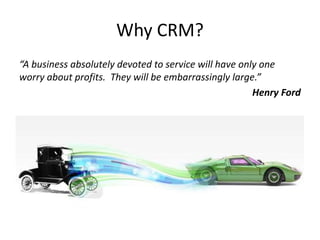
“A business absolutely devoted to service will have only one
worry about profits. They will be embarrassingly large.”
Henry Ford
Agenda/Topics
• What is CRM?
• Value of Data
• Relationships
– Marketing
– Sales
– Customer Service
– Data Management
• Questions and Answers
Who we are
• IMMIX Solutions
• Dorette and Arild
• Implementers of Microsoft Dynamics CRM
• Business Focus as opposed to Software
focused
What is CRM?
• Software vs Strategy
• Customer Focus
• Data Focus
• Not just for big companies…..
• And not just for the sales department…
Value of Data
• Know your Customers
• A 360 degree view of the Customer
• Current and Accurate
• Easy to find
• Consistent – one version of the truth
• Company ownership of data
• Audit Trail
Know your Customers
• Makes it easier to predict future behavior and
needs
• Makes it easier to upsell and cross sell
• Makes the Customer feel loved and cared for
-> More profit per customer
-> More referrals
-> Customers that stay with you for longer
-> Better visibility of “Good” and “Bad” Customers
Current and Accurate data
– that you can find
• Less embarrassing situations
• Much less time spent looking for information
• Easier to step in when staff leave and go on
holiday
-> Saves time, more effective staff
-> Staff can focus on productive work
-> Can grow without hiring new staff
-> Every customer feels like a VIP
A good CRM system
makes you proactive
• Reminders when you need to follow up
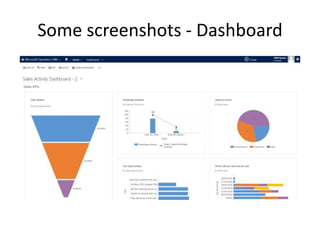
• Dashboards that keeps you focused
-> More timely closing of deals
-> Keeping you focused on the important stuff
-> Easier to step in for staff not present
A good CRM system
improves your processes
• Standardises your processes
• Improves the weakest link
A good CRM system is used
• Some of the best CRM systems in the world
fail as they are not used……….
-
Areas of CRM
From cradle to grave
• Marketing
– Manage marketing campaigns
• Start making informed decisions
• Keep templates for future use
– Send targeted email campaigns
• Know what information you sent to whom and when
Areas of CRM
From cradle to grave
• Sales
– Managing your opportunity pipeline
– A more structured sales process
– Follow up on Quotes
• Service
– Managing issues/cases
– Scheduling
What should a CRM solution have?
• Integration with Outlook/email
– Your communication is mostly via emails, and if it
does not integrate easily the users will not use it
• Flexible enough to cater for your needs - now
and as you grow
• Mobile devices
What should a CRM solution have?
• Dashboards
– To easily visualise the data
– Easily interact with the data
• Good reporting
– Visibility of reality
• Export to and import from Excel
– For further analysis
What solution to choose?
• Know what you need, now and in the future
• What problems are you trying to fix?
• Get help/assistance
• Free is not always free
• Focus on business processes and your
requirements
• Return on Investment is key!!
What solution to choose?
• Some more to consider
– Free vs paid
– On own PC/Server vs in “the cloud”
• What is the cloud?
– What is needed now vs what is needed later
What is out there?
• There are a lot of CRM suppliers out there
• The big 4
– SAP
– Oracle
– Microsoft
– Salesforce
• SMB
– SugarCRM
– Zoho
– Etc.
Why we chose
Microsoft Dynamics CRM?
• Easy to modify to fit our customers business
• A platform to support business processes
• Familiar user interface
• Great integration to Outlook
• Very good Workflow functionality
• Scalable from 1 to hundreds of users
How do we do a project?
• Workshop to establish requirements
• Modify system to fit business processes – AND
giving business advise about improvements
• Phased approach
• Go live and hand-holding
• Long term business relationship
Some screenshots - Dashboard
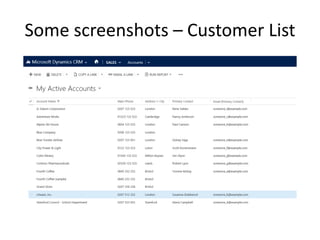
Some screenshots – Customer List
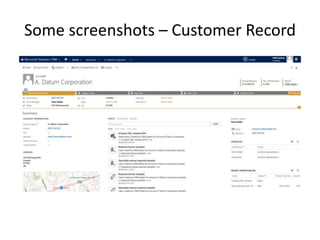
Some screenshots – Customer Record
Q & A

Customer Relationship Management (CRM) slides

  • 1.
    Introduction to CRM– Customer Relationship Management - much more than just a contact database
  • 2.
    Why CRM? “A businessabsolutely devoted to service will have only one worry about profits. They will be embarrassingly large.” Henry Ford
  • 3.
    Agenda/Topics • What isCRM? • Value of Data • Relationships – Marketing – Sales – Customer Service – Data Management • Questions and Answers
  • 4.
    Who we are •IMMIX Solutions • Dorette and Arild • Implementers of Microsoft Dynamics CRM • Business Focus as opposed to Software focused
  • 5.
    What is CRM? •Software vs Strategy • Customer Focus • Data Focus • Not just for big companies….. • And not just for the sales department…
  • 6.
    Value of Data •Know your Customers • A 360 degree view of the Customer • Current and Accurate • Easy to find • Consistent – one version of the truth • Company ownership of data • Audit Trail
  • 7.
    Know your Customers •Makes it easier to predict future behavior and needs • Makes it easier to upsell and cross sell • Makes the Customer feel loved and cared for -> More profit per customer -> More referrals -> Customers that stay with you for longer -> Better visibility of “Good” and “Bad” Customers
  • 8.
    Current and Accuratedata – that you can find • Less embarrassing situations • Much less time spent looking for information • Easier to step in when staff leave and go on holiday -> Saves time, more effective staff -> Staff can focus on productive work -> Can grow without hiring new staff -> Every customer feels like a VIP
  • 9.
    A good CRMsystem makes you proactive • Reminders when you need to follow up • Dashboards that keeps you focused -> More timely closing of deals -> Keeping you focused on the important stuff -> Easier to step in for staff not present
  • 10.
    A good CRMsystem improves your processes • Standardises your processes • Improves the weakest link
  • 11.
    A good CRMsystem is used • Some of the best CRM systems in the world fail as they are not used………. -
  • 12.
    Areas of CRM Fromcradle to grave • Marketing – Manage marketing campaigns • Start making informed decisions • Keep templates for future use – Send targeted email campaigns • Know what information you sent to whom and when
  • 13.
    Areas of CRM Fromcradle to grave • Sales – Managing your opportunity pipeline – A more structured sales process – Follow up on Quotes • Service – Managing issues/cases – Scheduling
  • 14.
    What should aCRM solution have? • Integration with Outlook/email – Your communication is mostly via emails, and if it does not integrate easily the users will not use it • Flexible enough to cater for your needs - now and as you grow • Mobile devices
  • 15.
    What should aCRM solution have? • Dashboards – To easily visualise the data – Easily interact with the data • Good reporting – Visibility of reality • Export to and import from Excel – For further analysis
  • 16.
    What solution tochoose? • Know what you need, now and in the future • What problems are you trying to fix? • Get help/assistance • Free is not always free • Focus on business processes and your requirements • Return on Investment is key!!
  • 17.
    What solution tochoose? • Some more to consider – Free vs paid – On own PC/Server vs in “the cloud” • What is the cloud? – What is needed now vs what is needed later
  • 18.
    What is outthere? • There are a lot of CRM suppliers out there • The big 4 – SAP – Oracle – Microsoft – Salesforce • SMB – SugarCRM – Zoho – Etc.
  • 19.
    Why we chose MicrosoftDynamics CRM? • Easy to modify to fit our customers business • A platform to support business processes • Familiar user interface • Great integration to Outlook • Very good Workflow functionality • Scalable from 1 to hundreds of users
  • 20.
    How do wedo a project? • Workshop to establish requirements • Modify system to fit business processes – AND giving business advise about improvements • Phased approach • Go live and hand-holding • Long term business relationship
  • 21.
  • 22.
    Some screenshots –Customer List
  • 23.
    Some screenshots –Customer Record
  • 24.

Editor's Notes

  • #4 Created using iThoughts
  • #5 Created using iThoughts
  • #8 I see that you are also looking at buying our latest packing machine – how is that going. I see you had a problem with our driver last week – is that resolved now?
  • #9 "Are you a customer", what was your name again? Where do I find the latest contract? Dealing with old information "Hasn't Peter got a new mobile number" "I don't think this is the latest document?“
  • #12  Not fit for purpose – standard fields that do not fit your processes Not intuitive and easy to use
  • #20 Processes that support USPs