What is CRM and How Does It Work?
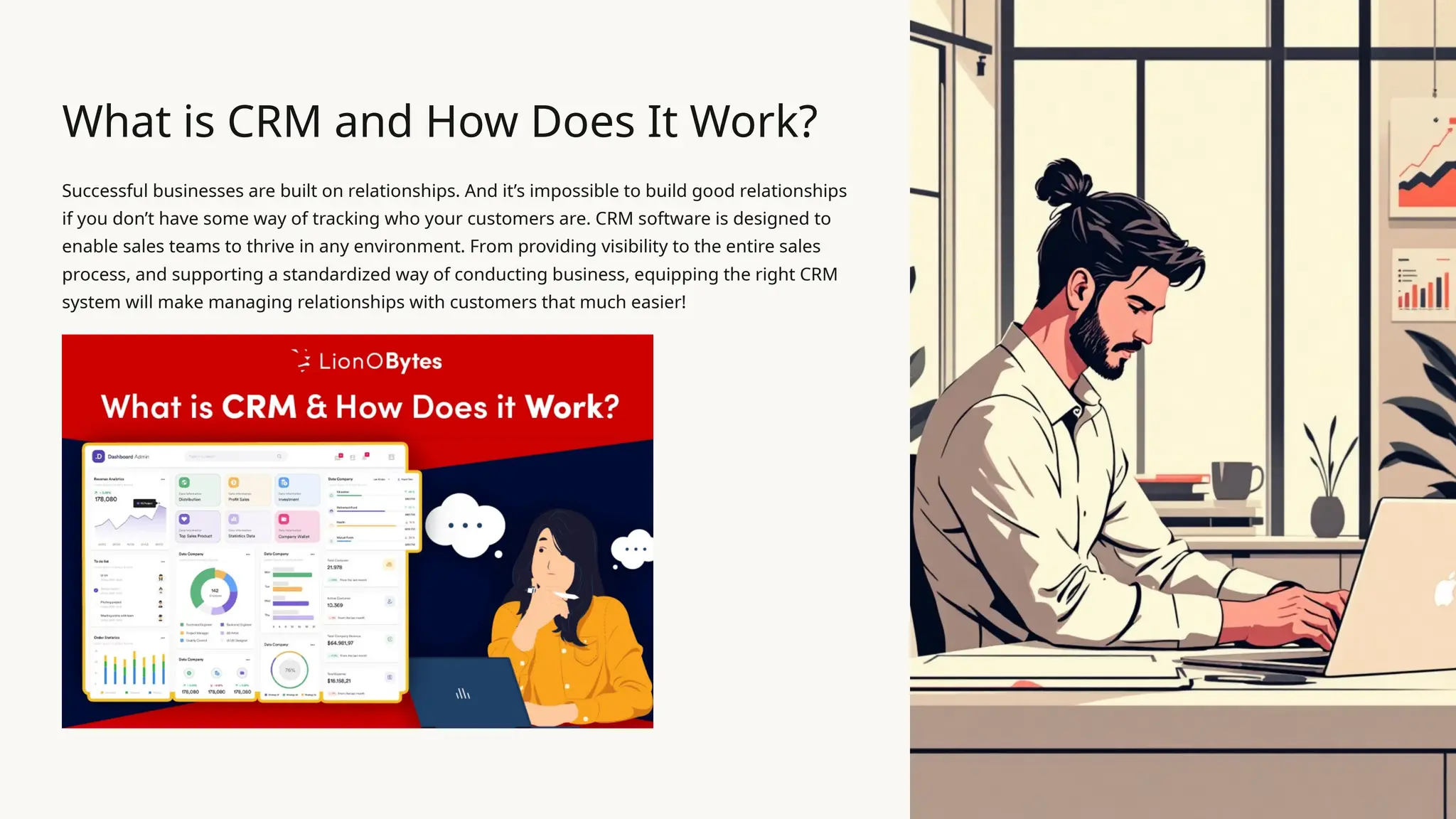
Successful businesses are built on relationships. And itโ€™s impossible to build good relationships
if you donโ€™t have some way of tracking who your customers are. CRM software is designed to
enable sales teams to thrive in any environment. From providing visibility to the entire sales
process, and supporting a standardized way of conducting business, equipping the right CRM
system will make managing relationships with customers that much easier!
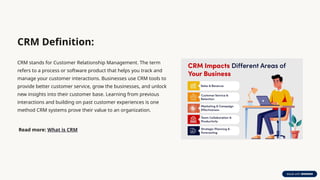
CRM Definition:
CRM stands for Customer Relationship Management. The term
refers to a process or software product that helps you track and
manage your customer interactions. Businesses use CRM tools to
provide better customer service, grow the businesses, and unlock
new insights into their customer base. Learning from previous
interactions and building on past customer experiences is one
method CRM systems prove their value to an organization.
Read more: What is CRM
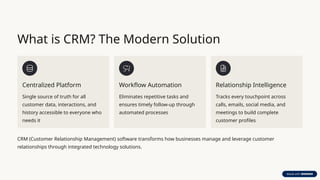
What is CRM? The Modern Solution
Centralized Platform
Single source of truth for all
customer data, interactions, and
history accessible to everyone who
needs it
Workflow Automation
Eliminates repetitive tasks and
ensures timely follow-up through
automated processes
Relationship Intelligence
Tracks every touchpoint across
calls, emails, social media, and
meetings to build complete
customer profiles
CRM (Customer Relationship Management) software transforms how businesses manage and leverage customer
relationships through integrated technology solutions.
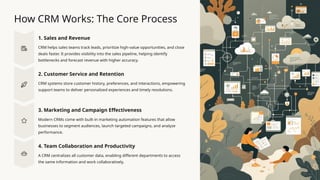
How CRM Works: The Core Process
1. Sales and Revenue
CRM helps sales teams track leads, prioritize high-value opportunities, and close
deals faster. It provides visibility into the sales pipeline, helping identify
bottlenecks and forecast revenue with higher accuracy.
2. Customer Service and Retention
CRM systems store customer history, preferences, and interactions, empowering
support teams to deliver personalized experiences and timely resolutions.
3. Marketing and Campaign Effectiveness
Modern CRMs come with built-in marketing automation features that allow
businesses to segment audiences, launch targeted campaigns, and analyze
performance.
4. Team Collaboration and Productivity
A CRM centralizes all customer data, enabling different departments to access
the same information and work collaboratively.
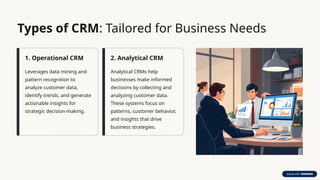
Types of CRM: Tailored for Business Needs
1. Operational CRM
Leverages data mining and
pattern recognition to
analyze customer data,
identify trends, and generate
actionable insights for
strategic decision-making.
2. Analytical CRM
Analytical CRMs help
businesses make informed
decisions by collecting and
analyzing customer data.
These systems focus on
patterns, customer behavior,
and insights that drive
business strategies.
Key Features of CRM Platforms
1. Lead Management
Organize your entire sales process with
lead management. From initial inquiry through
conversionโ€”so you can track, nurture and qualify
every lead effectively.
2. Accounts Management
Get a 360ยฐ view of each customer
account management, i.e. customer history,
interactions, key contacts and moreโ€”to deepen
relationships and spot upsell opportunities.
3. Opportunity Management
With our opportunity management system, we
customize and manage multiple sales funnels
simultaneously, adapting on the fly to shifting
priorities and market conditions.
4. Contacts Management
Keep all contact management information organized
in one place, so your team spends less time
searching and more time building rapport.
WhatsApp Integration
Engage customers where they are: send notifications, campaign messages and support reply directly through
WhatsApp integration.
Workflow Automation
Define workflow automation, triggered manually or via saved searches to eliminate repetitive tasks and keep processes
moving.
CRM in Action: Example Use Cases
1
Sales Team Success
A regional sales team implemented pipeline tracking and automated follow-
ups, resulting in 27% higher close rates and 35% reduction in sales cycle
length. No prospect falls through cracks with timely reminders and complete
interaction history.
2
Marketing Campaign Precision
Marketing team segmented their database by purchase history and
engagement level, delivering targeted content that increased email open rates
by 45% and conversion rates by 18% through personalized messaging.
3
Customer Service Excellence
Support representatives gained immediate access to complete customer
histories, reducing average resolution time by 40% and increasing satisfaction
scores by 28% through personalized, informed service.
Choosing the Right CRM for Your Business
Identify your business requirements
The very first step is to determine your unique business needs in terms of:
Consider your unique business goals and objectives and determine the features helping to align with these goals.
Which business divisions will be using your CRM? For instance, sales, marketing, and customer support. Total number of CRM user licenses that you need.
What exact pain areas are you facing in your current processes and what challenges do you want to overcome utilizing CRM?
Come up with your budget
Determining your budget is a crucial step as CRM software comes in various price ranges. All you need is to set your CRM budget to address your
businessโ€™s financial capabilities. Thus, depending on your budget, you can choose and determine your CRMโ€™s functional capabilities required at the initial
level.
Know your integration requirements
Using both the existing system and newly implemented CRM in an isolated manner may not help you achieve efficiency. Here, integration takes a vital
place that helps synchronize your data between systems. This also eliminates switching between systems each time when in need.
End-end user training post deployment
Introducing a new system in your organization without end-user training can lead to a frustrating experience for your sales or marketing team.
Thus, ask your CRM provider whether they will take care of end-user training to understand how the newly implemented system will work.
This can help your sales team to instantly start leveraging the newly established system instead of wasting precious time while struggling to learn
itself.
Benefits
Letโ€™s break down the key benefits of using a CRM solution:
1. Centralized Customer Information All customer dataโ€”contacts, purchase history, emails, preferences, and interactionsโ€”are
stored in one accessible place.
2. Improved Customer Segmentation CRM helps segment your audience based on behaviors, interests, demographics, etc.,
allowing for more targeted marketing and communication.
3. Enhanced Communication With built-in communication tools, automated follow-ups, and activity reminders, CRM ensures you
never lose touch with a prospect or customer.
4. Automation of Routine Tasks CRM automates repetitive tasks like email follow-ups, task assignments, data entry, and invoice
generationโ€”freeing up your team's time.
5. Boosted Sales Performance Sales reps get a structured approach to managing leads, pipelines, and deals, which enhances
closing rates and shortens sales cycles.
6. Better Data Management & Reporting CRMs provide detailed dashboards and custom reports that help you track KPIs and
optimize your performance.
7. Scalability and Customization From small businesses to enterprises, CRM platforms can be scaled and customized according to
industry needs and team sizes.
Industries That Benefit Most from CRM While almost every industry can benefit from CRM, here are a few that see the most dramatic
transformation:
Retail and eCommerce โ€“ Personalized offers and loyalty tracking Real Estate โ€“ Lead tracking, property follow-ups, and client
communication Healthcare โ€“ Patient relationship management and appointment scheduling Finance and Insurance โ€“ Client history,
policy tracking, and compliance management Education โ€“ Student lifecycle tracking and communication Manufacturing & Distribution
โ€“ Dealer/distributor relationship management IT & SaaS Companies โ€“ Subscription tracking, user engagement, and support
CRM stands for Customer Relationship Management, a technology used to manage a companyโ€™s interactions with current and potential
customers. It helps businesses streamline processes, build customer relationships, increase sales, improve customer service, and increase
profitability. The LionO360 Cloud CRM system helps businesses stay connected to customers, streamline workflows, and improve
profitability by organizing and automating every aspect of customer interactionsโ€”from marketing and sales to service and support.
Start your free CRM demo with LionO360 today to experience these features to evaluate user-friendliness, support, and flexibility.

What is CRM and How Does It Work | LionOBytes

  • 1.
    What is CRMand How Does It Work? Successful businesses are built on relationships. And itโ€™s impossible to build good relationships if you donโ€™t have some way of tracking who your customers are. CRM software is designed to enable sales teams to thrive in any environment. From providing visibility to the entire sales process, and supporting a standardized way of conducting business, equipping the right CRM system will make managing relationships with customers that much easier!
  • 2.
    CRM Definition: CRM standsfor Customer Relationship Management. The term refers to a process or software product that helps you track and manage your customer interactions. Businesses use CRM tools to provide better customer service, grow the businesses, and unlock new insights into their customer base. Learning from previous interactions and building on past customer experiences is one method CRM systems prove their value to an organization. Read more: What is CRM
  • 3.
    What is CRM?The Modern Solution Centralized Platform Single source of truth for all customer data, interactions, and history accessible to everyone who needs it Workflow Automation Eliminates repetitive tasks and ensures timely follow-up through automated processes Relationship Intelligence Tracks every touchpoint across calls, emails, social media, and meetings to build complete customer profiles CRM (Customer Relationship Management) software transforms how businesses manage and leverage customer relationships through integrated technology solutions.
  • 4.
    How CRM Works:The Core Process 1. Sales and Revenue CRM helps sales teams track leads, prioritize high-value opportunities, and close deals faster. It provides visibility into the sales pipeline, helping identify bottlenecks and forecast revenue with higher accuracy. 2. Customer Service and Retention CRM systems store customer history, preferences, and interactions, empowering support teams to deliver personalized experiences and timely resolutions. 3. Marketing and Campaign Effectiveness Modern CRMs come with built-in marketing automation features that allow businesses to segment audiences, launch targeted campaigns, and analyze performance. 4. Team Collaboration and Productivity A CRM centralizes all customer data, enabling different departments to access the same information and work collaboratively.
  • 5.
    Types of CRM:Tailored for Business Needs 1. Operational CRM Leverages data mining and pattern recognition to analyze customer data, identify trends, and generate actionable insights for strategic decision-making. 2. Analytical CRM Analytical CRMs help businesses make informed decisions by collecting and analyzing customer data. These systems focus on patterns, customer behavior, and insights that drive business strategies.
  • 6.
    Key Features ofCRM Platforms 1. Lead Management Organize your entire sales process with lead management. From initial inquiry through conversionโ€”so you can track, nurture and qualify every lead effectively. 2. Accounts Management Get a 360ยฐ view of each customer account management, i.e. customer history, interactions, key contacts and moreโ€”to deepen relationships and spot upsell opportunities. 3. Opportunity Management With our opportunity management system, we customize and manage multiple sales funnels simultaneously, adapting on the fly to shifting priorities and market conditions. 4. Contacts Management Keep all contact management information organized in one place, so your team spends less time searching and more time building rapport.
  • 7.
    WhatsApp Integration Engage customerswhere they are: send notifications, campaign messages and support reply directly through WhatsApp integration. Workflow Automation Define workflow automation, triggered manually or via saved searches to eliminate repetitive tasks and keep processes moving.
  • 8.
    CRM in Action:Example Use Cases 1 Sales Team Success A regional sales team implemented pipeline tracking and automated follow- ups, resulting in 27% higher close rates and 35% reduction in sales cycle length. No prospect falls through cracks with timely reminders and complete interaction history. 2 Marketing Campaign Precision Marketing team segmented their database by purchase history and engagement level, delivering targeted content that increased email open rates by 45% and conversion rates by 18% through personalized messaging. 3 Customer Service Excellence Support representatives gained immediate access to complete customer histories, reducing average resolution time by 40% and increasing satisfaction scores by 28% through personalized, informed service.
  • 9.
    Choosing the RightCRM for Your Business Identify your business requirements The very first step is to determine your unique business needs in terms of: Consider your unique business goals and objectives and determine the features helping to align with these goals. Which business divisions will be using your CRM? For instance, sales, marketing, and customer support. Total number of CRM user licenses that you need. What exact pain areas are you facing in your current processes and what challenges do you want to overcome utilizing CRM? Come up with your budget Determining your budget is a crucial step as CRM software comes in various price ranges. All you need is to set your CRM budget to address your businessโ€™s financial capabilities. Thus, depending on your budget, you can choose and determine your CRMโ€™s functional capabilities required at the initial level. Know your integration requirements Using both the existing system and newly implemented CRM in an isolated manner may not help you achieve efficiency. Here, integration takes a vital place that helps synchronize your data between systems. This also eliminates switching between systems each time when in need. End-end user training post deployment Introducing a new system in your organization without end-user training can lead to a frustrating experience for your sales or marketing team. Thus, ask your CRM provider whether they will take care of end-user training to understand how the newly implemented system will work. This can help your sales team to instantly start leveraging the newly established system instead of wasting precious time while struggling to learn itself.
  • 10.
    Benefits Letโ€™s break downthe key benefits of using a CRM solution: 1. Centralized Customer Information All customer dataโ€”contacts, purchase history, emails, preferences, and interactionsโ€”are stored in one accessible place. 2. Improved Customer Segmentation CRM helps segment your audience based on behaviors, interests, demographics, etc., allowing for more targeted marketing and communication. 3. Enhanced Communication With built-in communication tools, automated follow-ups, and activity reminders, CRM ensures you never lose touch with a prospect or customer. 4. Automation of Routine Tasks CRM automates repetitive tasks like email follow-ups, task assignments, data entry, and invoice generationโ€”freeing up your team's time. 5. Boosted Sales Performance Sales reps get a structured approach to managing leads, pipelines, and deals, which enhances closing rates and shortens sales cycles. 6. Better Data Management & Reporting CRMs provide detailed dashboards and custom reports that help you track KPIs and optimize your performance. 7. Scalability and Customization From small businesses to enterprises, CRM platforms can be scaled and customized according to industry needs and team sizes. Industries That Benefit Most from CRM While almost every industry can benefit from CRM, here are a few that see the most dramatic transformation: Retail and eCommerce โ€“ Personalized offers and loyalty tracking Real Estate โ€“ Lead tracking, property follow-ups, and client communication Healthcare โ€“ Patient relationship management and appointment scheduling Finance and Insurance โ€“ Client history, policy tracking, and compliance management Education โ€“ Student lifecycle tracking and communication Manufacturing & Distribution โ€“ Dealer/distributor relationship management IT & SaaS Companies โ€“ Subscription tracking, user engagement, and support CRM stands for Customer Relationship Management, a technology used to manage a companyโ€™s interactions with current and potential customers. It helps businesses streamline processes, build customer relationships, increase sales, improve customer service, and increase profitability. The LionO360 Cloud CRM system helps businesses stay connected to customers, streamline workflows, and improve profitability by organizing and automating every aspect of customer interactionsโ€”from marketing and sales to service and support. Start your free CRM demo with LionO360 today to experience these features to evaluate user-friendliness, support, and flexibility.