07/24/2025
Chapter objectives
• Aftercompleting this chapter, you should be able to
know:
Overview of Computer : Some terminologies
Introduction to Information and Communication
Technology
Definition of Computer
Evolution and generation of computer
Characteristics of computers
Types of computers
Applications of computers
07/24/2025
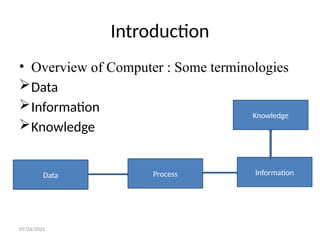
What is Data?
Rawfacts, figures, events and transactions
Statistics used for reference or analysis
Numbers, characters, symbols, images etc.,
which can be processed by a computer
Data must be interpreted, by a human or
machine, to derive meaning (no context)
5.
07/24/2025
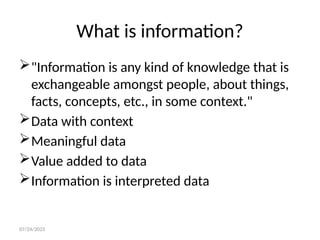
What is information?
"Informationis any kind of knowledge that is
exchangeable amongst people, about things,
facts, concepts, etc., in some context."
Data with context
Meaningful data
Value added to data
Information is interpreted data
6.
07/24/2025
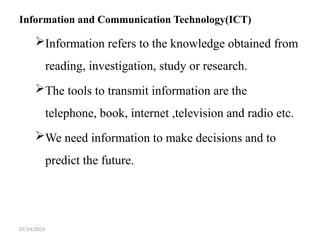
Information and CommunicationTechnology(ICT)
Information refers to the knowledge obtained from
reading, investigation, study or research.
The tools to transmit information are the
telephone, book, internet ,television and radio etc.
We need information to make decisions and to
predict the future.
7.
07/24/2025
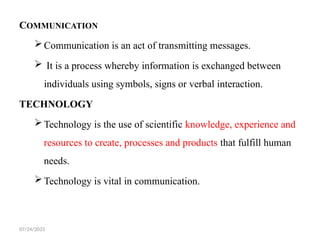
COMMUNICATION
Communication is anact of transmitting messages.
It is a process whereby information is exchanged between
individuals using symbols, signs or verbal interaction.
TECHNOLOGY
Technology is the use of scientific knowledge, experience and
resources to create, processes and products that fulfill human
needs.
Technology is vital in communication.
8.
07/24/2025
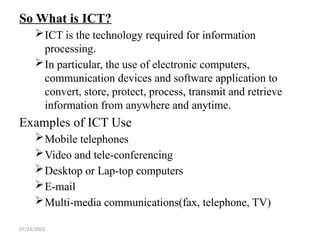
So What isICT?
ICT is the technology required for information
processing.
In particular, the use of electronic computers,
communication devices and software application to
convert, store, protect, process, transmit and retrieve
information from anywhere and anytime.
Examples of ICT Use
Mobile telephones
Video and tele-conferencing
Desktop or Lap-top computers
E-mail
Multi-media communications(fax, telephone, TV)
9.
07/24/2025
Definition of computer
Computer is a Latin word.. Compute meaning: Calculation
Machine
A calculating device that can perform arithmetic operations at
enormous speed
The original objective for inventing a computer was to create
a fast calculating machine.
But more than 80% work done by computers today is of non-
mathematical or non-numeric nature.
Hence a computer may be defined as a device that operates up
on information or data.
Computer is an electronic device which is used for
information processing.
10.
07/24/2025
Definition of Computer…..cont’d
An electronic device that accepts, processes, displays, and
stores data.
A programmable electronic device that can store, retrieve,
and process data.
Computer, electronic machine that performs tasks, such as
calculations or electronic communication, under the control
of a set of instructions called a program
11.
07/24/2025
Generations and evolutionof computers
Evolution of Computers
Before the 1500s, in Europe, calculations were made
with an abacus.
Used to count and calculate.
still widely used in Asia!
Invented around 500BC, available in many countries (China,
Mesopotamia, Japan, Greece, Rome, etc.)
In 1642, Blaise Pascal (French mathematician, physicist,
philosopher) invented a mechanical calculator called the
Pascaline.
In 1671, Gottfried von Leibniz (German mathematician,
philosopher) extended the Pascaline to do multiplications,
divisions, square roots: the Stepped Reckoner
None of these machines had memory, and they required
human intervention at each step.
12.
07/24/2025
Generation of computers
•A generation refers to the state of improvement in the
product development process.
• With each new generation, the circuitry has gotten
smaller and more advanced than the previous generation
before it.
• As a result of the miniaturization, speed, power, and
computer memory has proportionally increased.
• Each generation of computers is characterized by major
technological development that fundamentally changed
the way computers operate, resulting in increasingly
smaller, cheaper, and more powerful and more efficient
and reliable devices
13.
07/24/2025
Generation of computer……..
Based on the following five factors, computers can be
classified into five generations. The factors are:
Circuit elements
Type of secondary storage device
Programming Language
Operating System
Access Time
14.
07/24/2025
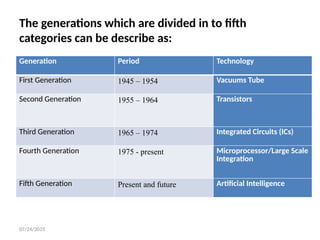
The generations whichare divided in to fifth
categories can be describe as:
Generation Period Technology
First Generation 1945 – 1954 Vacuums Tube
Second Generation 1955 – 1964 Transistors
Third Generation 1965 – 1974 Integrated Circuits (ICs)
Fourth Generation 1975 - present Microprocessor/Large Scale
Integration
Fifth Generation Present and future Artificial Intelligence
15.
07/24/2025
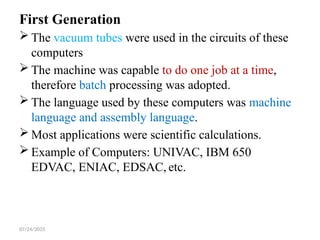
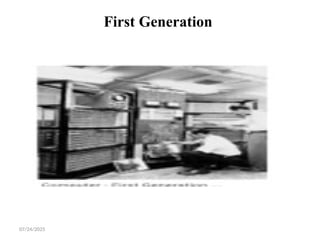
First Generation
Thevacuum tubes were used in the circuits of these
computers
The machine was capable to do one job at a time,
therefore batch processing was adopted.
The language used by these computers was machine
language and assembly language.
Most applications were scientific calculations.
Example of Computers: UNIVAC, IBM 650
EDVAC, ENIAC, EDSAC, etc.
07/24/2025
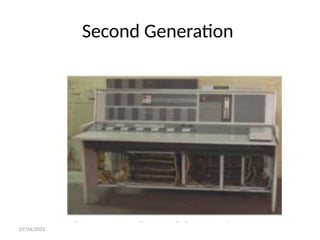
Second Generations
Showthe characteristics of modern day computers with utilities such as
printers, disk storage and operating systems.
Much financial information was processed using these computers.
High-level languages such as COBOL (Common Business-Oriented
Language) and FORTRAN (Formula Translator) were used
The most widely used
Transistors were used in the circuits.
For external storage magnetic tapes were used.
The machine was capable to process multiple tasks concurrently
Examples: IBM 1620, IBM 1401 and IBM 7094
07/24/2025
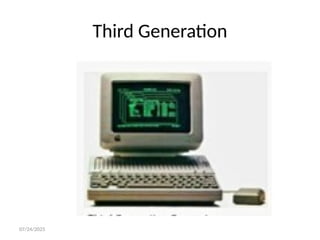
Third Generation
• Integratedcircuits replaced transistors
• Smaller size, they were capable to perform better than transistors.
• For data input and output operations monitors and keyboards replaced the
punched cards.
• For external storage magnetic disks were used.
• Sophisticated operating systems, which were capable of handling several jobs
concurrently were used.
• More advanced high level languages like PASCAL were used.
• Example
– IBM system /360 was the dominant
– IBM 1130
07/24/2025
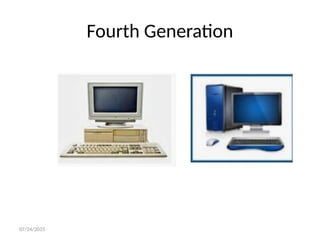
Fourth Generation
• Themodern day computers.
• It reduced the size and price of the computers at the same time
increasing power, efficiency and reliability.
• The circuits used VLSI and microprocessors of virtually
microscopic size, which led to drastic cut on the size of
computer.
22.
07/24/2025
Fourth Generation….
• Microcomputers have evolved.
• Magnetic disks were the primary devices used for external
storage.
• The use of special software for maintaining large data bases
became popular.
• The application software for micro computer essentially
became popular in this generation.
Example: IBM System
07/24/2025
The fifth Generationcomputer (future)
• These computers will be under Artificial Intelligence (AI), they
will be able to take commands in an audio visual way and carry
out instructions.
• Many of the operations which require low human intelligence
will be performed by these computers.
• Parallel Processing is coming and showing the possibility that
the power of many CPU's can be used side by side,
• These computers will have:
– Intelligent processors, i.e., processors which can draw
inferences.
25.
07/24/2025
Characteristics of computers
Storage capacity ->Computers help to save space and
economy by storing very large amount of data.
Speed :These days’ computers process tasks in very short
period of time. The amount of work performed by a human in
an entire year can be done by a computer in a few seconds .
• Accuracy : Once well programmed, computers accomplish
tasks accurately ( The perfectness of the set of instruction )
Errors occur only due to human errors or technological weaknesses.
26.
07/24/2025
Characteristics of computers……continued
Versatility :Computers accomplish various types of tasks at
the same time or at different time. For this reason they are
called versatile. For example, while you are writing some
text, you can listen music
Reliability: Now a day’s computers are used in sensitive
areas that need very high reliability. For example hospitals
are using computers in patient diagnosis
Diligence : Computers are capable of performing any task
given to them repetitively(persistent work or effort) or
consistency
• Automatic: Once necessary information and program is feed
to the computer, it performs processing without human
intervention.
27.
07/24/2025
• No IQ(Intelligence Quotient)
A computer is not a magical device, it has no intelligence of it’s own,
It cannot do any work without instruction from the user, thus, user can
determine, what tasks will the computer perform.
No feeling
It denotes that the computers never get tried as the humans do, if there are
surplus amount of executions to be made then each and every execution
will be executed at the same time period.
It has no heart & soul
GIGO
Stands for "Garbage In, Garbage Out." It means that if invalid data is
entered in a computer program, the resulting output will also be invalid.
28.
07/24/2025
Types of computers
Wecan classify computers based on the following criteria
Purpose
Method of operation (working principle)
Physical size, price, capacity and performance
Classification by purpose of application
Computers can be applied or used for different purposes.
Based upon their application.
Special purpose
General purpose computers.
29.
07/24/2025
Continued…..
Special purposecomputers
They are designed to solve a single type of problem, that is their
components and their functions are uniquely adapted to a specific
situation involving specific application.
Example:
The public telephone box
Traffic control system
Ticket machines (used in grocery, super market)
Pocket-calculators etc.
Counters
Most analog computers are special purpose computers
30.
07/24/2025
Continued……..
General purpose computers
They are designed to solve variety of problems through the use of “store
program concept”. A program or set of instructions designed to solve a
problem is read and stored into the memory and then executed by the
computer one by one. General purpose computers are more flexible and
versatile. Examples
Micro computers
Mini computers
Mainframe
Super computers etc.
31.
07/24/2025
Continued……….
Classification by themethod of operation (processing)
Computers are classified by the type of data they are
designed to process. They are classified into three:
Analog ,Digital and Hybrid Computers
Analog computer
Analog computers operate by measuring. They deal with
continues variables, they don’t compute directly with
numbers, rather, they operate by measuring physical
magnitude such as pressure, temperature, voltage, current
etc.
Examples: Thermometer ,Voltmeter, Speedometer
They are special purpose computers.
However, analog computers have limited accuracy
32.
07/24/2025
Continued……..
Digital Computers
Digitalcomputers deal with discrete variables; they operate
by counting rather than measuring.They operate directly up
on numbers (or digits) that represent numbers, letters, or
other special symbols.
Examples:Abacus, Desk & pocket computers
The general purpose computers
Digital computers have very high accuracy and speed than
the analog ones.
33.
07/24/2025
Continued……
Hybrid computers
Thebest features of analog and digital computers can be
combined into a single device to form a hybrid computer.
A hybrid computer processes the information by collecting
input data with analog method, converts it into digital
quantities, processes the digital values and converts the
output from digital to analog form.
34.
07/24/2025
Continued…..
Example:
In hospitalinsensitive-care unit analog devices may measure a
patient’s heart function, temperature and other vital signs.
These measurements may then be converted into numbers and
supplied to a digital component in the system. This component is
used to monitor the patient’s vital signs and to send an immediate
signal to the nurse’s station if any abnormal readings are detected.
35.
07/24/2025
Continued……..
Classification by physicalsize, price, capacity and performance
At this stage, by a computer, we mean a general-purpose
digital computer.
General-purpose digital computers are then classified as
follows by their capacity, price and size:
Super computer
Mainframe computers
Mini computers
Micro computers
36.
07/24/2025
Continued………..
Super computer:is the fastest, largest and most
potential type of computer. They are used to process
huge amount of data and are commonly used in space
technology centers, meteorology stations, and
astronomical observatories, intercontinental
communications, airline organizations .Example of
super computers are Cray, IBM and Hewlett-Packard.
Mainframe computers: - Smaller than in size and
capacity, lower in speed & memory capacity than the
super computers. However they are multi-user systems
and handle hundreds of users, usually used in large
organizations.
37.
07/24/2025
Continued…….
Mini computers:- have relatively lower speed, can handle
multi-users, are smaller in size than the mainframe computers
Mini computers are used in small organizations
Micro computers: - are the most widely used type of computers.
A small, single-user computer based on a microprocessor.
Microcomputers : are sometimes referred as personal
computers(pc)
38.
07/24/2025
Continued…………..
• Micro computerare the smallest computer system. There size
range from calculator to desktop size. Its CPU is
microprocessor
• They are further classified into
Desktop Computers
Laptop(notebook) Computers
Handheld Computers(PDAs)
Workstation
Palmtop
39.
07/24/2025
Application areas ofcomputer
Computer is applicable on many areas
A) Commercial and business area application
Covers the use of computer to clerical ,administration,
production and business use
Text processing
Accounting and finical management
Inventory control
Database management
Statically analysis
40.
07/24/2025
B) scientific, engineeringand research application
Computer are used for scientific research complex mathematical
calculation, design work analysis and control of physical system
E.g.
Space technology
Meteorological observation system
Astronomical invitation
Design of machine
Control of manufacturing process
Nuclear control system
41.
07/24/2025
Limitation of computers
Computershave the following limitations:-
Cannot decide how to be programmed.
Does not provide its own inputs, unless people provide with the input
Interpretation of data and implementation of decision is left for
human beings
Unlike human beings, computers are incapable to:
• Think
• Create
• Judge and
• Motivated


![Topic 1 Using Computer Essential concept [29-8-2023].pdf](https://cdn.slidesharecdn.com/ss_thumbnails/topic1usingcomputeressentialconcept29-8-2023-231015035522-7d409e52-thumbnail.jpg?width=640&height=640&fit=bounds)


![[DSC Europe 25] Josip Saban - Career building for data professionals.pptx](https://cdn.slidesharecdn.com/ss_thumbnails/zroflcttkm1vmli0txea-josip-saban-career-building-for-data-professionals-260123083019-587cdb8c-thumbnail.jpg?width=640&height=640&fit=bounds)
![[DSC Europe 25] Jovan Sumarac - Real-World Applications of Computer Vision in...](https://cdn.slidesharecdn.com/ss_thumbnails/fiksms22smcpopvvld03-jovan-sumarac-real-life-applications-of-computer-vision-in-automotive-systems-260120105855-de622abb-thumbnail.jpg?width=640&height=640&fit=bounds)


![[DSC Europe 25] Tali Fulman - Guild Meetings, Then What? Building Data Commun...](https://cdn.slidesharecdn.com/ss_thumbnails/fgohhi33rwmhqdowdj5k-tali-fulman-guild-meetings-then-what-building-data-communities-that-actually-ch-260120105855-528492c3-thumbnail.jpg?width=640&height=640&fit=bounds)


![[DSC Europe 25] Bojan Djuricic - Predictive Design Process.pdf](https://cdn.slidesharecdn.com/ss_thumbnails/5awdrbedqdek3gqu2ezy-4-the-predictive-design-bojan-djuricic-260120105856-6c399e9b-thumbnail.jpg?width=640&height=640&fit=bounds)

