Topic 1: Using Computers:
Essential Concepts
Essentials of Computing | CCS4006
Updated on 02/02/2023
Topic Content
 What is a computer?
 Evolution of Computer
 Types of Computer
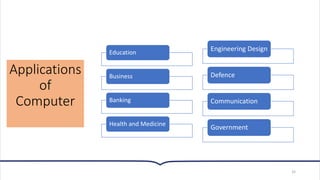
 Applications of Computer
 Characteristics of a Computer
 Advantages and Disadvantages of Computer
 System Components
2
What is a
computer?
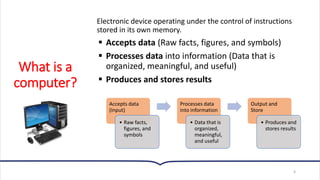
Electronic device operating under the control of instructions
stored in its own memory.
▪ Accepts data (Raw facts, figures, and symbols)
▪ Processes data into information (Data that is
organized, meaningful, and useful)
▪ Produces and stores results
4
Accepts data
(Input)
• Raw facts,
figures, and
symbols
Processes data
into information
• Data that is
organized,
meaningful,
and useful
Output and
Store
• Produces and
stores results
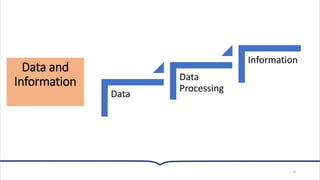
Data and Information
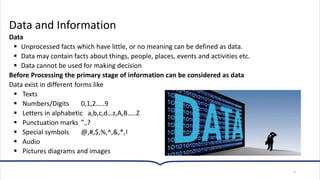
Data
▪ Unprocessed facts which have little, or no meaning can be defined as data.
▪ Data may contain facts about things, people, places, events and activities etc.
▪ Data cannot be used for making decision
Before Processing the primary stage of information can be considered as data
Data exist in different forms like
▪ Texts
▪ Numbers/Digits 0,1,2…..9
▪ Letters in alphabetic a,b,c,d…z,A,B…..Z
▪ Punctuation marks ”.,?
▪ Special symbols @,#,$,%,^,&,*,!
▪ Audio
▪ Pictures diagrams and images
5
Data and
Information
Information
Processed data that conveys meaning and useful to
people. It is used for making decision
Examples:
▪ Employee payroll report
▪ Student grade sheet
▪ Telephone bill statement
6
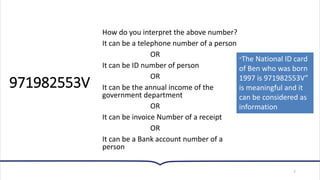
971982553V
How do you interpret the above number?
It can be a telephone number of a person
OR
It can be ID number of person
OR
It can be the annual income of the
government department
OR
It can be invoice Number of a receipt
OR
It can be a Bank account number of a
person
7
“The National ID card
of Ben who was born
1997 is 971982553V”
is meaningful and it
can be considered as
information
Data and
Information
8
Data
Data
Processing
Information
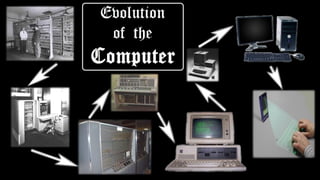
Evolution of
Computer
10
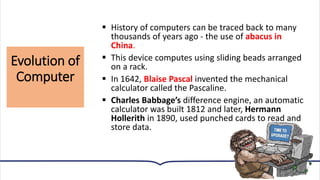
▪ History of computers can be traced back to many
thousands of years ago - the use of abacus in
China.
▪ This device computes using sliding beads arranged
on a rack.
▪ In 1642, Blaise Pascal invented the mechanical
calculator called the Pascaline.
▪ Charles Babbage’s difference engine, an automatic
calculator was built 1812 and later, Hermann
Hollerith in 1890, used punched cards to read and
store data.
Generations of
Computer
12
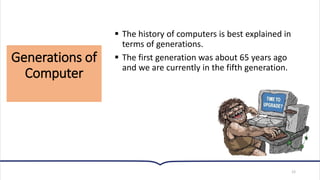
▪ The history of computers is best explained in
terms of generations.
▪ The first generation was about 65 years ago
and we are currently in the fifth generation.
First
Generation
Computers
(1946 - 1954)
13
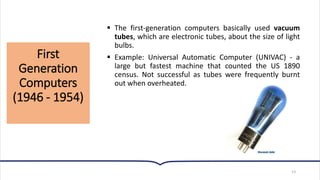
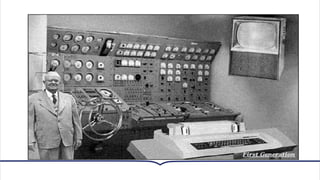
▪ The first-generation computers basically used vacuum
tubes, which are electronic tubes, about the size of light
bulbs.
▪ Example: Universal Automatic Computer (UNIVAC) - a
large but fastest machine that counted the US 1890
census. Not successful as tubes were frequently burnt
out when overheated.
Second Generation Computers (1955 - 1964)
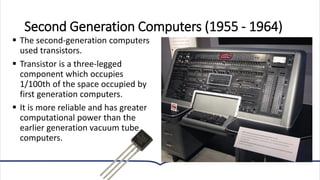
▪ The second-generation computers
used transistors.
▪ Transistor is a three-legged
component which occupies
1/100th of the space occupied by
first generation computers.
▪ It is more reliable and has greater
computational power than the
earlier generation vacuum tube
computers.
Third
Generation
Computers
(1964 - 1977)
16
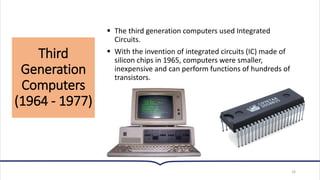
▪ The third generation computers used Integrated
Circuits.
▪ With the invention of integrated circuits (IC) made of
silicon chips in 1965, computers were smaller,
inexpensive and can perform functions of hundreds of
transistors.
Fourth
Generation
Computers
(1977 - 1991)
17
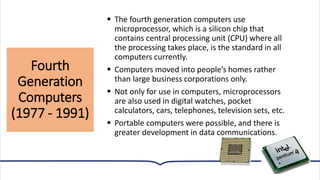
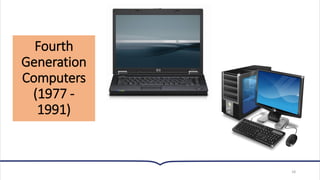
▪ The fourth generation computers use
microprocessor, which is a silicon chip that
contains central processing unit (CPU) where all
the processing takes place, is the standard in all
computers currently.
▪ Computers moved into people’s homes rather
than large business corporations only.
▪ Not only for use in computers, microprocessors
are also used in digital watches, pocket
calculators, cars, telephones, television sets, etc.
▪ Portable computers were possible, and there is
greater development in data communications.
Fourth
Generation
Computers
(1977 -
1991)
18
19
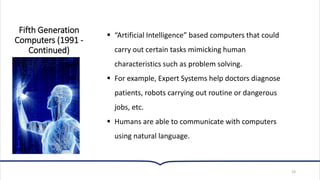
▪ “Artificial Intelligence” based computers that could
carry out certain tasks mimicking human
characteristics such as problem solving.
▪ For example, Expert Systems help doctors diagnose
patients, robots carrying out routine or dangerous
jobs, etc.
▪ Humans are able to communicate with computers
using natural language.
Fifth Generation
Computers (1991 -
Continued)
Types of
Computer
20
▪ In the field of IT, there are various types of
computers that you can use, depending on the
job you want to do.
▪ There are small computers as well as very large
ones.
▪ They are specialized in catering for the types of
jobs on the basis of processing power, speed,
cost, security and various other criteria.
▪ There has never been a rigid definition of the
various classes of computers. Indeed, their
functions and capabilities keep on expanding and
as such, the number of classes is even debatable.
Types of
Computer
21
▪Super Computer
▪Mainframe Computer
▪Mini Computer
▪Micro Computer
▪Workstations
Super
Computer
22
▪ This is the largest, fastest and most expensive
computer available.
▪ It is extremely powerful and especially designed
for high-speed numerical computations needed in
complex engineering applications.
▪ Supercomputers can perform arithmetic
calculations at a speed of billions of floating-point
operations per second (gigaflops).
▪ Cray Research, NEC and Fujitsu are the leading
manufacturers of supercomputers.
Super
Computer
23
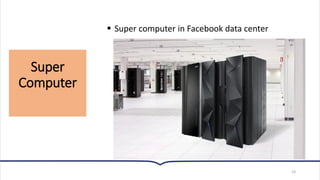
▪ Super computer in Facebook data center
Mini
Computer
24
▪ Until the late 1960’s, all computers were mainframes only.
They were just called computers.
▪ Later, computer vendors began to introduce smaller
machines to make them affordable to the smaller companies.
▪ This gave birth to the minicomputers.
▪ Today, a minicomputer can be defined as the smallest
computer designed specifically for a multiuser environment.
▪ The system must be able to service between two and 100
remote terminals at one time.
▪ Mini Computers are not used anymore, it is outdated.
Mainframe
Computer
25
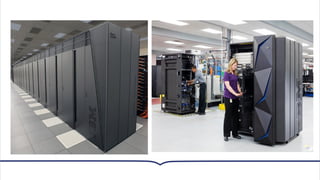
▪ This computer is defined as the big sized
commercial computer designed specifically for a
multi-user environment and it is used by a whole
corporate body.
▪ It normally has more than 100 remote terminals.
▪ The mainframe is very strong in terms of security,
connectivity and data management capabilities.
▪ It must reside in a specially controlled environment
- with special heating, ventilation and air-
conditioning equipment to control the
temperature, humidity and dust level around the
computer.
Micro
Computer
27
▪ It is a desktop computer, as well as a personal computer
(PC).
▪ The label personal computer is associated with
microcomputers because they are designed for use by
one person at a time.
▪ In a microcomputer, the microprocessor, electronic
circuitry and memory chips are mounted on a single
circuit board called the motherboard.
▪ Any computer system which runs on microprocessor
which is neither a main frame nor a super computer is
said to be a micro-computer.
▪ All modern day computers are mostly microcomputers.
Micro
Computer
28
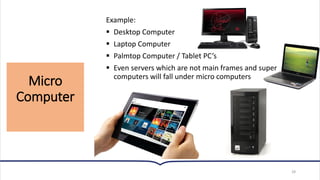
Example:
▪ Desktop Computer
▪ Laptop Computer
▪ Palmtop Computer / Tablet PC’s
▪ Even servers which are not main frames and super
computers will fall under micro computers
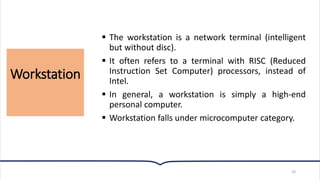
Workstation
29
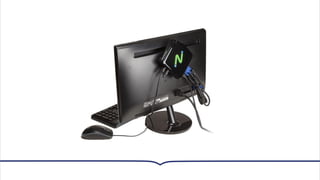
▪ The workstation is a network terminal (intelligent
but without disc).
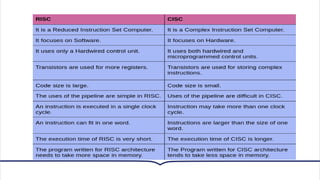
▪ It often refers to a terminal with RISC (Reduced
Instruction Set Computer) processors, instead of
Intel.
▪ In general, a workstation is simply a high-end
personal computer.
▪ Workstation falls under microcomputer category.
Applications
of
Computer
32
Education
Business
Banking
Health and Medicine
Engineering Design
Defence
Communication
Government
Activity
• Write 6 characteristics of a computer.
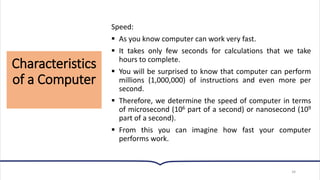
Characteristics
of a Computer
34
Speed:
▪ As you know computer can work very fast.
▪ It takes only few seconds for calculations that we take
hours to complete.
▪ You will be surprised to know that computer can perform
millions (1,000,000) of instructions and even more per
second.
▪ Therefore, we determine the speed of computer in terms
of microsecond (106 part of a second) or nanosecond (109
part of a second).
▪ From this you can imagine how fast your computer
performs work.
Characteristics
of a Computer
35
Versatility:
▪ It means the capacity to perform completely different
type of work.
▪ You may use your computer to prepare payroll slips.
▪ Next moment you may use it for inventory
management or to prepare electric bills.
Characteristics
of a Computer
36
Power of Remembering:
▪ Computer has the power of storing any amount
of information or data.
▪ Any information can be stored and recalled as
long as you require it, for any numbers of years.
▪ It depends entirely upon you how much data
you want to store in a computer and when to
lose or retrieve these data.
Characteristics
of a Computer
37
No IQ:
▪ Computer is a dumb machine and it cannot do
any work without instruction from the user.
▪ It performs the instructions at tremendous
speed and with accuracy.
▪ It is you to decide what you want to do and in
what sequence.
▪ So a computer cannot take its own decision as
you can.
Characteristics
of a Computer
38
No Feeling:
▪ It does not have feelings or emotion, taste,
knowledge and experience.
▪ Thus, it does not get tired even after long hours
of work.
▪ It does not distinguish between users.
Characteristics
of a Computer
39
Storage:
▪ The Computer has an in-built memory where it can
store a large amount of data.
▪ You can also store data in secondary storage
devices such as hard disk, CD/DVD, flash drives
which can be kept outside your computer and can
be carried to other computers.
Advantages
of
Computer
40
• Process billions /trillions of operations in a single
second.
• Process: compute, sort, display
Speed
• Rarely break or fail
Reliability
Advantages
of
Computer
41
• Same input produce same output
Consistency
• Keep data for future use
Storage
• Share input, process, output and storage.
Communication
Disadvantages
of Computer
42
• Shared personal information may misused by
others or dangerous strangers if not properly
protected.
Violation of Privacy
• Workers keep their education up-to-date.
• Outsource jobs to foreign countries, homeland
labor unemployed
Impact on Labor Force
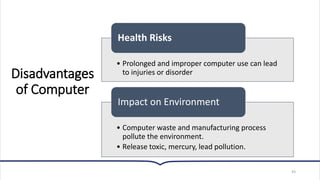
Disadvantages
of Computer
43
• Prolonged and improper computer use can lead
to injuries or disorder
Health Risks
• Computer waste and manufacturing process
pollute the environment.
• Release toxic, mercury, lead pollution.
Impact on Environment
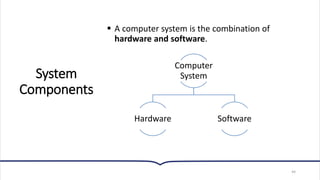
System
Components
44
▪ A computer system is the combination of
hardware and software.
Computer
System
Hardware Software
System Components
▪ Hardware is the physical manifestation of the computer, while software
consists of the programs that command the hardware.
▪ In this topic, we will discuss the most important components of the
computer hardware and their functions.
45
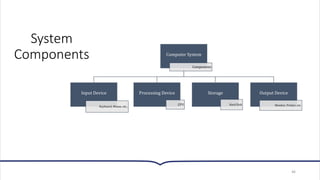
System
Components
46
Computer System
Components
Input Device
Keyboard, Mouse, etc..
Processing Device
CPU
Storage
Hard Disk
Output Device
Monitor, Printer, etc.
System Components
Input Devices:
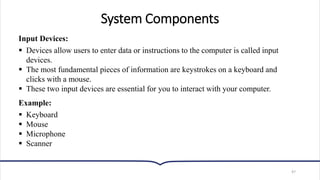
▪ Devices allow users to enter data or instructions to the computer is called input
devices.
▪ The most fundamental pieces of information are keystrokes on a keyboard and
clicks with a mouse.
▪ These two input devices are essential for you to interact with your computer.
Example:
▪ Keyboard
▪ Mouse
▪ Microphone
▪ Scanner
47
System Components
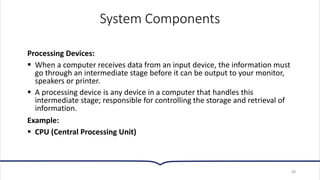
Processing Devices:
▪ When a computer receives data from an input device, the information must
go through an intermediate stage before it can be output to your monitor,
speakers or printer.
▪ A processing device is any device in a computer that handles this
intermediate stage; responsible for controlling the storage and retrieval of
information.
Example:
▪ CPU (Central Processing Unit)
48
System Components
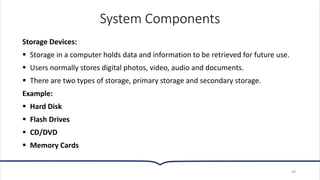
Storage Devices:
▪ Storage in a computer holds data and information to be retrieved for future use.
▪ Users normally stores digital photos, video, audio and documents.
▪ There are two types of storage, primary storage and secondary storage.
Example:
▪ Hard Disk
▪ Flash Drives
▪ CD/DVD
▪ Memory Cards
49
System Components
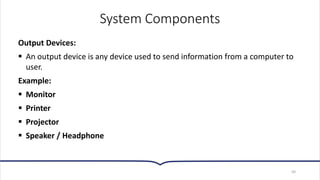
Output Devices:
▪ An output device is any device used to send information from a computer to
user.
Example:
▪ Monitor
▪ Printer
▪ Projector
▪ Speaker / Headphone
50
Activity
1. What are the three main functions of a computer?
2. In which generation of computers were vacuum tubes used, and
what were the limitations of vacuum tubes?
3. What technological innovation marked the second generation of
computers, and what were the advantages of this technology over
vacuum tubes?
4. What key technology characterized the third generation of
computers, and how did it revolutionize computing?
Activity
5. What is the defining characteristic of the fifth generation of
computers, and what are some examples of their applications?
6. What are the defining features of supercomputers, and can you
name some leading manufacturers of supercomputers?
7. What is the primary distinguishing factor between minicomputers
and mainframe computers, and what specific environment is suitable
for mainframes?
8. What is the fundamental difference between RISC and CISC
architectures, and can you provide simple examples to illustrate each?
53
▪ Queries ???

Topic 1 Using Computer Essential concept [29-8-2023].pdf

  • 1.
    Topic 1: UsingComputers: Essential Concepts Essentials of Computing | CCS4006 Updated on 02/02/2023
  • 2.
    Topic Content  Whatis a computer?  Evolution of Computer  Types of Computer  Applications of Computer  Characteristics of a Computer  Advantages and Disadvantages of Computer  System Components 2
  • 4.
    What is a computer? Electronicdevice operating under the control of instructions stored in its own memory. ▪ Accepts data (Raw facts, figures, and symbols) ▪ Processes data into information (Data that is organized, meaningful, and useful) ▪ Produces and stores results 4 Accepts data (Input) • Raw facts, figures, and symbols Processes data into information • Data that is organized, meaningful, and useful Output and Store • Produces and stores results
  • 5.
    Data and Information Data ▪Unprocessed facts which have little, or no meaning can be defined as data. ▪ Data may contain facts about things, people, places, events and activities etc. ▪ Data cannot be used for making decision Before Processing the primary stage of information can be considered as data Data exist in different forms like ▪ Texts ▪ Numbers/Digits 0,1,2…..9 ▪ Letters in alphabetic a,b,c,d…z,A,B…..Z ▪ Punctuation marks ”.,? ▪ Special symbols @,#,$,%,^,&,*,! ▪ Audio ▪ Pictures diagrams and images 5
  • 6.
    Data and Information Information Processed datathat conveys meaning and useful to people. It is used for making decision Examples: ▪ Employee payroll report ▪ Student grade sheet ▪ Telephone bill statement 6
  • 7.
    971982553V How do youinterpret the above number? It can be a telephone number of a person OR It can be ID number of person OR It can be the annual income of the government department OR It can be invoice Number of a receipt OR It can be a Bank account number of a person 7 “The National ID card of Ben who was born 1997 is 971982553V” is meaningful and it can be considered as information
  • 8.
  • 10.
    Evolution of Computer 10 ▪ Historyof computers can be traced back to many thousands of years ago - the use of abacus in China. ▪ This device computes using sliding beads arranged on a rack. ▪ In 1642, Blaise Pascal invented the mechanical calculator called the Pascaline. ▪ Charles Babbage’s difference engine, an automatic calculator was built 1812 and later, Hermann Hollerith in 1890, used punched cards to read and store data.
  • 12.
    Generations of Computer 12 ▪ Thehistory of computers is best explained in terms of generations. ▪ The first generation was about 65 years ago and we are currently in the fifth generation.
  • 13.
    First Generation Computers (1946 - 1954) 13 ▪The first-generation computers basically used vacuum tubes, which are electronic tubes, about the size of light bulbs. ▪ Example: Universal Automatic Computer (UNIVAC) - a large but fastest machine that counted the US 1890 census. Not successful as tubes were frequently burnt out when overheated.
  • 15.
    Second Generation Computers(1955 - 1964) ▪ The second-generation computers used transistors. ▪ Transistor is a three-legged component which occupies 1/100th of the space occupied by first generation computers. ▪ It is more reliable and has greater computational power than the earlier generation vacuum tube computers.
  • 16.
    Third Generation Computers (1964 - 1977) 16 ▪The third generation computers used Integrated Circuits. ▪ With the invention of integrated circuits (IC) made of silicon chips in 1965, computers were smaller, inexpensive and can perform functions of hundreds of transistors.
  • 17.
    Fourth Generation Computers (1977 - 1991) 17 ▪The fourth generation computers use microprocessor, which is a silicon chip that contains central processing unit (CPU) where all the processing takes place, is the standard in all computers currently. ▪ Computers moved into people’s homes rather than large business corporations only. ▪ Not only for use in computers, microprocessors are also used in digital watches, pocket calculators, cars, telephones, television sets, etc. ▪ Portable computers were possible, and there is greater development in data communications.
  • 18.
  • 19.
    19 ▪ “Artificial Intelligence”based computers that could carry out certain tasks mimicking human characteristics such as problem solving. ▪ For example, Expert Systems help doctors diagnose patients, robots carrying out routine or dangerous jobs, etc. ▪ Humans are able to communicate with computers using natural language. Fifth Generation Computers (1991 - Continued)
  • 20.
    Types of Computer 20 ▪ Inthe field of IT, there are various types of computers that you can use, depending on the job you want to do. ▪ There are small computers as well as very large ones. ▪ They are specialized in catering for the types of jobs on the basis of processing power, speed, cost, security and various other criteria. ▪ There has never been a rigid definition of the various classes of computers. Indeed, their functions and capabilities keep on expanding and as such, the number of classes is even debatable.
  • 21.
    Types of Computer 21 ▪Super Computer ▪MainframeComputer ▪Mini Computer ▪Micro Computer ▪Workstations
  • 22.
    Super Computer 22 ▪ This isthe largest, fastest and most expensive computer available. ▪ It is extremely powerful and especially designed for high-speed numerical computations needed in complex engineering applications. ▪ Supercomputers can perform arithmetic calculations at a speed of billions of floating-point operations per second (gigaflops). ▪ Cray Research, NEC and Fujitsu are the leading manufacturers of supercomputers.
  • 23.
    Super Computer 23 ▪ Super computerin Facebook data center
  • 24.
    Mini Computer 24 ▪ Until thelate 1960’s, all computers were mainframes only. They were just called computers. ▪ Later, computer vendors began to introduce smaller machines to make them affordable to the smaller companies. ▪ This gave birth to the minicomputers. ▪ Today, a minicomputer can be defined as the smallest computer designed specifically for a multiuser environment. ▪ The system must be able to service between two and 100 remote terminals at one time. ▪ Mini Computers are not used anymore, it is outdated.
  • 25.
    Mainframe Computer 25 ▪ This computeris defined as the big sized commercial computer designed specifically for a multi-user environment and it is used by a whole corporate body. ▪ It normally has more than 100 remote terminals. ▪ The mainframe is very strong in terms of security, connectivity and data management capabilities. ▪ It must reside in a specially controlled environment - with special heating, ventilation and air- conditioning equipment to control the temperature, humidity and dust level around the computer.
  • 27.
    Micro Computer 27 ▪ It isa desktop computer, as well as a personal computer (PC). ▪ The label personal computer is associated with microcomputers because they are designed for use by one person at a time. ▪ In a microcomputer, the microprocessor, electronic circuitry and memory chips are mounted on a single circuit board called the motherboard. ▪ Any computer system which runs on microprocessor which is neither a main frame nor a super computer is said to be a micro-computer. ▪ All modern day computers are mostly microcomputers.
  • 28.
    Micro Computer 28 Example: ▪ Desktop Computer ▪Laptop Computer ▪ Palmtop Computer / Tablet PC’s ▪ Even servers which are not main frames and super computers will fall under micro computers
  • 29.
    Workstation 29 ▪ The workstationis a network terminal (intelligent but without disc). ▪ It often refers to a terminal with RISC (Reduced Instruction Set Computer) processors, instead of Intel. ▪ In general, a workstation is simply a high-end personal computer. ▪ Workstation falls under microcomputer category.
  • 32.
  • 33.
    Activity • Write 6characteristics of a computer.
  • 34.
    Characteristics of a Computer 34 Speed: ▪As you know computer can work very fast. ▪ It takes only few seconds for calculations that we take hours to complete. ▪ You will be surprised to know that computer can perform millions (1,000,000) of instructions and even more per second. ▪ Therefore, we determine the speed of computer in terms of microsecond (106 part of a second) or nanosecond (109 part of a second). ▪ From this you can imagine how fast your computer performs work.
  • 35.
    Characteristics of a Computer 35 Versatility: ▪It means the capacity to perform completely different type of work. ▪ You may use your computer to prepare payroll slips. ▪ Next moment you may use it for inventory management or to prepare electric bills.
  • 36.
    Characteristics of a Computer 36 Powerof Remembering: ▪ Computer has the power of storing any amount of information or data. ▪ Any information can be stored and recalled as long as you require it, for any numbers of years. ▪ It depends entirely upon you how much data you want to store in a computer and when to lose or retrieve these data.
  • 37.
    Characteristics of a Computer 37 NoIQ: ▪ Computer is a dumb machine and it cannot do any work without instruction from the user. ▪ It performs the instructions at tremendous speed and with accuracy. ▪ It is you to decide what you want to do and in what sequence. ▪ So a computer cannot take its own decision as you can.
  • 38.
    Characteristics of a Computer 38 NoFeeling: ▪ It does not have feelings or emotion, taste, knowledge and experience. ▪ Thus, it does not get tired even after long hours of work. ▪ It does not distinguish between users.
  • 39.
    Characteristics of a Computer 39 Storage: ▪The Computer has an in-built memory where it can store a large amount of data. ▪ You can also store data in secondary storage devices such as hard disk, CD/DVD, flash drives which can be kept outside your computer and can be carried to other computers.
  • 40.
    Advantages of Computer 40 • Process billions/trillions of operations in a single second. • Process: compute, sort, display Speed • Rarely break or fail Reliability
  • 41.
    Advantages of Computer 41 • Same inputproduce same output Consistency • Keep data for future use Storage • Share input, process, output and storage. Communication
  • 42.
    Disadvantages of Computer 42 • Sharedpersonal information may misused by others or dangerous strangers if not properly protected. Violation of Privacy • Workers keep their education up-to-date. • Outsource jobs to foreign countries, homeland labor unemployed Impact on Labor Force
  • 43.
    Disadvantages of Computer 43 • Prolongedand improper computer use can lead to injuries or disorder Health Risks • Computer waste and manufacturing process pollute the environment. • Release toxic, mercury, lead pollution. Impact on Environment
  • 44.
    System Components 44 ▪ A computersystem is the combination of hardware and software. Computer System Hardware Software
  • 45.
    System Components ▪ Hardwareis the physical manifestation of the computer, while software consists of the programs that command the hardware. ▪ In this topic, we will discuss the most important components of the computer hardware and their functions. 45
  • 46.
    System Components 46 Computer System Components Input Device Keyboard,Mouse, etc.. Processing Device CPU Storage Hard Disk Output Device Monitor, Printer, etc.
  • 47.
    System Components Input Devices: ▪Devices allow users to enter data or instructions to the computer is called input devices. ▪ The most fundamental pieces of information are keystrokes on a keyboard and clicks with a mouse. ▪ These two input devices are essential for you to interact with your computer. Example: ▪ Keyboard ▪ Mouse ▪ Microphone ▪ Scanner 47
  • 48.
    System Components Processing Devices: ▪When a computer receives data from an input device, the information must go through an intermediate stage before it can be output to your monitor, speakers or printer. ▪ A processing device is any device in a computer that handles this intermediate stage; responsible for controlling the storage and retrieval of information. Example: ▪ CPU (Central Processing Unit) 48
  • 49.
    System Components Storage Devices: ▪Storage in a computer holds data and information to be retrieved for future use. ▪ Users normally stores digital photos, video, audio and documents. ▪ There are two types of storage, primary storage and secondary storage. Example: ▪ Hard Disk ▪ Flash Drives ▪ CD/DVD ▪ Memory Cards 49
  • 50.
    System Components Output Devices: ▪An output device is any device used to send information from a computer to user. Example: ▪ Monitor ▪ Printer ▪ Projector ▪ Speaker / Headphone 50
  • 51.
    Activity 1. What arethe three main functions of a computer? 2. In which generation of computers were vacuum tubes used, and what were the limitations of vacuum tubes? 3. What technological innovation marked the second generation of computers, and what were the advantages of this technology over vacuum tubes? 4. What key technology characterized the third generation of computers, and how did it revolutionize computing?
  • 52.
    Activity 5. What isthe defining characteristic of the fifth generation of computers, and what are some examples of their applications? 6. What are the defining features of supercomputers, and can you name some leading manufacturers of supercomputers? 7. What is the primary distinguishing factor between minicomputers and mainframe computers, and what specific environment is suitable for mainframes? 8. What is the fundamental difference between RISC and CISC architectures, and can you provide simple examples to illustrate each?
  • 53.