Evolution of Computers
and Characteristic of
Computers
Dr. Darshan Marjadi
SRKI, Surat
Sem. V
Computer
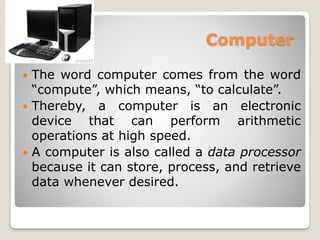
 The word computer comes from the word
“compute”, which means, “to calculate”.
 Thereby, a computer is an electronic
device that can perform arithmetic
operations at high speed.
 A computer is also called a data processor
because it can store, process, and retrieve
data whenever desired.
Data Processing
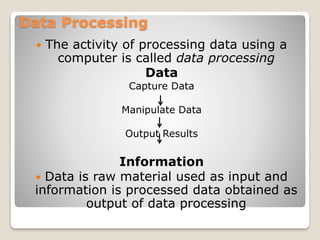
 The activity of processing data using a
computer is called data processing
Data
Capture Data
Manipulate Data
Output Results
Information
 Data is raw material used as input and
information is processed data obtained as
output of data processing
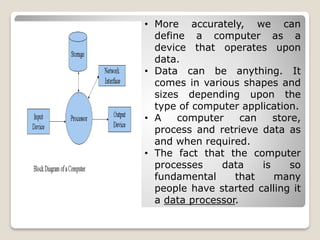
• More accurately, we can
define a computer as a
device that operates upon
data.
• Data can be anything. It
comes in various shapes and
sizes depending upon the
type of computer application.
• A computer can store,
process and retrieve data as
and when required.
• The fact that the computer
processes data is so
fundamental that many
people have started calling it
a data processor.
Evolution of Computer
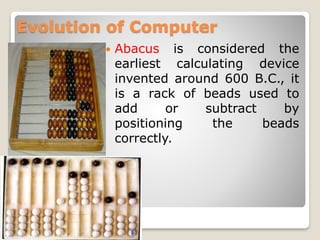
 Abacus is considered the
earliest calculating device
invented around 600 B.C., it
is a rack of beads used to
add or subtract by
positioning the beads
correctly.
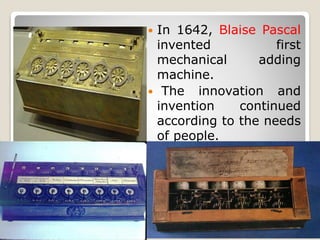
 In 1642, Blaise Pascal
invented first
mechanical adding
machine.
 The innovation and
invention continued
according to the needs
of people.
Evolution off Computers
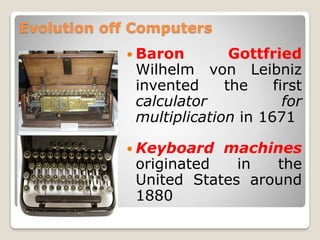
 Baron Gottfried
Wilhelm von Leibniz
invented the first
calculator for
multiplication in 1671
 Keyboard machines
originated in the
United States around
1880
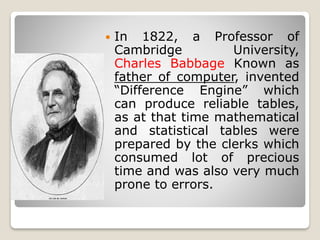
 In 1822, a Professor of
Cambridge University,
Charles Babbage Known as
father of computer, invented
“Difference Engine” which
can produce reliable tables,
as at that time mathematical
and statistical tables were
prepared by the clerks which
consumed lot of precious
time and was also very much
prone to errors.
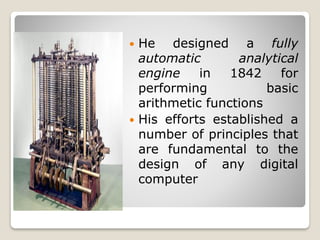
 He designed a fully
automatic analytical
engine in 1842 for
performing basic
arithmetic functions
 His efforts established a
number of principles that
are fundamental to the
design of any digital
computer
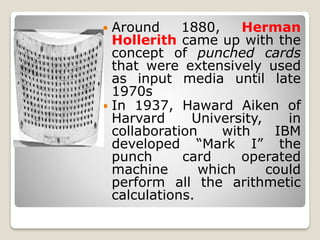
 Around 1880, Herman
Hollerith came up with the
concept of punched cards
that were extensively used
as input media until late
1970s
 In 1937, Haward Aiken of
Harvard University, in
collaboration with IBM
developed “Mark I” the
punch card operated
machine which could
perform all the arithmetic
calculations.
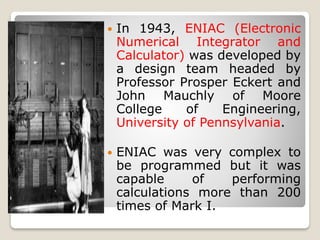
 In 1943, ENIAC (Electronic
Numerical Integrator and
Calculator) was developed by
a design team headed by
Professor Prosper Eckert and
John Mauchly of Moore
College of Engineering,
University of Pennsylvania.
 ENIAC was very complex to
be programmed but it was
capable of performing
calculations more than 200
times of Mark I.
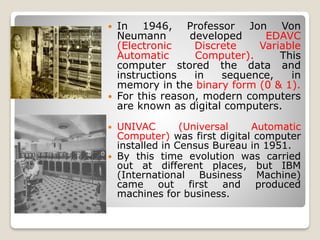
 In 1946, Professor Jon Von
Neumann developed EDAVC
(Electronic Discrete Variable
Automatic Computer). This
computer stored the data and
instructions in sequence, in
memory in the binary form (0 & 1).
 For this reason, modern computers
are known as digital computers.
 UNIVAC (Universal Automatic
Computer) was first digital computer
installed in Census Bureau in 1951.
 By this time evolution was carried
out at different places, but IBM
(International Business Machine)
came out first and produced
machines for business.
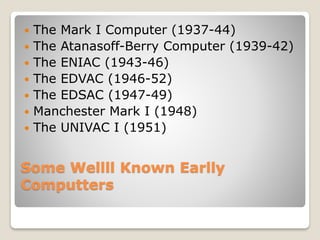
Some Wellll Known Earlly
Computters
 The Mark I Computer (1937-44)
 The Atanasoff-Berry Computer (1939-42)
 The ENIAC (1943-46)
 The EDVAC (1946-52)
 The EDSAC (1947-49)
 Manchester Mark I (1948)
 The UNIVAC I (1951)
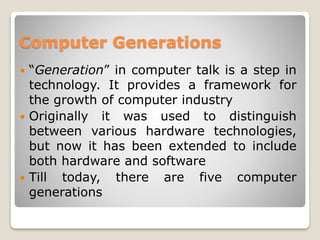
Computer Generations
 “Generation” in computer talk is a step in
technology. It provides a framework for
the growth of computer industry
 Originally it was used to distinguish
between various hardware technologies,
but now it has been extended to include
both hardware and software
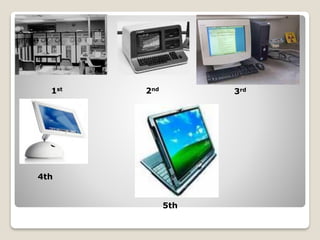
 Till today, there are five computer
generations
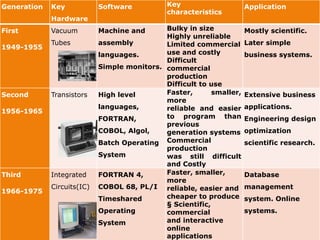
Generation Key
Hardware
Software Key
characteristics
Application
First
1949-1955
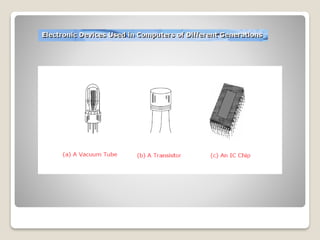
Vacuum
Tubes
Machine and
assembly
languages.
Simple monitors.
Bulky in size
Highly unreliable
Limited commercial
use and costly
Difficult
commercial
production
Difficult to use
Mostly scientific.
Later simple
business systems.
Second
1956-1965
Transistors High level
languages,
FORTRAN,
COBOL, Algol,
Batch Operating
System
Faster, smaller,
more
reliable and easier
to program than
previous
generation systems
Commercial
production
was still difficult
and Costly
Extensive business
applications.
Engineering design
optimization
scientific research.
Third
1966-1975
Integrated
Circuits(IC)
FORTRAN 4,
COBOL 68, PL/I
Timeshared
Operating
System
Faster, smaller,
more
reliable, easier and
cheaper to produce
§ Scientific,
commercial
and interactive
online
applications
Database
management
system. Online
systems.
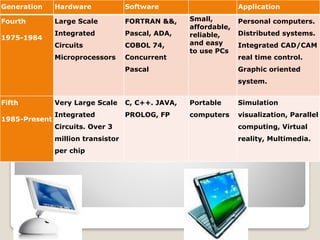
Generation Hardware Software Application
Fourth
1975-1984
Large Scale
Integrated
Circuits
Microprocessors
FORTRAN &&,
Pascal, ADA,
COBOL 74,
Concurrent
Pascal
Small,
affordable,
reliable,
and easy
to use PCs
Personal computers.
Distributed systems.
Integrated CAD/CAM
real time control.
Graphic oriented
system.
Fifth
1985-Present
Very Large Scale
Integrated
Circuits. Over 3
million transistor
per chip
C, C++. JAVA,
PROLOG, FP
Portable
computers
Simulation
visualization, Parallel
computing, Virtual
reality, Multimedia.
1st 2nd
4th
3rd
5th
Characteristics of Computer
Computer
 Comes from the word "Compute"
 Compute means to "Calculate"
 So Computer is calculating device
 Perform calculations at enormous speed
 Computer is device that operates upon
"Data"or"Information"
 e.g.preparing result,calculations,transactions,scientific
work etc
Computer
 Computer can input "Data"
 Computer can process "Data"
 Computer can store "Data"
 Computer can retrieve "Data"
Finally...
Computer can be term as "Data Processor"
Characteristics of Computer
1. Speed
2. Accuracy
3. Diligence
4. Versatility
5. Power of remembering
6. No I.Q
7. No Feelings
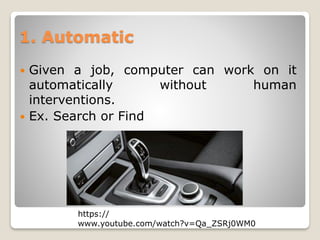
1. Automatic
 Given a job, computer can work on it
automatically without human
interventions.
 Ex. Search or Find
https://
www.youtube.com/watch?v=Qa_ZSRj0WM0
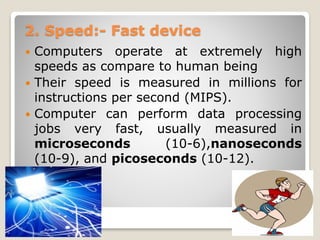
2. Speed:- Fast device
 Computers operate at extremely high
speeds as compare to human being
 Their speed is measured in millions for
instructions per second (MIPS).
 Computer can perform data processing
jobs very fast, usually measured in
microseconds (10-6),nanoseconds
(10-9), and picoseconds (10-12).
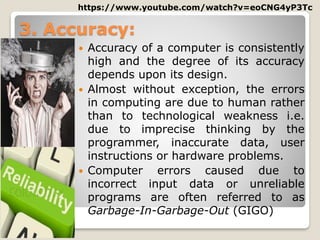
3. Accuracy:
 Accuracy of a computer is consistently
high and the degree of its accuracy
depends upon its design.
 Almost without exception, the errors
in computing are due to human rather
than to technological weakness i.e.
due to imprecise thinking by the
programmer, inaccurate data, user
instructions or hardware problems.
 Computer errors caused due to
incorrect input data or unreliable
programs are often referred to as
Garbage-In-Garbage-Out (GIGO)
https://www.youtube.com/watch?v=eoCNG4yP3Tc
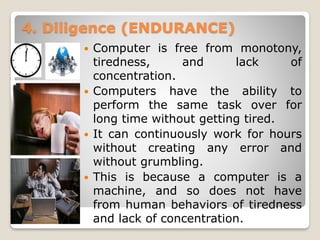
4. Diligence (ENDURANCE)
 Computer is free from monotony,
tiredness, and lack of
concentration.
 Computers have the ability to
perform the same task over for
long time without getting tired.
 It can continuously work for hours
without creating any error and
without grumbling.
 This is because a computer is a
machine, and so does not have
from human behaviors of tiredness
and lack of concentration.
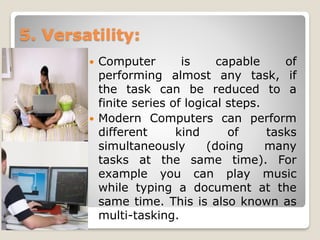
5. Versatility:
 Computer is capable of
performing almost any task, if
the task can be reduced to a
finite series of logical steps.
 Modern Computers can perform
different kind of tasks
simultaneously (doing many
tasks at the same time). For
example you can play music
while typing a document at the
same time. This is also known as
multi-tasking.
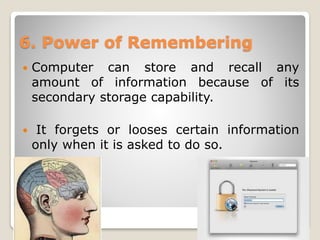
6. Power of Remembering
 Computer can store and recall any
amount of information because of its
secondary storage capability.
 It forgets or looses certain information
only when it is asked to do so.
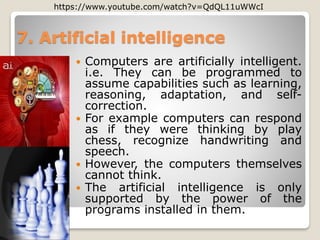
 Computers are artificially intelligent.
i.e. They can be programmed to
assume capabilities such as learning,
reasoning, adaptation, and self-
correction.
 For example computers can respond
as if they were thinking by play
chess, recognize handwriting and
speech.
 However, the computers themselves
cannot think.
 The artificial intelligence is only
supported by the power of the
programs installed in them.
7. Artificial intelligence
https://www.youtube.com/watch?v=QdQL11uWWcI
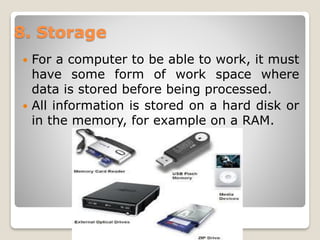
 For a computer to be able to work, it must
have some form of work space where
data is stored before being processed.
 All information is stored on a hard disk or
in the memory, for example on a RAM.
8. Storage
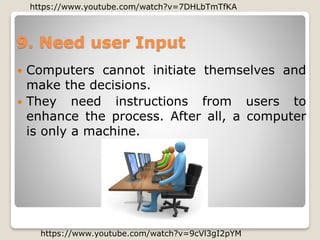
9. Need user Input
 Computers cannot initiate themselves and
make the decisions.
 They need instructions from users to
enhance the process. After all, a computer
is only a machine.
https://www.youtube.com/watch?v=9cVl3gI2pYM
https://www.youtube.com/watch?v=7DHLbTmTfKA
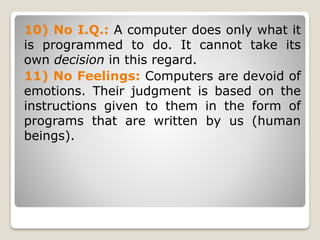
10) No I.Q.: A computer does only what it
is programmed to do. It cannot take its
own decision in this regard.
11) No Feelings: Computers are devoid of
emotions. Their judgment is based on the
instructions given to them in the form of
programs that are written by us (human
beings).
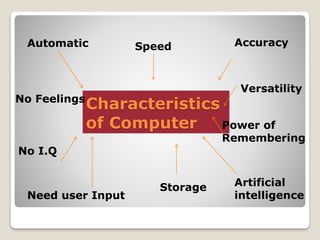
Characteristics
of Computer
Automatic Speed Accuracy
Versatility
Power of
Remembering
Artificial
intelligence
Storage
Need user Input
No I.Q
No Feelings

Introduction to Computer

  • 1.
    Evolution of Computers andCharacteristic of Computers Dr. Darshan Marjadi SRKI, Surat Sem. V
  • 2.
    Computer  The wordcomputer comes from the word “compute”, which means, “to calculate”.  Thereby, a computer is an electronic device that can perform arithmetic operations at high speed.  A computer is also called a data processor because it can store, process, and retrieve data whenever desired.
  • 3.
    Data Processing  Theactivity of processing data using a computer is called data processing Data Capture Data Manipulate Data Output Results Information  Data is raw material used as input and information is processed data obtained as output of data processing
  • 4.
    • More accurately,we can define a computer as a device that operates upon data. • Data can be anything. It comes in various shapes and sizes depending upon the type of computer application. • A computer can store, process and retrieve data as and when required. • The fact that the computer processes data is so fundamental that many people have started calling it a data processor.
  • 5.
    Evolution of Computer Abacus is considered the earliest calculating device invented around 600 B.C., it is a rack of beads used to add or subtract by positioning the beads correctly.
  • 6.
     In 1642,Blaise Pascal invented first mechanical adding machine.  The innovation and invention continued according to the needs of people.
  • 7.
    Evolution off Computers Baron Gottfried Wilhelm von Leibniz invented the first calculator for multiplication in 1671  Keyboard machines originated in the United States around 1880
  • 8.
     In 1822,a Professor of Cambridge University, Charles Babbage Known as father of computer, invented “Difference Engine” which can produce reliable tables, as at that time mathematical and statistical tables were prepared by the clerks which consumed lot of precious time and was also very much prone to errors.
  • 9.
     He designeda fully automatic analytical engine in 1842 for performing basic arithmetic functions  His efforts established a number of principles that are fundamental to the design of any digital computer
  • 10.
     Around 1880,Herman Hollerith came up with the concept of punched cards that were extensively used as input media until late 1970s  In 1937, Haward Aiken of Harvard University, in collaboration with IBM developed “Mark I” the punch card operated machine which could perform all the arithmetic calculations.
  • 11.
     In 1943,ENIAC (Electronic Numerical Integrator and Calculator) was developed by a design team headed by Professor Prosper Eckert and John Mauchly of Moore College of Engineering, University of Pennsylvania.  ENIAC was very complex to be programmed but it was capable of performing calculations more than 200 times of Mark I.
  • 12.
     In 1946,Professor Jon Von Neumann developed EDAVC (Electronic Discrete Variable Automatic Computer). This computer stored the data and instructions in sequence, in memory in the binary form (0 & 1).  For this reason, modern computers are known as digital computers.  UNIVAC (Universal Automatic Computer) was first digital computer installed in Census Bureau in 1951.  By this time evolution was carried out at different places, but IBM (International Business Machine) came out first and produced machines for business.
  • 13.
    Some Wellll KnownEarlly Computters  The Mark I Computer (1937-44)  The Atanasoff-Berry Computer (1939-42)  The ENIAC (1943-46)  The EDVAC (1946-52)  The EDSAC (1947-49)  Manchester Mark I (1948)  The UNIVAC I (1951)
  • 14.
    Computer Generations  “Generation”in computer talk is a step in technology. It provides a framework for the growth of computer industry  Originally it was used to distinguish between various hardware technologies, but now it has been extended to include both hardware and software  Till today, there are five computer generations
  • 15.
    Generation Key Hardware Software Key characteristics Application First 1949-1955 Vacuum Tubes Machineand assembly languages. Simple monitors. Bulky in size Highly unreliable Limited commercial use and costly Difficult commercial production Difficult to use Mostly scientific. Later simple business systems. Second 1956-1965 Transistors High level languages, FORTRAN, COBOL, Algol, Batch Operating System Faster, smaller, more reliable and easier to program than previous generation systems Commercial production was still difficult and Costly Extensive business applications. Engineering design optimization scientific research. Third 1966-1975 Integrated Circuits(IC) FORTRAN 4, COBOL 68, PL/I Timeshared Operating System Faster, smaller, more reliable, easier and cheaper to produce § Scientific, commercial and interactive online applications Database management system. Online systems.
  • 16.
    Generation Hardware SoftwareApplication Fourth 1975-1984 Large Scale Integrated Circuits Microprocessors FORTRAN &&, Pascal, ADA, COBOL 74, Concurrent Pascal Small, affordable, reliable, and easy to use PCs Personal computers. Distributed systems. Integrated CAD/CAM real time control. Graphic oriented system. Fifth 1985-Present Very Large Scale Integrated Circuits. Over 3 million transistor per chip C, C++. JAVA, PROLOG, FP Portable computers Simulation visualization, Parallel computing, Virtual reality, Multimedia.
  • 17.
  • 22.
  • 23.
    Computer  Comes fromthe word "Compute"  Compute means to "Calculate"  So Computer is calculating device  Perform calculations at enormous speed  Computer is device that operates upon "Data"or"Information"  e.g.preparing result,calculations,transactions,scientific work etc
  • 24.
    Computer  Computer caninput "Data"  Computer can process "Data"  Computer can store "Data"  Computer can retrieve "Data" Finally... Computer can be term as "Data Processor"
  • 25.
    Characteristics of Computer 1.Speed 2. Accuracy 3. Diligence 4. Versatility 5. Power of remembering 6. No I.Q 7. No Feelings
  • 26.
    1. Automatic  Givena job, computer can work on it automatically without human interventions.  Ex. Search or Find https:// www.youtube.com/watch?v=Qa_ZSRj0WM0
  • 27.
    2. Speed:- Fastdevice  Computers operate at extremely high speeds as compare to human being  Their speed is measured in millions for instructions per second (MIPS).  Computer can perform data processing jobs very fast, usually measured in microseconds (10-6),nanoseconds (10-9), and picoseconds (10-12).
  • 28.
    3. Accuracy:  Accuracyof a computer is consistently high and the degree of its accuracy depends upon its design.  Almost without exception, the errors in computing are due to human rather than to technological weakness i.e. due to imprecise thinking by the programmer, inaccurate data, user instructions or hardware problems.  Computer errors caused due to incorrect input data or unreliable programs are often referred to as Garbage-In-Garbage-Out (GIGO) https://www.youtube.com/watch?v=eoCNG4yP3Tc
  • 29.
    4. Diligence (ENDURANCE) Computer is free from monotony, tiredness, and lack of concentration.  Computers have the ability to perform the same task over for long time without getting tired.  It can continuously work for hours without creating any error and without grumbling.  This is because a computer is a machine, and so does not have from human behaviors of tiredness and lack of concentration.
  • 30.
    5. Versatility:  Computeris capable of performing almost any task, if the task can be reduced to a finite series of logical steps.  Modern Computers can perform different kind of tasks simultaneously (doing many tasks at the same time). For example you can play music while typing a document at the same time. This is also known as multi-tasking.
  • 31.
    6. Power ofRemembering  Computer can store and recall any amount of information because of its secondary storage capability.  It forgets or looses certain information only when it is asked to do so.
  • 32.
     Computers areartificially intelligent. i.e. They can be programmed to assume capabilities such as learning, reasoning, adaptation, and self- correction.  For example computers can respond as if they were thinking by play chess, recognize handwriting and speech.  However, the computers themselves cannot think.  The artificial intelligence is only supported by the power of the programs installed in them. 7. Artificial intelligence https://www.youtube.com/watch?v=QdQL11uWWcI
  • 33.
     For acomputer to be able to work, it must have some form of work space where data is stored before being processed.  All information is stored on a hard disk or in the memory, for example on a RAM. 8. Storage
  • 34.
    9. Need userInput  Computers cannot initiate themselves and make the decisions.  They need instructions from users to enhance the process. After all, a computer is only a machine. https://www.youtube.com/watch?v=9cVl3gI2pYM https://www.youtube.com/watch?v=7DHLbTmTfKA
  • 35.
    10) No I.Q.:A computer does only what it is programmed to do. It cannot take its own decision in this regard. 11) No Feelings: Computers are devoid of emotions. Their judgment is based on the instructions given to them in the form of programs that are written by us (human beings).
  • 36.
    Characteristics of Computer Automatic SpeedAccuracy Versatility Power of Remembering Artificial intelligence Storage Need user Input No I.Q No Feelings