UML 2.0 A gentle introduction ….
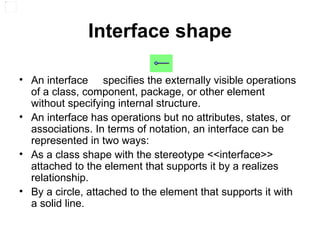
Interface shape An interface  specifies the externally visible operations of a class, component, package, or other element without specifying internal structure. An interface has operations but no attributes, states, or associations. In terms of notation, an interface can be represented in two ways: As a class shape with the stereotype <<interface>> attached to the element that supports it by a realizes relationship.  By a circle, attached to the element that supports it with a solid line.
Behavior diagrams  activity, state machine, and use case diagrams as well as the four interaction diagrams.  Interaction diagrams  A subset of behavior diagrams which emphasize object interactions.  This includes communication, interaction overview, sequence, and timing diagrams.  Structure diagrams  elements of a specification that are irrespective of time.  This includes class, composite structure, component, deployment, object, and package diagrams.  
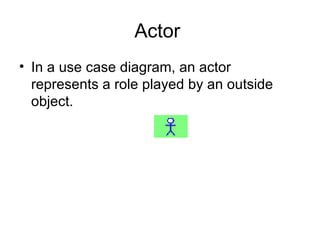
Actor  In a use case diagram, an actor  represents a role played by an outside object.
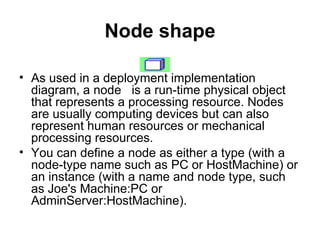
Node shape As used in a deployment implementation diagram, a node  is a run-time physical object that represents a processing resource. Nodes are usually computing devices but can also represent human resources or mechanical processing resources. You can define a node as either a type (with a node-type name such as PC or HostMachine) or an instance (with a name and node type, such as Joe's Machine:PC or AdminServer:HostMachine).
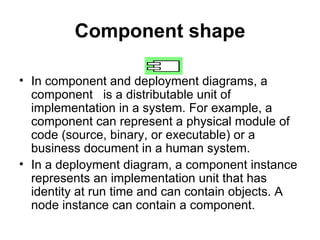
Component shape In component and deployment diagrams, a component  is a distributable unit of implementation in a system. For example, a component can represent a physical module of code (source, binary, or executable) or a business document in a human system. In a deployment diagram, a component instance represents an implementation unit that has identity at run time and can contain objects. A node instance can contain a component.
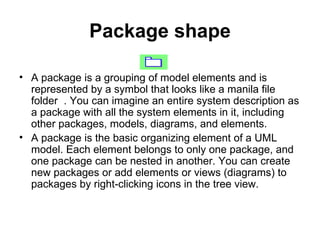
Package shape A package is a grouping of model elements and is represented by a symbol that looks like a manila file folder  . You can imagine an entire system description as a package with all the system elements in it, including other packages, models, diagrams, and elements. A package is the basic organizing element of a UML model. Each element belongs to only one package, and one package can be nested in another. You can create new packages or add elements or views (diagrams) to packages by right-clicking icons in the tree view.
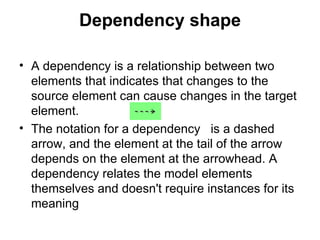
Dependency shape A dependency is a relationship between two elements that indicates that changes to the source element can cause changes in the target element. The notation for a dependency  is a dashed arrow, and the element at the tail of the arrow depends on the element at the arrowhead. A dependency relates the model elements themselves and doesn't require instances for its meaning
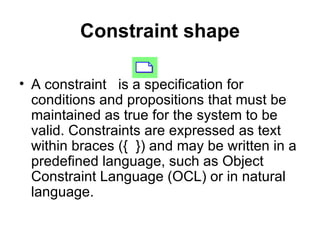
Constraint shape A constraint  is a specification for conditions and propositions that must be maintained as true for the system to be valid. Constraints are expressed as text within braces ({  }) and may be written in a predefined language, such as Object Constraint Language (OCL) or in natural language.
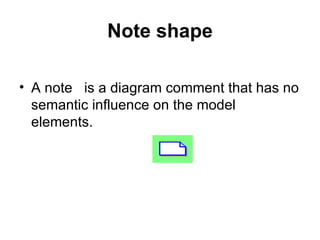
Note shape A note  is a diagram comment that has no semantic influence on the model elements.
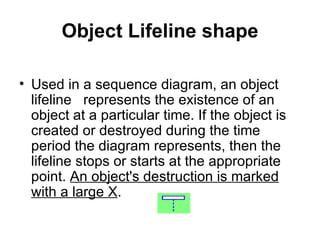
Object Lifeline shape Used in a sequence diagram, an object lifeline  represents the existence of an object at a particular time. If the object is created or destroyed during the time period the diagram represents, then the lifeline stops or starts at the appropriate point.  An object's destruction is marked with a large X .
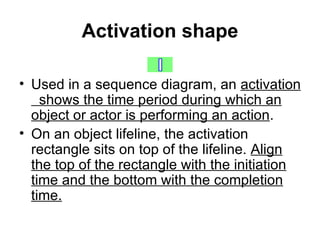
Activation shape Used in a sequence diagram, an  activation  shows the time period during which an object or actor is performing an action . On an object lifeline, the activation rectangle sits on top of the lifeline.  Align the top of the rectangle with the initiation time and the bottom with the completion time.
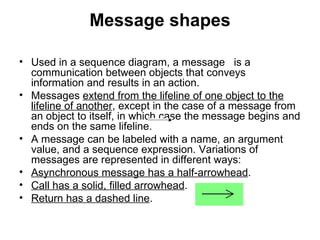
Message shapes Used in a sequence diagram, a message  is a communication between objects that conveys information and results in an action. Messages  extend from the lifeline of one object to the lifeline of another , except in the case of a message from an object to itself, in which case the message begins and ends on the same lifeline. A message can be labeled with a name, an argument value, and a sequence expression. Variations of messages are represented in different ways: Asynchronous message has a half-arrowhead .  Call has a solid, filled arrowhead .  Return has a dashed line .
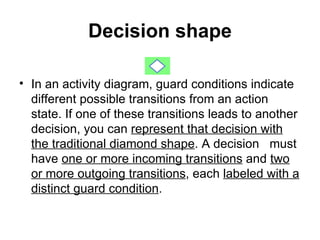
Decision shape In an activity diagram, guard conditions indicate different possible transitions from an action state. If one of these transitions leads to another decision, you can  represent that decision with the traditional diamond shape . A decision  must have  one or more incoming transitions  and  two or more outgoing transitions , each  labeled with a distinct guard condition .
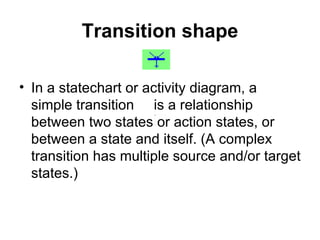
Transition shape In a statechart or activity diagram, a simple transition  is a relationship between two states or action states, or between a state and itself. (A complex transition has multiple source and/or target states.)
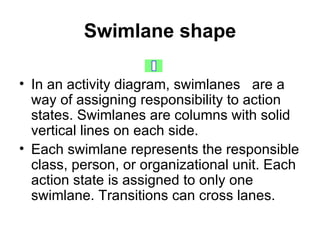
Swimlane shape In an activity diagram, swimlanes  are a way of assigning responsibility to action states. Swimlanes are columns with solid vertical lines on each side. Each swimlane represents the responsible class, person, or organizational unit. Each action state is assigned to only one swimlane. Transitions can cross lanes.
Class shape In a static structure diagram, a class  describes a set of objects with similar structure, behavior, and relationships. Classes are declared in class (static structure) diagrams and represent concepts in the systems being modeled. The name of a class must be unique within its package.
Utility shape In a static structure diagram, a utility  is a programming convenience rather than a fundamental construct. Attributes and operations you define for a utility become global variables and procedures. The notation for a utility is a class with the stereotype <<utility>>.
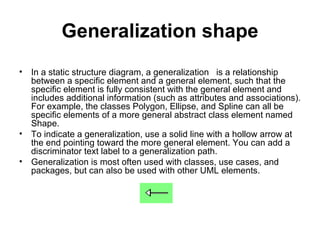
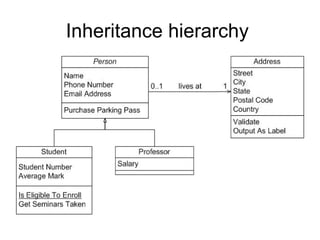
Generalization shape In a static structure diagram, a generalization  is a relationship between a specific element and a general element, such that the specific element is fully consistent with the general element and includes additional information (such as attributes and associations). For example, the classes Polygon, Ellipse, and Spline can all be specific elements of a more general abstract class element named Shape. To indicate a generalization, use a solid line with a hollow arrow at the end pointing toward the more general element. You can add a discriminator text label to a generalization path. Generalization is most often used with classes, use cases, and packages, but can also be used with other UML elements.
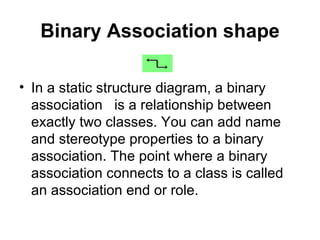
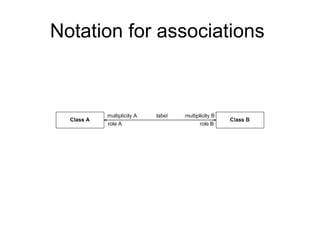
Binary Association shape In a static structure diagram, a binary association   is a relationship between exactly two classes. You can add name and stereotype properties to a binary association. The point where a binary association connects to a class is called an association end or role.
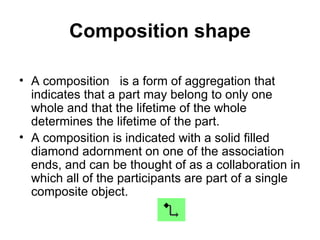
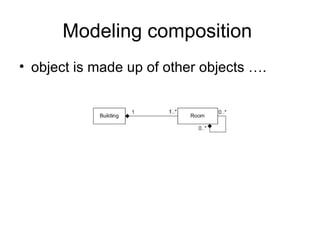
Composition shape A composition  is a form of aggregation that indicates that a part may belong to only one whole and that the lifetime of the whole determines the lifetime of the part. A composition is indicated with a solid filled diamond adornment on one of the association ends, and can be thought of as a collaboration in which all of the participants are part of a single composite object.
Subsystem shape A subsystem  is a package that contains the contents of the entire system or an entire model within the system
Object shape In a static structure diagram, an object  represents a particular instance of a class. An object has a name, which is underlined to indicate an instance-level element, and attributes. Objects usually appear in conceptual models where they represent real-world concepts and do not specify behavior, or in object diagrams, which show a snapshot of a system at a point in time. In class diagrams, objects are used mainly to show examples of data structures.
Exception shape An exception  is a signal raised by behavioral features typically in case of execution faults. In the metamodel, Exception is derived from Signal.
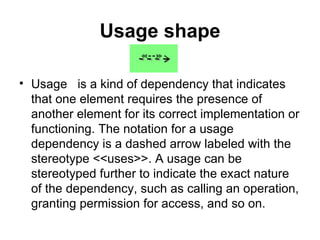
Usage shape Usage  is a kind of dependency that indicates that one element requires the presence of another element for its correct implementation or functioning. The notation for a usage dependency is a dashed arrow labeled with the stereotype <<uses>>. A usage can be stereotyped further to indicate the exact nature of the dependency, such as calling an operation, granting permission for access, and so on.
Use Case shape In a use case diagram, a use case  represents a set of events that occurs when an actor uses a system to complete a process. Normally, a use case is a relatively large process, not an individual step or transaction.
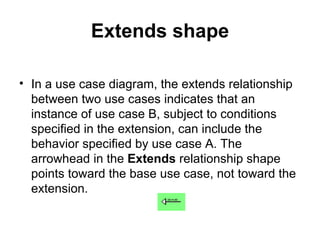
Extends shape In a use case diagram, the extends relationship  between two use cases indicates that an instance of use case B, subject to conditions specified in the extension, can include the behavior specified by use case A. The arrowhead in the  Extends  relationship shape points toward the base use case, not toward the extension.
Multi-Object shape In a collaboration diagram, a multi-object  represents a set of object roles on the ''many'' end of an association role. A multi-object is used within a collaboration to show operations that address the entire set of objects as a unit rather than a single object in it. To indicate an operation on each object in the set, use a single message that includes an iteration and add a many indicator (*) to the target role name.
Inheritance hierarchy
 
Notation for associations
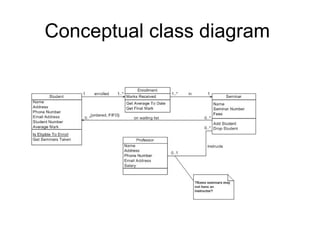
Conceptual class diagram
Modeling composition  object is made up of other objects ….
 
Initial State shape In a statechart or activity diagram, an initial state  represents the state of an object before any events included in the diagram have acted on it. A transition from the initial state is usually unlabeled and represents any transition to the enclosing state. The exception is the case of a top level state machine when the transition is labeled with the event that creates the object. There can only be one initial state in a statechart diagram but an activity diagram can have multiple initial states.

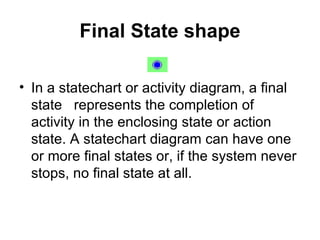
Final State shape In a statechart or activity diagram, a final state  represents the completion of activity in the enclosing state or action state. A statechart diagram can have one or more final states or, if the system never stops, no final state at all.
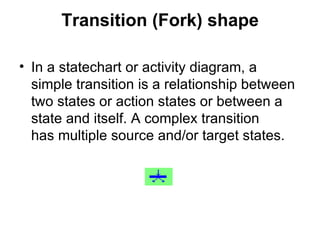
Transition (Fork) shape In a statechart or activity diagram, a simple transition is a relationship between two states or action states or between a state and itself. A complex transition  has multiple source and/or target states.
Object In State shape In an activity diagram, an object in state  is an object that is manipulated by a number of successive activities. Each appearance of the object indicates a different phase in its life. To distinguish an object in one phase from that same object in another phase, the state of the object in each phase can be appended in square brackets after the object name (for example, PurchaseOrder[approved]). Object flow arrows connect objects in state to action states, states, and control flow transitions.
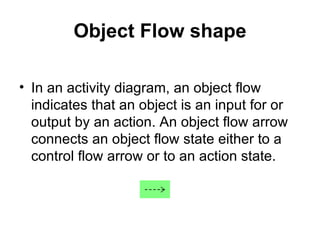
Object Flow shape In an activity diagram, an object flow  indicates that an object is an input for or output by an action. An object flow arrow connects an object flow state either to a control flow arrow or to an action state.
Control Flow shape A transition in an activity diagram, a control flow  represents a relationship between two states or action states and indicates that an object in the first state will enter the second state and perform specified actions.
State shape In a statechart or activity diagram, a state  is a condition during which an  object satisfies a condition ,  performs an action , or  waits for an event . A state is an image of an instant in the life of an object that reflects the values that exist in the object's attributes and the links the object has with other objects. A state has two compartments for optional information. The top compartment contains a name and the bottom compartment contains a list of internal actions or activities performed in response to events. When a state corresponds to ongoing activity, that activity is expressed either as a nested state machine or by a pair of entry and exit actions.

Intro to UML 2

  • 1.
    UML 2.0 Agentle introduction ….
  • 2.
    Interface shape Aninterface specifies the externally visible operations of a class, component, package, or other element without specifying internal structure. An interface has operations but no attributes, states, or associations. In terms of notation, an interface can be represented in two ways: As a class shape with the stereotype <<interface>> attached to the element that supports it by a realizes relationship. By a circle, attached to the element that supports it with a solid line.
  • 3.
    Behavior diagrams activity, state machine, and use case diagrams as well as the four interaction diagrams. Interaction diagrams A subset of behavior diagrams which emphasize object interactions.  This includes communication, interaction overview, sequence, and timing diagrams. Structure diagrams elements of a specification that are irrespective of time.  This includes class, composite structure, component, deployment, object, and package diagrams.  
  • 4.
    Actor Ina use case diagram, an actor represents a role played by an outside object.
  • 5.
    Node shape Asused in a deployment implementation diagram, a node is a run-time physical object that represents a processing resource. Nodes are usually computing devices but can also represent human resources or mechanical processing resources. You can define a node as either a type (with a node-type name such as PC or HostMachine) or an instance (with a name and node type, such as Joe's Machine:PC or AdminServer:HostMachine).
  • 6.
    Component shape Incomponent and deployment diagrams, a component is a distributable unit of implementation in a system. For example, a component can represent a physical module of code (source, binary, or executable) or a business document in a human system. In a deployment diagram, a component instance represents an implementation unit that has identity at run time and can contain objects. A node instance can contain a component.
  • 7.
    Package shape Apackage is a grouping of model elements and is represented by a symbol that looks like a manila file folder . You can imagine an entire system description as a package with all the system elements in it, including other packages, models, diagrams, and elements. A package is the basic organizing element of a UML model. Each element belongs to only one package, and one package can be nested in another. You can create new packages or add elements or views (diagrams) to packages by right-clicking icons in the tree view.
  • 8.
    Dependency shape Adependency is a relationship between two elements that indicates that changes to the source element can cause changes in the target element. The notation for a dependency is a dashed arrow, and the element at the tail of the arrow depends on the element at the arrowhead. A dependency relates the model elements themselves and doesn't require instances for its meaning
  • 9.
    Constraint shape Aconstraint is a specification for conditions and propositions that must be maintained as true for the system to be valid. Constraints are expressed as text within braces ({  }) and may be written in a predefined language, such as Object Constraint Language (OCL) or in natural language.
  • 10.
    Note shape Anote is a diagram comment that has no semantic influence on the model elements.
  • 11.
    Object Lifeline shapeUsed in a sequence diagram, an object lifeline represents the existence of an object at a particular time. If the object is created or destroyed during the time period the diagram represents, then the lifeline stops or starts at the appropriate point. An object's destruction is marked with a large X .
  • 12.
    Activation shape Usedin a sequence diagram, an activation shows the time period during which an object or actor is performing an action . On an object lifeline, the activation rectangle sits on top of the lifeline. Align the top of the rectangle with the initiation time and the bottom with the completion time.
  • 13.
    Message shapes Usedin a sequence diagram, a message is a communication between objects that conveys information and results in an action. Messages extend from the lifeline of one object to the lifeline of another , except in the case of a message from an object to itself, in which case the message begins and ends on the same lifeline. A message can be labeled with a name, an argument value, and a sequence expression. Variations of messages are represented in different ways: Asynchronous message has a half-arrowhead . Call has a solid, filled arrowhead . Return has a dashed line .
  • 14.
    Decision shape Inan activity diagram, guard conditions indicate different possible transitions from an action state. If one of these transitions leads to another decision, you can represent that decision with the traditional diamond shape . A decision must have one or more incoming transitions and two or more outgoing transitions , each labeled with a distinct guard condition .
  • 15.
    Transition shape Ina statechart or activity diagram, a simple transition is a relationship between two states or action states, or between a state and itself. (A complex transition has multiple source and/or target states.)
  • 16.
    Swimlane shape Inan activity diagram, swimlanes are a way of assigning responsibility to action states. Swimlanes are columns with solid vertical lines on each side. Each swimlane represents the responsible class, person, or organizational unit. Each action state is assigned to only one swimlane. Transitions can cross lanes.
  • 17.
    Class shape Ina static structure diagram, a class describes a set of objects with similar structure, behavior, and relationships. Classes are declared in class (static structure) diagrams and represent concepts in the systems being modeled. The name of a class must be unique within its package.
  • 18.
    Utility shape Ina static structure diagram, a utility is a programming convenience rather than a fundamental construct. Attributes and operations you define for a utility become global variables and procedures. The notation for a utility is a class with the stereotype <<utility>>.
  • 19.
    Generalization shape Ina static structure diagram, a generalization is a relationship between a specific element and a general element, such that the specific element is fully consistent with the general element and includes additional information (such as attributes and associations). For example, the classes Polygon, Ellipse, and Spline can all be specific elements of a more general abstract class element named Shape. To indicate a generalization, use a solid line with a hollow arrow at the end pointing toward the more general element. You can add a discriminator text label to a generalization path. Generalization is most often used with classes, use cases, and packages, but can also be used with other UML elements.
  • 20.
    Binary Association shapeIn a static structure diagram, a binary association  is a relationship between exactly two classes. You can add name and stereotype properties to a binary association. The point where a binary association connects to a class is called an association end or role.
  • 21.
    Composition shape Acomposition is a form of aggregation that indicates that a part may belong to only one whole and that the lifetime of the whole determines the lifetime of the part. A composition is indicated with a solid filled diamond adornment on one of the association ends, and can be thought of as a collaboration in which all of the participants are part of a single composite object.
  • 22.
    Subsystem shape Asubsystem is a package that contains the contents of the entire system or an entire model within the system
  • 23.
    Object shape Ina static structure diagram, an object represents a particular instance of a class. An object has a name, which is underlined to indicate an instance-level element, and attributes. Objects usually appear in conceptual models where they represent real-world concepts and do not specify behavior, or in object diagrams, which show a snapshot of a system at a point in time. In class diagrams, objects are used mainly to show examples of data structures.
  • 24.
    Exception shape Anexception is a signal raised by behavioral features typically in case of execution faults. In the metamodel, Exception is derived from Signal.
  • 25.
    Usage shape Usage is a kind of dependency that indicates that one element requires the presence of another element for its correct implementation or functioning. The notation for a usage dependency is a dashed arrow labeled with the stereotype <<uses>>. A usage can be stereotyped further to indicate the exact nature of the dependency, such as calling an operation, granting permission for access, and so on.
  • 26.
    Use Case shapeIn a use case diagram, a use case represents a set of events that occurs when an actor uses a system to complete a process. Normally, a use case is a relatively large process, not an individual step or transaction.
  • 27.
    Extends shape Ina use case diagram, the extends relationship between two use cases indicates that an instance of use case B, subject to conditions specified in the extension, can include the behavior specified by use case A. The arrowhead in the Extends relationship shape points toward the base use case, not toward the extension.
  • 28.
    Multi-Object shape Ina collaboration diagram, a multi-object represents a set of object roles on the ''many'' end of an association role. A multi-object is used within a collaboration to show operations that address the entire set of objects as a unit rather than a single object in it. To indicate an operation on each object in the set, use a single message that includes an iteration and add a many indicator (*) to the target role name.
  • 29.
  • 30.
  • 31.
  • 32.
  • 33.
    Modeling composition object is made up of other objects ….
  • 34.
  • 35.
    Initial State shapeIn a statechart or activity diagram, an initial state represents the state of an object before any events included in the diagram have acted on it. A transition from the initial state is usually unlabeled and represents any transition to the enclosing state. The exception is the case of a top level state machine when the transition is labeled with the event that creates the object. There can only be one initial state in a statechart diagram but an activity diagram can have multiple initial states.
  • 36.
    Final State shapeIn a statechart or activity diagram, a final state represents the completion of activity in the enclosing state or action state. A statechart diagram can have one or more final states or, if the system never stops, no final state at all.
  • 37.
    Transition (Fork) shapeIn a statechart or activity diagram, a simple transition is a relationship between two states or action states or between a state and itself. A complex transition has multiple source and/or target states.
  • 38.
    Object In Stateshape In an activity diagram, an object in state is an object that is manipulated by a number of successive activities. Each appearance of the object indicates a different phase in its life. To distinguish an object in one phase from that same object in another phase, the state of the object in each phase can be appended in square brackets after the object name (for example, PurchaseOrder[approved]). Object flow arrows connect objects in state to action states, states, and control flow transitions.
  • 39.
    Object Flow shapeIn an activity diagram, an object flow indicates that an object is an input for or output by an action. An object flow arrow connects an object flow state either to a control flow arrow or to an action state.
  • 40.
    Control Flow shapeA transition in an activity diagram, a control flow represents a relationship between two states or action states and indicates that an object in the first state will enter the second state and perform specified actions.
  • 41.
    State shape Ina statechart or activity diagram, a state is a condition during which an object satisfies a condition , performs an action , or waits for an event . A state is an image of an instant in the life of an object that reflects the values that exist in the object's attributes and the links the object has with other objects. A state has two compartments for optional information. The top compartment contains a name and the bottom compartment contains a list of internal actions or activities performed in response to events. When a state corresponds to ongoing activity, that activity is expressed either as a nested state machine or by a pair of entry and exit actions.