UML
Nguyen Thanh Tuan
@Platform Department
UML defination
UML stands for Unified Modeling Language which is used in object oriented
software engineering. Although typically used in software engineering it is a rich
language that can be used to model an application structures, behavior and even
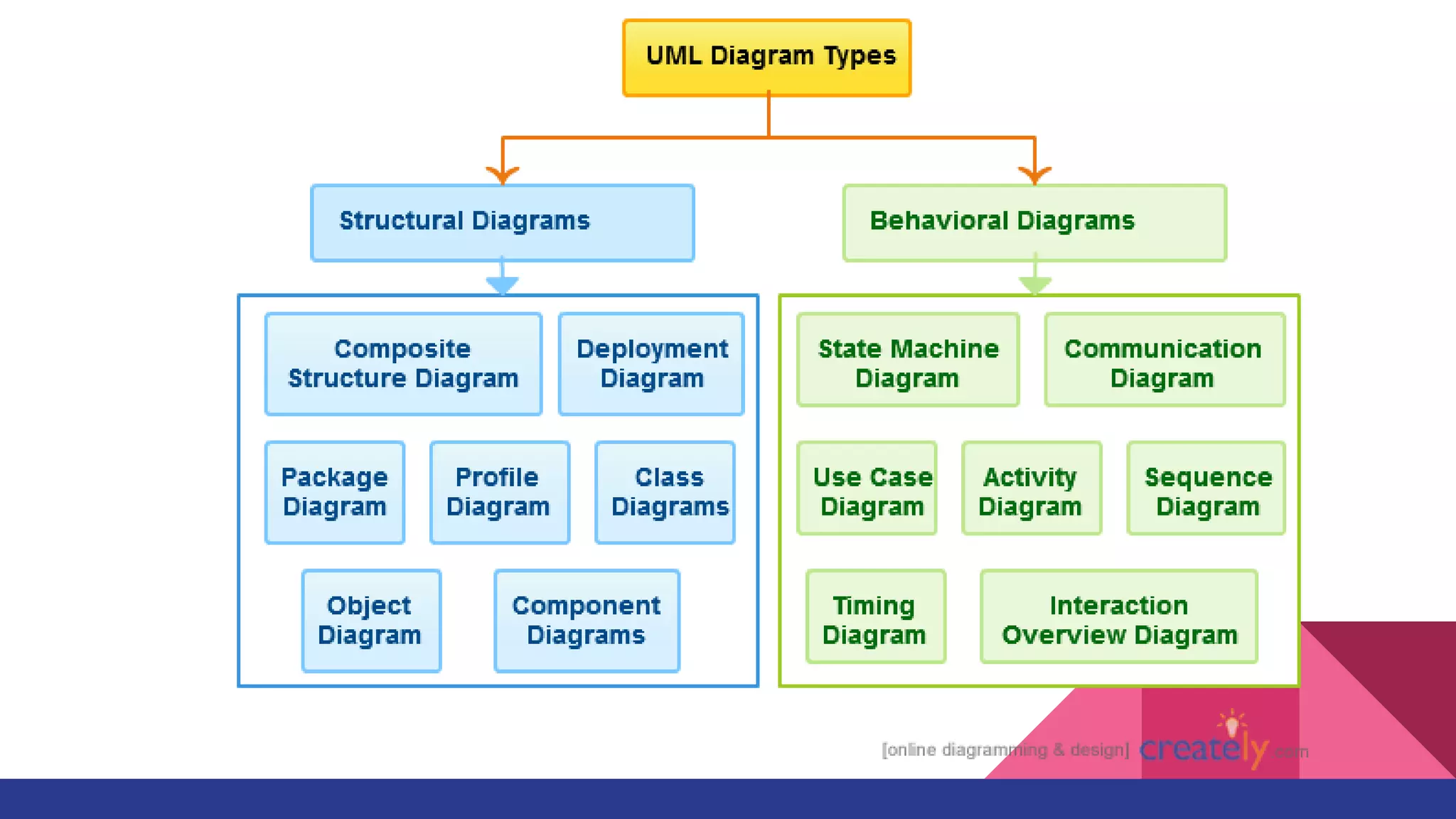
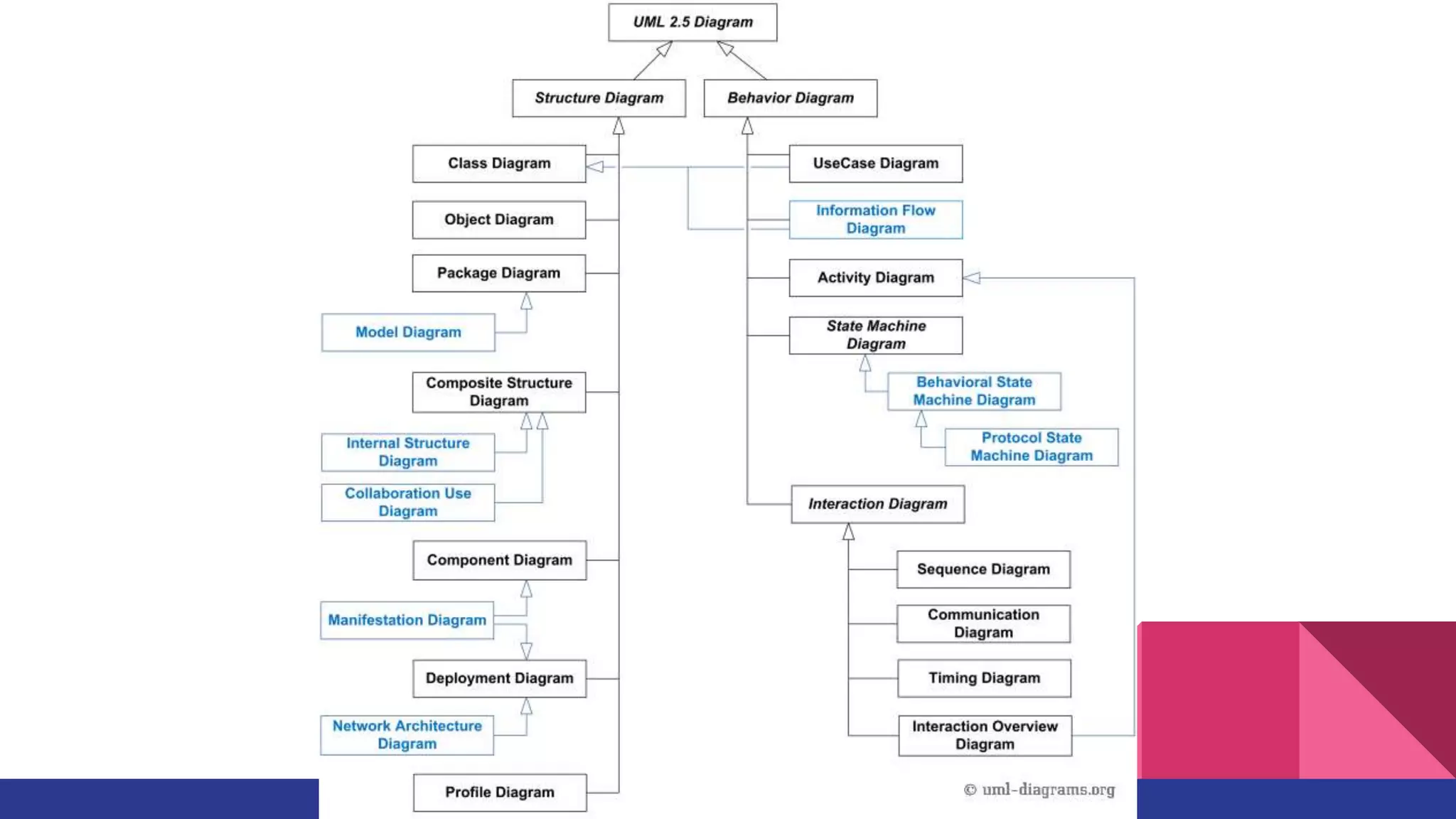
business processes. There are 14 UML diagram types to help you model these
behavior.
+ structure diagrams
+ behavioral diagrams
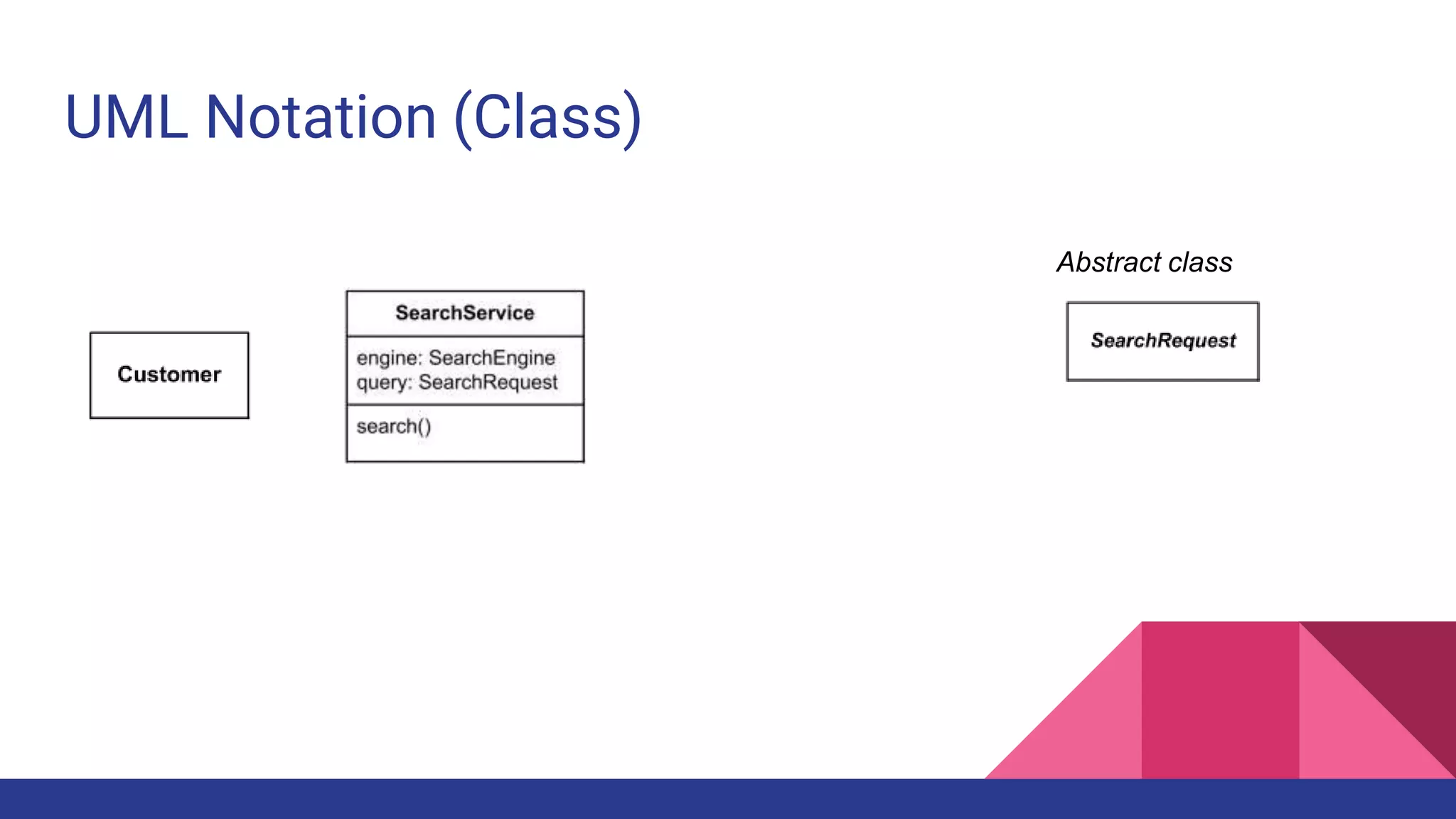
UML Notation (Class)
Abstract class
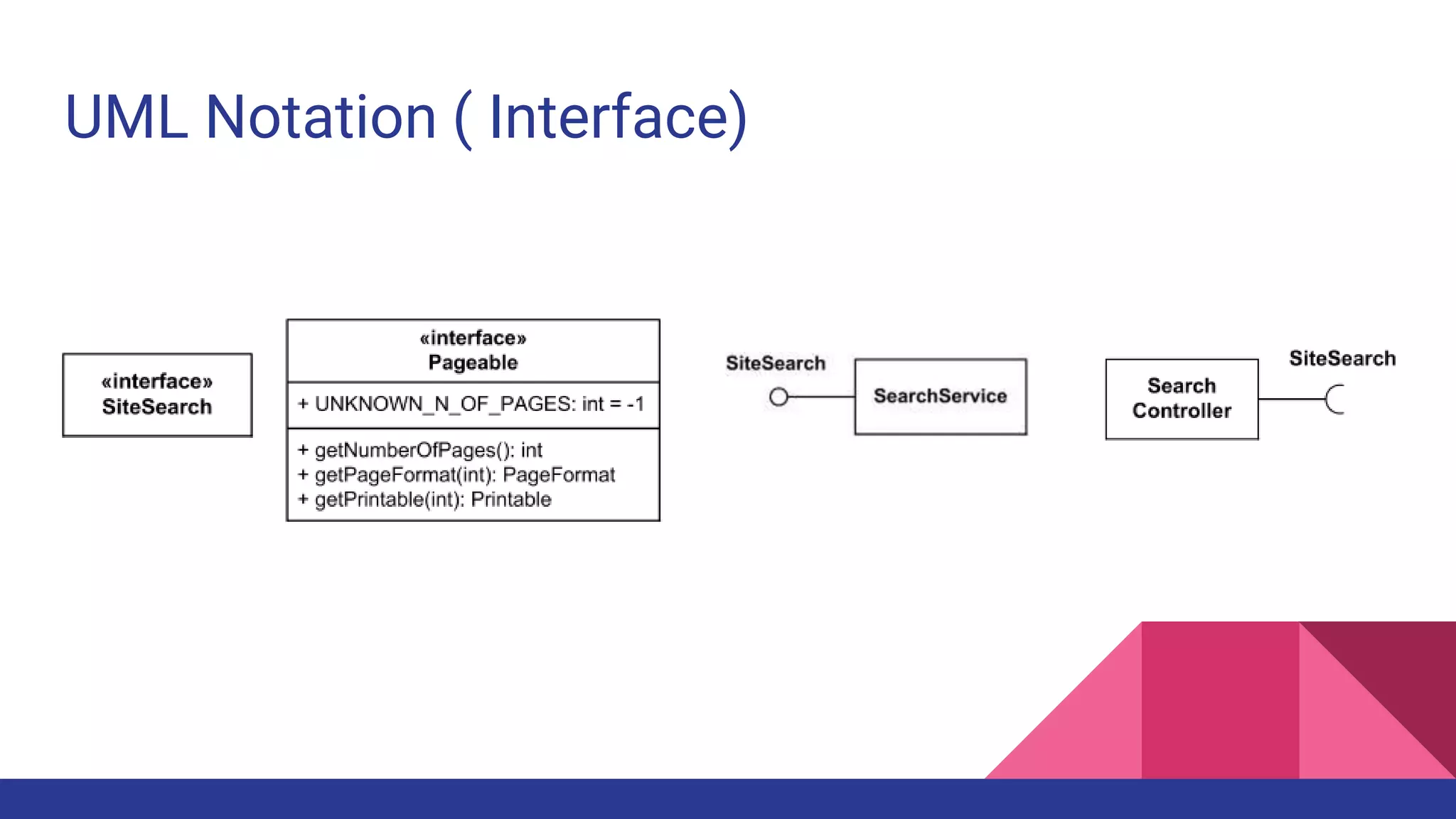
UML Notation ( Interface)
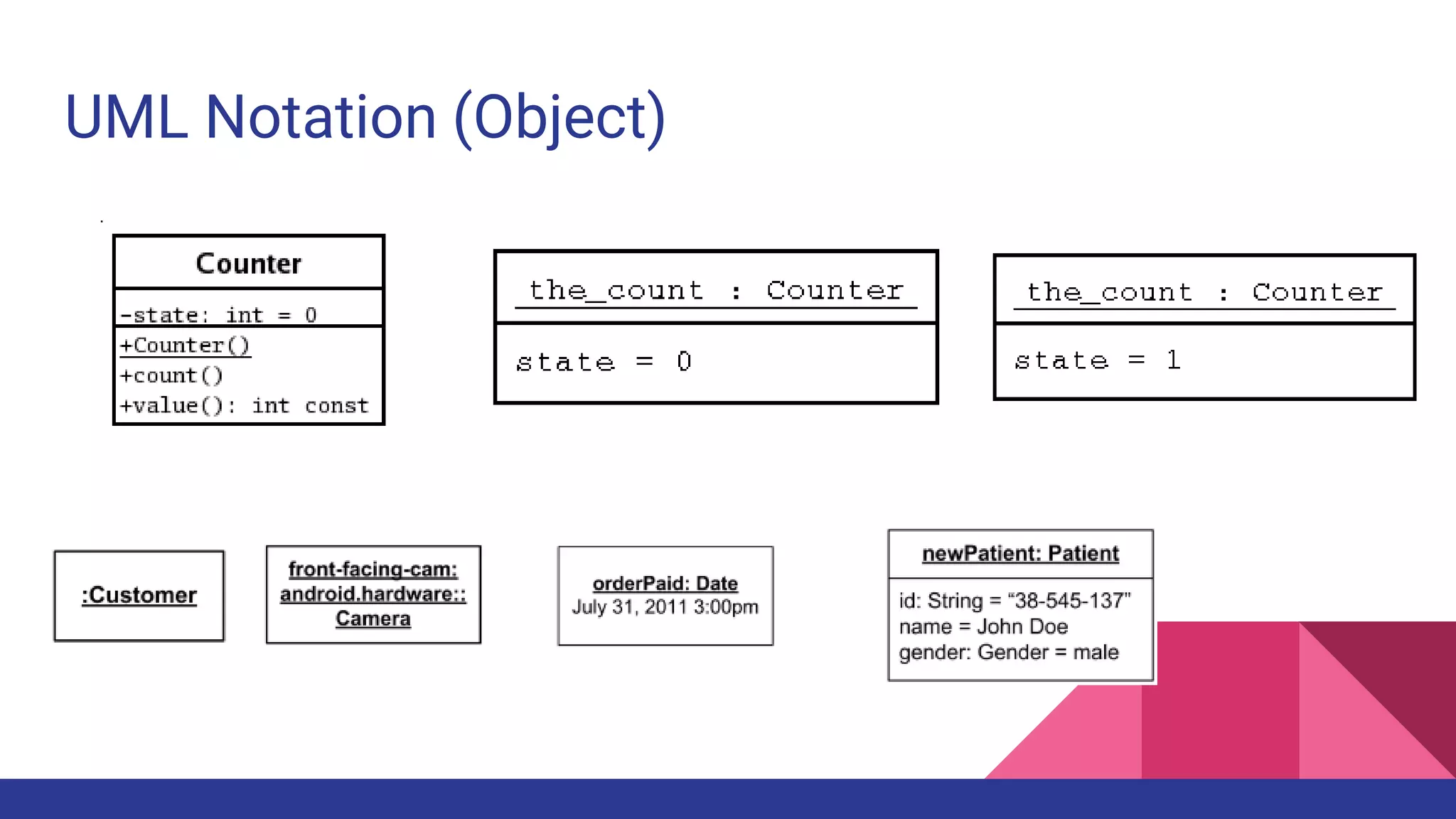
UML Notation (Object)
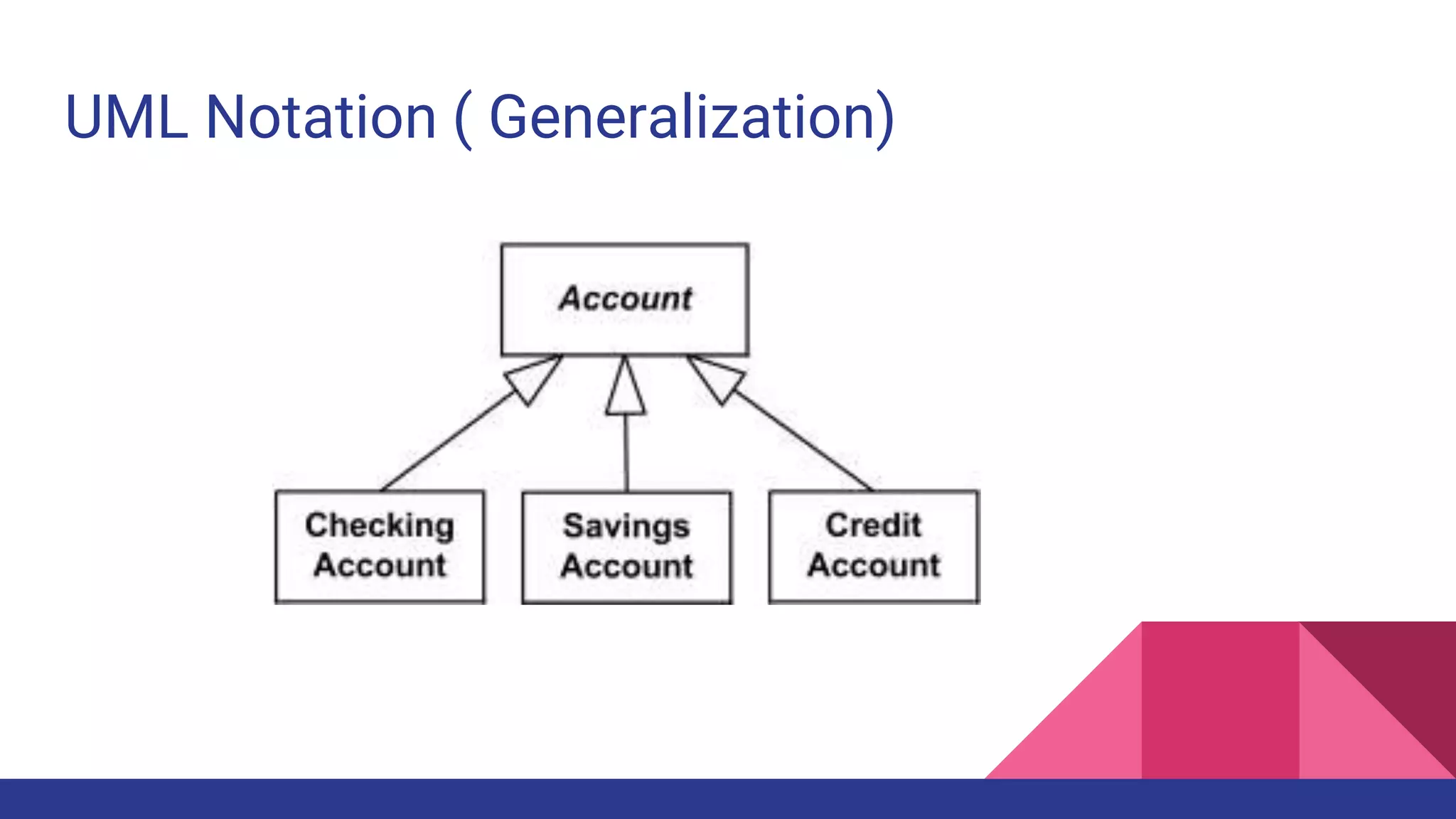
UML Notation ( Generalization)
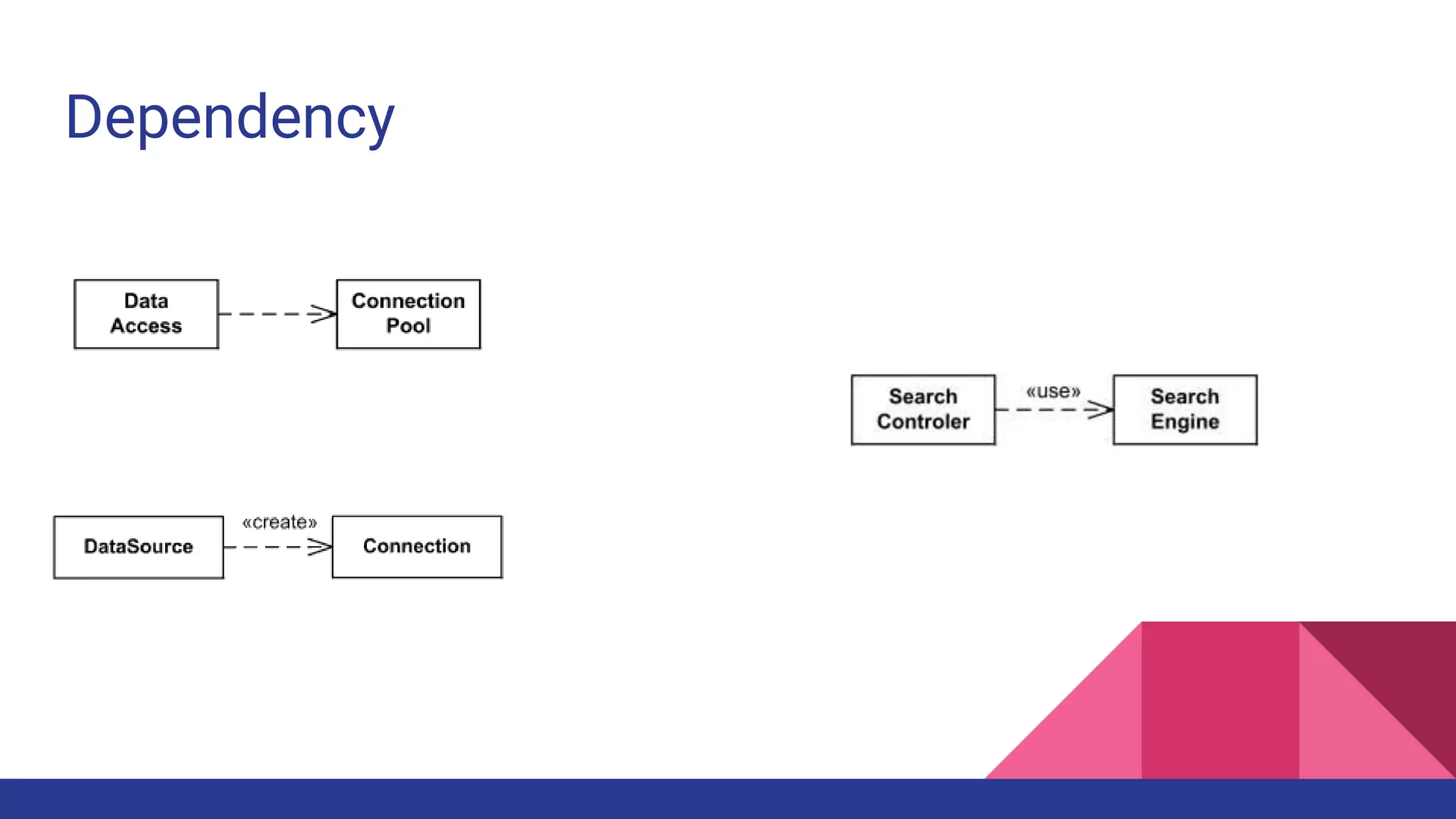
Dependency
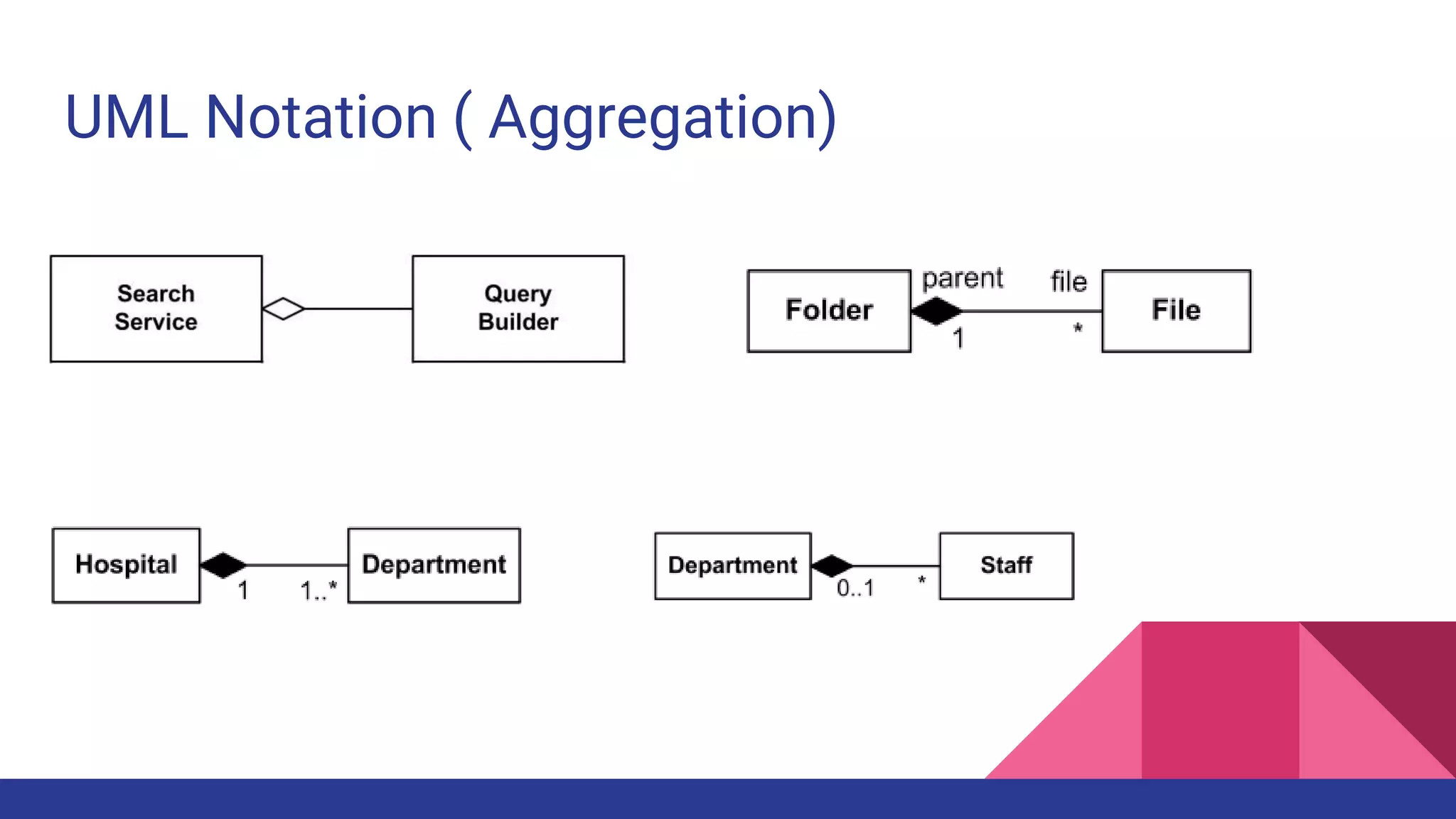
UML Notation ( Aggregation)
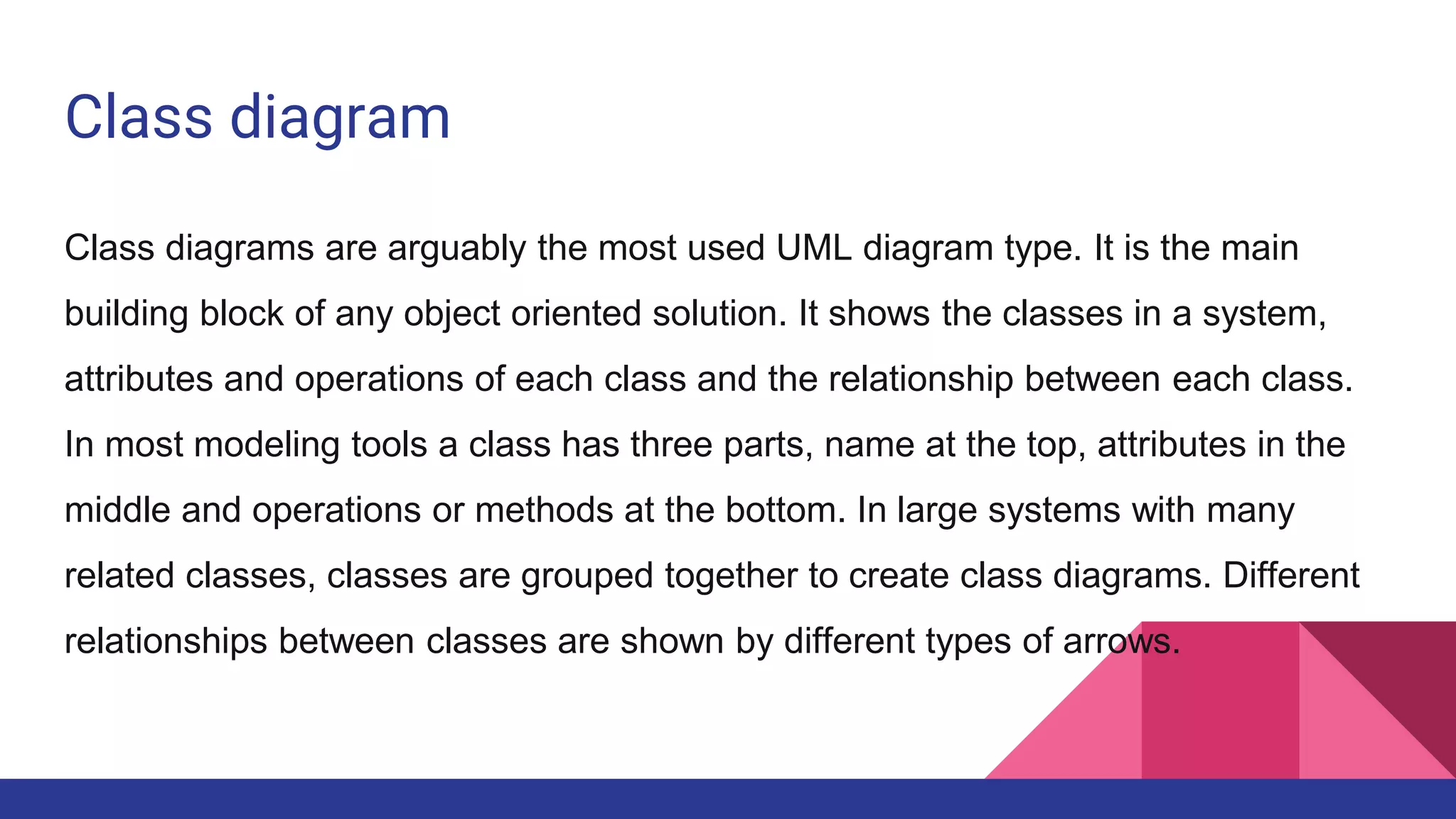
Class diagram
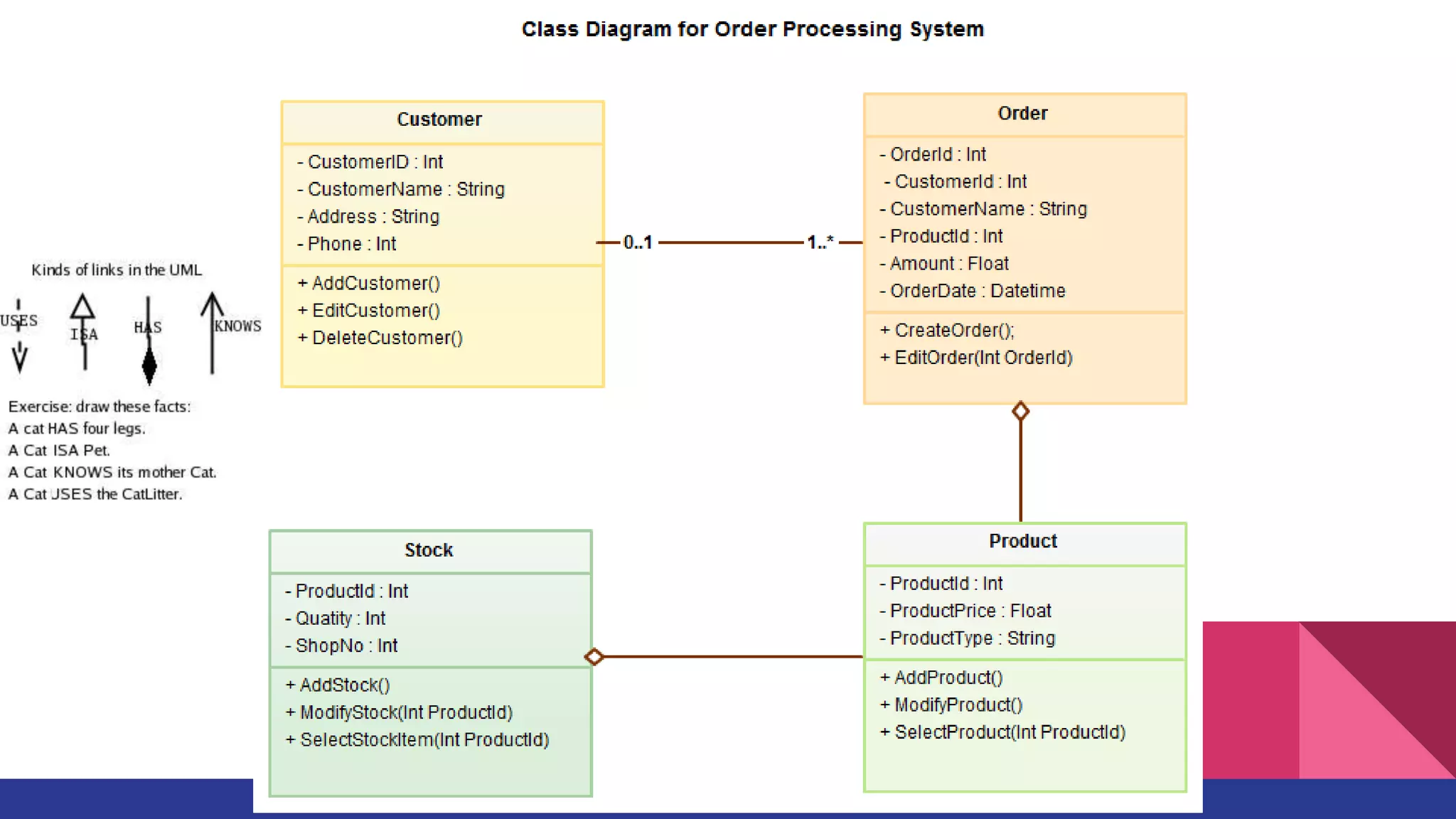
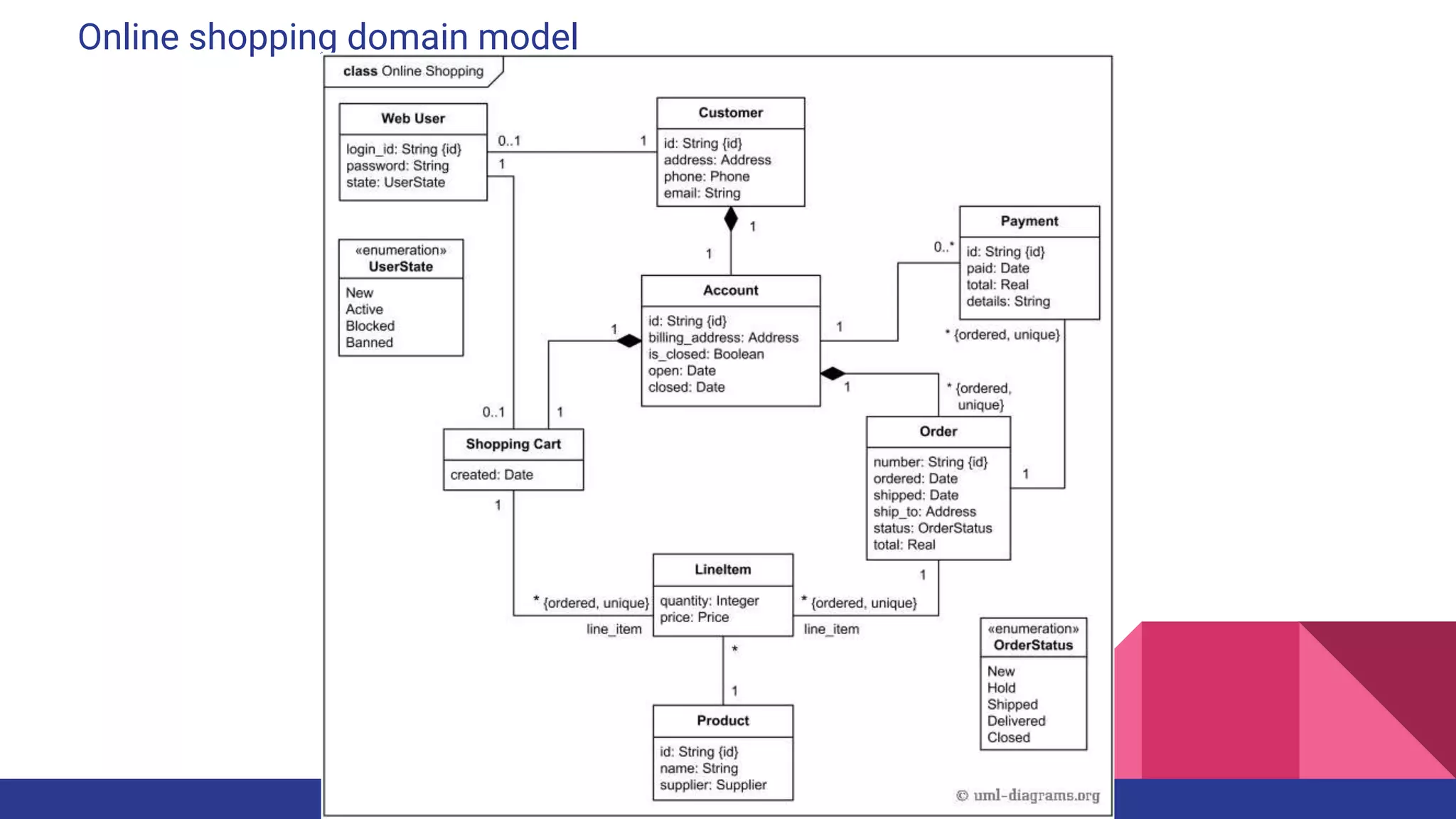
Class diagrams are arguably the most used UML diagram type. It is the main
building block of any object oriented solution. It shows the classes in a system,
attributes and operations of each class and the relationship between each class.
In most modeling tools a class has three parts, name at the top, attributes in the
middle and operations or methods at the bottom. In large systems with many
related classes, classes are grouped together to create class diagrams. Different
relationships between classes are shown by different types of arrows.
Component Diagram
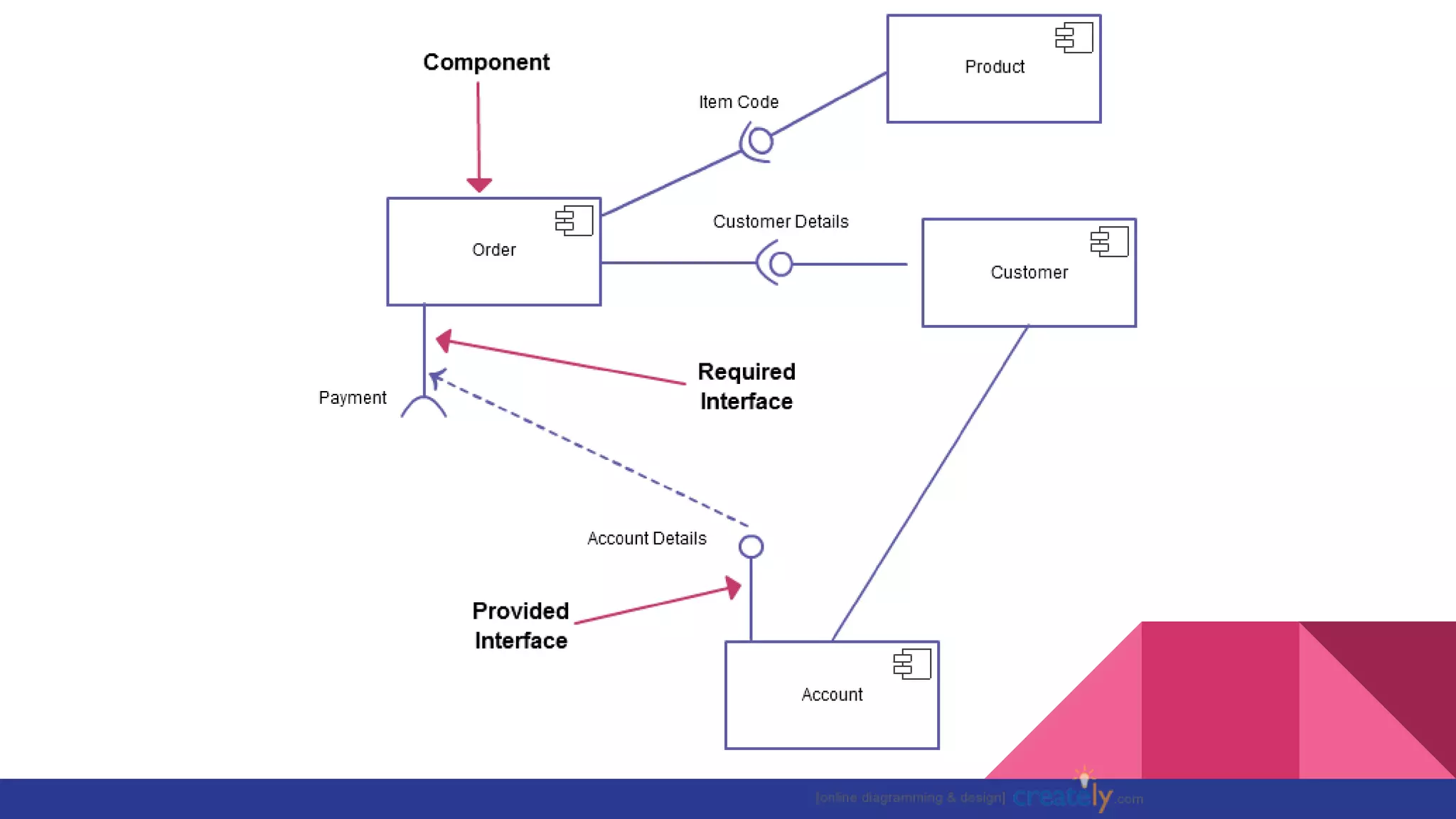
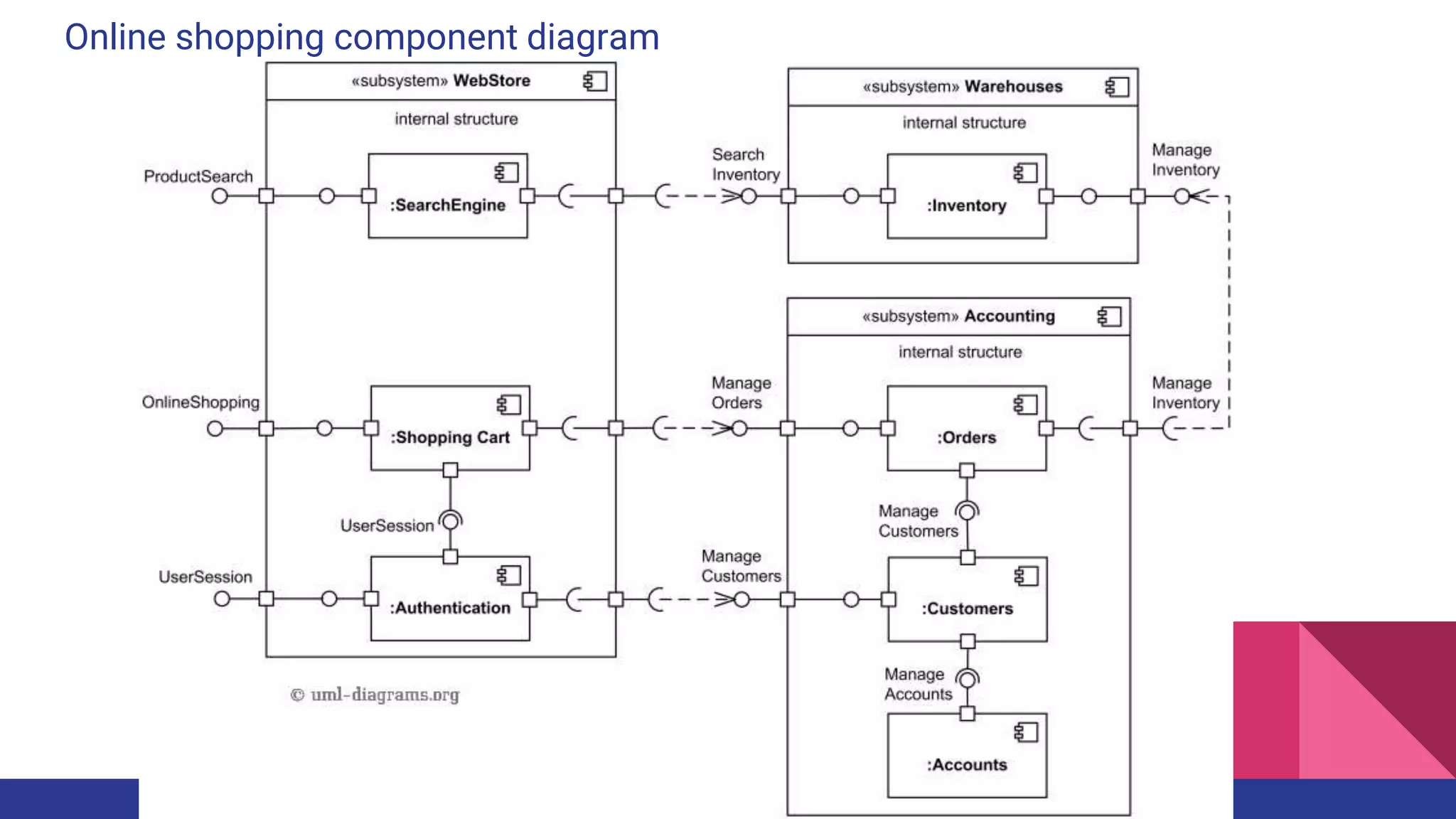
A component diagram displays the structural relationship of components of a
software system. These are mostly used when working with complex systems that
has many components. Components communicate with each other using
interfaces. The interfaces are linked using connectors
Deployment Diagram
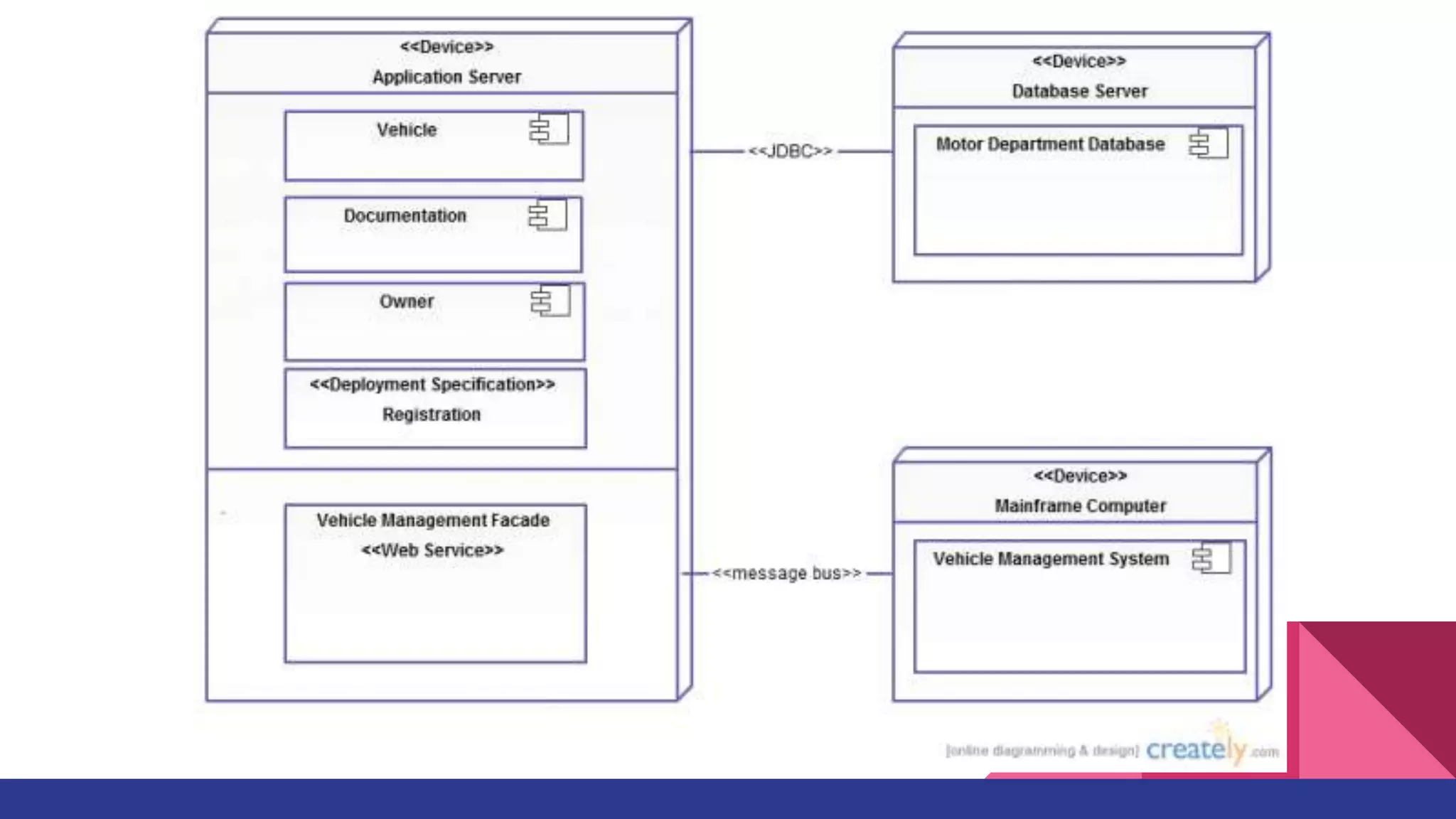
A deployment diagrams shows the hardware of your system and the software in
those hardware. Deployment diagrams are useful when your software solution is
deployed across multiple machines with each having a unique configuration
Object Diagram
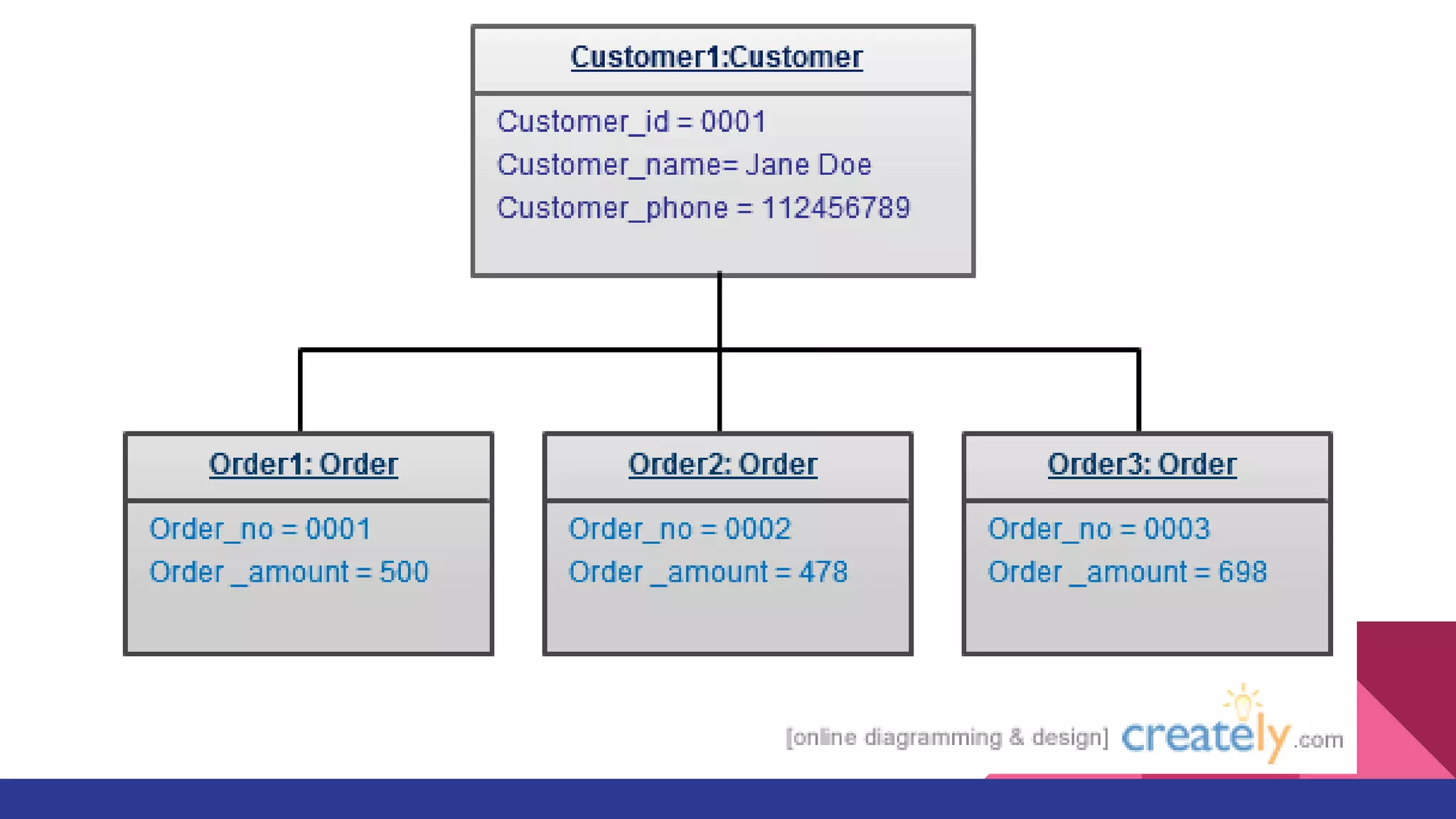
Object Diagrams, sometimes referred as Instance diagrams are very similar to
class diagrams. As class diagrams they also show the relationship between
objects but they use real world examples. They are used to show how a system
will look like at a given time. Because there is data available in the objects they
are often used to explain complex relationships between objects.
Package Diagram
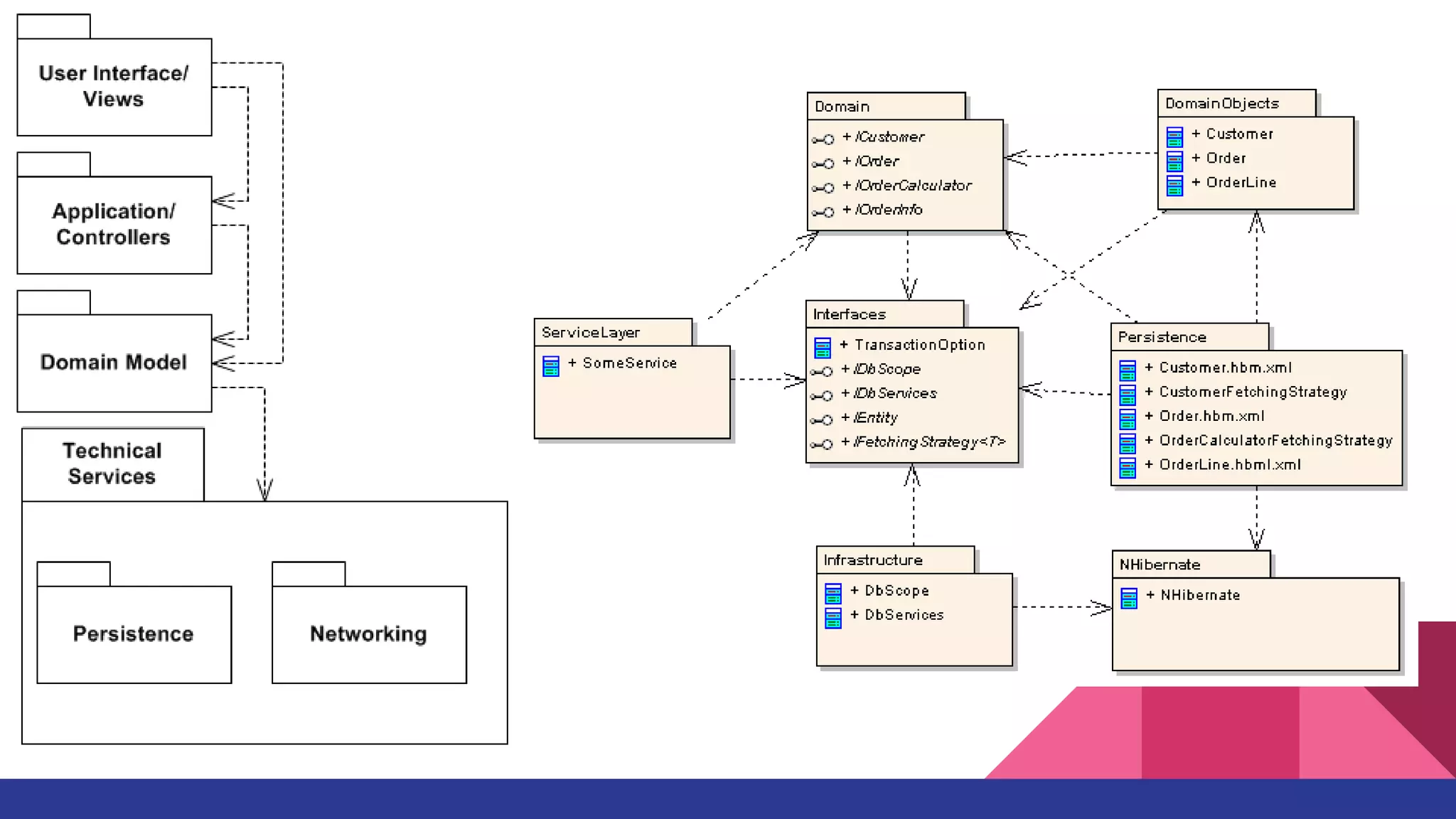
As the name suggests a package diagrams shows the dependencies between
different packages in a system
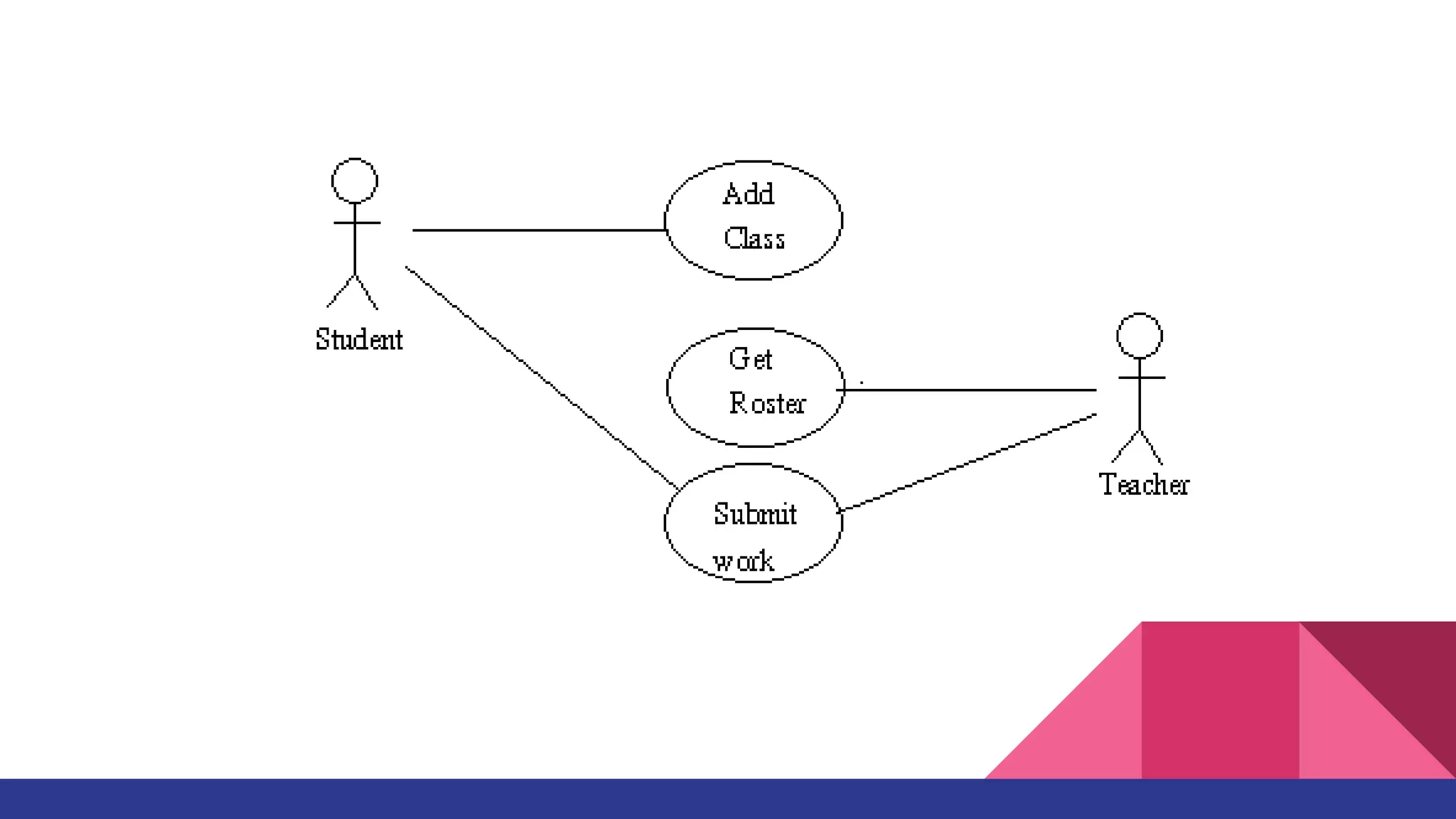
User case Diagram
A names a type of user (actors) and something that they want to do (use case).
An actor can be a human, a UseCase A use case device, or a piece of software but
it must not be part of the system we are producing. The use case describes how
an actor achieves a specific tangible goal. The important part of a use case is the
description of the steps that the actors take to achieve their goals and how the
system appears to respond to the actors actions
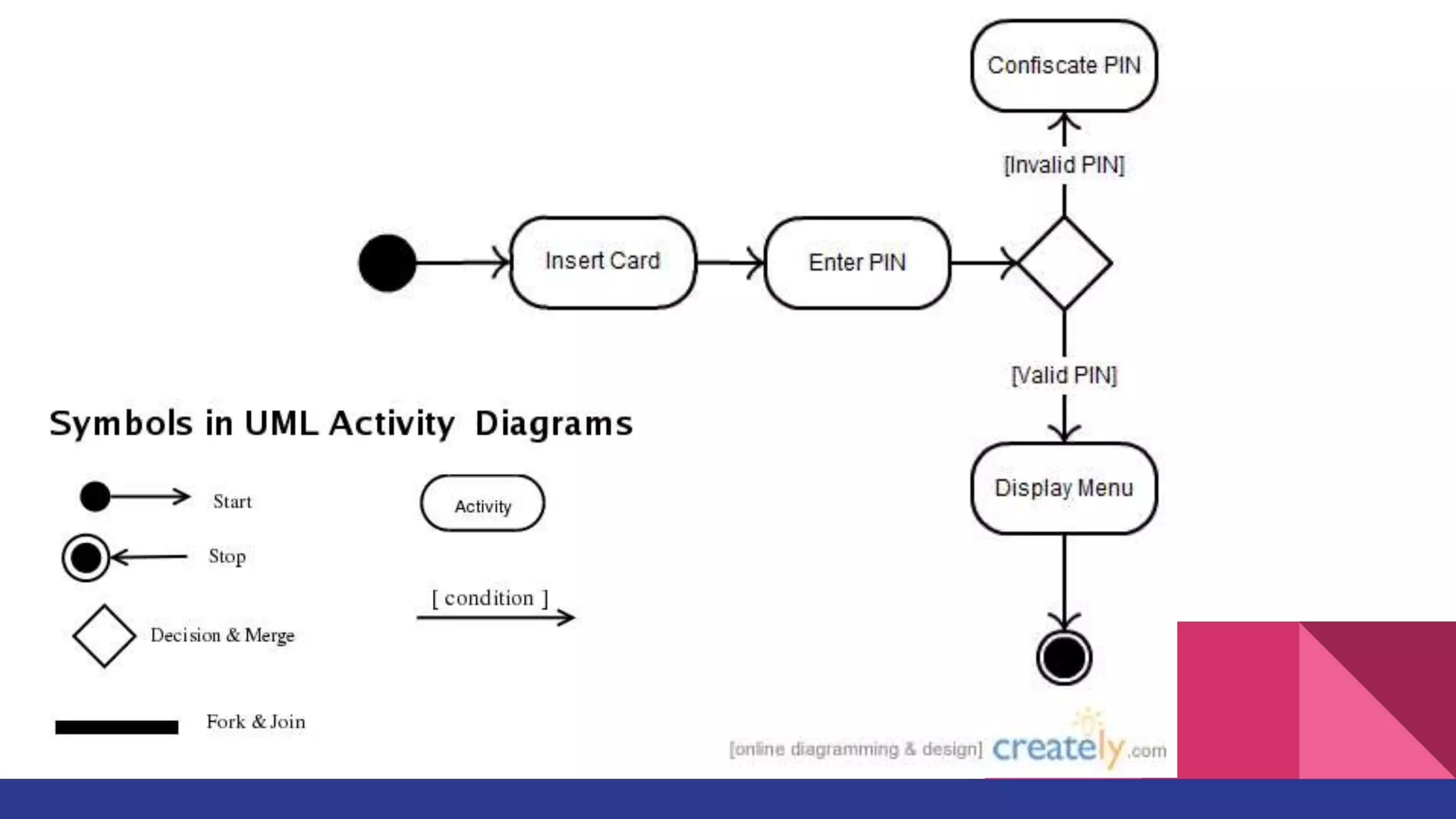
Activity Diagram
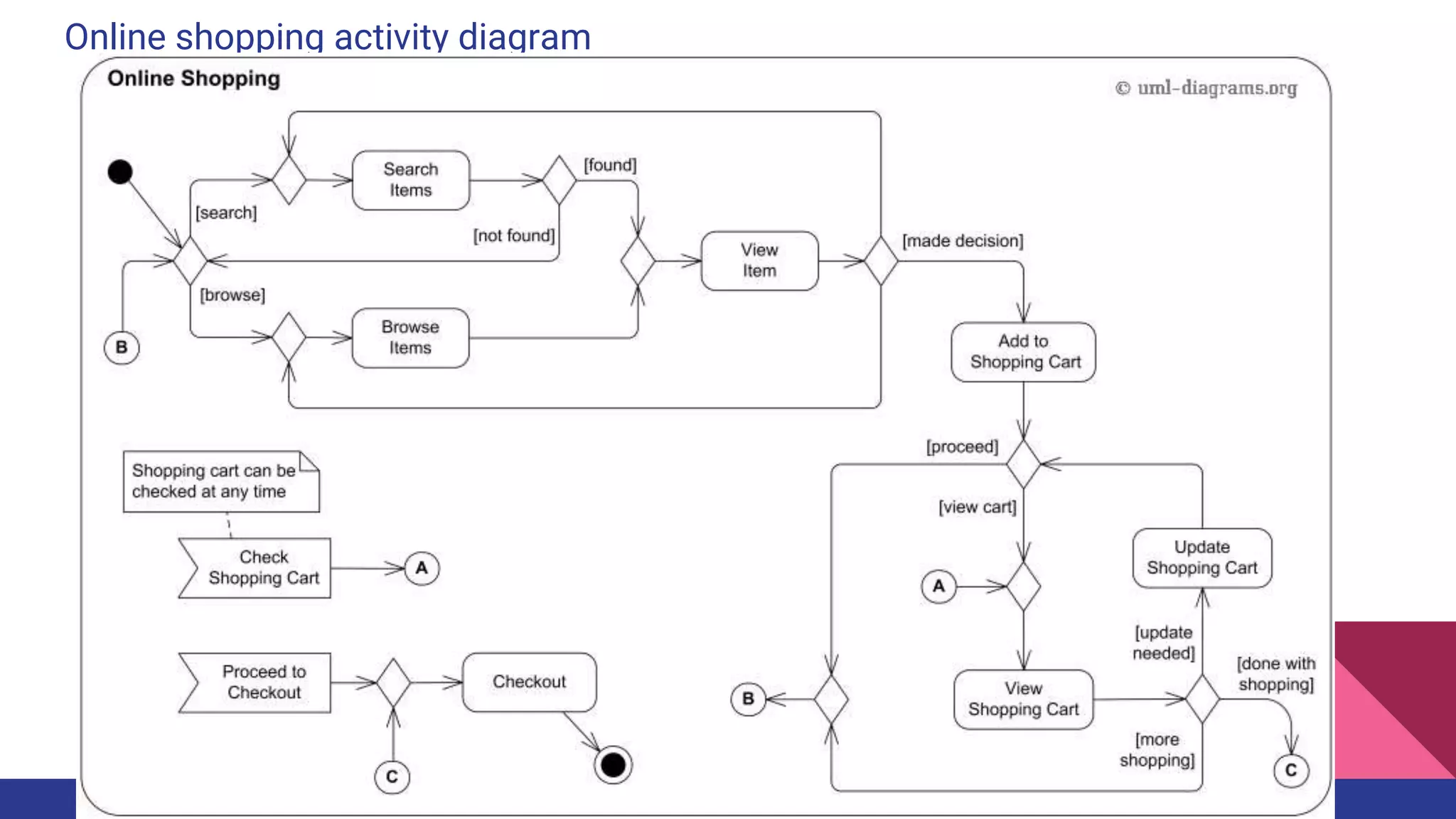
Activity diagrams represent workflows in an graphical way. They can be used to
describe business workflow or the operational workflow of any component in a
system. Sometimes activity diagrams are used as an alternative to State machine
diagrams
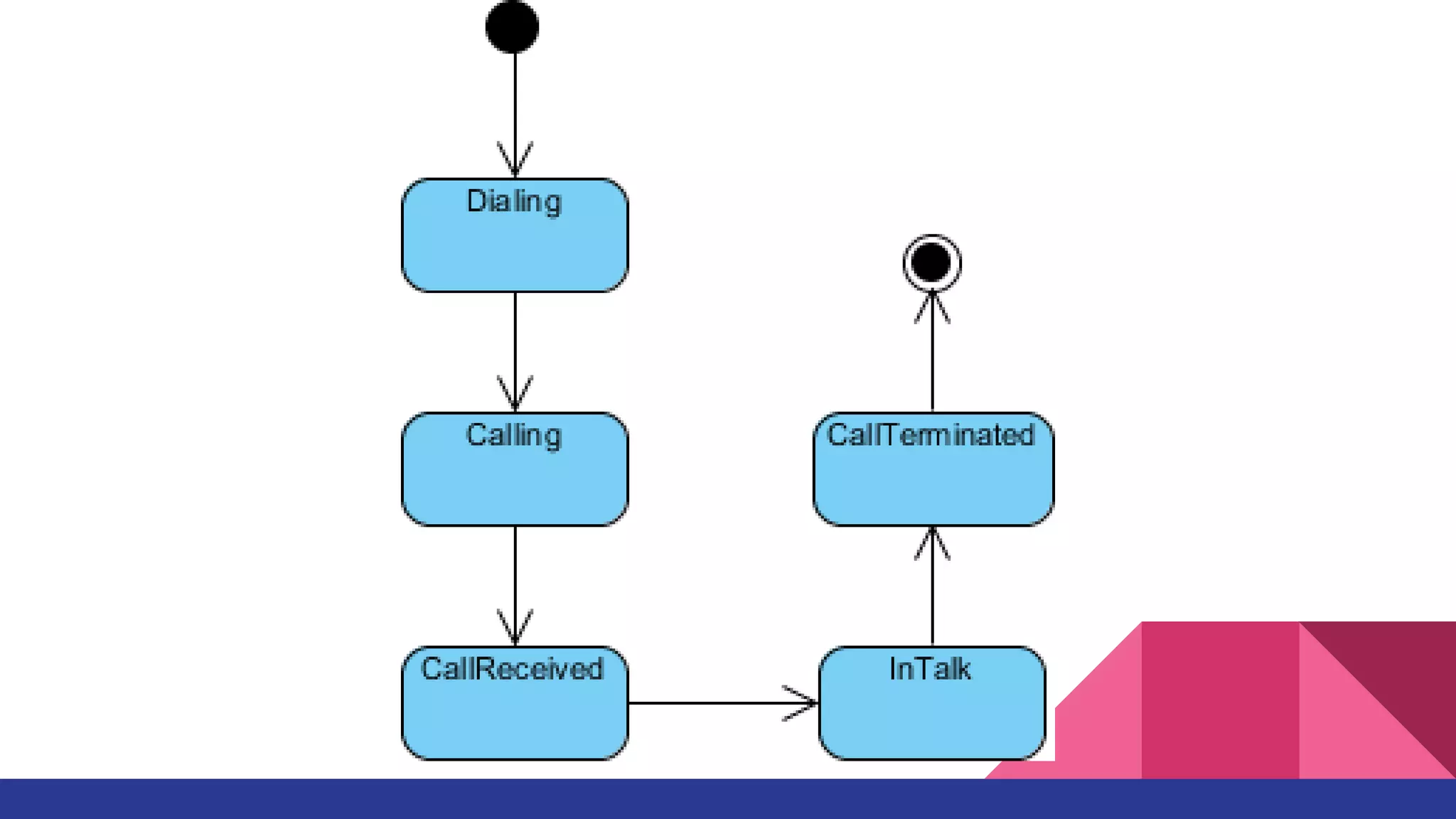
State Machine Diagram
State machine diagrams are similar to activity diagrams although notations and
usage changes a bit. They are sometime known as state diagrams or start chart
diagrams as well. These are very useful to describe the behavior of objects that
act different according to the state they are at the moment
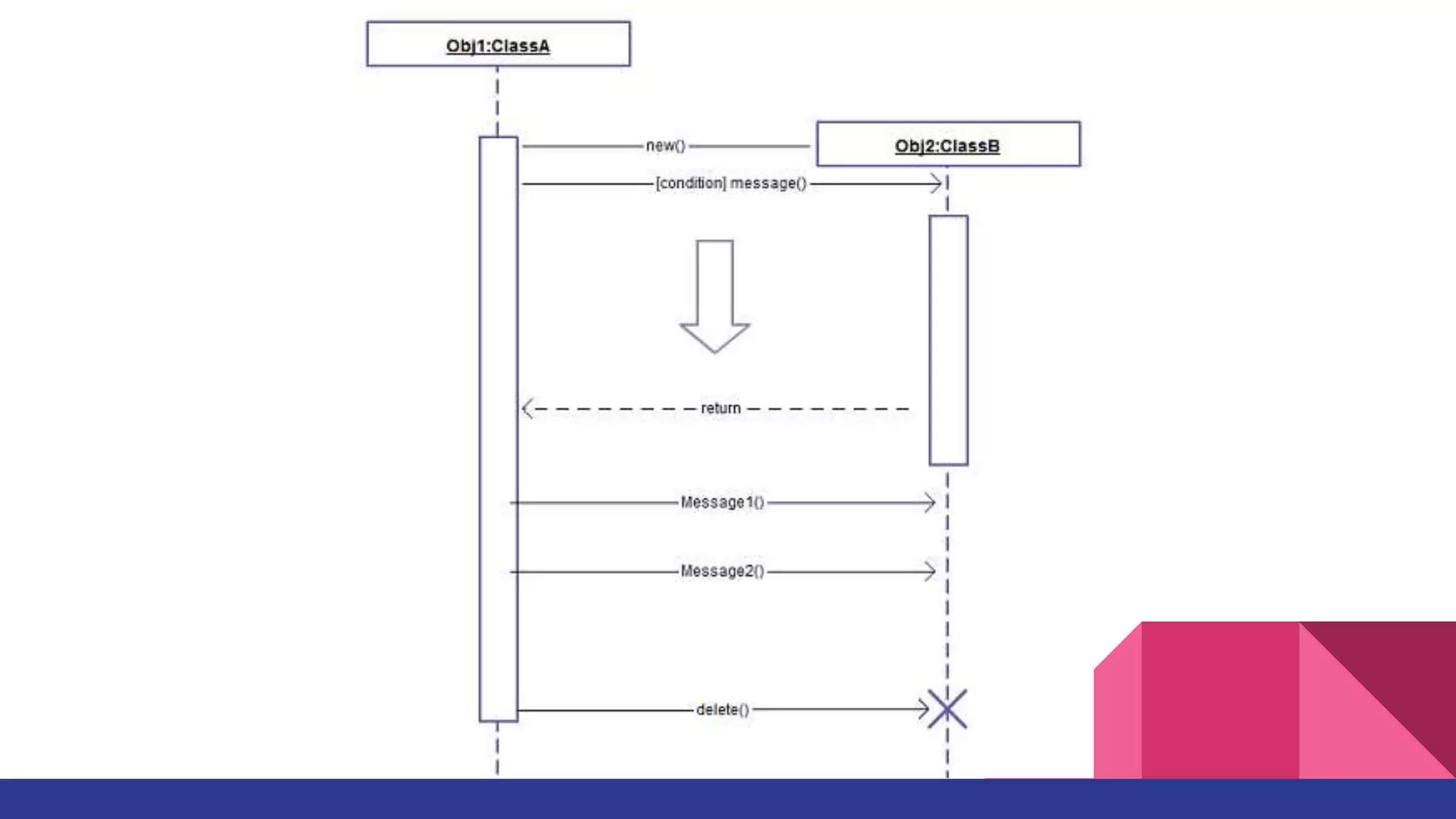
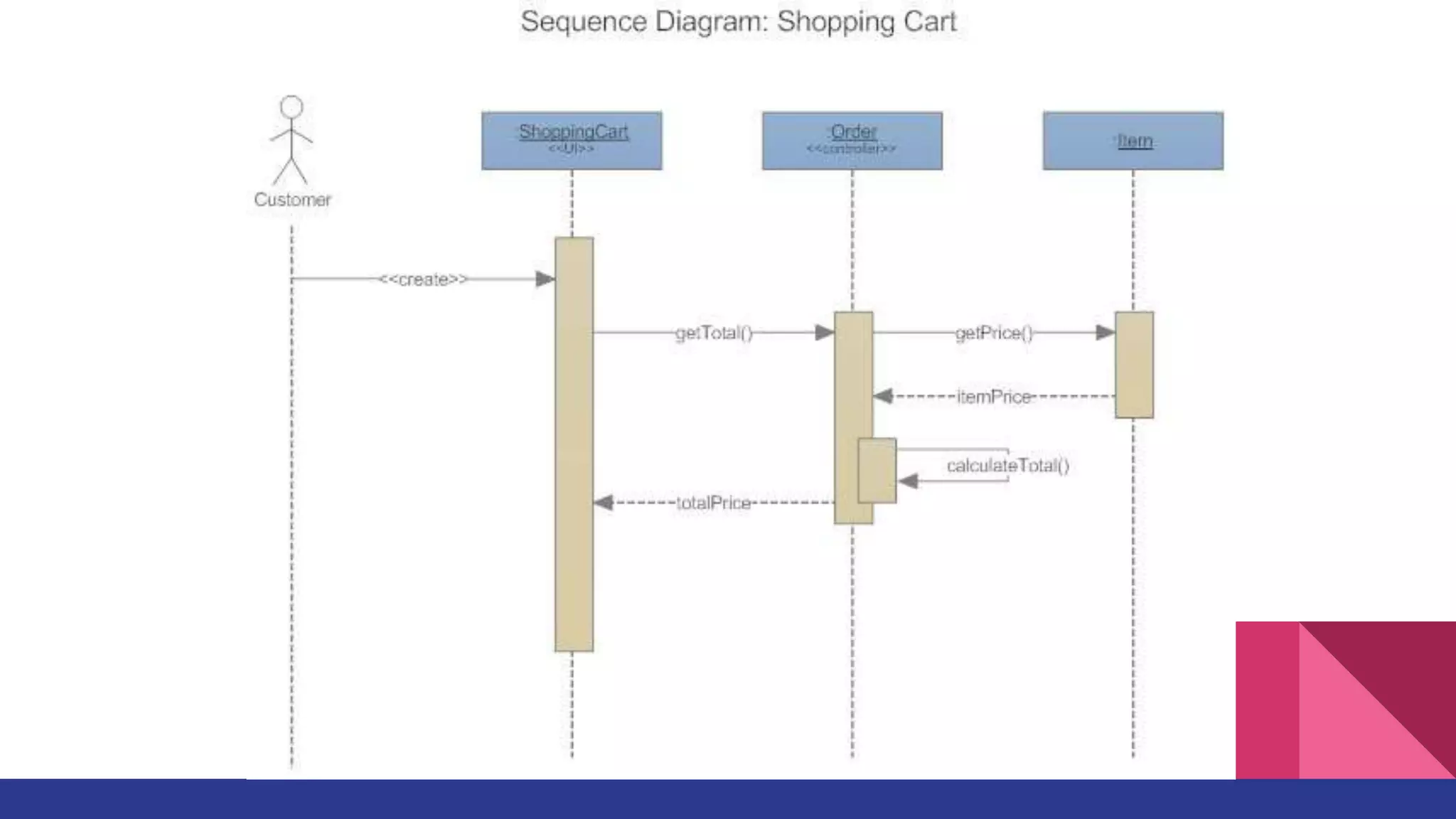
Sequence Diagram
Sequence diagrams in UML shows how object interact with each other and the
order those interactions occur. It’s important to note that they show the
interactions for a particular scenario. The processes are represented vertically and
interactions are show as arrows
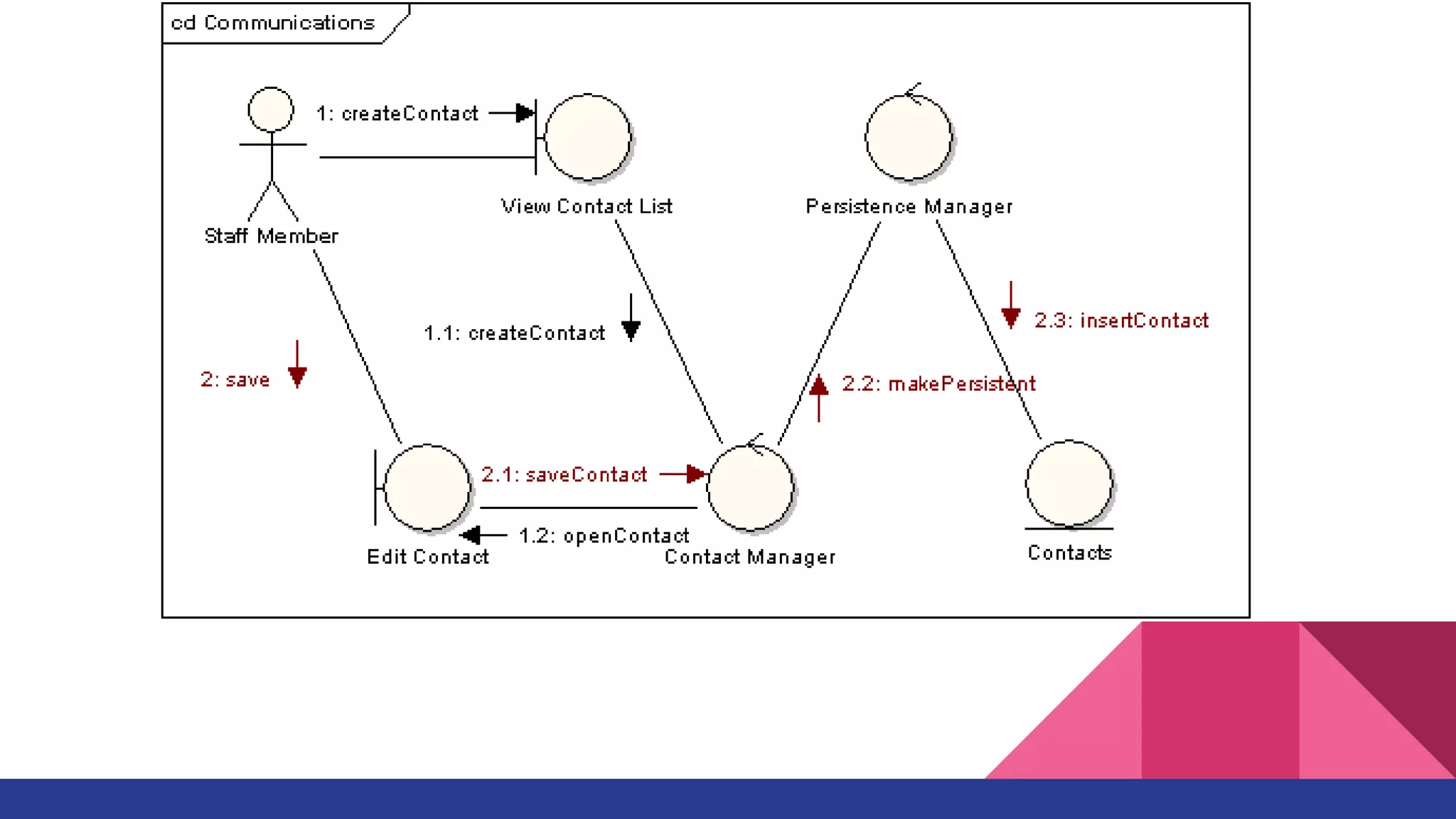
Communication Diagram
Communication diagram was called collaboration diagram in UML 1. It is similar to
sequence diagrams but the focus is on messages passed between objects. The
same information can be represented using a sequence diagram and different
objects
UML Diagram Example
Online shopping
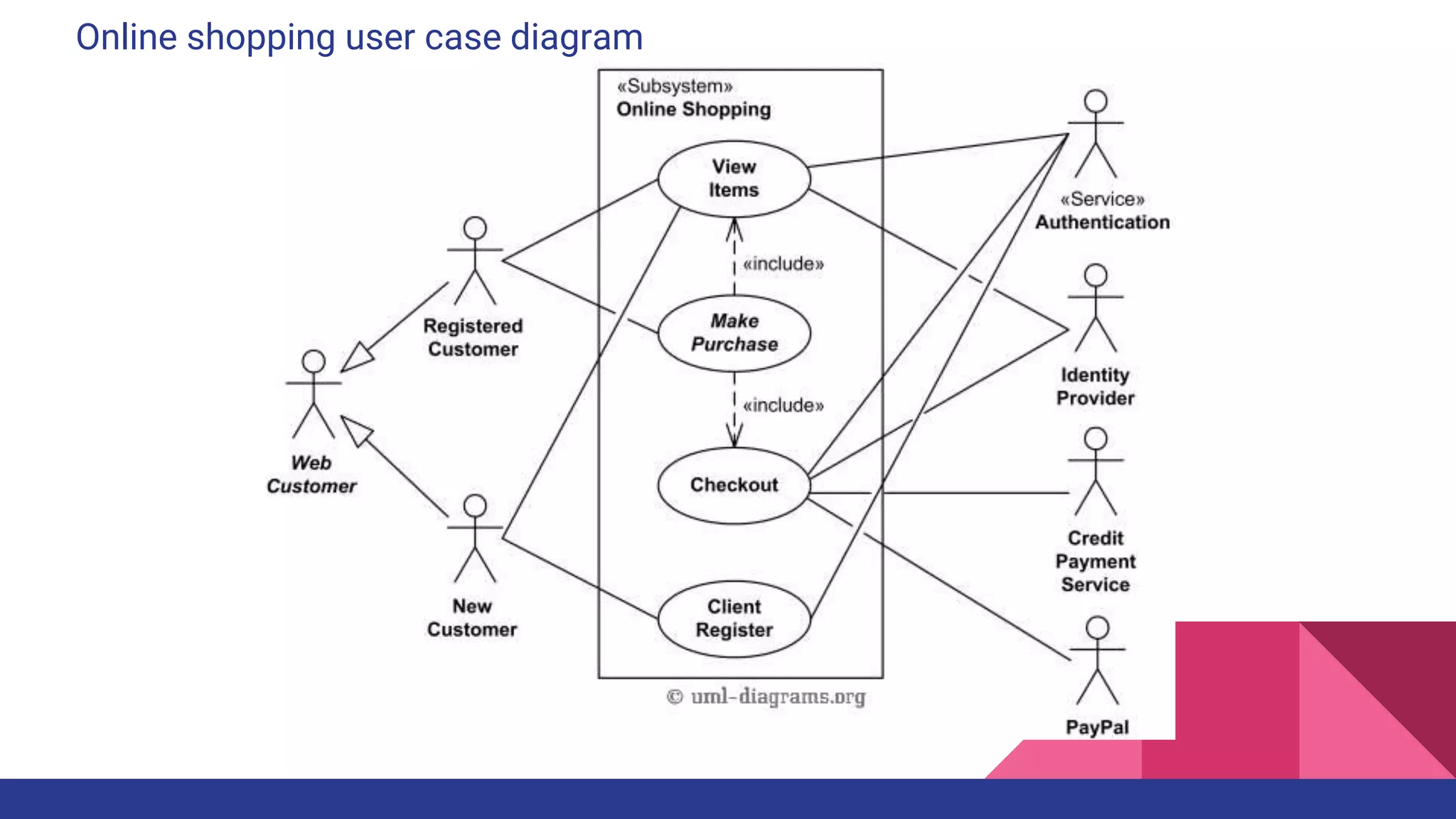
Online shopping user case diagram
Online shopping domain model
Online shopping activity diagram
Online shopping component diagram

UML (Unified Modeling Language)

  • 1.
  • 2.
    UML defination UML standsfor Unified Modeling Language which is used in object oriented software engineering. Although typically used in software engineering it is a rich language that can be used to model an application structures, behavior and even business processes. There are 14 UML diagram types to help you model these behavior. + structure diagrams + behavioral diagrams
  • 5.
  • 6.
    UML Notation (Interface)
  • 7.
  • 8.
    UML Notation (Generalization)
  • 9.
  • 10.
    UML Notation (Aggregation)
  • 11.
    Class diagram Class diagramsare arguably the most used UML diagram type. It is the main building block of any object oriented solution. It shows the classes in a system, attributes and operations of each class and the relationship between each class. In most modeling tools a class has three parts, name at the top, attributes in the middle and operations or methods at the bottom. In large systems with many related classes, classes are grouped together to create class diagrams. Different relationships between classes are shown by different types of arrows.
  • 13.
    Component Diagram A componentdiagram displays the structural relationship of components of a software system. These are mostly used when working with complex systems that has many components. Components communicate with each other using interfaces. The interfaces are linked using connectors
  • 15.
    Deployment Diagram A deploymentdiagrams shows the hardware of your system and the software in those hardware. Deployment diagrams are useful when your software solution is deployed across multiple machines with each having a unique configuration
  • 17.
    Object Diagram Object Diagrams,sometimes referred as Instance diagrams are very similar to class diagrams. As class diagrams they also show the relationship between objects but they use real world examples. They are used to show how a system will look like at a given time. Because there is data available in the objects they are often used to explain complex relationships between objects.
  • 19.
    Package Diagram As thename suggests a package diagrams shows the dependencies between different packages in a system
  • 21.
    User case Diagram Anames a type of user (actors) and something that they want to do (use case). An actor can be a human, a UseCase A use case device, or a piece of software but it must not be part of the system we are producing. The use case describes how an actor achieves a specific tangible goal. The important part of a use case is the description of the steps that the actors take to achieve their goals and how the system appears to respond to the actors actions
  • 23.
    Activity Diagram Activity diagramsrepresent workflows in an graphical way. They can be used to describe business workflow or the operational workflow of any component in a system. Sometimes activity diagrams are used as an alternative to State machine diagrams
  • 25.
    State Machine Diagram Statemachine diagrams are similar to activity diagrams although notations and usage changes a bit. They are sometime known as state diagrams or start chart diagrams as well. These are very useful to describe the behavior of objects that act different according to the state they are at the moment
  • 27.
    Sequence Diagram Sequence diagramsin UML shows how object interact with each other and the order those interactions occur. It’s important to note that they show the interactions for a particular scenario. The processes are represented vertically and interactions are show as arrows
  • 30.
    Communication Diagram Communication diagramwas called collaboration diagram in UML 1. It is similar to sequence diagrams but the focus is on messages passed between objects. The same information can be represented using a sequence diagram and different objects
  • 32.
  • 33.
  • 34.
  • 35.
  • 36.

Editor's Notes

  • #4 Structure diagrams show the things in a system being modeled. In a more technical term they show different objects in a system. Behavioral diagrams shows what should happen in a system. They describe how the objects interact with each other to create a functioning system.
  • #9 A Generalization is shown as a line with a hollow triangle as an arrowhead between the symbols representing the involved classifiers. The arrowhead points to the symbol representing the general classifier. This notation is referred to as the "separate target style."
  • #10 Dependency relationship is used on class diagrams to show usage dependency or abstraction. A dependency is generally shown as a dashed arrow between two model elements. The model element at the tail of the arrow (the client) depends on the model element at the arrowhead (the supplier). The arrow may be labeled with an optional stereotype and an optional name.