HTML Basics
WICKS-ALLAN, CAMEO:KEITH “BUDDY” HACKETT
Workshop Description
HTML Basics Part 1: The workshop facilitator will introduce
participants to the basic building blocks of HTML. Elements
such as page framework and individual items will be
introduced. The goal is to have participants identify the
parts of an HTML document. Understanding basic HTML
elements will allow instructors troubleshooting ability with
their D2L pages.
What is HTML?
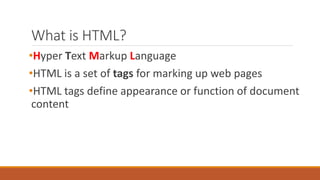
•Hyper Text Markup Language
•HTML is a set of tags for marking up web pages
•HTML tags define appearance or function of document
content
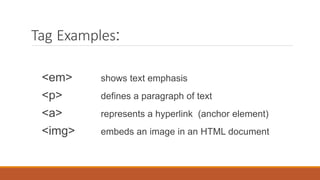
Tag Examples:
<em> shows text emphasis
<p> defines a paragraph of text
<a> represents a hyperlink (anchor element)
<img> embeds an image in an HTML document
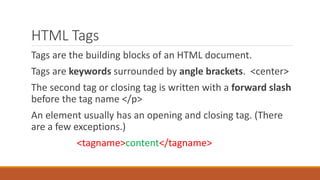
HTML Tags
Tags are the building blocks of an HTML document.
Tags are keywords surrounded by angle brackets. <center>
The second tag or closing tag is written with a forward slash
before the tag name </p>
An element usually has an opening and closing tag. (There
are a few exceptions.)
<tagname>content</tagname>
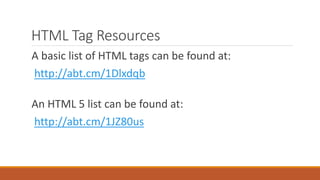
HTML Tag Resources
A basic list of HTML tags can be found at:
http://abt.cm/1Dlxdqb
An HTML 5 list can be found at:
http://abt.cm/1JZ80us
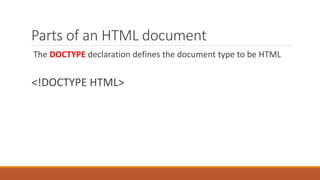
Parts of an HTML document
The DOCTYPE declaration defines the document type to be HTML
<!DOCTYPE HTML>
Parts of an HTML document
The text & tags between <html> and </html> define an HTML document
Parts of an HTML document
The text between <head> and </head> provides information about the
document. It delineates a section of an HTML document.
Title for the document
Scripts
Styles
Meta information
More
Parts of an HTML document
The text between <title> and </title> provides a title for the document
<title>CBC Sports</title>
Parts of an HTML document
The text between <title> and </title> provides a title for the document
The Title tag is nested in the Head section of an HTML document
<title>CBC Sports</title>
Parts of an HTML document
The text between <body> and </body> describes the visible page
content. It delineates a section of the HTML document.
Parts of an HTML document
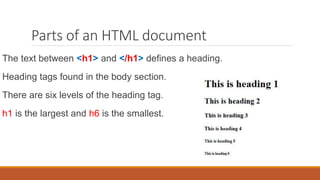
The text between <h1> and </h1> defines a heading.
Heading tags found in the body section.
There are six levels of the heading tag.
h1 is the largest and h6 is the smallest.
Parts of an HTML document
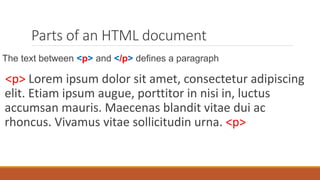
The text between <p> and </p> defines a paragraph
<p> Lorem ipsum dolor sit amet, consectetur adipiscing
elit. Etiam ipsum augue, porttitor in nisi in, luctus
accumsan mauris. Maecenas blandit vitae dui ac
rhoncus. Vivamus vitae sollicitudin urna. <p>
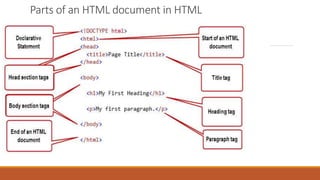
Parts of an HTML document in HTML
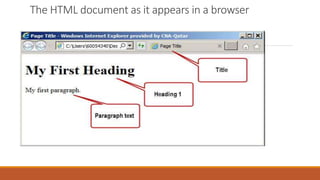
The HTML document as it appears in a browser
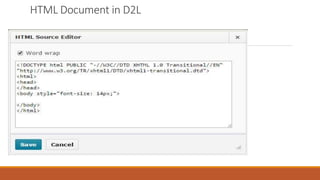
HTML Document in D2L
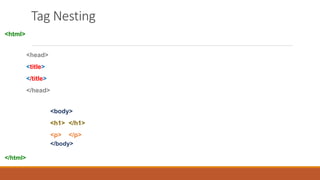
Tag Nesting
<html>
<head>
<title>
</title>
</head>
<body>
<h1> </h1>
<p> </p>
</body>
</html>
Activities
See worksheet
Attributes
Attributes provide additional information about HTML tags.
Attributes are normally stated in the opening tag.
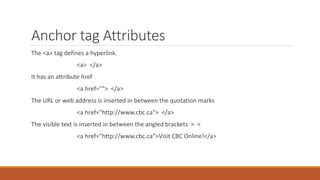
Anchor tag Attributes
The <a> tag defines a hyperlink.
<a> </a>
It has an attribute href
<a href=""> </a>
The URL or web address is inserted in between the quotation marks
<a href="http://www.cbc.ca"> </a>
The visible text is inserted in between the angled brackets > <
<a href="http://www.cbc.ca">Visit CBC Online!</a>
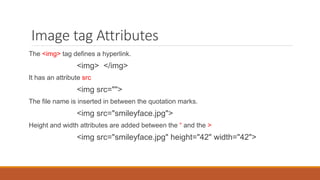
Image tag Attributes
The <img> tag defines a hyperlink.
<img> </img>
It has an attribute src
<img src="">
The file name is inserted in between the quotation marks.
<img src="smileyface.jpg">
Height and width attributes are added between the “ and the >
<img src="smileyface.jpg" height="42" width="42">
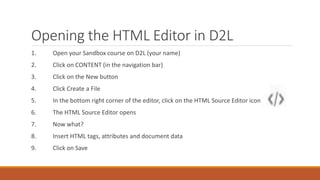
Opening the HTML Editor in D2L
1. Open your Sandbox course on D2L (your name)
2. Click on CONTENT (in the navigation bar)
3. Click on the New button
4. Click Create a File
5. In the bottom right corner of the editor, click on the HTML Source Editor icon
6. The HTML Source Editor opens
7. Now what?
8. Insert HTML tags, attributes and document data
9. Click on Save
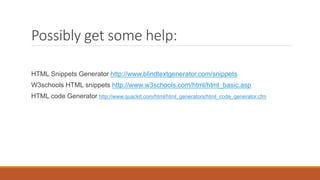
Possibly get some help:
HTML Snippets Generator http://www.blindtextgenerator.com/snippets
W3schools HTML snippets http://www.w3schools.com/html/html_basic.asp
HTML code Generator http://www.quackit.com/html/html_generators/html_code_generator.cfm

HTML Basics 1 workshop

  • 1.
  • 2.
    Workshop Description HTML BasicsPart 1: The workshop facilitator will introduce participants to the basic building blocks of HTML. Elements such as page framework and individual items will be introduced. The goal is to have participants identify the parts of an HTML document. Understanding basic HTML elements will allow instructors troubleshooting ability with their D2L pages.
  • 3.
    What is HTML? •HyperText Markup Language •HTML is a set of tags for marking up web pages •HTML tags define appearance or function of document content
  • 4.
    Tag Examples: <em> showstext emphasis <p> defines a paragraph of text <a> represents a hyperlink (anchor element) <img> embeds an image in an HTML document
  • 5.
    HTML Tags Tags arethe building blocks of an HTML document. Tags are keywords surrounded by angle brackets. <center> The second tag or closing tag is written with a forward slash before the tag name </p> An element usually has an opening and closing tag. (There are a few exceptions.) <tagname>content</tagname>
  • 6.
    HTML Tag Resources Abasic list of HTML tags can be found at: http://abt.cm/1Dlxdqb An HTML 5 list can be found at: http://abt.cm/1JZ80us
  • 7.
    Parts of anHTML document The DOCTYPE declaration defines the document type to be HTML <!DOCTYPE HTML>
  • 8.
    Parts of anHTML document The text & tags between <html> and </html> define an HTML document
  • 9.
    Parts of anHTML document The text between <head> and </head> provides information about the document. It delineates a section of an HTML document. Title for the document Scripts Styles Meta information More
  • 10.
    Parts of anHTML document The text between <title> and </title> provides a title for the document <title>CBC Sports</title>
  • 11.
    Parts of anHTML document The text between <title> and </title> provides a title for the document The Title tag is nested in the Head section of an HTML document <title>CBC Sports</title>
  • 12.
    Parts of anHTML document The text between <body> and </body> describes the visible page content. It delineates a section of the HTML document.
  • 13.
    Parts of anHTML document The text between <h1> and </h1> defines a heading. Heading tags found in the body section. There are six levels of the heading tag. h1 is the largest and h6 is the smallest.
  • 14.
    Parts of anHTML document The text between <p> and </p> defines a paragraph <p> Lorem ipsum dolor sit amet, consectetur adipiscing elit. Etiam ipsum augue, porttitor in nisi in, luctus accumsan mauris. Maecenas blandit vitae dui ac rhoncus. Vivamus vitae sollicitudin urna. <p>
  • 15.
    Parts of anHTML document in HTML
  • 16.
    The HTML documentas it appears in a browser
  • 17.
  • 18.
  • 19.
  • 20.
    Attributes Attributes provide additionalinformation about HTML tags. Attributes are normally stated in the opening tag.
  • 21.
    Anchor tag Attributes The<a> tag defines a hyperlink. <a> </a> It has an attribute href <a href=""> </a> The URL or web address is inserted in between the quotation marks <a href="http://www.cbc.ca"> </a> The visible text is inserted in between the angled brackets > < <a href="http://www.cbc.ca">Visit CBC Online!</a>
  • 22.
    Image tag Attributes The<img> tag defines a hyperlink. <img> </img> It has an attribute src <img src=""> The file name is inserted in between the quotation marks. <img src="smileyface.jpg"> Height and width attributes are added between the “ and the > <img src="smileyface.jpg" height="42" width="42">
  • 23.
    Opening the HTMLEditor in D2L 1. Open your Sandbox course on D2L (your name) 2. Click on CONTENT (in the navigation bar) 3. Click on the New button 4. Click Create a File 5. In the bottom right corner of the editor, click on the HTML Source Editor icon 6. The HTML Source Editor opens 7. Now what? 8. Insert HTML tags, attributes and document data 9. Click on Save
  • 24.
    Possibly get somehelp: HTML Snippets Generator http://www.blindtextgenerator.com/snippets W3schools HTML snippets http://www.w3schools.com/html/html_basic.asp HTML code Generator http://www.quackit.com/html/html_generators/html_code_generator.cfm