www.afghanhost.af - info@afghanhost.af
Instructor: Mohammad Rafi Haidari22-May-2014
HTML (Day 1)
 What is HTML
 Attributes and
Elements
 Headings
 Paragraphs
 Formatting
What is HTML?
 HTML is a language for describing web pages.
 HTML stands for Hyper Text Markup Language
 HTML is a markup language
 A markup language is a set of markup tags
 The tags describe document content
 HTML documents contain HTML tags and plain text
 HTML documents are also called web pages
HTML Tags
 HTML markup tags are usually called HTML tags
 HTML tags are keywords (tag names) surrounded
by angle brackets like <html>
 HTML tags normally come in pairs like <b> and
</b>
 The first tag in a pair is the start tag, the second tag
is the end tag
 The end tag is written like the start tag, with
a forward slash before the tag name
 Start and end tags are also called opening
tags and closing tags
HTML Elements & Attributes
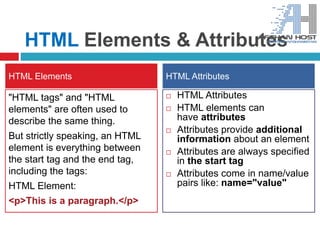
"HTML tags" and "HTML
elements" are often used to
describe the same thing.
But strictly speaking, an HTML
element is everything between
the start tag and the end tag,
including the tags:
HTML Element:
<p>This is a paragraph.</p>
 HTML Attributes
 HTML elements can
have attributes
 Attributes provide additional
information about an element
 Attributes are always specified
in the start tag
 Attributes come in name/value
pairs like: name="value"
HTML Elements HTML Attributes
Browsers
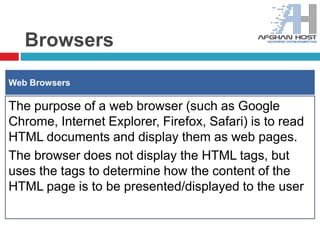
The purpose of a web browser (such as Google
Chrome, Internet Explorer, Firefox, Safari) is to read
HTML documents and display them as web pages.
The browser does not display the HTML tags, but
uses the tags to determine how the content of the
HTML page is to be presented/displayed to the user
Web Browsers
HTML Headings
Headings are defined with the <h1> to <h6> tags.
<h1> defines the most important heading. <h6> defines the
least important heading.
<h1> This is a heading </h1>
<h2> This is a heading </h2>
<h3> This is a heading </h3>
Headings
HTML Paragraphs
Paragraphs are defined with the <p> tag.
<p> This is a paragraph </p>
<p> This is another paragraph </p>
Don't Forget the End Tag
Most browsers will display HTML correctly even if you forget the end
tag:
<p> This is a paragraph
<p> This is another paragraph
HTML Line Breaks
Use the <br> tag if you want a line break (a new line) without starting
a new paragraph: <p> This is <br> a para<br>graph with line
HTML Headings
HTML Text Formatting
HTML uses tags like <b> and <i> for formatting output,
like bold or italic text.
These HTML tags are called formatting tags
<b> = This text is bold
<i> = This text is italic
<sub> = This is subscript
<sup> = This is superscript
Formatting
Html_Day_One (W3Schools)

Html_Day_One (W3Schools)

  • 1.
    www.afghanhost.af - info@afghanhost.af Instructor:Mohammad Rafi Haidari22-May-2014 HTML (Day 1)  What is HTML  Attributes and Elements  Headings  Paragraphs  Formatting
  • 2.
    What is HTML? HTML is a language for describing web pages.  HTML stands for Hyper Text Markup Language  HTML is a markup language  A markup language is a set of markup tags  The tags describe document content  HTML documents contain HTML tags and plain text  HTML documents are also called web pages
  • 3.
    HTML Tags  HTMLmarkup tags are usually called HTML tags  HTML tags are keywords (tag names) surrounded by angle brackets like <html>  HTML tags normally come in pairs like <b> and </b>  The first tag in a pair is the start tag, the second tag is the end tag  The end tag is written like the start tag, with a forward slash before the tag name  Start and end tags are also called opening tags and closing tags
  • 4.
    HTML Elements &Attributes "HTML tags" and "HTML elements" are often used to describe the same thing. But strictly speaking, an HTML element is everything between the start tag and the end tag, including the tags: HTML Element: <p>This is a paragraph.</p>  HTML Attributes  HTML elements can have attributes  Attributes provide additional information about an element  Attributes are always specified in the start tag  Attributes come in name/value pairs like: name="value" HTML Elements HTML Attributes
  • 5.
    Browsers The purpose ofa web browser (such as Google Chrome, Internet Explorer, Firefox, Safari) is to read HTML documents and display them as web pages. The browser does not display the HTML tags, but uses the tags to determine how the content of the HTML page is to be presented/displayed to the user Web Browsers
  • 6.
    HTML Headings Headings aredefined with the <h1> to <h6> tags. <h1> defines the most important heading. <h6> defines the least important heading. <h1> This is a heading </h1> <h2> This is a heading </h2> <h3> This is a heading </h3> Headings
  • 7.
    HTML Paragraphs Paragraphs aredefined with the <p> tag. <p> This is a paragraph </p> <p> This is another paragraph </p> Don't Forget the End Tag Most browsers will display HTML correctly even if you forget the end tag: <p> This is a paragraph <p> This is another paragraph HTML Line Breaks Use the <br> tag if you want a line break (a new line) without starting a new paragraph: <p> This is <br> a para<br>graph with line HTML Headings
  • 8.
    HTML Text Formatting HTMLuses tags like <b> and <i> for formatting output, like bold or italic text. These HTML tags are called formatting tags <b> = This text is bold <i> = This text is italic <sub> = This is subscript <sup> = This is superscript Formatting