Shut Up & Listen
Tips for Effective Interviews
Steve Buttry
the Penny Hoarder
July 14, 2016
Continue the conversation
• stevebuttry.wordpress.com
• slideshare.net/stevebuttry
• @stevebuttry
• stephenbuttry@gmail.com
Keys to an interview
• Preparation
• Setting
• Rapport
• Listening
• Taking notes/recording
• Follow-up
• Walmart sack
What’s missing?
Questions
Preparation
• Find the right person (online research,
ask sources, crowdsource, Profnet …)
• Research source and topic
• Each interview is prep for next
• Plan & rehearse questions
• Write before interview
Setting
• In-person interview is best
• Penny Hoarder usually does remote
interviews by video, phone or email
• How can you use remote tools to
minimize/offset setting disadvantage?
• What can you do to learn things that
come easy face to face?
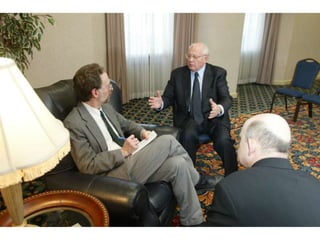
Setting
• Location can affect comfort level: Seek
home, workplace, etc.
• But flex if subject wants neutral setting
• Consider rolling interview (home, dinner,
workplace, other places of interest)
• Take setting notes
• Be careful about lunch/dinner interview
Remote interviews
• Skype/Hangout/Face Time better than
phone if source is willing & comfortable
• Phone allows interaction, building
rapport, catching nuance, sarcasm, etc.
• Email, text, social media, other message
can work; seek opportunities to build
rapport & connect personally
Building rapport
• Setting is about rapport
• Research helps build rapport
• Be honest
• Listen to complaints
• Make personal connection
• Share control (don’t steer back to topic
right away)
Questions
• Prepare/rehearse questions, but …
• Don’t use questions as script (checklist at
end is better)
• Get name & title right up front
• General, then specific
• “Tell me about …” “Uh-huh,” nod head
• Anything else?
Listening
• Keep questions short
• Ask to elaborate
• Ask questions based on context (not just
list)
• Some silence is OK (works better in
person)
• “Tell me more.” “Is that all?” “Anything
else?”
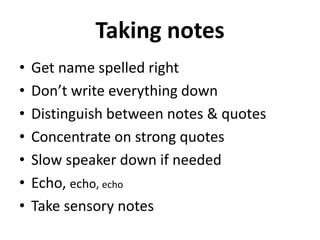
Taking notes
• Get name spelled right
• Don’t write everything down
• Distinguish between notes & quotes
• Concentrate on strong quotes
• Slow speaker down if needed
• Echo, echo, echo
• Take sensory notes
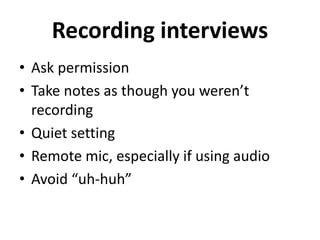
Recording interviews
• Ask permission
• Take notes as though you weren’t
recording
• Quiet setting
• Remote mic, especially if using audio
• Avoid “uh-huh”
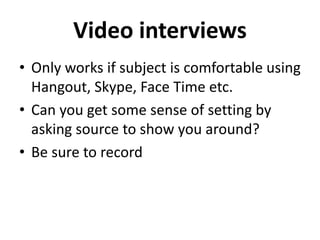
Video interviews
• Only works if subject is comfortable using
Hangout, Skype, Face Time etc.
• Can you get some sense of setting by
asking source to show you around?
• Be sure to record
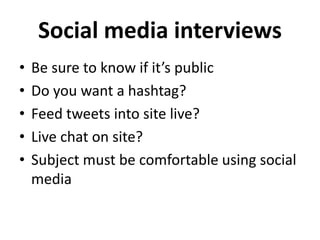
Social media interviews
• Be sure to know if it’s public
• Do you want a hashtag?
• Feed tweets into site live?
• Live chat on site?
• Subject must be comfortable using social
media
Email interviews
• Easy and efficient
• More thoughtful answers (both good &
bad)
• Multiple messages build rapport
• Try real-time (text, gchat, etc.) for better
give & take, spontaneity
• Be careful about showing bias (it’s in
writing)
Follow-up
• Be sure you get contact info & say you’ll
follow up
• You’ll think of other questions & source
will think of other answers
• Write after interview & ask questions
prompted by writing
• Gather & check documentation
• Check facts
Find the Walmart sack
• Photos
• Budgets
• Emails
• Receipts
• Letters
• What else?
Continue the conversation
• stevebuttry.wordpress.com
• slideshare.net/stevebuttry
• @stevebuttry
• stephenbuttry@gmail.com

Interviewing Tips

  • 1.
    Shut Up &Listen Tips for Effective Interviews Steve Buttry the Penny Hoarder July 14, 2016
  • 2.
    Continue the conversation •stevebuttry.wordpress.com • slideshare.net/stevebuttry • @stevebuttry • stephenbuttry@gmail.com
  • 3.
    Keys to aninterview • Preparation • Setting • Rapport • Listening • Taking notes/recording • Follow-up • Walmart sack What’s missing? Questions
  • 4.
    Preparation • Find theright person (online research, ask sources, crowdsource, Profnet …) • Research source and topic • Each interview is prep for next • Plan & rehearse questions • Write before interview
  • 6.
    Setting • In-person interviewis best • Penny Hoarder usually does remote interviews by video, phone or email • How can you use remote tools to minimize/offset setting disadvantage? • What can you do to learn things that come easy face to face?
  • 7.
    Setting • Location canaffect comfort level: Seek home, workplace, etc. • But flex if subject wants neutral setting • Consider rolling interview (home, dinner, workplace, other places of interest) • Take setting notes • Be careful about lunch/dinner interview
  • 9.
    Remote interviews • Skype/Hangout/FaceTime better than phone if source is willing & comfortable • Phone allows interaction, building rapport, catching nuance, sarcasm, etc. • Email, text, social media, other message can work; seek opportunities to build rapport & connect personally
  • 10.
    Building rapport • Settingis about rapport • Research helps build rapport • Be honest • Listen to complaints • Make personal connection • Share control (don’t steer back to topic right away)
  • 11.
    Questions • Prepare/rehearse questions,but … • Don’t use questions as script (checklist at end is better) • Get name & title right up front • General, then specific • “Tell me about …” “Uh-huh,” nod head • Anything else?
  • 13.
    Listening • Keep questionsshort • Ask to elaborate • Ask questions based on context (not just list) • Some silence is OK (works better in person) • “Tell me more.” “Is that all?” “Anything else?”
  • 14.
    Taking notes • Getname spelled right • Don’t write everything down • Distinguish between notes & quotes • Concentrate on strong quotes • Slow speaker down if needed • Echo, echo, echo • Take sensory notes
  • 15.
    Recording interviews • Askpermission • Take notes as though you weren’t recording • Quiet setting • Remote mic, especially if using audio • Avoid “uh-huh”
  • 16.
    Video interviews • Onlyworks if subject is comfortable using Hangout, Skype, Face Time etc. • Can you get some sense of setting by asking source to show you around? • Be sure to record
  • 17.
    Social media interviews •Be sure to know if it’s public • Do you want a hashtag? • Feed tweets into site live? • Live chat on site? • Subject must be comfortable using social media
  • 18.
    Email interviews • Easyand efficient • More thoughtful answers (both good & bad) • Multiple messages build rapport • Try real-time (text, gchat, etc.) for better give & take, spontaneity • Be careful about showing bias (it’s in writing)
  • 19.
    Follow-up • Be sureyou get contact info & say you’ll follow up • You’ll think of other questions & source will think of other answers • Write after interview & ask questions prompted by writing • Gather & check documentation • Check facts
  • 20.
    Find the Walmartsack • Photos • Budgets • Emails • Receipts • Letters • What else?
  • 21.
    Continue the conversation •stevebuttry.wordpress.com • slideshare.net/stevebuttry • @stevebuttry • stephenbuttry@gmail.com