INTERNET SAFETY   Andrew Wheelock  Erie 1 BOCES CSLO Model Schools [email_address] Cell: 698-4884
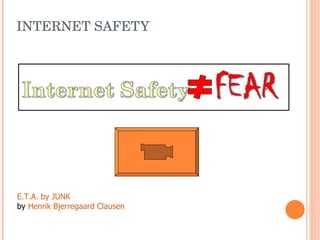
INTERNET SAFETY E.T.A. by JUNK by  Henrik Bjerregaard Clausen
WHEN FEAR IS THE TAKE-AWAY… Parents (Teachers) over-react Parent-child communication breaks down Kids go underground Loss of parental influence Risk (of any kind) goes up Online Safety for Educators presentation by Anne Collier of Connect Safely ALARM
INTERNET SAFETY= Knowledge + Vigilance
THE INTERNET IS CHANGING Are You Keeping Up? Why should I? - NYS What for?-  The world
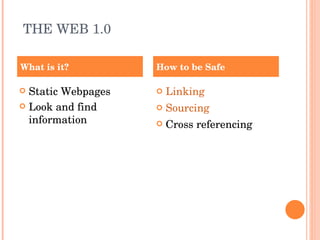
THE WEB 1.0 Static Webpages Look and find information Linking Sourcing Cross referencing What is it? How to be Safe
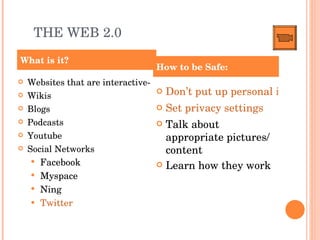
THE WEB 2.0 Websites that are interactive- Wikis Blogs Podcasts Youtube Social Networks Facebook Myspace Ning Twitter Don’t put up personal information Set privacy settings Talk about appropriate pictures/ content Learn how they work What is it? How to be Safe:
WHY SOCIAL NETWORKS? ... The powerful play goes on and you may contribute a verse… -Oh Me!, Oh Life! Walt Whitman http://www.youtube.com/watch?v=TiKM6g-dfBo
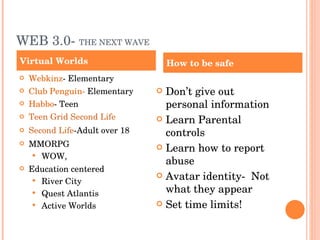
WEB 3.0-  THE NEXT WAVE Webkinz - Elementary Club Penguin-  Elementary Habbo - Teen Teen Grid Second Life Second Life -Adult over 18 MMORPG WOW,  Education centered River City Quest Atlantis Active Worlds Don’t give out personal information Learn Parental controls Learn how to report abuse Avatar identity-  Not what they appear Set time limits! Virtual Worlds How to be safe
OTHER RISKS File Sharing, Music and Video Downloads If its not yours, its not yours Identity Theft Gambling Pornography Teach 3x3x3 rule
WHERE TO START? Let your computer help you! Filter at home! Google now has  SAFE SEARCH All major browsers (i.e. Safari, Firefox, have safety features) Internet Options Kid friendly Browsers,  Kidzui,   TuKI Freeware Filtering-  K-9 Protection Parental Controls- iTunes
POLICING YOUR COMPUTERS Computer Location : Family Room, Living Room, etc Know the “ ins ” and “ outs ” of the computer History of Internet Activity “ Cookies” Awareness of programs on the computer Take time to explore the Internet and see what is out there Key Logger Program (records the typing on the computer) *(drastic measure)
PRECAUTIONS Be Real…talk to your kids and students about the real dangers out there Explore the Internet together Top Internet Searches Set time limits if needed Computer Locations should be in sight at home Set passwords to your computer
WAYS OF PROTECTION Monitor your child’s Internet activity Change their screen names to avoid identification clues Sex offender website (see where registered sex offenders are in your neighborhood) http://www.familywatchdog.us/
IF DON’T TALK TO OUR STUDENTS/ KIDS, WHO WILL? The Lord of the Flies Kids want discipline more than adults do…. Kids want internet safety more than adults do….
TEACHER CHECKLIST Lead by example appropriate email etiquette copyright etiquite File sharing and music Discuss internet safety consistently Encourage a trusting relationship Practice good privacy habits with your teacher computer.  (Safesearch, iTunes) Proximity and vigilance Know your district internet policy Address inappropriate use immediately
TEACHER CHECKLIST Website Guidelines- COPPA   No individual pictures, group pictures only First name only Parental consent Avoid location and date placement
WHOM DO I CONTACT? Internet Safety- In the village of Fredonia contact your local Police department  first: 679-1531 Outside of the village contact Chautauqua county Sherriff’s dept.  716-753-2131
HELPFUL INTERNET RESOURCES How can I find this presentation with the links and more? http://delicious.com/31spiff/internet_safety
FINAL MESSAGE Embrace technology! Harness its power for learning Engage your students in technology Give them guidance to explore its potential and avoid its risks To simply do nothing, is to leave kids out on an island to fend for themselves
BE NOT AFRAID Be Pro-active and Informed Knowledge  reduces  risk
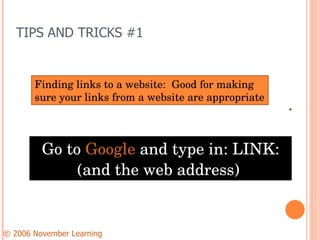
TIPS AND TRICKS #1 Go to  Google  and type in: LINK: (and the web address)  © 2006 November Learning      Finding links to a website:  Good for making sure your links from a website are appropriate

Internet safety presentation

  • 1.
    INTERNET SAFETY Andrew Wheelock Erie 1 BOCES CSLO Model Schools [email_address] Cell: 698-4884
  • 2.
    INTERNET SAFETY E.T.A.by JUNK by Henrik Bjerregaard Clausen
  • 3.
    WHEN FEAR ISTHE TAKE-AWAY… Parents (Teachers) over-react Parent-child communication breaks down Kids go underground Loss of parental influence Risk (of any kind) goes up Online Safety for Educators presentation by Anne Collier of Connect Safely ALARM
  • 4.
  • 5.
    THE INTERNET ISCHANGING Are You Keeping Up? Why should I? - NYS What for?- The world
  • 6.
    THE WEB 1.0Static Webpages Look and find information Linking Sourcing Cross referencing What is it? How to be Safe
  • 7.
    THE WEB 2.0Websites that are interactive- Wikis Blogs Podcasts Youtube Social Networks Facebook Myspace Ning Twitter Don’t put up personal information Set privacy settings Talk about appropriate pictures/ content Learn how they work What is it? How to be Safe:
  • 8.
    WHY SOCIAL NETWORKS?... The powerful play goes on and you may contribute a verse… -Oh Me!, Oh Life! Walt Whitman http://www.youtube.com/watch?v=TiKM6g-dfBo
  • 9.
    WEB 3.0- THE NEXT WAVE Webkinz - Elementary Club Penguin- Elementary Habbo - Teen Teen Grid Second Life Second Life -Adult over 18 MMORPG WOW, Education centered River City Quest Atlantis Active Worlds Don’t give out personal information Learn Parental controls Learn how to report abuse Avatar identity- Not what they appear Set time limits! Virtual Worlds How to be safe
  • 10.
    OTHER RISKS FileSharing, Music and Video Downloads If its not yours, its not yours Identity Theft Gambling Pornography Teach 3x3x3 rule
  • 11.
    WHERE TO START?Let your computer help you! Filter at home! Google now has SAFE SEARCH All major browsers (i.e. Safari, Firefox, have safety features) Internet Options Kid friendly Browsers, Kidzui, TuKI Freeware Filtering- K-9 Protection Parental Controls- iTunes
  • 12.
    POLICING YOUR COMPUTERSComputer Location : Family Room, Living Room, etc Know the “ ins ” and “ outs ” of the computer History of Internet Activity “ Cookies” Awareness of programs on the computer Take time to explore the Internet and see what is out there Key Logger Program (records the typing on the computer) *(drastic measure)
  • 13.
    PRECAUTIONS Be Real…talkto your kids and students about the real dangers out there Explore the Internet together Top Internet Searches Set time limits if needed Computer Locations should be in sight at home Set passwords to your computer
  • 14.
    WAYS OF PROTECTIONMonitor your child’s Internet activity Change their screen names to avoid identification clues Sex offender website (see where registered sex offenders are in your neighborhood) http://www.familywatchdog.us/
  • 15.
    IF DON’T TALKTO OUR STUDENTS/ KIDS, WHO WILL? The Lord of the Flies Kids want discipline more than adults do…. Kids want internet safety more than adults do….
  • 16.
    TEACHER CHECKLIST Leadby example appropriate email etiquette copyright etiquite File sharing and music Discuss internet safety consistently Encourage a trusting relationship Practice good privacy habits with your teacher computer. (Safesearch, iTunes) Proximity and vigilance Know your district internet policy Address inappropriate use immediately
  • 17.
    TEACHER CHECKLIST WebsiteGuidelines- COPPA No individual pictures, group pictures only First name only Parental consent Avoid location and date placement
  • 18.
    WHOM DO ICONTACT? Internet Safety- In the village of Fredonia contact your local Police department first: 679-1531 Outside of the village contact Chautauqua county Sherriff’s dept. 716-753-2131
  • 19.
    HELPFUL INTERNET RESOURCESHow can I find this presentation with the links and more? http://delicious.com/31spiff/internet_safety
  • 20.
    FINAL MESSAGE Embracetechnology! Harness its power for learning Engage your students in technology Give them guidance to explore its potential and avoid its risks To simply do nothing, is to leave kids out on an island to fend for themselves
  • 21.
    BE NOT AFRAIDBe Pro-active and Informed Knowledge reduces risk
  • 22.
    TIPS AND TRICKS#1 Go to Google and type in: LINK: (and the web address) © 2006 November Learning    Finding links to a website: Good for making sure your links from a website are appropriate

Editor's Notes

  • #12 Remind people that these are mostly for at home
  • #16 First quote is paraphrased from Harry Wong, the Lord of the Flies analogy is from Cheryl Nussbaum-Beach
  • #22 Quote paraphrased from Phil Town