DIGITAL FOOTPRINTS
AND SAFE SEARCHING


          October 1, 2012
    Marsha Harris and Jill Gough
      Instructional Technology Specialist
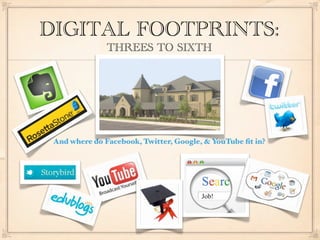
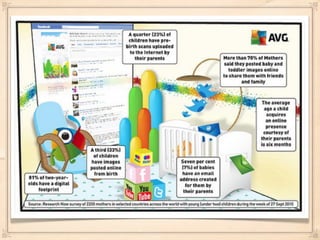
DIGITAL FOOTPRINTS:
               THREES TO SIXTH


 And where do Facebook, Twitter, Google, & YouTube fit in?
ESTABLISHING POSITIVE DIGITAL FOOTPRINTS
               AT TRINITY


Consumers vs. Producers; Awareness, Safety, and Content
Creation in Classrooms and Tech Lab

Age Appropriate Web 2.0 Tools

     Blogs (www.trinityweblog.org)

    Wikis and Podcasts

Future Tools, Future Projects
PERSONAL PRIVACY AT
TRINITY: WHAT AND WHY AND HOW
 COPPA: Children’s Online Privacy Protection Act, ’98/’00

 WHAT’S PUBLIC?                WHAT’S PRIVATE?
   Blogs                         Classroom Videos
   Wikis                         Student Email
   Podcasts                      Webpage Updates
   Trinity TV
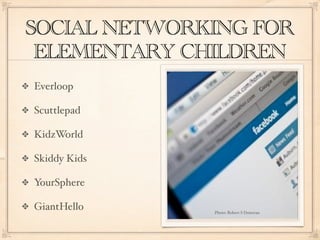
SOCIAL NETWORKING FOR
 ELEMENTARY CHILDREN
Everloop

Scuttlepad

KidzWorld

Skiddy Kids

YourSphere

GiantHello    Photo: Robert S Donovan
YOUTUBE

Safety Mode: filters content and turns off comments

  Enable for each session unless you lock it

  Browser Specific

Do your own search experiment

Flag inappropriate content

Monitor your kids
FACEBOOK


Common Sense Media-
Facebook
INSTAGRAM

Photos are public by
default

Photos with filters

Available for sharing

Common Sense Media-
Instagram

Facebook-Instagram Page
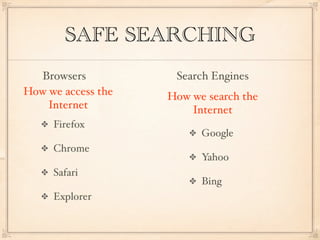
SAFE SEARCHING
  Browsers           Search Engines
How we access the   How we search the
    Internet            Internet
     Firefox
                          Google
     Chrome
                          Yahoo
     Safari
                          Bing
     Explorer
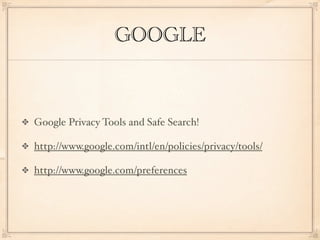
GOOGLE


Google Privacy Tools and Safe Search!

http://www.google.com/intl/en/policies/privacy/tools/

http://www.google.com/preferences
QUESTIONS?


If you have questions, please contact:

  Marsha Harris, Instructional Technology Specialist
  (mharris@trinityatl.org)

  Jill Gough, Director of Teaching & Learning
  (jgough@trinityatl.org)

Tech Boot Camp October 2012

  • 1.
    DIGITAL FOOTPRINTS AND SAFESEARCHING October 1, 2012 Marsha Harris and Jill Gough Instructional Technology Specialist
  • 5.
    DIGITAL FOOTPRINTS: THREES TO SIXTH And where do Facebook, Twitter, Google, & YouTube fit in?
  • 6.
    ESTABLISHING POSITIVE DIGITALFOOTPRINTS AT TRINITY Consumers vs. Producers; Awareness, Safety, and Content Creation in Classrooms and Tech Lab Age Appropriate Web 2.0 Tools Blogs (www.trinityweblog.org) Wikis and Podcasts Future Tools, Future Projects
  • 7.
    PERSONAL PRIVACY AT TRINITY:WHAT AND WHY AND HOW COPPA: Children’s Online Privacy Protection Act, ’98/’00 WHAT’S PUBLIC? WHAT’S PRIVATE? Blogs Classroom Videos Wikis Student Email Podcasts Webpage Updates Trinity TV
  • 11.
    SOCIAL NETWORKING FOR ELEMENTARY CHILDREN Everloop Scuttlepad KidzWorld Skiddy Kids YourSphere GiantHello Photo: Robert S Donovan
  • 12.
    YOUTUBE Safety Mode: filterscontent and turns off comments Enable for each session unless you lock it Browser Specific Do your own search experiment Flag inappropriate content Monitor your kids
  • 13.
  • 14.
    INSTAGRAM Photos are publicby default Photos with filters Available for sharing Common Sense Media- Instagram Facebook-Instagram Page
  • 15.
    SAFE SEARCHING Browsers Search Engines How we access the How we search the Internet Internet Firefox Google Chrome Yahoo Safari Bing Explorer
  • 16.
    GOOGLE Google Privacy Toolsand Safe Search! http://www.google.com/intl/en/policies/privacy/tools/ http://www.google.com/preferences
  • 17.
    QUESTIONS? If you havequestions, please contact: Marsha Harris, Instructional Technology Specialist (mharris@trinityatl.org) Jill Gough, Director of Teaching & Learning (jgough@trinityatl.org)