CO3714-Communication Technologies for Social Spaces   Theodor Papadopoulos “ Ten rules for safe internet usage for young children”
Introduction Nowadays internet use has been increasing dramatically The benefits arising from internet are numerous including  A way to communicate over long distances  Tons of information  Different services provided (e-tax etc) Entertainment Other Unfortunately with the benefits, comes the detrimental effects, caused by dexterous people Pornography Piracy Scams Everything that someone can or can not imagine In this presentation we will see 10 critical safety tips for young children using internet ensuring the security and privacy as long as short safety guidelines for the parents
Kids and the Internet It is clear that young people are using the internet in ever-increasing numbers. Let’s see some statistics concerning the use of the internet by teens 87% of U.S. teens ages 12 to 17 currently use the Internet, representing about 21 million youth. Of those, approximately 11 million teens go online on a daily basis (Pew Internet and American Life, "Teens and Technology," July 27, 2005.) Another statistic shows the internet safety concerning teens One in 5 youth received a sexual approach or solicitation over the Internet in the past year One in 4 youth had an unwanted exposure in the past year to pictures of naked people or people having sex   ( Finkelhor, Mitchell, and Wolak (2000))
Internet Safety tips for kids
Safety tip: #1 Do not expose your personal information online Personal information is everything that has to do with  YOU .  Name, surname, pictures of you, birth date or year, favorite movies , name of pets (it's funny but these are the security questions you put for reseting your password to several internet sites). Do not fill in questionnaires even if they are sent by a friend. USE A NICKNAME Description You are NOT anonymous while surfing the internet  Imagine your child going out for playing and wearing a t-shirt that writes “I am “your kids name” currently living in xxx and my telephone number is xxx” it’s the same thing. Inform your children and control them not giving their personal details on the internet
Safety tip: #2 Do not talk with people you don’t know  Dexterous people can easily pretend to be someone else rather the person he actually is   by using the anonymity of the internet in order to harm you ! If you still talk to people you don’t know in any circumstances  DO NOT  meet him/her in person without your parents Description You are NOT anonymous while surfing the internet  Put your computer in a public place like the kitchen or the living room in order to have control over it. Don’t let your kid alone while surfing the internet there are so many dangers out there
Safety tip: #3 While browsing the internet and its services in most cases you have to fill a password to check your e-mails, enter an instant messenger, check your social networking site etc.  Don’t use the same password Use a complex password NOT including sensitive information e.g. Name, surname Example of good passwords: “m4st3rpassw0rd!” , “123#@!890abc” Example of bad passwords: “george22” , “12345” Description Organize your kids passwords. Use computer software or manually handwrite the passwords. Let them understand that you want to  protect  your children not to violate their freedom Internet Password Organizer ( http:// www.internetpasswordorganizer.com ) RoboForm Pro ( http://www.roboform.com/php/land.php?affid=a6277&frm ) Choose a strong password
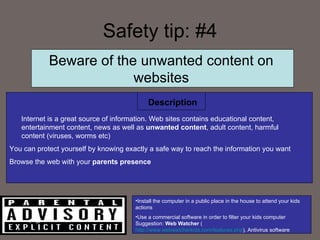
Safety tip: #4 Internet is a great source of information. Web sites contains educational content, entertainment content, news as well as  unwanted content , adult content, harmful content (viruses, worms etc) You can protect yourself by knowing exactly a safe way to reach the information you want Browse the web with your  parents presence  Description Install the computer in a public place in the house to attend your kids actions Use a commercial software in order to filter your kids computer Suggestion:  Web Watcher  ( http://www.webwatcherkids.com/features.php ), Antivirus software Beware of the unwanted content on websites
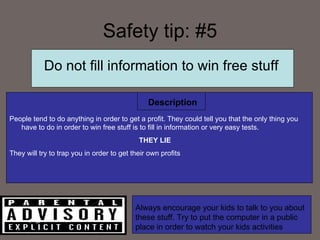
Safety tip: #5 People tend to do anything in order to get a profit. They could tell you that the only thing you have to do in order to win free stuff is to fill in information or very easy tests. THEY LIE They will try to trap you in order to get their own profits Description Do not fill information to win free stuff Always encourage your kids to talk to you about these stuff. Try to put the computer in a public place in order to watch your kids activities
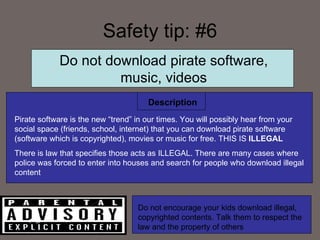
Safety tip: #6 Description Do not download pirate software, music, videos Pirate software is the new “trend” in our times. You will possibly hear from your social space (friends, school, internet) that you can download pirate software (software which is copyrighted), movies or music for free. THIS IS  ILLEGAL There is law that specifies those acts as ILLEGAL. There are many cases where police was forced to enter into houses and search for people who download illegal content Do not encourage your kids download illegal, copyrighted contents. Talk them to respect the law and the property of others
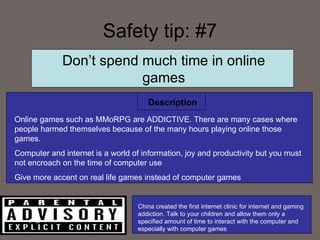
Safety tip: #7 Description Don’t spend much time in online games Online games such as MMoRPG are ADDICTIVE. There are many cases where people harmed themselves because of the many hours playing online those games.  Computer and internet is a world of information, joy and productivity but you must not encroach on the time of computer use Give more accent on real life games instead of computer games China created the first internet clinic for internet and gaming addiction. Talk to your children and allow them only a specified amount of time to interact with the computer and especially with computer games
Safety tip: #8 Description Don’t be a cyber-bully ! Internet is not faceless. Don’t do things that you don’t want others to do to you Such as bulling or spreading gossip. Its not ethical and may hurt people.  Besides there is law and organization who search those kind of things Beware its not a game Talk your kids about ethical behavior online and offline Search your kids name online in google every week you might see things that will surprise you ( www.stopcyberbullying.org/   )
Safety tip: #9 Description Don’t trust anything you see Internet is a place where everyone can write, post his opinion or an information about anything. History, religious beliefs, ethical matters or anything It doesn’t mean that he or she is right or tells the truth. Try to cross the information You want from several locations. Find which information is credible and  reputable  If you use online information in a school project make sure you explain where you got the information.  Try to monitor your kids information gathering and inform them on things you don’t find right
Safety tip: #10 Parents TALK, TALK,  TALK  to your child Internet is not a safe place for your kids. Try to get information on this subject. Inform yourself on the internet technology. Know how to use the computer in order to protect your children Give them understand that you are trying to protect them not to SPY on them for any reason Kids reacts in straight rules without discussion. Have a talk. Get their opinion  PROTECT THEM
Information and resources Internet Safety Tips for Kids and Teens  ( http://www.nypl.org/legal/kids.cfm ) Wired Kids, Inc.   ( http://www.wiredkids.org ) Wolak, J., Mitchell, K.J., and Finkelhor, D. (2002).  Close online relationships in a national sample of adolescents: A description. Adolescence , 37(147), 441-456. (CV50)  Mitchell, K.J., Finkelhor, D., & Wolak, J. (2003).  The exposure of youth to unwanted sexual material on the internet: A national survey of risk, impact and prevention . Youth & Society, 34(3), 330-358. (CV43)  Mitchell, K.J., Finkelhor, D., & Wolak, J. (2005).  Protecting youth online: Family use of filtering and blocking software . Child Abuse & Neglect 29:753-765. (CV49)

Ctss Safe Internet For Kids

  • 1.
    CO3714-Communication Technologies forSocial Spaces Theodor Papadopoulos “ Ten rules for safe internet usage for young children”
  • 2.
    Introduction Nowadays internetuse has been increasing dramatically The benefits arising from internet are numerous including A way to communicate over long distances Tons of information Different services provided (e-tax etc) Entertainment Other Unfortunately with the benefits, comes the detrimental effects, caused by dexterous people Pornography Piracy Scams Everything that someone can or can not imagine In this presentation we will see 10 critical safety tips for young children using internet ensuring the security and privacy as long as short safety guidelines for the parents
  • 3.
    Kids and theInternet It is clear that young people are using the internet in ever-increasing numbers. Let’s see some statistics concerning the use of the internet by teens 87% of U.S. teens ages 12 to 17 currently use the Internet, representing about 21 million youth. Of those, approximately 11 million teens go online on a daily basis (Pew Internet and American Life, "Teens and Technology," July 27, 2005.) Another statistic shows the internet safety concerning teens One in 5 youth received a sexual approach or solicitation over the Internet in the past year One in 4 youth had an unwanted exposure in the past year to pictures of naked people or people having sex ( Finkelhor, Mitchell, and Wolak (2000))
  • 4.
  • 5.
    Safety tip: #1Do not expose your personal information online Personal information is everything that has to do with YOU . Name, surname, pictures of you, birth date or year, favorite movies , name of pets (it's funny but these are the security questions you put for reseting your password to several internet sites). Do not fill in questionnaires even if they are sent by a friend. USE A NICKNAME Description You are NOT anonymous while surfing the internet Imagine your child going out for playing and wearing a t-shirt that writes “I am “your kids name” currently living in xxx and my telephone number is xxx” it’s the same thing. Inform your children and control them not giving their personal details on the internet
  • 6.
    Safety tip: #2Do not talk with people you don’t know Dexterous people can easily pretend to be someone else rather the person he actually is by using the anonymity of the internet in order to harm you ! If you still talk to people you don’t know in any circumstances DO NOT meet him/her in person without your parents Description You are NOT anonymous while surfing the internet Put your computer in a public place like the kitchen or the living room in order to have control over it. Don’t let your kid alone while surfing the internet there are so many dangers out there
  • 7.
    Safety tip: #3While browsing the internet and its services in most cases you have to fill a password to check your e-mails, enter an instant messenger, check your social networking site etc. Don’t use the same password Use a complex password NOT including sensitive information e.g. Name, surname Example of good passwords: “m4st3rpassw0rd!” , “123#@!890abc” Example of bad passwords: “george22” , “12345” Description Organize your kids passwords. Use computer software or manually handwrite the passwords. Let them understand that you want to protect your children not to violate their freedom Internet Password Organizer ( http:// www.internetpasswordorganizer.com ) RoboForm Pro ( http://www.roboform.com/php/land.php?affid=a6277&frm ) Choose a strong password
  • 8.
    Safety tip: #4Internet is a great source of information. Web sites contains educational content, entertainment content, news as well as unwanted content , adult content, harmful content (viruses, worms etc) You can protect yourself by knowing exactly a safe way to reach the information you want Browse the web with your parents presence Description Install the computer in a public place in the house to attend your kids actions Use a commercial software in order to filter your kids computer Suggestion: Web Watcher ( http://www.webwatcherkids.com/features.php ), Antivirus software Beware of the unwanted content on websites
  • 9.
    Safety tip: #5People tend to do anything in order to get a profit. They could tell you that the only thing you have to do in order to win free stuff is to fill in information or very easy tests. THEY LIE They will try to trap you in order to get their own profits Description Do not fill information to win free stuff Always encourage your kids to talk to you about these stuff. Try to put the computer in a public place in order to watch your kids activities
  • 10.
    Safety tip: #6Description Do not download pirate software, music, videos Pirate software is the new “trend” in our times. You will possibly hear from your social space (friends, school, internet) that you can download pirate software (software which is copyrighted), movies or music for free. THIS IS ILLEGAL There is law that specifies those acts as ILLEGAL. There are many cases where police was forced to enter into houses and search for people who download illegal content Do not encourage your kids download illegal, copyrighted contents. Talk them to respect the law and the property of others
  • 11.
    Safety tip: #7Description Don’t spend much time in online games Online games such as MMoRPG are ADDICTIVE. There are many cases where people harmed themselves because of the many hours playing online those games. Computer and internet is a world of information, joy and productivity but you must not encroach on the time of computer use Give more accent on real life games instead of computer games China created the first internet clinic for internet and gaming addiction. Talk to your children and allow them only a specified amount of time to interact with the computer and especially with computer games
  • 12.
    Safety tip: #8Description Don’t be a cyber-bully ! Internet is not faceless. Don’t do things that you don’t want others to do to you Such as bulling or spreading gossip. Its not ethical and may hurt people. Besides there is law and organization who search those kind of things Beware its not a game Talk your kids about ethical behavior online and offline Search your kids name online in google every week you might see things that will surprise you ( www.stopcyberbullying.org/ )
  • 13.
    Safety tip: #9Description Don’t trust anything you see Internet is a place where everyone can write, post his opinion or an information about anything. History, religious beliefs, ethical matters or anything It doesn’t mean that he or she is right or tells the truth. Try to cross the information You want from several locations. Find which information is credible and reputable If you use online information in a school project make sure you explain where you got the information. Try to monitor your kids information gathering and inform them on things you don’t find right
  • 14.
    Safety tip: #10Parents TALK, TALK, TALK to your child Internet is not a safe place for your kids. Try to get information on this subject. Inform yourself on the internet technology. Know how to use the computer in order to protect your children Give them understand that you are trying to protect them not to SPY on them for any reason Kids reacts in straight rules without discussion. Have a talk. Get their opinion PROTECT THEM
  • 15.
    Information and resourcesInternet Safety Tips for Kids and Teens ( http://www.nypl.org/legal/kids.cfm ) Wired Kids, Inc. ( http://www.wiredkids.org ) Wolak, J., Mitchell, K.J., and Finkelhor, D. (2002). Close online relationships in a national sample of adolescents: A description. Adolescence , 37(147), 441-456. (CV50) Mitchell, K.J., Finkelhor, D., & Wolak, J. (2003). The exposure of youth to unwanted sexual material on the internet: A national survey of risk, impact and prevention . Youth & Society, 34(3), 330-358. (CV43) Mitchell, K.J., Finkelhor, D., & Wolak, J. (2005). Protecting youth online: Family use of filtering and blocking software . Child Abuse & Neglect 29:753-765. (CV49)